
Samsung S26 FRP Bypass Guide: S26 FRP Bypass & S26 Ultra FRP (Owner Only)

Oct 10, 2026 • Filed to: Screen Lock Removal • Proven solutions
 TL;DR:
Legitimate owners locked out of a Samsung Galaxy S26, S26 Plus, or S26 Ultra running Android 16 can bypass the Factory Reset Protection screen using the Dr.Fone - Screen Unlock (Android) software on a Windows or Mac computer.
● Executing this S26 FRP bypass requires a direct USB connection to the computer and may require accessing the phone emergency dialer to input a specific code like *#0*# for USB debugging, an action that will ultimately wipe all remaining device data.
● A remote unlock through the Samsung SmartThings Find website can alternatively bypass the FRP lock upon restart, but this method is strictly limited to devices that already had an active Samsung Account and the Find My Mobile feature enabled prior to the unauthorized reset.
● Manual S26 Ultra FRP bypass techniques using TalkBack exploits or sideloaded APK files carry a very low success rate because Samsung aggressively patched these accessibility loopholes in the Android 16 update.
Ask AI for a summary
 ChatGPT
 Perplexity
 Gemini
 Claude
 Grok
Grok
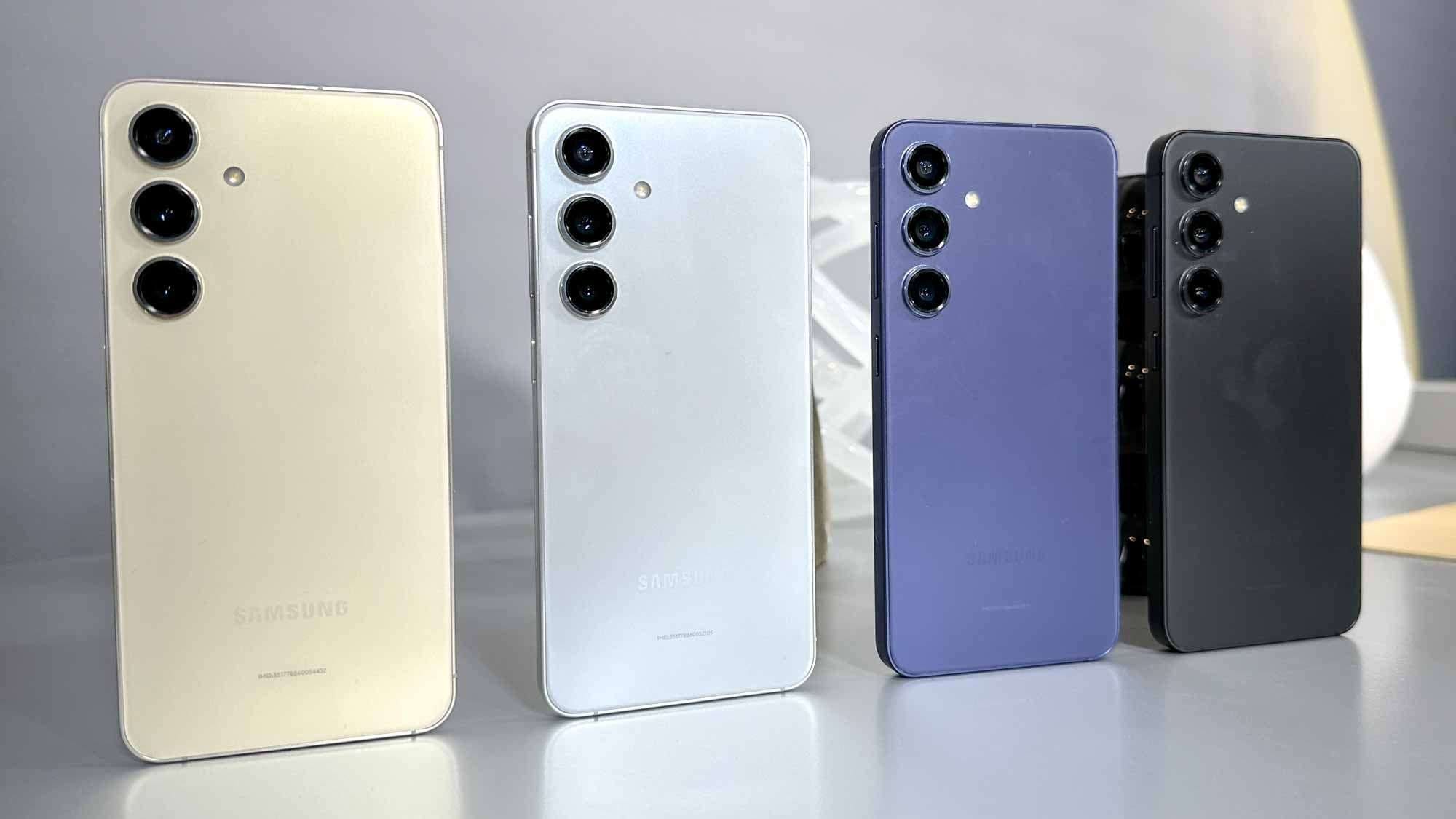
Soure: Tom's Guide
The launch of the Samsung Galaxy S26 series marks another milestone in mobile technology, featuring cutting-edge hardware and the sophisticated Android 16 operating system. However, with advanced technology comes advanced security. For many users, purchasing second-hand devices or those who have forgotten their Google account credentials, the Factory Reset Protection (FRP) feature on the new Galaxy S26, S26 Plus, and S26 Ultra can become a significant hurdle. This security feature, designed to deter theft, effectively locks the device after a factory reset until the original Google account credentials are entered.
If you find yourself staring at the "Verify your account" screen on your new device, you are likely looking for a reliable Samsung S26 FRP bypass solution. While the security on the S26 series is robust, legitimate owners have recourse through professional software solutions. This guide focuses on using Dr.Fone – Screen Unlock (Android), a trusted tool designed to help you regain access to your device safely and efficiently.

Part 1. What is Samsung S26 FRP Lock?
Factory Reset Protection (FRP) is a built-in security feature introduced by Google for Android devices running Android 5.1 and later. On the new Samsung Galaxy S26 series, this protection is more integrated than ever. When a Google account is added to your S26, FRP is automatically enabled.
If the device is reset to factory settings using the recovery mode (an "unsafe" reset) rather than through the settings menu, the FRP lock engages. The system will require the Google username and password previously synced on the device to start up. This ensures that if an unauthorized person steals a phone and tries to wipe it, they cannot use it. However, this S26 FRP feature often accidentally locks out genuine owners who forget their passwords or buyers of used phones whose previous owners failed to remove their accounts.
Part 2. Why Do You Need S26 FRP Bypass?
There are several legitimate scenarios where a user might require an s26 ultra frp bypass:
- Second-Hand Purchase: You bought a used Galaxy S26 or S26 Ultra online or from a local seller, and they forgot to remove their Google account before handing it over.
- Forgotten Credentials: You performed a factory reset on your own device to fix a software issue, but cannot recall the specific Google account password associated with the phone.
- Employee Device Turnover: In a corporate environment, an employee may return a company-issued S26 Ultra without removing their personal credentials, leaving the IT department unable to redeploy the phone.
- Inherited Devices: You may have inherited a device from a family member and do not have their login details.
In these cases, the phone becomes essentially a paperweight without a successful bypass. This is where professional s26 ultra frp unlock tool solutions become essential.
Part 3. How to Bypass Samsung S26 Ultra FRP Lock with Dr.Fone
Among various methods available, Dr.Fone - Screen Unlock (Android) stands out for its reliability and compatibility with the latest Android versions, including the Android 16 system running on the S26 series. It offers a straightforward, click-through process that does not require deep technical knowledge.
Dr.Fone allows you to remove the Google FRP lock and FRP bypass on Samsung devices without needing the original PIN code or Google account. It supports a wide range of Samsung models, making it an ideal solution for the s26 ultra frp issue.
Dr.Fone - Screen Unlock (Android)
A Powerful Tool for Removing FRP on Samsung S26 Series Devices
- Remove FRP lock on Samsung, Xiaomi, Redmi, Oppo, Realme, Vivo, Motorola, Lenovo, Huawei, Micromax, ZTE, and OnePlus phones without password or Google account.
- Bypass Google FRP account on all Samsung Phones and Tablets.
- 100% success rate for FRP bypass on Samsung Snapdragon devices.

- Bypass Google account verification after factory reset.
- No tech knowledge required, Simple, click-through, process.


Step-by-Step Guide for S26 Series
Step 1. Download and install Dr.Fone on your Windows or Mac computer.
Step 2. Open the software and select the "Screen Unlock" module from the main toolbox.
Step 3. Choose "Unlock Android Screen/FRP" and then select "Remove Google FRP Lock".

Step 4. Connect your Samsung Galaxy S26, S26 Plus, or S26 Ultra to the computer using a high-quality USB cable.
Step 5. Select "Samsung" from the list of manufacturers.
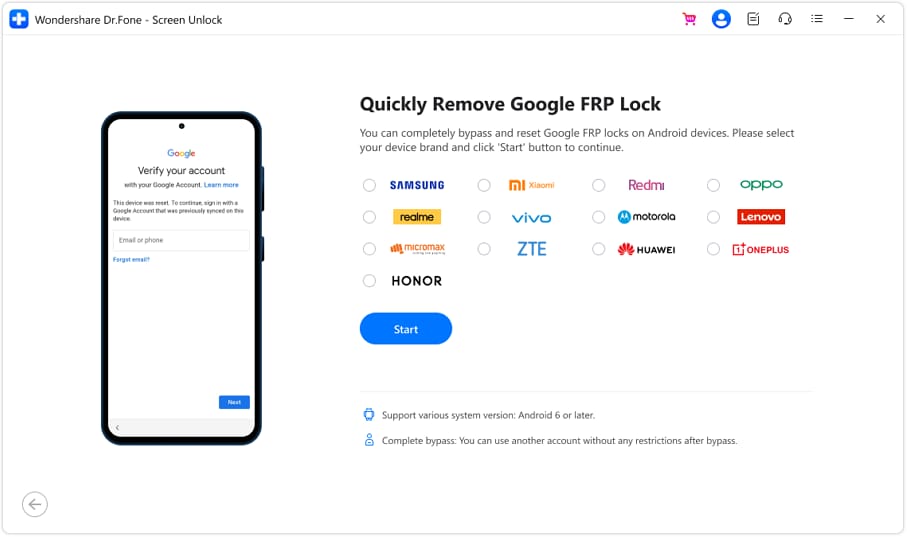
Step 6. For the S26 series, you will likely need to select the option for "Android 11/12/13/14/15/16" or the specific "Bypass FRP for Android 16" option if available. Dr.Fone is frequently updated to support the latest OS.
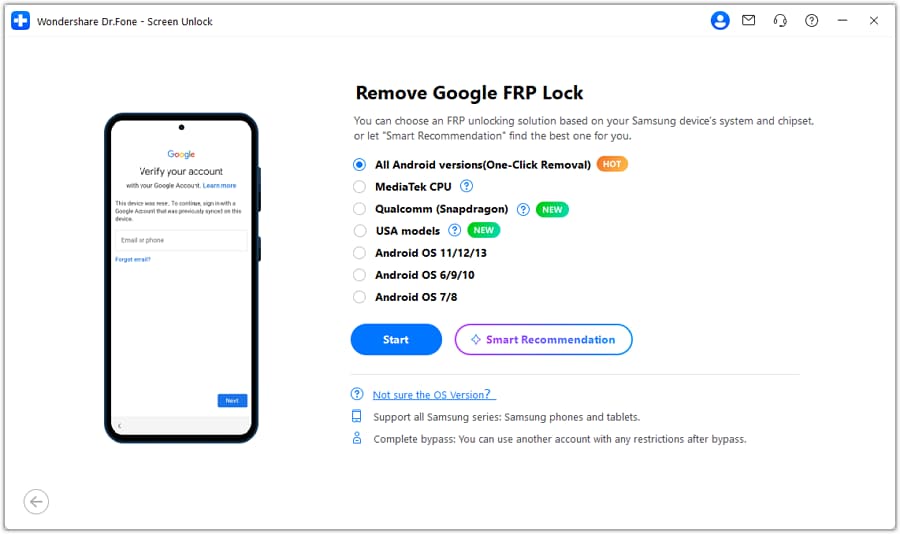
Step 7. The software may ask you to access the emergency call dialer on your phone and enter a code (like *#0*#) to enable USB debugging, or it may use a direct removal method depending on the specific security patch level of your S26.
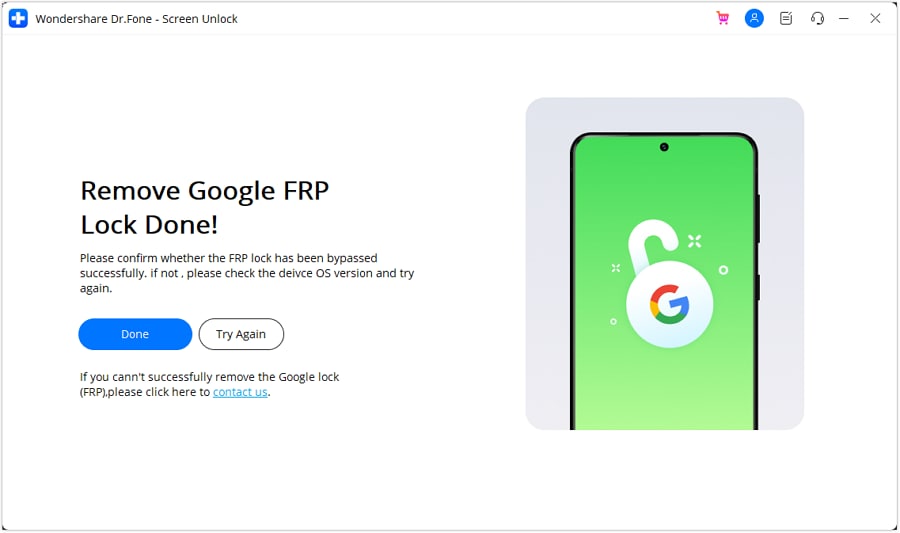
Step 8. Once the process is complete, the tool will notify you. Your S26 will restart, and the Google account verification screen should be removed, allowing you to set up the phone as new.
 safe & secure
4,624,541 people have downloaded it
Part 4. Alternative Methods for S26 FRP Unlock
While third-party software is often the most reliable method for newer devices like the S26, there are other approaches, though they come with lower success rates or higher complexity.
Samsung Find My Mobile
If you have a Samsung Account logged into the device (in addition to the Google account) and "Find My Mobile" was enabled, you might be able to unlock the device remotely. This sometimes removes the FRP lock indirectly by resetting the screen lock mechanism.
- Log in to the Samsung SmartThings Find website.
- Select your S26 device.
- Choose the "Unlock" option.
- This removes PIN/Pattern/Biometrics and may bypass the FRP requirement on restart.
APK Bypass Methods (High Technical Difficulty)
Some users attempt to bypass s26 frp by exploiting accessibility features (TalkBack) or using OTG cables to side-load specific APK files (like FRP Bypass APK). However, with the release of the S26 and Android 16, Samsung has patched many of these security loopholes. These methods are often complicated, require exact timing, and may not work on the latest security patches.
Part 5. Tips to Avoid FRP Lock on Your S26
To avoid needing an S26 ultra frp unlock tool in the future, consider these best practices:
- Remove Accounts Before Reset: Before factory resetting your phone to sell or trade it in, always go to Settings > Accounts and backup > Manage accounts and remove your Google and Samsung accounts manually.
- Keep Credentials Safe: Use a password manager to store your Google account details securely.
- Check Used Phones: When buying a used S26, ask the seller to factory reset the phone in your presence (via settings) or ensure they have removed their accounts before shipping.
Conclusion
Factory Reset Protection (FRP) on the Galaxy S26 series is designed to prevent unauthorized use after a reset—so hitting the verification screen on s26 frp (including s26 ultra frp) often means the device is enforcing ownership checks, not malfunctioning. Start with the safest options first: sign in with a previously synced Google account, use official account recovery if you forgot credentials, and follow Samsung’s guidance—especially the 24–72 hour sync window after a password change.
If you are a legitimate owner (or have explicit authorization) and still need a samsung s26 frp bypass / s26 frp bypass solution, Dr.Fone provides an official, guided workflow that many users look for when they search terms like s26 ultra frp unlock tool or s26 ultra frp bypass.
safe & secure4,624,541 people have downloaded it
FAQs
 Q1. Is it legal to bypass FRP on a Samsung S26?Q2. Will a factory reset remove the FRP lock?Q3. Does the Dr.Fone S26 FRP bypass erase my data?Q4. Does this work for the S26 Ultra specifically?


Samsung Unlock
- Samsung Code
- 1. Samsung Unlock Code List
- 2. Samsung Reset Code List
- 3. Samsung Secret Code List
- 4. Check Screen Using Secret Codes
- 5. Samsung Unlock Code Generators
- 6. Free Samsung Unlock Code
- 7. Free Samsung Unlock Code Generators
- 8. Samsung Galaxy S2 Unlock Code
- Samsung A Series FRP Bypass
- 1. Samsung A01 FRP Bypass
- 2. Samsung A01 Core FRP Bypass
- 3. Samsung A02/A02s FRP Bypass
- 4. Samsung A2 Core FRP Bypass
- 5. Samsung A10/A10s FRP Bypass
- 6. Samsung A11 FRP Bypass
- 7. Samsung A12 FRP Bypass
- 8. Samsung A20/A20S FRP Bypass
- 9. Samsung A14 FRP Bypass
- 10. Samsung A30/30s FRP Bypass
- 11. Samsung A50 FRP Bypass
- 12. Samsung A51 FRP Bypass
- Samsung J Series FRP Bypass
- 1. Samsung J2 FRP Bypass
- 2. Samsung J4 FRP Bypass
- 3. Samsung J5 Prime FRP Bypass
- 4. Samsung J6 FRP Bypass
- 5. Samsung J7 FRP Bypass
- 6. Samsung J7 Prime FRP Bypass
- 7. Samsung J250 FRP Bypass
- Samsung S Series FRP Bypass
- 1. Samsung S7 FRP Bypass
- 2. Samsung S22 FRP Bypass
- 3. Bypass Samsung S24 FRP Lock
- 4. Samsung S25 FRP Bypass
- 5. Samsung S26 FRP Bypass
- Samsung FRP Bypass for Others
- 1. Samsung M01 FRP Bypass
- 2. Samsung M11 FRP Bypass
- 3. Samsung G532F FRP Bypass
- 4. Samsung G531F/G531H FRP Bypass
- 5. Samsung Google Verification Bypass
- 6. HushSMS APK FRP Unlock
- 7. Samsung Android 11 FRP Bypass
- 8. Samsung FRP Bypass Without PC
- Samsung Factory/Hard Reset
- 1. Reboot Samsung
- 2. Hard Reset Samsung
- 3. Reset Locked Samsung Phone
- 4. Reset Samsung Tablet
- 5. Reset Samsung Without Password
- 6. Reset Samsung Account Password
- 7. Reset Samsung Galaxy S3
- 8. Reset Samsung Galaxy S4
- 9. Reset Samsung Galaxy S5
- 10. Reset Samsung Galaxy S9/S10
- 11. Reset Samsung Galaxy J5/J7
- 12. Reset Samsung A12
- 13. Factory Reset Samsung Tablet
- Samsung S Series Screen Unlock
- 1. Samsung S2 Screen Unlock
- 2. Samsung S3 Screen Unlock
- 3. Samsung S4 Screen Unlock
- 4. Samsung S5 Screen Unlock
- 5. Samsung S6 Screen Unlock
- 6. Samsung S7/S8 Screen Unlock
- 7. Samsung S20 Screen Unlock
- 8. Samsung S22 Ultra Screen Unlock
- 9. Unlock Samsung S25
- Samsung Screen Unlock
- 1. Best Samsung Unlock Software
- 2. Forgot Samsung Galaxy Password
- 3. Bypass Samsung Lock Screen PIN
- 4. Unlock Samsung Galaxy Phones
- 5. Unlock Bootloader on Samsung
- 6. Unlock Home Screen Layout
- 7. Unlock Samsung Password
- 8. Remove Google Account
- 9. MDM Remove Tools
- 10. Remove Samsung MDM Lock
- 11. Samsung Reactivation Lock
- Samsung SIM Unlock
- ● Manage/transfer/recover data
- ● Unlock screen/activate/FRP lock
- ● Fix most iOS and Android issues
- Free Download Free Download Free Download

 > How-to > Screen Lock Removal > Samsung S26 FRP Bypass Guide: S26 FRP Bypass & S26 Ultra FRP (Owner Only)
James Davis
staff Editor