
How to Jailbreak iPhone or iPad: Complete Guide (With & Without Computer)

Oct 08, 2026 • Filed to: Screen Lock Removal • Proven solutions
 TL;DR:
Jailbreaking an iPhone or iPad removes Apple's software restrictions to allow third-party apps and deeper customization, which can be executed via a computer using Dr.Fone or directly on the device using Safari verification sites.
● The PC method requires Windows 7 or newer, iTunes, and WinRa1n 2.0 to access DFU mode, supporting Apple A7-A11 devices on iOS 12-14 via Checkra1n and Apple A7-A10 devices on iOS 15-16 via Palera1n Rootless mode.
● The computer-free method requires disabling Low Power Mode, setting Background App Refresh to Wi-Fi & Cellular Data, and downloading files via Safari from sites like jailbreaktoday.com, which ends with a mandatory two-app download for human verification.
● Modifying iOS violates Apple's terms, increases malware risks, and does not unlock carrier network restrictions, but the jailbreak can be completely reversed by restoring the device through iTunes or Finder.
Ask AI for a summary
 ChatGPT
 Perplexity
 Gemini
 Claude
 Grok
Grok
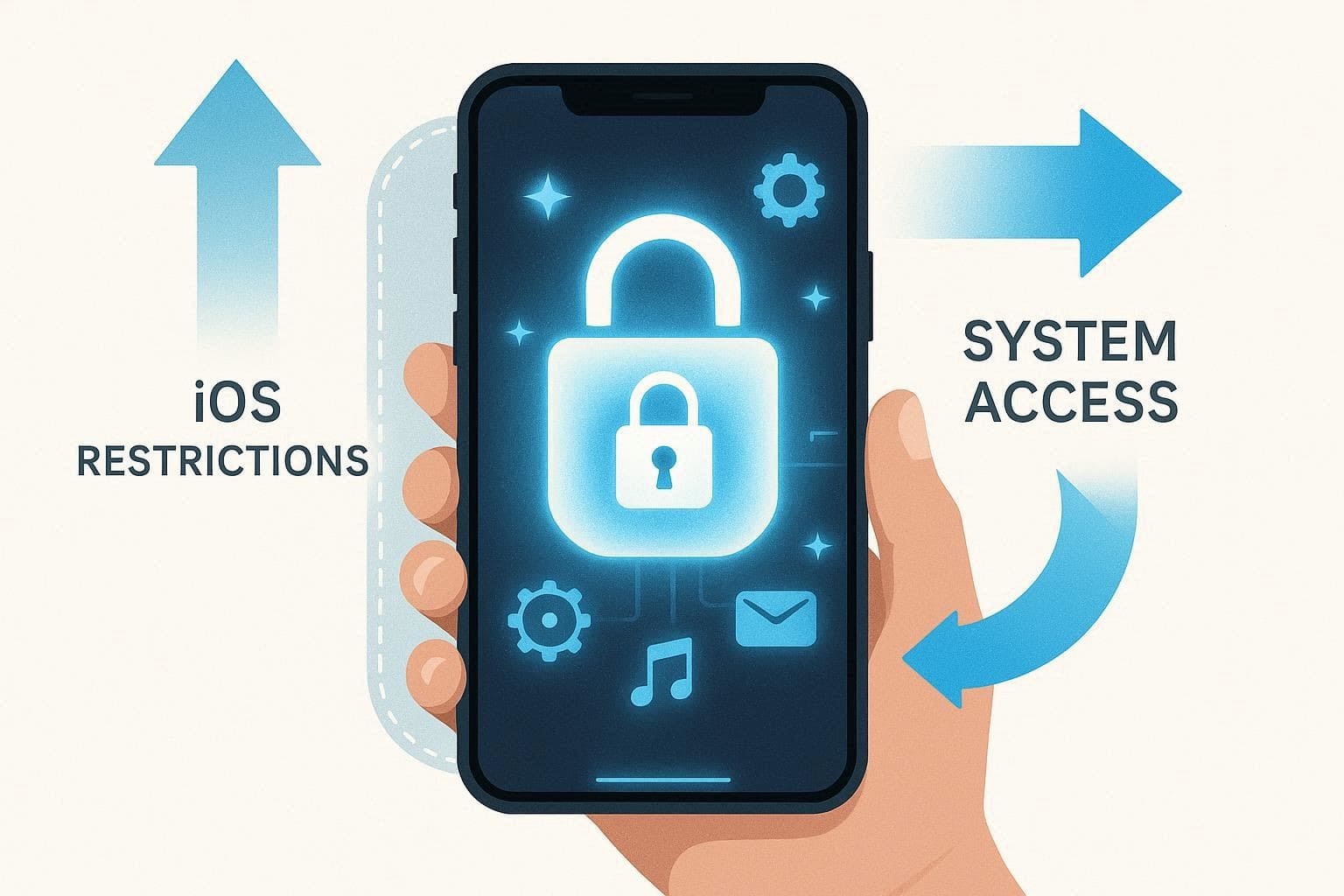
iOS places system restrictions on customization and root-level access by default. Some advanced features or deeper controls are intentionally limited by Apple's operating system design. Therefore, jailbreaking may open up new opportunities, new themes, and more access, yet it requires attention and clarity.
Thus, this guide demonstrates how to jailbreak an iPhone or an iPad, without or with a computer. Here, you will learn key checks, tool choices, and simple tips to avoid risk. While doing so, learn how Dr.Fone is the safest choice for jailbreaking iOS and starting with confidence.
 safe & secure
4,624,541 people have downloaded it

Part 1. What Does Jailbreaking an iPhone or iPad Mean?
Before you learn how to jailbreak an iPhone or iPad, it's important to know what it means. Jailbreaking refers to removing Apple's software restrictions on iOS to allow deeper control over the device. It works by using software exploits that provide elevated access to certain system files and settings. After jailbreaking, users can install third-party app stores and additional tools that are not available through the official App Store.
Types of Jailbreaking
If one asks how to jailbreak their iPhone, the next thing that comes to mind is what type of jailbreak they're referring to. Therefore, this section has briefly mentioned a few types for a quick overview:
| Type | After Reboot | PC Needed After Reboot? | User Experience |
|---|---|---|---|
| Tethered | The device boots only with the jailbreak tool; otherwise, it stays unusable until booted via a computer. | Yes | Most restrictive; requires a PC every restart. |
| Semi-tethered | Device boots into normal iOS without tweaks; jailbreak features are disabled until reactivated using a computer. | Yes | Phone usable, but tweaks return only with a PC. |
| Semi-untethered | Device boots normally; jailbreak can be reactivated directly from an app on the phone. | No | Most common: quick re-enable without a computer. |
| Untethered | The device remains jailbroken after reboot when a full exploit exists. | No | Most convenient; no reactivation required. |
Is Jailbreaking Legal?
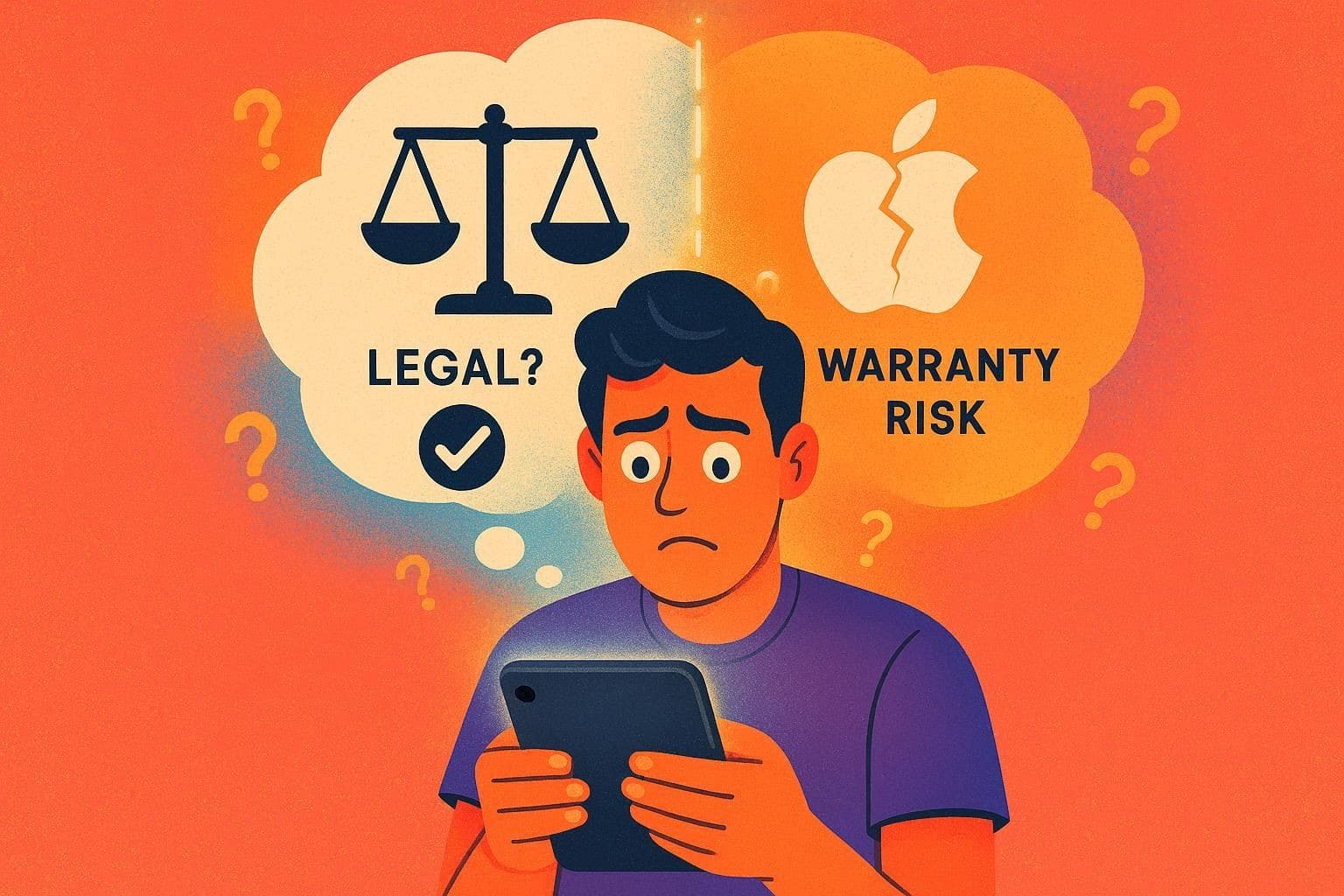
When learning how to jailbreak an iPad or iPhone, you should understand both legal and support implications. In many countries, jailbreaking for personal use is legal, but it does not allow piracy or illegal apps, and local laws may differ. However, jailbreaking violates Apple's terms, so Apple may refuse service or repairs. Warranty support can be affected, though updates remain available after restoring to official iOS software.
Risks and Benefits of Jailbreaking an iPhone or iPad
Despite knowing the reality, if you have decided to learn how to jailbreak an iPad, review some of its perks and pitfalls too:
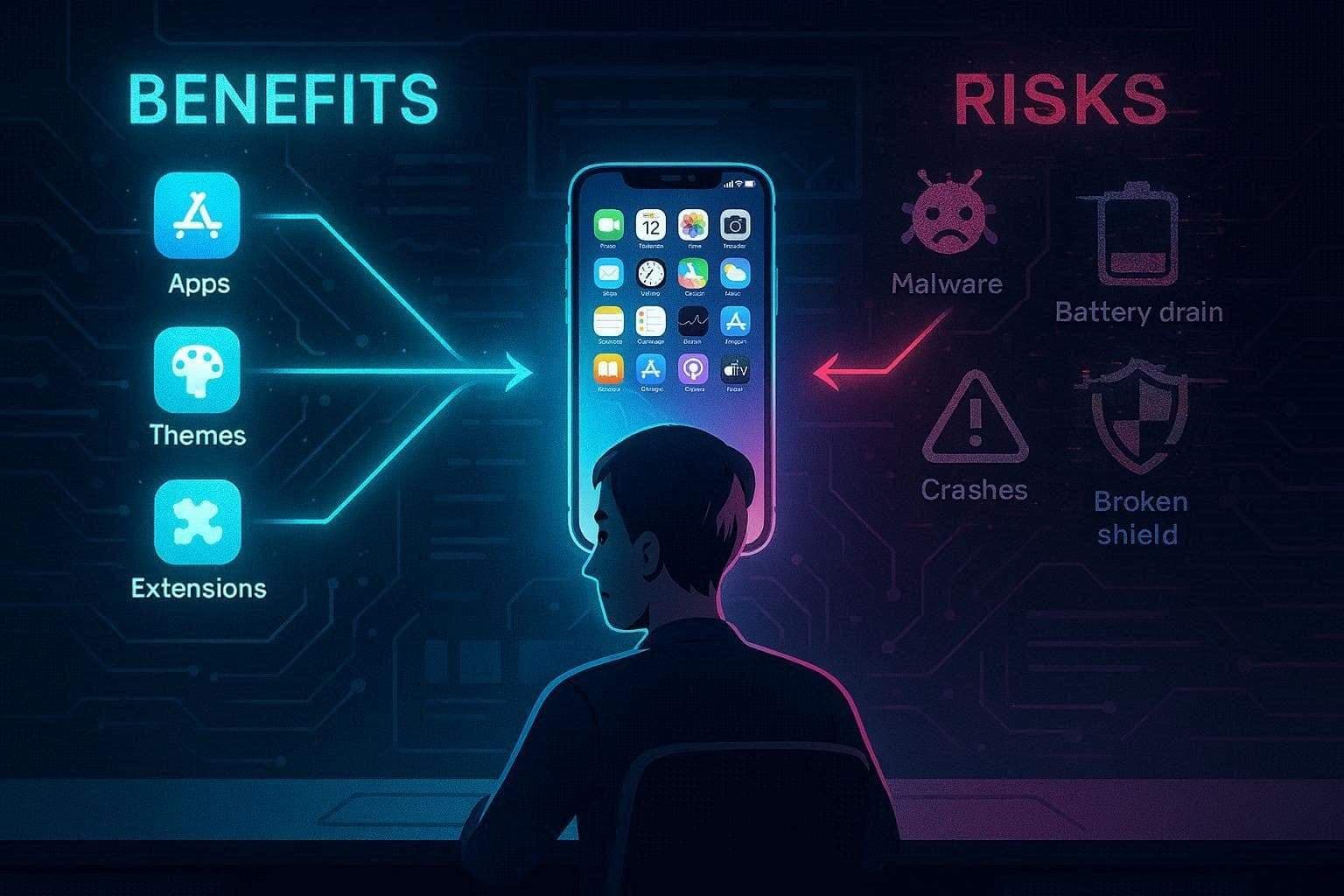
Benefits
- Install applications not available in the App Store, including emulators and file managers.
- Customize your iPhone with ease, adding themes, icons, gestures, and layouts.
- Add powerful extensions, such as ad blockers, automation tools, default apps, and settings.
Risks
- Without Apple defenses, your device is easily infected with malware and spyware.
- Jailbreak tweaks result in crashes, freezes, battery depletion, overheating, and instability.
- Apple can deny any repair due to jailbreaking, which is considered an unauthorized modification.
- iOS updates can fail, jailbreaks can be removed, or secure apps can be blocked.
Part 2. How to Prepare Your iPhone or iPad for Jailbreak
While learning how to jailbreak an iPhone without a computer, here are some preparations that you need to do first:
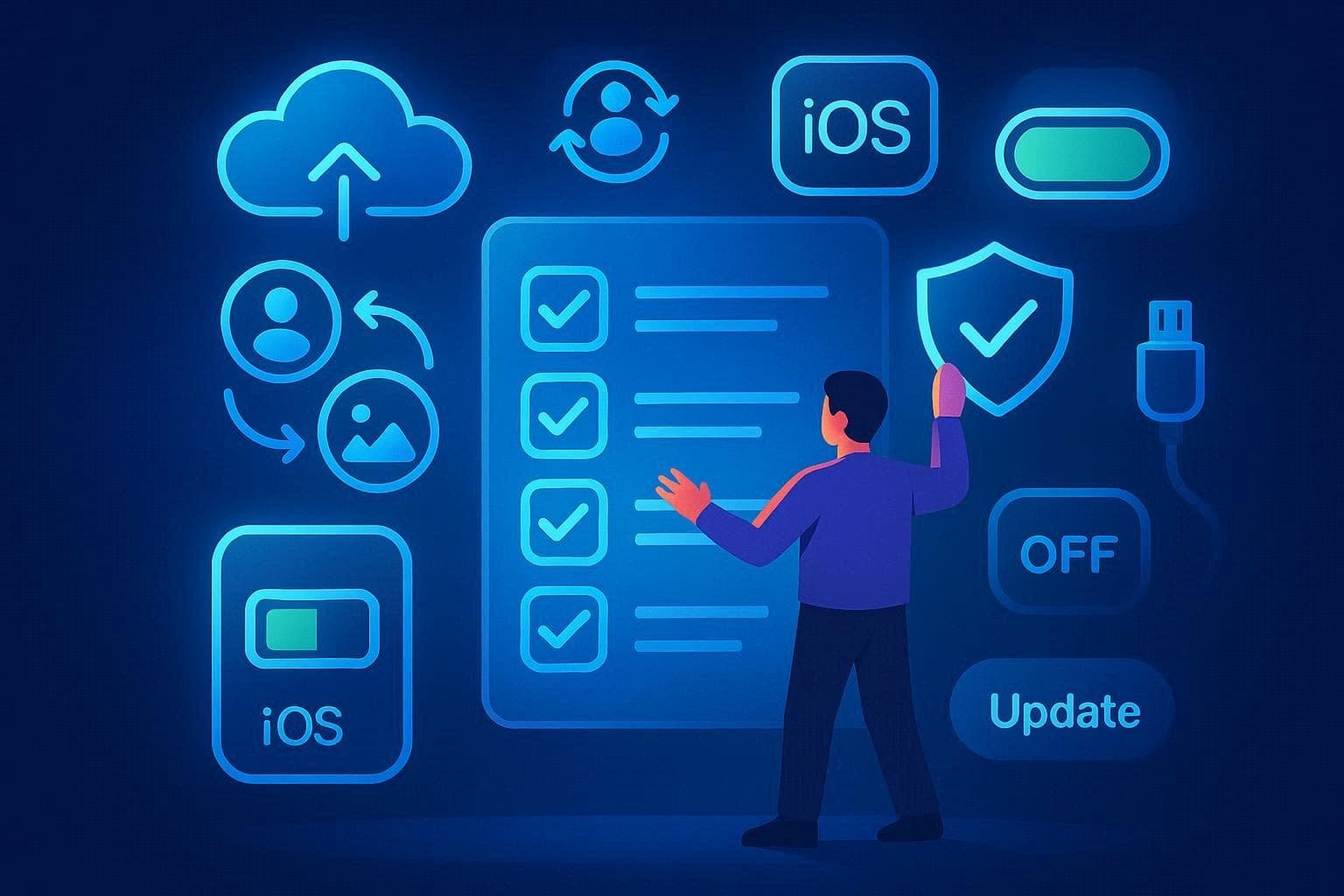
- Back up your iPhone using iCloud or a computer before jailbreaking.
- Ensure photos, contacts, notes, and messages sync safely to iCloud.
- Confirm the iOS version matches a trusted jailbreak tool before starting.
- Disable automatic updates to avoid installing newer unsupported iOS versions.
- Charge the device well and keep it plugged in during jailbreak.
- Use a reliable USB cable and computer if jailbreak requires a connection.
- Download the jailbreak tool only from the official website or trusted sources.
Part 3. How to Jailbreak iPhone or iPad with a Computer (Recommended)
Once the prerequisites are completed, you can proceed with the steps for how to jailbreak an iPhone. Dr.Fone - Screen Unlock (iOS) helps prepare the device and guides the process, while the jailbreak itself depends on compatible jailbreak utilities. Windows users should install the latest iTunes and required components such as WinRa1n 2.0. Some setups may also use checkn1x-amd64.iso and Rufus to launch the jailbreak environment properly.
Hence, from Apple A7 - A11 (iOS 12 - iOS 14) to Apple A7 - A10 (iOS 15 - iOS 16), this jailbreak tool offers quick jailbreaking steps. Additionally, the process is fully guided, which makes this tool ideal for all types of users. Besides, you can use this tool to bypass iCloud Activation Lock or unlock your iOS from any carrier, making Dr.Fone an all-in-one iOS solution.

Dr.Fone - Screen Unlock (iOS)
Unlock iPhone/iPad Lock Screen Without Hassle.
- Simple, click-through, process.
- Unlock screen passwords from all iPhones and iPads.
- No tech knowledge is required, everybody can handle it.
- Supports the latest iOS version fully!



Guide to Jailbreak Your iPhone with Dr.Fone Using WinRa1n2.0
If you want to learn how to jailbreak an iPhone with Dr.Fone, follow this tutorial and the prerequisites:
- Use a Windows 7 or newer computer to perform the jailbreak.
- Use an Apple-certified Lightning cable to connect the iPhone to the computer.
- Download the latest iTunes version and WinRa1n 2.0 before starting jailbreak.
To Jailbreak Apple A7 - A11, iOS 12 - iOS 14
- Step 1. Choose to Connect the Device and Launch iTunes
- Step 2. Access Recovery and DFU Mode to Jailbreak
With iTunes installed, connect the iDevice via USB and open the main interface. After that, choose the "Jailbreak Your Device Using Checkra1n 0.1.2 [Apple A7 - A11, iOS 12 - iOS 14]" option.
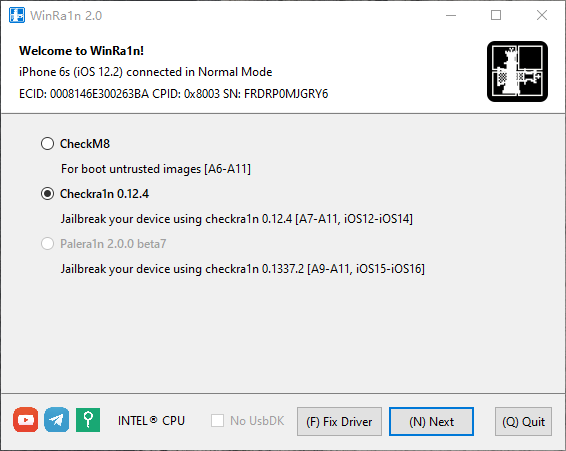
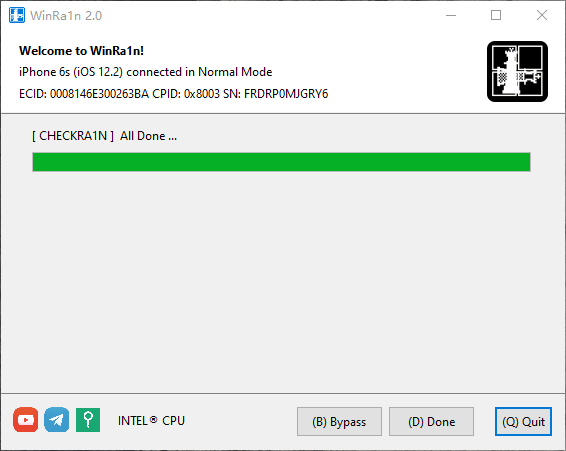
Select the "Checkra1n 0.12.4" option, then press the "Next" button. When the progress bar to enter recovery mode appears, follow the on-screen instructions to access DFU Mode. Monitor the Payload Running and wait for the tool to automatically enter your iPhone into Download Mode. There, the iOS will be jailbroken; then, pick the "(D)Done" button.
To Jailbreak Apple A7 - A10, iOS 15 - iOS 16
- Step 1. Pick the Palera1n and Rootless Mode for iOS 15 - iOS 16
- Step 2. Enter the Recovery and DFU Mode to Start Jailbreaking
After connecting the iDevice and launching iTunes, choose "Palera1n 2.0.0 beta7" as your jailbreak mode, then tap the "Rootless" option.
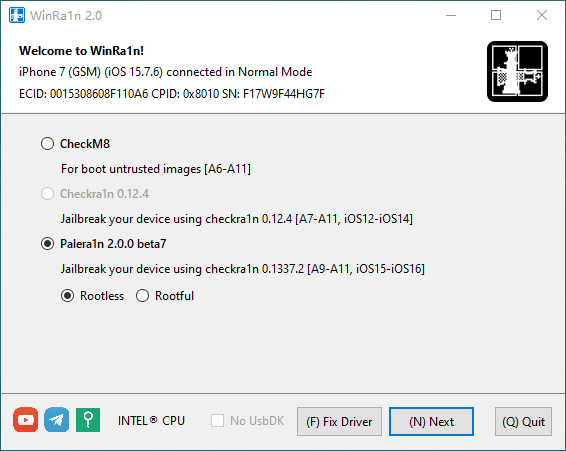
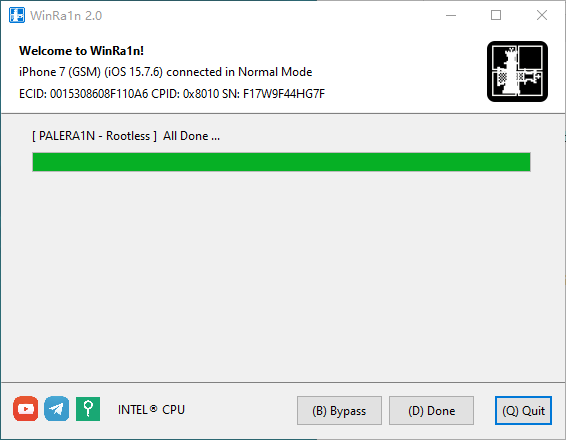
As you press the "Next" button, the tool will direct iOS into recovery mode, then into DFU Mode. In DFU Mode, jailbreaking will commence; once it completes successfully, click the "(D)Done" button to conclude.
safe & secure4,624,541 people have downloaded it
Part 4. How to Jailbreak iPhone or iPad Without a Computer
Other than PC, to know how to jailbreak an iPhone without a PC, this section is for you. Get to know how third-party sites can let you jailbreak in a few clicks via the simple guide mentioned below:
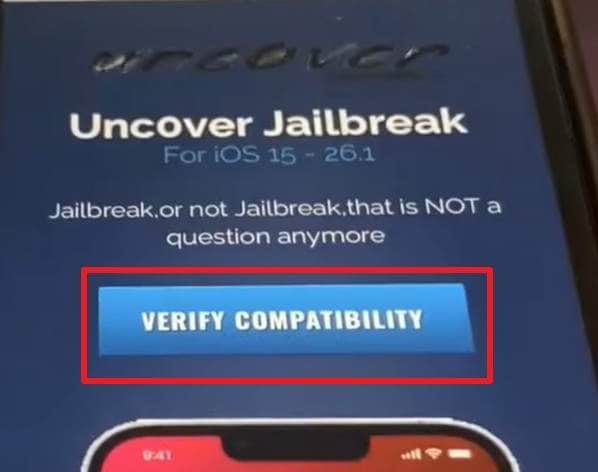
- Step 1. With the Low Power Mode disabled and Background App Refresh settings set to "Wi-Fi & Cellular Data," enable the "Automatic Downloads" option in App Store settings. On Safari, search for the site "jailbreaktoday.com" and press the "Verify Compatibility" option.
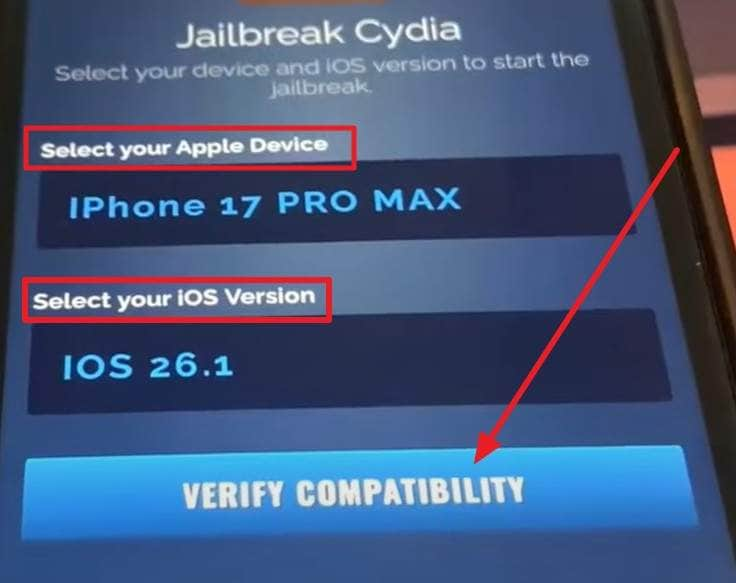
- Step 2. On the new screen, "Select Your Apple Device" and "iOS Versions," and tap the "Verify Compatibility" button.
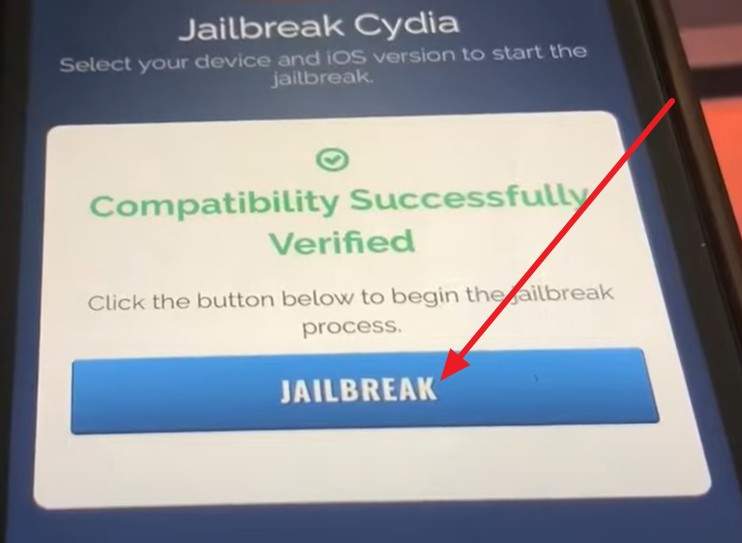
- Step 3. As it's verified, select the "Jailbreak" option to start downloading all the jailbreak files on your iPhone.
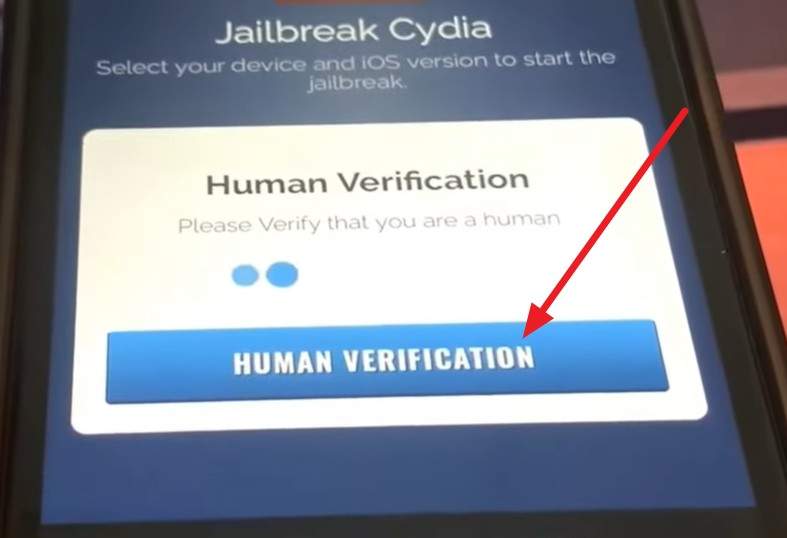
- Step 4. Wait until you get the jailbreak successful alert, and verify that you are human by selecting the "Human Verification" button. When you get the list of apps, download 2 of them, then go to the App Store to check if jailbreak was successful.
Conclusion
To sum up, this ultimate article has explained how to jailbreak an iPhone with and without a PC in simple steps. While doing so, the risks and benefits of jailbreaking are discussed to help users decide whether it's safe. While adhering to these details, it is suggested to use solutions like Dr.Fone - Screen Unlock (iOS) to seamlessly jailbreak iOS 12 - iOS 14 or iOS 15 - iOS 16.
safe & secure4,624,541 people have downloaded it
FAQs
 1.
Does jailbreaking an iPhone unlock the carrier?2.
Can you reverse jailbreak an iPhone?3.
Which iPhone models support jailbreak?
1.
Does jailbreaking an iPhone unlock the carrier?2.
Can you reverse jailbreak an iPhone?3.
Which iPhone models support jailbreak?


iPhone Unlock
- Access Locked iPhone
- 1. Reset Locked iPhone Without iTunes
- 2. Erase Locked iPhone
- 3. Get Into Locked iPhone
- 4. Factory Reset Locked iPhone
- 5. Reset Locked iPhone
- 6. iPhone Is Disabled
- 7. Fix iPhone Unavailable Issue
- 8. Forgot Locked Notes Password
- 9. Unlock Total Wireless Phone
- 10. Review of doctorSIM Unlock
- iPhone Lock Screen
- 1. Lock Apps on iPhone
- 2. Bypass iPhone Passcode
- 3. Unlock Disabled iPhone Without PC
- 4. Disable One More Minute Screen Time
- 5. Unlock iPhone Passcode Screen
- 6. Reset iPhone Password
- 7. Disable iOS Call Recording Notification
- 8. Remove Carrier Lock/SIM Restrictions
- 9. Get iMei Number on Locked iPhone
- 10. Add a New Face ID
- 11. iPhone Passcode Expired Pop-Up
- 12. Control Display Rotation
- 13. Fix iPhone is Disabled Connect to iTunes
- 14. Fix Turn Passcode Off Greyed Out
- 15. Get iPhone out of Demo Mode
- 16. Unlock Unresponsive Screen
- 17. iPhone Ask for Passcode After Reset
- Remove iCloud Lock
- 1. Unlock an iPhone 7 Plus iCloud
- 2. iOS 18 iCloud Unlock
- 3. iOS 26 iCloud Unlock
- 4. Crack iCloud-Locked iPhones to Sell
- 5. Jailbreak iCloud Locked iPhone
- 6. What To Do If You Bought A Locked iPhone?
- 7. Fix iPhone Unavailable No Erase Option
- 8. Find iCloud Email Address on Apple Device
- 9. Broque Ramdisk iCloud Bypass
- Unlock Apple ID
- 1. Remove Payment Method on iPhone
- 2. Create a New Apple ID Account
- 3. Change Apple ID on iPad
- 4. Change Your Apple ID Password
- 5. Apple ID Not Active
- 6. Fix Wrong Apple ID Issue on iPhone
- 7. Fix This Person Is Not Active
- 8. New iCloud Terms and Conditions
- 9. Fix Apple ID Account Unavailable
- 10.Find Apple ID by IMEI
- 11. Unlink 2 iPhones with the Same Apple ID
- 12. Reset Password at appleid.apple.com
- 13. App Store Keep Asking for Password
- 14. Find Apple ID Password No Reset
- 15. Trusted Devices List Not Available
- Remove SIM Lock
- 1. Unlock iPhone Using Unlock Chip
- 2. Unlock iPhone for Free
- 3. Unlock iPhone Online
- 4. Factory Unlock iPhone
- 5. SIM Unlock iPhone
- 6. Unlock AT&T iPhone
- 7. Unlock iPhone with IMEI Code
- 8. Unlock iPhone without SIM Card
- 9. Unlock Cricket iPhone
- 10. Unlock iPhone with/without SIM Card
- 11. Unlock T-Mobile iPhone
- 12. Unlock Verizon iPhone
- 13. iPhone IMEI Checker
- 14. Unlock Xfinity iPhone
- 15. Unlock iPhone From The Carrier
- 16. Turbo SIM iPhone
- 17. Get the Sprint Unlock Codes
- 18. Unlock a Sprint Phone
- 19. Fix When iPhone Says No Sim
- Unlock iPhone MDM
- 1. Remove MDM from iPhone
- 2. Remote Management on iPhone
- 3. MDM VS MAM
- 4. Top MDM Bypass Tools
- 5. IoT Device Management
- 6. Unified Endpoint Management
- 7. Enterprise Mobility Management
- 8. Top 10 Proxy Websites
- 9. Hindilinks4u Alternatives
- Unlock Screen Time Passcode
- 1. Reset Screen Time Passcode
- 2. Turn Off Screen Time without Passcode
- 3. Screen Time Passcode Not Working
- 4. Disable Parental Controls
- 5. Bypass Screen Time on iPhone Without Password
- 6. Delete Screen Time History on iPhone
- 7. Turn Off Downtime on iPhone
- 8. Download Age Restricted Videos
- MDM Unblock Games/Websites
- 1. Basketball Stars Game Unblocked
- 2. Play Getaway Shootout Unblocked
- 3. Play Build Now GG Unblocked
- 4. BitLife Unblocked
- 5. 10 Best Unblocked Anime Websites
- 6. Best Unblocked Game Websites
- 7. 1v1 LOL Unblocked
- 8. Get Poly Track Unblocked
- 9. Music Websites Unblocked
- 10. Spotify Unblocked
- 11. Interstellar Proxy Review
- Unlock Apple Watch
- Unlock iPod Touch
- ● Manage/transfer/recover data
- ● Unlock screen/activate/FRP lock
- ● Fix most iOS and Android issues
- Free Download Free Download Free Download

 > How-to > Screen Lock Removal > How to Jailbreak iPhone or iPad: Complete Guide (With & Without Computer)
James Davis
staff Editor