

 TL;DR:
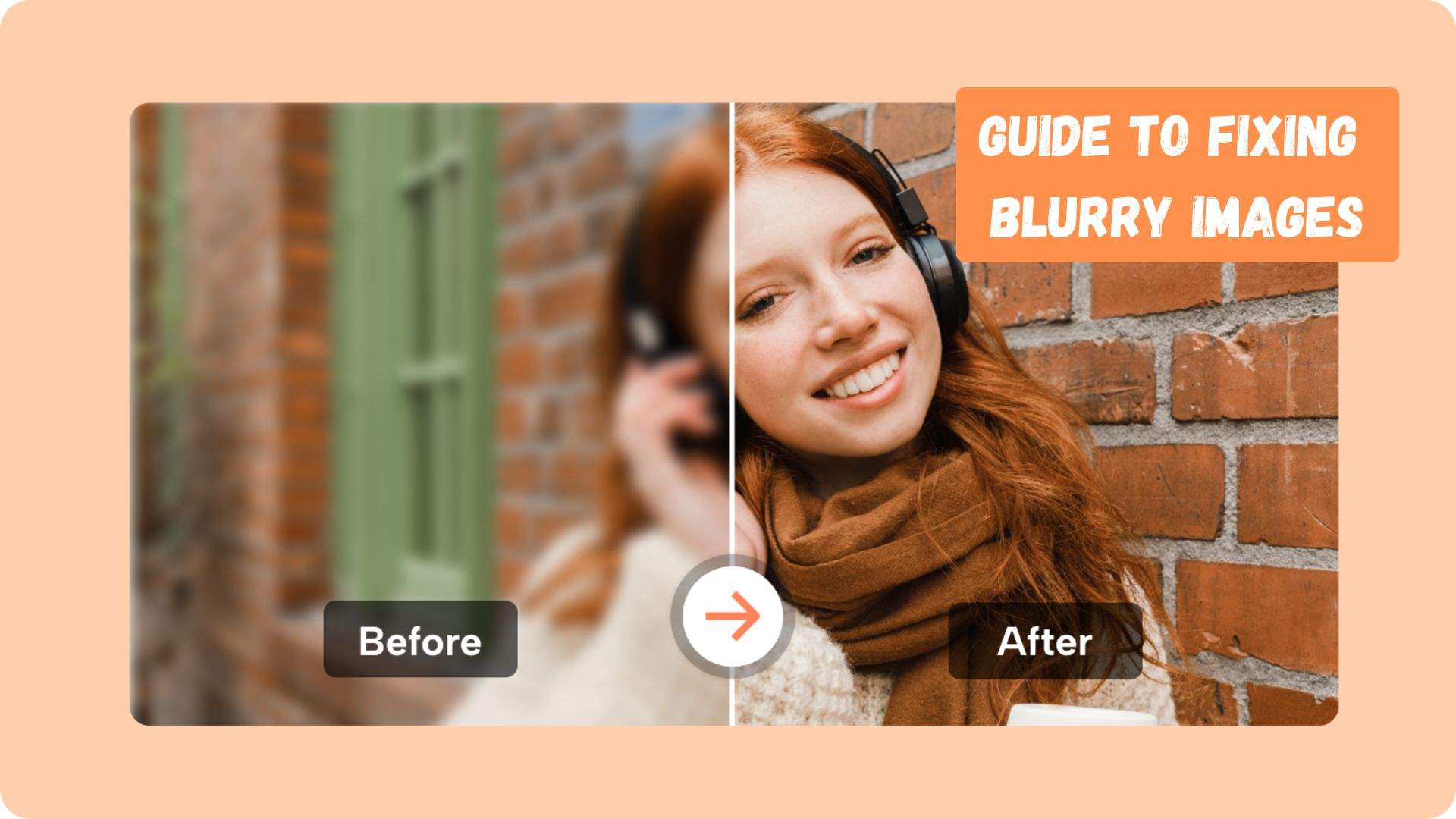
An AI face enhancer can clarify recognizable facial details in blurry, noisy, low-resolution, or compressed portraits, but it cannot guarantee exact recovery when original information is missing.
- Use face-specific enhancement when facial details are the main issue; use a general photo enhancer when the whole image needs improvement.
- Dr.Fone App provides a Portrait mode with preview and before-and-after comparison for mobile face enhancement.
- Check eyes, lips, skin, hair, and face shape carefully because reconstructed details may look realistic without matching the original person.
Ask AI for a summary
 ChatGPT
 Perplexity
 Gemini
 Claude
 Grok
Grok
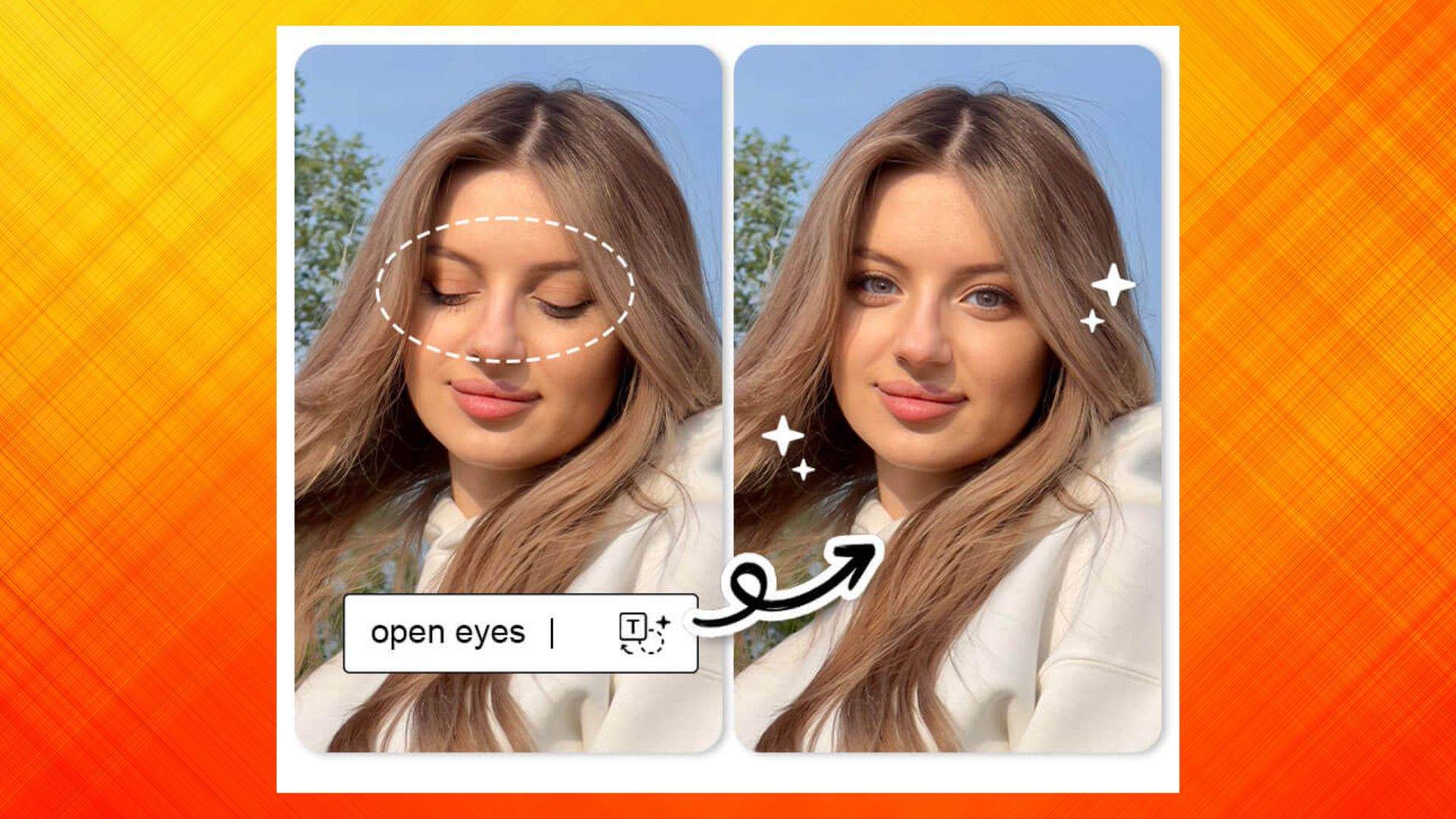
Fixing a tree in a landscape and enhancing a face in a portrait are two very different tasks. A small error in a tree may go unnoticed, but an altered eye or jawline can make a familiar person look completely different. Even subtle changes to facial features can affect a person's identity and the overall realism of the photo.
That is why portrait enhancement requires more care than standard photo editing. This guide explains how an AI face enhancer improves blurry facial details while recognizing its limitations. It also covers the Dr.Fone App approach and practical ways to keep enhanced portraits clear, realistic, and natural.
- Part 1. What Does an AI Face Enhancer Improve?
- Part 2. AI Face Enhancer vs General Photo Enhancer
- Part 3. Which Face Problems Can AI Enhancement Help with?
- Part 4. How to Enhance Facial Details with Dr.Fone App
- Part 5. How to Keep an AI-Enhanced Face Looking Natural?
- Part 6. Best Enhancement Approach for Different Portrait Types
- Part 7. What Are the Limits of Face Restoration AI?
- Frequently Asked Questions
Part 1. What Does an AI Face Enhancer Improve?
An AI face enhancer improves the clarity and appearance of detected faces in low-quality photos. Depending on the tool, it can reduce blur and digital noise, sharpen facial features, enhance small or low-resolution faces, and reconstruct details that are difficult to see.
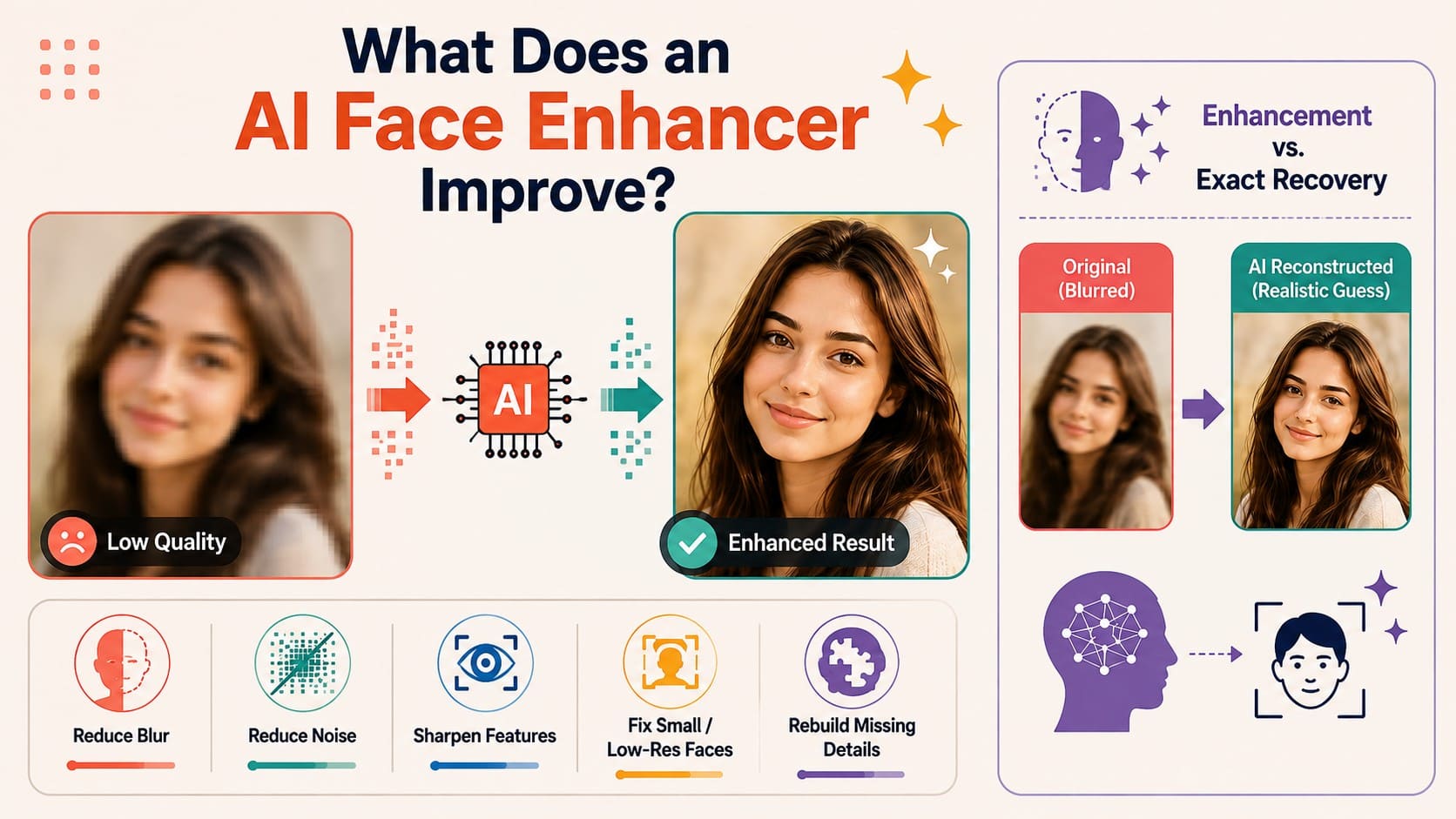
However, enhancing a face does not mean recovering its exact original features. When important details are missing, AI may reconstruct realistic-looking features using available image information. As Adobe explains, face restoration AI can rebuild missing details. These improvements can increase clarity, but reconstructed features may differ from the original person. The table below explains the possibilities and limitations:
| Face Problem | What AI Enhancement Can Do | Main Limitation |
|---|---|---|
| Blurred Facial Features | Refine eyes, nose, mouth, and facial edges | Severe blur may leave too little reliable detail |
| Low-Resolution Faces | Reconstruct clearer-looking facial features | Added details may be AI-generated rather than original |
| Image Noise or Grain | Reduce distracting noise around facial regions | Excessive denoising can remove natural skin texture |
| Soft Facial Details | Increase facial sharpness and definition | Overprocessing can create an artificial appearance |
| Small Faces in Group Photos | Detect and enhance recognizable individual faces | Very small faces may lack enough reliable information |
| Damaged or Old Portraits | Improve facial clarity during photo restoration | Reconstructed features may not match the original details |
What Types of Photos Benefit from AI Face Enhancement?
A face enhancer AI works best when the face remains recognizable, but certain features lack clarity. It can improve blurry selfies, faded family portraits, small faces in group photos, cropped images, and pictures affected by compression. Results are generally more reliable when the original photo still contains enough visible facial information.
Does AI Recover the Person's Exact Missing Facial Detail?
Face enhancer cannot recover facial details that were never clearly captured. When usable information remains, enhancement can clarify it. When details are missing, generative tools may reconstruct eyes, teeth, hair, and skin. These additions can look realistic but may differ from original features.
Part 2. AI Face Enhancer vs General Photo Enhancer
The table below highlights the key differences between an AI portrait enhancer and a general photo enhancer based on their focus and enhancement capabilities.
| Factor | AI Face Enhancer | General Photo Enhancer |
|---|---|---|
| Main Focus | Detected faces and facial regions | Entire image or selected areas |
| Facial Detail | Prioritizes eyes, skin, hair, lips, and facial edges | Enhances faces as part of the overall image |
| Background Enhancement | Usually limited or secondary | Improves backgrounds, objects, and scenery |
| Skin & Hair Detail | Provides more face-specific refinement | Applies broader sharpening and denoising |
| Whole-Image Improvement | Usually not the primary goal | Designed to improve overall image quality |
| Best Use Case | Blurry, small, soft, or low-resolution faces | Photos with overall blur, noise, or low resolution |

Part 3. Which Face Problems Can AI Enhancement Help with?
Now that you understand face restoration AI, explore the common facial issues these tools can improve and where their capabilities may be limited.
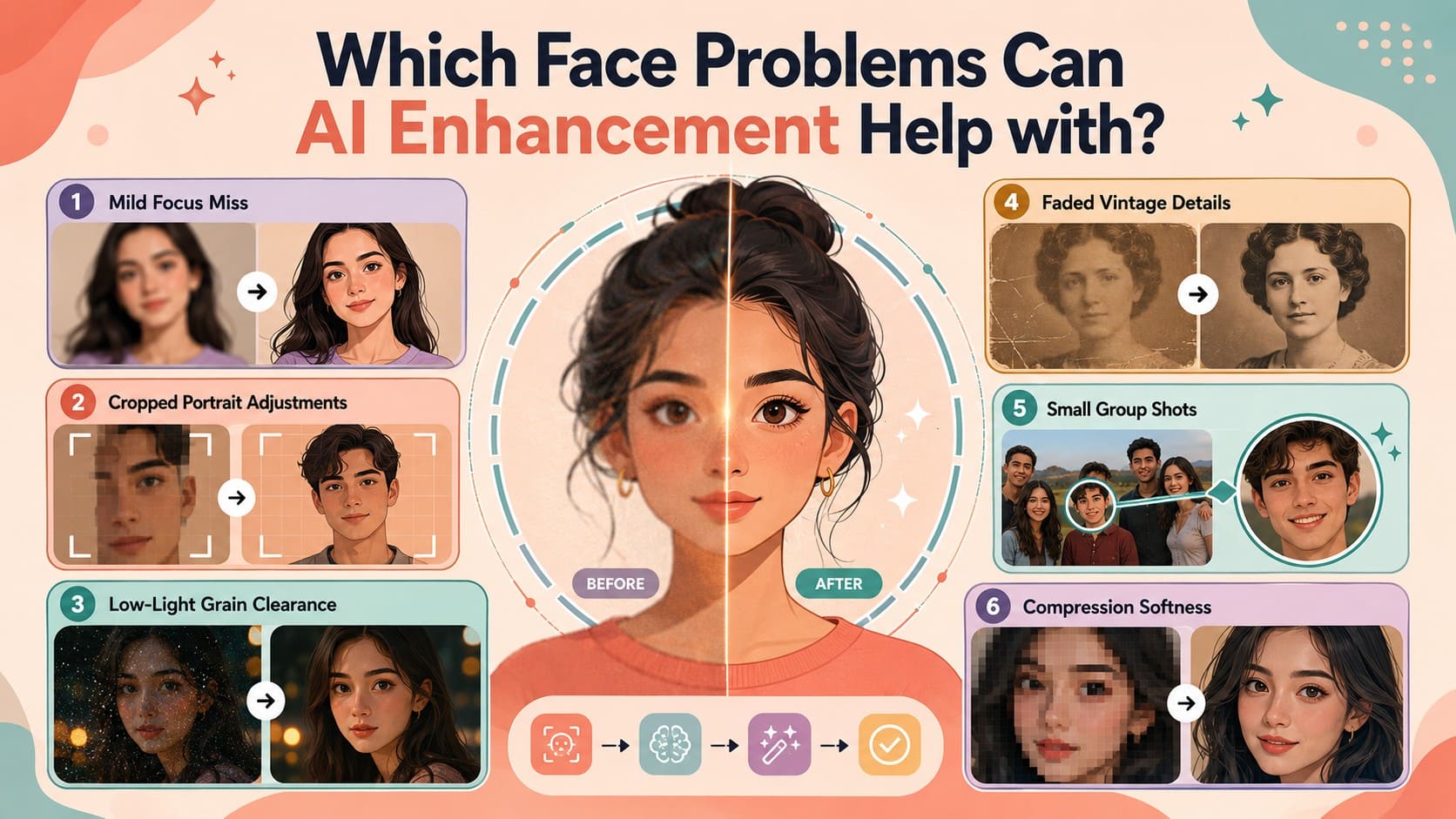
- Mild Focus Miss: A slightly out-of-focus face often retains enough original detail for enhancement. AI can sharpen facial edges and improve clarity, though results depend on how much usable information remains.
- Cropped Portrait Adjustments: Cropping does not inherently reduce the quality of the remaining pixels, but a tight crop contains fewer total pixels. AI can enhance the face when enough facial information remains available.
- Low-Light Grain Clearance: Noise can obscure genuine facial details in low-light photos. AI denoising can reduce grain and reveal clearer features, but excessive processing may remove natural skin texture and fine details.
- Faded Vintage Details: Old portraits may suffer from fading, low contrast, scratches, and lost details. AI restoration can improve visible facial features, though severely missing information may need reconstruction rather than true recovery.
- Small Group Shots: Face enhancer AI can improve small faces in group photos when they remain recognizable. Extremely tiny faces contain limited information, so reconstructed features may rely more heavily on AI-generated estimates.
- Compression Softness: Messaging and social apps can introduce compression artifacts that soften facial details. AI enhancement can reduce these artifacts and improve clarity, although heavily compressed images may not retain enough information for accurate facial recovery.
Problems That Need More Than Face Enhancement
These issues cannot be fixed with a face enhancer app, because there's no information left to rebuild from:
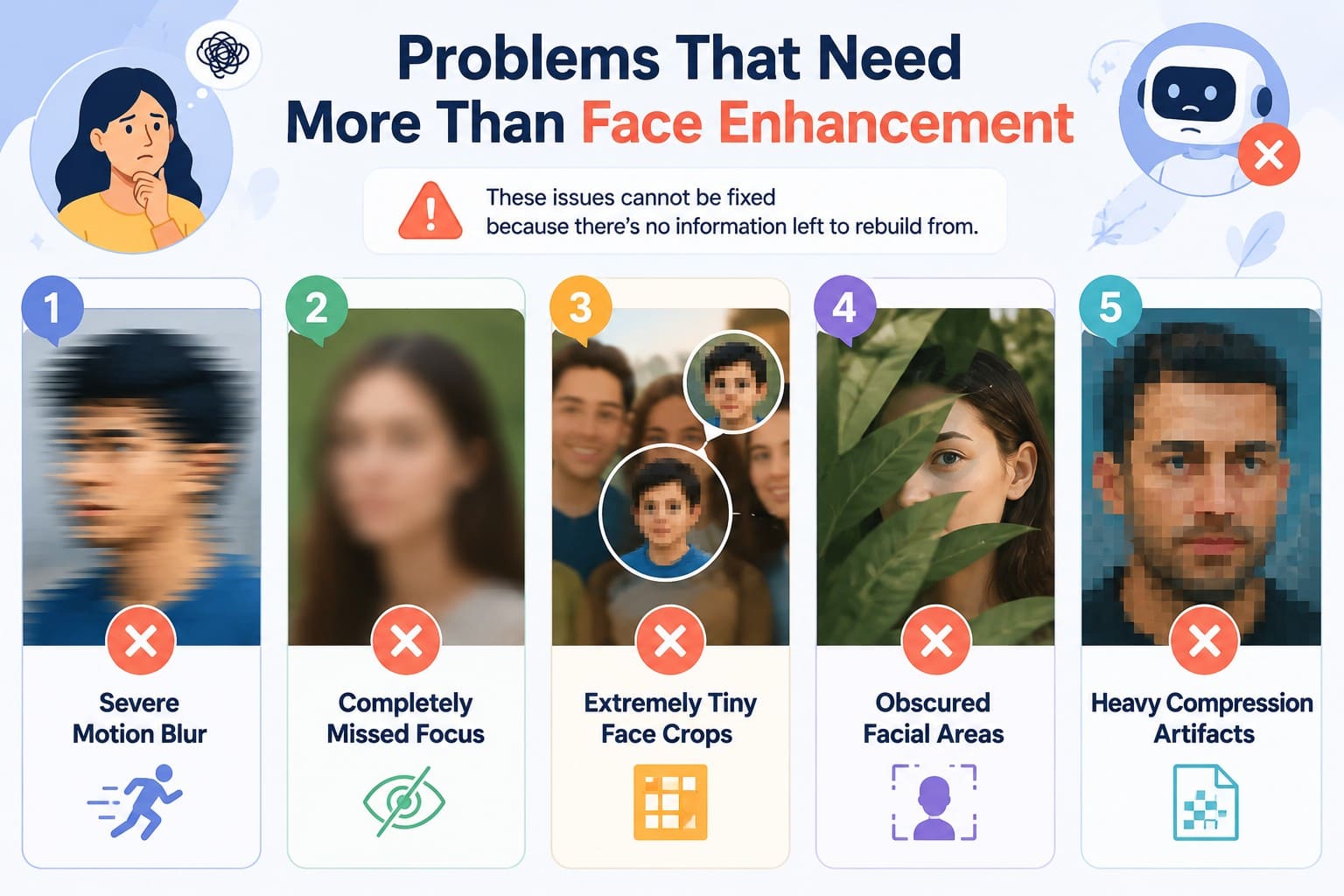
- Severe Motion Blur: Strong motion blur can smear facial features and remove reliable visual information. Photo face enhancer may produce a clearer-looking face, but heavily blurred areas often require reconstruction rather than accurate recovery.
- Completely Missed Focus: Severely out-of-focus faces retain limited reliable detail for enhancement. AI can generate sharper-looking features, but reconstructed eyes, lips, or facial edges may differ from the person's actual appearance.
- Extremely Tiny Face Crops: Very small faces contain too few pixels for reliable enhancement. AI may reconstruct missing facial features, but the generated details can differ significantly from what the original face actually looked like.
- Obscured Facial Areas: Covered or hidden facial features cannot be accurately recovered from information that was never captured. Generative AI may fill these areas with plausible details, but their accuracy cannot be guaranteed.
- Heavy Compression Artifacts: Severe compression can remove fine details and introduce blocking, ringing, or smearing around facial features. AI face enhancer may reduce these artifacts, but aggressive enhancement can produce distorted textures or inaccurate facial details.
Part 4. How to Enhance Facial Details with Dr.Fone App
Many AI face enhancer free tools rely on browser uploads, while Dr.Fone App (Android/iOS) provides a dedicated mobile workflow for improving facial details. Its AI Enhancer feature includes a Portrait option designed specifically for faces, helping improve blurry or unclear facial features while preserving a natural appearance. Users can import a portrait and start enhancement with a few taps.
The feature provides a free preview and before-and-after comparison, making it easier to inspect changes before saving. You can closely review improvements in the eyes, skin, hair, and other facial details to ensure the enhanced portrait resembles the original person. Beyond face enhancement, Dr.Fone App provides AI tools such as AI Ultra HD for improving image quality and AI Colorizer for adding color to old or black-and-white photos.
Dr.Fone App - AI Photo Restorer & Enhancer (iOS & Android)
Restore, Colorize, Enhance, and Upscale Photos with AI
- Restore Old Photos by Fixing Creases, Tears, and Scratches
- Colorize Black-and-White Photos with AI
- Auto-Enhance Photos and Improve Portrait Details to HD Quality
- Upscale Images to 2x, 4x, or 8x for Clearer Results



Complete Guide to Enhance a Face with AI Using Dr.Fone App
To know how this AI portrait enhancer works, go through this step-by-step guide in detail:
-
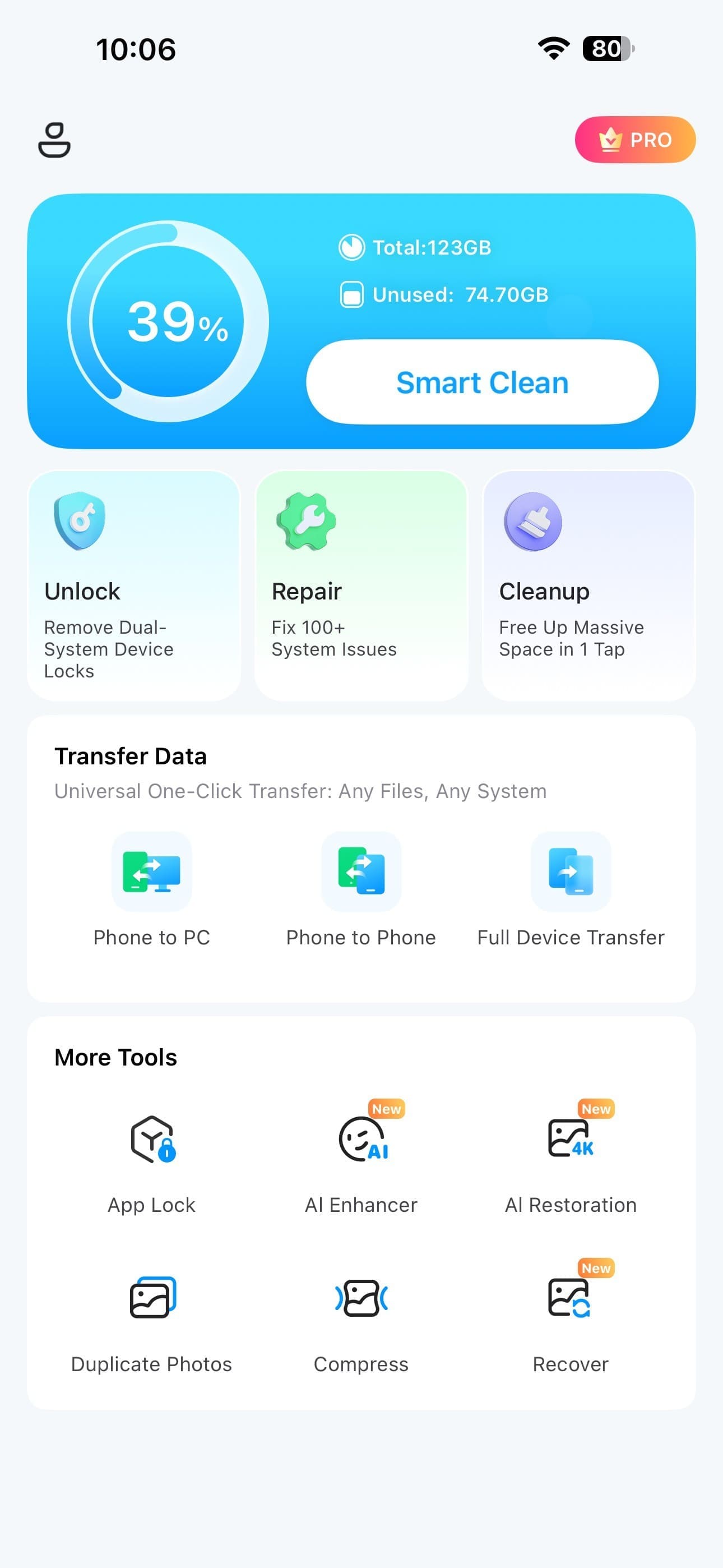
Step 1 Open the AI Enhancer Tool
Navigate to the "AI Enhancer" option in the Dr.Fone App to begin enhancing your photo.
-
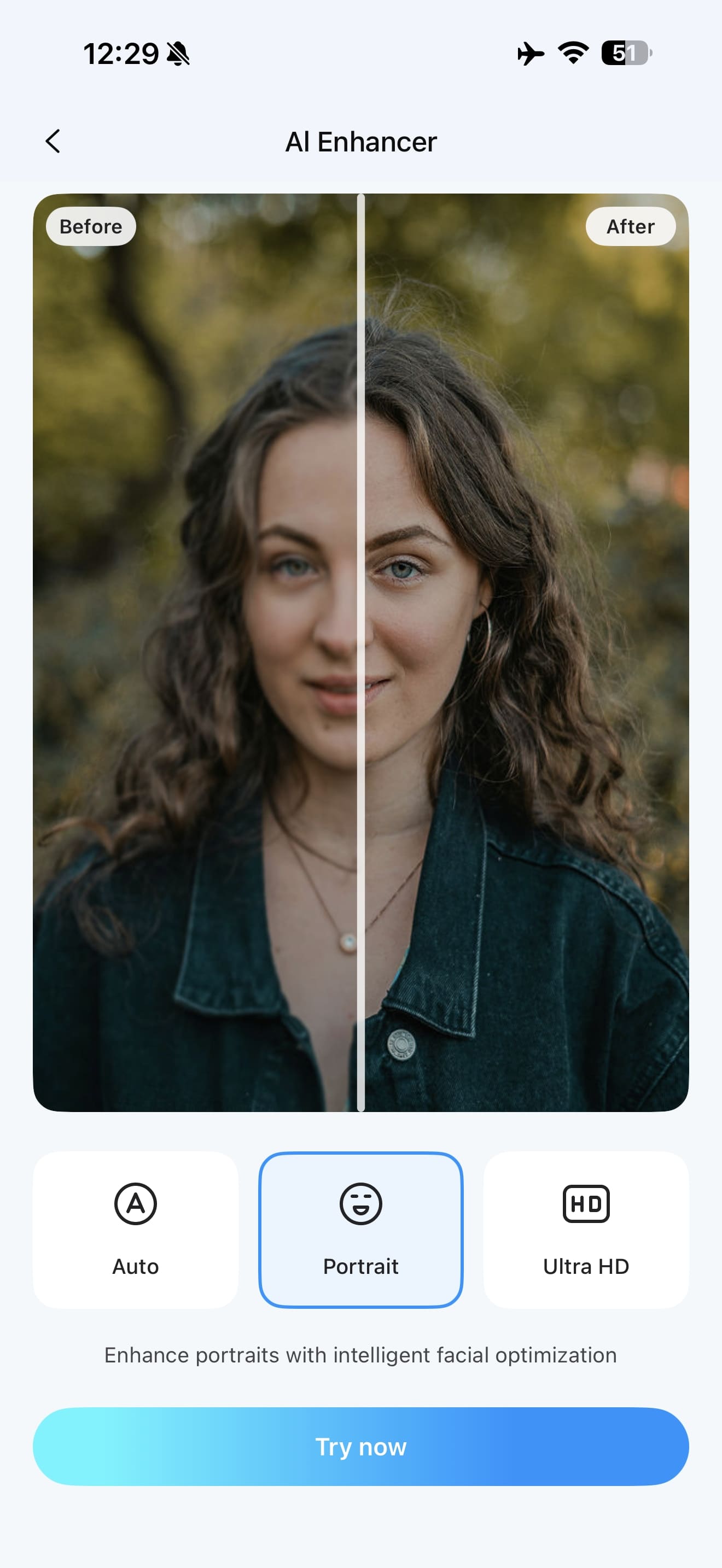
Step 2 Select Portrait and Import the Photo
Choose the “Portrait” mode, tap “Try Now,” and select the photo you want to enhance from your device.
Part 5. How to Keep an AI-Enhanced Face Looking Natural?
While using an AI photo face enhancer, follow these practical tips to keep facial details clear, realistic, and natural:
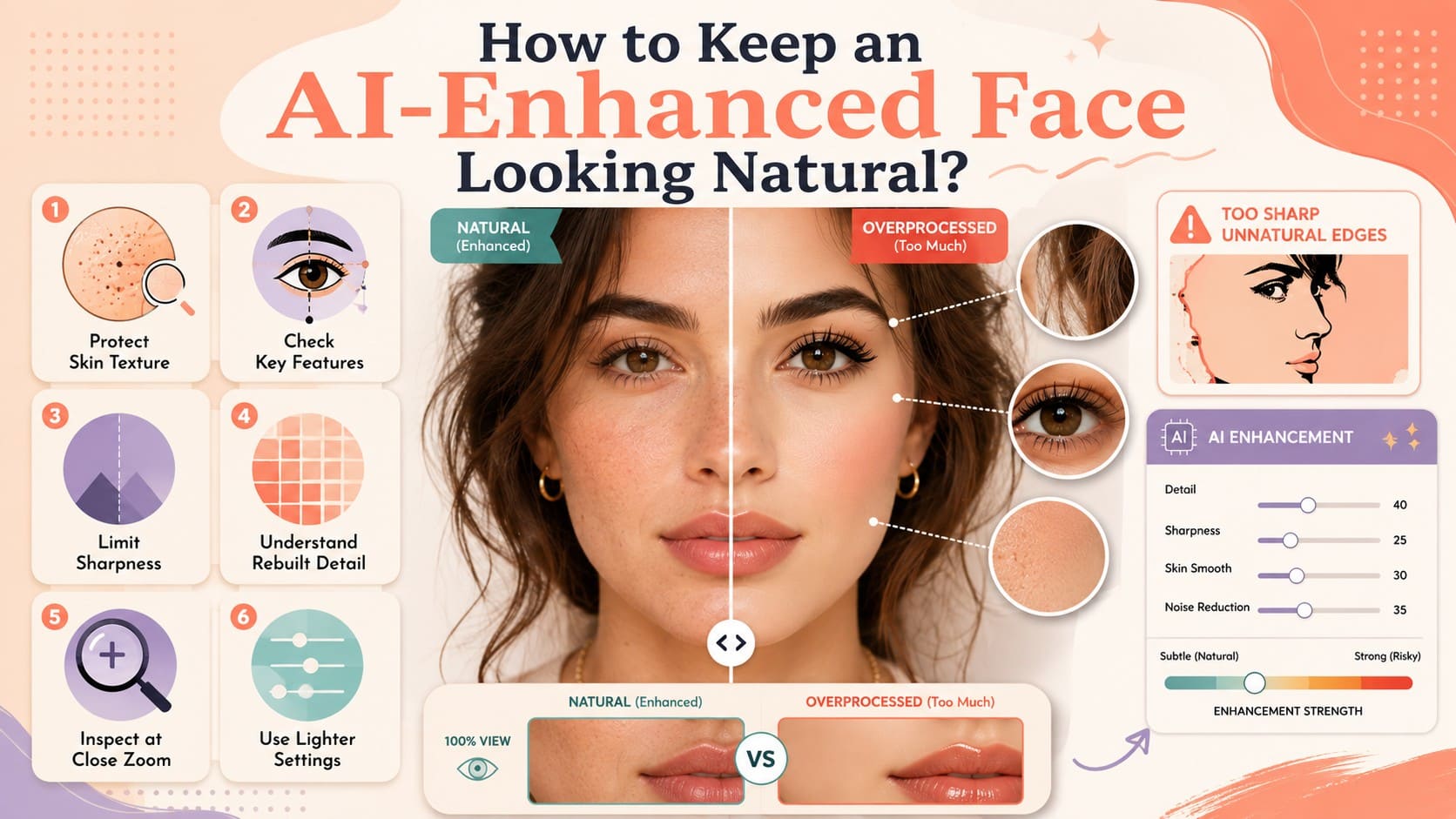
- Protect Skin Texture: Use moderate enhancement to preserve pores, fine lines, and other natural skin details. Excessive smoothing can make a realistic portrait appear artificial or plastic.
- Check Key Features: Compare the enhanced eyes, lips, nose, and face shape with the original photo. AI reconstruction can sometimes alter expressions or introduce subtle changes to facial features.
- Limit Sharpness: Avoid excessive sharpening around hair, eyes, and jawlines. Too much edge enhancement can create halos, harsh outlines, and unnatural textures that reduce the portrait's realism.
- Understand Rebuilt Detail: Remember that reconstructed details are AI-generated estimates rather than recovered original pixels. Missing eyes, teeth, hair, or skin details may look convincing without accurately representing the person.
- Inspect at Close Zoom: Review the enhanced photo at both normal size and close zoom. Check the skin, eyes, teeth, and hair for distortions, repeated textures, or other unwanted AI artifacts.
- Use Lighter Settings: Apply lighter enhancement when the original face is already reasonably clear. Aggressive restoration can unnecessarily replace genuine details and make otherwise natural facial features look artificial.
Part 6. Best Enhancement Approach for Different Portrait Types
Based on the portrait type, choose the most suitable enhancement approach before using an AI face enhancer to achieve clearer and more natural results:
| Portrait Type | Main Issue | Enhancement Priority | What to Check |
|---|---|---|---|
| Selfie | Softness and compression | Light clarity enhancement | Skin texture and eye details |
| Old Portrait | Fading, scratches, or damage | Restore damage before enhancing | Facial shape and reconstructed details |
| Group Photo | Small or distant faces | Careful face enhancement | Whether facial features remain recognizable |
| Low-Light Portrait | Grain and digital noise | Noise reduction before sharpening | Loss of natural skin texture |
| Low-Resolution Face | Limited facial pixels | Careful upscaling and enhancement | Reconstructed eyes, teeth, and hair |
| Compressed Social Photo | Blocking and compression artifacts | Artifact reduction before sharpening | Distorted or artificially generated details |
Part 7. What Are the Limits of Face Restoration AI?
Always keep these key limitations in mind when using a portrait enhancer to avoid unrealistic results and preserve authentic facial details:
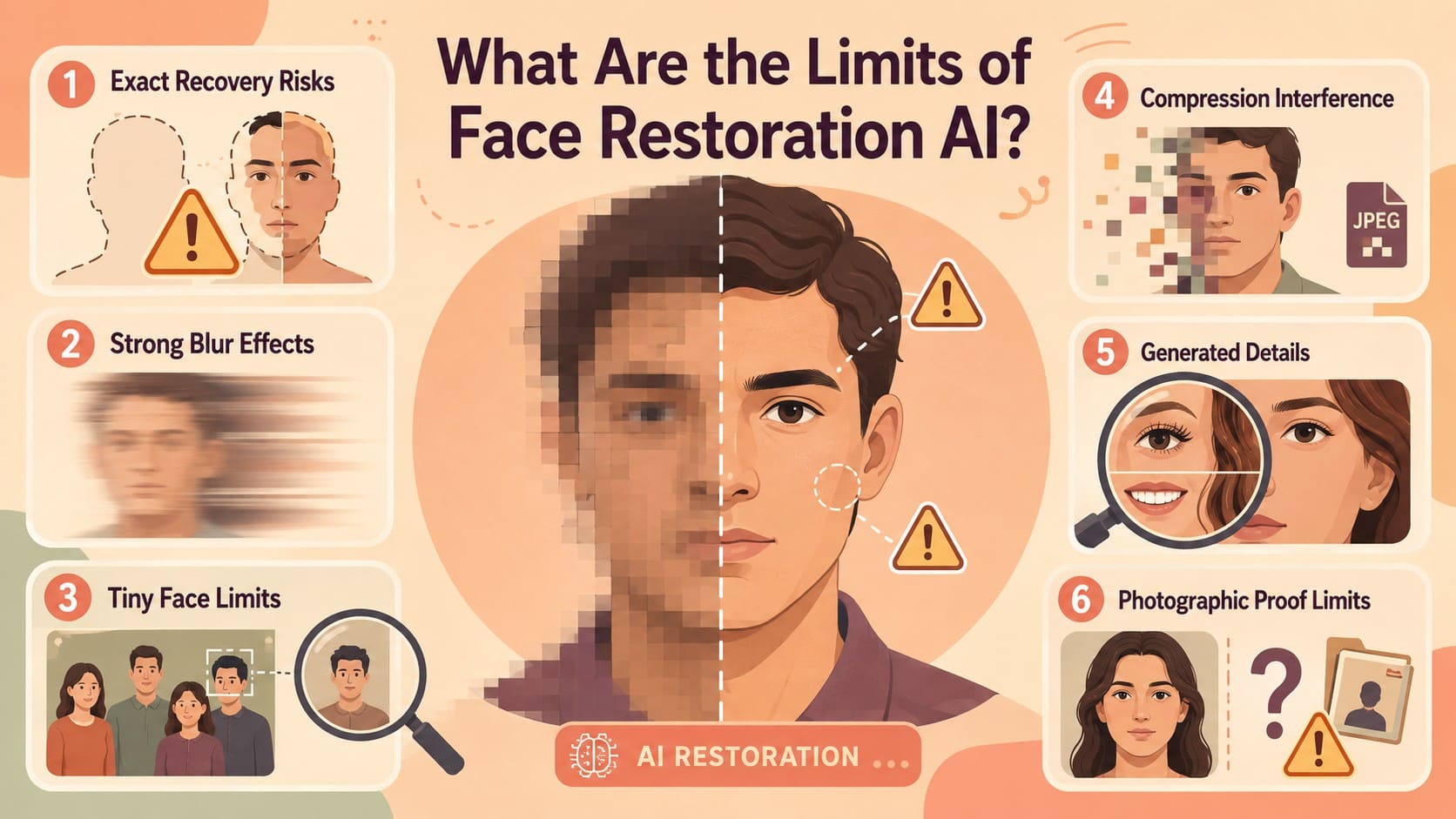
- Exact Recovery Risks: Exact facial recovery is never guaranteed when original details were poorly captured. AI portrait enhancer builds a plausible version using learned patterns rather than actual facial data.
- Strong Blur Effects: Heavy blur leaves the tool with little reliable data to process. Topaz notes that generative face recovery can add missing details but alter expressions.
- Tiny Face Limits: Faces with very few pixels contain limited information for proper enhancement. According to Topaz, recovery may produce poor results when key facial details are missing.
- Compression Interference: Heavy compression blocking and smearing can obscure genuine facial structure. This damage makes it harder for enhancement models to separate real details from compression errors.
- Check Generated Details: Fine features like teeth and hair strands may be synthesized when sources lack usable data. Always compare these new details against the source image before assuming authenticity.
- Photographic Proof Limits: An enhanced face may contain reconstructed details based on incomplete visual evidence. Even when it looks convincing, it cannot serve as a definitive record of appearance.
Conclusion
An AI face enhancer can improve portraits affected by mild blur, noise, low resolution, and unclear facial details. However, AI-generated details may not perfectly match the original face, so always compare important features before saving. For convenient mobile enhancement, the Dr.Fone App provides a dedicated Portrait mode to enhance, preview, compare, and save clearer portraits directly from your phone.
FAQ
-
1. Can an AI face enhancer restore an old portrait?
Yes, if enough original facial detail remains. An AI face enhancer can improve fading, blur, noise, and unclear features, while the Dr.Fone App provides a convenient mobile solution for enhancing old portraits. -
2. Can AI improve a small face in a group photo?
Yes, if the face contains enough recognizable detail. The Dr.Fone App can enhance small faces and improve their clarity, though extremely tiny faces may require AI reconstruction. -
3. Does a face enhancer change a person's facial features?
It can, especially when blur hides important facial details, and AI needs to reconstruct them. The Dr.Fone App lets you preview the enhanced result and compare facial changes before saving the photo. -
4. Should I use a face enhancer or a general photo enhancer for portraits?
Use a face-specific tool when facial details are the main concern and a general enhancer when the entire image needs improvement. The Dr.Fone App simplifies face enhancement with its Portrait mode for improving facial clarity.








Selena Lee
staff Editor
Generally rated4.5(105participated)