Permanently erase all iOS & Android data—completely unrecoverable.

 100% Security Verified | No Subscription Required | No Malware

 :
: 
 ChatGPT
 Perplexity
 Gemini
 Claude
 Grok
Grok
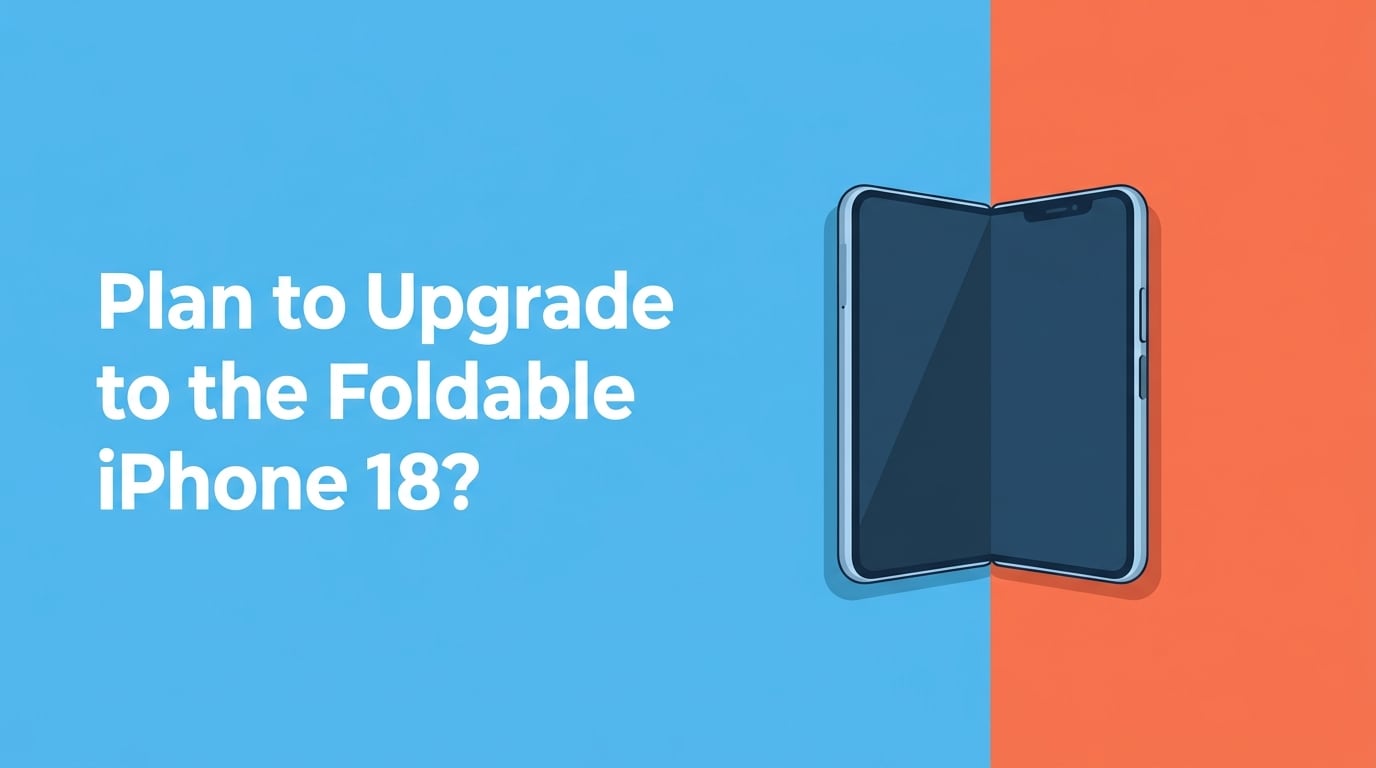
Upgrading to the new iPhone 18 Foldable? Before you trade in your old device, there's one critical step that determines whether you're making a smart decision or a risky one. Your old iPhone holds years of personal data — and simply hitting "Erase All Content and Settings" may not be enough to keep it safe.
- Part 1. Why the iPhone 18 Foldable Changes Everything About Trading In
- Part 2. The New Frontier – What Makes the iPhone 18 Foldable Revolutionary
- Part 3. The Hidden Risk – Why Your Old iPhone Data Is Vulnerable
- Part 4. How to Safely Erase Your iPhone Before Upgrading
- Part 5. Professional-Grade Protection with Dr.Fone Data Eraser
- Part 6. Smart Practices for a Secure Transition
Part 1. Why the iPhone Foldable May Change Everything About Trading In
In just a few months, according to multiple industry reports and analysts, Apple will likely launch a highly anticipated foldable smartphone. The device is said to transform from a 5.5-inch smartphone into an expansive 7.8-inch tablet with reportedly advanced liquid-metal hinge technology that media reports suggest makes the crease nearly invisible. Based on analyst predictions, the starting price is expected to be around $2,320, representing a significant investment.
But here's what's often overlooked: upgrading means parting with your current iPhone. Before trading it in, there's one critical step that determines whether you're making a smart decision or a risky one.
Your old iPhone potentially contains sensitive personal information—banking passwords, health data, years of personal messages, and thousands of photos with location metadata. Security researchers suggest that simply hitting "Erase All Content and Settings" is insufficient. Data recovery tools can often resurrect supposedly deleted files, particularly on devices sold through third-party channels.
The difference between a secure upgrade and a potential data breach comes down to how thoughtfully you erase your old device before it leaves your hands.
Part 2. The New Frontier – What Makes the iPhone Foldable Potentially Revolutionary
Understanding what you're upgrading into puts the security question in context. According to reports from major tech publications and industry analysts, Apple's first foldable iPhone—rumored to be called the "iPhone Ultra" or "iPhone Fold"—is reported by several sources to represent more than just another new model. Tech industry observers suggest it could be a fundamental rethinking of the iPhone form factor.
According to multiple tech analysts and industry reports, with a projected $2,320 entry price and sophisticated engineering throughout, this device represents a significant investment. This is why the transition from your current phone deserves serious consideration—not just from a technical standpoint, but also from privacy and security perspectives, according to security experts.
Revolutionary Design Elements:
This device features a book-style folding design with a 4:3 aspect ratio, similar to an iPad. When unfolded, it will feature an OLED display approaching iPad mini dimensions. Multiple technology reporters, including Bloomberg's Mark Gurman, have suggested this could represent "the most significant overhaul in iPhone history."
Part 3. The Hidden Risk – Why Your Old iPhone Data Is Vulnerable
After years of daily use, your current iPhone has absorbed your entire digital life: banking apps and saved credit cards, health records and fitness data, years of text conversations and email threads, thousands of photos often tagged with location information, saved passwords, two-factor authentication codes, and social media accounts on standby.
When you delete something on an iPhone, it doesn't instantly vanish at the physical level. The system marks the storage space as available for reuse, but the original data often remains intact underneath—invisible to you, but retrievable with the right tools. This is why data recovery services exist. It's also why someone buying your used iPhone could theoretically recover sensitive information you believed you'd deleted.
| Scenario | Risk Level | Recommended Approach |
|---|---|---|
| Trading through Apple's official program | Low | Apple's built-in erase suffices |
| Selling to a friend or family member | Medium | Built-in erase with reassurance |
| Marketplace resale to a stranger | High | Professional erasure with report |
| Donation or recycling | Medium-High | Multi-pass erasure recommended |
This isn't theoretical paranoia. It's the reason responsible device management matters.
Part 4. How to Safely Erase Your iPhone Before Upgrading
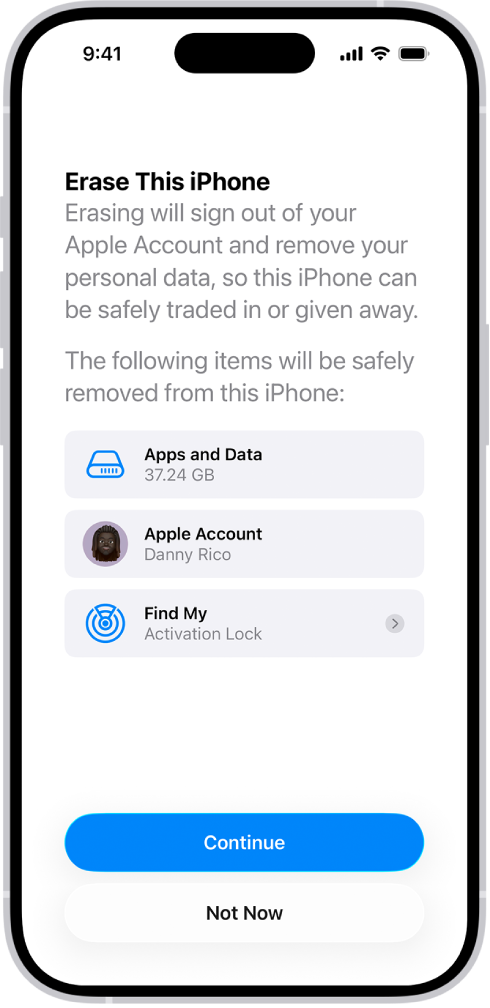
Apple includes a built-in erasure method that securely removes your personal information, content, and settings (such as privacy and network settings) from your iPhone, restoring it to factory settings. The process is straightforward: navigate to Settings, find the reset option, enter your credentials, and let the system work. Within 15-30 minutes, your device returns to factory condition.
Part 5. Professional-Grade Protection with Dr.Fone Data Eraser
If you're selling your iPhone to someone through an online marketplace or want documented proof that your data was securely removed, professional erasure tools offer something Apple's method doesn't: multi-pass overwrite guarantees and an official report.
Dr.Fone - Data Eraser (iOS) complements Apple's standard approach by using military-grade overwrite standards and generating a certificate proving exactly what was erased. Download Dr.Fone on your computer, connect your old iPhone via USB, and select Data Eraser from the main menu.
 Permanently erase all data on iOS & Android — completely unrecoverable.
- Military-grade wiping to fully protect your privacy.
- Generate verified erasure reports to boost device resale value.
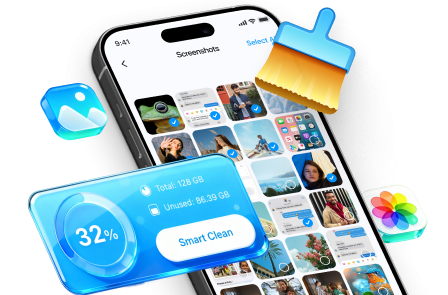
- Selectively erase private data and remove junk & large files.
Here are the specific steps to get started:
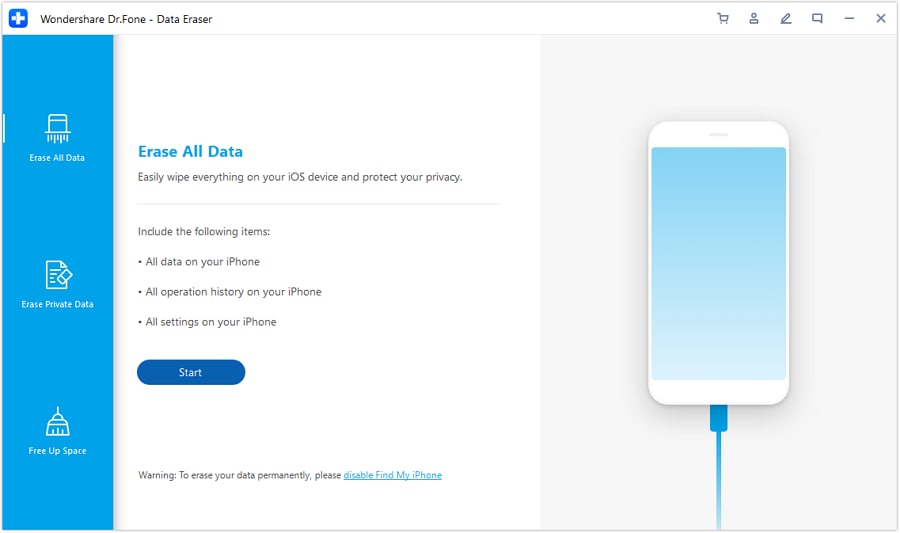
Launch Wondershare Dr.Fone on your computer and connect your iOS device via cable. On the home page, select Data Eraser, then navigate to the Erase All Data tab on the left and click Start to begin the process.
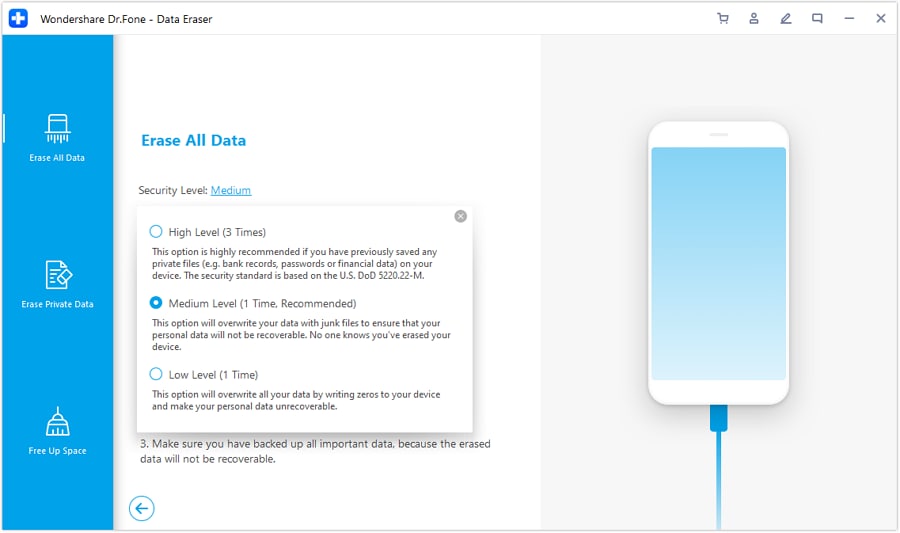
Select your desired Security Level. Dr.Fone offers three levels—the higher the level, the lower the chance of data recovery, though it will take more time to complete.
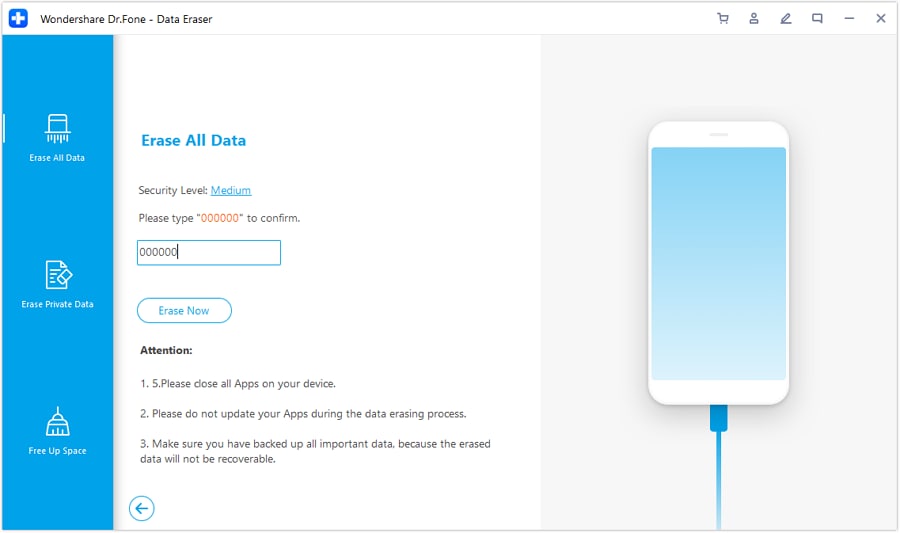
Enter "000000" to confirm your operation, then click Erase Now to begin permanently erasing your iOS device.
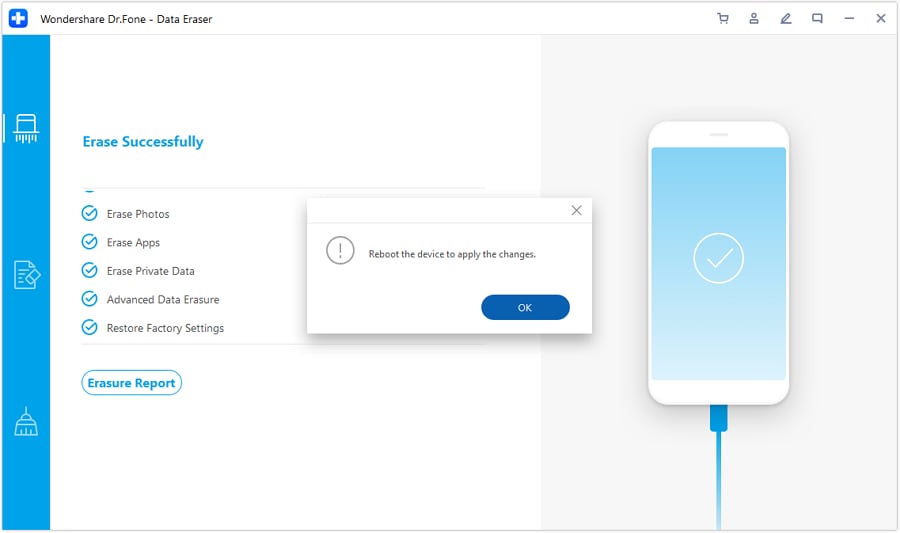
Once the process finishes, click OK to restart your iDevice and apply all changes.
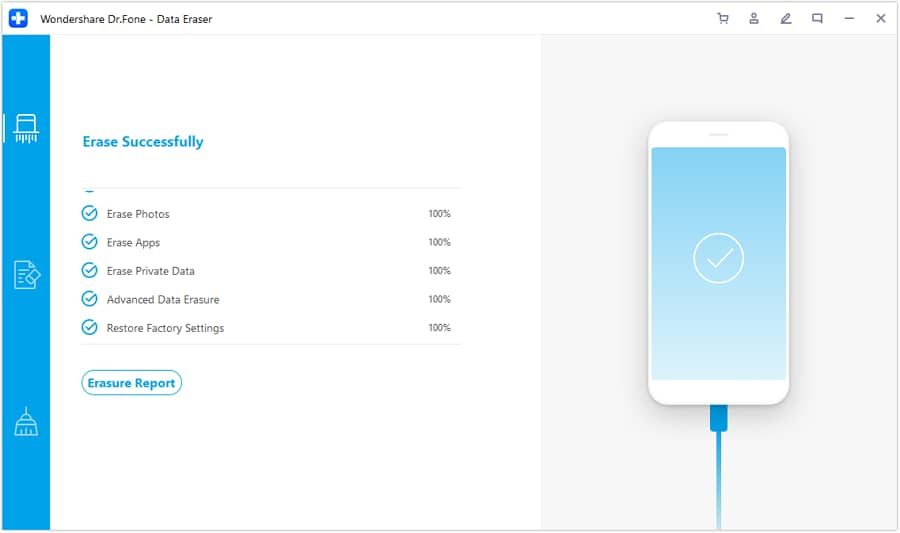
Tap Erasure Report to access the comprehensive report of all erased data, which is saved by the data eraser.


Part 6. Smart Practices for a Secure Transition
Success depends on taking a methodical approach. Start your transition about a week before your new device arrives. Back up everything important—photos, messages, contacts, app data—either to iCloud or using professional backup tools. Verify that everything transferred successfully to your new iPhone before erasing anything from the old device.
Decide based on your scenario. If you're trading through Apple officially, their built-in erasure is adequate. For private marketplace sales, professional erasure with documentation adds real value and buyer confidence. Either way, having completed the transfer first means you can't accidentally lose something important during the erasure process.
Once erasure completes and your old device shows the Hello screen, you can confidently pass it along knowing you've handled the transition responsibly.
Conclusion
September 2026 is coming. The iPhone 18 Foldable will arrive, and you'll unbox something genuinely exciting—a device that genuinely reimagines what an iPhone can be. But the upgrade process only works smoothly when you've handled the security transition carefully.
Your old device holds years of your life. It deserves respectful, thorough erasure before it moves on to someone else. Whether you use Apple's straightforward method or add professional-grade verification, the principle is the same: take the time to erase properly.
FAQ
-
Q1. Does Apple's built-in "Erase All Content and Settings" completely remove my data?
Apple's method marks data as deleted and overwrites most files, which is suitable for official trade-ins. However, sophisticated recovery tools can sometimes retrieve fragments of data, especially from devices sold on third-party marketplaces. For private resales, consider additional verification methods. -
Q2. What sensitive data should I worry about on my old iPhone?
Banking credentials, health records, saved passwords, location-tagged photos, email accounts, message archives, and authentication codes are the most critical. These deserve special attention before handing over your device to ensure complete protection. -
Q3. Can I recover files after erasing my iPhone?
After Apple's standard erasure, recovery is extremely difficult but theoretically possible with specialized tools. With multi-pass professional erasure using high security levels, recovery becomes virtually impossible—this is the difference in security guarantees.
 Add Wondershare Dr.Fone as a preferred source on Google