 Effortlessly manage data through preview, delete, export, etc.

 100% Security Verified | No Subscription Required | No Malware

 :
: 
 ChatGPT
 Perplexity
 Gemini
 Claude
 Grok
Grok
If you are searching for the best F-Droid apps for Android, start with a practical rule: pick apps that solve a real everyday problem, stay reasonably maintained, and make their trust trade-offs visible. That is also why the Reddit post behind this topic felt credible. It came from a new Android user who received an entry-level Samsung phone, chose not to root it, debloated it with ADB, and then went looking for FLOSS replacements that were actually usable. That journey is much closer to how ordinary users discover F-Droid than the more extreme "de-Google everything overnight" narrative.
In this article

Part 1. What should "best F-Droid apps for Android" really mean?
The keyword best F-Droid apps for Android sounds simple, but it hides two very different user intents. One group wants app recommendations. The other wants a safer or cleaner Android workflow. The Reddit post behind this topic is useful because it naturally combines both. The author did not start with "What are the best open-source apps on principle?" The author started with a small real-world problem: a Samsung phone had been debloated, some stock apps were gone, and replacements were needed.
That framing matters. Most people do not install F-Droid because they want to join a subculture. They install F-Droid because they want:
- less clutter
- fewer unwanted dependencies
- lighter utilities
- better transparency
- alternatives to preinstalled or mainstream apps
So a good definition of the best F-Droid apps for Android is not "the most ideological apps." It is "the apps that stay useful after the novelty wears off."
A strong F-Droid app usually checks four boxes:
- it solves a clear problem
- it looks alive and maintained
- its compromises are visible
- it remains easier to justify than the bloated alternative
F-Droid helps with that last point because of its Anti-Features system. F-Droid explicitly labels potentially undesirable behavior such as ads, tracking, known vulnerabilities, non-free dependencies, and reliance on proprietary network services. That labeling model is one of the platform's most useful advantages because it surfaces warnings many mainstream app users never see clearly.
Still, transparency is not magic. Privacy Guides is very clear that F-Droid should not be treated as automatically safer than every mainstream app source. It recommends using F-Droid selectively, especially because official F-Droid builds can lag behind upstream releases and because repository trust still matters.
That combination—strong discovery, plus the need for judgment—is what should shape any serious answer to this keyword.
Part 2. Which F-Droid apps are the best for most Android users?
A useful list should prioritize ordinary utility first. The best F-Droid apps for Android are the ones that still make sense even if the reader is not trying to become a full-time privacy hobbyist.
| App | Best use case | Why it stands out | Source |
|---|---|---|---|
| KeePassDX | Password management | local encrypted vault, autofill, biometrics, passkeys | F-Droid app page |
| Aegis Authenticator | 2FA management | encrypted vault, backups, migration support | F-Droid app page |
| Organic Maps | Offline maps and travel | no ads, no tracking, strong offline navigation | F-Droid app page |
| Syncthing-Fork | Private file sync | decentralized sync with Android-friendly control | F-Droid app page |
| Binary Eye | QR / barcode utility | lightweight scanner and generator | F-Droid app page |
| NewPipe | Lightweight media use | works without Google framework libraries | F-Droid app page |
KeePassDX is one of the easiest recommendations because it solves a universal problem. Its F-Droid page describes it as an open-source password and passkey manager that supports encrypted KeePass databases, biometric unlock, one-time passwords, and autofill. That is exactly the kind of tool that becomes valuable after debloating, because it replaces scattered credential habits with something locally controlled and structured.
Aegis Authenticator is similarly easy to justify because it treats backup and migration seriously. Its page highlights encrypted vault storage, biometric unlock, HOTP and TOTP support, QR-code scanning, imports from other authenticators, and automatic backups. In other words, it does not just generate 2FA codes. It helps users avoid lockout disasters later. That makes it one of the strongest security-minded answers to the best F-Droid apps for Android query.
Organic Maps deserves a place because it is a real-world app, not just a community favorite. Its F-Droid page emphasizes offline maps, GPS navigation, route planning, OpenStreetMap-based data, no ads, and no tracking. Even users who never touch another open-source Android app can understand the value of a good offline map tool. That broad utility is exactly what makes it one of the best F-Droid apps for Android, not just one of the most discussed.
Syncthing-Fork is a more advanced recommendation, but it represents a major strength of the F-Droid ecosystem: practical replacements for proprietary services. Its page says it improves Android file synchronization with a native-friendly interface, sync progress visibility, battery-saving options, and SD-card support. For users who want more control over file flow without giving everything to a commercial cloud platform, that is a meaningful utility.
Binary Eye shows why simple tools still matter. Many people who debloat Android later realize that they need smaller utilities to replace bloated defaults. Binary Eye scans and generates multiple code formats and keeps the job focused. It is not glamorous, but it is exactly the kind of lightweight utility users often miss until they have one. Source
NewPipe remains one of the most recognizable names in F-Droid because it works without Google framework libraries or the YouTube API. That makes it especially relevant to minimal Android setups and users who dislike dependency-heavy app stacks. At the same time, it is also a good reminder that popularity should not replace judgment: network-facing apps should always be evaluated with update freshness and source trust in mind.
A small but important detail from the Reddit comments also fits naturally here. Some commenters mentioned alternative frontends and tools around the F-Droid ecosystem rather than only the apps themselves. That is a useful reminder that the F-Droid conversation is really about workflow design: discovery, updates, trust, and replacements all matter together.
Part 3. Is F-Droid always the safest source?
This is where many recommendation lists get too simplistic. F-Droid is highly useful, but it should not be mythologized.
Privacy Guides explicitly says it recommends F-Droid mainly for apps that are difficult to obtain elsewhere. It points out that official F-Droid packages can lag behind updates, that the project signs apps with its own keys, and that some apps in the official repository may be older or less aligned with modern Android security standards than users assume. That warning does not invalidate F-Droid. It just means that F-Droid is a discovery and distribution tool, not a shortcut past all security judgment.
This matters especially for security-sensitive categories like:
- password managers
- authenticator apps
- sync clients
- browsers
- messaging-related tools
In these categories, freshness and trust paths matter more than ideology. A privacy-friendly-looking app that is outdated can still create real risk.
The smartest way to use F-Droid is to treat it as a transparent app discovery layer with strong labeling, not as a blanket substitute for all other app channels. That is also why the original Reddit post worked. It showed F-Droid as part of a "debloat and replace" strategy, not as a magical one-stop solution for every Android problem.
Part 4. How should you install and evaluate F-Droid apps more carefully?
A responsible F-Droid workflow does not need to be complicated. It just needs a few habits.
-
Step 1 Check the app's Anti-Features first
That is the fastest way to see whether F-Droid is already warning you about tracking, dependencies, or other trade-offs.
-
Step 2 Check update recency and project health
Especially for security-sensitive apps, stale updates should change your confidence level.
-
Step 3 Compare with the developer's official distribution path when appropriate
For some apps, the cleanest source may not be the exact same route for every user.
-
Step 4 Verify manually sideloaded APKs when possible
F-Droid provides documentation showing how to verify downloaded APK signatures.
These habits make a big difference because they turn the best F-Droid apps for Android from a listicle topic into a safer operating habit.
A real-world test case is the type of user described in the Reddit post: someone who debloats an entry-level Samsung device, does not want to root, and wants practical replacements for removed tools. That user does not need 50 apps. They need maybe 5 to 10 excellent replacements and a way to avoid mistakes. That is where F-Droid works best.
Part 5. How can Dr.Fone Phone Backup help before you experiment?
F-Droid experimentation often follows a cleanup phase. People remove default apps, try new authentication tools, change how files sync, or replace utilities they previously relied on. That is exactly when backup becomes more important.
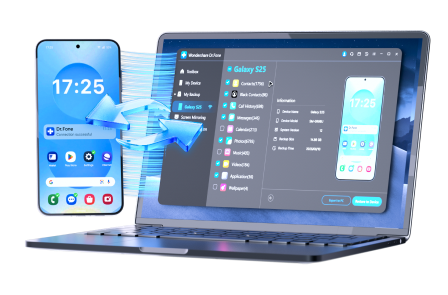
If you plan to change important apps or workflows, use Dr.Fone - Phone Backup as a backup layer before experimentation.
 Effortlessly manage data through preview, delete, export, etc.
- Transfer all data between devices.
- Robust backup solutions for reliable data protection.
- Mirror screens to PC for meetings, teaching, and control.
-
Step 1 Open Dr.Fone and connect your Android phone
-
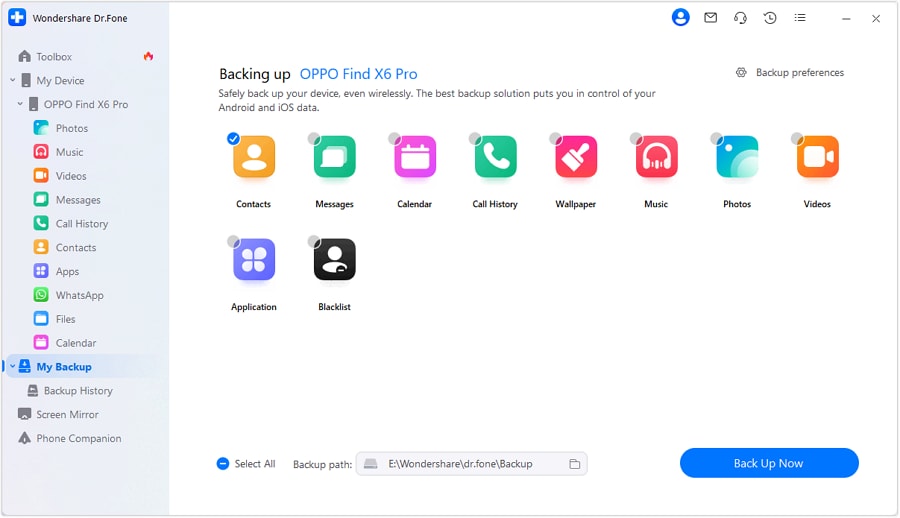
Step 2 Select the data categories to preserve
-
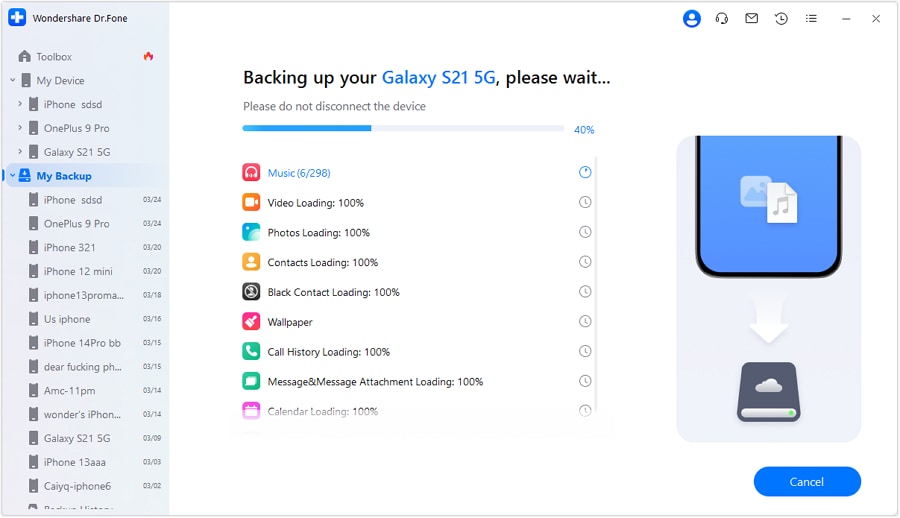
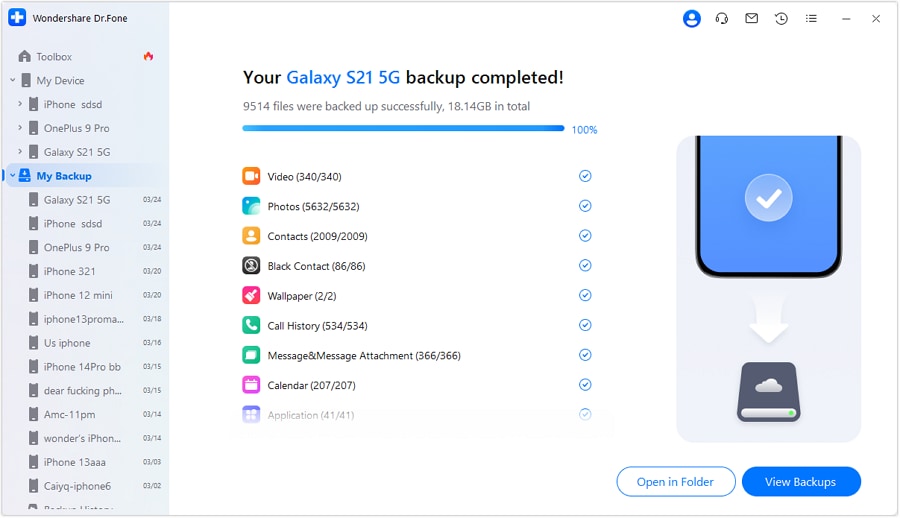
Step 3 Run the backup before replacing core apps or account-related tools




Conclusion
The best answer to best F-Droid apps for Android is not "whatever is most open source." It is "the apps that keep proving useful after the setup phase is over." That is why the Reddit post behind this topic felt credible: it came from a practical Android cleanup story, not from ideology for its own sake. Apps like KeePassDX, Aegis, Organic Maps, Syncthing-Fork, Binary Eye, and NewPipe keep appearing in serious discussions because they solve recognizable user problems while offering more transparency than many mainstream alternatives.
Before you replace important apps or rebuild your Android workflow, it is wise to make a clean copy first with Dr.Fone - Phone Backup so you can experiment with less risk and more confidence.
FAQ
-
1. What are the best F-Droid apps for Android for beginners?
Organic Maps, Aegis, and KeePassDX are among the easiest and most practical first choices. -
2. Is F-Droid safer than Google Play?
Not automatically. F-Droid offers more transparency in some ways, but update freshness and source trust still matter. -
3. Should I trust every app on F-Droid?
No. You should still evaluate update recency, Anti-Features, and whether the app is appropriate for your use case. -
4. Why do people use F-Droid after debloating Android?
Because once they remove unwanted stock apps, they need lighter, more controllable replacements that still feel practical.
 Add Wondershare Dr.Fone as a preferred source on Google



