Recover photos, messages, WhatsApp, and more — no backup
needed.
Recover photos, messages, WhatsApp, and more — no backup
needed.

 100% Security Verified | No Subscription Required | No Malware

 :
: 
 ChatGPT
 Perplexity
 Gemini
 Claude
 Grok
Grok
The highly anticipated 2026 Apple keynotes have once again set the standard for technological innovation. Following the tradition of captivating tech enthusiasts globally, the recent Apple WWDC event introduced groundbreaking updates designed to reshape the iOS ecosystem. The extensive apple presentation highlighted revolutionary software enhancements, while the subsequent hardware keynote brought an unprecedented level of excitement with the dramatic reveal of the iPhone 17 series.
Through detailed apple presentation slides and engaging live demonstrations, developers and consumers were treated to a glimpse of Apple's future. The wwdc keynote proved that Apple is doubling down on seamless integration, user privacy, and fluid performance, paving the way for the spectacular iPhone 17 launch later in the year.
In this article
Part 1. The Big Apple Keynote Event at WWDC
The 2026 Apple WWDC kicked off with an undeniable sense of momentum on June 9. With an audience spanning the globe—both in-person attendees and millions streaming via the Apple TV app and the Apple YouTube channel—the wwdc keynote served as a spectacular showcase. Through meticulously crafted apple presentation slides, Apple outlined the comprehensive architecture updates rolling out across their entire platform suite, signaling a massive leap forward in both functionality and aesthetic design.
1-1. iOS 26 Unveiled
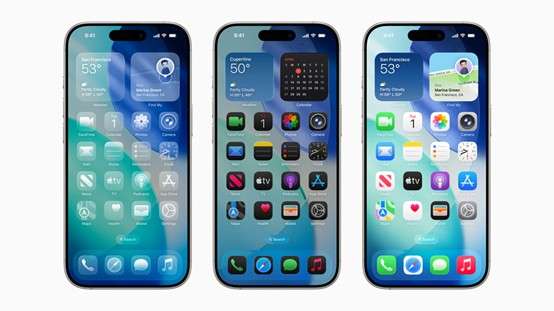
Undoubtedly, one of the primary highlights of the initial apple presentation was the highly anticipated introduction of iOS 26. This robust operating system introduces the brand-new "liquid glass" design language, offering a visual overhaul that completely revitalizes the look and feel of the standard iPhone interface. This modern design logic infuses a distinct sense of fluidity and elegance into the daily user experience, making interactions feel remarkably natural.
Beyond aesthetics, iOS 26 heavily prioritizes enhanced privacy. Users are granted unprecedented oversight of their personal data, including highly explicit permission controls outlining exactly what applications can access. These granular privacy updates establish a new industry benchmark.
1-2. Advances in Other Platforms
Following the primary apple keynotes, the "State of the Union" session delved deeply into the advanced tools provided for the developer community across macOS, iPadOS, tvOS, VisionOS, and watchOS. macOS received an aggressive performance boost alongside a revolutionary window management system, simplifying complex multitasking workflows for professional users.
Simultaneously, watchOS incorporated sophisticated health-tracking enhancements. New metric monitoring includes intricate sleep analysis algorithms and real-time stress-level tracking, transforming the Apple Watch into a definitive health companion.
Verification Utility: Before migrating devices, check your smartphone's background status via this secure tool:
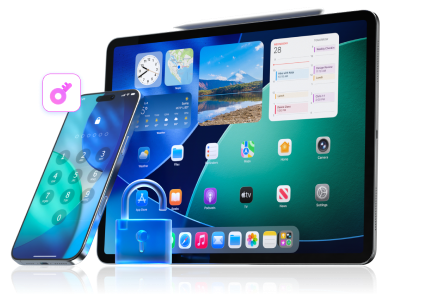
Dr.Fone Unlock Online - Free IMEI Check Unlock iPhone/iPad passcode in minutes.
- Remove Face ID, Touch ID, and screen lock.
- Bypass iCloud Activation Lock easily.
- Support all iOS versions and devices.
- Simple steps, no technical skills needed.
Part 2. The iPhone 17 Keynote: A Closer Look
Fast forward to September 2026, when Apple hosted another major apple presentation event, focusing heavily on its premium hardware releases. The highlight of these apple keynotes was undeniably the global debut of the iPhone 17 series.
iPhone 17 Series Lineup
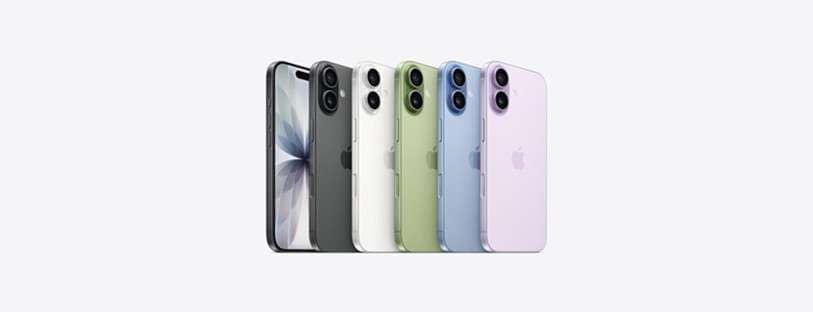
The 2026 lineup introduces significant architectural changes to Apple's smartphone portfolio. Moving away from previous configurations, the new lineup features three distinct models: the standard iPhone 17, the highly anticipated iPhone Air, and the flagship iPhone 17 Pro/Pro Max. The historic Plus model has been fully retired to make room for the incredibly sleek iPhone Air, creating an entirely new dynamic for mobile users.
2-1. iPhone 17 Standard Edition
- Design and Display: Available in lavender purple, sage green, mist blue, white, and black, the standard model utilizes a 6.3-inch OLED display. It boasts Super Retina XDR technology and a 120Hz ProMotion refresh rate for supreme responsiveness, all housed within an aerospace-grade aluminum frame and Super Ceramic Shield 2 front panel.
- Performance and Camera: Driven by the efficient A19 chip, it packs a robust 48-megapixel dual-fusion camera system. The 18-megapixel front camera introduces the "Person Centering" auto-framing feature and supports "Dual-way Simultaneous Shooting" for vloggers.
- Battery and Charging: Enjoy up to 30 hours of continuous video playback, supported by enhanced 25W MagSafe wireless charging.
2-2. iPhone Air

- Design and Display: The revolutionary iPhone Air redefines ultra-thin engineering. Measuring just 5.6mm thick and encased in a premium titanium frame, it features a 6.5-inch Super Retina XDR OLED display capable of an incredible 3000 nits peak brightness.
- Performance and Camera: Equipped with the high-tier A19 Pro chip (5-core GPU) and the advanced C1X communication chip for comprehensive Wi-Fi 7 and Bluetooth 6 support. The camera array includes a 48-megapixel fusion setup accompanied by specialized telephoto lenses.
- Battery and Charging: Offers 27 hours of standalone video playback, which expands to a massive 40 hours when coupled with the exclusive iPhone Air MagSafe battery accessory.
2-3. iPhone 17 Pro/Pro Max 
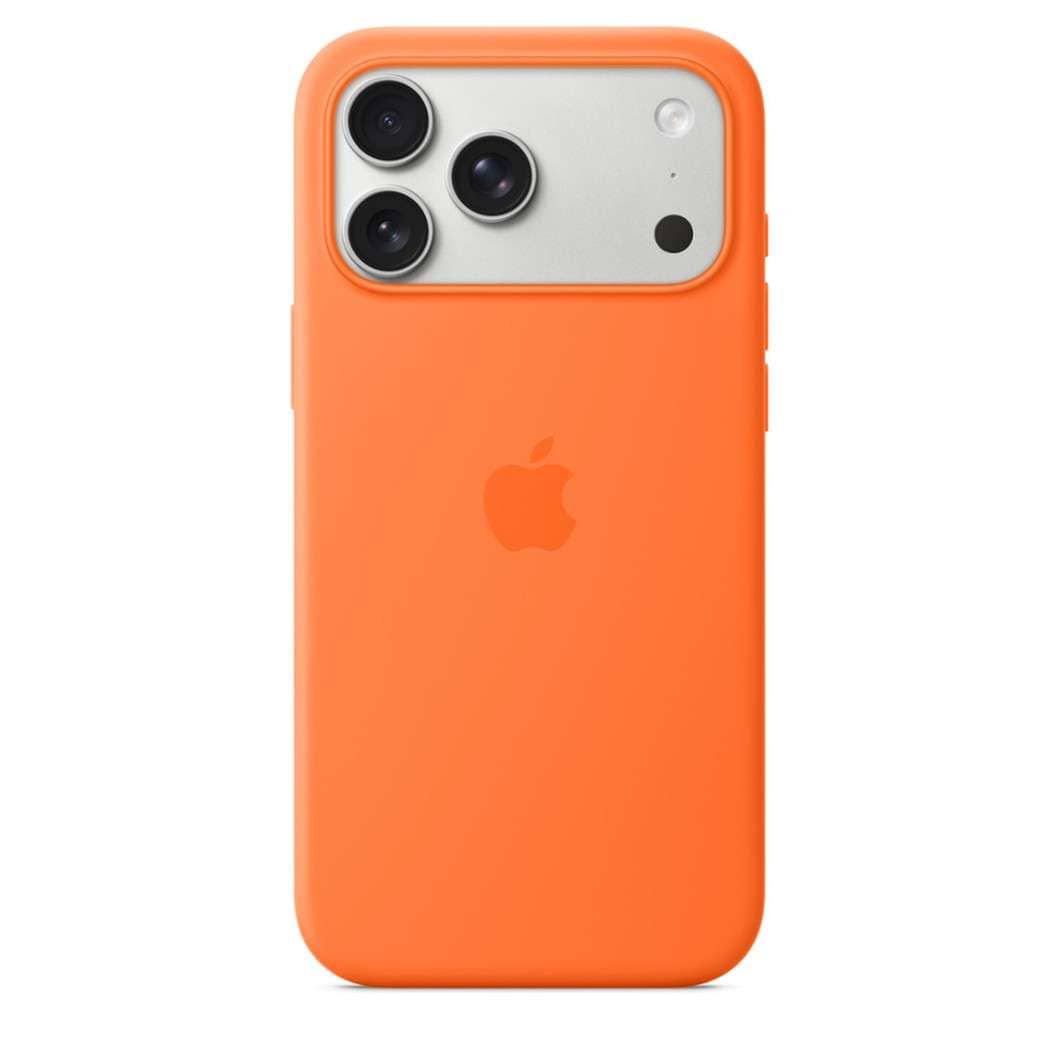
- Design and Display: The Pro lineup—sporting 6.3-inch and 6.9-inch Super Retina XDR displays respectively—comes in cosmic orange, navy blue, and silver. A laser-welded heat-dissipation plate ensures sustained performance under heavy loads.
- Performance and Camera: Harnessing the full power of the A19 Pro chip (6-core GPU), it features a sophisticated 48-megapixel Pro fusion camera trio. The cutting-edge image processing pipelines guarantee flawless photography.
- Battery and Charging: Exceptional energy efficiency allows up to 33 hours of video playback for the Pro Max, redefining flagship stamina.

Part 3. Dr.Fone - Your Ideal Partner for iPhone Data Management
As the exhilaration surrounding the newly revealed apple keynotes hardware settles, upgrading to the iPhone 17 requires careful preparation. The most critical step is ensuring the integrity of your existing data. Transitioning between devices can be risky, making a reliable backup utility essential. Wondershare Dr.Fone serves as your comprehensive data management solution, specifically engineered to secure your photos, contacts, and app data before making the leap to the iPhone 17.
- Effortlessly manage data through preview, delete, export, etc.
- Transfer all data between devices.
- Robust backup solutions for reliable data protection.
- Mirror screens to PC for meetings, teaching, and control.
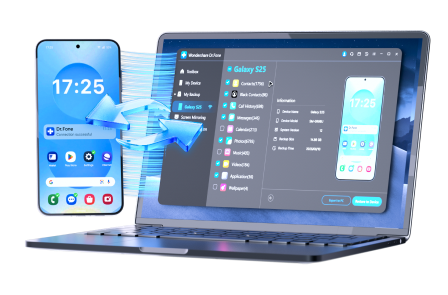
Follow these meticulously outlined instructions to manually backup your iOS device data to your local machine using Dr.Fone, securing your essential files entirely prior to migrating.
-
Step 1 Start iOS Device Backup to Computer
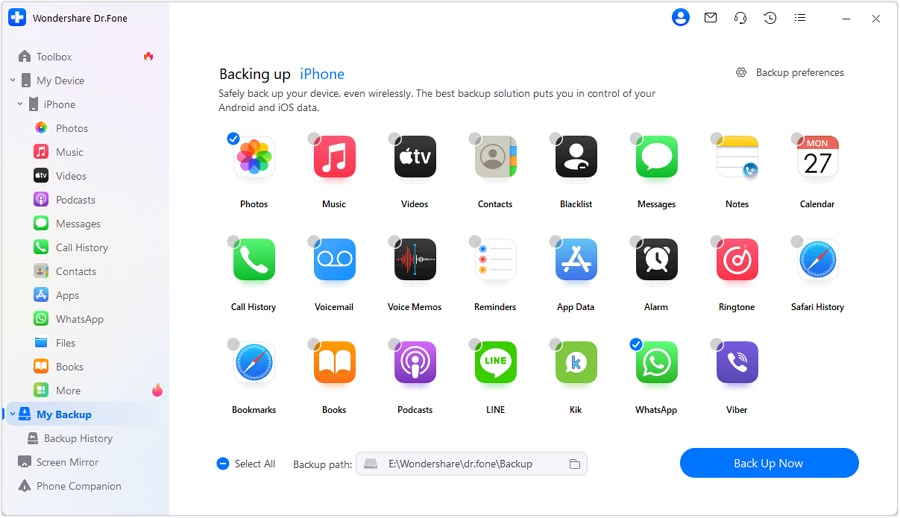
Begin by launching the Dr.Fone software on your computer. Navigate to the My Backup section located on the left-side panel. Click the Back Up Now button to immediately initiate the backup sequence for your existing iPhone.
-
Step 2 Wait for the Backup Process to Complete
Dr.Fone will automatically identify your device and securely compile your supported files. Ensure your device remains connected throughout this phase to guarantee data integrity. You can easily halt the procedure by clicking the Cancel button if needed.

-
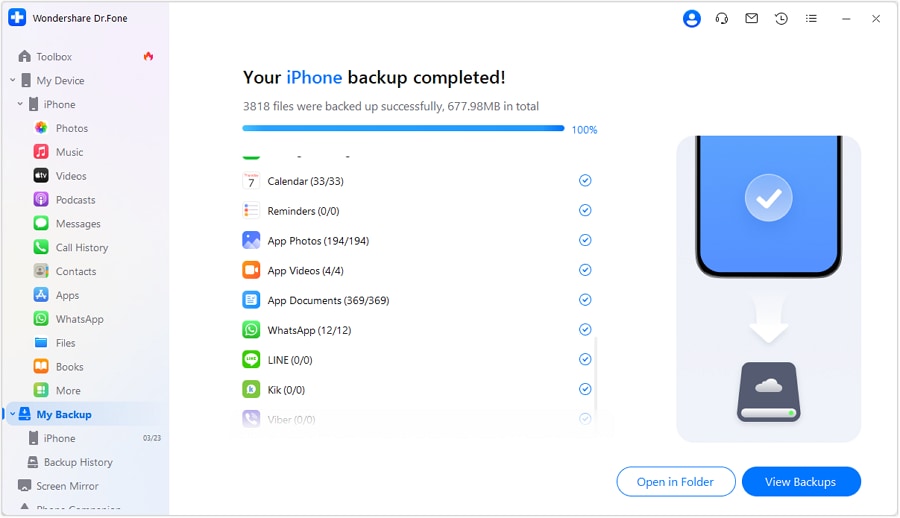
Step 3 Confirm Backup Completion & Manage Backup Files
Upon finishing, a prompt will detail the success of the operation, including file size and duration. Select View Backups to browse your saved data, or choose Open in Folder to locate the precise physical directory on your local drive.
Conclusion
Reflecting on the 2026 Apple WWDC and the highly anticipated iPhone 17 wwdc keynote, Apple continues to push the boundaries of user experience. From the sleek iOS 26 architecture to the stunningly thin iPhone Air, the apple presentation slides demonstrated an unwavering commitment to innovation. As you prepare to adopt these remarkable new technologies, leveraging comprehensive backup solutions like Dr.Fone ensures your digital transition is entirely seamless and strictly protected.




FAQ
-
1. What were the standout announcements at the 2026 Apple Keynotes?
The 2026 Apple keynotes prominently featured the launch of iOS 26 with its new "liquid glass" aesthetic, alongside the highly anticipated introduction of the iPhone 17 hardware series, including the brand-new iPhone Air. -
2. Did Apple reveal any new iPad features during the WWDC keynote?
Yes, during the "State of the Union" portion of the Apple WWDC, Apple announced deep developer tools and performance enhancements spanning across iPadOS, drastically improving multitasking efficiency. -
3. What replaces the Plus model in the iPhone 17 lineup?
The standard iPhone Plus model has been officially retired from the 2026 lineup, successfully replaced by the ultra-thin, titanium-framed iPhone Air that boasts a 5.6mm thickness. -
4. How should I prepare my old device before upgrading to the iPhone 17?
Before trading in or upgrading, it is highly recommended to perform a full local data backup using secure software like Wondershare Dr.Fone to prevent the complete loss of critical contacts, photos, and messages during device migration.
 Add Wondershare Dr.Fone as a preferred source on Google