Move contacts, messages, photos, videos, app data, and more between iOS and Android.

 100% Security Verified | No Subscription Required | No Malware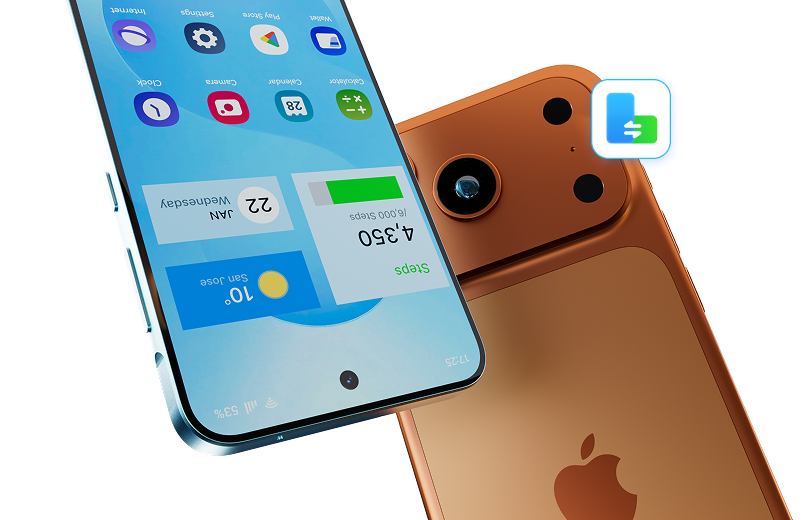

 :
: 
 ChatGPT
 Perplexity
 Gemini
 Claude
 Grok
Grok
If you are a Samsung user thinking about moving to iPhone, you are probably not looking for marketing language. You want the real experience. What gets better? What gets worse? What surprises people after the switch? And perhaps most importantly, do former Samsung users actually stay happy on iPhone?
These are exactly the questions people ask when they are considering a move from a Galaxy device to an iPhone. In Reddit discussions, users who switched from Samsung to iPhone describe a surprisingly balanced experience. Many praise Face ID, app smoothness, battery consistency, and Apple ecosystem convenience. At the same time, they complain about the iPhone keyboard, notification handling, file limitations, and the loss of certain Android freedoms.
In this article
- Part 1. Why Samsung Users Consider Switching to iPhone
- Part 2. What Former Samsung Users Usually Like About iPhone
- Part 3. What Samsung Users Often Miss After Switching
- Part 4. So Is iPhone Better Than Samsung?
- Part 5. Who Will Probably Love Switching From Samsung to iPhone
- Part 6. Who Might Regret Switching
- Part 7. How to Switch From Samsung to iPhone Without Regret
- Part 8. Final Verdict: What Is the Samsung to iPhone Experience Really Like?
Part 1. Why Samsung Users Consider Switching to iPhone
Samsung already makes premium phones, so people usually do not switch because their hardware is bad. They switch because they want a different software experience.
The most common reasons include:
- curiosity about iOS
- better integration with other Apple devices
- frustration with Android inconsistency
- better app optimization
- interest in Apple Watch or AirPods
- preference for long-term resale value
- wanting a simpler, cleaner interface
In other words, people rarely switch because Samsung fails at everything. They switch because iPhone promises a more controlled and refined experience.
For many users, that promise is real.
Part 2. What Former Samsung Users Usually Like About iPhone
1. Face ID Feels Effortless
One of the strongest positive reactions from former Samsung users is Face ID. Many describe it as one of the first iPhone features they genuinely love because it works quickly, consistently, and with very little thought. In user discussions, Face ID is often mentioned as one of the most impressive improvements after leaving Samsung.
This matters more than it sounds. Unlocking your phone is something you do dozens or even hundreds of times per day. When it feels seamless, the whole device feels better.
2. The iPhone Experience Feels More Polished
A recurring theme among switchers is that iPhone feels “finished.” Animations are smoother. Apps feel more consistent. Random lag, odd stutters, or small UI mismatches seem less common.
This does not mean iPhone is bug-free. It means the average daily experience feels tighter. For many former Samsung users, this becomes one of the biggest reasons they stay.
3. App Optimization Is Often Better
Third-party apps are a huge part of smartphone life. When people switch from Samsung to iPhone, one of the first things they notice is that many apps seem better optimized for iOS. Social apps, camera-dependent apps, and general UI responsiveness often feel cleaner.
This is one of the quiet strengths of iPhone. You may not notice it in a spec sheet, but you feel it constantly.
4. Battery Behavior Can Feel More Predictable
Battery comparisons vary from phone to phone, but many switchers say iPhone battery life feels more stable or more dependable across the day. Even when raw battery size is not the biggest, efficiency and standby behavior often leave a strong impression.
Predictability matters. A phone that drains evenly and reliably can feel better than one that benchmarks well but behaves inconsistently in real life.
5. Apple Ecosystem Benefits Add Up
If you own a MacBook, iPad, AirPods, Apple Watch, or use iCloud services, the iPhone becomes more than a phone. It becomes part of a workflow.
This is one of the biggest reasons people who switch from Samsung to iPhone stay with iPhone. The ecosystem makes everyday tasks easier. File sharing, device handoff, shared clipboard behavior, synchronized photos, and accessory pairing all reduce friction.
On paper, each feature may look small. In practice, they compound.
Part 3. What Samsung Users Often Miss After Switching
Now for the other side of the story.
A lot of Samsung users enjoy iPhone overall but still miss several Android features intensely. Some even return to Samsung because the lost functionality matters more than the polish they gained.
1. The Keyboard Is a Common Complaint
This is one of the most repeated frustrations from former Samsung users. People often say the iPhone keyboard feels less comfortable, less flexible, or simply worse than what they were used to on Samsung or Android in general.
Typing is another core daily action. If it feels worse, you notice it immediately. And unlike a camera or chipset, you interact with the keyboard all the time.
2. Notifications Usually Feel Better on Samsung
Android has long been praised for better notification management, and many switchers feel this difference strongly. Grouping, control, visibility, and quick interaction can feel more intuitive on Samsung.
For users who manage a lot of messages, work alerts, or app activity, this can become a genuine pain point on iPhone.
3. iPhone Can Feel More Restrictive
Samsung users are often used to more control over their phones. That includes file management, default apps, multitasking, customization, home screen freedom, and device behavior.
On iPhone, those limits are part of Apple’s design philosophy. Some people appreciate the simplicity. Others feel boxed in.
If you loved tweaking your Samsung phone, iPhone may feel cleaner but less empowering.
4. The Back Gesture and Navigation Take Time
Navigation is another area where former Samsung users sometimes struggle. Android’s back behavior often feels more universal, while iPhone navigation can vary more between apps.
This may sound minor, but user comfort is built from small habits. Muscle memory matters.
5. You May Miss Samsung-Exclusive Features
Depending on which Samsung device you used, you may miss:
- advanced zoom options
- split-screen multitasking
- more open file behavior
- stylus features
- more granular control settings
- broader customization tools
Part 4. So Is iPhone Better Than Samsung?
That depends on what “better” means to you. If better means:
- more polished software
- stronger app consistency
- smoother ecosystem integration
- reliable face unlock
- more cohesive day-to-day experience
Then yes, iPhone may feel better.
But if better means:
- more freedom
- better notifications
- stronger multitasking
- more customization
- more advanced power-user tools
Then Samsung may still be the better choice.
This is why so many switch experiences sound mixed. People gain some things and lose others. Satisfaction depends on which category matters more.
Part 5. Who Will Probably Love Switching From Samsung to iPhone
You will probably be happy with the move if:
- you value smoothness over customization
- you already use Apple products
- you want a lower-maintenance phone experience
- you care about app consistency
- you mainly use your phone for mainstream daily tasks
This type of user often describes iPhone as calmer, cleaner, and easier to trust.
Part 6. Who Might Regret Switching
You may regret the switch if:
- you love customizing your phone
- you rely heavily on Android notifications and multitasking
- you want deeper control over files and settings
- you use Samsung-exclusive features often
- you are sensitive to keyboard quality and navigation differences
Part 7. How to Switch From Samsung to iPhone Without Regret
Switching ecosystems is a big move. To avoid frustration, prepare wisely.
-
Step 1 Audit Your Current Usage
Ask yourself:
- What do I love about my Samsung phone?
- What annoys me the most?
- Which Apple features will I actually use?
- Am I switching for utility, simplicity, or just a change?
-
Step 2 Try iPhone Features First
Use an Apple Store demo unit. Test:
- Face ID
- Keyboard typing
- Notification center
- App navigation
See how it feels before buying.
-
Step 3 Use Dr.Fone - Phone Switch for a Seamless Transfer
One of the biggest hurdles when switching is moving your data — contacts, messages, photos, apps, and more.
That’s where Dr.Fone - Phone Switch comes in.
Why Dr.Fone Phone Switch Is the Best Tool for Samsung to iPhone Migration
Dr.Fone - Phone Transfer is a trusted mobile solution used by over 50 million users worldwide.
Its Phone Switch feature makes transferring data from Android (Samsung) to iPhone incredibly easy — in just 3 steps.
🔹 Key Benefits:
- Transfer 12+ data types: Contacts, SMS, photos, videos, music, apps, call logs, calendar, and more
- One-click transfer from Samsung to iPhone — no tech skills needed
- No data loss or overwriting — your new iPhone stays clean
- Works with all Samsung Galaxy models (S, Note, Z Fold, A series)
- Compatible with iPhone 7 to iPhone 15 series
- Faster than Apple’s Move to iOS app — especially for large data
📌 Pro Tip: Use Dr.Fone before setting up your new iPhone for the smoothest transfer.
 Move data between iOS to Android and vice versa.
- Transfer contacts, SMS, photos, videos, music, and more types.
- Available with all phones with Android and iOS versions.
- Simple, click-through process.





Part 8. Final Verdict: What Is the Samsung to iPhone Experience Really Like?
For most people, switching from Samsung to iPhone feels like moving from a feature-rich, flexible environment into a more controlled, polished one.
You gain:
- smoother software feel
- better app optimization
- stronger ecosystem integration
- excellent Face ID
- a more cohesive experience
You lose:
- some customization
- stronger notification handling
- certain multitasking advantages
- broader file freedom
- some Samsung-specific convenience features
That is the real answer.
The Samsung to iPhone experience is not about one phone being universally superior. It is about choosing what kind of smartphone life you want.
If you want a phone that feels refined, stable, and deeply connected to other Apple products, iPhone can be a very satisfying switch.
If you want a phone that feels open, configurable, and built around user control, Samsung may still fit you better.
The best decision is not based on hype. It is based on the frustrations you want to remove and the strengths you want to keep.
Conclusion
Switching from Samsung to iPhone is a personal journey shaped by individual needs and preferences. While the iPhone offers polish, consistency, and ecosystem harmony, Samsung delivers flexibility, customization, and advanced features. Understanding what you value most ensures a satisfying transition — no matter which side you choose.
 Add Wondershare Dr.Fone as a preferred source on Google