 Effortlessly manage data through preview, delete, export, etc.

 100% Security Verified | No Subscription Required | No Malware

 :
: 
 ChatGPT
 Perplexity
 Gemini
 Claude
 Grok
Grok
Since the iOS 27 update news is everywhere, you might wonder when the iOS 27 Beta version will be released. Every year, Apple releases new iOS updates with better features, but the rollout happens in stages.
From the first announcement at WWDC to developer betas and final stable release, each phase serves a different purpose. Hence, this guide will outline the iOS 27 timeline and explain each phase in detail. This will help you decide whether to skip or install iOS 27 versions. You will also know when to create a backup with Dr.Fone - Phone Backup (iOS) and other tools. If your device is not compatible with iOS 27 and you want to upgrade, learn how to do it with Dr.Fone - Phone Transfer.
In this article
- Part 1. When Is iOS 27 Expected to Be Announced?
- Part 2. iOS 27 Developer Beta Timeline
- Part 3. iOS 27 Public Beta Release Timeline
- Part 4. iOS 27 Final Release Date (Stable Version)
- Part 5. Should You Install iOS 27 Beta or Wait?
- Part 6. Before Installing iOS 27 Beta: Backup Your iPhone
- Part 7. Avoid Data Loss: Transfer Before You Upgrade [Extra Safety]
- Frequently Asked Questions
Part 1. When Is iOS 27 Expected to Be Announced?
According to Apple Newsroom, Apple has released the confirmed dates and timeline for the WWDC, and this section explains all.
WWDC 2026 Announcement Window
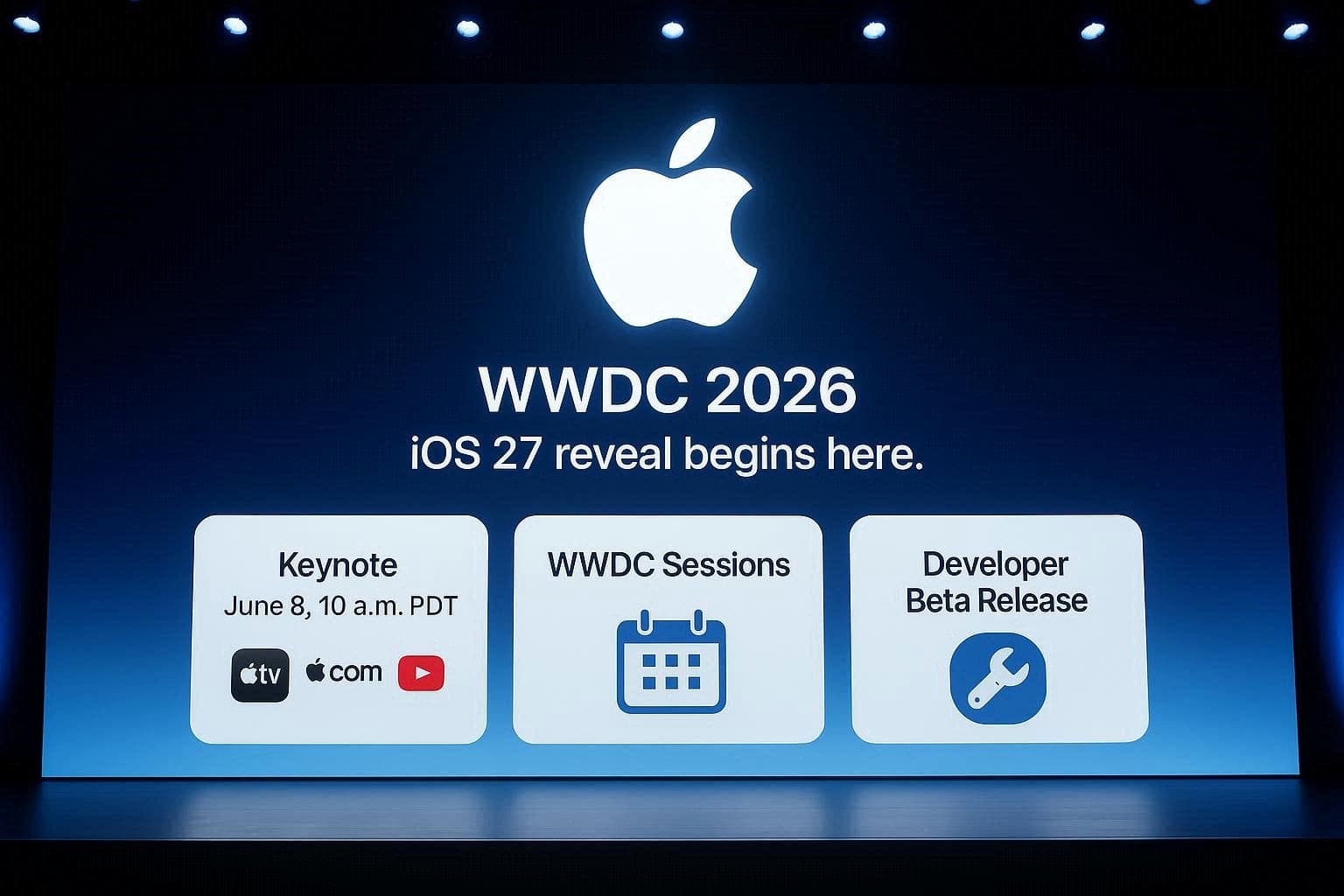
As stated on the Apple page, WWDC 2026 iOS 27 will be held on June 8. Developers and students can watch nearly 100 videos on tools and technologies. The main announcement will be made during an Apple Keynote presentation that will start on June 8 at 10 a.m. PDT and around 1:00 p.m. Eastern Time.
Hence, the Keynote will be streamed on Apple.com, the Apple TV app, and the Apple YouTube channel, and you will be introduced to all AI and Apple Intelligence features. After that, the Platform's State of the Union will cover APIs and technologies on June 8 at 1 p.m. PDT.
First Developer Beta Release
In the Keynote presentation, Apple will also announce the Beta version and will confirm when it will be available. After the event, Apple will release the update through Apple’s developer channels and update its Developer website. It will then send a notification to registered developers and publish an official announcement on its Newsroom website.
Part 2. iOS 27 Developer Beta Timeline
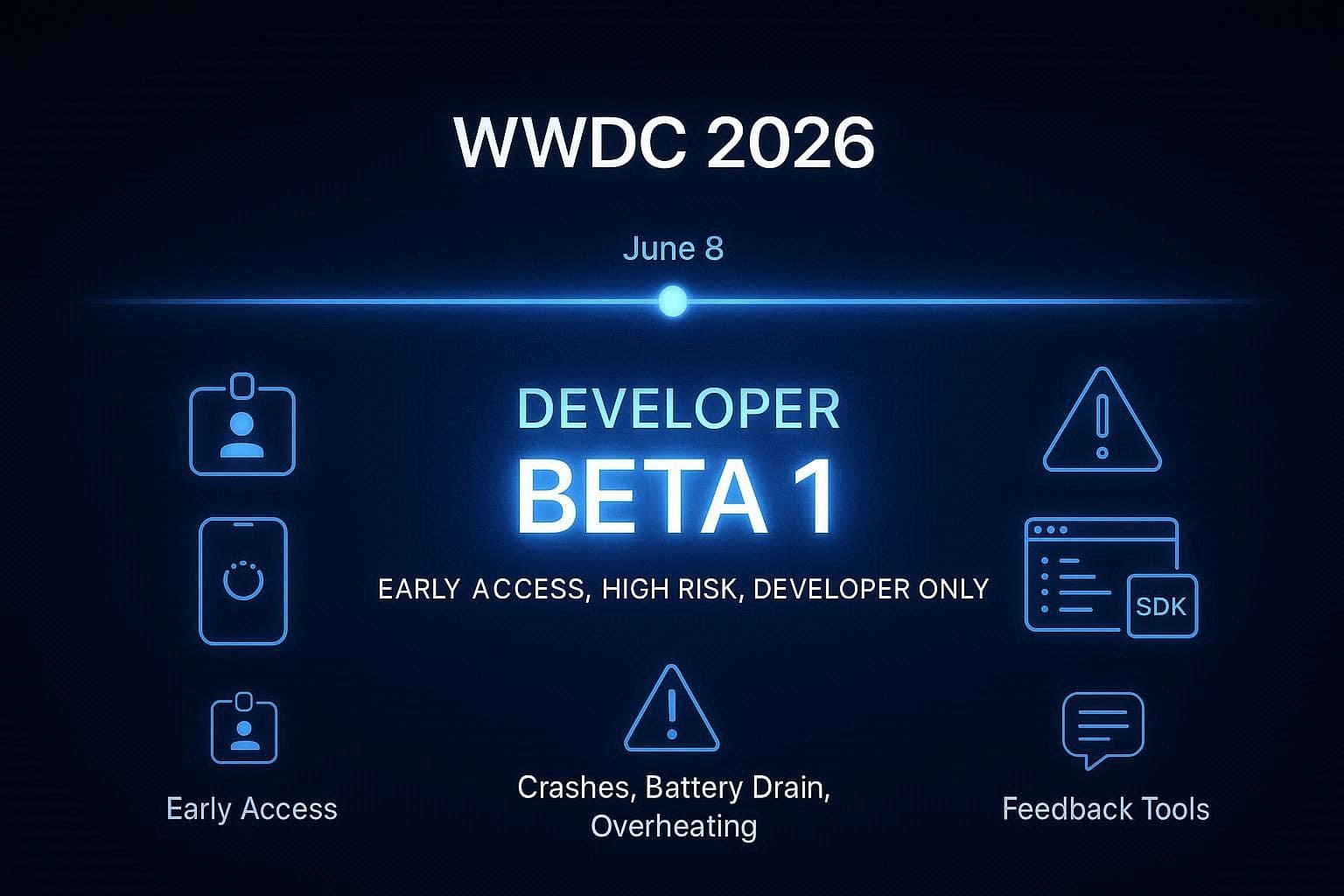
As for the iOS 27 beta, it will be called “Developer Beta 1” and released on the same day as June 8, 2026. Hence, this will be available to anyone registered in the Apple Developer Program, who can immediately test the features on their systems, according to leaks from 9to5Mac.

What the Developer Beta Includes
Ideally, the Beta version will have the basic functional layout of major new apps, including the introductory layout of Photos App AI editing features. As stated on the Apple Developer page, it will also have SDKs and a native Feedback Assistant app to let creators test their custom programs against the new system code. Through this, they will be able to locate the system errors and report the crashes to Apple engineering teams.
Who Should Install Developer Beta
The Beta version released at WWDC 2026, iOS 27, is mainly for the registered app developers and software engineers. In short, it is for people who write code and need early access to test and improve their software before the public release. Hence, as a regular user, you should not download this version. Instead, wait for the stable version to be released to test new features.
Risks of Installing Early Beta
Since the Developer Beta is like unfinished code, it can cause battery drain, overheating, and persistent bugs. This is because the system is under test, and many apps can crash or may not work properly. In extreme cases, it can brick the device and lead to major data loss of images and other data types.
Part 3. iOS 27 Public Beta Release Timeline
Regarding the iOS 27 Public Beta, review this section to get the timeline and installation details.
Expected Public Beta Launch
LiveMint leaks says that the Public Beta version will be released in July. This is because Apple takes an extra week to monitor the developer crash logs and fix major system flaws.
What Users Get in Public Beta
In July, users will have access to new AI features and redesigned system apps announced at WWDC. Hence, this will be much more stable than the Developer Beta version. However, it still has the Feedback Assistant app for regular testers to report issues to Apple.
Should You Install Public Beta?
If you can deal with the occasional app instability or random device restarts, you can install this version. However, if it's the only phone you own, and you rely on it for daily tasks, it's best to avoid it for now. Since this is still unfinished test software, it's best to have a backup for users who want to install it.
Part 4. iOS 27 Final Release Date (Stable Version)
After the Developer Beta 1 release at WWDC 2026, iOS 27, if you wait for the stable version, this section has you covered.
Expected Official Launch Window
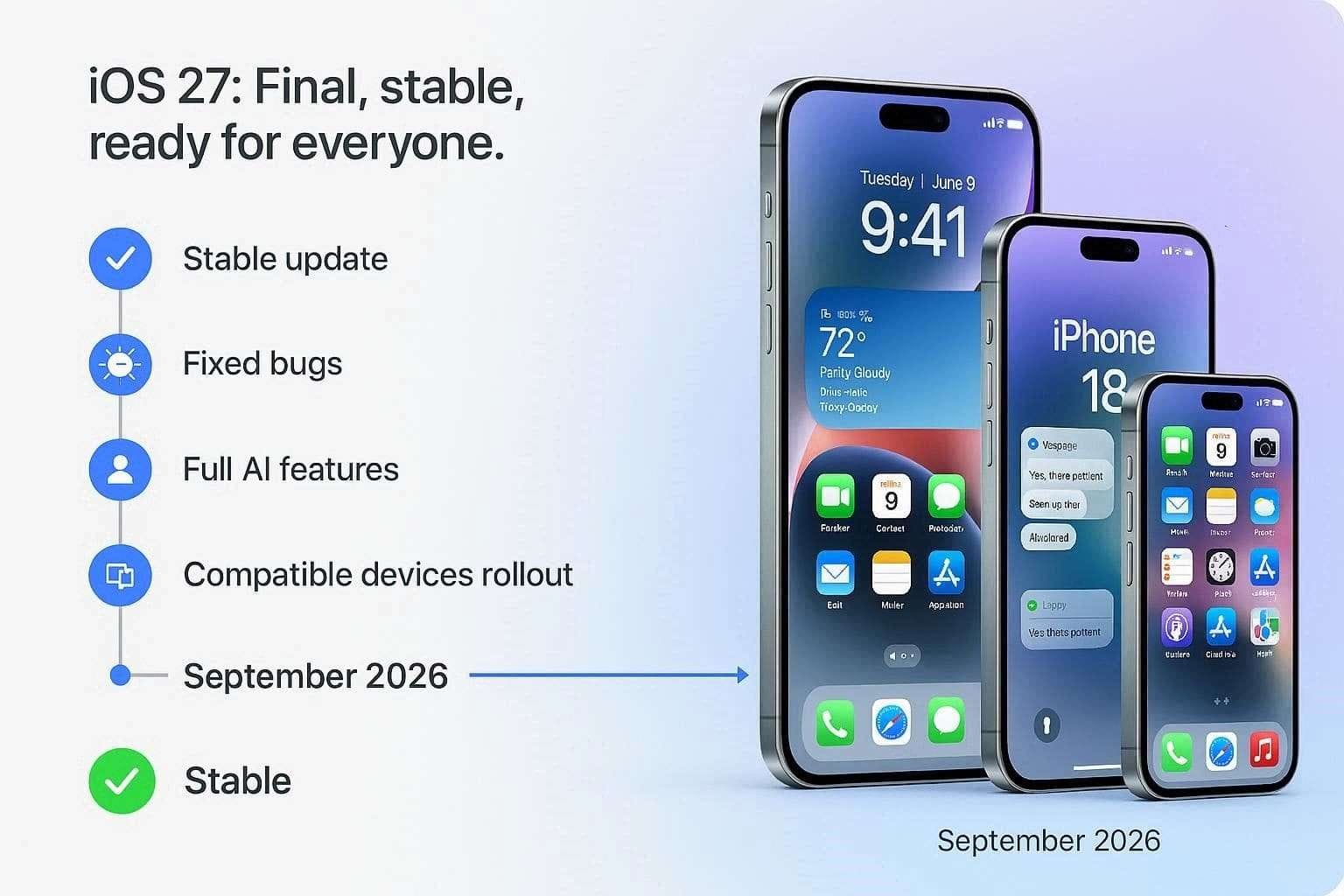
The Laptop Outlet report says that Apple’s iOS 27 finished version will be officially released in September 2026. Once done, it will be available on all compatible iOS devices, except the iPhone 11 series and the iPhone SE (2nd generation).
Most of all, the stable version will arrive alongside the next-generation iPhone. Thus, rumors say that this will include iPhone 18 Pro and iPhone 18 Pro Max, and possibly an iPhone Ultra or the first Foldable iPhone.
What the Final Version Includes
Unlike in iOS 27 beta, all major issues will be resolved in the final version, and users can access all announced features. The new apps will have their final interfaces and will run without crashes or bugs. It is also said that the most advanced features, like Apple Intelligence and agentic Siri, will roll out in iOS 27.1 or 27.2 sometime in the fall or winter.
Part 5. Should You Install iOS 27 Beta or Wait?
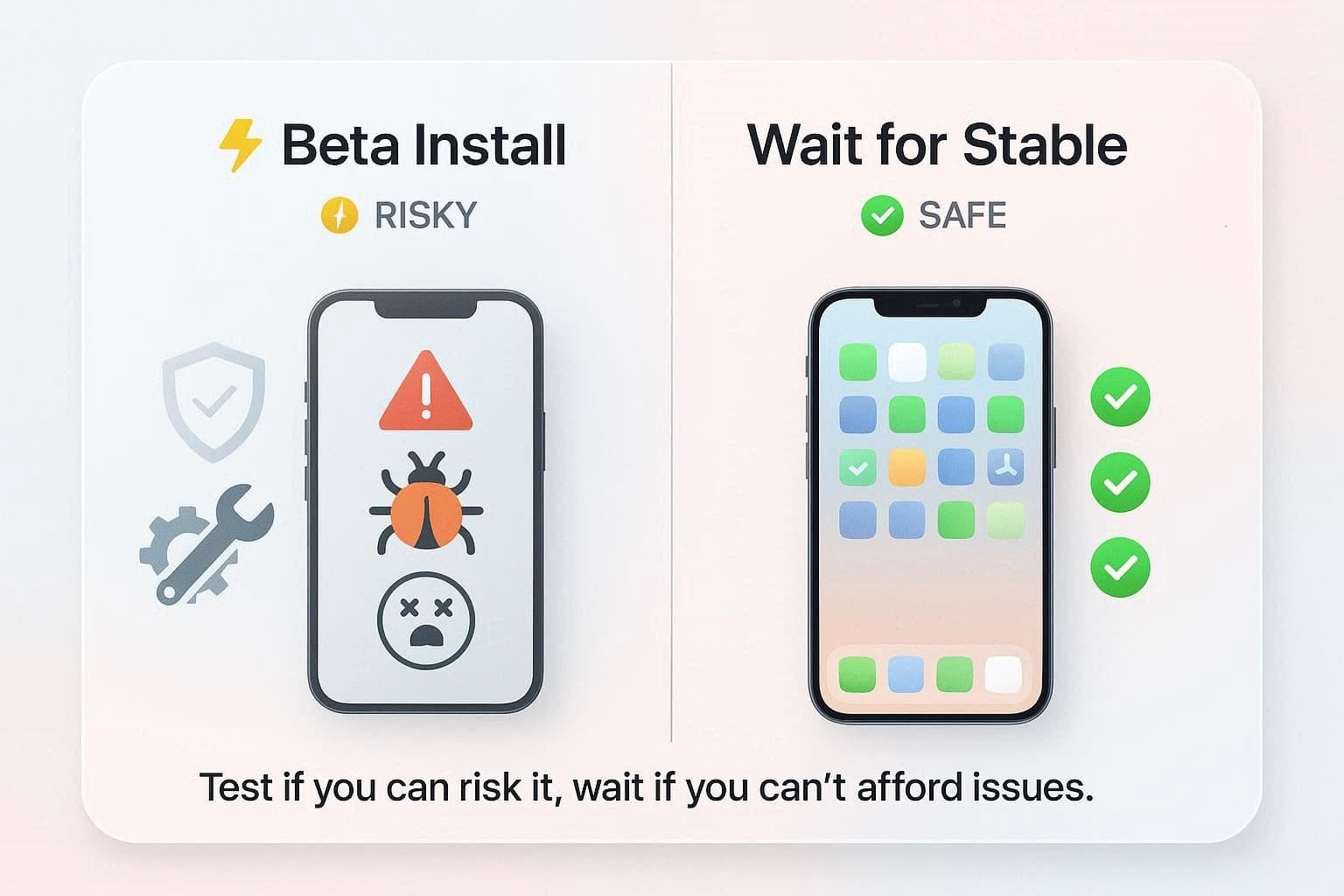
The decision to install iOS 27 beta or wait depends on how much risk you can handle and which iPhone you use. Developers and tech enthusiasts who have a separate device can try the beta version. However, if it's your main phone for daily tests, experts suggest waiting and avoiding early builds.
Part 6. Before Installing iOS 27 Beta: Backup Your iPhone
For some reason, you might want to try the iOS 27 public beta or Developer Beta 1. So, the details mentioned highlight why a backup is a must and how to create one.
Why Backup Is Critical for Beta Users
A cloud or local backup can save the data since Beta updates can be unstable and may fail during installation. In the event of a major issue, your device may not work and may need a full reset. This is where backups take a snapshot of the entire device or selected data types, so you can easily restore.
3 Best Backup Methods
For cloud or local backups, you can try the 3 mentioned ways with detailed guidelines:
iCloud Full Device Backup
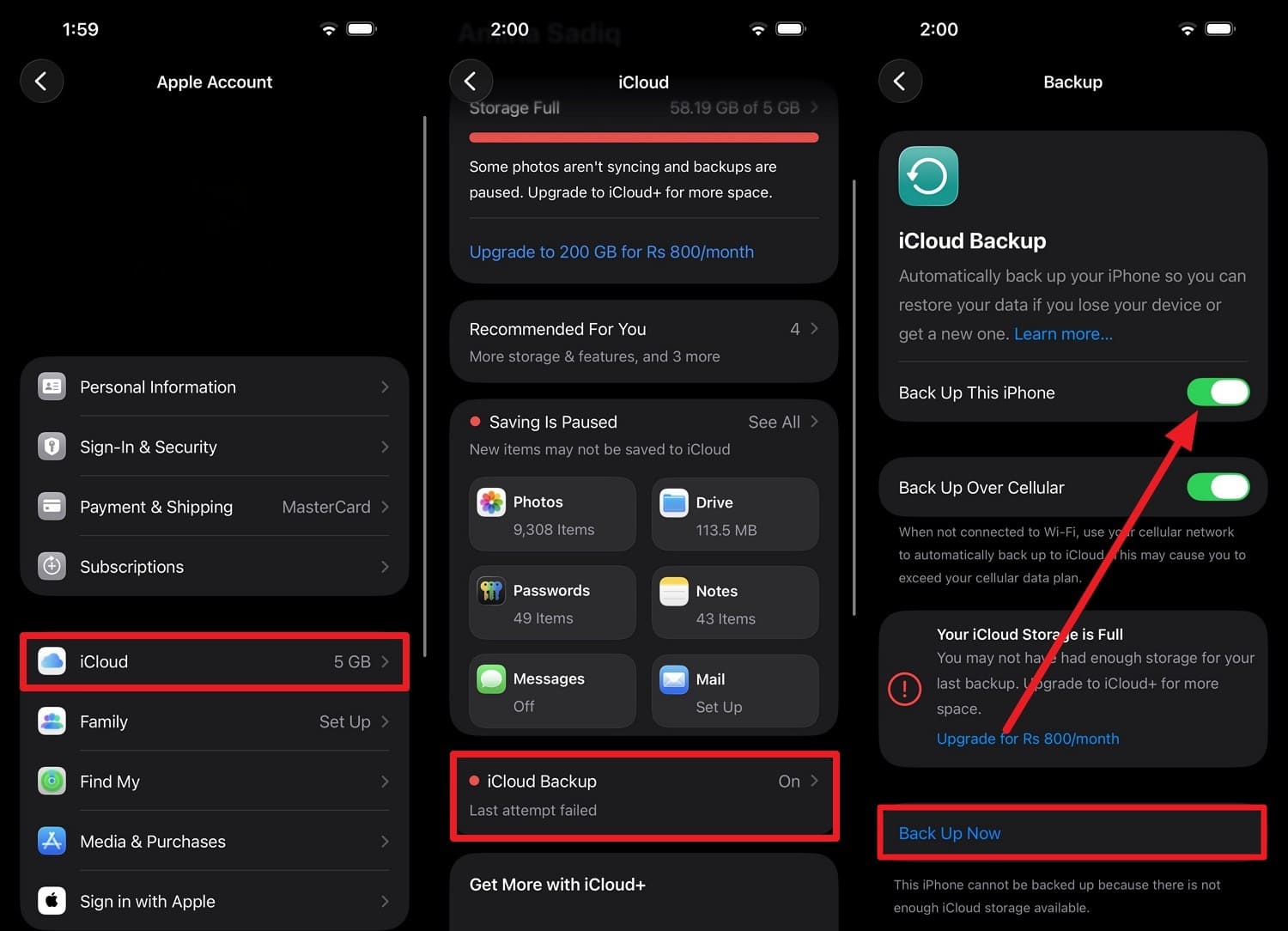
This backup method saves all important or synced data to the Apple Cloud, so you can easily restore it during setup. You can easily create it before the Beta update, and the following steps show how it can be done:
Instructions: Go to Settings > Your Name (Apple ID) > iCloud and choose the “iCloud Backup” option. When directed to the new interface, toggle the “Back Up This Phone” option and press “Back Up Now” and wait for it to end while the phone is connected to strong Wi-Fi.
Mac/PC Encrypted Backup (Finder/iTunes)
Before you update to iOS 27 beta, iTunes/Finder lets you back up the device in full, and you can set a passcode. This method needs no storage limits or a strong connection and requires you to “Trust” the device via the mentioned guide:
-
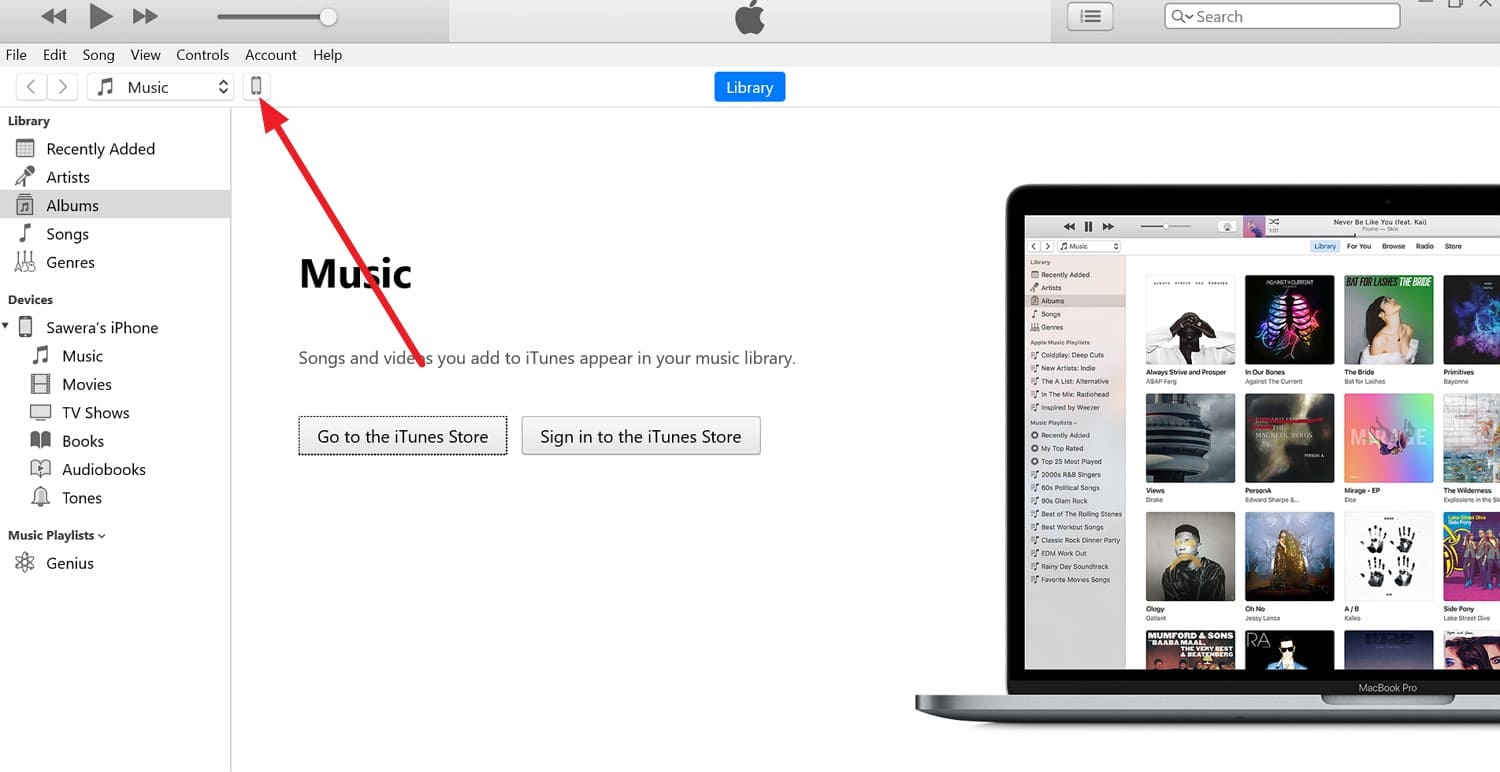
Step 1 On the iPhone, tap the “Trust” option when the connection is established in iTunes, then tap the “Phone” icon to continue.
-
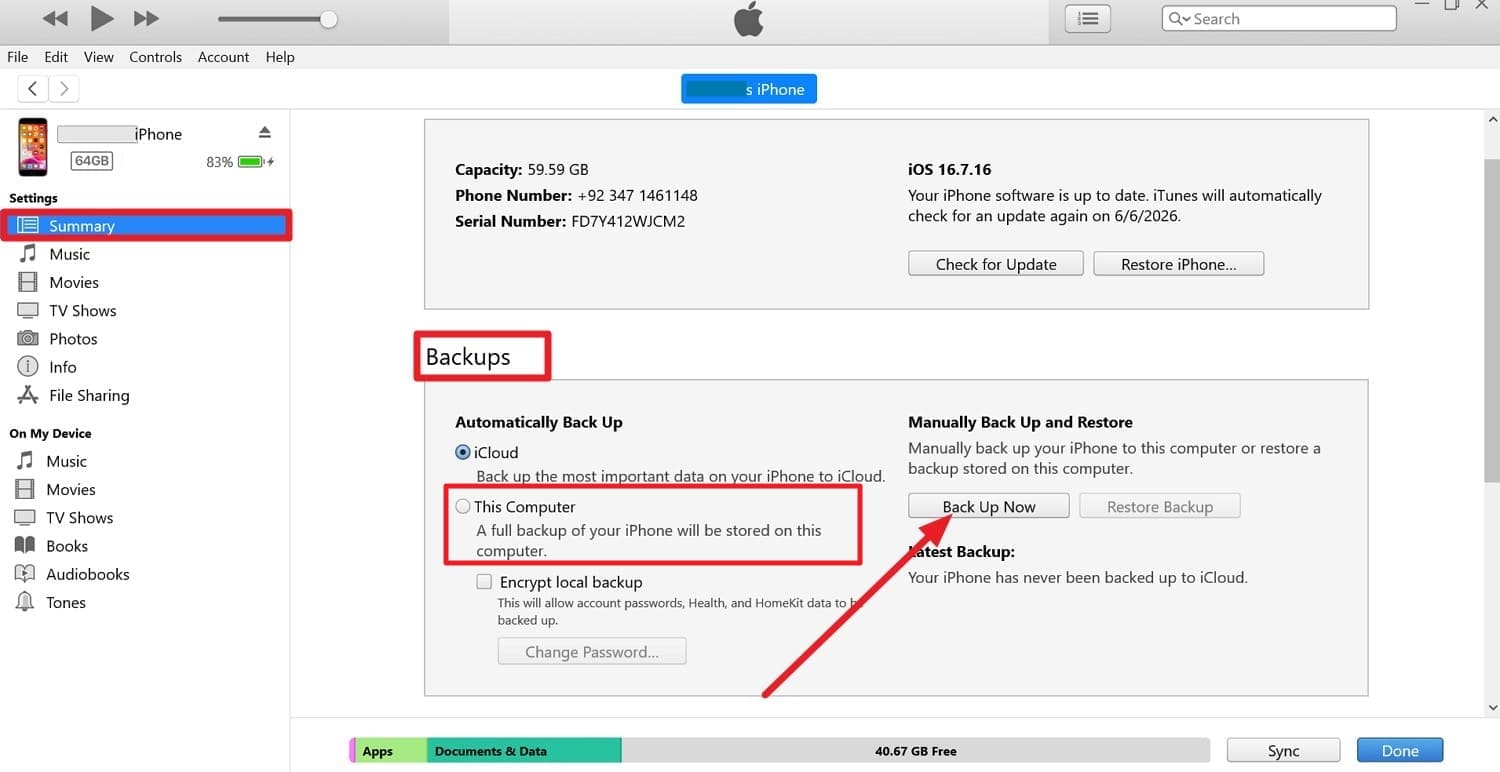
Step 2 In the “Summary” tab, pick the “This Computer” option from the “Backups” section and choose the “Back Up Now” button while you enable “Encrypt Backup.”
Third-Party Backup Tools for Extra Safety
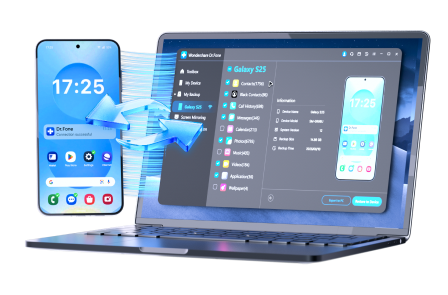
You know what pitfalls the beta version will have after it is announced at WWDC 2026, iOS 27. So, you can use Wondershare Dr.Fone to back up complete or selective data to a PC. This means the tool lets you automatically create selective, incremental backups of 26 data types over Wi-Fi. You can choose what to keep or skip, and select your preferred backup location, unlike with iTunes or iCloud.
The tool guarantees it will not overwrite previous data when you create a new backup on the PC. Furthermore, you can preview the backup data and choose to restore it to a PC, iPhone, or Android device. Since these options are limited in iTunes and iCloud, the tool is also intuitive and offers a complete guide to backup and restore.
 Effortlessly manage data through preview, delete, export, etc.
- Transfer all data between devices.
- Robust backup solutions for reliable data protection.
- Mirror screens to PC for meetings, teaching, and control.
How to Create Local Backup with Dr.Fone Before iOS 27 Beta Install
-
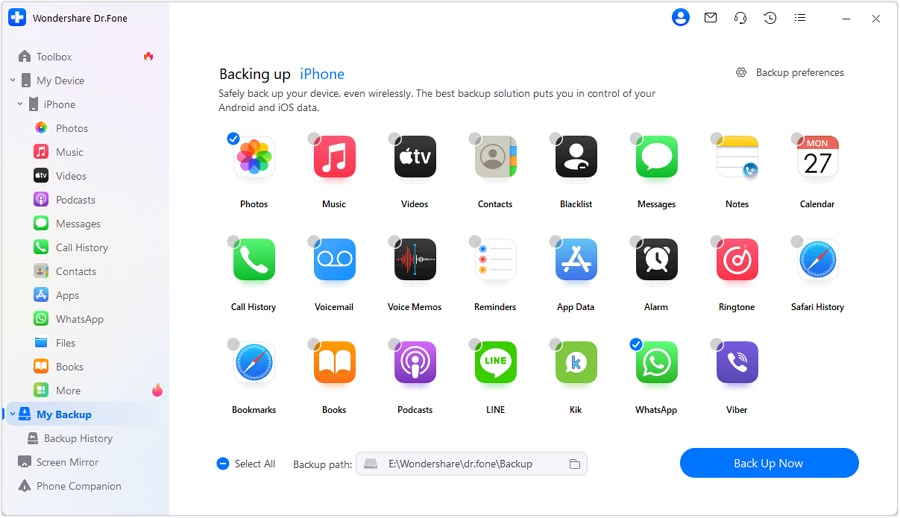
Step 1 Choose 26 Data Types to Back Up Before iOS 27
Before the iOS 27 Beta update install, choose among 26 data types in the “My Backups” section to press the “Back Up Now” button.
-
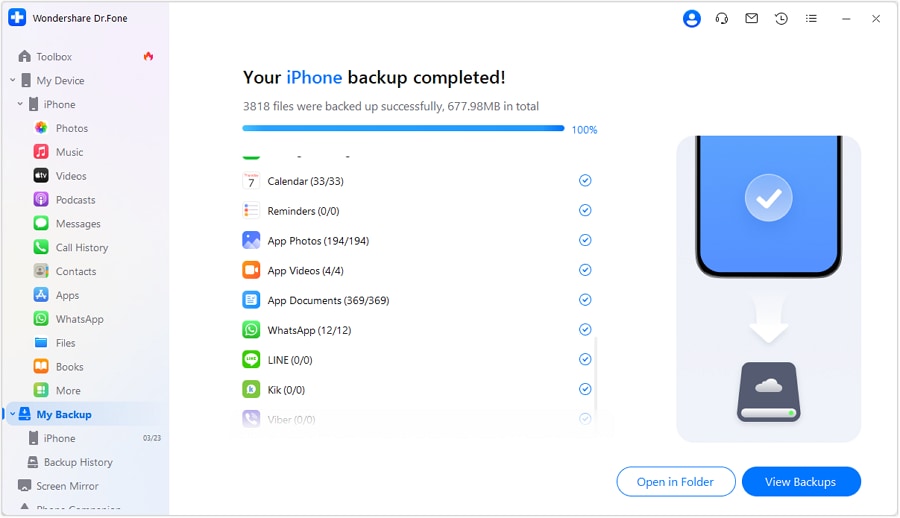
Step 2 View Backups and Continue to Update iOS 27 Beta
Wait for the backup slider to finish, then select “View Backups” or “Open in Folder” to locate specific data types.




Part 7. Avoid Data Loss: Transfer Before You Upgrade [Extra Safety]
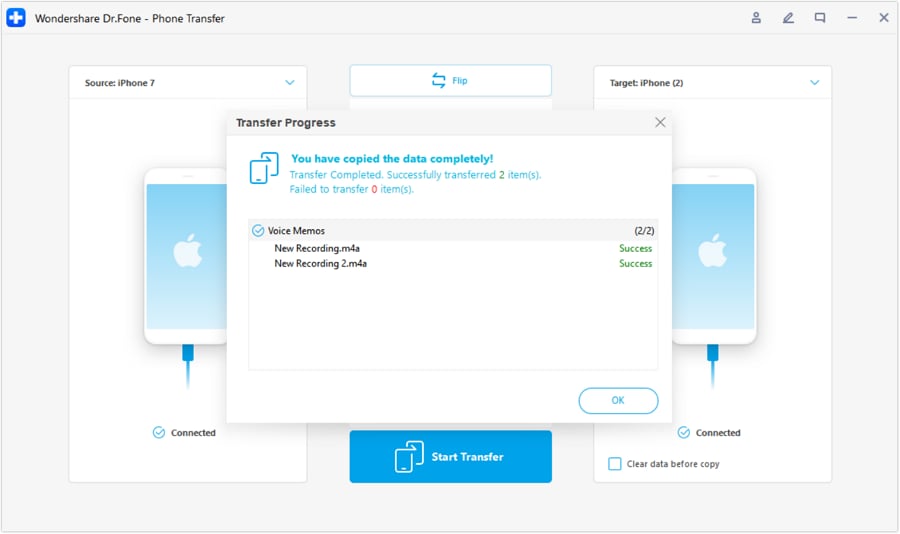
If your phone doesn’t support iOS 27 beta or any version updates, it's best to upgrade your device. In this case, you can use Dr.Fone - Phone Transfer if you worry that you might lose important data. The tool allows you to move 13 data types from iOS to iOS and 8 from Android to iOS without any complex setup.
With the Flip icon, you can determine the source and target device and transfer data via the mentioned guide:
- Move data between iOS to Android and vice versa.
- Transfer contacts, SMS, photos, videos, music, and more types.
- Available with all phones with Android and iOS versions.
- Simple, click-through process.

-
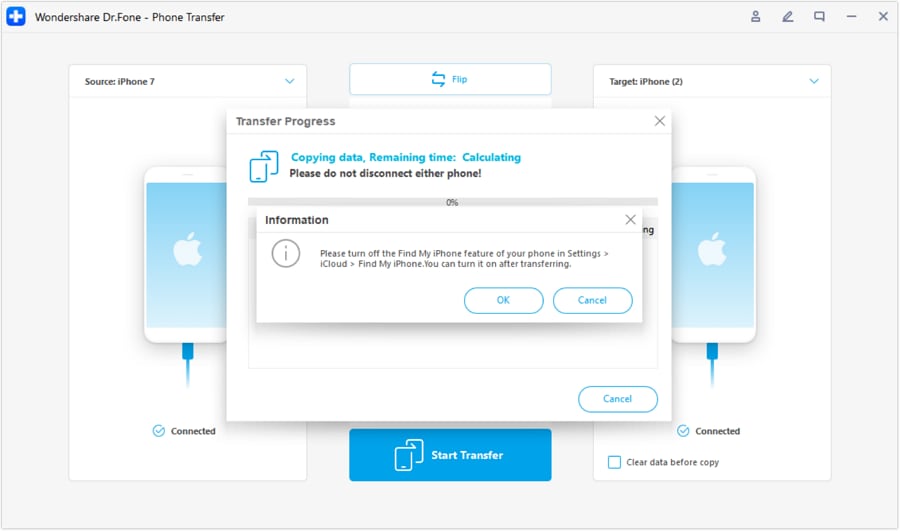
Step 1 Flip iOS to iOS Device to Upgrade to iOS 27
To share data from iOS to iOS, use the “Flip” icon to pick the sender and receiver device. After that, pick from 13 data types, press the “Start Transfer button, and disable the Find My Feature.
-
Step 2 Disable Find My and Move Data
When it's done via the mentioned guide, the progress slider will appear; tap “OK” when the data is shared.
Conclusion
Apple users are curious to learn about the iOS 27 beta and the final version release. Hence, this guide has explained the detailed WWDC timeline and whether to update the beta or wait for September.
If you have a spare phone and want to test beta features, it's recommended to create a selective, incremental backup with Dr.Fone - Phone Backup (iOS). Experts say it's a more reliable option than iCloud or iTunes, and you can control the backup settings and restore data to any device. Most of all, you can use Dr.Fone - Phone Transfer to switch to an iOS 27-compatible device with all your data intact.
Frequently Asked Questions
-
1. Will iOS 27 beta affect Apple Watch or other devices?
Yes, some features may not sync properly if your Apple Watch or other devices are not updated to compatible software versions. -
2. Do all apps support iOS 27 beta features?
No, many third-party apps may not be optimized yet, so some features may not work correctly. -
3. Can I leave the beta program at any time?
Yes, you can leave the beta program, but you will need to restore your device or return to a stable version.
 Add Wondershare Dr.Fone as a preferred source on Google



