Effortlessly manage data through preview, delete, export, etc.

 100% Security Verified | No Subscription Required | No Malware

 :
: 
 ChatGPT
 Perplexity
 Gemini
 Claude
 Grok
Grok
The iPhone 18 conversation is getting louder for a reason. Between expected hardware upgrades, possible release-cycle changes, and the usual wave of pre-launch speculation, many people who were ready to upgrade are suddenly thinking, maybe I should hold off a little longer.
That pause makes sense—but it also creates a blind spot. While you are deciding whether the next iPhone is worth waiting for, your current one keeps storing more of your life: photos, messages, notes, work files, travel confirmations, and app data. So before you make the upgrade decision, it is worth making a safety decision first.
In this article
Part 1. A Smarter Way to Answer the Upgrade Question
The usual "wait or buy now" debate tends to focus on features alone. Will the next model have a better camera? Better battery life? A more meaningful redesign? Those are fair questions, especially in a year when expectations feel unusually high.
But that way of thinking is incomplete. The better question is not just whether iPhone 18 will be worth waiting for—it is whether your current iPhone is ready to carry you safely through that waiting period. If the phone still runs well, waiting can be a smart move. If it already feels unstable, crowded, or unreliable, then the next few months may feel longer than they look on paper.
A smarter answer, then, starts in two layers. First, decide whether your current device is good enough to keep using. Second, make sure the data on that device is protected before the decision stretches into weeks or months. That is what turns waiting from a gamble into a plan.
Part 2. Who Should Wait—and Who Shouldn't
Not everyone searching "Should I wait for iPhone 18?" is in the same situation. Some are using a still-solid iPhone 13 and simply want the best value. Others are dealing with weak battery life, random slowdowns, and permanent storage pressure, but are still hoping to hold on for one more cycle.
A quick comparison makes the picture clearer:
| Your current situation | Best move | Why |
|---|---|---|
| Your iPhone still feels smooth and reliable | Wait | You can afford to hold out for the next cycle |
| Battery life is poor and performance is slipping | Buy sooner | Daily friction may outweigh future gains |
| You are still comparing options | Wait, but prepare | You do not need to rush the purchase |
| You use your phone heavily for work or travel | Back up first | Data security matters either way |
There is also a practical reality people often ignore: waiting works best when your current device is merely older, not problematic. A phone that is a year or two behind can still be perfectly usable. A phone that has become stressful to use every day is a different story.
Pros and cons at a glance
- Possible access to better features
- More time to compare value
- Better for users who want the newest cycle
- Immediate relief from current issues
- No more dragging along an aging phone
- Better for users who need reliability now
If you are in the first group, waiting is a calm decision. If you are in the second group, waiting can quietly turn into compromise. The important thing is not to confuse indecision with strategy. If you are going to wait, do it in a way that protects what is already on your phone.
Part 3. What "Waiting" Really Costs
People often talk about waiting as if the only cost is time. In practice, the bigger cost is exposure.
The longer you keep your current phone as your everyday device, the more data it holds and the more valuable it becomes. Each day adds another batch of photos, another stream of conversations, another saved password, another downloaded file, another note you may not remember writing until you need it. A phone does not have to be old to be risky; it just has to be the only place where important things live.
That is why "I'll deal with backup later" is one of the easiest mistakes to make during an upgrade cycle. Once people start thinking about a future phone, they mentally detach from the one they currently have. They treat it like a temporary device, even though it is still doing all the work.
Common "wait mode" mistakes
- Assuming iCloud already has everything
- Believing a future upgrade will automatically solve today's data risk
- Delaying backup because the current phone still turns on and works
- Waiting until the device shows a real problem before preparing for one
The issue is not that iPhone 18 rumors are distracting. The issue is that rumor season makes it easier to postpone simple, useful tasks. And backup is the most useful one of all. A new camera next year will not recover today's photos. A better battery in the next model will not bring back deleted notes. A future launch date does not reduce the risk attached to the phone already in your pocket.
So when people ask whether iPhone 18 is worth waiting for, the more grounded answer is this: maybe—but only if your current phone is not carrying your entire digital life without a safety net.
Part 4. Backup Paths Worth Knowing
Before looking at dedicated tools, it helps to understand the standard backup routes already available. Most users fall into one of two camps: iCloud backup or computer backup. One is built for convenience. The other gives you more local control.
| Backup option | Best for | Main advantage | Main trade-off |
|---|---|---|---|
| iCloud Backup | Everyday users | Easy, wireless, automatic | Depends on iCloud storage space |
| Computer Backup | Users who want local copies | Stored on your Mac or PC | Slightly less convenient |
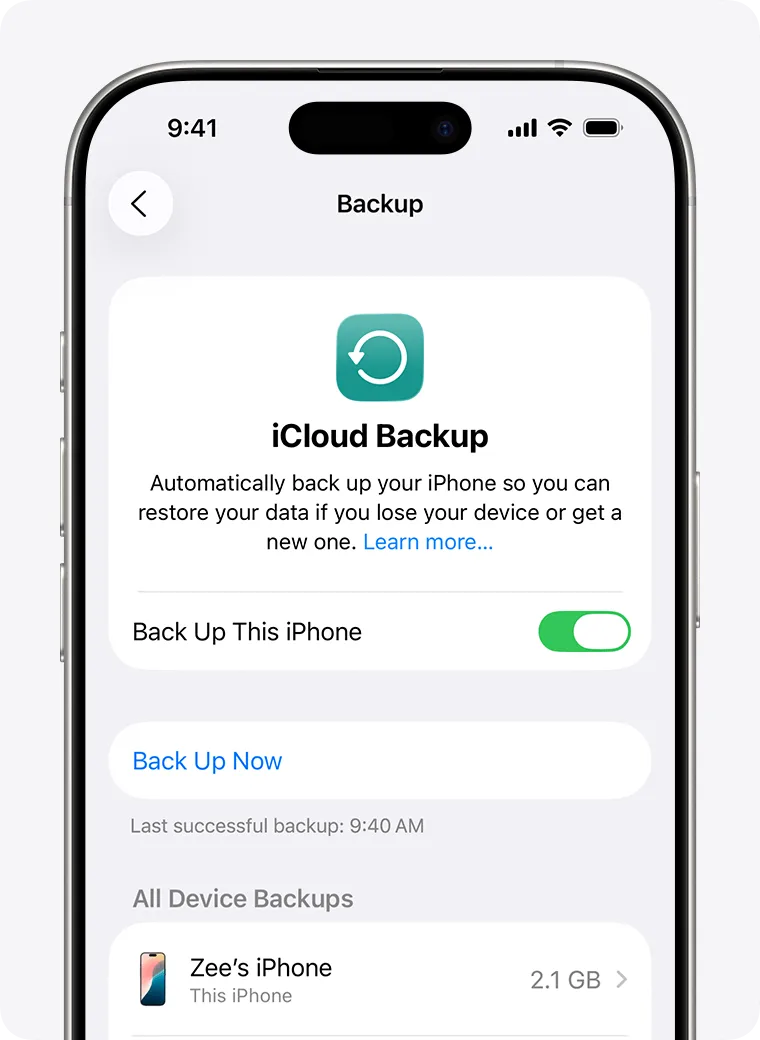
If convenience matters most, iCloud is the obvious choice. You go into your iCloud settings, turn on backup, and let the system handle the rest. That works well for users who want a built-in method and do not want to think too much about the process.
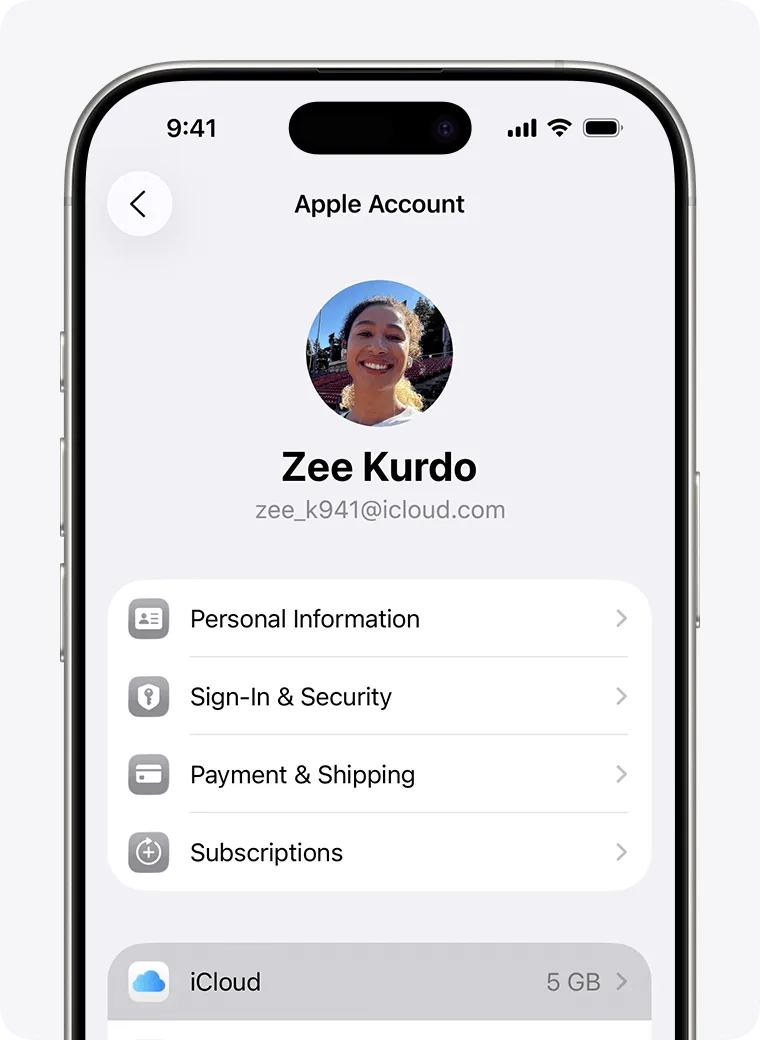
Source: Apple Support
Source: Apple Support
If you prefer having a backup stored locally, backing up to a Mac or PC makes sense. It feels more direct, and some users are more comfortable knowing their backup sits on their own machine rather than relying only on cloud storage.
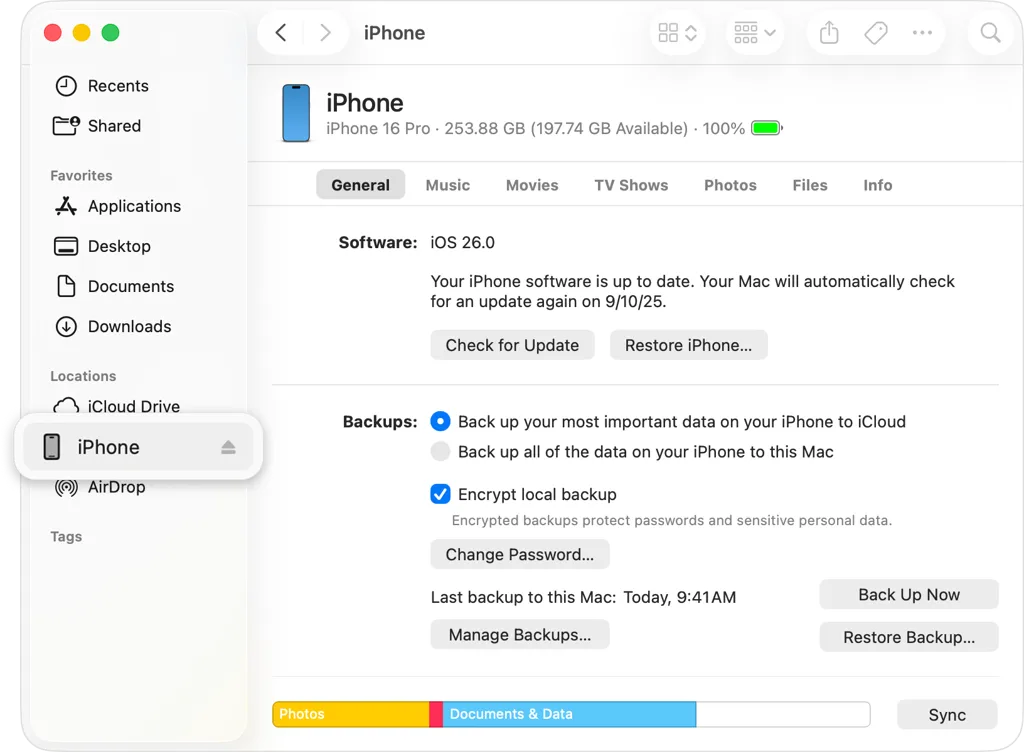
Source: Apple Support
Neither method is wrong. The real question is what kind of backup experience makes you more likely to actually finish the task. Some people prefer quiet automation. Others want a backup flow they can start intentionally, watch complete, and review afterward. That second group is often exactly the kind of user who is still deciding whether to wait for iPhone 18.
Part 5. A Practical Backup Plan Before You Decide
If you want a backup process that feels more visible and controlled, Dr.Fone iOS Backup fits this moment well. It works especially well for users who are not yet upgrading, but want peace of mind while continuing to use their current iPhone for a little longer.
What makes it useful here is not complexity, but clarity. It gives you a dedicated backup workflow, supports a wide range of iPhone data types, and makes it easier to treat backup as a real pre-upgrade step rather than a vague background setting.
Why it fits the "wait or buy" moment
- It creates a clear backup checkpoint before you upgrade
- It keeps the process computer-based and easy to review
- It makes the waiting period feel less risky
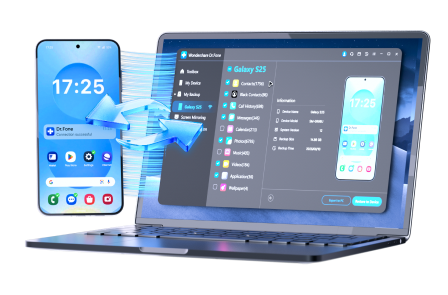
 Effortlessly manage data through preview, delete, export, etc.
- Transfer all data between devices.
- Robust backup solutions for reliable data protection.
- Mirror screens to PC for meetings, teaching, and control.
The process is straightforward, but not so minimal that it feels abstract.
-
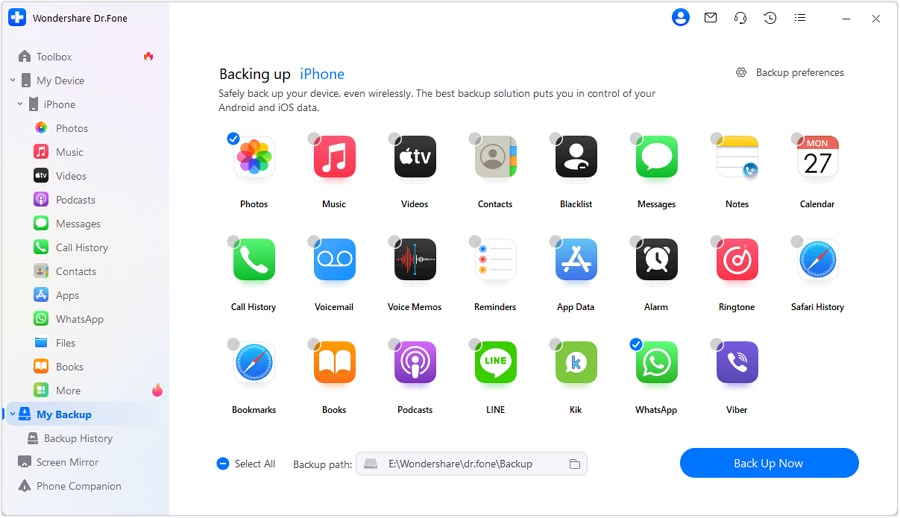
Step 1 Start the Backup
Open My Backup and click Back Up Now. This gives you a clear starting point, which is helpful if you want to take action today without getting pulled into a bigger setup process.
-
Step 2 Let the Backup Run
Dr.Fone detects the supported data on your iPhone and starts saving it automatically. At this stage, you mainly need to let the process finish and avoid interrupting it, which makes the experience feel simple even if your phone contains a lot of files.

-
Step 3 Check What Was Saved
When the backup is complete, open View Backups to review the result. That final check matters because it turns backup into something concrete—you are not just hoping it worked, you can actually see that it did.
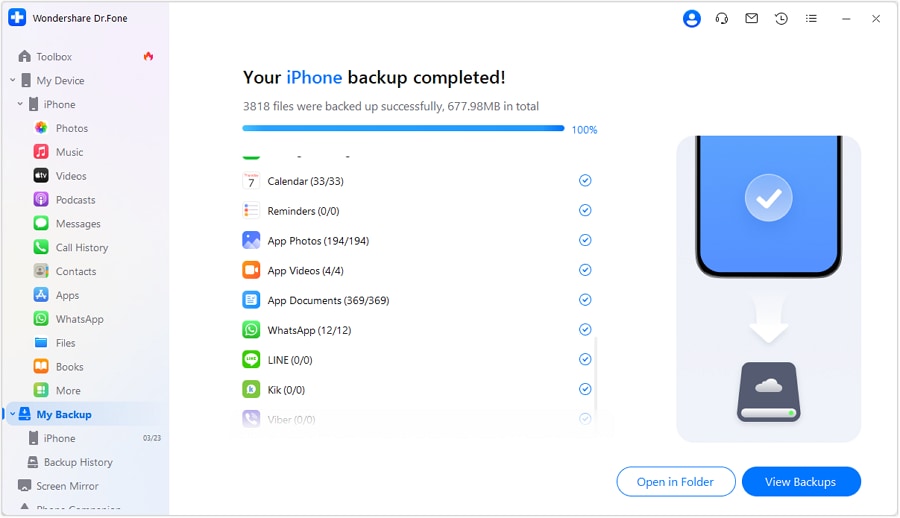
This is also where Dr.Fone feels especially relevant to the iPhone 18 question. It does not force the decision in either direction. Instead, it gives you breathing room. Once your current data is protected, waiting feels less risky, and upgrading now feels more organized. Either way, you are no longer making the choice with all your important files tied to one device.
Quick comparison
| Option | Best fit |
|---|---|
| iCloud | Users who want built-in convenience |
| Computer backup | Users who want a local backup through Apple's own route |
| Dr.Fone iOS Backup | Users who want a clearer, reviewable pre-upgrade backup step |
That is really the value here: not pushing you toward one buying decision, but making either one safer.




Conclusion
If your current iPhone still feels dependable, waiting for iPhone 18 can absolutely make sense. Just make sure the phone you are waiting with is protected first. Back up now, then give yourself the freedom to decide later.
FAQ
-
1. Should I wait for iPhone 18 or upgrade now?
It depends on your current device's condition. If your iPhone still runs smoothly, waiting makes sense. If you're dealing with poor battery life or performance issues, upgrading sooner may be the better choice. Either way, back up your data first. -
2. Is iCloud backup enough before a major upgrade?
iCloud backup works well for convenience, but it depends on available storage space. For a more comprehensive and reviewable backup, consider using a dedicated tool that gives you more control over what gets saved. -
3. What data should I back up before deciding on an upgrade?
Back up everything: photos, videos, contacts, messages, notes, app data, and work files. The goal is to ensure that no matter which decision you make, your data remains safe and accessible. -
4. How long should I wait before deciding on iPhone 18?
There's no set timeline. The smart approach is to secure your current data first, then take your time evaluating whether the new features are worth the wait for your specific needs.
 Add Wondershare Dr.Fone as a preferred source on Google