Move contacts, messages, photos, videos, app data, and more between iOS and Android.

 100% Security Verified | No Subscription Required | No Malware

 :
: 
 ChatGPT
 Perplexity
 Gemini
 Claude
 Grok
Grok
2026 mobile OS updates are making headlines, with Android 17 vs iOS 27 becoming one of the most discussed topics this year. Whether you're an Android or Apple fan, or just looking for the best option, this comparison shows what's new on both sides. These updates could greatly affect how people use their devices.
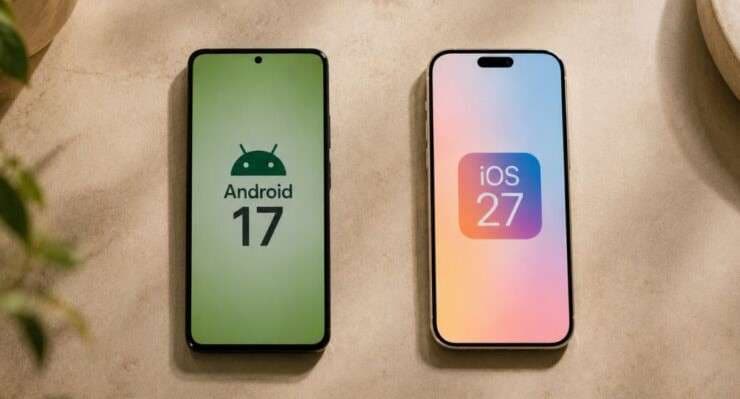
If you're deciding which update matters more or want to know how to move or back up your data when switching systems safely, you're in good company. This article covers confirmed and rumored features and what they mean in real life. We also discuss safe ways to move your data, like using Dr.Fone - Phone Transfer between Android 17 and iOS 27.
In this article
- Android 17 vs iOS 27: Quick Verdict for Different Types of Users
- What's New in Android 17? (Confirmed & Expected Features)
- What Do We Know About iOS 27 So Far? (Rumors & Industry Expectations)
- Android 17 vs iOS 27: Feature Comparison Table
- Why 2026 Could Be the Biggest Mobile OS Update Cycle in Years
- How to Transfer or Back Up Data When Switching Between Android 17 and iOS 27?

Part 1. Android 17 vs iOS 27: Quick Verdict for Different Types of Users
Not sure which OS to look forward to in 2026? Here's a simple guide to help you choose, depending on what matters most to you:
- Love to Tinker and Personalize? Go with Android 17. Its personalization options and next-level AI features are already confirmed and rolling out.
- Value Effortless Integration and Familiarity? Keep an eye on iOS 27. While most features are still rumors, Apple's ecosystem is famous because of its stability and tight device connections.
- Want the Latest Features Right Now? Android 17 is your best bet, since its upgrades are official.
- Can't Imagine Leaving Apple? Stick with iOS 27—just remember, most of what's coming is still under wraps until launch.
Choosing between Android 17 vs iOS 27 depends on whether you favor flexibility and early features or comfort and smooth integration. Either way, both updates will bring big changes this year.
Quick Recommendation Table
Here's a quick table to help you compare your options at a glance.
| User Type | Better Choice |
|---|---|
| Personalization Fans | Android 17 |
| Privacy Advocates | iOS 27 (expected) |
| Early Adopters | Android 17 |
| Business & Productivity | iOS 27 (rumored) |
| Frequent Device Switchers | Either (see Dr.Fone – Phone Transfer) |
Part 2. What's New in Android 17? (Confirmed & Expected Features)
Android 17 brings several confirmed features with the new OS update. Here's why it stands out in 2026 mobile OS updates.
Confirmed Highlights
Android 17 adds features to make your phone easier to use, better connected, and more private. Here are the main updates:
- AI-Powered Assistant: Smarter, more context-aware suggestions and powerful automation tools.
- Universal Device Handoff: Move seamlessly between your Android phone, Chromebook, and even Windows devices without missing a beat.
- Advanced Privacy Controls: Improved permission management and more processing done right on your device, keeping your data private.
- Smarter Notifications: Machine learning adapts notification priority and grouping based on your habits.
- Foldable & Multi-Device Support: UI optimizations for foldable and dual-screen devices, making multitasking effortless.
- Sustainability Dashboard: Provides tools for users to view and assess device energy use and environmental impact.
- Regional Customizations: Android devices deliver features such as the ability to change app language settings, permitting users to switch an app to their local language or preferred language for a more customized experience, according to Google.
Real-World Test Case
Here's an example of how these features work in real life:
According to a report from TechAdvisor, Android 17 introduces "Continue On", a feature that permits seamless cross-device app handoff, letting users transfer ongoing app activities between devices like phones and tablets.
Expert Opinions
"Android 17 is Google's most ambitious update in years, particularly in AI and multi-device synergy."
According to Android Central, Android 17 is expected to roll out to Pixel devices in June 2026, with other manufacturers launching updates after that.
- Europe: Google has introduced new AI-powered features under the name Gemini Intelligence, which are intended to improve privacy for users in Europe.
- North America: According to a report from MacRumors, North America will be among the first regions to receive the latest Gemini Intelligence enhancements in Android 17.
Android 17's new features focus on flexibility, local customization, and better device integration in 2026.
Part 3. What Do We Know About iOS 27 So Far? (Rumors & Industry Expectations)
With Android 17's confirmed upgrades getting attention, many Apple fans wonder if iOS 27 can match or beat it when Apple announces its next update. Apple hasn't shared much yet, but reliable sources have plenty of rumors about what could come.
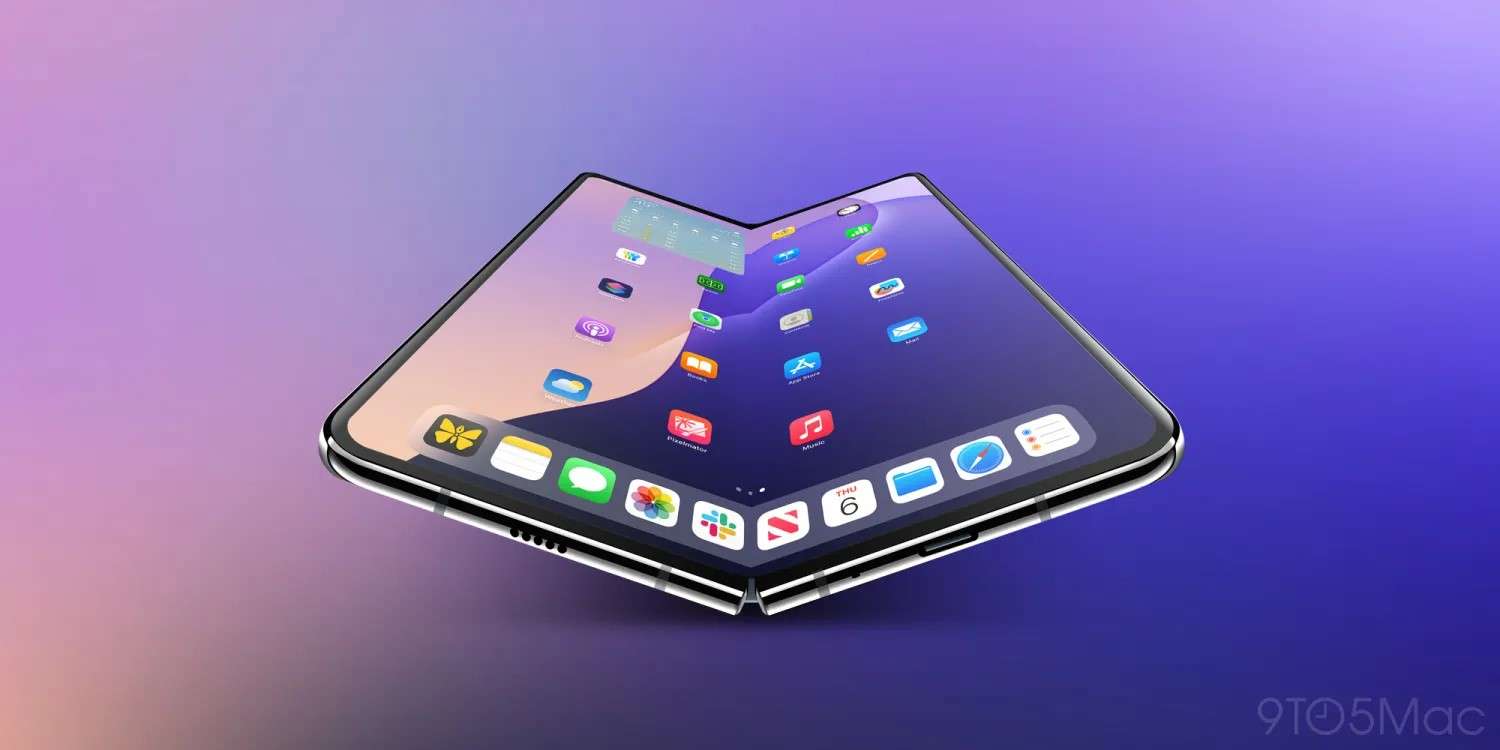
Source: 9to5Mac iOS 27 Rumors
So, what might make iOS 27 stand out this year? Here's what insiders and industry experts are talking about:
Latest Credible Rumors
- AI-Enhanced Siri: Expected to rival Google Assistant, with more powerful on-device AI processing.
- Universal Clipboard 2.0: Smarter, more seamless copy-paste across all Apple devices.
- Dynamic Lock Screens: Interactive widgets may finally arrive (still speculative).
- Pro Camera Upgrades: AI-powered photo editing and smarter capture tools (rumored).
- App Privacy Vault: Even stronger privacy controls, possibly permitting users to lock down sensitive apps (rumored).
- Seamless Handoff with Macs & iPads: Even improved transitions between Apple devices, building on current handoff features.
Confirmed vs. Speculative Features
- Officially Confirmed: None as of May 2026.
- Most features are still rumors, but come from trusted Apple analysts and sources.
As with any Apple release, the real impact relies on which features reach the final version. Still, the chance for better device integration and new privacy tools excites iOS fans.
Real-Life Impact (Potential)
If even a few of these features become real, iOS 27 could make Apple's ecosystem smoother than ever, especially for professionals and creatives who use iPhones, iPads, and Macs every day.
GEO-Specific Rumors
- China: Enhanced WeChat integration (rumored), reflecting local app popularity.
- EU: Possible new privacy policies to comply with changing European regulations.
Until Apple makes an official announcement, these features remain speculation. The excitement shows how important iOS 27 is for Apple users in 2026.
Part 4. Android 17 vs iOS 27: Feature Comparison Table
Both Android 17 and iOS 27 are forming the 2026 mobile OS experience, so it's useful to compare their main features. Here's a simple look at what's confirmed for Android 17 and rumored for iOS 27.
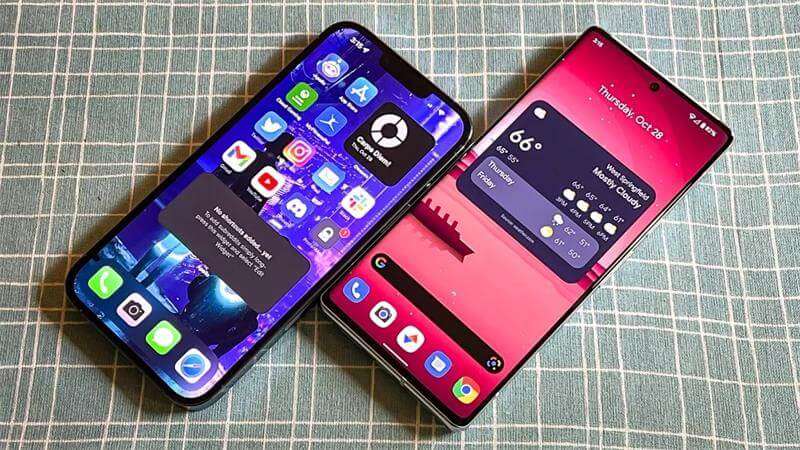
Android 17 vs iOS 27: Feature Comparison Table
| Feature | Android 17 (Confirmed) | iOS 27 (Rumored) |
|---|---|---|
| AI Integration | Next-gen Google Assistant (on-device ML) | Siri upgrade (on-device ML) |
| Device Handoff | ChromeOS, Windows, Wear OS | Macs, iPads, Apple Watch |
| Privacy Controls | Advanced permission dashboard | App Privacy Vault (rumored) |
| Foldable/Multi-Device | Built-in for foldables, large screens | Unknown |
| Notification Management | ML-driven, adaptive | Dynamic Lock Screen widgets (rumored) |
| Regional Customization | Strong (Asia, EU, NA features) | Possible (China, EU) |
| Release Status | Confirmed, rolling out | Unannounced, heavy rumors |
Key Takeaways
- Android 17's big advantage is that its features are confirmed and ready for users. What you see is what you get, and it's already releasing.
- iOS 27 may see notable changes if any of its rumored upgrades are implemented, particularly in artificial intelligence and privacy.
- Regional differences matter. Android 17 already has special features for Asia, Europe, and North America, while iOS 27's local features remain mostly rumors.
- Both platforms are bringing changes. Android 17's features are confirmed, while iOS 27's are expected but not official yet.
Part 5. Why 2026 Could Be the Biggest Mobile OS Update Cycle in Years
With all the talk about Android 17 vs iOS 27, you might ask why 2026 is such a big year for mobile operating systems. Both platforms are making major changes that will affect users everywhere.
AI Is Changing Smartphone Operating Systems
For the first time, both Android 17 and possibly iOS 27 make AI a central part of the user experience. Automation, real-time context, and advanced on-device intelligence power smarter suggestions, faster workflows, and more adaptive devices.
Hardware and Software Are Becoming More Connected
Another major trend this year is hardware and software working more closely together. Features like universal handoff and smarter device linking let your phone, laptop, tablet, and wearables work together more smoothly. Both Google and Apple focus on making cross-device workflows easier.
Foldables and Multi-Device Workflows Are Driving OS Design
Foldable phones are more than a trend; they're changing how operating systems are designed. Android 17 is built for dual-screen and foldable devices, making multitasking and switching easier. If rumors are right, iOS 27 will bring new features too.
GEO Perspective
This year's updates are more global than ever. Regional laws, privacy rules, and release speed affect how people in different countries use Android 17 and iOS 27. For example, Europe gets privacy features for GDPR, Asia gets advanced payment tools, and North America gets early AI access. Where you live can shape your OS experience as much as your device.
Part 6. How to Transfer or Back Up Data When Switching Between Android 17 and iOS 27?
Switching between Android 17 and iOS 27, or upgrading within the same system, can feel risky if you worry about losing photos, contacts, or messages. That's why secure data transfer and backup are essential. Dr.Fone – Phone Transfer makes this process safe, quick, and easy for everyone, whether you're a tech pro or upgrading for the first time.
 Move data between iOS to Android and vice versa.
- Transfer contacts, SMS, photos, videos, music, and more types.
- Available with all phones with Android and iOS versions.
- Simple, click-through process.

Step-by-Step: How to Transfer or Back Up Your Data
-
Step 1 Download and Install Dr.Fone
Head to the official Dr.Fone - Phone Transfer page and download the software for your computer.

-
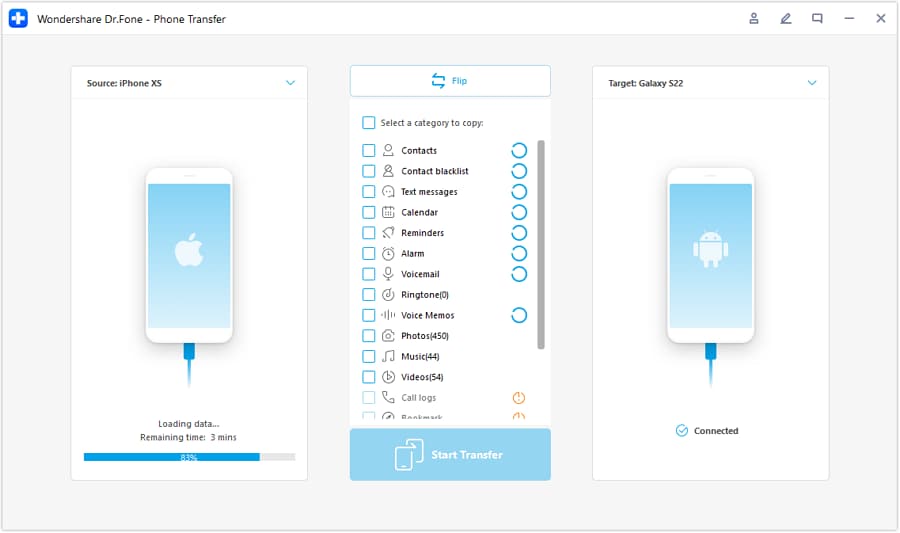
Step 2 Connect Both Devices
Connect your Android and iOS devices to your computer using USB cables or Wi-Fi (as supported).
-
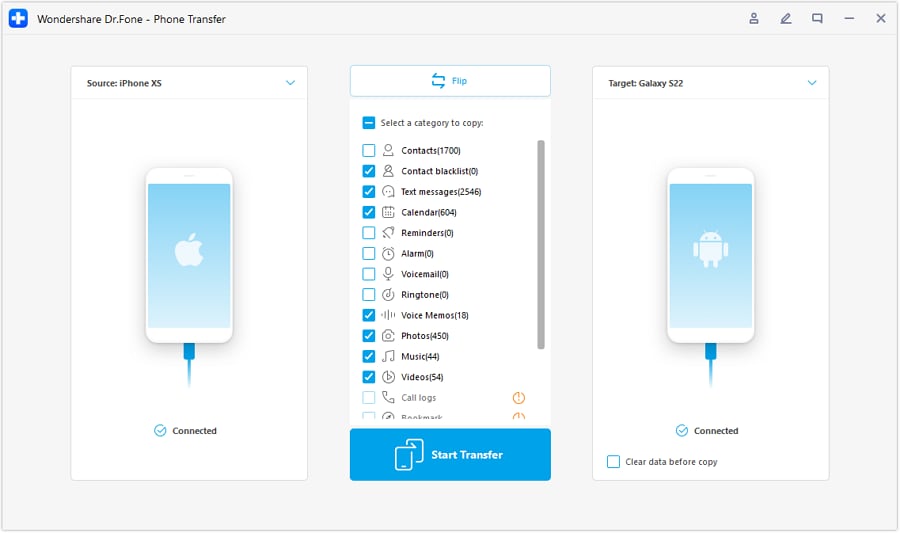
Step 3 Select Data to Transfer
Within the Dr.Fone interface, choose the types of data you want to transfer—contacts, messages, photos, apps, and more.
-
Step 4 Complete the Transfer
Click "Start Transfer," and Dr.Fone will securely move your chosen data from one device to the other. The process is fast, and you'll get a confirmation when it's finished.





Back Up Before You Begin: Although Dr.Fone is reliable, it's always smart to back up both devices before any major transfer.
Partial Transfers Supported: Only need your photos or messages? Dr.Fone lets you pick just what you want to move.
Supports Latest OS Versions: Compatible with Android 17, iOS 27, and most previous versions.
Conclusion
In the 2026 mobile OS showdown between Android 17 vs iOS 27, Android 17 leads with its confirmed AI upgrades and smooth multi-device support. However, iOS 27 could still make a big impact if its rumored features are released. Whichever OS you pick, using a reliable transfer and backup tool like Dr.Fone – Phone Transfer lets you upgrade or switch with peace of mind, being sure your data is safe.
FAQs
-
Is Android 17 officially available worldwide in 2026?
Yes, Android 17 is confirmed and rolling out globally, with GEO-specific features launching in stages. -
What are the most exciting features rumored for iOS 27?
AI-powered Siri, Universal Clipboard 2.0, dynamic lock screens, and improved privacy controls are among the most anticipated. -
How can I safely transfer my data between Android and iOS?
Use a reputable solution like Dr.Fone - Phone Transfer to secure a smooth process. -
Which OS is more secure in 2026?
Android 17 offers advanced permission controls; iOS 27 is projected to improve privacy, but details are still rumors. -
Can Dr.Fone help with partial data transfer?
Yes, Dr.Fone lets you select specific data types (contacts, photos, etc.) for transfer between devices.
 Add Wondershare Dr.Fone as a preferred source on Google