

What the Green Dot Means on Snapchat — Complete Guide

Oct 22, 2026 • Filed to: Virtual Location Solutions • Proven solutions
 TL;DR:
The Snapchat green dot is an Activity Indicator showing that a user had the app open within the last 4 to 5 minutes, rather than confirming they are currently online or actively chatting.
● The indicator's accuracy is limited by background app processes and update delays, meaning the user might simply be browsing Stories or away from their device while the app runs in the background.
● You can completely hide your recent activity status from friends without triggering any notifications by disabling the toggle located under your Profile, Settings, and My Privacy & Data.
● To safely access region-exclusive Snapchat lenses without exposing your actual physical location, you can spoof your device's GPS coordinates using the Dr.Fone - Virtual Location software.
Ask AI for a summary
 ChatGPT
 Perplexity
 Gemini
 Claude
 Grok
Grok
As Snapchat becomes part of daily life, many wonder about its features. One common question is about the green dot Snapchat shows next to friends’ names. This small symbol helps users see who is online and active at that moment. Understanding what it truly means can improve your chatting experience and avoid confusion.
It can also guide you in deciding when to send a quick message or snap. This guide explains its meaning, accuracy, and how long the green dot appears. Apart from that, you will also learn how to manage or turn it off from your account.
- Part 1. What Does the Green Dot Mean on Snapchat?
- Part 2. How Long Does the Green Active Dot Stay on Snapchat?
- Part 3. How Accurate Is the Little Green Dot on Snapchat?
- Part 4. Does the Green Dot Mean They Are Chatting?
- Part 5. How to Turn Off or Manage the Green Dot (Activity Indicator)

- Pro Tip. Use Dr.Fone – Virtual Location to Control Your Snapchat Location
Part 1. What Does the Green Dot Mean on Snapchat?
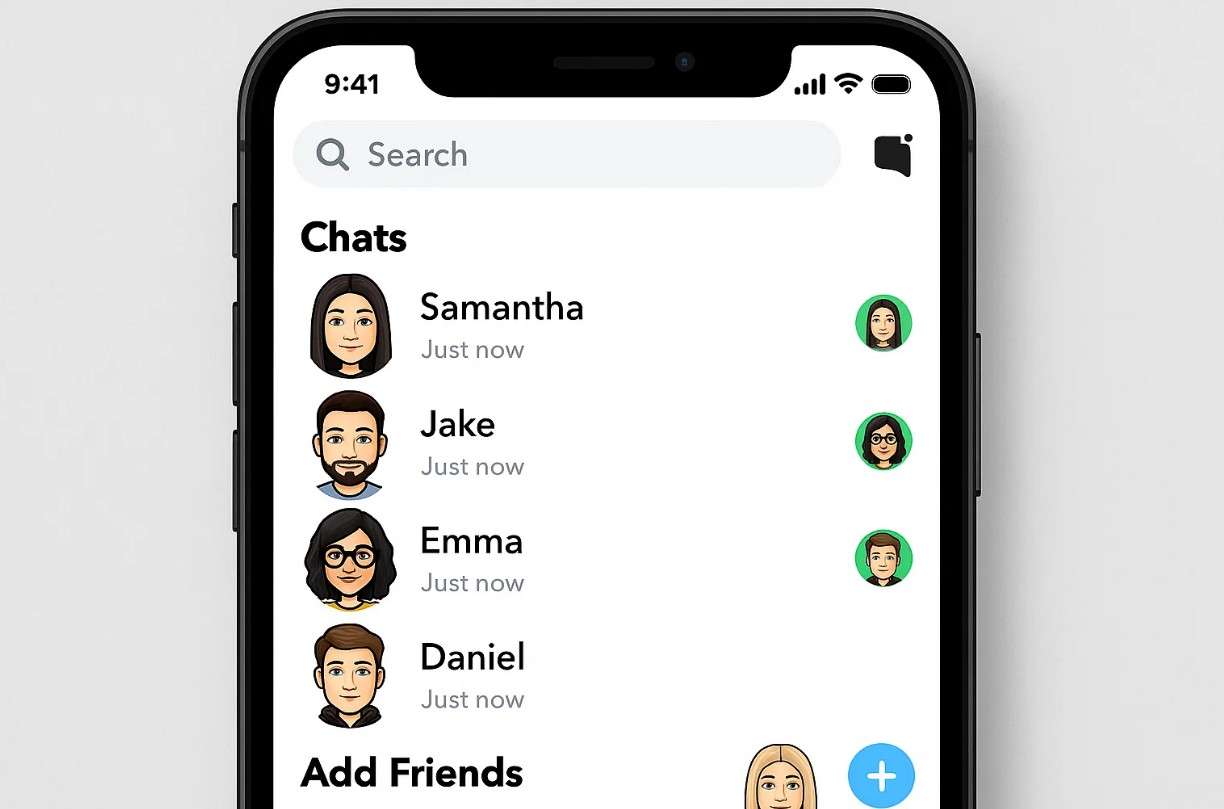
Many users usually ask, What does the green dot mean on Snapchat. This small green icon, known as the Activity Indicator, shows that someone was recently active. You can see it next to their Bitmoji or avatar in chats or friend suggestions. Yet, it only appears if users enable the Activity Indicator option in their privacy settings. So, this feature tells who is recently online without showing their exact time.
How Can I Know If Someone Is Active on Snapchat?
Unlike some apps, this social app does not show a precise “online now” status. One way is to look for the green dot next to a friend’s Bitmoji or avatar. This shows they have been active recently if the feature is turned on. So, it shows the user has been active recently on the app. Another way is to check Snap Map for their recent location updates.
If they share location, Snap Map shows “Here just now” to indicate activity moments ago. Apart from that, sending a snap or chat and seeing it quickly “Opened” is also an indicator, too. In chats, a friend’s Bitmoji or blue dot means they are looking at that conversation. These signs help you guess if someone is active without a precise online status.
Part 2. How Long Does the Green Active Dot Stay on Snapchat?
As explored, it actually shows when someone was recently active on the app. The green dot on Snapchat stays visible for about 4 to 5 minutes after a user closes it. Apart from that, you may also see a time label next to it, like 17m or 8h, showing the last activity.
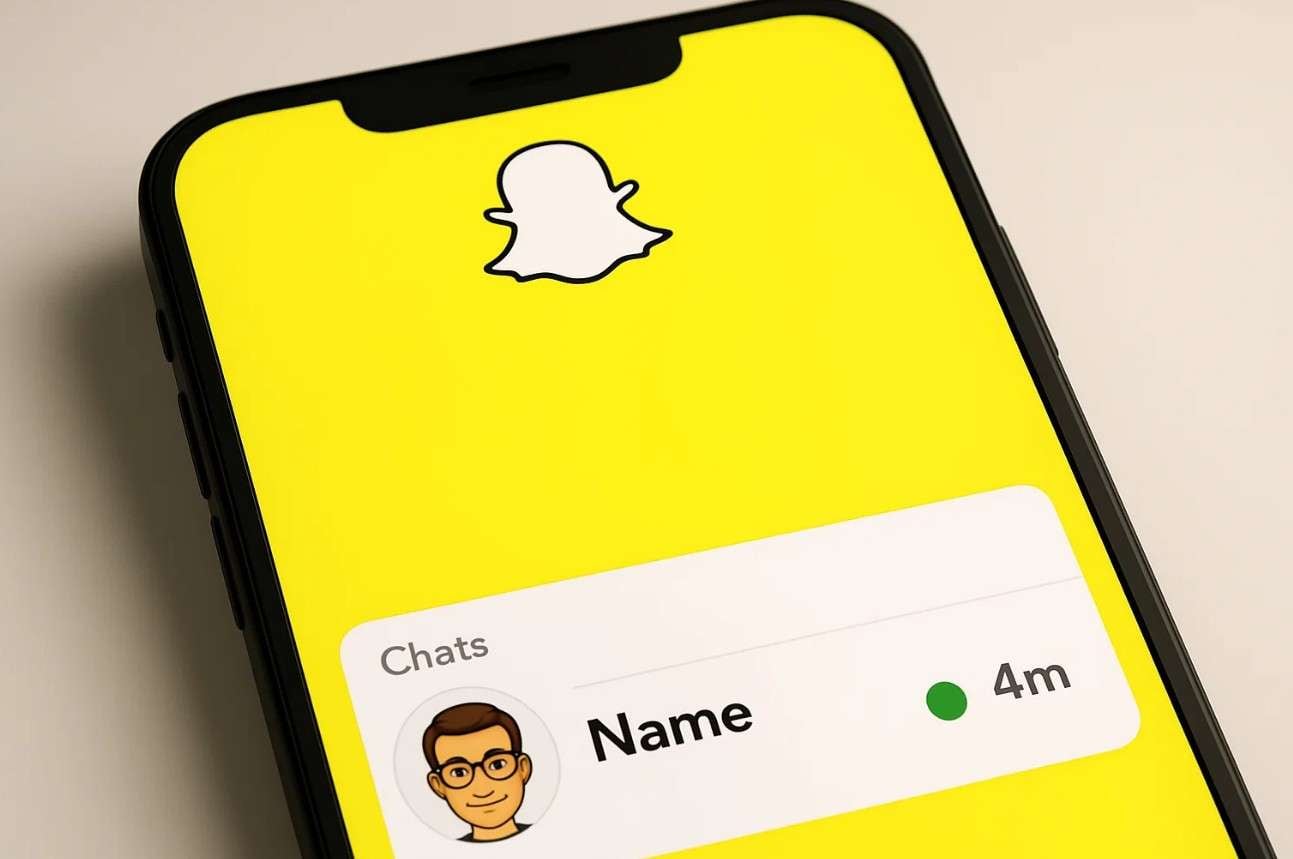
Plus, this green dot disappears completely if a user is inactive for more than 24 hours. This indicator is not exact and does not mean the person is online right now. It only means they have used Snapchat recently, within the last day or so. Background app activity or delays in updating status can affect the green dot’s display.
Does the Green Dot Work Differently on Android vs iOS?
Snapchat’s green Activity Indicator works the same on both Android and iOS. It appears next to someone’s avatar when they have been active recently. Any tiny differences you notice usually come from the app version or phone performance. The meaning stays the same, as it shows recent activity, not that they are ready to reply. Remember, both systems also have a separate green camera privacy dot near the top.
Part 3. How Accurate Is the Little Green Dot on Snapchat?
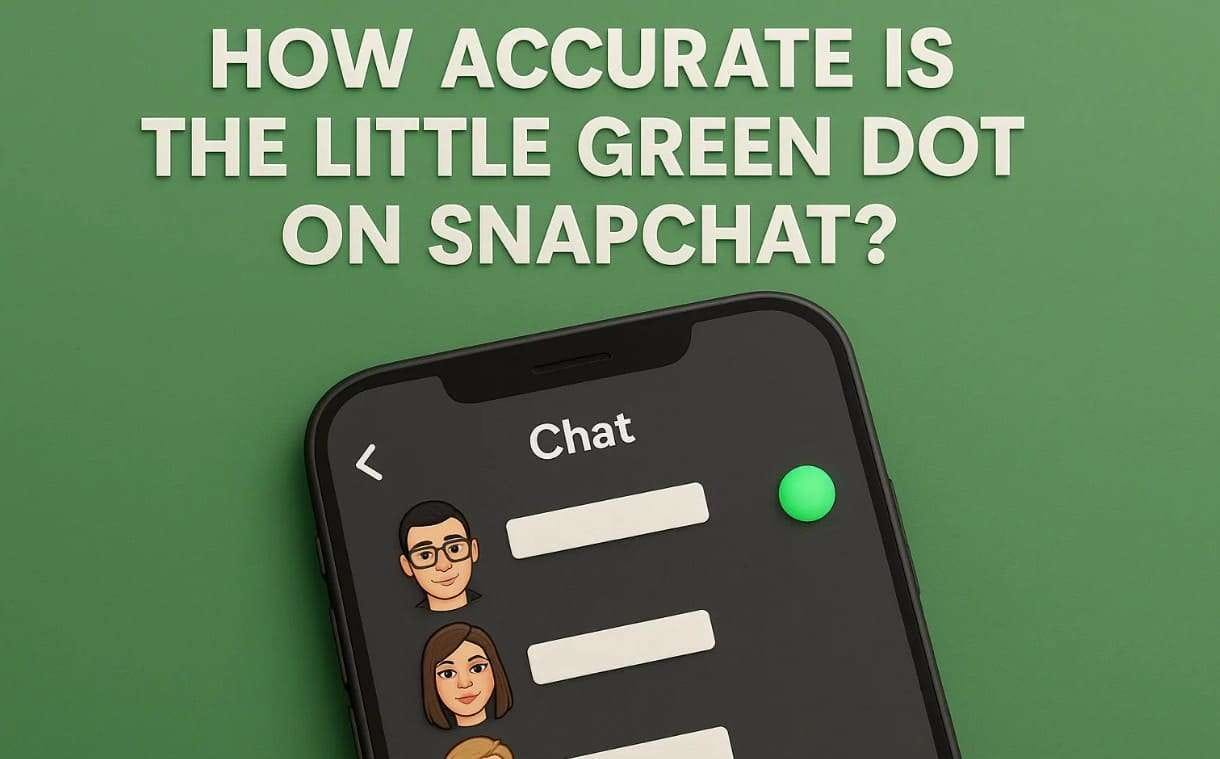
Many users wonder how accurate the little green dot Snapchat shows actually is. The indicator is only moderately accurate and mainly reflects recent activity. It should be viewed as a simple guide rather than exact online proof. The dot may stay visible due to delays or background processes. Along with that, users may even disable the feature, which makes activity harder to confirm.
Part 4. Does the Green Dot Mean They Are Chatting?
The green dot on this social app does not mean someone is chatting with others. It simply shows the user has been active or has the app currently open. They could be watching Stories or browsing the app, not just chatting. Apart from that, the app sometimes runs in the background, causing the green dot to appear. So, the green dot only means recent activity, not that a chat is happening now.
Part 5. How to Turn Off or Manage the Green Dot (Activity Indicator)
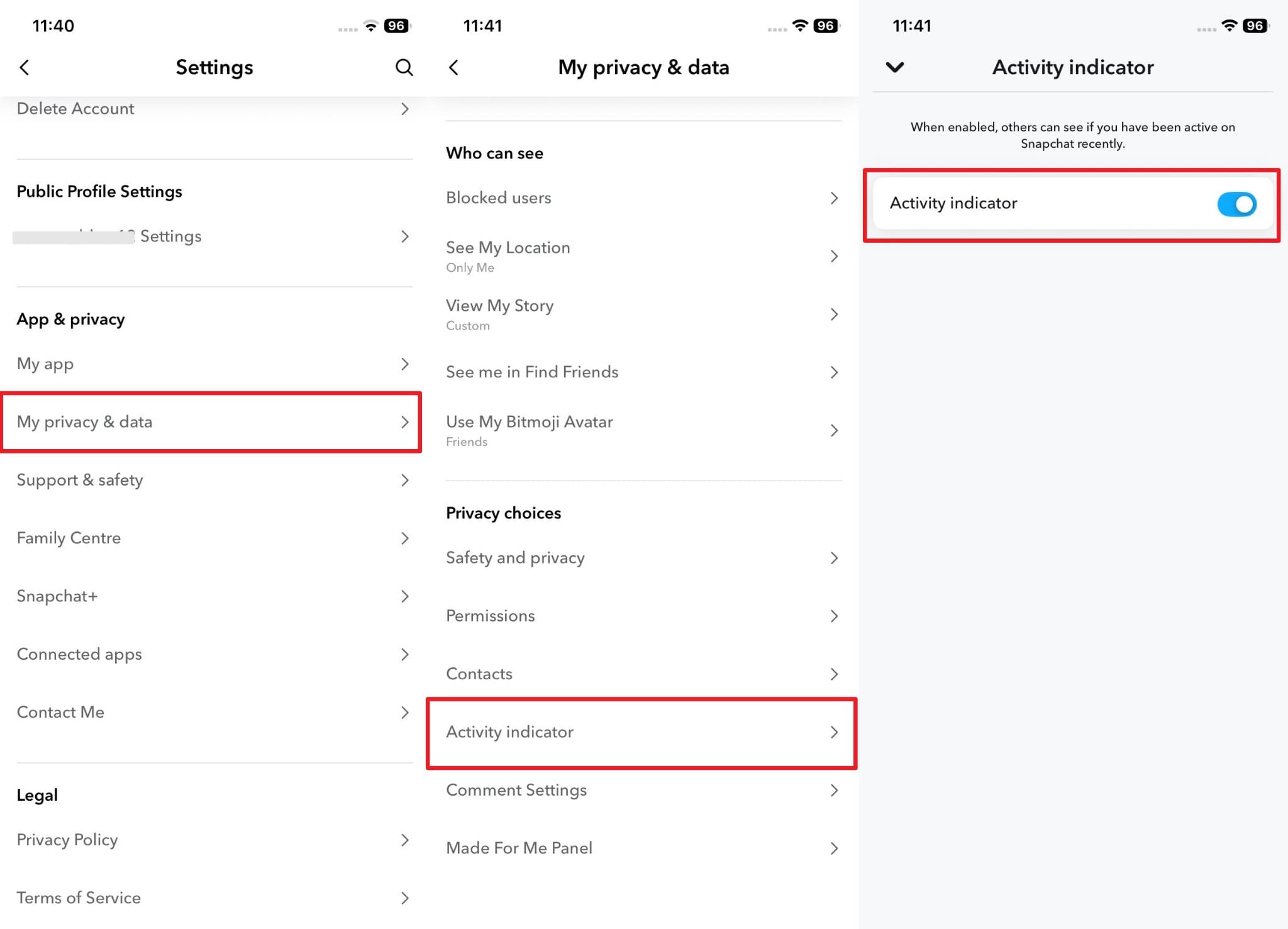
Managing the green dot on Snapchat is easy with the native privacy controls. These settings let you hide your activity whenever you prefer more personal space. You can turn the feature off to stop showing recent activity. The option helps protect your privacy and reduces unwanted attention from others. It also gives you better control over when your status appears. So, follow the steps to disable the Snapchat green dot feature:
Instruction: On your Android or iPhone, access “Settings” from your “Profile” and opt for “My Privacy & Data.” Here, head to the “Activity Indicator” section and disable the “Activity Indicator” toggle.
Pro Tip. Use Dr.Fone – Virtual Location to Control Your Snapchat Location
As users explore creative tools, they often seek more innovative ways to enhance filters. The green dot on Snapchat may show activity, but users also want better customization options. A wise choice is using Dr.Fone - Virtual Location to control where filters appear. You can teleport your GPS and explore filters from anywhere with a single click. Plus, it is compatible with many locative apps, like Snapchat and Pokémon Go.
This dedicated app also includes a joystick mode for smooth, flexible GPS control. It also helps you bypass geo restrictions and access content not available in your region. Hiding your real position protects your privacy while you experiment with new looks. In addition, you can spoof your spot on social apps and map services, too. Besides, it supports Android 16 and iOS 26.

Dr.Fone - Virtual Location
1-Click Location Changer for both iOS and Android
- Teleport from one location to another across the world from the comfort of your home.
- With just a few selections on your computer, you can make members of your circle believe you’re anywhere you want.
- Stimulate and imitate movement and set the speed and stops you take along the way.
- Compatible with both iOS and Android systems.
- Work with location-based apps, like Pokemon Go, Snapchat, Instagram, Facebook, etc.


Guide to Use Dr.Fone – Virtual Location to Control Your Snapchat Location
As users explore this dedicated tool, many remain confused about how to use it correctly. So, the following part shows you how you can spoof your app location via this tool:
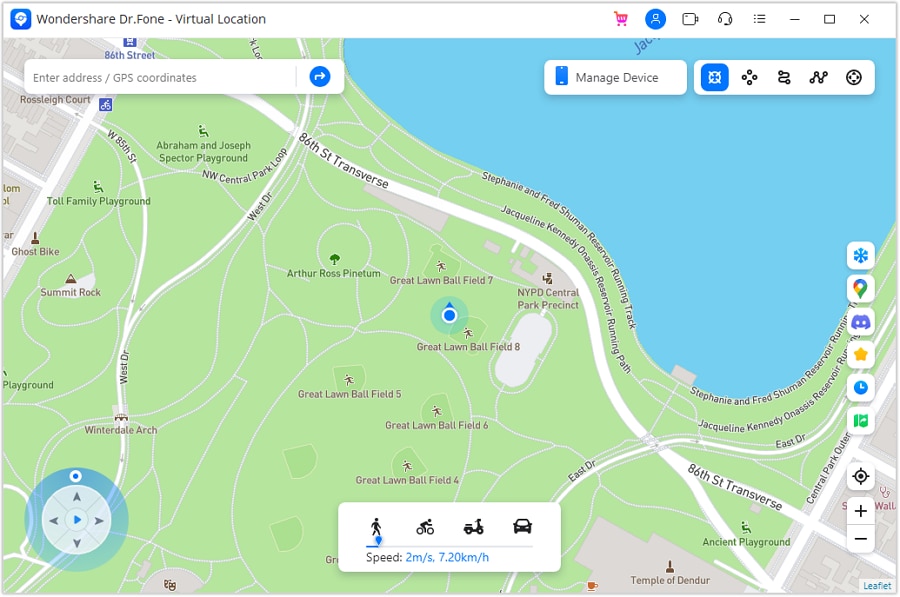
Step 1. Enable the Innovative Teleport Mode
After connecting your Android or iPhone to the computer, choose the “Teleport Mode” option from the top-right toolbar, identified as the first icon on the left.
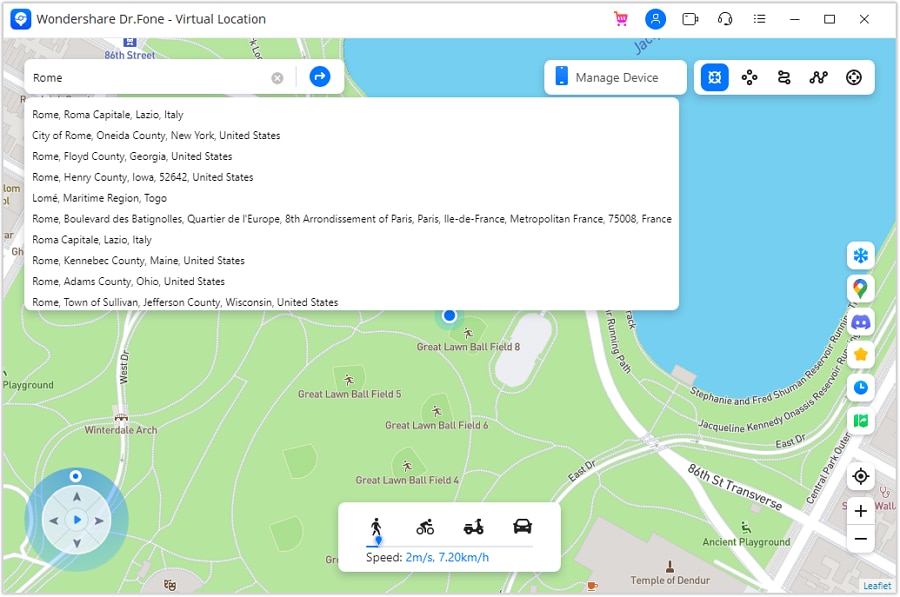
Step 2. Enter a Location to Spoof Snapchat
Access the search bar to type the destination you want to switch to and press "Enter."
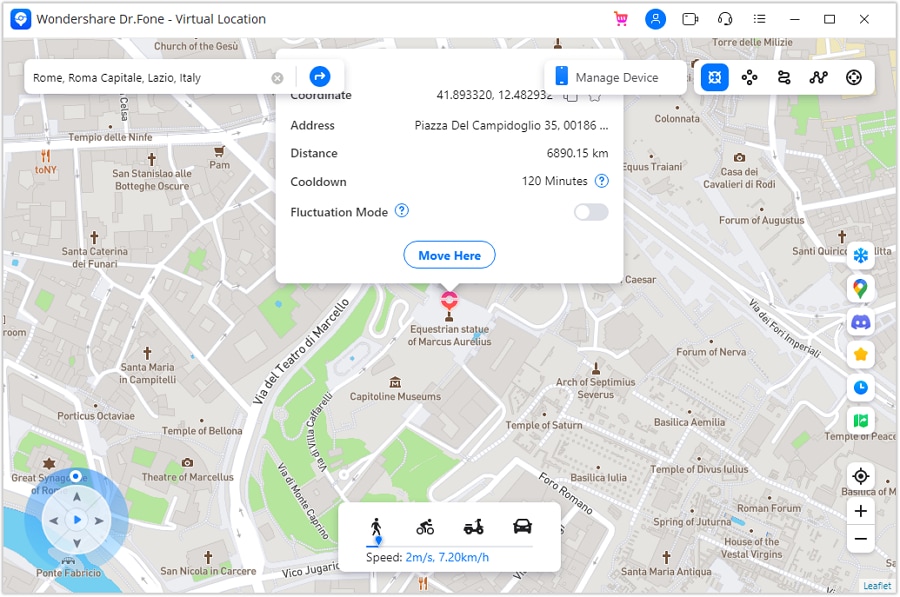
Step 3. Finalize the Teleport Destination
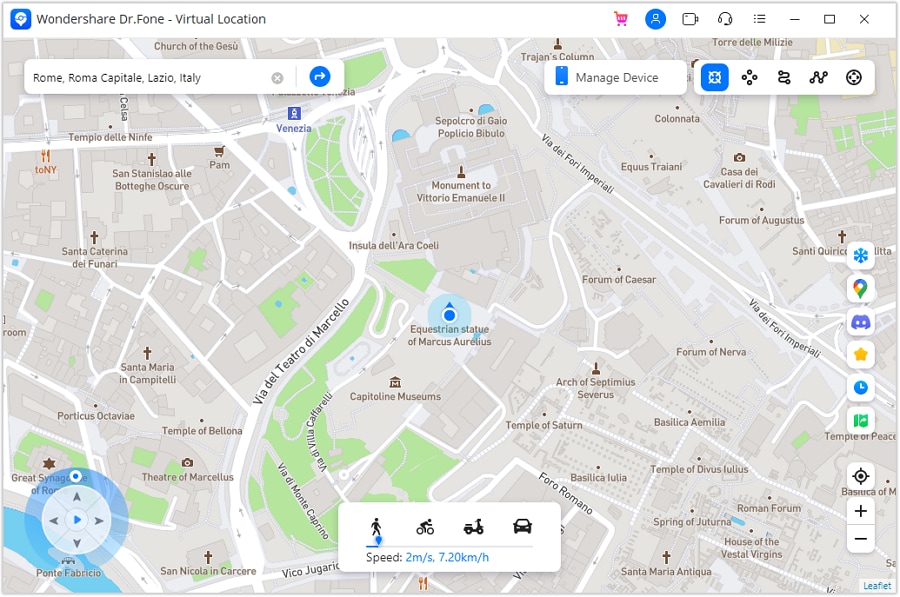
The map will shift to the selected place for confirmation, showing you the exact point. If everything looks correct, press “Move Here” to apply the teleport.
Step 4. View the Updated Location on Your Phone
Your device’s virtual location will immediately update and appear on the desktop map. Open your phone’s maps app or Snapchat map and check its current position. You’ll notice it now matches the location you selected on your computer.
Conclusion
To sum up, this article has covered everything you need to understand the green dot Snapchat feature. It shows recent activity and gives a basic idea of someone’s possible availability. You also learned how long the dot stays and how it works similarly on Android and iOS.
Besides, for users wanting enhanced control, Dr.Fone - Virtual Location is recommended. This tool helps spoof your GPS to explore filters and manage your Snapchat location creatively.
 safe & secure
4,624,541 people have downloaded it
FAQs
 Q1. Can someone see if I turned off the Activity Indicator?Q2. Does the green dot show when I am typing a message?Q3. Can I explore global Snapchat lenses without sharing my actual location?
You Might Also Like
Virtual Location
- Change iOS Location
- 1. Best iOS Location Changers
- 2. Fake iPhone GPS Location
- 3. Change iPhone Home Address
- 4. Change iPad Weather Location
- 5. Track a Cell Phone Location
- 6. iPhone GPS not Working
- 7. iPhone “No Location Found”
- 8. iPhone “Location Not Available”
- 9. iTools Alternatives
- 10. DoPokeGo++ Alternatives
- 11. 3uTools Alternatives
- 12. Foneazy MockGo Alternatives
- 13. "No Location Found" Vs."Location Not Available"
- Change Android Location
- 1. Best Android Fake GPS Apps
- 2. Free Android Location Spoofers
- 3. Fake Android GPS Location
- 4. Android Location Settings
- 5. Fake GPS No Root
- 6. Fake GPS on Huawei
- 7. Fake GPS without Mock Location
- Hide GPS Location
- 1. Stop Sharing Location without Notifying
- 2. Fake Location on Find My Friends
- 3. Stop Google Tracking Your Location
- 4. Fake Location on Google Maps
- 5. Spoof Location on Life360
- 6. Turn Off Life 360 Without Knowing
- 7. Stop Life360 from Tracking You
- 8. Life360 Circle: Tips & Tricks
- 9. Track Location by Mobile Number
- 10. How Do I Know If My Phone Is Being Monitored
- 11. Can Life360 Track You When Your Phone is Off
- Fake GPS on Games
- 1. Play Pokémon Go Without Moving
- 2. Celebrate National Pokémon Day
- 3. Fake GPS on Mobile Legends
- 4. Spoof Ingress Prime Location
- 5. Spoof Location on Jurassic World Alive
- Fake Location on Social Apps
- 1. Fake Location on Whatsapp
- 2. Fake Location on Facebook
- 3. Fake Location on Telegram
- 4. Fake Location on Tiktok
- 5. Does Your Snap Score Increase with Chats
- 6. Fake Location on Snapchat
- 7. Add Location Filters on Snapchat
- 8. Change Location on Twitter
- 9. Change Instagram Business Location
- 10. Change Instagram Region/Country
- 11. Stop mSpy from Spying You
- 12. Change Location On Linkedin
- Fake Location on Dating Apps
- 1. Fake Hinge GPS
- 2. Top Funny Hinge Prompts
- 3. Apps Like Tinder
- 4. Enjoy Tinder Gold
- 5. Fake Tinder GPS
- 6.Tinder Keeps Crashing
- 7. Find People on Tinder
- 8. Use Grindr on a PC
- 9. Grindr Web app explained
- 10. Fake Grindr GPS
- 11. Grindr Unable to Refresh
- 12. Fake Bumble GPS
- 13. Bumble Snooze Mode Guide
- 14. Tinder vs Bumble vs Hinge
- Get Around Geo-blocking
- 1. Hola Fake GPS Alternative
- 2. Change Netflix Location
- 3. Bypass MLB TV
- 4. Change Location on YouTube TV
- 5. Change Play Store Country
- 6. Change Facebook Marketplace Location
- Followers & Unfollowers Trackers
- Location & Social Apps Tips
- 1. How to Share Live Location on Snapchat
- 2. Best Mobile Number Tracker
- 3. Best Private IG Viewer Tools
- 4. View a Private Instagram Account
- 5. Screenshot on Instagram Without Them Knowing
- 6. Does Instagram Notify When You Screenshot
- 7. Find Out If Someone Screenshots Your Instagram Story
- 8. Does Instagram Notify When You Screen Record
- 9. Fix iPhone Location Not Updating
- 10. Does Snapchat Show Who Viewed Your Profile
- ● Teleport GPS location to anywhere
- ● Play AR games without moving
- ● Spoof Location on the popular Apps
- Free Download Free Download Free Download




Alice MJ
staff Editor