Teleport your device anywhere instantly with one click.

 100% Security Verified | No Subscription Required | No Malware

 :

 ChatGPT
 Perplexity
 Gemini
 Claude
 Grok
A Grindr XTRA hack is not a legitimate way to acquire an XTRA subscription. The phrase usually describes a modified app, an unofficial unlock service, or a page promising premium access after 'verification.' A different interface or an impressive feature list does not prove that Grindr has granted the account those permissions.
For adults comparing Grindr XTRA free offers in 2026, separate three goals: obtaining official paid features, finding another social platform, and changing a phone's reported location. They require different solutions. This guide explains the risks of cracked software, keeps five alternatives in their proper categories, and shows why a GPS tool is not a premium-feature unlocker or a guarantee of accepted Grindr location changes.
In this article
- Part 1 — What a Grindr XTRA Hack Is Supposed to Offer
- Part 2 — How Grindr XTRA Hacks Work—and Where the Risk Starts
- Part 3 — Skip the Crack: Better Grindr XTRA Alternative Options
- Part 4 — Change the Map, Not the App: How GPS Can Widen Grindr Reach
- Part 5 — Change Grindr GPS Without Modifying the App
Part 1. What a Grindr XTRA Hack Claims to Unlock
Unofficial premium offers often borrow the language of real subscriptions: more profiles, fewer ads, extra filters, and additional messaging controls. The claimed benefit is convenience without the normal payment. The missing evidence is an authorized entitlement on your account, rather than a third party's claim that its software changes what you can use.
The original feature list should not be treated as a current subscription specification. Grindr's Help Center describes XTRA as a paid tier with added benefits, but features and limits can change by offer or region. In particular, do not use an older 'up to 600 profiles' claim as the number you are guaranteed to receive.
- Advertising: check whether the current offer removes third-party ads and whether any exceptions are described.
- Profile browsing: consult the current Grid allowance rather than assuming a historical maximum applies.
- Filters: identify which filters your account already has and which the selected subscription adds.
- Photos and messages: ordinary sharing is not automatically an XTRA-only feature; distinguish basic messaging from specific premium controls.
- Online visibility: check the actual feature description instead of inferring access from an unlock site's screenshots.
- Other premium tools: read the plan's descriptions of receipts, saved phrases, Albums, or other listed additions before purchasing.
- Payment and renewal: use the official purchase screen and inspect the renewal terms, not a purported permanent free-unlock page.
For authoritative plan information, compare the offer in your app with the official Grindr XTRA description. A trial or promotion, if offered to you, is an authorized temporary offer, not evidence that a permanent free hack exists.
Part 2. Where Unofficial Premium Workarounds Introduce Risk
A premium-hack claim changes the trust relationship. Instead of relying only on the official app and payment provider, you may be trusting another party with an executable, credentials, or personal data. Evaluate the route being proposed, not just the list of features advertised.
| Offer type | What you are being asked to trust | What can go wrong |
|---|---|---|
| Modified Android APK | Someone else's altered app package | Hidden behavior, exposed data, unsupported account use |
| Tweaked iOS build | An unofficial build or signing arrangement | Unreliable updates, privacy exposure, loss of access |
| Unlock or verification website | A party requesting credentials, codes, payments, or extra downloads | Phishing, unwanted charges, or account takeover |
Main Risks Behind a Grindr Premium Hack
- Account restrictions: Grindr's terms prohibit bypassing security features, access controls, or service limits. Investigations can result in restricted features, suspension, or termination. An unlock seller cannot promise immunity from those rules.
- Device and information exposure: a changed package may contain harmful or undisclosed code. Not every sideloaded app is malware, but an unknown origin makes its behavior harder to trust. Private pictures and conversations deserve particular caution.
- Credential theft: a fake support or verification flow can request a password or one-time code. Giving that information away can transfer control of the account; a promised premium reward does not make the request legitimate.
The current Grindr terms also address privacy, misuse of location data, and account security. If you have already entered credentials into an unofficial service, stop using it, secure the affected account through official channels, and review unexpected purchases. Avoid anyone offering a second paid 'repair' or unban service.
Part 3. Five Alternatives to Installing a Cracked Grindr App
An alternative can mean a different place to meet people, not a clone of XTRA. Keep the official free Grindr app if it meets your needs, compare an authorized subscription if a particular feature matters, or choose another platform for a genuinely different activity. No app below gives you a Grindr subscription.
| Platform | Primary experience | Best reason to consider it |
|---|---|---|
| Taimi | LGBTQ+ dating and social connection | Try a different dating community |
| Hornet | Profiles and queer community content | Combine meeting people with an interest-based feed |
| Bigo LIVE | Public live-streaming interaction | Join live conversations and entertainment |
| Discord | Server-based text and voice communities | Develop ongoing connections around shared interests |
| Twitch | Creator streams and audience chat | Participate in a content-led community |
1. Taimi: A Different LGBTQ+ Dating Community
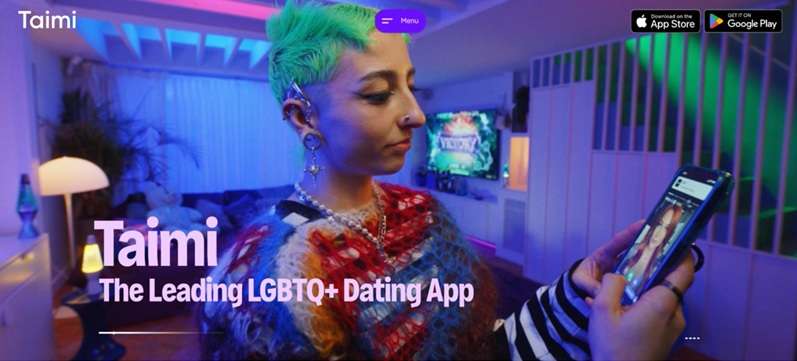
Taimi centers LGBTQ+ dating and social connection. It is worth comparing if the issue is the community or matching experience rather than a missing Grindr toggle. Review the current app listing, available filters, and which features require payment before assuming it provides every item in an older comparison.
Privacy tools can help manage what you share, but no screenshot setting can guarantee that another person will never preserve or redistribute information. Choose photos and personal details with that limitation in mind. The sensible benefit is a different dating environment, not a promise of complete confidentiality or a free replica of XTRA.
2. Hornet: Profiles Alongside Community Content
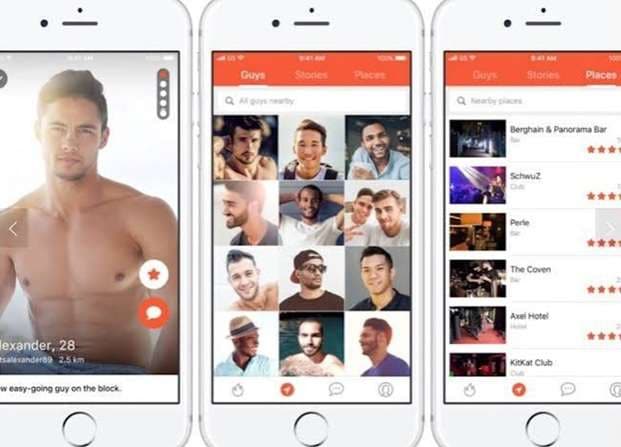
Hornet's official site describes a feed, user posts, short videos, hashtags, and filters alongside meeting other users. That makes it relevant when you want to discover shared interests as well as browse profiles. Its virtual-travel feature is also distinct from modifying another app or changing a phone's GPS.
Use the actual current feature list rather than assuming that every historical voice, video, or city-guide feature is available in every edition. It offers its own social experience and moderation rules; it does not extend Grindr's Grid or transfer a Grindr subscription.
3. Bigo LIVE: Real-Time Broadcasting Rather Than Matching
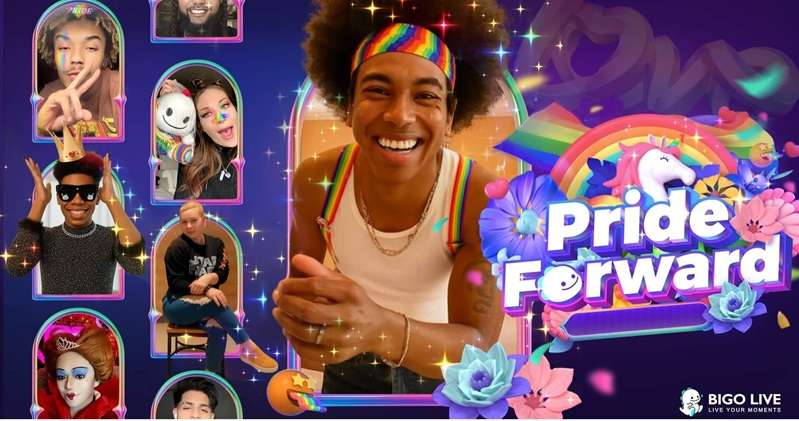
Bigo LIVE belongs in a streaming comparison, not a direct list of premium dating unlocks. Watching or participating in live rooms can provide a way to interact around entertainment and conversation. Finding an LGBTQ+-friendly room depends on the creators and the room's rules, not a guarantee attached to the whole platform.
Check whether a room is public, what profile information it exposes, and whether participation involves purchases or gifts. A broadcast audience is a different context from a private dating conversation, so choose it for that experience rather than as an equivalent of nearby matching.
4. Discord: Ongoing Community Comes First
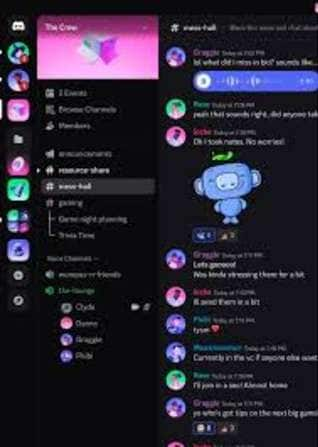
Discord can support recurring conversations through servers and their text or voice spaces. A well-moderated LGBTQ+ community may be useful for discussing hobbies, joining activities, and getting to know people over time. That is different from searching an app's local dating Grid.
Server quality varies. Read the rules, age requirements, moderation approach, and expectations before sharing personal information or sending direct messages. Membership in a themed server is not consent to romantic contact, and no server label guarantees that all members are verified or trustworthy.
5. Twitch: Connection Through Shared Content
Twitch communities form around creators, streams, and chat. An LGBTQ+ creator discussing games, everyday life, or another interest may offer a welcoming place to participate. The point is shared content and conversation, not an expectation that audience members are looking for dates.
Respect chat rules and personal boundaries, and do not confuse a subscription or donation with a personal relationship. Public interaction, paid channel benefits, and private communication have different purposes. This option is strongest when community and entertainment are the actual goals.
These choices avoid needing an unofficial Grindr build, but each has its own costs and privacy considerations. If your real goal is simply to plan connections in another city, first inspect Grindr's own location-browsing features instead of replacing its entire experience.
Part 4. GPS, Destination Browsing, and Premium Access Are Different
Grindr uses location-related information to show nearby users. Turning off a visible distance label does not guarantee that no one can infer your vicinity from other information. The terms explicitly warn that privacy controls reduce rather than eliminate the possibility of location inference.
A device-level GPS tool attempts to change the coordinates supplied by the phone. If an app accepts them, the nearby experience may change. However, Grindr's location troubleshooting guidance states that it does not support mock locations. Leaving the official app package untouched therefore does not make a simulated coordinate an endorsed feature.
- Browsing elsewhere: use official destination features where available instead of assuming GPS simulation is accepted.
- Travel planning: be honest about a planned visit rather than presenting yourself as physically nearby when you are not.
- Location privacy: review Show My Distance and device-level precision settings; do not treat a fake pin as guaranteed anonymity.
- A different Grid: a changed map input, even if accepted, does not remove advertising or create a premium entitlement.
Explore and Roam are Grindr's own destination-oriented tools, with availability, payment, and messaging limits determined by the current offer. They are the relevant first comparison when your goal is another area rather than paid features in general. Do not use any location method to track someone, triangulate their address, or defeat their privacy choices.
Part 5. Device GPS Testing with Dr.Fone - Virtual Location
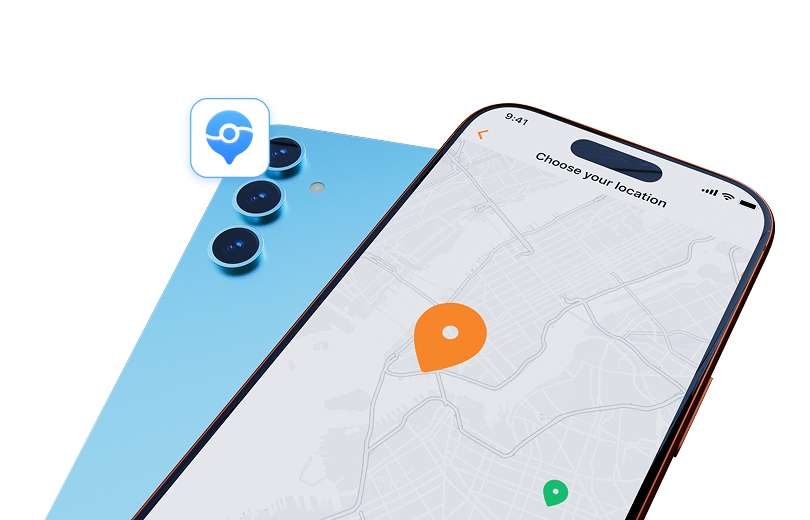
 Set your map route to simulate GPS movement.
- Set your wanted movement speed.
- HD and large map view to check location.
- Fake GPS location to anywhere.
Dr.Fone - Virtual Location changes reported GPS on supported devices without replacing the Grindr app package. The vendor describes teleporting, route simulation, and directional controls. That is a device-location function, not a Grindr XTRA alternative in the sense of unlocking subscription rights.
Wondershare lists Grindr among dating-app examples, while Grindr says mock locations are unsupported. Both facts matter: vendor marketing is not an assurance of acceptance by every app version or platform. If Grindr rejects a mocked position, do not try to bypass the restriction; restore the real position and use official browsing or privacy features.
What the Location Controls Can Do
- Teleport: select a destination for the simulated GPS point.
- One-Stop Route: define motion between two points.
- Multi-Stop Route: arrange several positions into a path.
- Speed selection: choose the simulated travel rate.
- Directional input: steer with joystick or supported keyboard controls.
- Device setup: the vendor markets normal simulation without root or jailbreak; check the current device requirements rather than extending that statement to every app.
Five Steps to Understand and Verify the GPS Workflow
The sequence below demonstrates your own device's location behavior. It does not promise that Grindr will accept a different area, reveal private profiles, or supply paid features.
Step 1 Connect the supported phone
Open the desktop program, select Virtual Location, and complete the connection prompts for your phone. Confirm that the program recognizes the intended device before changing any setting.
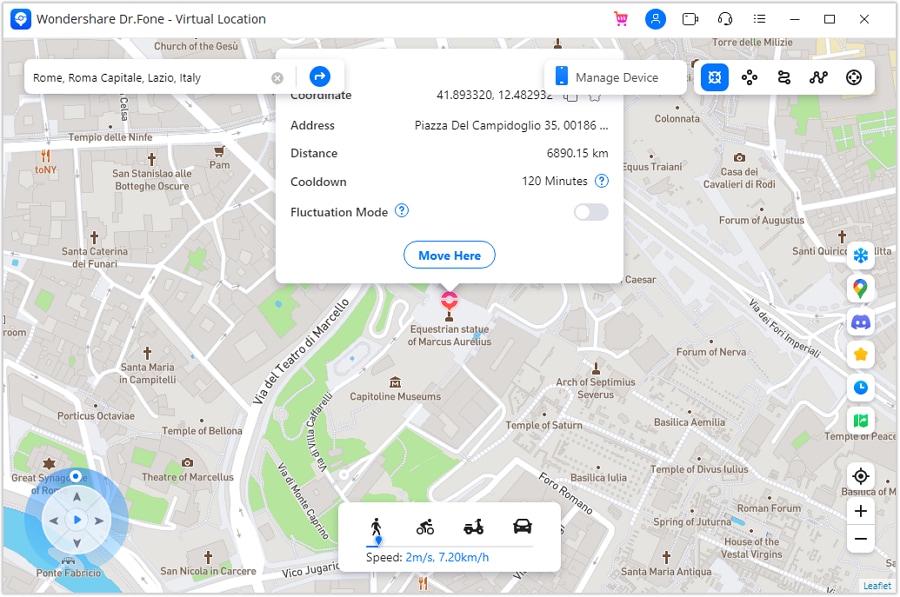
Step 2 Select Teleport Mode
Find the teleport control in the current toolbar. Use its label or help text rather than assuming that an icon occupies the same position in every release.
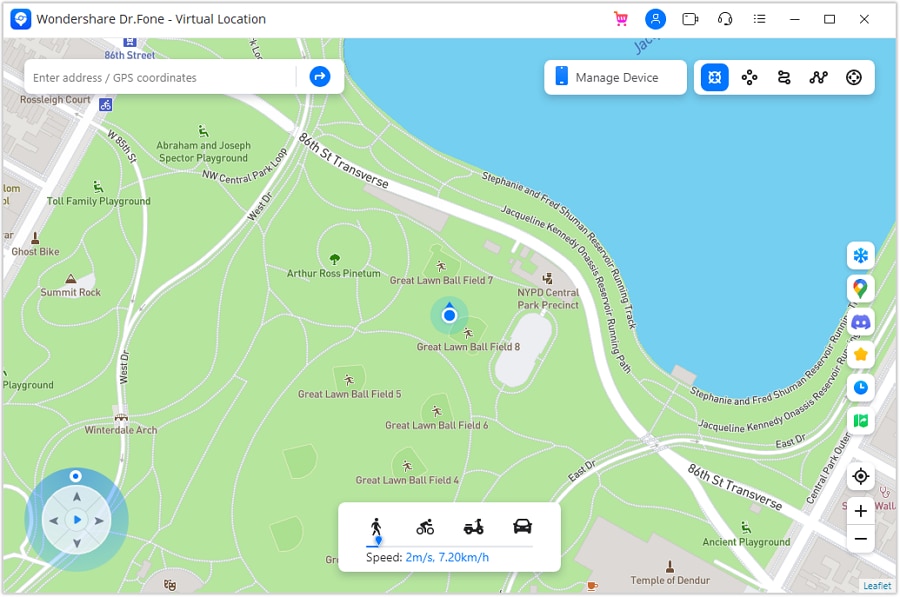
Step 3 Inspect the intended destination
Search for a place or address and check the matching pin. Review the result carefully, since a city name can produce several plausible locations.
Step 4 Apply and check the coordinate
For an authorized test, choose 'Move Here' and inspect the reported position in the phone's map app. A successful map test is evidence of that map's behavior, not confirmation of Grindr compatibility.
Step 5 Compare route simulation if needed
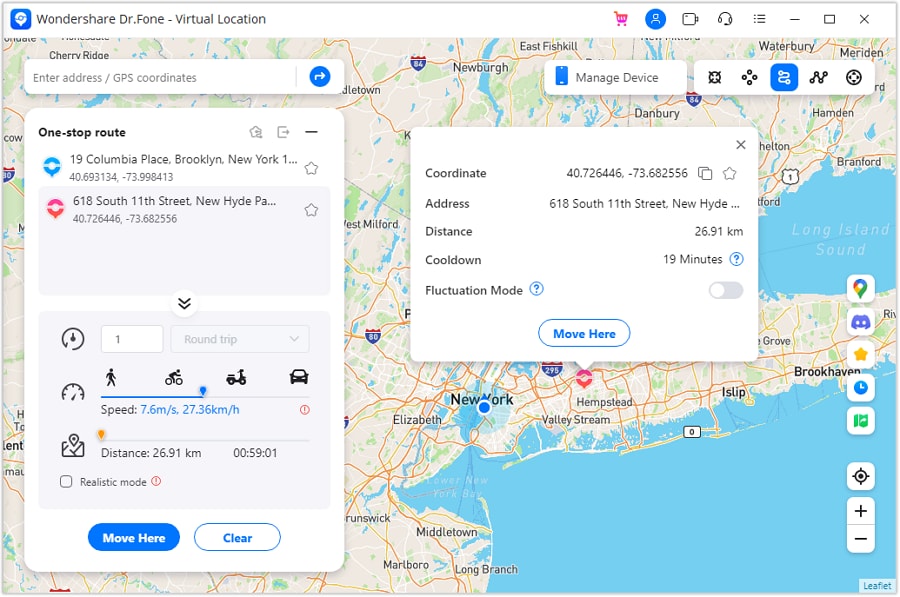
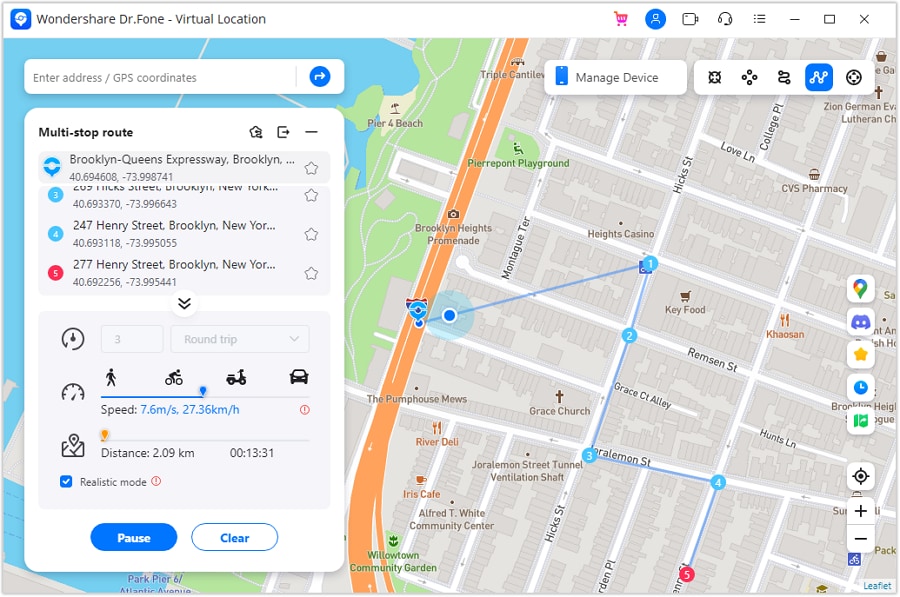
In a permitted test environment, choose a one-stop or multi-stop path, inspect its points, set a speed, and start or pause the simulation. Do not use repeated movement to infer another person's exact location or bypass an app restriction.
Finish by stopping the simulation and confirming that Maps shows your actual position. If the simulated position persists, follow the current product restoration instructions and recheck after restarting as needed. Do not rely on an assumed reset before navigating or sharing where you are. None of these steps grants XTRA access.




Conclusion
Choose the solution that matches the real need. Official XTRA is a subscription; another platform offers another community; location controls concern the phone's reported coordinates. Cracked apps blur those distinctions while adding avoidable account, privacy, and software risks.
Dr.Fone - Virtual Location should be assessed as a GPS tool for supported uses, not a premium unlock or guaranteed Grindr workaround. Keep the app's mock-location restriction and your own privacy settings in view, and use official destination features when the objective is browsing another area.
FAQ
1. Is a Grindr XTRA hack safe for my phone or account?
It is not an official upgrade. An altered app or fake verification page can expose information, and bypassing service controls can result in restrictions or account termination. Do not give an unlock service your password or one-time codes.2. Is there a permanent official free XTRA unlock?
No permanent free entitlement is established here. An official trial or promotion, if offered to your account, has its own duration and renewal conditions. Use the actual purchase terms rather than an unofficial promise.3. Will a VPN change the nearby GPS area?
A VPN changes network routing and IP information, not ordinarily the GPS supplied by the phone. It is not a substitute for Grindr's destination tools or device location settings and does not unlock paid features.4. Can Dr.Fone replace Grindr XTRA?
No. It can simulate GPS on supported devices, but cannot create a Grindr subscription. Grindr does not support mock locations, so an unchanged official app and a successful map test do not guarantee that Grindr accepts the result.
 Add Wondershare Dr.Fone as a preferred source on Google