 Teleport your device anywhere instantly with one click.

 100% Security Verified | No Subscription Required | No Malware

 :
: 
 ChatGPT
 Perplexity
 Gemini
 Claude
 Grok
Grok
Monster Hunter Now uses real-world movement; therefore, your location directly affects what monsters, resources, and hunting grounds you can reach. In busy cities, this is effective, but in the countryside, bad weather and long distances can make it feel constricting. Monster Hunter Now spoofing is used for this same purpose to get to places in the game without actually traveling.
However, not every option works the same way, and some may create device or account risks. This guide explains whether a Monster Hunter Now spoof is possible and compares the main choices available for iPhone and Android users.
In this article
- Part 1. Can You Spoof Monster Hunter Now?
- Part 2. Optimal Monster Hunter Now Spoof - Dr.Fone - Virtual Location
- Part 3. Comparing Three Monster Hunter Now Spoofing Options
- Part 4. Spoof Monster Hunter Now on iOS Without a Computer Using FakeGPS
- Part 5. Spoof Monster Hunter Now on Android with PoGoskill
Part 1. Can You Spoof Monster Hunter Now?
Yes, changing your location in Monster Hunter Now is possible with GPS spoofing apps. However, many older methods no longer work well. New game updates can detect or block techniques that worked in earlier versions.
Before choosing a Monster Hunter Now spoofing method, it is useful to know why players change their location.
1-1. Reach Rare Monsters
Rare monsters may only appear in certain areas. A changed location can help you reach those spawns and collect higher-level materials.
1-2. Gather More Resources
Some locations have better gathering points and more useful materials. Moving to these areas can make resource farming faster.
1-3. Access Regional Events
Certain events may only be available in selected regions. Location spoofing lets players enter those areas without traveling there.
1-4. Hunt with Distant Friends
Players can move closer to friends in other locations and join group hunts together.
These benefits explain why players search for a reliable way to spoof Monster Hunter Now. The next section introduces a practical option for changing the game location.
Part 2. Optimal Monster Hunter Now Spoof - Dr.Fone - Virtual Location
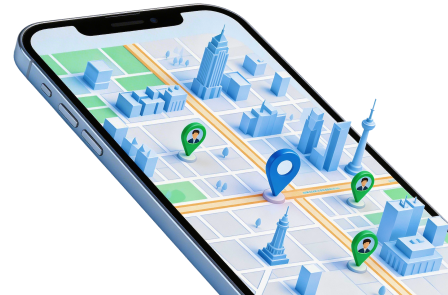
Dr.Fone - Virtual Location is a desktop tool that changes the GPS position of an iPhone or Android phone. It lets users select another place on a digital map and apply it as the phone’s current location.
For Monster Hunter Now spoofing, this means the game may load monsters, gathering points, and hunting areas around the selected place. The tool can set one fixed location or create movement across a planned route.
Key Features
- One-Click Teleport: Search for a place and move the phone’s GPS to it.
- Two-Point Route: Create movement between a starting point and one destination.
- Multi-Point Route: Add several stops and travel through them in sequence.
- Adjustable Speed: Set a pace that matches walking, cycling, or driving.
- Realistic Mode: Add small speed changes during simulated movement.
- GPS Joystick: Move in any direction with on-screen controls.
- Keyboard Movement: Control direction with arrow keys or W, A, S, and D.
- GPX File Support: Import saved routes or export routes for later use.
- Saved Places: Keep useful locations in a favorites list.
- Location Records: Return to places used in earlier sessions.
- Cooldown Reminder: Track the waiting time between major location changes.
 Set your map route to simulate GPS movement.
- Set your wanted movement speed.
- HD and large map view to check location.
- Fake GPS location to anywhere.
-
Step 1 Open Virtual Location
Install Dr.Fone on a Windows PC or Mac. Launch it and select Virtual Location from the main menu.
-
Step 2 Connect the Mobile Device
Connect your iPhone or Android phone with a USB cable. Unlock the device and approve the connection when asked.
-
Step 3 Choose a Location Mode
Select Teleport Mode for one fixed point. Choose a route mode when you want the GPS to move between different places.
-
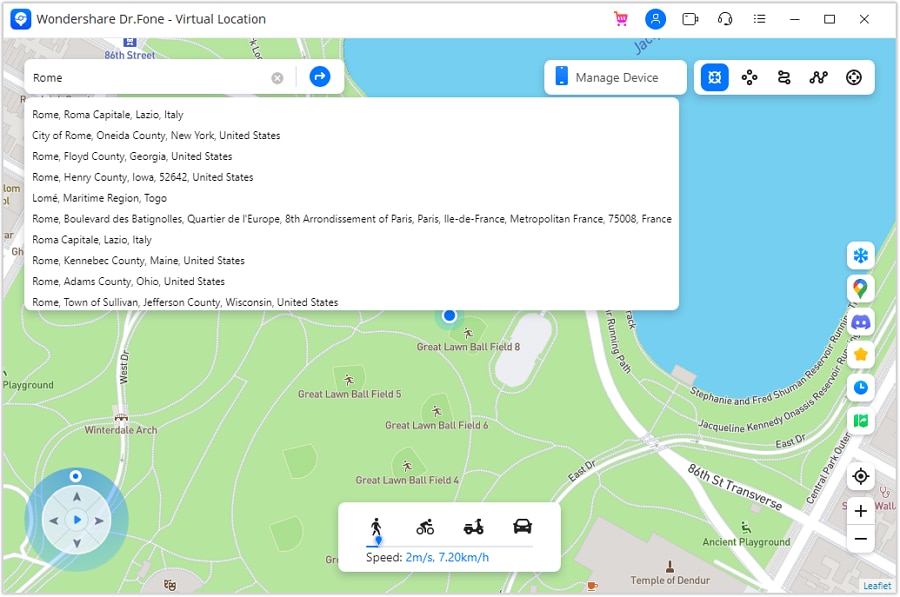
Step 4 Set the New Area
Type a location into the search box or place a pin on the map. For a route, add the required stops and select a travel speed.
-
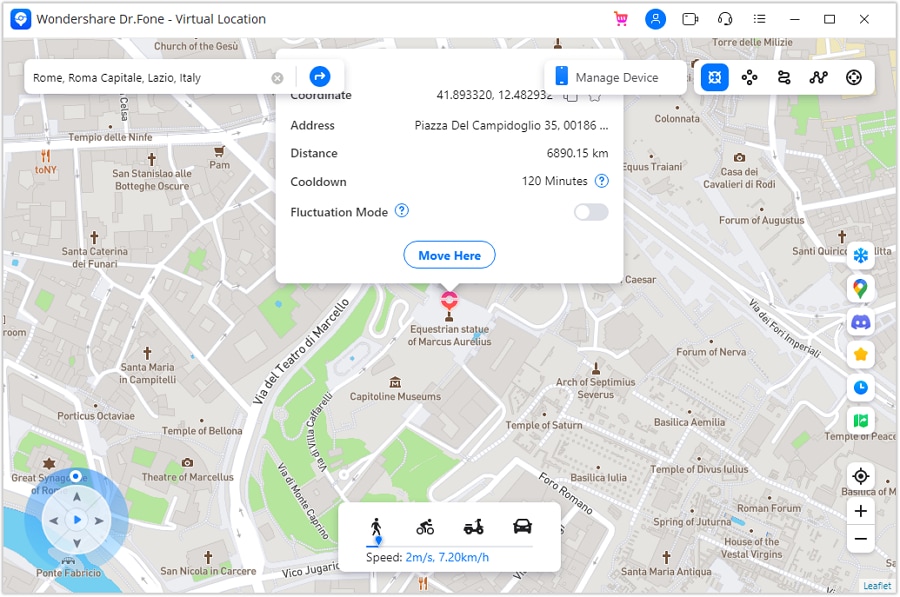
Step 5 Apply the Change
Confirm the selected place or start the route. Then open Monster Hunter Now and check the updated hunting area.
Why Choose Dr.Fone - Virtual Location Changer?
Dr.Fone uses a straightforward guided setup, making it easy for beginners to use. You don’t need a jailbroken iPhone or a rooted Android phone. You do not have to download a modified game file, as it is compatible with the official Monster Hunter Now app.
The clear map interface keeps location control simple. Users can search for places, plan movement, and manage saved routes from one screen. This makes Dr.Fone a practical choice for players who want a more controlled Monster Hunter Now spoof setup.




Part 3. Comparing Three Monster Hunter Now Spoofing Options
Now that you know how Monster Hunter Now location spoofing works, it is time to compare the three available methods. The table below gives a quick summary of their ease of use, device support, setup needs, and success rates. Review these points before choosing the option that suits you best.
| Comparison | Dr.Fone - Virtual Location | FakeGPS | PoGoskill |
|---|---|---|---|
| Ease of Use | Very easy for most users | Slightly complicated | Easy |
| Jailbreak Needed | No | Yes | No |
| Compatibility | Supports iOS versions and iPhone models | Works with limited iPhone models | iOS and Android |
| Claimed Success Rate | 100% | 90% | 90% |
| Rating | 5/5 | 4.7/5 | 3.5/5 |
Based on this comparison, Dr.Fone offers the easiest setup and wider device support. FakeGPS may suit iPhone users who do not want to connect a computer, but it requires a jailbroken device.
Part 4. Spoof Monster Hunter Now on iOS Without a Computer Using FakeGPS
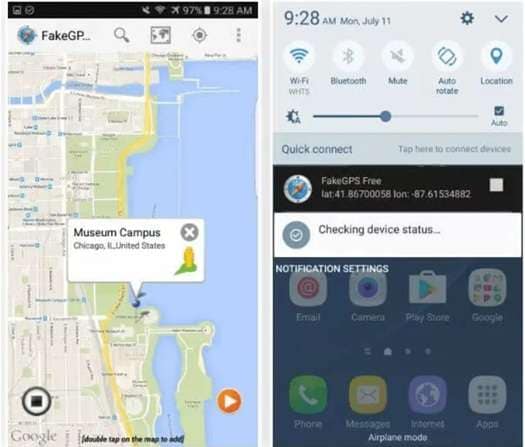
FakeGPS is an iOS location-changing app that works directly on a jailbroken iPhone. It lets users select another place and apply it as the location used by chosen apps.
For Monster Hunter Now spoofing, players can set a different hunting area without keeping the phone connected to a computer. However, the first setup requires Cydia Impactor, an Apple ID, and a jailbroken iPhone.
-
Step 1 Download FakeGPS through Cydia and open the app.
-
Step 2 Choose the place you want to use. A red pin will mark the selected point.
-
Step 3 Tap the blue button shown on the next screen.
-
Step 4 Select Monster Hunter Now from the app list so it can use the virtual location.
-
Step 5 Open the game and check the new location.
Advantages of FakeGPS
- It can change the iPhone location without a computer after setup.
- Users can select a location directly from the map.
- It works with selected apps on the device.
- It provides a free option for changing GPS on a compatible iPhone.
- It may suit users who already have a jailbroken device.
FakeGPS offers a direct phone-based option, but its setup is more technical. It is mainly suitable for users who are comfortable changing iOS system settings.
Part 5. Spoof Monster Hunter Now on Android with PoGoskill
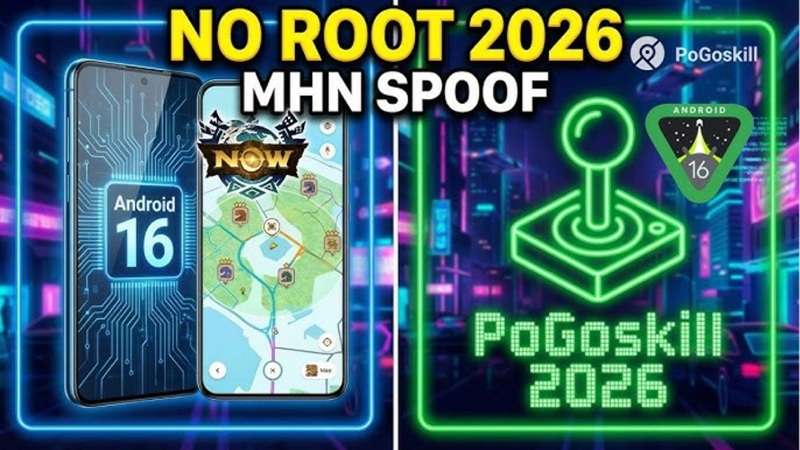
PoGoskill is a location-changing tool that can set a virtual GPS position for Monster Hunter Now. It allows players to choose another place on a world map and use it as their current in-game location.
The interface is simple to navigate. Users can select a location mode, place a marker, and apply the new position before opening the game. This makes PoGoskill a practical Monster Hunter Now spoofing option for accessing hunting areas in other locations.
-
Step 1 Visit the official PoGoskill website. Download and install the application.
-
Step 2: To get started, launch PoGoskill and pick a location mode of your choice.
-
Step 3 Select a location anywhere across the world map and mark it on the map.
-
Step 4 Apply the virtual location. Open Monster Hunter Now and allow the game to load the selected area.
Advantages of PoGoskill
- It has a simple and clear interface.
- Players can choose locations across the world.
- It provides different location-changing modes.
- Locations can be selected directly from the map.
- The setup requires only a few simple steps.
Conclusion
Monster Hunter Now spoofing can open access to distant hunting areas, rare monsters, resources, and group play, but each method has different limits. FakeGPS may suit users with a jailbroken iPhone, while PoGoskill offers a simple option for iOS and Android.
Dr.Fone - Virtual Location is popular with users because of its interface. You can teleport, plan routes, control speed, move around with a joystick, and more here. It supports many devices. It also works with the official game app and doesn’t require jailbreak or root access. Still, no Monster Hunter Now spoof is risk-free, so use location changes carefully and respect the game’s rules.
FAQ
-
1. Is It Illegal to Spoof Your Location in Monster Hunter Now?
There is no single legal answer for every country. The purpose of the location change and local laws both matter. However, Monster Hunter Now clearly treats fake GPS use as cheating because it changes or hides the device’s real location. It also breaks the game’s rules. -
2. Can Monster Hunter Now Detect GPS Spoofing?
Yes, detection is possible. The developer says it takes action against accounts that falsify their device location. Dr.Fone - Virtual Location offers a simple Monster Hunter Now spoofing setup without jailbreak or root, but no tool can promise complete protection from detection. -
3. Can Fake GPS Use Lead to an Account Ban?
Yes. Monster Hunter spoofing may cause a warning, temporary suspension, or permanent account removal. Some serious cases may also lead to an immediate ban. Dr.Fone gives users useful controls such as teleporting, route movement, and a cooldown timer, but it cannot remove the risk created by the game’s rules.
 Add Wondershare Dr.Fone as a preferred source on Google



