Recover photos, messages, WhatsApp, and more — no backup
needed.
Recover photos, messages, WhatsApp, and more — no backup
needed.

 100% Security Verified | No Subscription Required | No Malware

 :
: 
 ChatGPT
 Perplexity
 Gemini
 Claude
 Grok
Grok
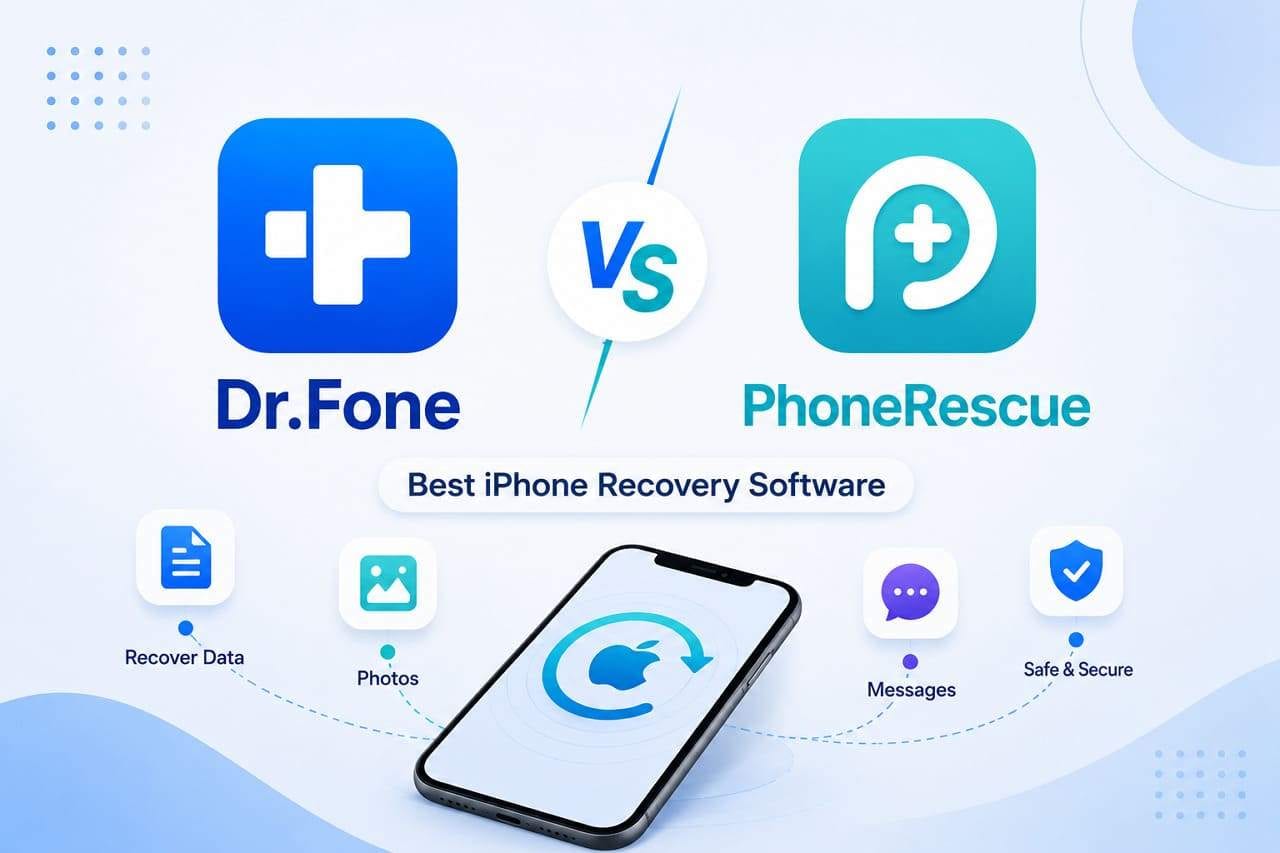
Experts say iOS data loss can occur after an update, due to device damage, or from accidental deletion. Hence, when one searches for an iOS data recovery tool, it should be able to recover major data types, even from broken or locked devices. So, to help you choose the right option, this guide will conduct a Dr.Fone vs PhoneRescue comparison to see if Dr.Fone - Data Recovery is better.
In this article

Part 1. The Workflow Differences That Matter Most
To start this Dr.Fone vs PhoneRescue comparison, note that Dr.Fone - Data Recovery is a tool from Wondershare, which has 22+ years of expertise. In addition, it allows you to recover 35+ data from iCloud Backup, iCloud Sync & Drive, iTunes, and iOS devices in 2-3 steps. It supports iPhone, iPad, and iPod Touch series running iOS 12.0-16.7.11 on iPhone 5s to X, and iOS 26.0-26.5 on the latest models.
Experts confirm that the tool updates weekly to provide the latest support for all upcoming iPhone models and versions. In addition, it comes with a detailed guide, seamless interface, and recovery choices that make it ideal for amateurs.
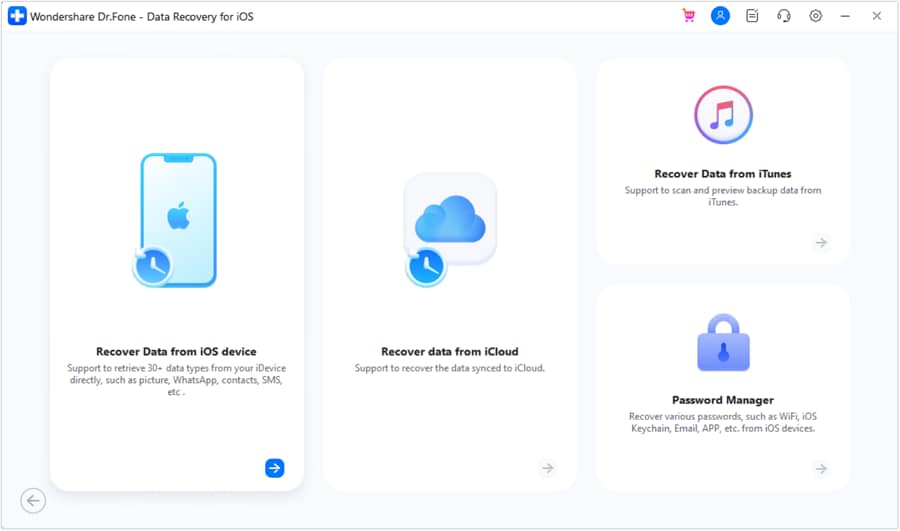
 Recovers data after deletion, crashes, or device damage.
- Supports photos, messages, contacts, WhatsApp, and more.
- Supports all major iPhone, iPad, and iPod models.
- Preview and recover only what you need.

On the other hand, iMobie - PhoneRescue can recover 31 data types upon installation on Windows and Mac. From iPhone 3G to iPhone 17 Series and iPad and iPad touch series, it can extract lost data from iCloud, iTunes, and the device. Nonetheless, the tool updates less frequently than Dr.Fone, so iOS 27 support after the release remains questionable.
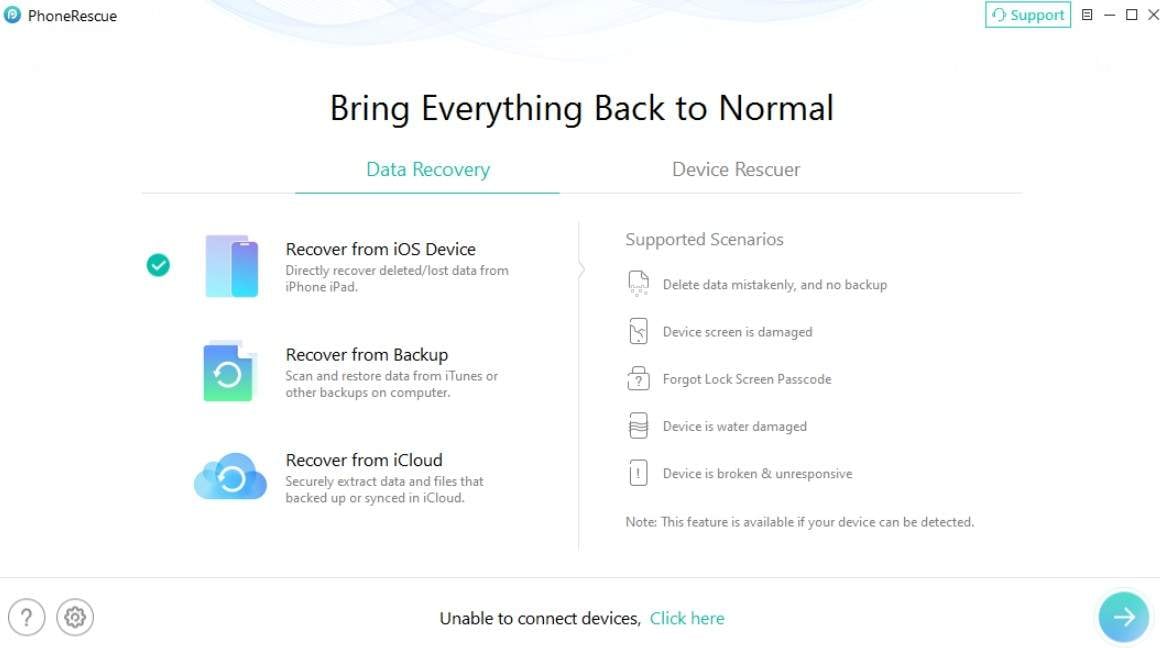
Main Workflow Differences
In terms of recovery, if you want to know which tool excels, review the mentioned table for Dr.Fone vs PhoneRescue:
| Feature Dimension | Dr.Fone - Data Recovery (iOS) | iMobie - PhoneRescue |
|---|---|---|
| Primary Design Focus | It supports Full Scenario Recovery and can recover data from broken, locked, or unresponsive devices. Moreover, it covers every stage from scanning to direct device restoration. | This tool acts more like a storage extractor and extracts a variety of hidden or niche native system files. |
| Account/Apple ID Limits | It allows you to sign in to 5 Apple IDs with smooth account switching and access to history logs. | Although the details are unclear, reports and guides show that the tool has strict boundaries on switching profiles. |
| Scan Stability | The scan is free, fully optimized, and verified through a comprehensive 8-hour uninterrupted stability test. | PhoneRescue comes with standard free scan options. Nonetheless, it can experience resource bottlenecks on massive storage variants. |
Part 2. Personal Data Recovery and Restore Destination Compared
In a right data recovery tool for iOS, data extraction is the second aspect. The main focus is whether the tool lets you recover all data types on the phone. To evaluate that, let's test the data recovery options in the given Dr.Fone vs PhoneRescue comparison section:
Recover from Device
Here are the possible data types that you can recover from the device using Dr.Fone - Data Recovery (iOS) and PhoneRescue:
| Data Types | Dr.Fone - Data Recovery (iOS) | iMobie - PhoneRescue |
|---|---|---|
| Photos | ✅ | ✅ |
| Videos | ✅ | ✅ |
| App Photos | ✅ | ✅ |
| App Videos | ✅ | ✅ |
| App Audios | ❌ | ✅ |
| App Documents | ✅ | ✅ |
| Thumbnails | ❌ | ✅ |
| Audiobooks | ❌ | ✅ |
| Playlists | ❌ | ✅ |
| iBooks | ❌ | ✅ |
| Ringtones | ❌ | ✅ |
| Files | ❌ | ❌ |
| Safari-History | ✅ | ✅ |
| Safari Bookmarks | ✅ | ✅ |
| Contacts | ✅ | ✅ |
| Notes | ✅ | ✅ |
| Reminders | ✅ | ✅ |
| Voice Memos | ✅ | ✅ |
| Calendar | ✅ | ✅ |
| Calculator | ❌ | ❌ |
| Wi-Fi | ❌ | ❌ |
| Messages | ✅ | ✅ |
| Phone Call | ❌ | ❌ |
| Call History | ✅ | ✅ |
| Facetime | ✅ | ❌ |
| ❌ | ❌ | |
| Music | ❌ | ✅ |
| Voicemail | ✅ | ✅ |
| ✅ | ✅ | |
| WhatsApp Business | ✅ | ❌ |
| WhatsApp View Once | ✅ | ❌ |
| Messenger | ❌ | ❌ |
| LINE | ✅ | ✅ |
| Viber | ✅ | ❌ |
| KakaoTalk | ❌ | ❌ |
| Kik | ✅ | ✅ |
| ❌ | ❌ | |
| ❌ | ❌ | |
| Skype | ❌ | ❌ |
| Ins | ❌ | ❌ |
| Teams | ❌ | ❌ |
| Snapchat | ❌ | ❌ |
| Telegram | ❌ | ❌ |
Recover from iCloud (Sync, Drive, & Backup)
Regarding the iCloud data types, this Dr.Fone vs PhoneRescue comparison covers the supported data types in the given sections:
| Data Types | Dr.Fone - Data Recovery (iOS) | iMobie - PhoneRescue |
|---|---|---|
| Photos | ✅ | ✅ |
| Videos | ✅ | ✅ |
| App Videos, Documents, Photos | ✅ | ✅ |
| App Audios | ❌ | ✅ |
| Voicemail | ✅ | ✅ |
| Voice Memos | ✅ | ✅ |
| Music | ❌ | ✅ |
| Thumbnail | ❌ | ✅ |
| iBooks | ❌ | ✅ |
| Ringtones | ❌ | ✅ |
| Playlist | ❌ | ✅ |
| AudioBooks | ❌ | ✅ |
| Numbers | ✅ | ❌ |
| Pages | ✅ | ❌ |
| Keynotes | ✅ | ❌ |
| Contacts and Messages | ✅ | ✅ |
| Notes | ✅ | ✅ |
| Reminders | ✅ | ✅ |
| Calender | ✅ | ✅ |
| Alarms | ✅ | ❌ |
| Call History | ✅ | ✅ |
| Safari History | ❌ | ✅ |
| Safari Bookmarks | ✅ | ✅ |
| iCloud Drive Files | ✅ | ❌ |
| ✅ | ✅ | |
| WhatsApp Business | ✅ | ❌ |
| WhatsApp View Once | ✅ | ❌ |
| Messenger | ❌ | ❌ |
| LINE | ✅ | ✅ |
| Viber | ✅ | ❌ |
| KakaoTalk | ❌ | ❌ |
| Kik | ❌ | ✅ |
| ❌ | ❌ | |
| ❌ | ❌ | |
| Skype | ❌ | ❌ |
| Ins | ❌ | ❌ |
| Teams | ❌ | ❌ |
| Snapchat | ❌ | ❌ |
| Telegram | ❌ | ❌ |
| Deleted Files | ✅ | ❌ |
Recover from iTunes
Regarding iTunes, review this Dr.Fone vs PhoneRescue comparison table to know about data types:
| Data Types | Dr.Fone - Data Recovery (iOS) | iMobie - PhoneRescue |
|---|---|---|
| Photos | ✅ | ✅ |
| Videos | ✅ | ✅ |
| App Videos, Photos, Documents | ✅ | ✅ |
| App Audios | ✅ | ✅ |
| Numbers | ❌ | ❌ |
| Pages | ❌ | ❌ |
| Keynotes | ❌ | ❌ |
| Contacts | ✅ | ✅ |
| Notes | ✅ | ✅ |
| Reminders | ✅ | ✅ |
| Calender | ✅ | ✅ |
| Messages | ✅ | ✅ |
| Attachments | ✅ | ❌ |
| Voice Mail | ✅ | ✅ |
| Voice Memos | ✅ | ✅ |
| Call History | ✅ | ✅ |
| Safari History | ✅ | ✅ |
| Safari Bookmarks | ✅ | ✅ |
| Music | ❌ | ✅ |
| Thumbnail | ❌ | ✅ |
| iBooks | ❌ | ✅ |
| Ringtones | ❌ | ✅ |
| Playlist | ❌ | ✅ |
| AudioBooks | ❌ | ✅ |
| ✅ | ✅ | |
| WhatsApp Business | ✅ | ❌ |
| Messenger | ❌ | ❌ |
| LINE | ✅ | ✅ |
| Viber | ✅ | ❌ |
| KakaoTalk | ❌ | ❌ |
| Kik | ✅ | ✅ |
| ❌ | ❌ | |
| ❌ | ❌ | |
| Skype | ❌ | ❌ |
| Ins | ❌ | ❌ |
| Teams | ❌ | ❌ |
| Snapchat | ❌ | ❌ |
| Telegram | ❌ | ❌ |




For users who need broader recovery support across iPhone, iCloud, and iTunes sources, including WhatsApp View Once and WhatsApp Business data, Dr.Fone - Data Recovery is the stronger option.

I lost my important text messages, but Dr.Fone helped me recover them quickly and easily.
Ryan C. – Game Designer, Denver, CO
A frustrating experience, PhoneRescue repeatedly failed during scanning, consumed storage space, and left the user questioning its reliability and overall safety.
r/DataRecoveryHelp
Part 3. Recovery Methods, Backups, and Practical Recovery Limits
Other than the restore destination, let's compare how both tools handle local and cloud extractions. In addition, get to the details of data types supported in this Dr.Fone vs PhoneRescue comparison:
| Extraction Source | Dr.Fone - Data Recovery (iOS) | iMobie - PhoneRescue |
|---|---|---|
| From an iOS Device | This tool can recover 17 data types. | Users can recover 24 data types, but the restore to phone option is limited to personal data. |
| iCloud Sync & Drive | With this tool, users can recover 12 types of data. From iCloud Drive, it can also retrieve 4 WhatsApp data types. | The guide shows it can extract 7 data types, but it falls into the “iCloud” category. Separate data options for Sync & Drive remain unclear. In addition, it cannot recover WhatsApp data or any data from the iCloud Drive. |
| iCloud Backup Extraction | Dr.Fone enables users to recover 17 data types from iCloud. Unlike other tools, it allows them to freely retrieve backup package details, download them, and preview them. | It can recover 26 data types, and the guide shows users can access the backup package information. Since it only displays backup options, the restore to phone option is also limited to personal data. |
| iTunes Local Backup | 17 data types, where the tool fully unpacks, previews, and allows users to selectively extract files without forcing any reset. | You can access 26 data types. Nonetheless, users say that the tool fails to detect the backup passcode and has a filter option to restore selected files (manually tap). |
| Private Data Recovery | With this tool, you can effortlessly recover 3 types of private data from the device and iCloud. | The tools support only basic data, with no separate entry for private data types. |
| Exclusive Workarounds | ✅ Users can also use this tool to recover WhatsApp View Once media, iWork documents, and social app data from LINE and other supported platforms. | ❌ Not supported at all. |
Part 4. Preview, Pricing, and Which Tool Feels Safer to Pay For
So far, you know which tool to choose in the Dr.Fone vs PhoneRescue comparison. As the last evaluation, compare the free option and pricing details for both tools in the given table:
| Pricing & Transparency | Dr.Fone - Data Recovery (iOS) | iMobie - PhoneRescue |
|---|---|---|
| The Preview Guarantee | With this tool, you get a 100% free scan and previews, plus filter options to choose the image you want to recover. Most of all, you can see the backup pancake information and download details for iCloud Backup recovery for free. | PhoneRescue comes with basic scan and preview options for structural text and system data. Review: I was not able to complete the process… - Brenda Dawson |
| Monthly Subscription | $44.95 and covers 2 PCs and up to 5 mobile devices. | $45.99 Unlimited Devices / 1 PC |
| Annual Subscription | $59.95 and covers 2 PCs and up to 5 mobile devices. | $49.99 Unlimited Devices / 1 PC |
| Perpetual (Lifetime) Plan | $69.95 and covers 2 PCs and up to 5 mobile devices. | $69.99 Unlimited Devices / 1 PC |
| Customer Support Channels | Live online automated assistance backed by rapid, real-time human chat support. | Its ticket or email-heavy support channels can slow down urgent data recovery emergencies. |
Conclusion
To sum up the Dr.Fone vs PhoneRescue comparison, the detailed evaluation and user reviews show that Dr.Fone - Data Recovery meets the data recovery needs. This is because it comes with support for 35+ data types and can even recover data from broken, locked, or unresponsive devices. In addition, users can restore data to both the phone and PC, whereas PhoneRescue limits restoration to the phone.
FAQs
-
Can Dr.Fone or PhoneRescue recover data from a disabled iPhone?
PhoneRescue claims to recover data from broken or disabled iPhones, but its claims remain unclear. Whereas Dr.Fone - Data Recovery (iOS) clearly states that it can recover 35+ lost data types from broken, locked, and disabled devices running on old and latest versions. -
Is it possible to recover data from an old iPhone and transfer it to a new one?
Yes, Dr.Fone - Data Recovery (iOS) can recover data from older models running iOS 12.0-14.8.1 or iOS 16.7.11. Later, users can use its Phone Transfer tool to move the 13 types of files from iOS to iOS in a few taps. -
Which tool is better for users who want the highest recovery flexibility?
Dr.Fone - Data Recovery (iOS) is the right choice if you want to recover extensive data from multiple sources. From iCloud (Backup, Sync, and Drive), this tool can easily restore data to a phone or PC, and users can view iCloud backup package info and get free previews & scans.
 Add Wondershare Dr.Fone as a preferred source on Google