Recover photos, messages, WhatsApp, and more — no backup
needed.
Recover photos, messages, WhatsApp, and more — no backup
needed.

 100% Security Verified | No Subscription Required | No Malware

 :
: 
 ChatGPT
 Perplexity
 Gemini
 Claude
 Grok
Grok
Choosing reliable iPhone message recovery software can be difficult because general app support does not always include deleted-data recovery. LINE, Viber, and Kik also store different chats and attachments, so recovery capabilities can vary considerably between products.
This review compares five options based on supported data, recovery capabilities, compatibility, and limitations. It also explores Dr.Fone - Data Recovery (iOS), whose Social Media Recovery feature can scan compatible iPhones for recoverable deleted LINE, Viber, and Kik data.
In this article
- Part 1. Best iPhone Message Recovery Software: Quick Comparison
- Part 2. What Counts as Social Media Data Recovery on iPhone?
- Part 3. Comparison Criteria and Sources for LINE, Kik, and Viber Recovery
- Part 4. 5 iPhone Message Recovery Software Tools Compared
- Part 5. Why Dr.Fone – Data Recovery (iOS) Stands Out in the Comparison
- Part 6. Dr.Fone Social Media Recovery Compatibility and Limitations
Part 1. Best iPhone Message Recovery Software: Quick Comparison
Finding the best iPhone message recovery software requires separating general app support from successful deleted-data recovery. A tool may support LINE, Viber, or Kik without recovering records that were already deleted. The table below summarizes the actual results from the five-product assessment:
| Tool | Deleted LINE | Deleted Viber | Deleted Kik | Key Finding |
|---|---|---|---|---|
| Dr.Fone - Data Recovery (iOS) | Recovered | Recovered | Recovered | Advanced Recovery recovered the tested deleted data across all three apps. |
| iMyFone D-Back | Not recovered | Not recovered | Not recovered | Supports all three apps, but the tested deleted records remained unrecovered. |
| Tenorshare UltData | Not recovered | Not recovered | Not recovered | Tested deleted data was not recovered; Kik support is limited to macOS. |
| iMobie PhoneRescue | Not recovered | Not supported | Not recovered | LINE and Kik were tested, while Viber is not currently listed as supported. |
| Gbyte | Not recovered | Not recovered | Not recovered | Recovery depended on available backup data rather than dedicated advanced device scanning. |
Dr.Fone - Data Recovery (iOS) was the only product in this assessment that recovered the tested deleted data across LINE, Viber, and Kik. Its Social Media Recovery feature works through Advanced Recovery on compatible iPhones, while the other compared tools use standard recovery or backup-based workflows.




Part 2. What Counts as Social Media Data Recovery on iPhone?
When comparing the best social media recovery software, seeing LINE, Viber, or Kik on a supported-app list is only the starting point. General app support, backup restoration, and recovery of deleted data directly from an iPhone represent different capabilities.
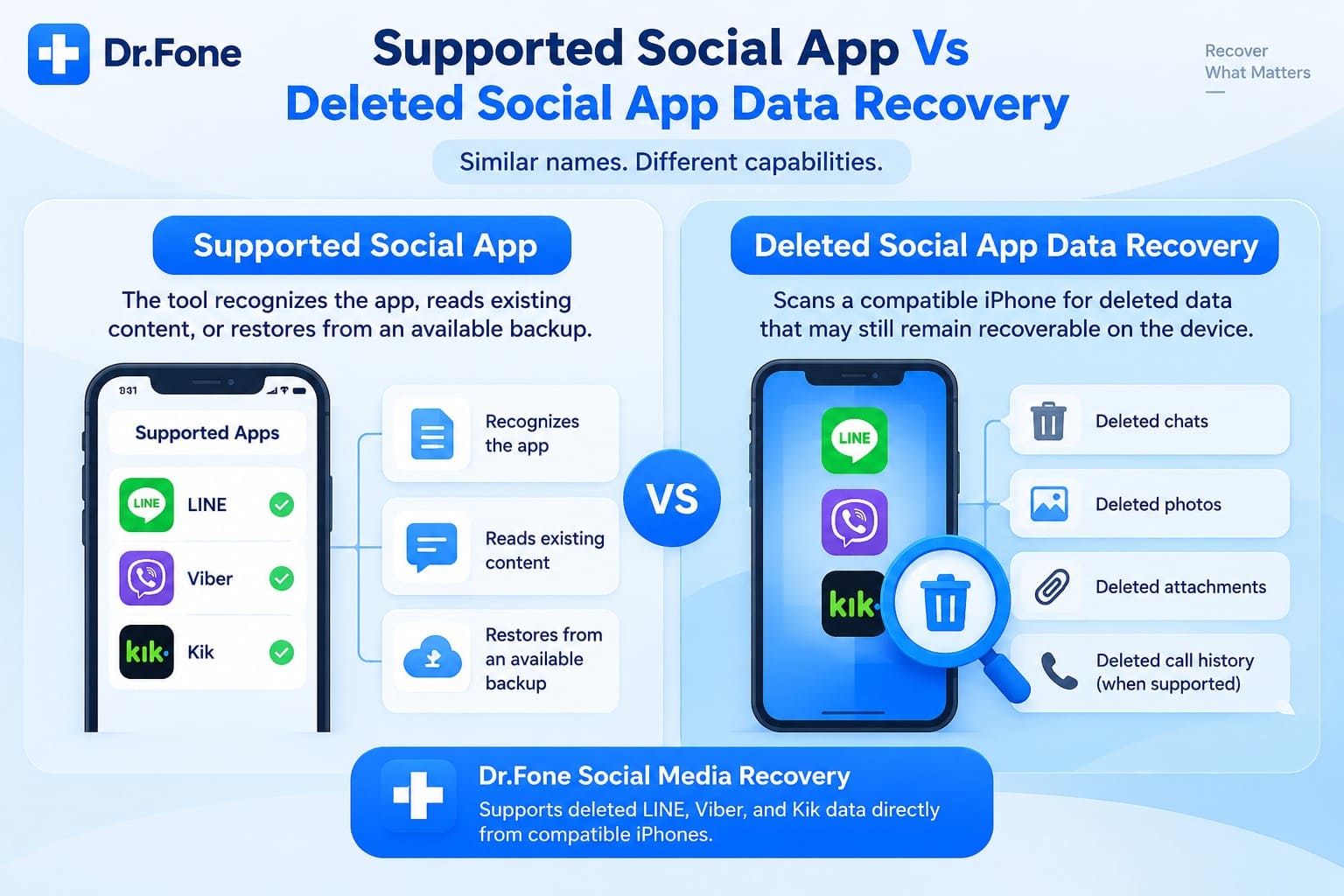
Supported Social App vs Deleted Social App Data Recovery
A supported app may mean the software can recognize its data, read existing content, or restore information from an available backup. For iphone chat recovery software, that does not automatically confirm recovery of messages or attachments that have already been deleted.
Deleted social-app recovery goes further by scanning a compatible iPhone for supported records that may still remain recoverable after deletion. For example, Dr.Fone uses its Social Media Recovery feature within Advanced Recovery for this purpose across supported LINE, Viber, and Kik data.
Backup Recovery vs Deleted Social Media Data Recovery
The main difference is where the recoverable data comes from. Backup restoration retrieves information already stored in iCloud, iTunes, an app backup, or another supported source. Data deleted before the relevant backup was created may not be available through that backup.
Direct social media data recovery instead scans the compatible iPhone for supported deleted records that may still exist on the device. The table below shows the difference between these two recovery approaches:
| Recovery Type | How It Works | Backup Needed? |
|---|---|---|
| Backup Recovery | Restores social-app data already saved in a backup | Yes |
| Direct Deleted-Data Recovery | Scans the iPhone for recoverable deleted app data | No |
Dr.Fone handles this differently through Social Media Recovery in Advanced Recovery, which scans compatible iPhones for recoverable deleted app data. Part 3 explains the LINE, Viber, and Kik records used to evaluate that capability.
Part 3. Comparison Criteria and Sources for LINE, Kik, and Viber Recovery
For this social media data recovery comparison, general app support is separated from actual deleted-data recovery. The five products were evaluated using deleted LINE, Viber, and Kik records, while vendor documentation was reviewed separately for compatibility, recovery methods, preview options, and published limitations. The table below summarizes the test conditions and the criteria used to evaluate each recovery tool:
| What Was Evaluated | Test Details |
|---|---|
| Deleted LINE Data | Recovery was checked using deleted LINE records dated August 19 and August 25, 2026. |
| Deleted Viber Data | Recovery was checked using deleted Viber records that were about one week old. |
| Deleted Kik Data | Recovery was checked using deleted Kik records dated August 25, 2026. |
| Recovery Method | Direct iPhone scanning was distinguished from standard iOS recovery and backup-based restoration. |
| Messages and Attachments | Support was checked for conversations and related attachments where documented. |
| Preview Capability | The assessment noted whether detected data could be reviewed before recovery. |
| Recovery Destination | Available save or restore destinations were checked where the product documented them. |
| Compatibility Limits | Relevant iPhone, iOS, Windows, macOS, and app-specific restrictions were reviewed separately. |
How to Read the Results?
A product can support LINE, Viber, or Kik without successfully recovering the deleted records used in this assessment. For that reason, the comparison treats documented app support and tested deleted-data recovery as separate findings. It also distinguishes ordinary iOS or backup recovery from dedicated advanced recovery workflows.
Part 4. 5 iPhone Message Recovery Software Tools Compared
With the recovery criteria established, each iPhone message recovery software option can be compared more clearly. Supporting LINE, Viber, or Kik does not necessarily mean deleted records can be recovered directly from an iPhone. The sections below compare each tool’s documented app support with the deleted-data results observed during the assessment.
1. Dr.Fone - Data Recovery (iOS)
Dr.Fone - Data Recovery (iOS) includes Social Media Recovery through its Advanced Recovery mode. For compatible iPhones, this mode scans the device itself for recoverable deleted LINE, Viber, and Kik data. It does not require an existing iCloud or computer backup. That distinction is why this comparison treats it separately from ordinary backup restoration.

Dr.Fone documents recovery of LINE chats and attachments, Viber chats and attachments, and Kik chats and attachments. Viber call history is also listed among its supported social-app data. After the scan, users can preview available results and select the items they want to recover rather than restoring an entire backup. Advanced Recovery currently supports iPhone 16 series and earlier running iOS 17.0–18.7.1 or iOS 26.0–26.0.1.
2. iMyFone D-Back
iMyFone D-Back provides standard iOS recovery for LINE, Viber, and Kik through device, iTunes, and iCloud recovery options. Its documentation includes all three apps among the supported data types. However, D-Back does not offer a separate Advanced Recovery mode like Dr.Fone for targeting deeper deleted social-app data.
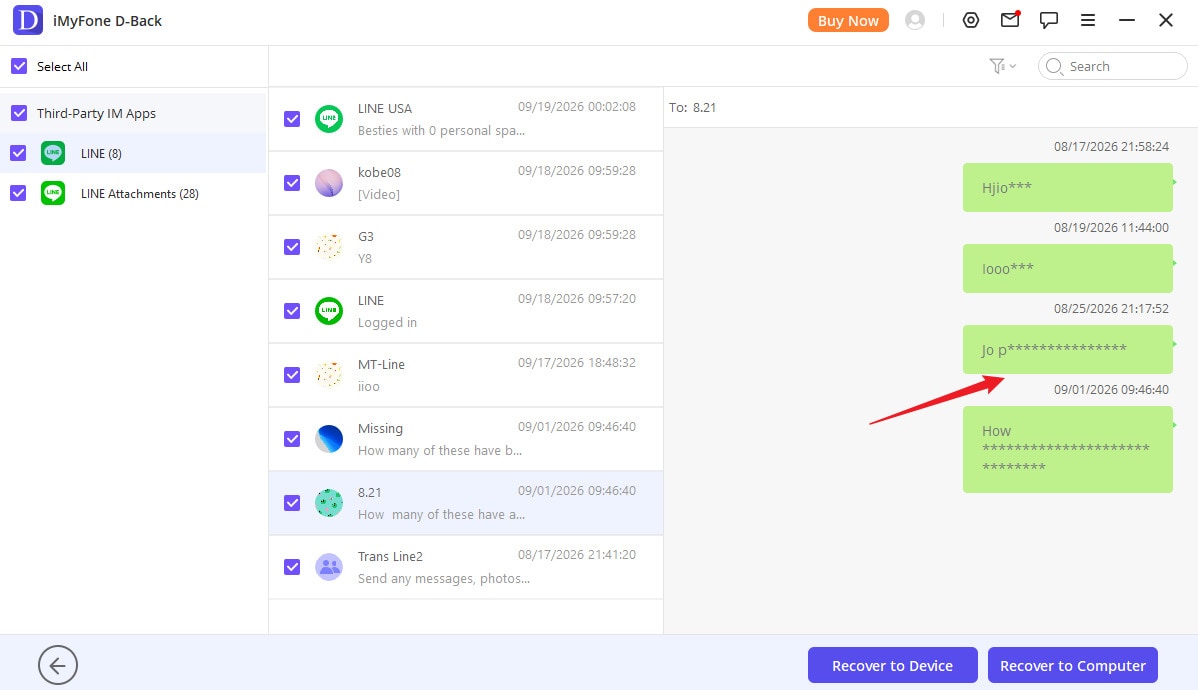
During the assessment, the deleted LINE, Viber, and Kik data used for testing remained unrecovered with D-Back. The apps themselves are supported, but that did not translate into successful recovery of the tested deleted records. This difference is worth considering when comparing iPhone message recovery software for missing social-app conversations.
3. Tenorshare UltData
Tenorshare UltData covers all three messaging apps in its published recovery documentation. LINE and Viber are listed among supported data types, while Kik recovery carries a macOS-only restriction. Despite this broad coverage, the recent assessment produced a different outcome: the deleted LINE, Viber, and Kik records used for testing were not recovered.
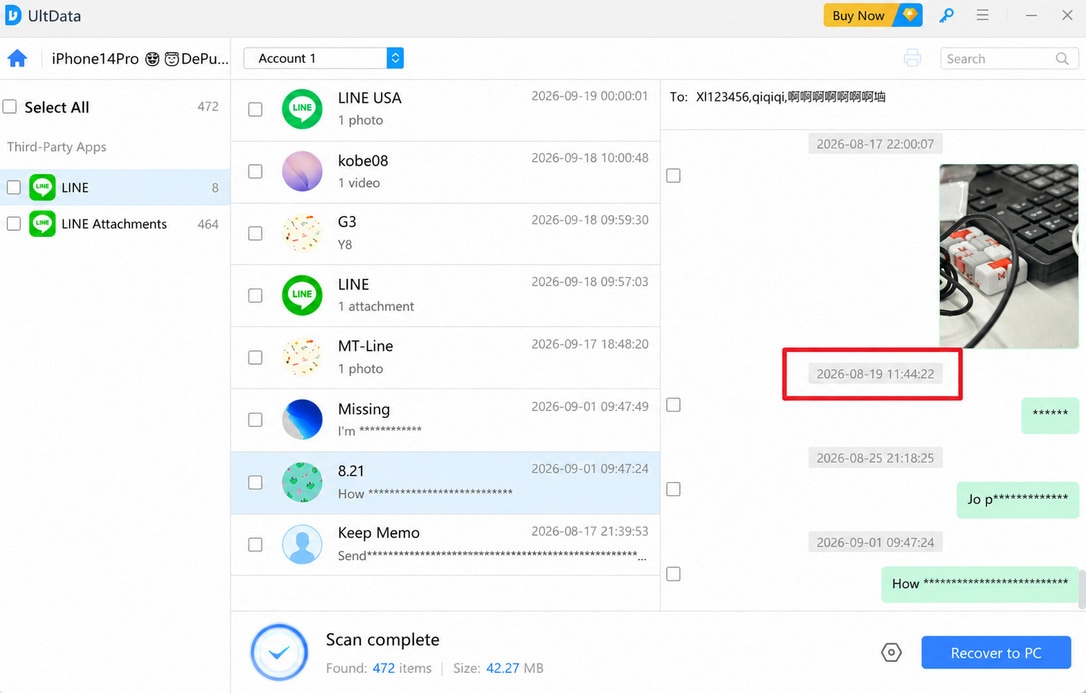
That result highlights the difference between supporting an app and recovering its deleted records. UltData uses its standard iOS recovery methods rather than a separate advanced mode for deeper social-app scanning. Users considering it as iphone chat recovery software should account for both the documented app coverage and the deleted-data results observed here.
4. iMobie PhoneRescue
iMobie PhoneRescue supports LINE and Kik recovery through its regular iOS recovery workflow, while Viber is not listed among its supported social apps. In the assessment, however, the tested deleted LINE and Kik records were not recovered. Unlike Dr.Fone, PhoneRescue does not provide a separate Advanced Recovery mode designed for deeper deleted social-app recovery.
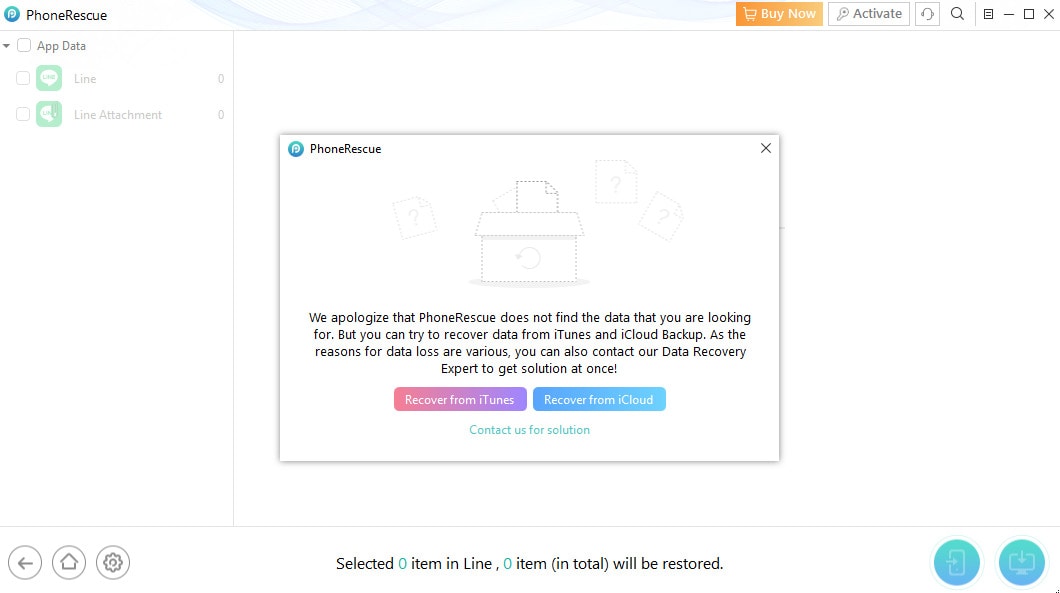
Viber was not tested because PhoneRescue does not currently document direct Viber recovery support. Its available LINE and Kik recovery also depend on a supported device or backup data rather than the dedicated advanced workflow evaluated with Dr.Fone. These results place clear limits on its tested iphone chat recovery software coverage across all three apps.
5. Gbyte
Gbyte provides iPhone data recovery with support for multiple messaging apps, including LINE and Kik. However, its approach differed from direct device scanning in the supplied assessment. For the tested social media data recovery, access to recoverable information depended on available iCloud backup data rather than a dedicated advanced scan of deleted records on the original iPhone.
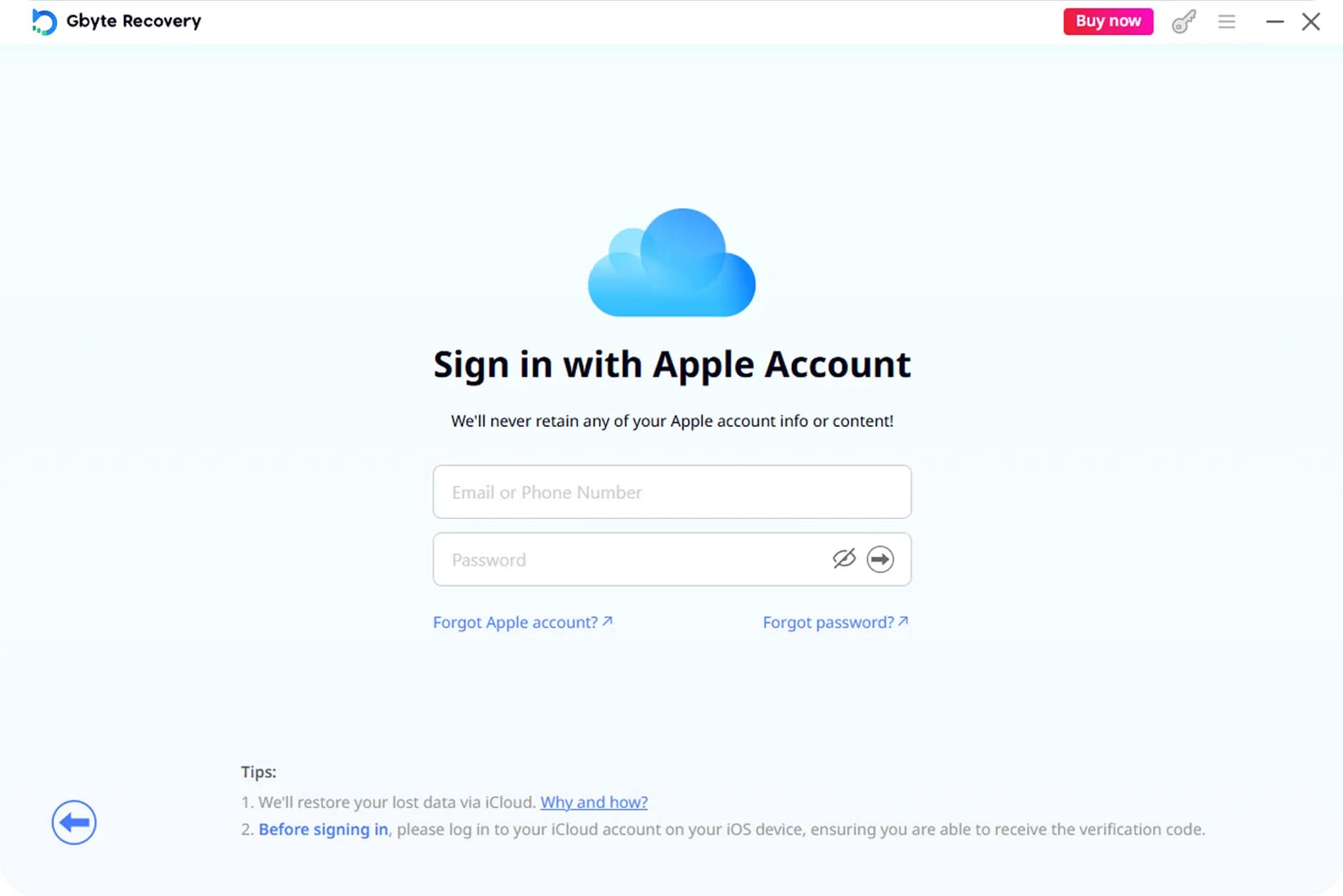
The assessment did not successfully recover the tested deleted LINE, Viber, or Kik data through Gbyte. Its available backup data did not contain the missing records required for recovery. This result applies specifically to the tested data and does not mean Gbyte cannot recover other supported app data when a suitable backup contains it.
Part 5. Why Dr.Fone – Data Recovery (iOS) Stands Out in the Comparison
For the deleted-data capability evaluated in this comparison, Dr.Fone - Data Recovery (iOS) is the only tool that recovered data across LINE, Viber, and Kik. Its Advanced Recovery mode scans compatible iPhones for recoverable chats and attachments.
Other compared tools rely on standard iOS recovery workflows rather than a separate advanced mode for deleted social app data. This distinction makes Dr.Fone notable among the tested iPhone message recovery software, although recovery still depends on what remains recoverable on the device.
 Recovers data after deletion, crashes, or device damage.
- Supports photos, messages, contacts, WhatsApp, and more.
- Supports all major iPhone, iPad, and iPod models.
- Preview and recover only what you need.
How to Use Dr.Fone – Data Recovery (iOS) for Social Media Recovery
For social media data recovery without a usable backup, scan the compatible iPhone as soon as possible. Keep the device connected to the computer throughout the scan, then follow these steps:
-
Step 1 Initiate the Advanced Recovery Process
Open "Data Recovery" and select "iOS." Choose "Recover Data from iOS Device" and connect your iPhone. Next, select "Advanced Recovery" and click "Start Scan" to proceed.
-
Step 2 Choose the Social App for Recovery
Select "LINE," "Viber," or "Kik" based on the data you want to recover. Click "Start Scan," complete the Apple ID verification, and follow the prompts to trust the "Dr.Fone DataLink" app.

-
Step 3 Recover the Required Social Media Data
Review the available social media chats and attachments, then select the data you want to recover. Once selected, choose the appropriate recovery option to complete the process.

Part 6. Dr.Fone Social Media Recovery Compatibility and Limitations
Before using Dr.Fone as iphone chat recovery software, confirm that your iPhone and iOS version meet the compatibility requirements. Its Social Media Recovery feature works through Advanced Recovery, with specific device and iOS support for recovering social media data.
Supported iPhones and iOS Versions
- Supported Devices: iPhone 16 series and earlier
- Supported iOS Versions: iOS 17.0–18.7.1 and iOS 26.0–26.0.1
Dr.Fone Social Media Recovery Limitations
Even with a compatible iPhone, successful social media data recovery depends on the condition of the deleted data. Before scanning, consider the following factors that can affect recovery results:
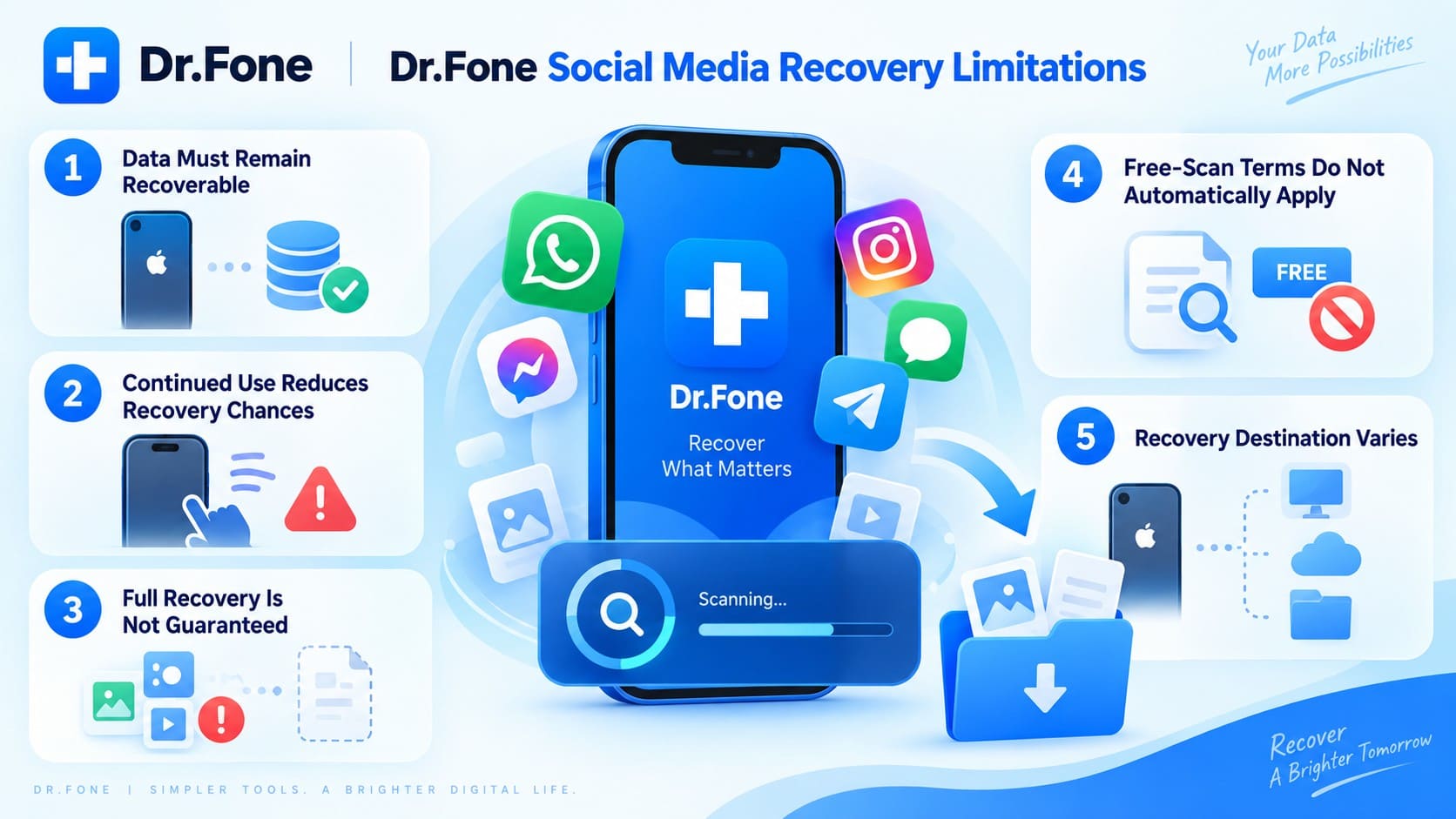
- Data Must Remain Recoverable: Deleted LINE, Viber, or Kik data must remain recoverable on the iPhone. Overwritten records cannot be found during the scan.
- Continued Use Reduces Recovery Chances: New photos, messages, app activity, and system writes may overwrite deleted data, making it harder to recover later.
- Complete Recovery Is Not Guaranteed: Social Media Recovery can locate available records, but some deleted chats or attachments may no longer be recoverable.
- Free Scan Terms May Vary: Dr.Fone's general free scan or preview terms may not cover Social Media Recovery. Check the current terms before starting.
- Recovery Options Depend on Data: Available recovery options can differ based on the type of social media data detected during the scan.
Conclusion
Choosing the right iPhone message recovery software requires looking beyond general app support. In this five-product comparison, Dr.Fone - Data Recovery (iOS) provides Social Media Recovery for scanning compatible iPhones for recoverable deleted LINE, Viber, and Kik data.
Recovery results still depend on device compatibility and whether deleted data remains recoverable. Check the supported iPhone and iOS versions first, then use Dr.Fone's Social Media Recovery feature to identify available chats and attachments.
FAQ
-
1. What is the difference between social app support and deleted message recovery?
Social app support means software can recognize or access data from apps like LINE, Viber, or Kik. Deleted message recovery specifically searches for deleted chats and attachments that may remain recoverable on the iPhone. -
2. Can iPhone message recovery software recover LINE, Viber, and Kik data without a backup?
Yes. Dr.Fone - Data Recovery (iOS) uses Social Media Recovery through Advanced Recovery to scan compatible iPhones for recoverable deleted LINE, Viber, and Kik data without an existing backup. Results depend on data availability. -
3. Does Tenorshare UltData support Kik message recovery on Windows and macOS?
Tenorshare currently lists Kik messages and attachments as supported on macOS only. LINE and Viber do not carry the same platform restriction in its supported-data documentation, so Windows users should consider this limitation when comparing recovery options. -
4. Which of the five compared tools is marked as supporting deleted LINE, Viber, and Kik recovery?
Dr.Fone - Data Recovery (iOS) supports direct recovery of deleted LINE, Viber, and Kik data through its Social Media Recovery feature. It scans compatible iPhones for recoverable chats and attachments, allowing users to preview available social media data before proceeding with recovery. -
5. Does Dr.Fone’s Social Media Recovery support the iPhone 17 series?
No. Social Media Recovery supports the iPhone 16 series and earlier, with compatible versions ranging from iOS 17.0–18.7.1 and iOS 26.0–26.0.1. It does not currently support the iPhone 17 series.
 Add Wondershare Dr.Fone as a preferred source on Google