Recover photos, messages, WhatsApp, and more — no backup
needed.
Recover photos, messages, WhatsApp, and more — no backup
needed.

 100% Security Verified | No Subscription Required | No Malware

 :
: 
 ChatGPT
 Perplexity
 Gemini
 Claude
 Grok
Grok
Whether you lost a family video on an Android phone, footage on a camera microSD card, or a project on a computer, the right recovery option depends first on where the original file was stored. A phone gallery, a removable card and a desktop drive expose different data to recovery tools. This comparison reviews ten video recovery apps and desktop programs by source, platform, preview and export limitations rather than treating any product as a universal fix.
First check your gallery or Google Photos Trash and any existing backup. Deleted files on a readable computer drive or removable, unencrypted microSD may remain accessible until overwritten; SSD cleanup, fragmentation and card encryption can limit recovery. Modern Android internal storage is different: USB MTP exposes files rather than raw disk blocks, and encryption and permissions restrict scanning. A video recovery app cannot guarantee retrieval after permanent deletion. For the hands-on Android workflow, see the Android video recovery guide; here we compare tools.




Download notice: The original download buttons are unchanged. Free download or preview is not a promise of free video export; check current licensing and device support before paying.
In this article
Part 1. The Best Video Recovery Software: Top Picks at a Glance
Use this table to narrow the choice by source: supported phone or backup, computer/camera disk or readable removable card, or a recycle-bin app installed before deletion. These ten entries are editorial options, not lab-tested success-rate rankings; capabilities and prices vary by version, platform and region.
| Tool | Best For | Key Strength | Platform Support | Free access / export limits |
|---|---|---|---|---|
| Dr.Fone - Data Recovery | Supported phone or backup recovery routes | Free scan/preview where supported; check mode and model | Windows/Mac desktop; supported Android/iOS paths | Free scan/preview; export generally requires a paid license. |
| Recuva | Windows disks or readable removable microSD | Easy scans of accessible disks; not Android MTP | Windows | Free recovery edition; verify paid features and current price. |
| EaseUS Data Recovery Wizard | Computer drives or removable cards | Disk scan and supported video preview | Windows/Mac | Free export allowance varies by edition; larger exports paid. |
| DiskDigger Video Recovery | Android app or readable disk with Windows edition | Android video recovery needs root | Android; Windows (separate editions) | Android free video recovery needs root; check Pro terms. |
| AnyRecover | Computer drives and camera memory cards | Scan and preview accessible media | Windows/Mac | Check current trial, export terms and license. |
| PhotoRec | Readable computer disk or unencrypted microSD | Open-source file carving on accessible storage | Windows/Mac/Linux | Free open source; no paid export license. |
| Disk Drill | Computer drives, removable cards | Graphical disk scan and preview | Windows/Mac | Free export limits differ by OS/version. |
| Tenorshare UltData | Supported phone or backup modes | Mobile-oriented recovery; compatibility varies | Windows/Mac; mobile routes vary | Free trial is not proof of free export. |
| Dumpster | Android videos captured by its bin in advance | Previously configured recycle-bin protection | Android | Free features vary; verify cloud/subscription terms. |
| Stellar Data Recovery | Computer disks and readable memory cards | Disk scans; video repair may be separate | Windows/Mac | Trial/free export varies by edition; check repair license. |
Quick choice by source: For Android internal storage, check Trash and backups before a compatible phone-focused recovery mode. For an unencrypted, removable microSD, scan the card through a reader and save copies elsewhere. For computer disks, use desktop scanning. Dumpster is useful when its bin protected a video before deletion. Recuva and PhotoRec do not scan modern phone internal storage over an ordinary MTP connection.
Part 2. 10 Best Video Recovery Apps and Software
Each card explains what storage the tool can access, what its free tier actually covers, and where a scan may fail. These video recovery apps and desktop tools are not ten interchangeable ways to restore every lost clip; a thumbnail, a preview and a complete exported video are different outcomes.
1. Dr.Fone – Data Recovery (For Supported Phone Recovery Routes)
Dr.Fone – Data Recovery is a phone-oriented option for supported Android/iOS routes, including certain phone-storage and backup workflows. A free scan and preview can help you assess what is visible before purchase, but a preview does not establish that an intact video can be exported. Match the mode to the exact phone, OS version and data source.
The official Android product page lists phone storage, Google Drive and supported broken phones as distinct recovery sources; photos and videos are among its listed types. Its “No Root Needed” statement specifically describes the Google Drive and supported broken-phone routes, not every internal-storage scan.
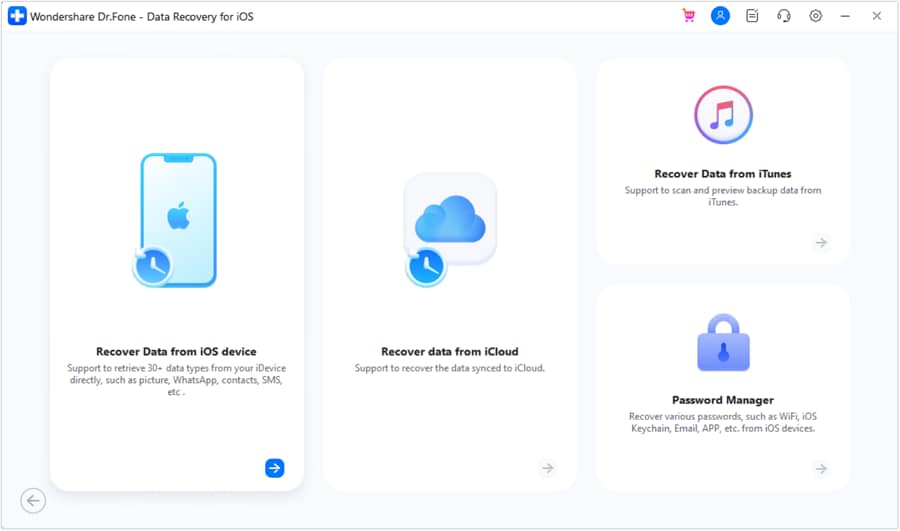
An accidentally deleted clip, an unavailable backup and physical device damage require different checks. If a phone cannot unlock, connect or power on, verify model and module support before buying. Encryption, access restrictions or overwrite can prevent a usable result regardless of the license.
 Scan Android phones and tablets directly.
- Preview and recover only what you want.
- Supports WhatsApp, photos, videos, contacts, and more.
- Works with 6000+ Android devices.

Product-box scope note: The banner’s “Recover Deleted Android Data Without Backup,” “Scan Android phones and tablets directly,” and “Works with 6000+ Android devices” copy is preserved, not a guarantee for every lost video, model or recovery route. Verify support and permissions; free preview is not free export.
- Free scanning and preview on supported routes before purchase
- Separate phone, Google Drive and supported broken-device sources
- Selective export when the chosen mode finds accessible files
- Exporting recovered files generally requires a paid license
- Internal storage, permissions and broken-phone support depend on route and device
Versions / Licensing
Supported Android routes offer free scanning/preview; exporting selected files generally requires a paid license. Check current plan and device/mode compatibility.
Supported Platforms
Windows/Mac desktop app for supported Android/iOS routes; mobile app sold separately.
Bonus Tip:
The Dr.Fone App is a separate mobile option. Check its current video features, permissions and export terms on your device; do not assume its recovery routes match the desktop edition.
2. Recuva
Recuva is a Windows desktop tool for deleted videos on disks the computer can read, such as a PC drive, USB stick or removable microSD in a card reader. Its approachable scan and filtering options make sense for accessible storage, not encrypted Android internal storage.
A deeper scan can find additional candidates, but fragmentation, overwrites and SSD cleanup may prevent a playable result. A modern Android phone connected by MTP does not provide Recuva with raw block access. If the lost file was on a readable, removable card, remove it safely and use a compatible reader.
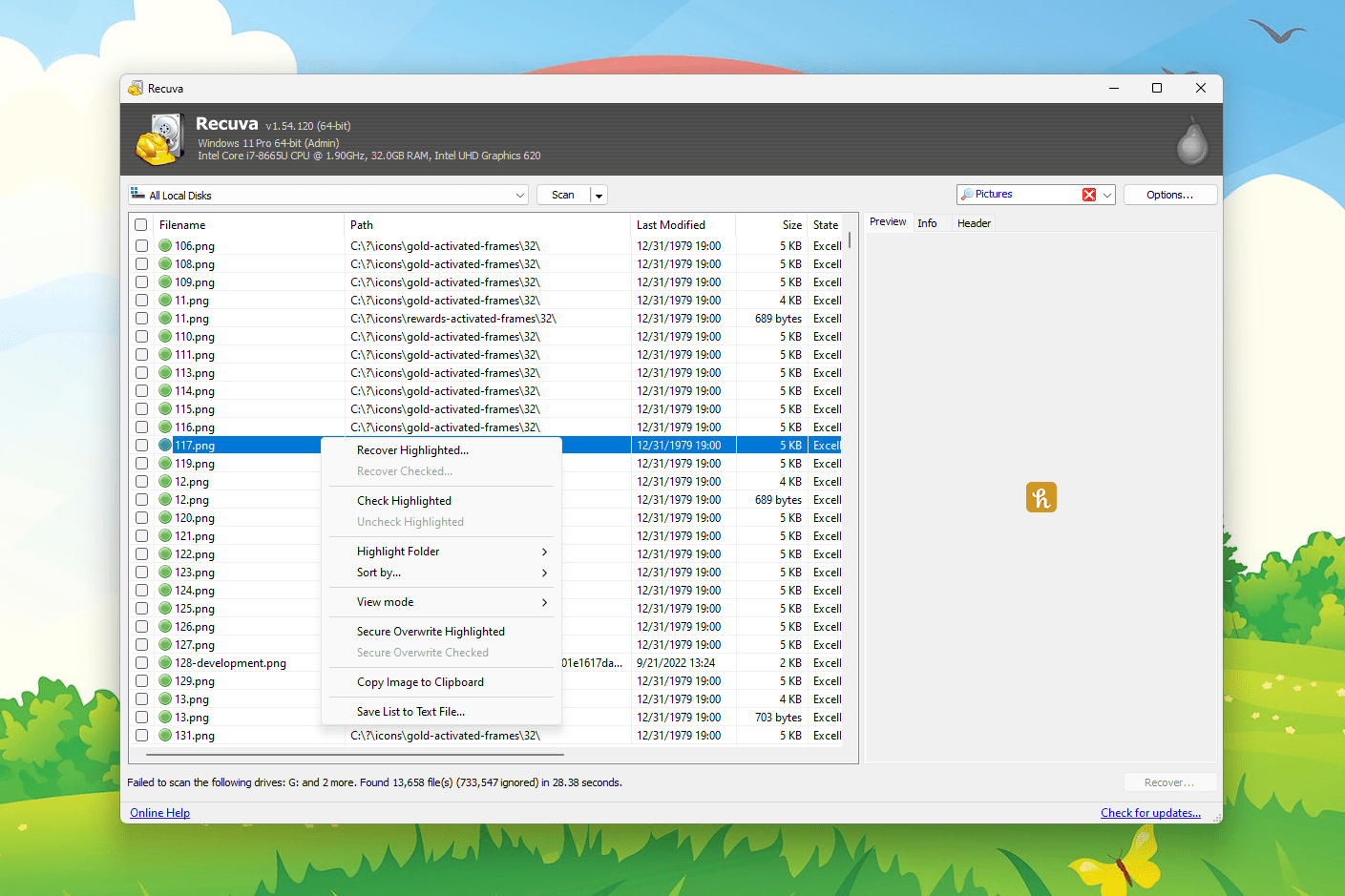
- Straightforward Windows interface for drives and readable cards
- Free version offers recovery of files from supported disks
- Deep scan can locate additional candidates
- Windows only; Android internal MTP is not a scannable disk
- Found files may be incomplete after overwriting or SSD cleanup
Versions / Licensing
The free edition can recover files on supported Windows-readable media; Professional adds extra features. Confirm the current vendor terms rather than relying on an old subscription quote.
Supported Platforms
Windows
3. EaseUS Data Recovery Wizard
EaseUS Data Recovery Wizard targets computers and removable media such as external disks, USB drives and camera cards. It can scan for common video formats and preview supported files. A connected phone in MTP mode is not equivalent to a readable raw disk; a removable microSD may instead be examined through a reader.
A deeper scan can help on some accessible drives after deletion or logical formatting, but cannot reconstruct bytes that are overwritten or unavailable. Preview availability varies by format and edition, and a displayed filename does not establish that the exported movie plays throughout.
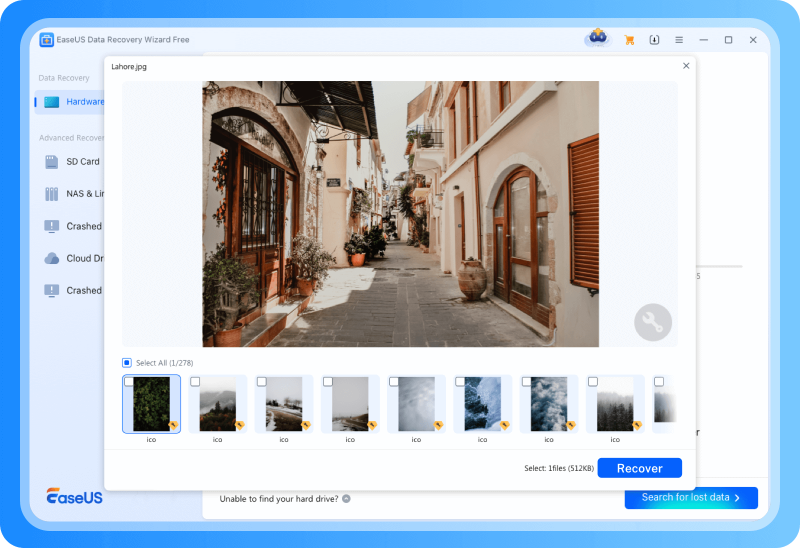
- Supports common video formats on computer disks and memory cards
- Can scan accessible media after deletion or some logical formatting
- Preview can help identify relevant candidate files
- Free export caps and paid features depend on platform and edition
- Does not bypass MTP or repair a physically failed phone
Versions / Licensing
A free tier may offer limited export; check the current platform-specific allowance and paid plan before assuming a fixed free quota.
Supported Platforms
Windows, Mac
4. DiskDigger Video Recovery
DiskDigger offers separate Android and Windows applications. The Windows edition can scan readable drives and certain disk images; the Android edition offers basic or full scans according to device permissions. Importantly, its official Android instructions state that video recovery requires root even in the free edition. An unrooted basic scan is primarily a photo route.
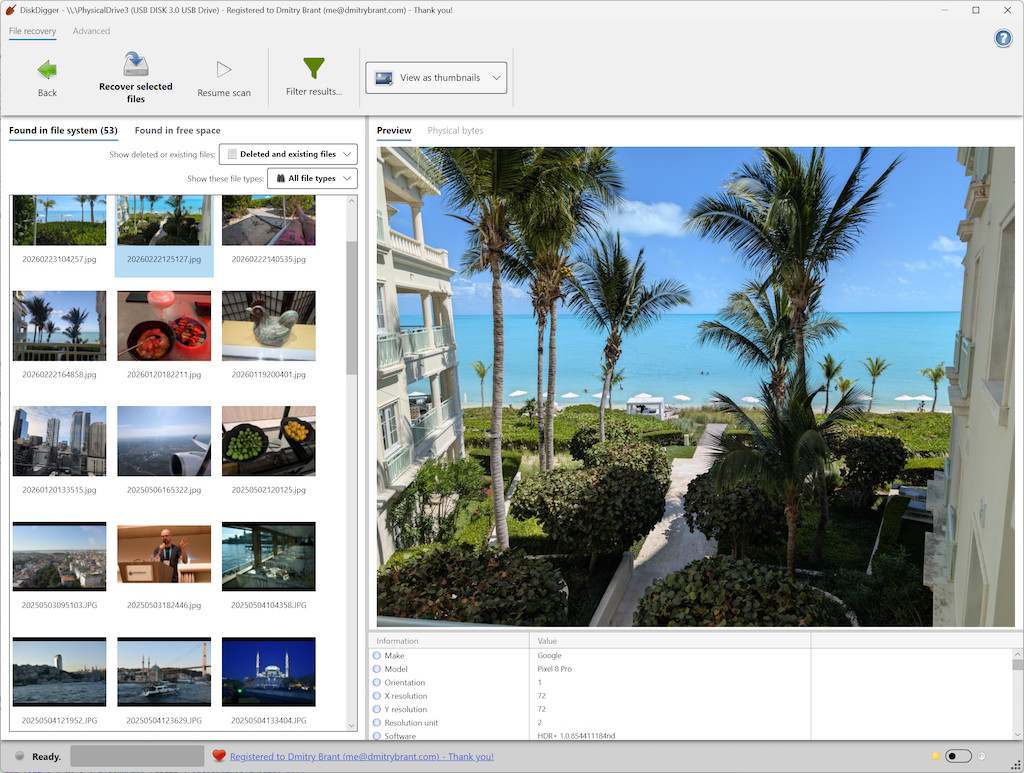
- Separate editions address accessible phone or computer storage
- Android free edition can recover videos when the device is rooted
- Windows edition can inspect readable disks and some disk images
- Root is required for Android video/full scans, and rooting carries risks
- Windows edition cannot scan encrypted phone internal storage over MTP
Versions / Licensing
Android free and Pro editions differ in supported files and output features; Android video still requires root. Check the separate Windows edition and current licensing.
Supported Platforms
Android and Windows; separate apps (Linux/macOS beta availability may differ).
5. AnyRecover
AnyRecover is a desktop product for compatible computer drives and readable removable storage, including camera memory cards. Scanning and preview can help inspect candidate videos before purchasing an export license. Published file-format and hardware counts are vendor claims, not independently measured recovery rates.
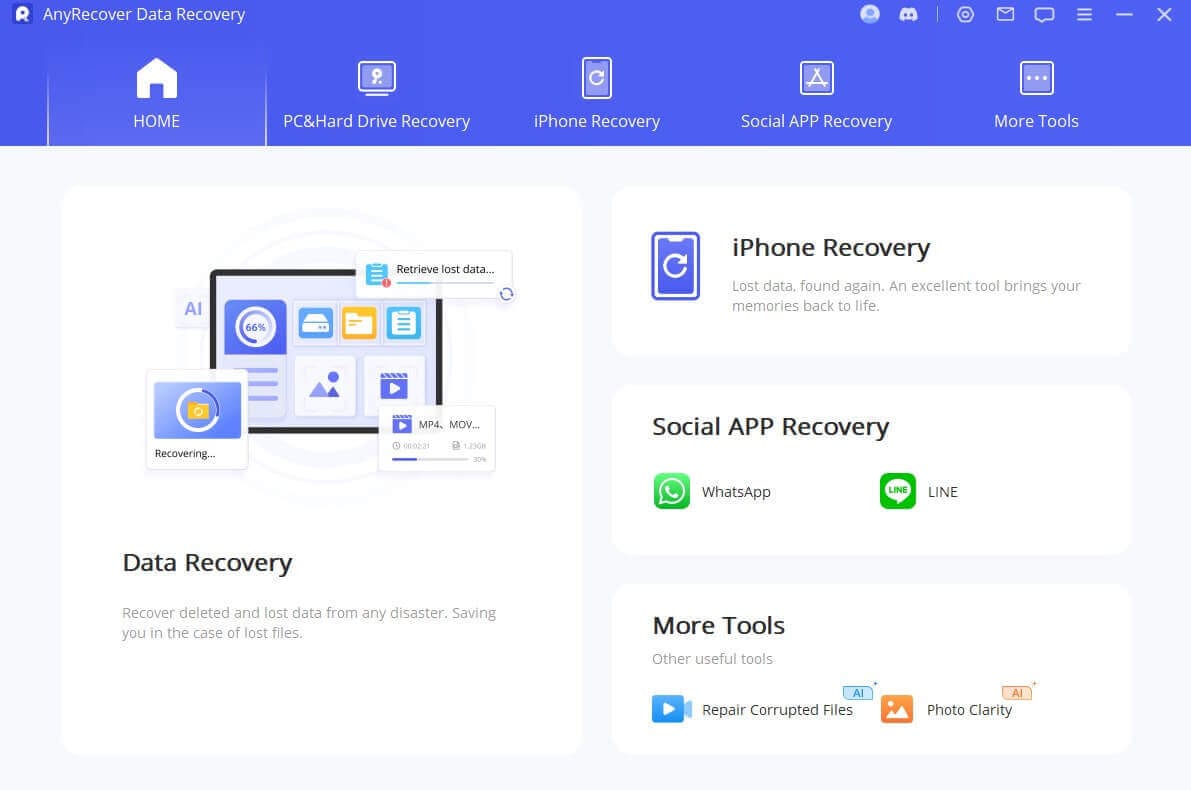
- Desktop scans for compatible disks and cards
- Preview may help distinguish relevant videos
- Graphical workflow for finding candidate files
- A trial scan or preview is not necessarily an unrestricted export
- Does not turn Android MTP storage into a readable raw disk
Licensing
Check current trial permissions, export limits and plan for your operating system; avoid assuming a fixed free recovery allowance or price.
Supported Platforms
Windows, macOS
6. PhotoRec
PhotoRec is free, open-source file-carving software for disks and images the computer can access. A readable camera card or unencrypted removable microSD through a card reader can be suitable. It recognizes file signatures even when some file-system metadata is damaged, but is neither a phone app nor a route into Android internal storage over MTP.
Signature-based carving often loses original names and folder paths; organize and test copied video files after export. Fragmented clips can remain unplayable even if a header is found. PhotoRec does not fix a physically failed drive; consider qualified hardware assistance if the source repeatedly disconnects or cannot be read.
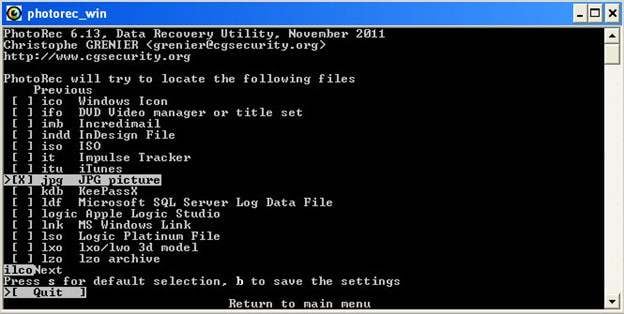
- No paid license or export restriction
- Works with supported readable drives and memory cards
- File carving can find recognizable content without intact metadata
- Less beginner-friendly; original filenames may be lost
- Requires readable media and cannot guarantee fragmented-video repair
Versions / Licensing
Free and open source; download from the official TestDisk/PhotoRec site and export results to a different drive.
Supported Platforms
Windows, Mac, Linux
7. Disk Drill
Disk Drill offers a graphical desktop workflow for supported computer disks and removable cards, with scanning and preview. Connected-device features and free limits can differ by OS and release, so confirm the current edition instead of assuming every phone exposes its deleted internal videos.
Optional protection features only help with future loss if enabled beforehand. Drive-health monitoring is not a backup; a predicted recovery chance is not a measured success guarantee. SSD TRIM, encryption and overwriting can defeat even licensed desktop scanners.
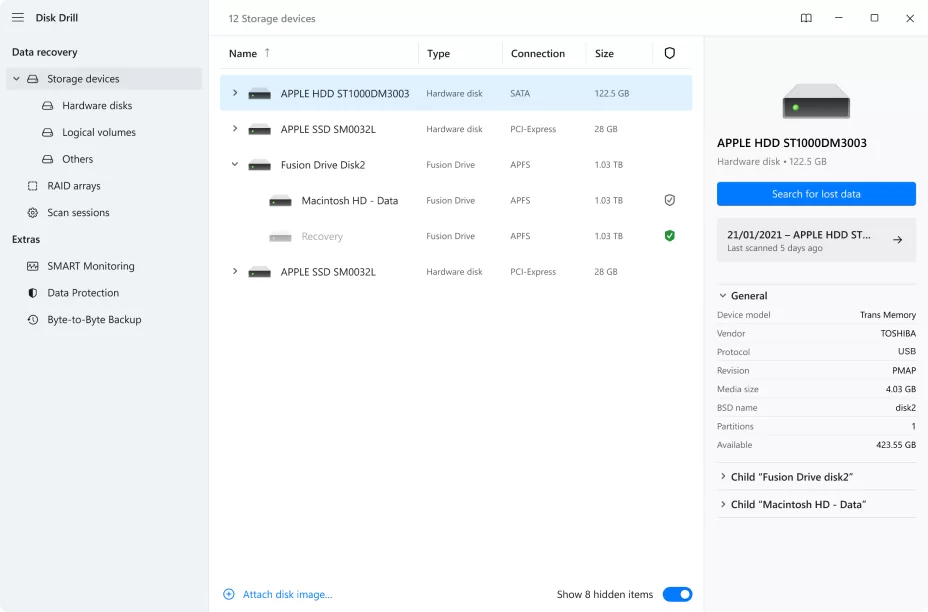
- Accessible graphical scan and preview workflow
- Proactive protection may help if configured in advance
- Handles supported computer drives and cards
- Free exports vary by Windows/macOS version
- Ordinary MTP cannot expose Android internal storage as a raw disk
Versions / Licensing
Check the current OS-specific free scan, preview and export allowances before buying; do not assume a universal free quota.
Supported Platforms
Windows, Mac
8. Tenorshare UltData
Tenorshare UltData is a mobile-oriented recovery family with device and backup modes. For an Android video in internal storage, check whether its current edition supports the exact model, Android version, source, file type and permissions. Phone and backup features should not be interpreted as a guarantee for a permanently deleted clip without a backup.
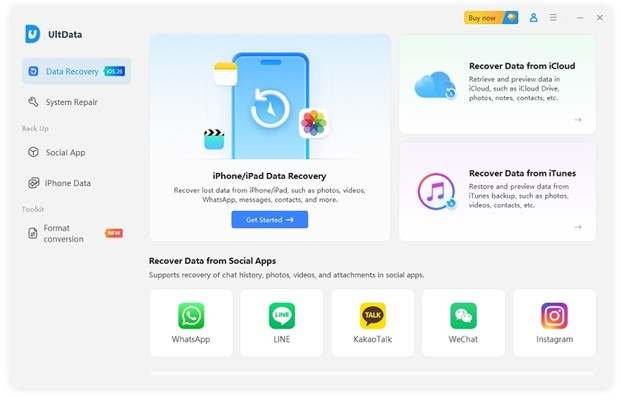
- Phone-oriented choices beyond desktop disk scanning
- Supported device or backup modes may offer a preview
- Can narrow results by available source and file type
- Android root and permission requirements vary by mode
- Free trial does not establish free export or universal compatibility
Licensing
Verify the specific phone/backup mode and current paid export terms before buying; editions may differ across Android, iOS and desktop.
Supported Platforms
Windows, macOS, Android
9. Dumpster
Dumpster works mainly as an Android recycle bin for future deletions, not a raw scanner for previously erased sectors. It can restore videos captured while the app was already installed and configured with access; installing it after deletion cannot create a missing earlier copy. Check Gallery and Google Photos Trash first.
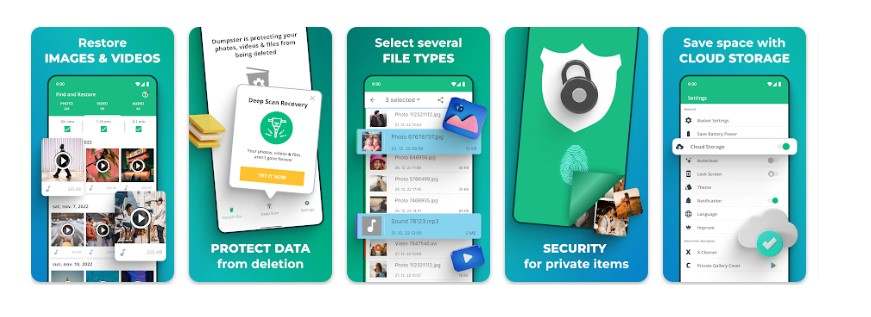
- On-device restore for files the bin had protected
- Easy prevention option for future supported deletions
- No root needed to restore Dumpster’s own copies
- No guaranteed recovery of videos deleted before it protected them
- Cloud features, ads and plan limits can change
Licensing
A free app exists, but current cloud, backup and premium features vary. Do not assume unlimited free storage or a fixed subscription price.
Supported Platforms
Android
10. Stellar Data Recovery
Stellar Data Recovery is a desktop option for compatible computer disks and removable camera cards. It can scan for lost videos and preview formats supported by the chosen edition. Some Stellar offerings also provide video repair, but recovery and repair may be separate products or license tiers; verify the exact edition.
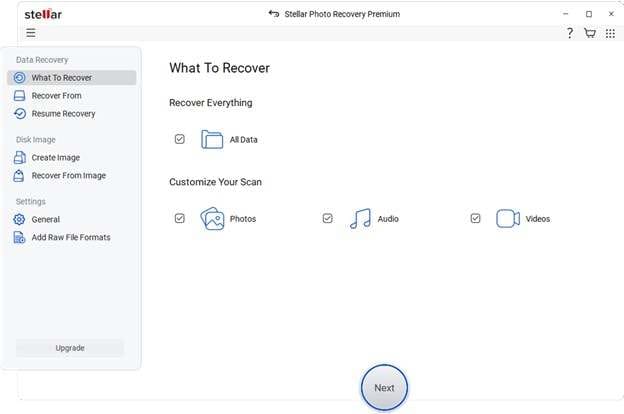
- Scans supported computer disks and removable cards
- Preview may help examine candidate videos
- Related repair offerings can address certain file-structure problems
- Free trial/export policy differs by edition
- Desktop software cannot solve severe hardware failure or phone internal MTP limits
Licensing
Check the current free export policy and whether video repair is included or separately licensed; no fixed price or guaranteed outcome is implied.
Supported Platforms
Windows, macOS
Part 3. Free vs. Paid Video Recovery Software — How to Choose
“Free” can mean a free download, scan, preview, or a genuinely exported video. PhotoRec is free open-source software for readable disks/cards, and Recuva offers a free Windows recovery edition. Other tools may limit exports by file size, edition, OS or device mode. Check current vendor terms and test that the exported video plays; a displayed file name is not a recovered movie.
A paid license can unlock export but cannot restore inaccessible bytes. On Android, MTP, encryption, permissions and model compatibility matter more than price; on computer SSDs, TRIM and overwriting may preclude undelete. A card encrypted for one phone may be unreadable in a PC reader. Check Trash/backups, identify the actual source, and pay only after confirming the needed route and a plausible candidate. The separate Android video guide above covers the procedural steps.
Part 4. Tips to Maximize Video Recovery Success
Before using video recovery software, take low-risk steps to protect the source and verify scan results. These precautions do not imply any measured success rate or guarantee:
- Limit new writes: Avoid new recordings, downloads or installations on the affected source; overwrites and SSD cleanup may remove what remains accessible.
- Check existing copies first: Look in Gallery or Google Photos Trash and any previously enabled backups; also check iCloud Photos Recently Deleted where applicable.
- Save elsewhere: Export recovered data to a different computer drive or card; avoid writing it back onto the source when possible.
- Do not format a problem card: Decline “Format before use”; if a device has physical failure symptoms, ask a professional before repeated scans.
- Verify the file: Inspect the preview, then confirm the exported video’s size, duration and playback; a thumbnail alone is not enough.
- Avoid risky changes: Do not root, reset, unlock a bootloader or pay solely on a promise of higher recovery; those changes can erase or alter accessible data.
Conclusion
The best video recovery software depends on the original storage and what is still readable. Consider PhotoRec or Recuva for appropriate disks/cards, a compatible phone-specific mode such as Dr.Fone for supported Android/iOS sources, or Dumpster for videos its bin already protected. Start with Trash/backups, distinguish free preview from paid export, and verify playback. No subscription guarantees a video lost to encryption, overwriting or inaccessible hardware.
FAQ
-
1. Can a video recovery app retrieve permanently deleted videos from an Android phone?
Sometimes, but there is no guarantee. Check Gallery/Google Photos Trash and backups first. If no copy remains, a supported phone-specific tool may show a candidate on a compatible device, but Android encryption, MTP and permissions can prevent raw internal-storage access. A preview is not proof of a playable export.• Stop using the device immediately to prevent data overwriting.• Check compatibility, scan results and export terms before paying or changing the device. -
2. Does using video data recovery software require my mobile phone to be rooted or jailbroken?
It depends on the tool and data source. Trash and existing backups typically need no root. Dr.Fone’s “No Root Needed” claim covers its Google Drive and supported broken-phone routes, not every internal-storage scan. DiskDigger’s Android video recovery requires root. Check your exact device and mode before considering any root or jailbreak. -
3. Why do some free video recovery apps fail to play the videos after they are recovered?
File carving can recover a partial video or only a cached thumbnail; missing data, fragmentation or overwritten blocks may prevent playback. Test the exported duration and picture. A separate video-repair product can sometimes address container damage but cannot recreate missing footage; check its edition and cost. -
4. Are free deleted video recovery app solutions safe to use on my personal computer?
Download from the official developer or trusted app store, review permissions and do not install recovery software on the drive being scanned. PhotoRec is free for accessible disks/cards; DiskDigger’s Android video path requires root even in its free edition. Free download or preview does not automatically mean free export.
 Add Wondershare Dr.Fone as a preferred source on Google