Recover photos, messages, WhatsApp, and more — no backup
needed.
Recover photos, messages, WhatsApp, and more — no backup
needed.

 100% Security Verified | No Subscription Required | No Malware

 :
: 
 ChatGPT
 Perplexity
 Gemini
 Claude
 Grok
Grok
You might have lost important images or files from your iPhone, but you don't know where they were stored on iCloud. This is because many users get confused about the differences among iCloud Sync, iCloud Drive, and iCloud Backup. So, if you ought to recover data from the iCloud, it's important to know how these categories differ.
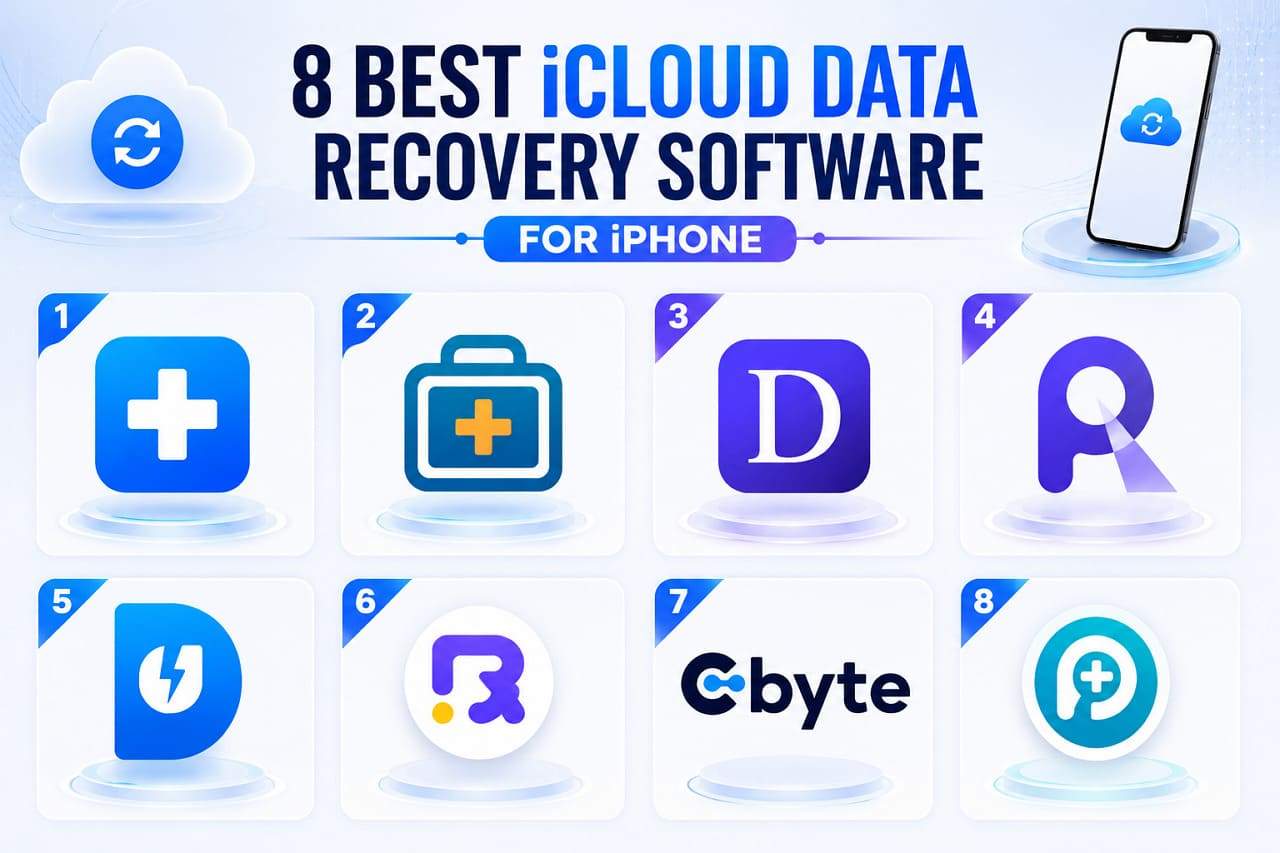
Once you know the difference, experts say it becomes easy to pick the best iCloud data recovery software. Thus, this ultimate guide will compare Dr.Fone with other tools to show why Dr.Fone - Data Recovery is a complete iCloud solution.
In this article

Part 1.iCloud Sync vs iCloud Drive vs iCloud Backup Explained (Simple Guide)
To get the basics, review this section and know the difference or compare iCloud Sync vs Backup vs Drive:
What is iCloud Sync and How It Works
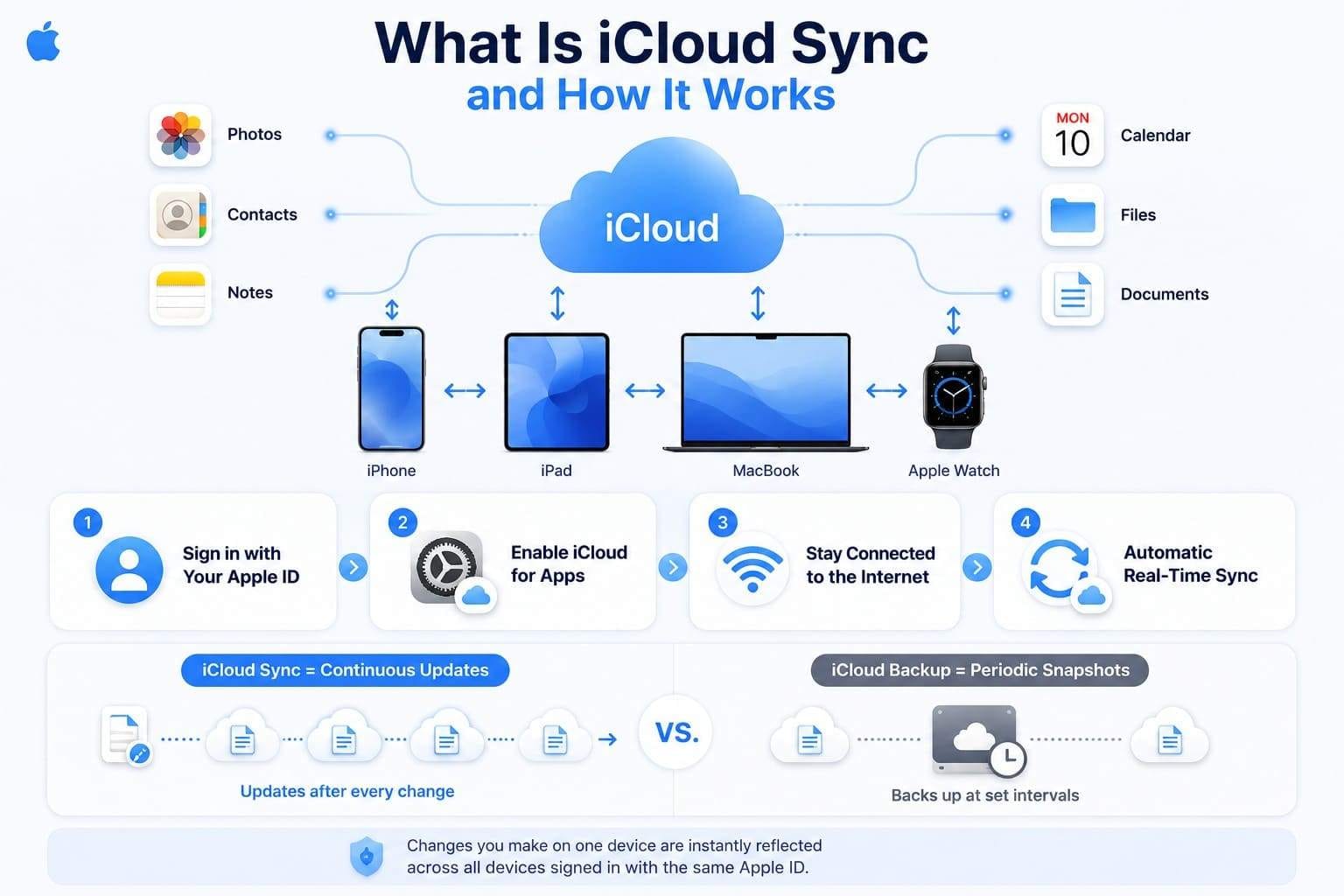
iCloud Sync is Apple's system to keep the data automatically updated across all devices signed into the same Apple ID. This ensures that photos, contacts, notes, calendar, and documents are synchronized, meaning that any changes or deletions that you make on one device will be made on the other device.
You only have to sign in with an Apple ID, enable iCloud for the apps to sync, and keep the device connected to the internet to use it, says Apple.
What is iCloud Drive and What Does It Store
If you want to recover deleted files from iCloud Drive, know that it keeps documents, PDFs, media, and third-party app data. It works more like Google Drive or OneDrive and is available on iPhone/iPad via the Files App. Hence, Apple says files stored in iCloud Drive automatically sync across all devices that use the same Apple ID, so any changes you make are reflected everywhere.
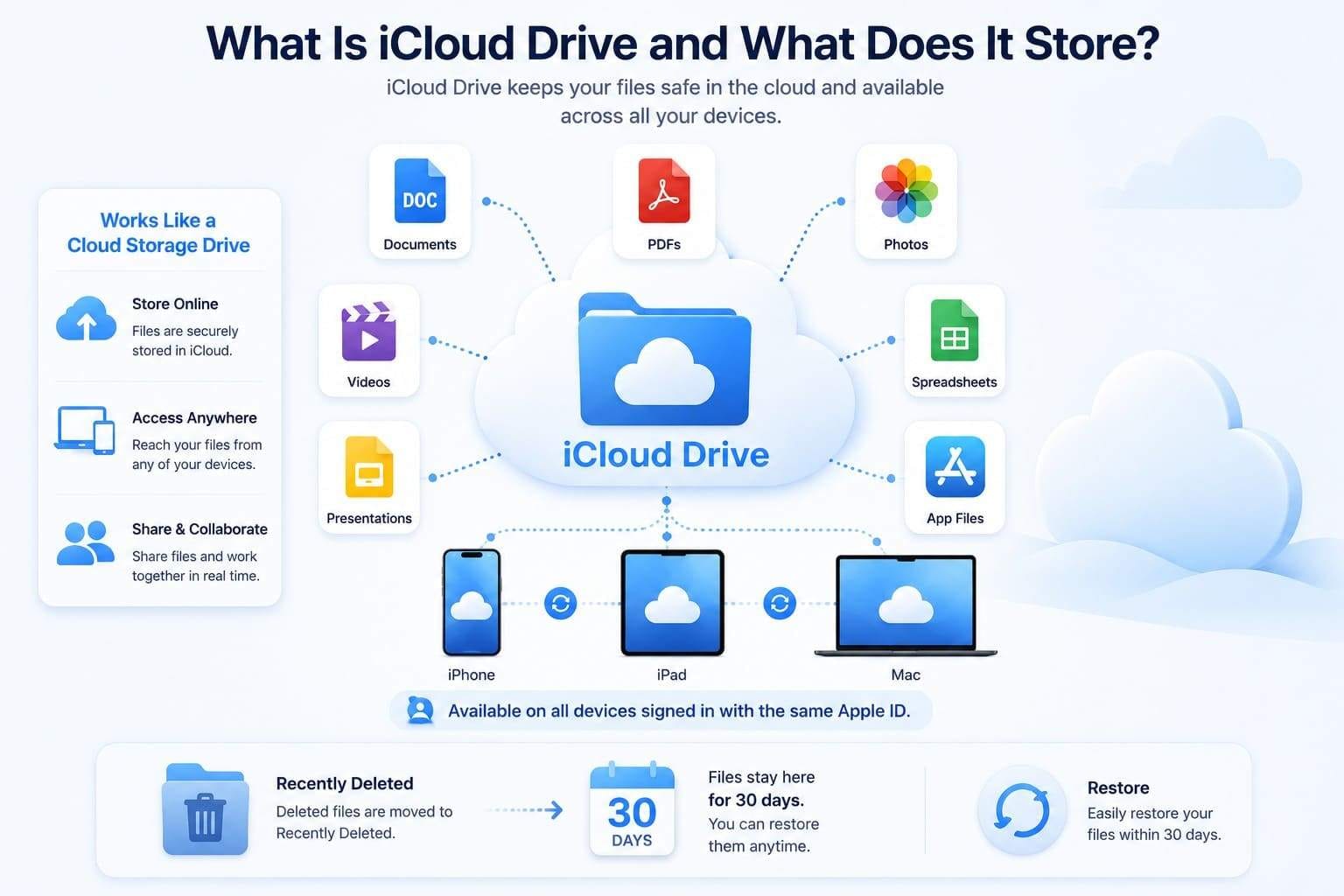
On the Mac, you can also sync your desktop and documents folder, and any deleted file will remain in Recently Deleted for 30 days. You can locate this option under the Browse section in the Files app on iPhone and restore files.
What is iCloud Backup and How Does It Differ from Sync
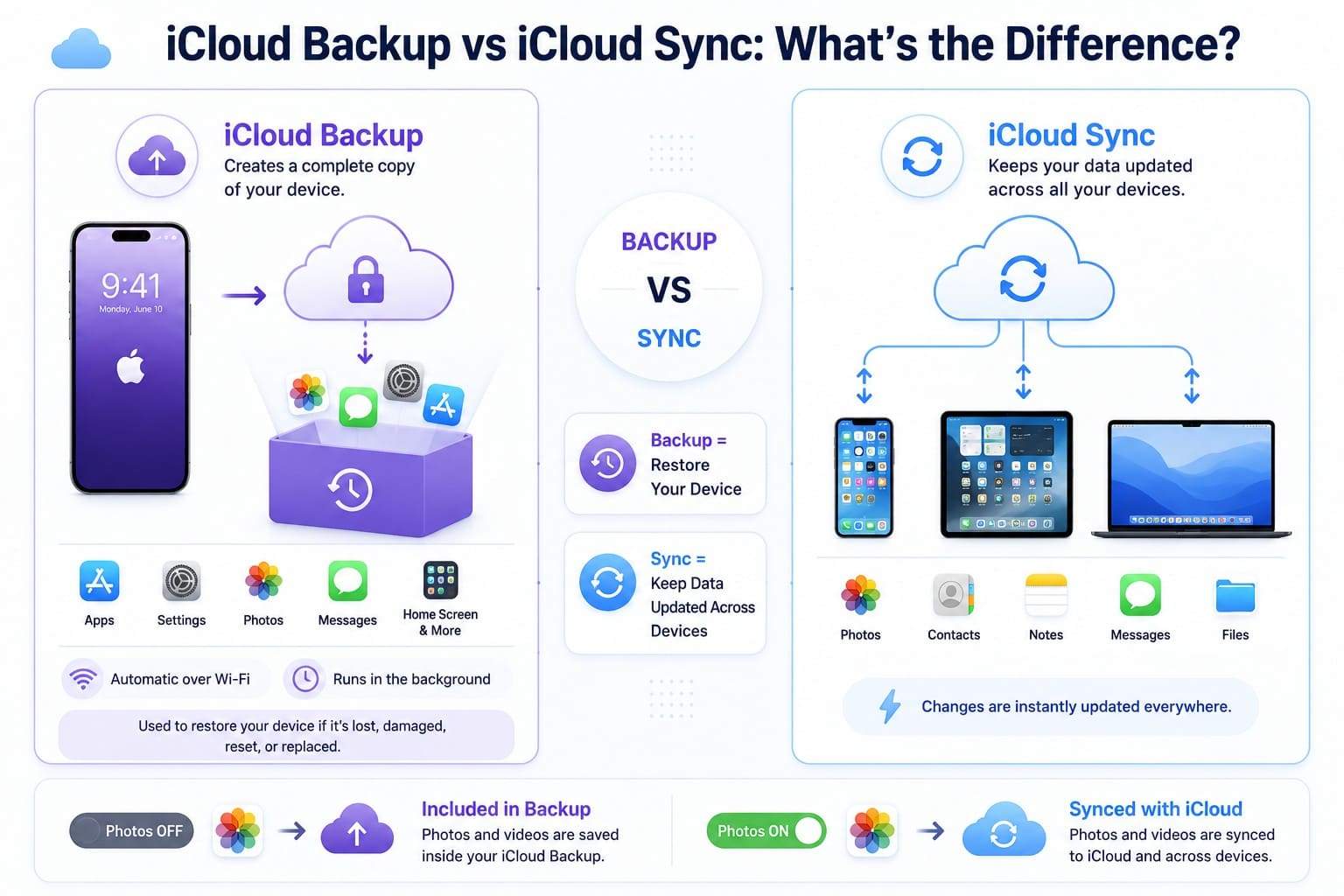
When you compare iCloud Sync vs Backup vs Drive, you might confuse iCloud Backup and Sync. Apple says iCloud Backup creates a complete copy of an iPhone or iPad, including app data, settings, home screen, and other information. Hence, you can restore your device if it is lost, reset, or replaced, and it will run automatically when connected to Wi-Fi.
Conversely, iCloud Sync keeps data such as photos, contacts, notes, messages, and files in sync across all Apple devices. The main difference is that Backup restores your device, and Sync keeps the same data available across all devices. Furthermore, Backup saves a complete copy of any unsynced data. For example, if iCloud Photos is turned off, the photos and videos are saved in the iCloud Backup.
Why Users Often Confuse All Three Systems
The following reasons show why users get confused between these terms when they seek to choose the iCloud backup recovery software:
| Reason | Explanation |
|---|---|
| Same iCloud Name | Sync, Drive, and Backup all appear under a single iCloud name with no visual distinction in Settings. |
| Similar Data | Photos, contacts, and files can appear in more than one system depending on settings. |
| Works Automatically | All three run silently in the background, so users can't tell which one is active. |
| Settings Matter | Whether data is "synced" or "backed up" depends on toggles (e.g., iCloud Photos on/off). |
| Same Apple ID | One sign-in gives access to all three, making them feel like a single system. |
Part 2. Best iCloud Data Recovery Software Compared
After the basics, go through this section to learn about the iCloud data recovery software in 2026. First, review the table for a quick overview of all tools, then dive deep into the details.
| Tool | iCloud Backup | iCloud Drive | iCloud Sync | Ease of Use | Speed | Rating |
|---|---|---|---|---|---|---|
| Dr.Fone - Data Recovery (iOS) | ✅ | ✅ | ✅ | Excellent | Fast | ⭐ 4.9/5 |
| iMyFone D-Back | ✅ | ✅ | ✅ | Very Good | Fast | ⭐ 4.5/5 |
| Tenorshare UltData | ❌ | ✅ | ✅ | Good | Fast | ⭐ 4.3/5 |
| EaseUS MobiSaver | ✅ | ❌ | ❌ | Very Good | Fast | ⭐ 4.2/5 |
| PhoneRescue for iOS | ✅ | ❌ | ✅ | Good | Medium | ⭐ 4.1/5 |
| FoneLab iPhone Data Recovery | ✅ | ❌ | ❌ | Good | Medium | ⭐ 3.9/5 |
| AnyRecover | ✅ | ❌ | ✅ | Good | Medium | ⭐ 4.1/5 |
| Gbyte Recovery | ✅ | ❌ | ❌ | Good | Medium | ⭐ 4.3/5 |
1. Dr.Fone - Data Recovery (iOS)
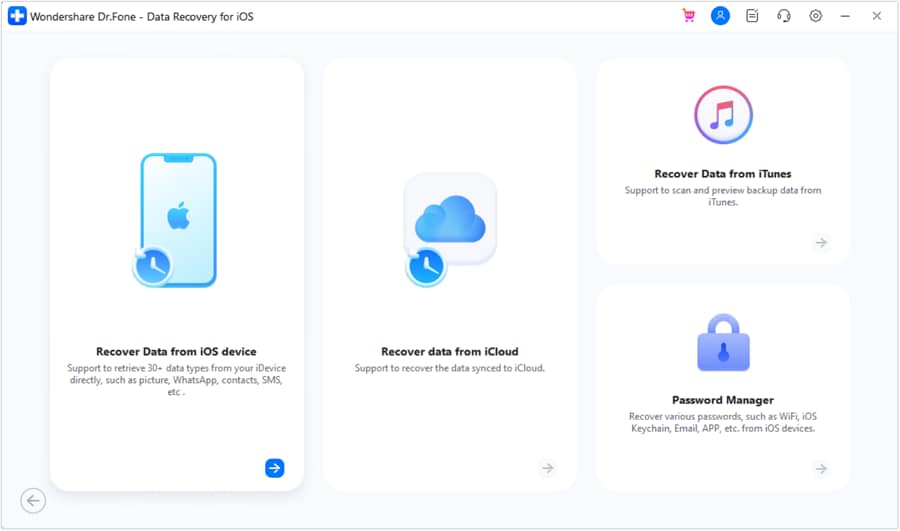
Designed to recover 35+ data types, Dr.Fone - Data Recovery by Wondershare can recover data from iCloud Backup, Drive, and Sync. From iCloud Sync and Drive, it can retrieve 12 data types, and 17+ from iCloud Backup. In addition, users can also use it to recover 17 data types from the iPhone and iTunes, which makes this tool versatile.
From iCloud Drive, you can also recover WhatsApp and WhatsApp Business data, along with data from 3 other applications. Most of all, it can also retrieve WhatsApp View Once data; experts say it's an exceptional feature of Dr.Fone. With all these features, the read-only scan is free, and you can preview 100% of the thumbnails while keeping the new data safe.
Key Features
- Filter recovered files by category for faster access.
- Recover data from iCloud Backup without resetting the iPhone.
- View detailed iCloud backup information before downloading.
- Supports the latest iOS and iPhone models.
- Simple three-step recovery process with guided navigation.
Cons
- Recovery speed depends on backup size.
- Export is tied to the paid plans.




2. iMyFone D-Back
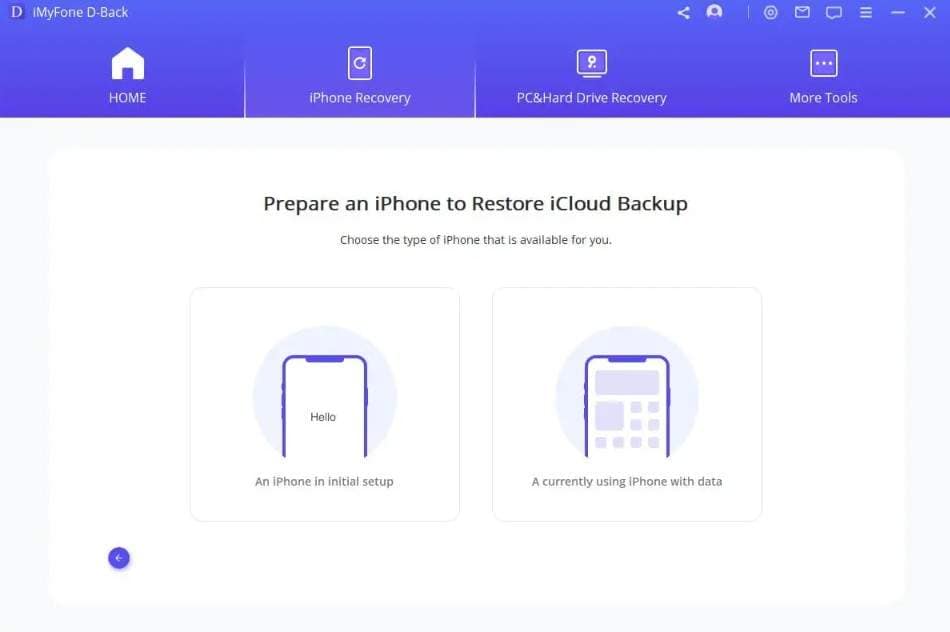
Among the best iCloud recovery software for iPhone, D-Back can recover 11 data types from iCloud Sync and Drive. In addition, it can retrieve 18 data types from the iCloud Backup, but the restore to phone option is not limited.
Key Features
- Offers free scan and preview options.
- Has 6 recovery modes in total.
- Lets you choose the export location.
Cons
- No separate guide for iCloud backup, sync, or drive.
- Call logs, voice memos, and voicemail cannot be restored on the iPhone.
3. Tenorshare UltData
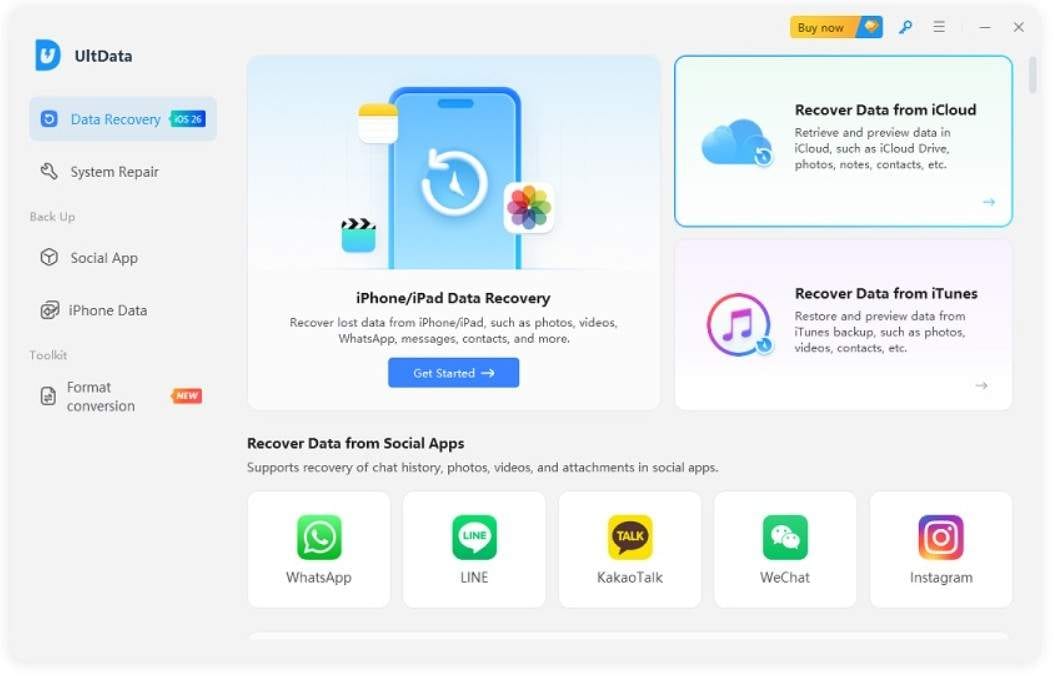
Once you compare iCloud Sync vs Backup vs Drive, use this tool to recover 5 data types from iCloud Sync. Moreover, it can extract common data from the iCloud Drive, like photos, audio, documents, and videos.
Key Features
- Supports WhatsApp, Line, WeChat, & more apps.
- Allows selective restoration of iCloud data.
- Compatible with iPhone 17 and earlier versions.
Cons
- Can only save contacts on the phone when extracted from iCloud Sync.
- You cannot access and recover your iCloud Backup using this tool.
4. EaseUS MobiSaver
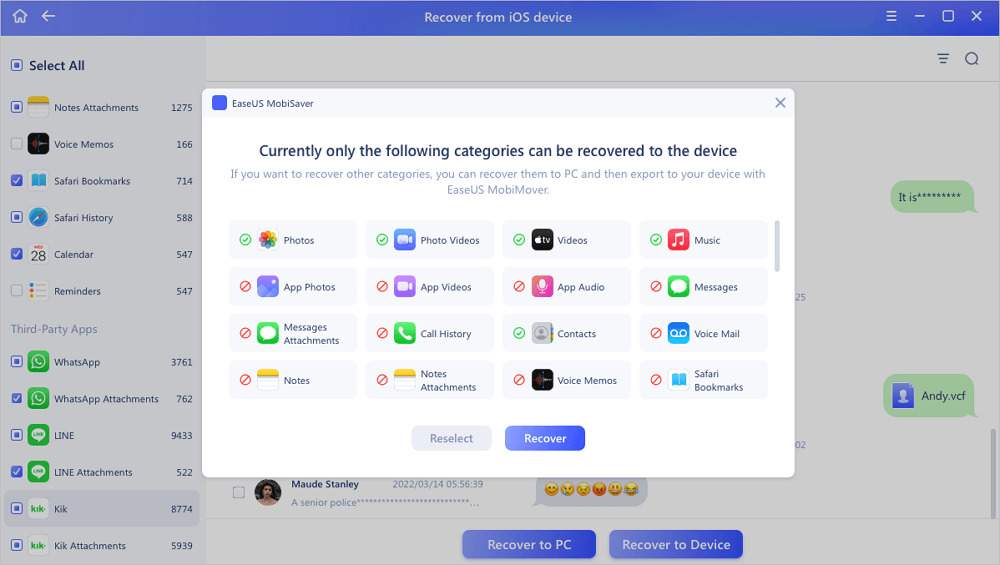
This iCloud recovery software for iPhone claims to recover data from the iCloud Backup, but the details remain unclear. Nonetheless, it can also retrieve data from WhatsApp, LINE, Kik chat, and attachments.
Key Features
- Supports 15+ data types in total.
- Can recover data from water-damaged iPhones.
- Claims to recover data in 3 steps.
Cons
- Cannot recover data types like Notes to your iPhone.
- Offers no support for iCloud Drive or Sync, according to its website.
5. FoneLab iPhone Data Recovery
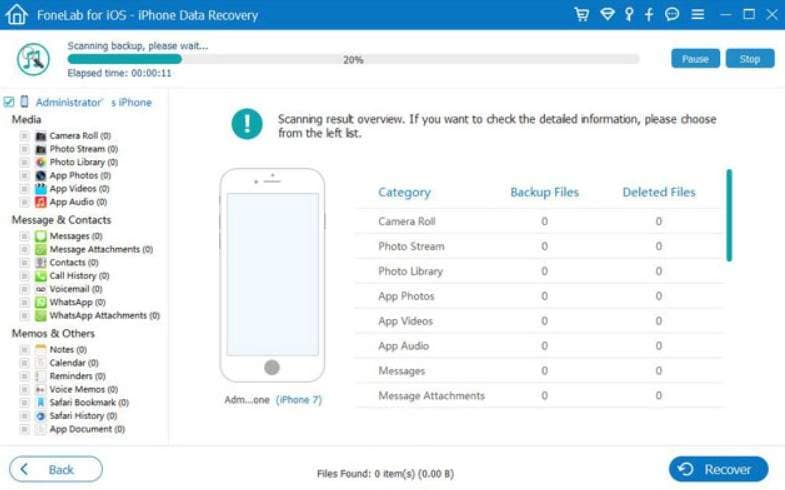
FoneLab cannot recover deleted files from iCloud Drive or iCloud Sync, but only from iCloud Backup. According to its basic guide, you can retrieve almost 20 selected data types without overwriting.
Key Features
- Allows you to filter and preview the data.
- Compatible with all the new iOS versions.
- Offers 1 month of free updates and support.
Cons
- 6-18 device access needs pro plans.
- Can only recover data to a computer.
6. Gbyte iPhone Data Recovery
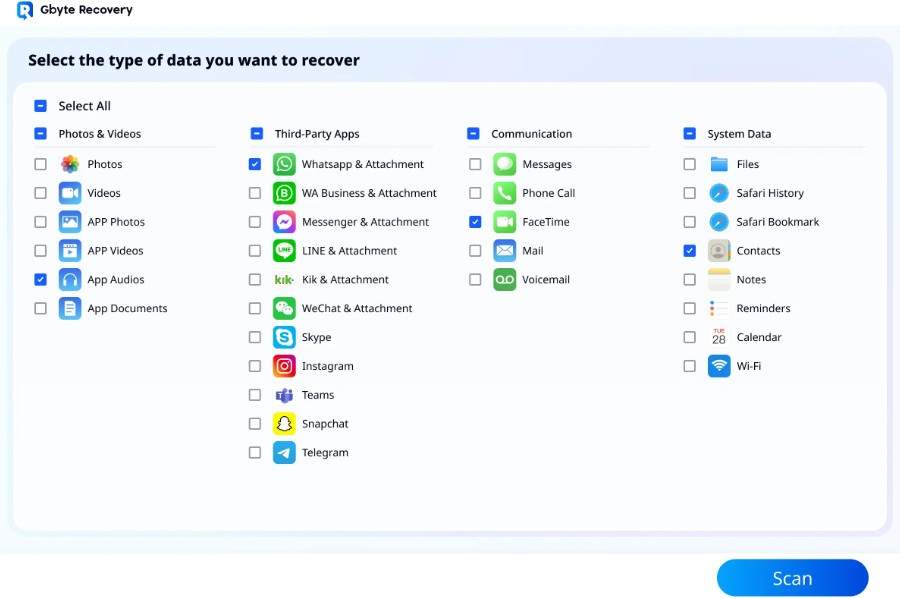
Using this iCloud Backup recovery software, you can recover iCloud Backup data on the computer or directly on the phone. In both options, you can extract 30+ data types with the option to scan and preview for free.
Key Features
- Compatible with all iOS versions.
- Retrieve chats from 10 messaging apps.
- Come with a simple guide and interface.
Cons
- Doesn't offer different recovery options for Drive or Sync.
- Cannot recover data from iTunes backup.
7. iMobie PhoneRescue
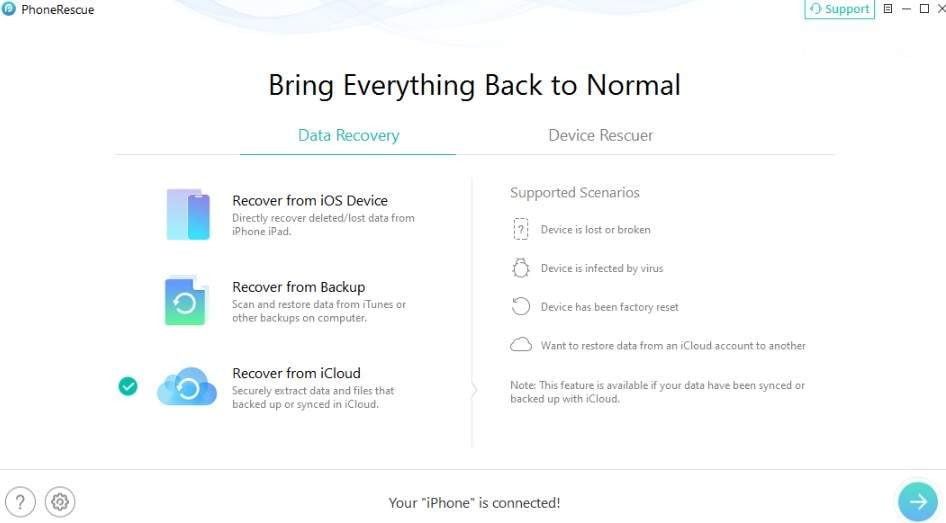
This tool cannot recover deleted files from iCloud Drive, but it can retrieve iCloud Sync for 6+ data types. For iCloud Backup, you can recover almost 26 data types, along with phone and PC export options.
Key Features
- Gives detailed backup package information.
- Shows the number of items extracted from iCloud.
- Preview iCloud backup contents before you save.
Cons
- No WhatsApp Business recovery.
- Cannot recover WhatsApp View Once media.
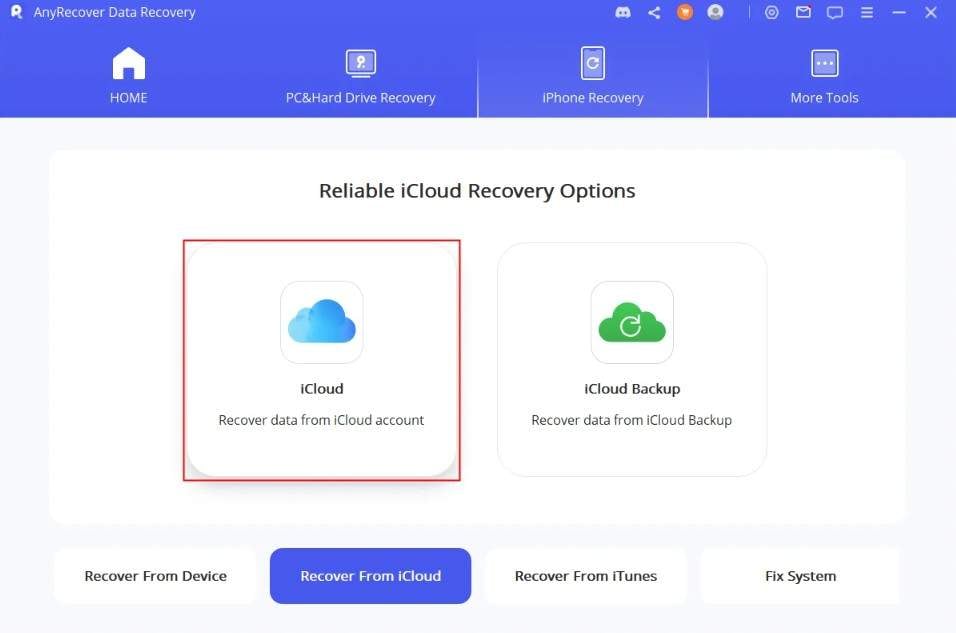
8. AnyRecover
This tool can also recover iCloud Backup and Sync data, but the option is limited to recovering deleted files from iCloud Drive. Nonetheless, it can recover almost 10+ data types, and iCloud Backup restoration has 22 options.
Key Features
- Has simple and detailed guides.
- No factory reset is needed to access iCloud recovery.
- Extract data from broken devices.
Cons
- No details for Apple ID management.
- Limited iCloud Drive recovery option.
Part 3. How to Recover Data from iCloud? Step-by-Step Guide
Of all the tools, if you seek one option for the best iCloud data recovery software, it's Dr.Fone - Data Recovery. Based on all the expert evaluations and vendor claims, it's the only tool that offers complete iCloud Backup, Sync, and Drive data restoration solutions.
 Recovers data after deletion, crashes, or device damage.
- Supports photos, messages, contacts, WhatsApp, and more.
- Supports all major iPhone, iPad, and iPod models.
- Preview and recover only what you need.
With the option to manage 5 Apple IDs, users can use WhatsApp Business and View once media files, along with 35+ other data types. To test all the claims of this tool, this section offers you a detailed guide below for iCloud Backup restoration:
Step 1 Select Recover Data from iCloud Backup
To recover your iCloud data, choose the "Recover Data from iCloud Backup" option from the iPhone Data Recovery tool. Sign in to iCloud, add the code, and wait for Dr.Fone to extract backup information.
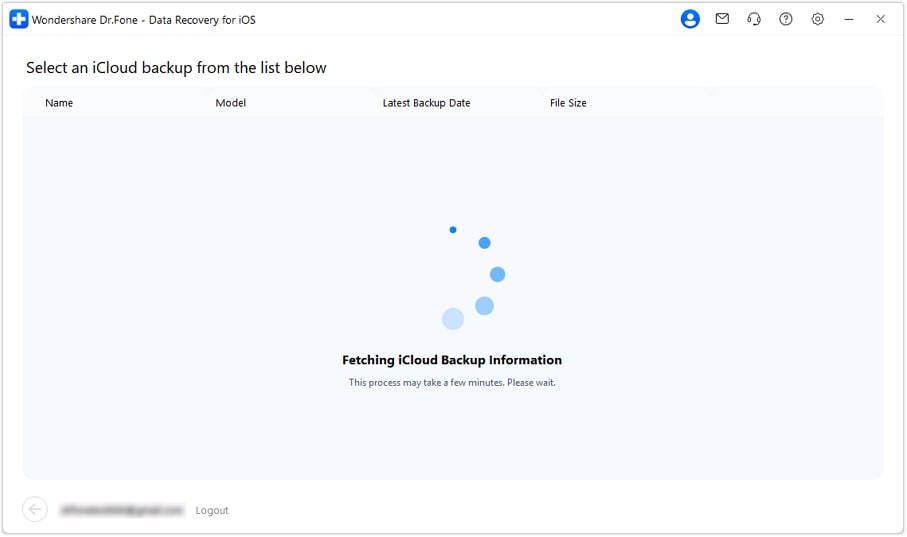
Step 2 Select and Download the Backup on Dr.Fone
Choose the "Download" button next to the backup file you want to restore, then wait for the download to complete.
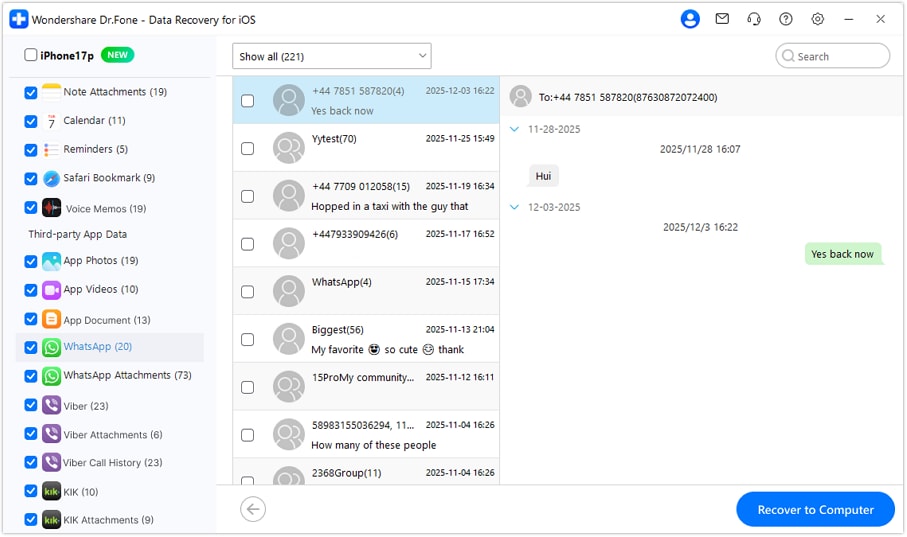
Step 3 Export Your iCloud Data to PC or Phone
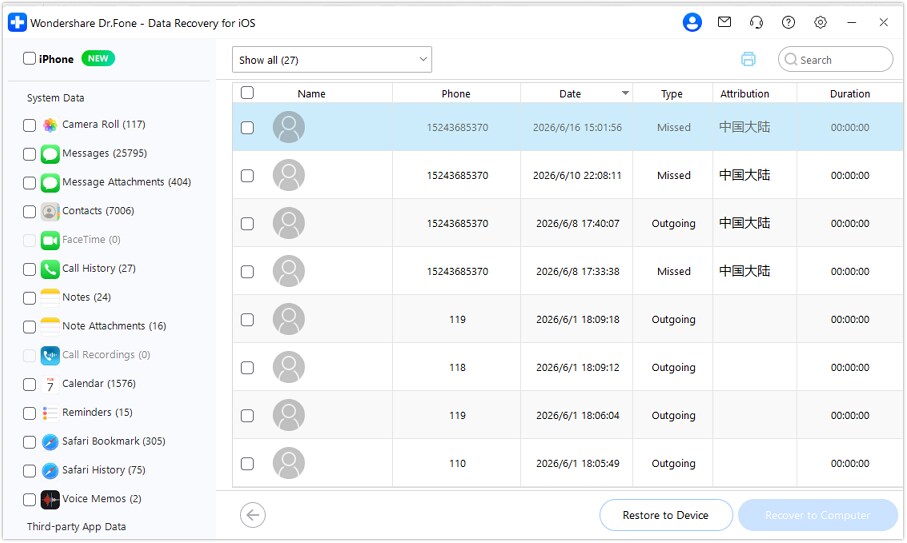
Now, filter and preview the iCloud data types, then choose the export options based on the type you have selected.
What Users Are Saying: Real Reviews on Dr.Fone's iCloud Recovery
According to the test guide, this iCloud data recovery software takes up to 5-10 minutes to extract data. However, if you want to know what other users say about this, here are some reviews:

My iPhone crashed, but Dr.Fone restored my data from iCloud backup without resetting my device.
Emily R. – Graphic Designer, San Diego, CA
I liked the fast scan and selective recovery, and the easy-to-use interface made everything simple.
Olivia T. – Marketing Manager, Miami, FL
Conclusion
This guide has compared iCloud Backup, iCloud Sync, and iCloud Drive to clarify how each service stores and manages data. Moreover, all the key differences are explained to help users pick the best iCloud data recovery software. Out of all the 8 iCloud recovery tools, it was found that Dr.Fone - Data Recovery is the ideal choice. It can recover 35+ data types in total and offers a complete solution for iCloud data recovery.
FAQs
-
What is iCloud data recovery?
iCloud data recovery is the process of restoring lost or deleted images or other app data that were previously synced or backed up on Apple's iCloud service. To retrieve this data, users can rely on Apple's official method or a recovery tool, like Dr.Fone - Data Recovery (iOS). -
Is it safe to sign in to iCloud through third-party recovery software?
Yes, but only if you use a reliable, official version of iCloud data recovery software. As an option, you can use Dr.Fone - Data Recovery (iOS), since the tool supports local recovery and a read-only scan prevents existing data from being overwritten. -
Can I recover just one photo instead of my whole iCloud backup?
Yes, tools like Dr.Fone - Data Recovery (iOS) offer you advanced filters and preview options. With this, you can choose the image you want to restore and pick the export options based on the data type.
 Add Wondershare Dr.Fone as a preferred source on Google