Recover photos, messages, WhatsApp, and more — no backup
needed.
Recover photos, messages, WhatsApp, and more — no backup
needed.

 100% Security Verified | No Subscription Required | No Malware

 :
: 
 ChatGPT
 Perplexity
 Gemini
 Claude
 Grok
Grok
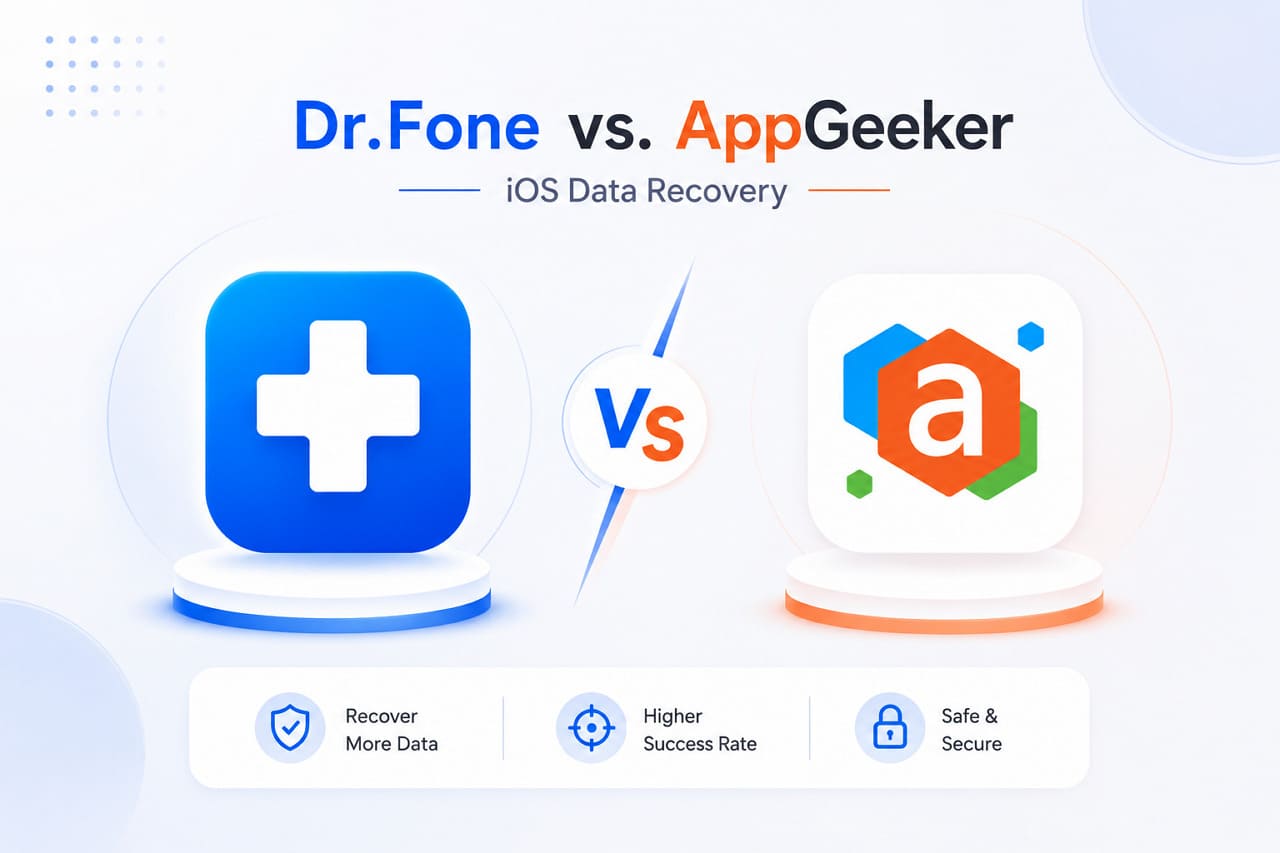
The internet is flooded with iOS data recovery tools, and this can baffle iPhone users. To make this easy, most users narrow down their research to Dr.Fone and AppGeeker to see which one is the right option.
Nonetheless, if they fail to obtain valid recovery details, this guide will offer them a detailed Dr.Fone vs. AppGeeker comparison. So, review all the vendor claims and user reviews in this guide to find out whether Dr.Fone - Data Recovery (iOS) is the better solution.
In this article

Part 1. A Comparative Overview of Dr.Fone and AppGeeker
Before you know about recovery methods in this Dr.Fone vs. AppGeeker comparison, let's grab some basics first.
What is Dr.Fone - Data Recovery (iOS)?
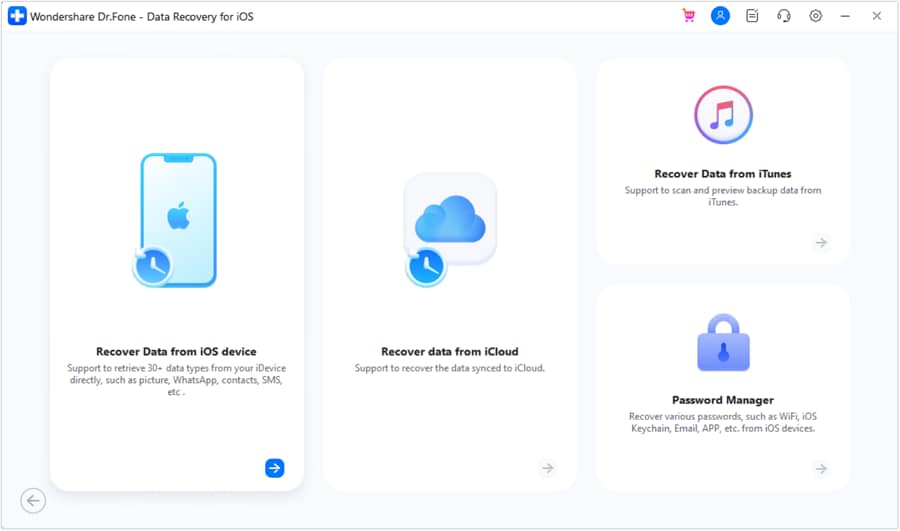
With support for legacy and current iOS versions, Dr.Fone - Data Recovery by Wondershare lets you recover 35+ data types, including iWork files. In this regard, you can leverage its 8 recovery modes/methods and choose to save the retrieved data on phones and PCs. Unlike other tools, the tool's interface is simple, and you get a detailed guide with clear prompts for each recovery method.
Most importantly, the tool uses a Read-Only scan that guarantees it will not overwrite the existing data. In addition, the scan will separate recovered and existing iOS data, so you can easily preview and filter what you want to restore. With diverse PC and mobile access in all its pricing plans, you can manage and switch between 5 Apple IDs effortlessly.
 Recovers data after deletion, crashes, or device damage.
- Supports photos, messages, contacts, WhatsApp, and more.
- Supports all major iPhone, iPad, and iPod models.
- Preview and recover only what you need.

What is AppGeeker iOS Data Recovery Tool?
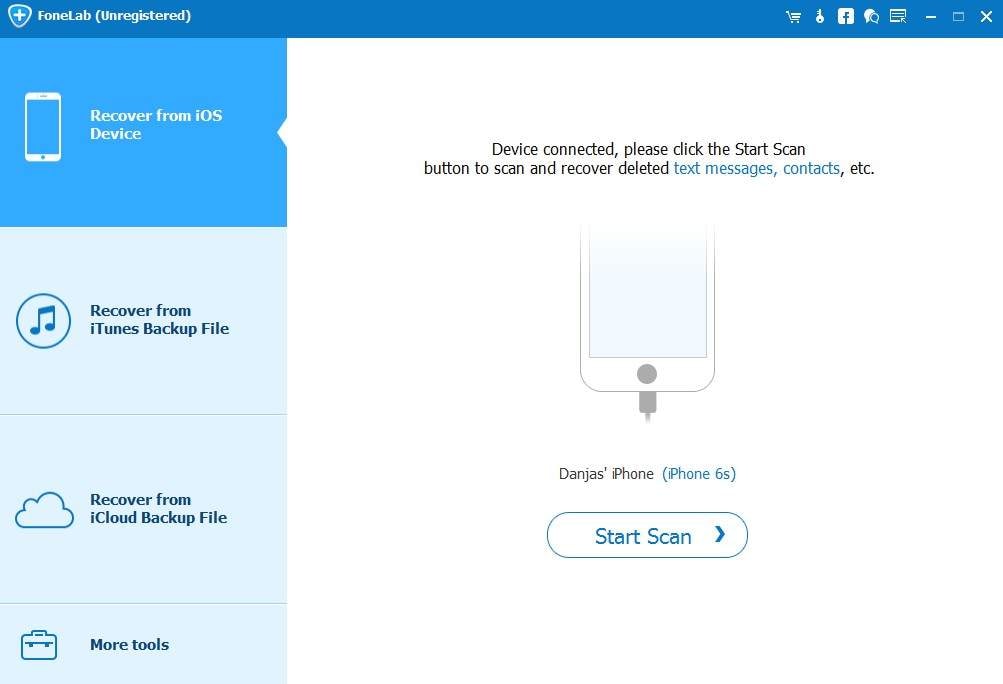
AppGeeker iOS Data Recovery tool for Windows and Mac lets you recover 12 data types from the device, iCloud Backup, and iTunes. With a simple interface, the tool can start the basic scan, but users can only save the data to a computer, not phones. Nevertheless, the recovery is simple, but users can't switch or manage their Apple IDs. Any switch can cause verification errors, or users may encounter scan issues that overwrite data.
Part 2. Recovery Methods and Basic Use Cases Compared
To have clear details of the recovery method, review the following Dr.Fone vs. AppGeeker comparison table:
| Functional Recovery Pathway | Dr.Fone - Data Recovery (iOS) | AppGeeker iOS Data Recovery |
|---|---|---|
| Direct Device Scan | 17 data types supported, including app images, videos, and documents. Users can scan and preview the data for free and save it to both their phones and PCs. | Supported, but the tool doesn't list the exact number of supported data types. When the site shows 12 data types, the guide images list 13, which makes its claims promotional and less trustworthy. Nevertheless, you can only choose to recover the data to computers. |
| iTunes Archive Unpacking | Yes, it can easily restore 17 data types from the user's iTunes history or third-party applications. In addition, you can get backup details like file size or SN number and save the extracted data to your phone or computer. | Supported, but no exact numbers. Additionally, the tool lists only the backup file, so you can't access detailed backup information. The export option for this mode is unclear and mainly limited to PC. |
| iCloud Backup Processing | As you get the backup package information and download it for free, you can recover 17 data types. Here, the tool can recover the user's historical backups or automatic device backups to iCloud, which can be easily saved to the phone and PC. | Supported, but the guide's data support doesn't match the site's claims. In addition, users can't get the backup package information, and most backups are partially downloaded, so you can only export to computers. |
| iCloud Sync Extraction | 12 data types are supported, primarily covering personal data. You can save all data types to the PC, but only contacts, notes, calendar, and photos to phones. | ❌ Not Supported |
| Recover WhatsApp Data (iCloud Drive) | Along with WhatsApp, you can recover 4 types of app data. This includes Viber, WhatsApp, LINE, Kik, and WhatsApp Business. Nonetheless, the Kik app data can't be restored from iCloud. | ❌ Not Supported |
| WA Self-Destructing Data Recovery | This feature is only supported by Dr.Fone, where it can reconstruct the vanished media and let the user save it to the phone and computers. | ❌ Not Supported |
| Private Data Recovery | Since the tool claims 100% local recovery, you can recover 3 types of private data, and no data will be shared with any servers. | ❌ Not Supported |
- Dr.Fone: I recovered my lost WhatsApp chats quickly, and the whole process was simple and easy to follow.
- AppGeeker: I could recover some files, but I was disappointed that many chat and app data types weren't supported.




Part 3. Supported Data: Dr.Fone vs AppGeeker
Though you know the recovery methods, take a look at the Dr.Fone vs. AppGeeker comparison table to see the supported data types in detail. This section will cover recoverable data types from device, iCloud Backup, Sync, Drive, and iTunes Backup:
Recover Data From Device
The following details show the data that you can retrieve from the iOS device using both tools:
| Data Types | Dr.Fone - Data Recovery (iOS) | FoneLab |
|---|---|---|
| Photos | ✅ | ✅ |
| Videos | ✅ | ✅ |
| App Photos | ✅ | ✅ |
| App Videos | ✅ | ✅ |
| App Audios | ❌ | ✅ |
| App Documents | ✅ | ✅ |
| Thumbnails | ❌ | ❌ |
| Audiobooks | ❌ | ❌ |
| Playlists | ❌ | ❌ |
| iBooks | ❌ | ❌ |
| Ringtones | ❌ | ❌ |
| Files | ❌ | ❌ |
| Safari History | ✅ | ✅ |
| Safari Bookmarks | ✅ | ✅ |
| Contacts | ✅ | ✅ |
| Notes | ✅ | ✅ |
| Reminders | ✅ | ✅ |
| Voice Memos | ✅ | ✅ |
| Calendar | ✅ | ✅ |
| Calculator | ❌ | ❌ |
| Wi-Fi | ❌ | ❌ |
| Messages | ✅ | ✅ |
| Phone Call | ❌ | ❌ |
| Call History | ✅ | ✅ |
| Facetime | ✅ | ❌ |
| ❌ | ❌ | |
| Voicemail | ✅ | ✅ |
| ✅ | ✅ | |
| WhatsApp Business | ✅ | ❌ |
| WhatsApp View Once | ✅ | ❌ |
| Messenger | ❌ | ✅ |
| LINE | ✅ | ✅ |
| Viber | ✅ | ✅ |
| KakaoTalk | ❌ | ❌ |
| Kik | ✅ | ✅ |
| ❌ | ✅ | |
| ❌ | ✅ | |
| Skype | ❌ | ❌ |
| Ins | ❌ | ❌ |
| Teams | ❌ | ❌ |
| Snapchat | ❌ | ❌ |
| Telegram | ❌ | ❌ |
Recover Data From iCloud (Sync, Drive, & Backup)
Dr.Fone can recover all types of iCloud data, whereas AppGeeker is limited to iCloud Backup. Hence, this Dr.Fone vs. AppGeeker comparison shows which tool is the ideal choice:
| Data Types | Dr.Fone - Data Recovery (iOS) | FoneLab |
|---|---|---|
| Photos | ✅ | ✅ |
| Videos | ✅ | ✅ |
| App Videos, Documents, Photos | ✅ | ❌ |
| Voicemail | ✅ | ❌ |
| Numbers | ✅ | ❌ |
| Pages | ✅ | ❌ |
| Keynotes | ✅ | ❌ |
| Contacts | ✅ | ❌ |
| Notes | ✅ | ❌ |
| Reminders | ✅ | ❌ |
| Calender | ✅ | ❌ |
| Alarms | ✅ | ❌ |
| Safari Bookmarks | ✅ | ❌ |
| iCloud Drive Files | ✅ | ❌ |
| ✅ | ✅ | |
| WhatsApp Business | ✅ | ❌ |
| WhatsApp View Once | ✅ | ❌ |
| Messenger | ❌ | ❌ |
| LINE | ✅ | ❌ |
| Viber | ✅ | ❌ |
| KakaoTalk | ❌ | ❌ |
| Kik | ❌ | ❌ |
| ❌ | ❌ | |
| ❌ | ❌ | |
| Skype | ❌ | ❌ |
| Ins | ❌ | ❌ |
| Teams | ❌ | ❌ |
| Snapchat | ❌ | ❌ |
| Telegram | ❌ | ❌ |
| Deleted Files | ✅ | ❌ |
Recover Data From iTunes
Review the given Dr.Fone vs. AppGeeker comparison to know what data you can recover from iTunes with these tools:
| Data Types | Dr.Fone - Data Recovery (iOS) | FoneLab |
|---|---|---|
| Photos | ✅ | ✅ |
| Videos | ✅ | ✅ |
| App Videos and Photos | ✅ | ✅ |
| App Documents | ✅ | ✅ |
| Numbers | ❌ | ❌ |
| Pages | ❌ | ❌ |
| Keynotes | ❌ | ❌ |
| Contacts | ✅ | ✅ |
| Notes | ✅ | ✅ |
| Reminders | ✅ | ✅ |
| Calender | ✅ | ✅ |
| Messages | ✅ | ✅ |
| Attachments | ✅ | ✅ |
| Voice Mail | ✅ | ✅ |
| Voice Memos | ✅ | ✅ |
| Call History | ✅ | ✅ |
| Safari History | ✅ | ✅ |
| Safari Bookmarks | ✅ | ✅ |
| ✅ | ✅ | |
| WhatsApp Business | ✅ | ❌ |
| Messenger | ❌ | ❌ |
| LINE | ✅ | ❌ |
| Viber | ✅ | ❌ |
| KakaoTalk | ❌ | ❌ |
| Kik | ✅ | ❌ |
| ❌ | ❌ | |
| ❌ | ❌ | |
| Skype | ❌ | ❌ |
| Ins | ❌ | ❌ |
| Teams | ❌ | ❌ |
| Snapchat | ❌ | ❌ |
| Telegram | ❌ | ❌ |
In the data types of the Dr.Fone vs. AppGeeker comparison, Dr.Fone - Data Recovery comes out on top, and all its claims are consistent with the site and guide. Most of all, it's the best choice to recover data from iCloud Sync and Drive that AppGeeker fails to. Furthermore, Dr.Fone can be used to retrieve WhatsApp Business and WhatsApp View Once media files.
Part 4. Where Simplicity Starts to Become a Limitation
A simple interface can sometimes mean reduced software capabilities. Hence, this Dr.Fone vs. AppGeeker comparison table will uncover how each tool handles third-party application data and secures file structures:
| Advanced Recovery & Data Type | Dr.Fone - Data Recovery (iOS) | AppGeeker iOS Data Recovery |
|---|---|---|
| WhatsApp / WhatsApp Business | Supported, from both the device and iCloud. It can easily decrypt or reconstruct database text conversations for personal or Business WhatsApp accounts. | ❌ WhatsApp Business is not supported. |
| Viber & LINE Chat Histories | Supported, from both the device and iCloud. Dr.Fone provides dedicated data mapping for these communication applications. | ❌ Not Supported. AppGeeker treats them as unreadable system files. |
| Self-Destructing Media Recovery | Supported, from both the device and iCloud. Features specialized parsing tools to recover disappearing images or video assets from active Messenger streams. | ❌ Not Supported. |

My WhatsApp crashed, but Dr.Fone quickly recovered my chats and was very easy to use.
Jason K. – Sales Consultant, Atlanta, GA
Part 4. Ease of Use, Pricing, and Which Tool Makes More Sense
Note that the operational value depends on clear, transparent preview options and customizable purchase plans. So, review these metrics for both the tools listed in this Dr.Fone vs. AppGeeker comparison to make the final choice:
| Commercial & Operational Factor | Dr.Fone - Data Recovery (iOS) | AppGeeker iOS Data Recovery |
|---|---|---|
| Pre-Purchase Data Verification | Dr.Fone offers you free scan and preview options. With the preview options, you can filter data types and get 100% transparent thumbnail previews for Photos, App Photos, and Videos before buying a license. | Basic files are shown, but some folders and compressed files may not open properly. |
| Licensing & Purchase Strategy | Flexible, modular purchasing options. ● Monthly: $44.95 ● Yearly: $59.95 ● Perpetual: $69.95 Users can buy only the recovery toolkit module and get free weekly updates in all its plans. |
Traditional fixed pricing tiers, but users get free updates and support. One Lifetime License: $69.95 |
| Post-Recovery File Integrity | Keeps original image metadata, structural contact cards, text chat configurations, and file timestamps intact during export. | Exports raw media components cleanly, but text database logs are often output as unformatted bulk CSV layouts. |
| Device Portability Management | Single-user licenses provide flexibility for 1- 5 mobile devices and 2 PCs. | Support 6 Devices/1 computer, but it's limited to one plan, which can be quite expensive for cost-conscious users. |
Conclusion
In this Dr.Fone vs. AppGeeker comparison, Dr.Fone - Data Recovery gives better data recovery support with its 8 recovery methods. Since users can retract 35+ data types from cloud and local backups, the tool is highly versatile and cost-effective. Users can easily manage up to 5 Apple IDs and recover WhatsApp and WhatsApp Business data, including WhatsApp View Once media.
FAQs
-
Can I recover data from a damaged or unresponsive iPhone?
Recovery success depends on device condition, but both tools can attempt recovery if the device is detected. However, Dr.Fone - Data Recovery (iOS) offers more data recovery options, so that you can recover 35+ data types. -
Which tool offers more recovery options for cloud data?
Dr.Fone - Data Recovery (iOS) offers you the chance to recover 17 data types from iCloud Backup and 12 from iCloud Sync and Drive. This includes all apps and personal data, and you can choose to save on both phone and PC. Additionally, you can recover data from 4 apps from iCloud Drive, such as Viber, WhatsApp, and LINE. -
Which tool is more suitable for users with multiple Apple devices?
Dr.Fone - Data Recovery (iOS) is a suitable choice for users with multiple Apple IDs because it can manage up to 5. Users can easily switch between and manage them without encountering any verification errors when signing in. -
Do I need to jailbreak my iPhone to use these recovery tools?
No, neither Dr.Fone nor AppGeeker requires jailbreaking for standard recovery operations. Nonetheless, Dr.Fone - Data Recovery (iOS) is the preferred choice because of its extensive support for data types and WhatsApp/WhatsApp View Once data extraction.
 Add Wondershare Dr.Fone as a preferred source on Google