Recover photos, messages, WhatsApp, and more — no backup
needed.
Recover photos, messages, WhatsApp, and more — no backup
needed.

 100% Security Verified | No Subscription Required | No Malware

 :
: 
 ChatGPT
 Perplexity
 Gemini
 Claude
 Grok
Grok
What if you lost all the iOS data and searched for the best iPhone data recovery tool? You came across 2 names: Dr.Fone and Stellar, but don't know which to choose. So, to help you pick the best option, this guide will conduct a detailed Dr.Fone vs Stellar Data Recovery comparison. From recovery methods to supported data, you will learn whether Dr.Fone - Data Recovery (iOS) can be the most dependable choice.
In this article
- An Overview of Dr.Fone - Data Recovery and Stellar Data Recovery
- Brand Trust vs Recovery Flexibility: The Real Decision
- Recovery Methods and Backup Flexibility Compared
- Supported Data and Which Recovery Tasks Matter Most

- Preview, Pricing, and Which Type of "Safety" Matters More
- Which Data Recovery Tool Should Users Choose?
Part 1. An Overview of Dr.Fone - Data Recovery and Stellar Data Recovery
In this Dr.Fone vs Stellar Data Recovery comparison, review this section to know the basics first:
What is Dr.Fone - Data Recovery (iOS)?
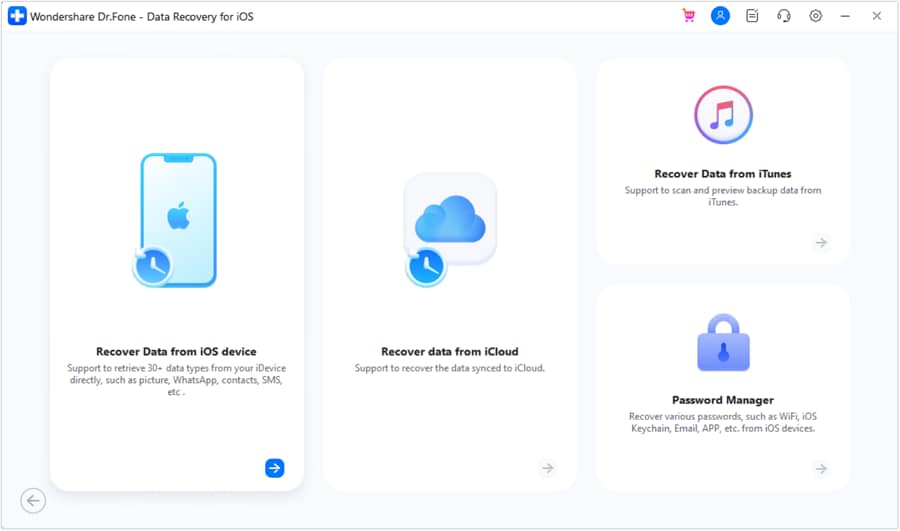
With 22+ years of expertise, Dr.Fone - Data Recovery is a Wondershare tool that can recover data from iPhone, iPads, and iPad Touch. Whether the device is broken, locked, or not working, this tool can extract 35+ types of important data. Hence, to prevent data loss and overwriting, it uses a Read-Only scan and ensures recovery is 100% local.
In addition, it offers 8 iOS data recovery modes/functions, along with a simple and detailed guide. From iCloud Backup, Sync, or Drive, recovery takes 2-3 simple steps, and users can use free scan and preview options. Unlike other recovery solutions, it allows you to use 5 Apple IDs and provides weekly updates on all upcoming iOS models & versions.
 Recovers data after deletion, crashes, or device damage.
- Supports photos, messages, contacts, WhatsApp, and more.
- Supports all major iPhone, iPad, and iPod models.
- Preview and recover only what you need.





What is a Stellar iPhone Data Recovery Tool?
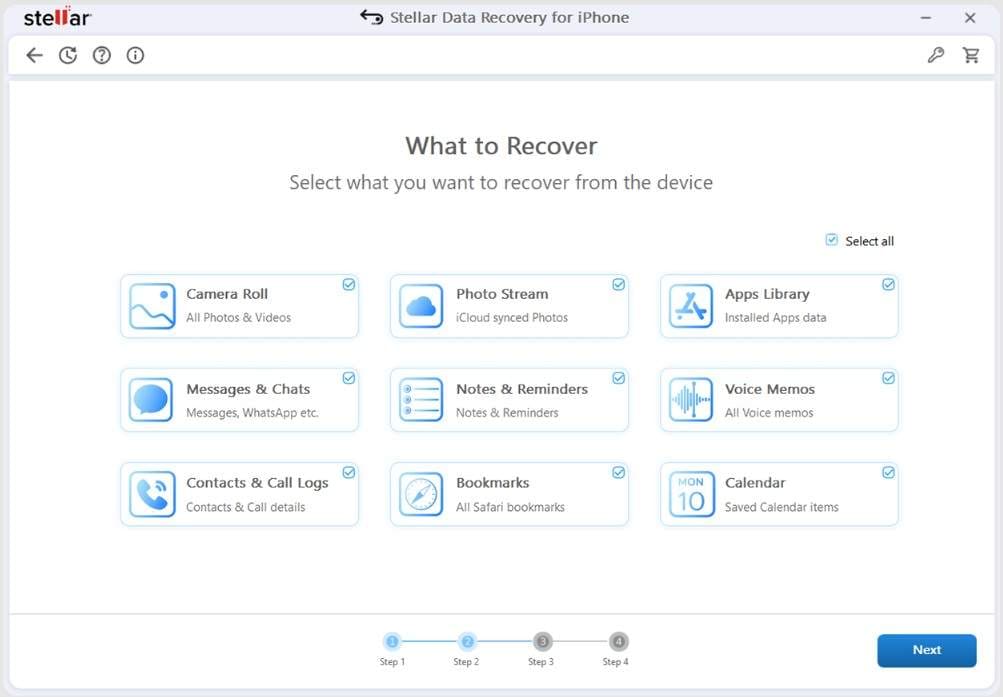
Stellar iPhone Data Recovery is a Windows and Mac recovery solution for all the latest and legacy models. With support for 2 major recovery modes/methods in the latest version, you can extract data from the iPhone and iTunes. In addition, the tool supports basic and deep scans, and you can also add backup files to restore lost data. Nonetheless, the guides are confusing, and Apple ID login details also remain unclear.
Part 2. Brand Trust vs Recovery Flexibility: The Real Decision
In the Dr.Fone vs Stellar Data Recovery comparison, one needs to consider the recovery flexibility. So, to know how data is extracted, the aspects for both tools are compared in the given table:
| Flexibility Vector | Dr.Fone - Data Recovery (iOS) | Stellar iPhone Data Recovery |
|---|---|---|
| Cross-Platform Mobility | Users can easily choose to recover data from the iOS device or local and cloud backups. Additionally, they get the option to export data on both phones and PCs. | Features separate recovery modes, but make it difficult to filter the recovered data. In addition, export options for phone and PC are limited. |
| Data Source Agility | Dr.Fone can easily extract file fragments from broken, locked, or unresponsive devices. It can detect and display all iTunes, iCloud Sync, Drive, and specialized iCloud Backup package files. | Can scan the recovery locations with quick and deep scan options; the deep scan can take a long time in most cases. Users can also add the backup file or restore data from encrypted iTunes backups. |
| System Modification Profile | Strictly non-destructive execution; utilizes Read Only scan and ensures 100% local recovery. | Advanced recovery capability that can scan deep, but can overwrite data or take longer to scan. |
Part 3. Recovery Methods and Backup Flexibility Compared
In addition to basic approaches, learn about the recovery method in this Dr.Fone vs Stellar Data Recovery comparison:
| Functional Matrix | Dr.Fone - Data Recovery (iOS) | Stellar iPhone Data Recovery |
|---|---|---|
| Direct Device Scan (Recovery From Device) | 17 data types are supported, and users can choose to recover the data to their phone and PC. | Supported, but the guide lists the 9 main data types for its 2 modes. No clear distinction. Nonetheless, the option to save extracted data remains unclear. |
| iCloud Sync & Drive Processing | You can choose to extract 12 data types from the user's historical backups from iCloud Drive or from social media data, such as LINE and Viber. You can save all data on the PC, but contacts, notes, calendar, and photos on the phone. Additionally, you can recover 4 types of data from WhatsApp, WhatsApp Business, and other apps from iCloud Drive and restore them to your phone and PC. | No, no support for WhatsApp or WhatsApp Business data recovery either. However, you can get app data from the devices. |
| Recovery From iCloud Backup | With the option to get free backup package information, download, and preview, you can recover 17 data types from phones and PCs. | ❌ Not supported |
| iTunes/Local Backups (Recovery From iTunes & Other Backups) | Dr.Fone can restore all personal and social media data from 17 types of devices, including phones and PCs. The tool lets you choose from the user's iTunes history or third-party applications | The guide PDF lists 12 data types, but they are not highlighted in the iTunes Backup tab, which could mean the claims are promotional. Even though there is no data type support proof, you can add the backup and restore the encrypted backup. The restore to phone or PC options are not listed clearly in the guide either. |
| WhatsApp View Once Recovery | Fully supported, the tool can reconstruct the vanished media file and let you scan and preview for free. | ❌ Not supported |
| Private Data Recovery | You can choose to recover 3 important data types, and no data will be shared on the remote servers. | ❌ Not supported |
Upon the detailed evaluation of Dr.Fone vs Stellar Data Recovery, experts say that Stellar iPhone Data Recovery sounds promotional. This is because the tool fails to show the supported types in its recovery modes; it is present only in written form. In comparison, Dr.Fone - Data Recovery (iOS) highlights the overall and supported data types in all its detailed guides.
Part 4. Supported Data and Which Recovery Tasks Matter Most
When choosing an iPhone recovery tool, it is important to understand how each solution handles system databases and recovers raw media files. Hence, this guide shows the detailed support for Apple and other files in this Dr.Fone vs Stellar Data Recovery comparison section:
Recover From Device
Here are supported data types for both tools that you can recover from ther device:
| Data Types | Dr.Fone - Data Recovery (iOS) | Stellar iPhone Data Recovery |
|---|---|---|
| Photos | ✅ | ✅ |
| Videos | ✅ | ✅ |
| App Photos | ✅ | ✅ |
| App Videos | ✅ | ✅ |
| App Audios | ❌ | ❌ |
| App Documents | ✅ | ❌ |
| Thumbnails | ❌ | ❌ |
| Audiobooks | ❌ | ❌ |
| Playlists | ❌ | ❌ |
| iBooks | ❌ | ❌ |
| Ringtones | ❌ | ❌ |
| Files | ❌ | ❌ |
| Safari-History | ✅ | ❌ |
| Safari Bookmarks | ✅ | ✅ |
| Contacts | ✅ | ✅ |
| Notes | ✅ | ✅ |
| Reminders | ✅ | ✅ |
| Voice Memos | ✅ | ✅ |
| Calendar | ✅ | ✅ |
| Calculator | ❌ | ❌ |
| Wi-Fi | ❌ | ❌ |
| Messages | ✅ | ✅ |
| Phone Call | ❌ | ❌ |
| Call History | ✅ | ✅ |
| Facetime | ✅ | ❌ |
| ❌ | ❌ | |
| Voicemail | ✅ | ❌ |
| ✅ | ✅ | |
| WhatsApp Business | ✅ | ❌ |
| WhatsApp View Once | ✅ | ❌ |
| Messenger | ❌ | ❌ |
| LINE | ✅ | ✅ |
| Viber | ✅ | ✅ |
| KakaoTalk | ❌ | ❌ |
| Kik | ✅ | ✅ |
| ❌ | ✅ | |
| ❌ | ❌ | |
| Skype | ❌ | ❌ |
| Ins | ❌ | ❌ |
| Teams | ❌ | ❌ |
| Snapchat | ❌ | ❌ |
| Telegram | ❌ | ❌ |
Recover From iCloud (Sync, Drive, & Backup)
Since Stellar can't recover iCloud data, review the data types for Dr.Fone -Data Recovery (iOS) in this Dr.Fone vs Stellar Data Recovery comparison:
| Data Types | Dr.Fone - Data Recovery (iOS) | Stellar iPhone Data Recovery |
|---|---|---|
| Photos | ✅ | ❌ |
| Videos | ✅ | ❌ |
| App Videos, Documents, Photos | ✅ | ❌ |
| Voicemail | ✅ | ❌ |
| Numbers | ✅ | ❌ |
| Pages | ✅ | ❌ |
| Keynotes | ✅ | ❌ |
| Contacts | ✅ | ❌ |
| Notes | ✅ | ❌ |
| Reminders | ✅ | ❌ |
| Calender | ✅ | ❌ |
| Alarms | ✅ | ❌ |
| Safari Bookmarks | ✅ | ❌ |
| iCloud Drive Files | ✅ | ❌ |
| ✅ | ❌ | |
| WhatsApp Business | ✅ | ❌ |
| WhatsApp View Once | ✅ | ❌ |
| Messenger | ❌ | ❌ |
| LINE | ✅ | ❌ |
| Viber | ✅ | ❌ |
| KakaoTalk | ❌ | ❌ |
| Kik | ❌ | ❌ |
| ❌ | ❌ | |
| ❌ | ❌ | |
| Skype | ❌ | ❌ |
| Ins | ❌ | ❌ |
| Teams | ❌ | ❌ |
| Snapchat | ❌ | ❌ |
| Telegram | ❌ | ❌ |
| Deleted Files | ✅ | ❌ |
Recover From iTunes
Review the mentioned Dr.Fone vs Stellar Data Recovery comparison to know the recoverable data types from iTunes Backup:
| Data Types | Dr.Fone - Data Recovery (iOS) | Stellar iPhone Data Recovery |
|---|---|---|
| Photos | ✅ | ✅ |
| Videos | ✅ | ✅ |
| App Videos and Photos | ✅ | ✅ |
| App Documents | ✅ | ❌ |
| Numbers | ❌ | ❌ |
| Pages | ❌ | ❌ |
| Keynotes | ❌ | ❌ |
| Contacts | ✅ | ✅ |
| Notes | ✅ | ✅ |
| Reminders | ✅ | ✅ |
| Calender | ✅ | ✅ |
| Messages | ✅ | ✅ |
| Attachments | ✅ | ❌ |
| Voice Mail | ✅ | ❌ |
| Voice Memos | ✅ | ✅ |
| Call History | ✅ | ✅ |
| Safari History | ✅ | ❌ |
| Safari Bookmarks | ✅ | ✅ |
| ✅ | ✅ | |
| WhatsApp Business | ✅ | ❌ |
| Messenger | ❌ | ❌ |
| LINE | ✅ | ✅ |
| Viber | ✅ | ✅ |
| KakaoTalk | ❌ | ❌ |
| Kik | ✅ | ✅ |
| ❌ | ✅ | |
| ❌ | ❌ | |
| Skype | ❌ | ❌ |
| Ins | ❌ | ❌ |
| Teams | ❌ | ❌ |
| Snapchat | ❌ | ❌ |
| Telegram | ❌ | ❌ |
To recover data from iCloud Backup, Sync, and Drive, Dr.Fone - Data Recovery (iOS) is the reliable choice. Unlike Stellar Data Recovery, you can also use it to retrieve WhatsApp View Once and WhatsApp Business data and save them to your phone and PC.

I used iTunes backup to recover deleted contacts and photos without losing anything, and the simple guide made it very easy.
Kevin L. – Web Developer, Boston, MA
I tried Stellar for recovery, but the scan was slow, and some of my important files were not recovered properly.
Laura
Part 5. Preview, Pricing, and Which Type of "Safety" Matters More
To further uncover the Dr.Fone vs Stellar Data Recovery comparison, let's see the free and paid options of both tools:
| Commercial & Operational Factor | Dr.Fone - Data Recovery (iOS) | Stellar iPhone Data Recovery |
|---|---|---|
| Pre-Purchase Data Verification | Users get a free Read-Only scan and a full thumbnail for all data types. Most of all, users can get the iCloud Backup package information and download or preview it for free. | A quick scan is free, but it can overwrite the data. Additionally, a deep scan can be delayed and is tied to premium access. |
| Commercial Entry Points | Comes with affordable and flexible pricing tiers. ● Monthly: $44.95 ● Yearly: $59.95 ● Perpetual: $69.95 All the plans come with free updates and are available for 1-5 mobile devices with 2 PCs. |
Has limited and expensive pricing plans. ● Standard: $39.99 ● Toolkit: $49.99 No details about the number of supported PCs are provided. Up to 50 iPhones are supported, but additional charges apply based on the number of iPhones. |
| Platform Multi-Tenancy | With Dr.Fone, users can switch between and manage up to 5 Apple IDs on a single desktop interface without any license issues. | Stellar iPhone Data Recovery is locked to a single workstation node per commercial license key. Users also face issues with refunds and plan renewals. |
| Operational Support Channels | This tool offers live online assistant routing, structured support documentation, and human agent help desks. Most of all, you get proper Guide files for all the iOS recovery methods. | Employs traditional enterprise-style ticketing workflows and has a comprehensive technical knowledge base. Moreover, it lacks a proper guide and instead provides a single outdated PDF with guidance for recovery methods. |
Part 6. Which Data Recovery Tool Should Users Choose?
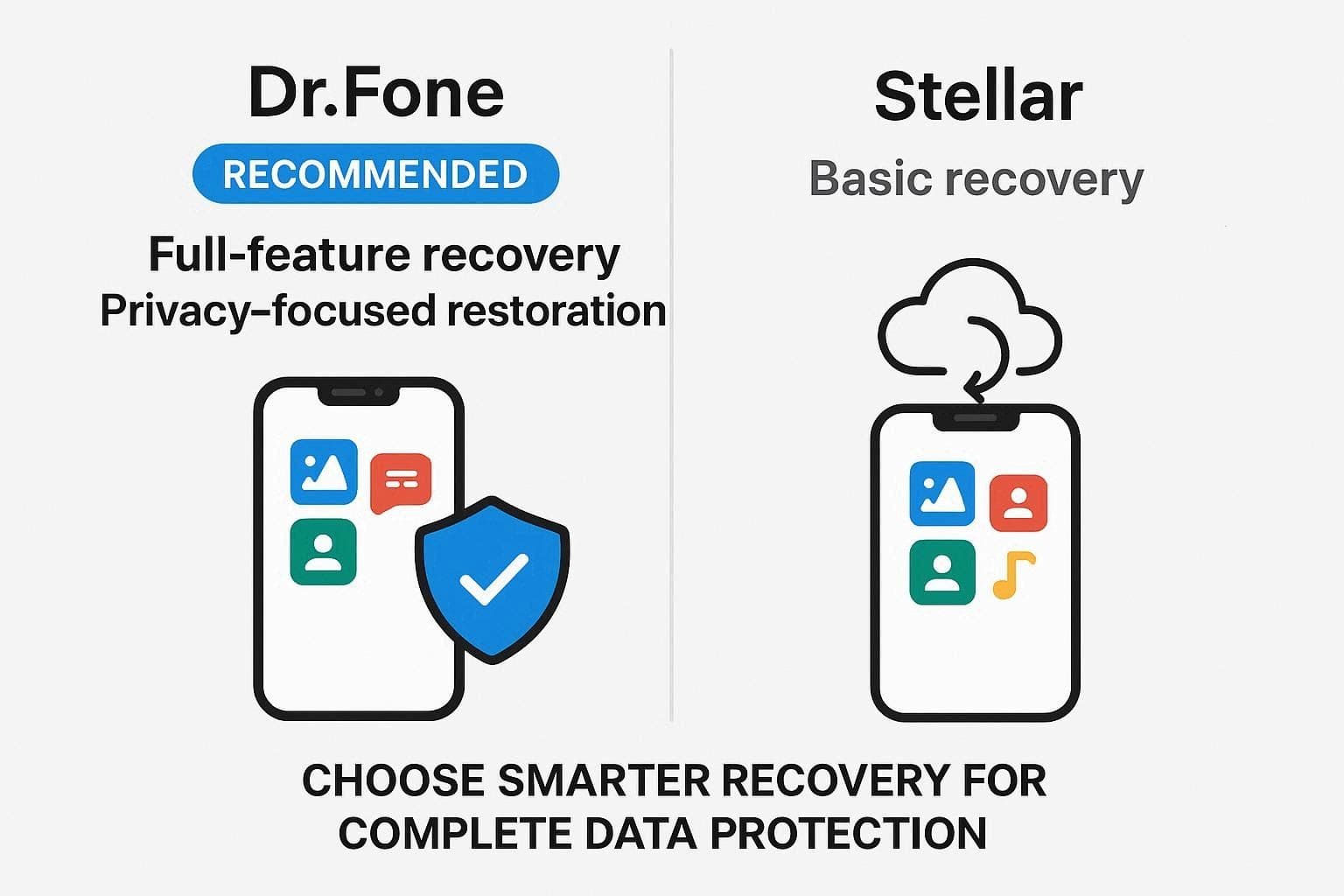
In the Dr.Fone vs Stellar Data Recovery comparison, choose Dr.Fone - Data Recovery (iOS) if you need a clear guide for all the recovery methods. Moreover, you can also opt for this tool if you want to restore iWork files or recover WhatsApp View Once media files. In addition, if you want to ensure no data is lost, shared to servers, or overwritten, Dr.Fone - Data Recovery can meet the need.
Nevertheless, choose the Stellar iPhone Data Recovery tool if you want to recover basic data files. You can also recover data without backups, though advanced scans and backup-based recovery require additional steps.
Conclusion
iOS experts believe that Dr.Fone - Data Recovery is the reliable choice in this detailed Dr.Fone vs Stellar Data Recovery comparison. Based on all the facts and reviews, Dr.Fone clearly explains all data types in its guide, with proper, detailed steps. Moreover, it can recover 35+ important data types in readable formats, including WhatsApp View Once or WhatsApp Business media files.
FAQs
-
Is it safe to connect my iPhone to these recovery tools?
Yes, but Dr.Fone - Data Recovery (iOS) is much safer as it uses a Read-Only scan to secure the data files. Though Stellar Data Recovery has 2 scan options, it can either take too long or overwrite the data. -
Can I recover data from a locked or broken iPhone?
Yes, with tools like Dr.Fone - Data Recovery (iOS), you can recover 35+ types of data from locked, unresponsive, or broken phones. With the secure connection, the tool can scan the backup and lets you preview full thumbnails for free. -
Which tool is faster for scanning large iPhones?
With a clear and separate guide for the 8 main recovery functions, Dr.Fone - Data Recovery (iOS) is the right choice. The tool handles most tasks itself and allows users to access backup package information and download options for free. In addition, you can choose to restore the data to the phone and PC, which Stellar Data Recovery limits in many ways.
 Add Wondershare Dr.Fone as a preferred source on Google