Recover photos, messages, WhatsApp, and more — no backup
needed.
Recover photos, messages, WhatsApp, and more — no backup
needed.

 100% Security Verified | No Subscription Required | No Malware

 :
: 
 ChatGPT
 Perplexity
 Gemini
 Claude
 Grok
Grok
Did you accidentally delete important photos, WhatsApp chats, and work files? What if you search for recovery tools and don't know which to trust? Experts say that it's important to choose the right recovery tool when you get the lost data back because data privacy and integrity matter.
Therefore, this guide will compare 2 well-known options: Dr.Fone - Data Recovery and iMyFone D-Back. In this Dr.Fone vs iMyFone D-Back comparison, you will learn whether Dr.Fone - Data Recovery has better data types and overall compatibility.
In this article

Part 1. Dr.Fone vs D-Back at a Glance: The Differences That Actually Matter
To start this Dr.Fone vs iMyFone D-Back comparison, let's learn the basics of these tools in this section.
What is Dr.Fone - Data Recovery (iOS)
Dr.Fone - Data Recovery is a desktop tool by Wondershare that allows you to recover data from iPhone, iPad, and iPad Touch. Through this tool, you can retrieve 35+ data types, like images, apps, and documents. This list also includes social apps and work files and offers support for iOS 26 and iOS 27 in its weekly updates following the official release.
In addition, Dr.Fone supports recovery of iCloud Sync, iCloud Drive, and iCloud Backup. To use all these methods, the tool offers a detailed guide and notes, which make it intuitive for all users. Most of all, you can access it on Windows 7/10/11 and Mac 10.15, 11-26, and the data is recovered and processed locally for extra safety.
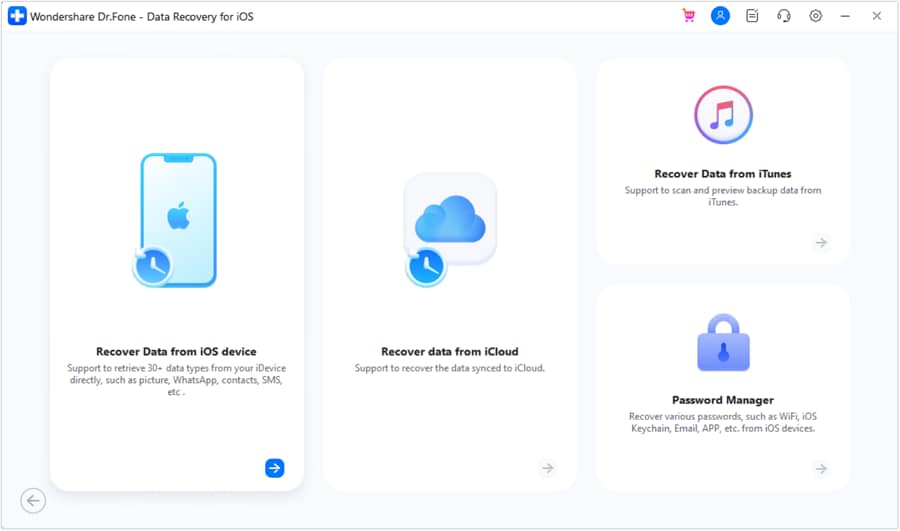
 Recovers data after deletion, crashes, or device damage.
- Supports photos, messages, contacts, WhatsApp, and more.
- Supports all major iPhone, iPad, and iPod models.
- Preview and recover only what you need.

What is iMyFone D-Back
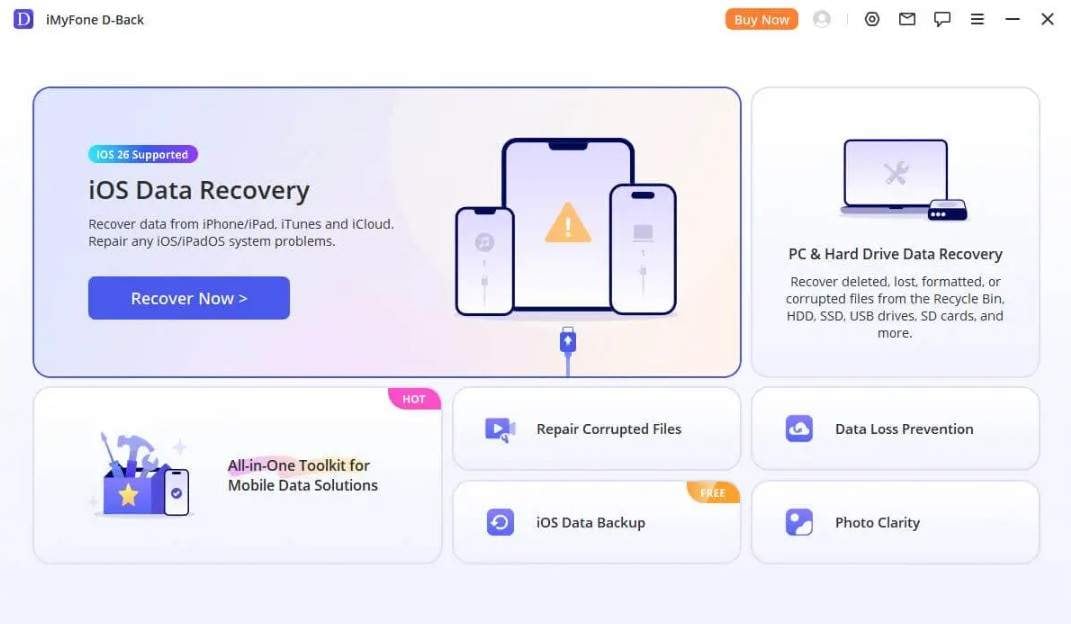
iMyFone D-Back is an iPhone recovery tool that claims to have 99% success rate, but supports iPhone 17 to iOS 26. This tool also claims to have recovery options for iCloud Backup, Drive, and Sync. However, reports show that its users are unable to log in to iCloud Backup, and iCloud Drive lacks the option to scan social media data.
Key Differences at a Glance
Other than the introduction, if you want to know the major differences between Dr.Fone vs iMyFone D-Back, the following table is for you:
| Comparison Dimension | Dr.Fone - Data Recovery (iOS) | iMyFone - D-Back |
|---|---|---|
| Primary Workflow Path | The tool supports free package sync, free scan, and free data preview. However, the recovered data export is paid, and the tool has a separate guide for iCloud Sync, iCloud Drive, and iCloud Backup recovery. | D-Back allows a free scan and thumbnail preview, but the export is paid, and the guide is confusing. Users report that the scan can get stuck, or the iCloud backup package is difficult to log in to. |
| Supported Apple ID Logins | This tool supports up to 5 Apple IDs, allows seamless account switching, and keeps dynamic records. | It supports standard Apple ID and password logins, and the number of IDs is restricted and unclear. |
| Multi-Device Support Volume | In the Dr.Fone vs iMyFone D-Back comparison, the Dr.Fone data recovery tool is available on 5 mobile devices and 2 PCs across all its plans. | iMyFone D-Back is limited to 3 devices and 2 PCs in monthly and yearly plans. Additional access is available only with the Business plan, and the Lifetime Plan supports 3 PCs. |
| Customer Support Setup | It supports the Live Chat ecosystem and an interactive manual support representative. | To resolve the recovery issue, it has a standard web ticketing system. |
| Updates Details | Dr.Fone data recovery tool claims to update weekly to offer recovery solutions for upcoming iOS versions. | This tool releases updates irregularly rather than on a set schedule. |
| Brand Age & Longevity | The vendor claims to have 22+ years of market presence and has around 150+ global platform installations. | Established Segment Peer |




Part 2. Recovery Methods and Real Recovery Scenarios Compared
In the Dr.Fone vs iMyFone D-Back comparison, it's important to know how each tool works. Hence, the mentioned table explains the iCloud Backup, iCloud Sync & Drive, and other iOS recovery methods in the given table:
| Recovery Method & Scenario | Dr.Fone - Data Recovery (iOS) | iMyFone - D-Back |
|---|---|---|
| iCloud Backup Extraction (Lost/Broken Hardware) | The tool allows users to access information about a backup package for free and to install and preview it at no charge. Here, users can also choose to restore the data to a PC or a phone. | Supports, but actual testing reveals recurring 2FA or system login failures. |
| iCloud Sync & Drive Parsing (Active Cloud Data) | It allows users to recover contacts, notes, calendar, and photos to their phone. Since users can also restore to the PC, the scan and preview are free. | iCloud Sync is supported, and iCloud Drive is not. Users can only restore to PC, not phone, and the interface connects to general iCloud storage nodes. |
| iTunes / Finder Local Backups (PC/Mac local copies) | This facility is fully supported, and the tool decrypts and parses local backup directories for selective recovery. | Recovery to phone and PC is supported, but the original data is overwritten when recovered to the phone. It supports only the standard extraction of local backup folders. |
| WhatsApp "View-Once"/ Ephemeral Content | ✅ In the Dr.Fone vs iMyFone D-Back comparison, Dr.Fone is the only platform that can recover WhatsApp View Once data. Nonetheless, users can scan and preview for free. | ❌ This feature is not supported. |
To test the reality of these recovery scenarios, glance at some of the users' reviews mentioned ahead:

After a failed iOS update, I successfully used Dr.Fone to recover my messages and contacts, though the process took a little longer than expected.
Brian S. – IT Specialist, Chicago, IL
I tried iMyFone D-Back, but frequent iCloud login issues and limited recovery options made the experience frustrating.
John
Part 3. Supported Data Types, Social Apps, and Practical Limits
Beyond recovery methods, the right recovery tool must support multiple data types. So, if you want to choose the tool with major data support for iCloud backup, sync, or drive, the mentioned section has you sorted:
Recover from Device
Here are the supported data types you can recover from the iOS device on both tools:
| Data Types | Dr.Fone - Data Recovery (iOS) | iMyFone - D-Back |
|---|---|---|
| Photos | ✅ | ✅ |
| Videos | ✅ | ✅ |
| App Photos | ✅ | ✅ |
| App Videos | ✅ | ✅ |
| App Audios | ❌ | ❌ |
| App Documents | ✅ | ❌ |
| Thumbnails | ❌ | ❌ |
| Audiobooks | ❌ | ❌ |
| Playlists | ❌ | ❌ |
| iBooks | ❌ | ❌ |
| Ringtones | ❌ | ❌ |
| Files | ❌ | ❌ |
| Safari-History | ✅ | ✅ |
| Safari Bookmarks | ✅ | ❌ |
| Contacts | ✅ | ✅ |
| Notes | ✅ | ✅ |
| Reminders | ✅ | ✅ |
| Voice Memos | ✅ | ✅ |
| Calendar | ✅ | ✅ |
| Calculator | ❌ | ❌ |
| Wi-Fi | ❌ | ❌ |
| Messages | ✅ | ✅ |
| Phone Call | ❌ | ❌ |
| Call History | ✅ | ❌ |
| Facetime | ✅ | ❌ |
| ❌ | ❌ | |
| Voicemail | ✅ | ✅ |
| ✅ | ✅ | |
| WhatsApp Business | ✅ | ✅ |
| WhatsApp View Once | ✅ | ❌ |
| Messenger | ❌ | ✅ |
| LINE | ✅ | ✅ |
| Viber | ✅ | ✅ |
| KakaoTalk | ❌ | ✅ |
| Kik | ✅ | ✅ |
| ❌ | ✅ | |
| ❌ | ✅ | |
| Skype | ❌ | ✅ |
| Ins | ❌ | ✅ |
| Teams | ❌ | ❌ |
| Snapchat | ❌ | ❌ |
| Telegram | ❌ | ❌ |
Recover from iCloud (Sync, Drive, & Backup)
To further know the iCloud data types in this Dr.Fone vs iMyFone D-Back comparison, review the mentioned details:
| Data Types | Dr.Fone - Data Recovery (iOS) | iMyFone - D-Back |
|---|---|---|
| Photos | ✅ | ✅ |
| Videos | ✅ | ✅ |
| App Videos, Documents, Photos | ✅ | ❌ |
| Voicemail | ✅ | ✅ |
| Numbers | ✅ | ✅ |
| Pages | ✅ | ✅ |
| Keynotes | ✅ | ✅ |
| Contacts | ✅ | ✅ |
| Notes | ✅ | ✅ |
| Reminders | ✅ | ✅ |
| Calender | ✅ | ✅ |
| Alarms | ✅ | ❌ |
| Safari Bookmarks | ✅ | ✅ |
| iCloud Drive Files | ✅ | ❌ |
| ✅ | ✅ | |
| WhatsApp Business | ✅ | ✅ |
| WhatsApp View Once | ✅ | ❌ |
| Messenger | ❌ | ❌ |
| LINE | ✅ | ✅ |
| Viber | ✅ | ✅ |
| KakaoTalk | ❌ | ✅ |
| Kik | ❌ | ✅ |
| ❌ | ✅ | |
| ❌ | ✅ | |
| Skype | ❌ | ✅ |
| Ins | ❌ | ✅ |
| Teams | ❌ | ❌ |
| Snapchat | ❌ | ❌ |
| Telegram | ❌ | ❌ |
| Deleted Files | ✅ | ❌ |
Recover from iTunes
As for iTunes, this Dr.Fone vs iMyFone D-Back comparison highlights data types for both tools:
| Data Types | Dr.Fone - Data Recovery (iOS) | iMyFone - D-Back |
|---|---|---|
| Photos | ✅ | ✅ |
| Videos | ✅ | ✅ |
| App Videos and Photos | ✅ | ✅ |
| App Documents | ✅ | ❌ |
| Numbers | ❌ | ❌ |
| Pages | ❌ | ❌ |
| Keynotes | ❌ | ❌ |
| Contacts | ✅ | ✅ |
| Notes | ✅ | ✅ |
| Reminders | ✅ | ✅ |
| Calender | ✅ | ✅ |
| Messages | ✅ | ✅ |
| Attachments | ✅ | ✅ |
| Voice Mail | ✅ | ✅ |
| Voice Memos | ✅ | ✅ |
| Call History | ✅ | ✅ |
| Safari History | ✅ | ✅ |
| Safari Bookmarks | ✅ | ✅ |
| ✅ | ✅ | |
| WhatsApp Business | ✅ | ✅ |
| Messenger | ❌ | ❌ |
| LINE | ✅ | ✅ |
| Viber | ✅ | ✅ |
| KakaoTalk | ❌ | ✅ |
| Kik | ✅ | ✅ |
| ❌ | ✅ | |
| ❌ | ✅ | |
| Skype | ❌ | ✅ |
| Ins | ❌ | ❌ |
| Teams | ❌ | ❌ |
| Snapchat | ❌ | ❌ |
| Telegram | ❌ | ❌ |
Dr.Fone outperforms iMyFone - D-Back since it can easily restore Safari bookmarks from the device and deleted files from the iCloud, along with all the basic data. In addition, Dr.Fone vs iMyFone D-Back comparison shows that Dr.Fone can also restore messages and WhatsApp and WhatsApp Business data, along with View Once media files that D-Back can't.
Part 4. Preview, Restore Flexibility, and Overall Buying Confidence
So far, you know what data recovery to pick, but the ability to restore and preview is yet to be known. In this case, the mentioned comparison table of Dr.Fone vs iMyFone D-Back shows what recovery option to opt for:
| Conversion & Trial Indicators | Dr.Fone - Data Recovery (iOS) | iMyFone - D-Back |
|---|---|---|
| Media File Preview Capability | The tool gives 100% free thumbnails for photos, app videos, and other data types before one pays for export. | iMyFone - D-Back comes with the basic scan and thumbnail list views. |
| Text-Based File Previews | With Dr.Fone, the presence of structured data files is verified; text logs are hidden until export. | Here, the index visibility varies by the database type. |
| Data Processing Location | The data processing is local and secure with no remote server intervention. | The tool supports local PC execution architecture, but prolonged scans and iCloud login issues make it less reliable. |
| Pricing Details | Monthly Plan: $44.95 Annual Plan: $59.95 Perpetual Plan: $69.95 |
1 Month Plan: $49.99 Lifetime Plan: $79.99 1 Year Plan: $69.99 |
According to the pricing pages of both tools, it's clear that Dr.Fone - Data Recovery (iOS) is relatively inexpensive compared to iMyFone - D-Back.
This Dr.Fone vs iMyFone D-Back comparison further revealed that iMyFone D-Back access is limited to 3-5 devices and 2 PCs for both monthly and yearly plans. On the main page, it failed to mention that the 3 PCs and 5 Devices support is for the Lifetime Plan only, which makes it promotional.
Part 5. Which Data Recovery Tool Should You Choose?
In the Dr.Fone vs iMyFone D-Back comparison, Dr.Fone - Data Recovery is the ideal choice for most iPhone and iPad users. This is because the tool offers comprehensive data recovery options for the most important data types, and its claims are not promotional or false.
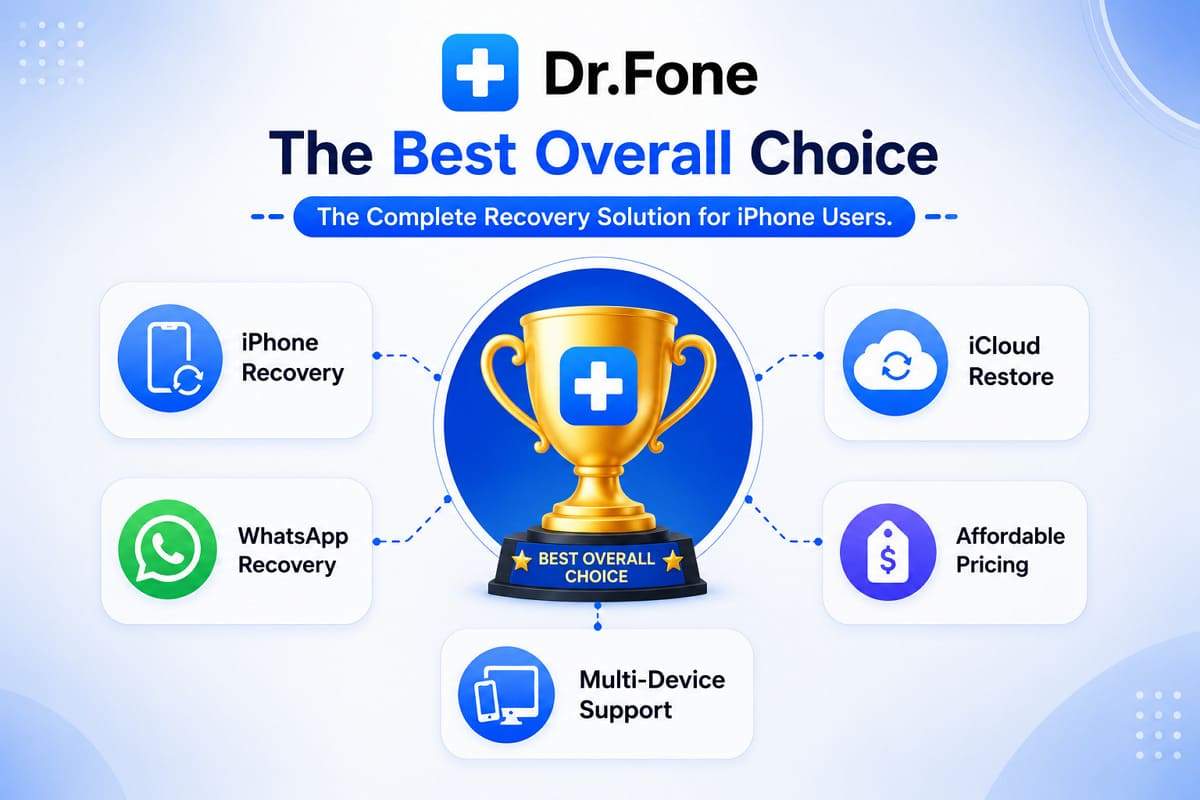
Though it may not support the widest range of recoverable file types, it can recover WhatsApp view-once media. Moreover, all iCloud Sync, iCloud Drive, and iCloud Backup allow restoration on both PC and devices. Compared with recovery tools like iMyFone D-Back, the tool is also relatively affordable and accessible on 2 PCs and 5 devices across all plans.
Conclusion
It's important to choose the right data recovery tool when the data is important. Most of all, the tool's recovery method should be complete and free of promotional or false claims. So, based on the Dr.Fone vs iMyFone D-Back comparison in this guide, Dr.Fone - Data Recovery (iOS) meets all iOS data-loss needs. This tool supports more data types than iMyFone D Back, while offering simple recovery and iCloud support at a lower cost.
FAQs
-
Does recovering data overwrite existing files on my iPhone?
This depends on how you recover the data, but Dr.Fone - Data Recovery (iOS) offers flexible recovery options that are designed to reduce the risk of overwriting existing data. Hence, users can review the available data recovery options in the “Recover Data from an iOS device” interface. -
Is internet access required for data recovery?
Internet access is needed for iCloud recovery, account verification, and downloading cloud backup information. On the contrary, local recovery from the device or backups can be completed offline, directly on the computer or device. -
Can Dr.Fone recover data from a broken or unresponsive iPhone?
Yes, Dr.Fone can recover data from iCloud, iTunes, and local backups even when the devices are inaccessible. Not just that, you can also retrieve 35+ data types when the phone is locked and won't turn on, but your data is still there.
 Add Wondershare Dr.Fone as a preferred source on Google