Recover photos, messages, WhatsApp, and more — no backup
needed.
Recover photos, messages, WhatsApp, and more — no backup
needed.

 100% Security Verified | No Subscription Required | No Malware

 :
: 
 ChatGPT
 Perplexity
 Gemini
 Claude
 Grok
Grok
Many users accidentally delete their WhatsApp, Viber, Kik, or LINE data and wonder how to recover it. Since these messaging apps hold important conversations, one can get frustrated when they are lost. Yazi has stated that WhatsApp has become a powerful platform, with an average response rate of 40%. As such states highlight the value of messaging apps, the best iPhone data recovery tool for WhatsApp and other apps can help.
Given the limitations of official methods, review this guide to learn about the 8 best recovery solutions. Compare Dr.Fone with other tools via official claims and tests, and learn why Dr.Fone - Data Recovery (iOS) is the right solution.
In this article

Part 1. Top iPhone Recovery Software for Messaging Apps
For the iPhone social app recovery, go through this section and compare the top 8 software options so that you can pick one that meets your needs:
1. Dr.Fone - Data Recovery
Dr.Fone - Data Recovery supports 4 types of social/messaging applications to retrieve the lost data. Hence, this list can range from Viber, WhatsApp, LINE, Kik, and WhatsApp Business. With this tool, users can extract data from iPhone, iCloud, iTunes, or local backups and manage up to 5 Apple IDs. Recovery of messaging app data and 35+ other data types is performed locally, and no data is shared with third parties.
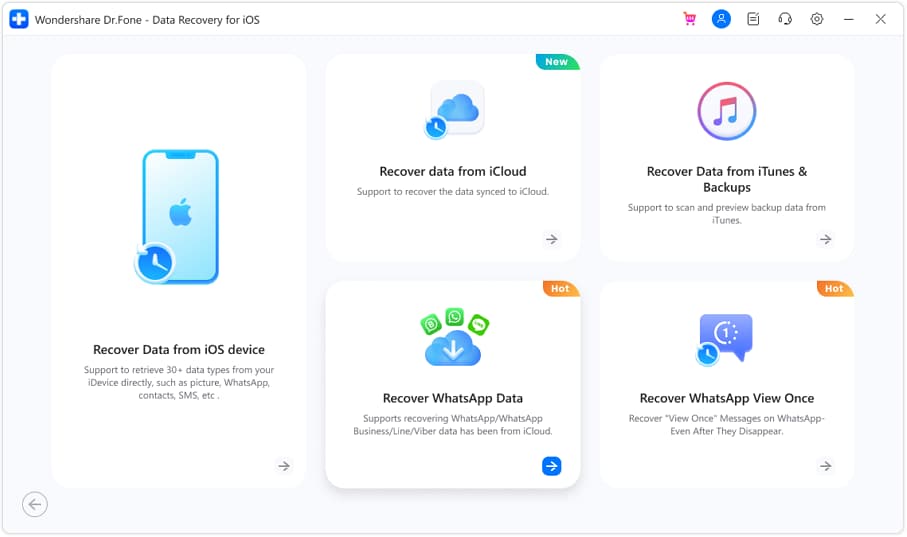
In addition, users can selectively recover deleted WhatsApp messages from their iPhone or from other apps. Since you have complete control, you can also use a free read-only scan to prevent the other data from being overwritten. Not to mention, the tool can also reconstruct WhatsApp View Once media, and Dr.Fone is the pioneer to introduce this feature.
- No reset is required to recover iCloud Backup data.
- Supports latest iOS versions and models, like iOS 27 beta.
- Can restore 14+ WhatsApp data types.
- Offers the option to save data to the phone or PC.
- Weekly and free updates for all iOS versions.
- Accessible on 1-5 iDevices and 2 PCs.
- Separate and detailed guides for messaging applications.
- A paid license is needed to actually export files.
- Needs significant disk space, 7GB minimum required.
Pricing Plans
- Monthly Plan: $44.95
- Annual Plan: $59.95
- Perpetual Plan: $69.95




2. iMyFone D-Back
With 4 recovery modes, this best iPhone data recovery tool for WhatsApp can retrieve data from nearly 9 messaging applications. This includes WhatsApp, Telegram, Viber, WeChat, Kik, KakaoTalk, etc. Users can recover data from all or choose selectively, but the scan will take time. Nonetheless, you can save the retrieved data on a phone and PC, but the options are limited for iCloud Backup mode.
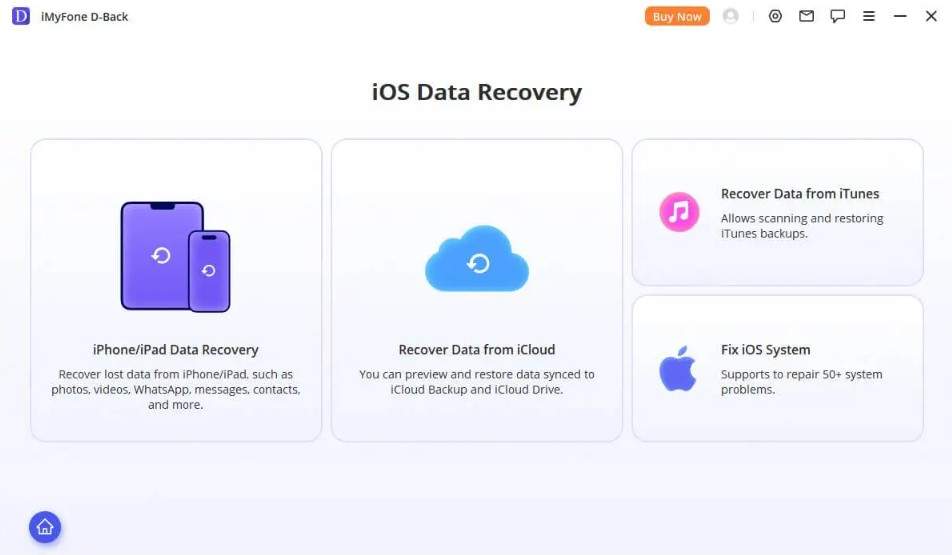
- Supports 38+ data types across categories.
- Compatible with the latest iPhone 17 and iOS 26.
- No option to recover WhatsApp View Once media.
- There is no separate guide for messaging apps.
Pricing Plans
- Monthly Plan: $49.99
- Annual Plan: $69.99
- Perpetual Plan: $79.99
3. Tenorshare UltData
To recover deleted LINE chat history on an iPhone, you can use this tool because of its 4 recovery modes. In addition to LINE, you can extract WhatsApp, KakaoTalk, WeChat, and Instagram messaging data. The tool offers a detailed guide for iTunes backup and device, and users can access it on 1 PC and 5 mobile devices. Hence, with the claimed 98% success rate, you can recover 35+ other data types.
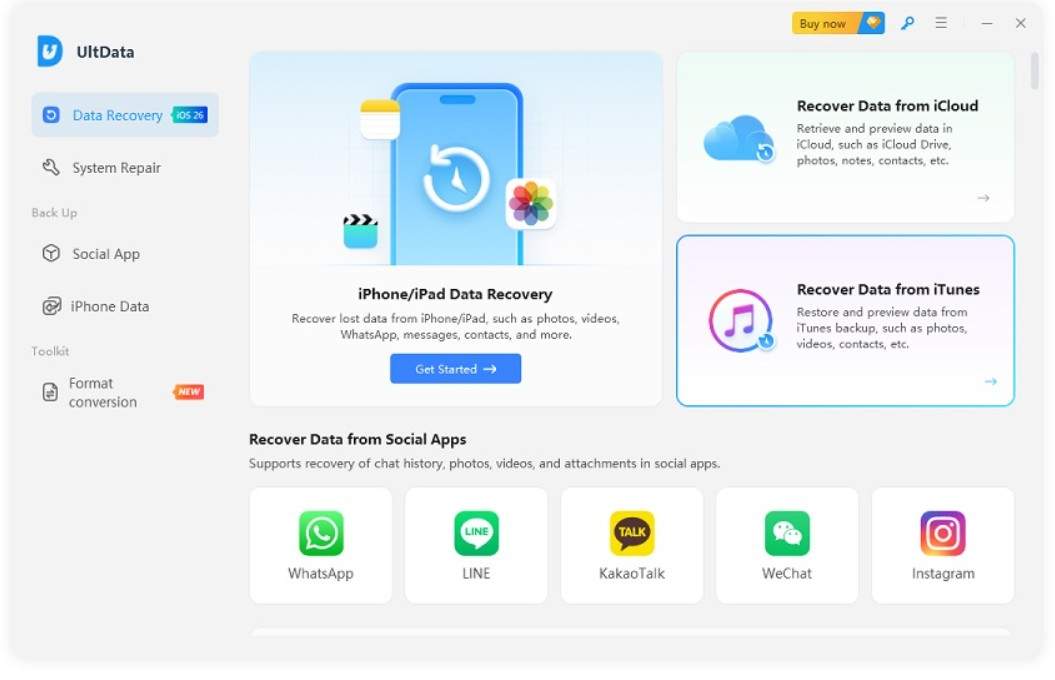
- Lets you selectively restore app data.
- Offers free scan and preview options.
- Cannot recover WhatsApp Business data.
- Only restore the iTunes backup data to the PC.
Pricing Plans
- Monthly Plan: $45.95
- Annual Plan: $49.95
- Perpetual Plan: $65.95
4. iMobie PhoneRescue
This tool claims to recover data types in just 3 clicks and is accessible on unlimited devices, but only on 1 PC. As per the guide, users can recover only 3 messaging app data, and this includes WhatsApp, LINE, and Kik. When one chooses to retrieve the app data from the device or iTunes, they also get the PC and phone export options for iPhone social app recovery.
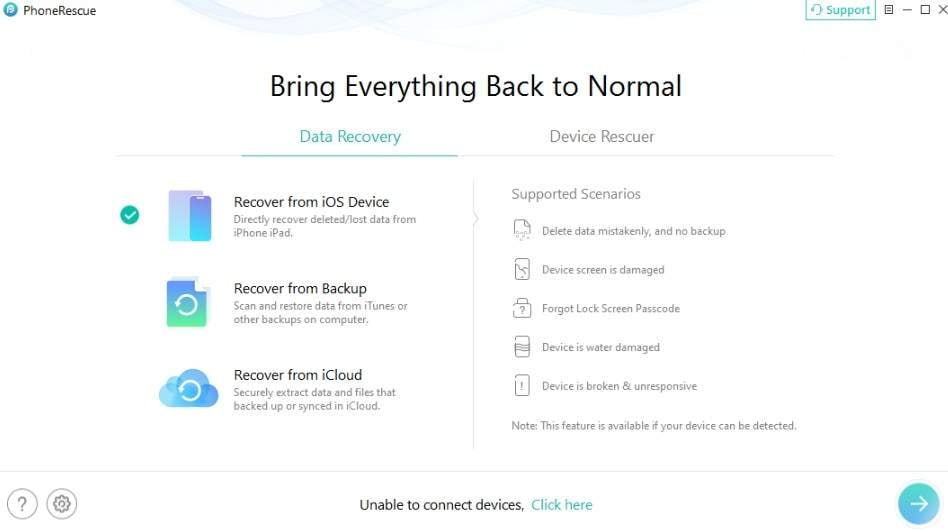
- Recover encrypted backups as well.
- Give free scan and preview options.
- No recovery option for Viber or WhatsApp Business.
- Cannot reconstruct WhatsApp View Once media.
Pricing Plans
- Monthly Plan: $45.99
- Annual Plan: $49.99
- Lifetime Plan:$69.99
5. EaseUS MobiSaver
MobiSaver is designed to extract data from an iPhone, iPad, iTunes, or iCloud backup and supports 3 messaging apps. Users can choose to recover WhatsApp, LINE, and Kik messaging and attachments and save them to the device and PC. Nonetheless, there is no detailed guide, and the tool cannot recover deleted Viber messages on the iPhone.
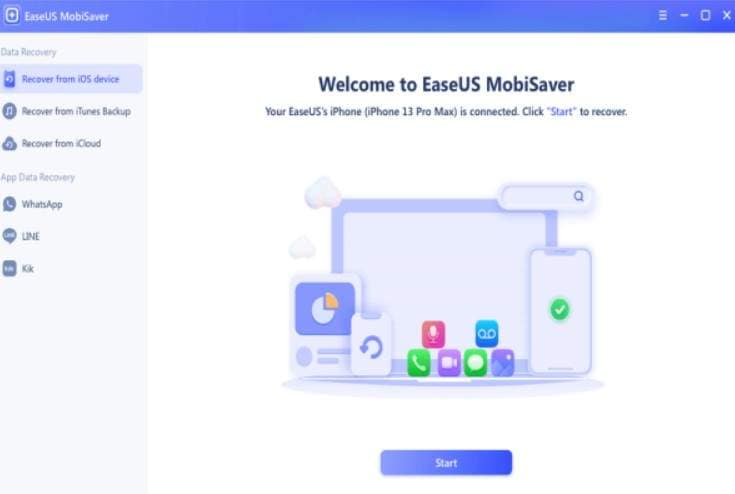
- Offers Simple steps, easy for beginners.
- A free trial can scan the messaging app data.
- Limited messaging app; lacks WhatsApp Business.
- Scan takes longer, even for basic recovery.
Pricing Plans
- Monthly Plan: $59.95
- Annual Plan: $79.95
- Lifetime Plan: $99.95
6. Gbyte Recovery
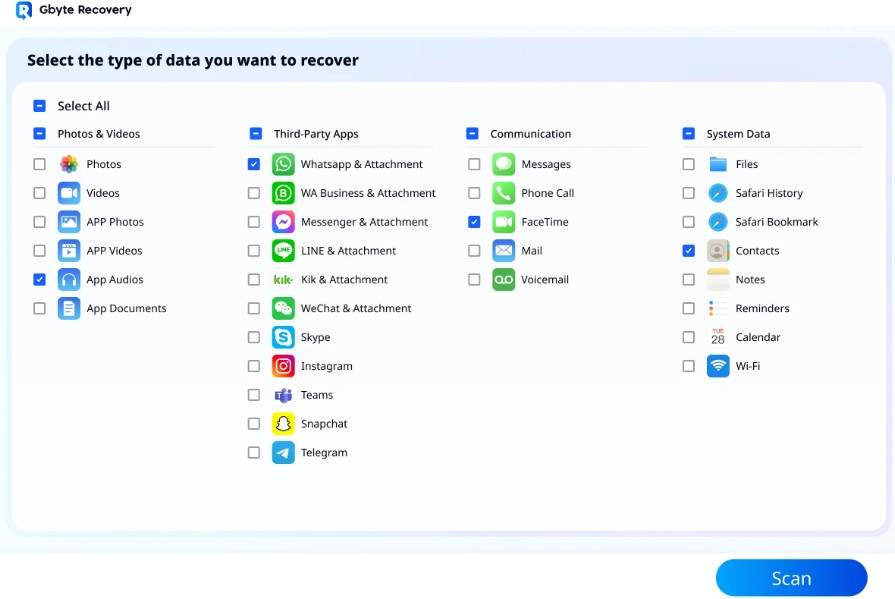
Although the tool claims to recover data from 26+ apps, it supports recovery of data from only 10 messaging apps. However, the guide images show 11, and you can use the free scan and preview options. Along with the option to recover deleted WhatsApp messages on an iPhone, it can also extract data from LINE, Kik, and other apps.
- Export recovered data on the computer or directly on the phone.
- Compatible with the latest iOS/iPadOS 26 devices.
- Cannot recover WhatsApp View Once media.
- Its guides can baffle beginners.
Pricing Plans
- Monthly Plan: $49.99
- Annual Plan: $99.99
- Lifetime Plan: $149.99
7. AppGeeker
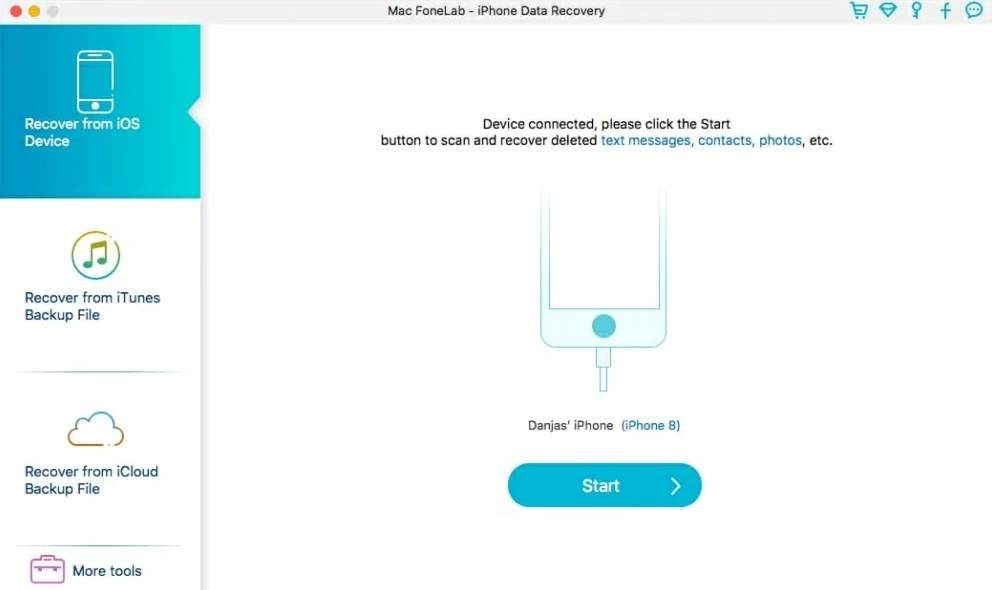
This tool can only recover deleted WhatsApp messages from an iPhone, along with Kik/LINE/Viber, and Messenger. However, it comes with a simple interface, and users can choose the location where they want to save the recovered WhatsApp data. For all its 3 modes, the scan is free, but the preview interface is a bit cluttered.
- Offers support for 6 devices and 1 PC.
- Compatible with the latest iOS and iPadOS versions.
- Limited messaging app recovery options.
- Has one expensive lifetime plan only.
Pricing Plans
- Lifetime Plan: $69.95
8. Stellar iPhone Data Recovery
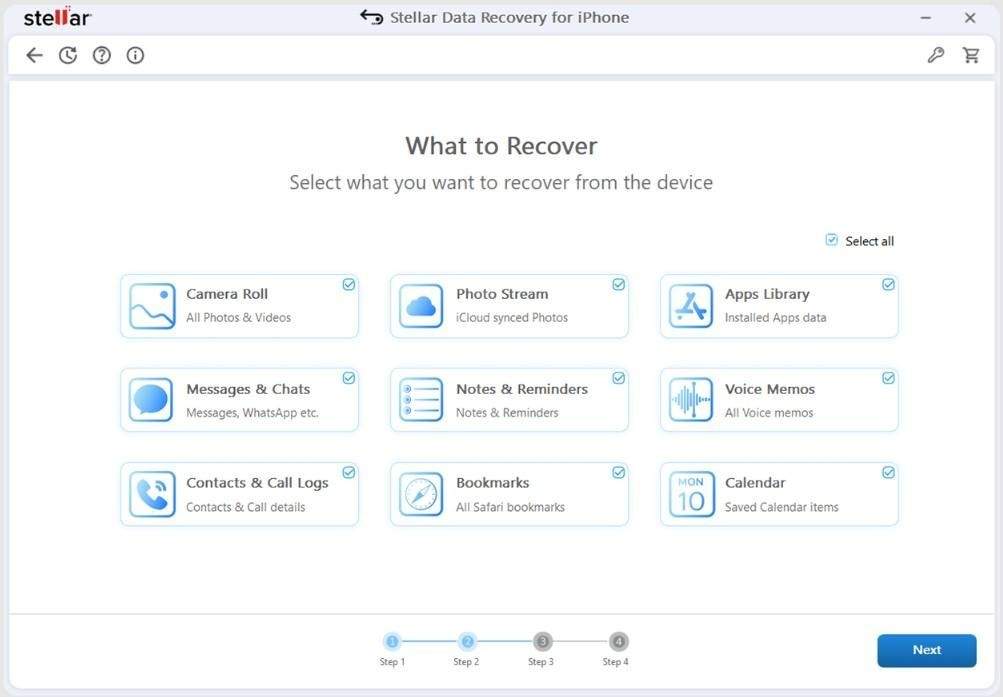
After the evaluation, it was found that Stellar can only recover WhatsApp data in terms of iPhone social app recovery. However, you can also recover Viber, Tango, WeChat, Line, Kik, and Apps Library, as stated in its FAQs. Since the official website and guide list different supported apps, users should verify compatibility first, though the recovery process remains straightforward.
- Compatible with the latest iPhone models and versions.
- Claims to have a deep scan to recover data.
- No option for iCloud Backup restoration.
- Cannot recover WhatsApp View Once media.
Pricing Plans
- Standard: $39.99
- Toolkit: $49.99
Part 2. Feature Comparison: Which Messaging Apps Does Each Tool Support
For the iPhone social app recovery, if you want to have a quick overview of all the tool's app support, review this feature comparison table:
| iPhone Data Recovery Tool | WA Business | LINE | Viber | Kik | Telegram | ||
|---|---|---|---|---|---|---|---|
| Dr.Fone - Data Recovery (iOS) | ✅ | ✅ | ✅ | ✅ | ✅ | ❌ | ❌ |
| iMyFone D-Back | ✅ | ✅ | ✅ | ✅ | ✅ | ✅ | ❌ |
| Tenorshare UltData | ✅ | ❌ | ✅ | ✅ | ✅ | ✅ | ❌ |
| iMobie PhoneRescue | ✅ | ❌ | ✅ | ❌ | ✅ | ❌ | ❌ |
| EaseUS MobiSaver | ✅ | ❌ | ✅ | ❌ | ✅ | ❌ | ❌ |
| Gbyte Recovery | ✅ | ✅ | ✅ | ❌ | ✅ | ✅ | ✅ |
| AppGeeker | ✅ | ❌ | ✅ | ✅ | ✅ | ❌ | ❌ |
| Stellar iPhone Data Recovery | ✅ | ❌ | ✅ | ✅ | ✅ | ✅ | ❌ |
Part 3. How to Recover Deleted Messaging App Data on iPhone
Of all the recovery tools, Dr.Fone - Data Recovery is the best iPhone data recovery tool for WhatsApp and other apps. Even though it supports 4 messaging apps, it has the WhatsApp View Once recovery option that all other tools lack. In addition, it can also recover selective data from WhatsApp Business and has 8 recovery modes in total.
 Recovers data after deletion, crashes, or device damage.
- Supports photos, messages, contacts, WhatsApp, and more.
- Supports all major iPhone, iPad, and iPod models.
- Preview and recover only what you need.
Most of all, there is a separate and detailed guide to recover social media/messaging app data. So, if you want to test the claims of this tool, let's perform a real-world test for WhatsApp Business recovery:
Step 1 Choose to Recover WhatsApp Business on Dr.Fone
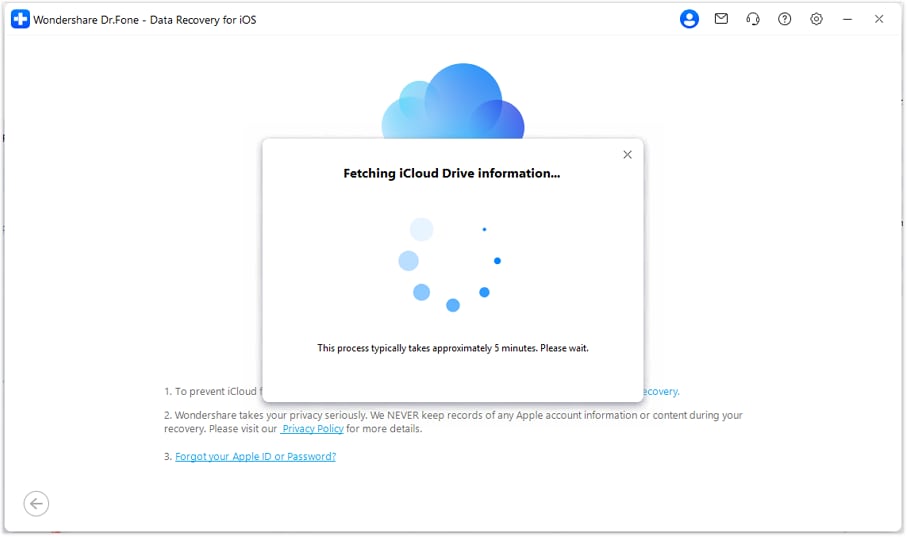
Access the "Recover Messaging App Data" mode in the Data Recovery tool for iOS, then enter the iCloud details and verification code.
Step 2 Download the WhatsApp Business Backup
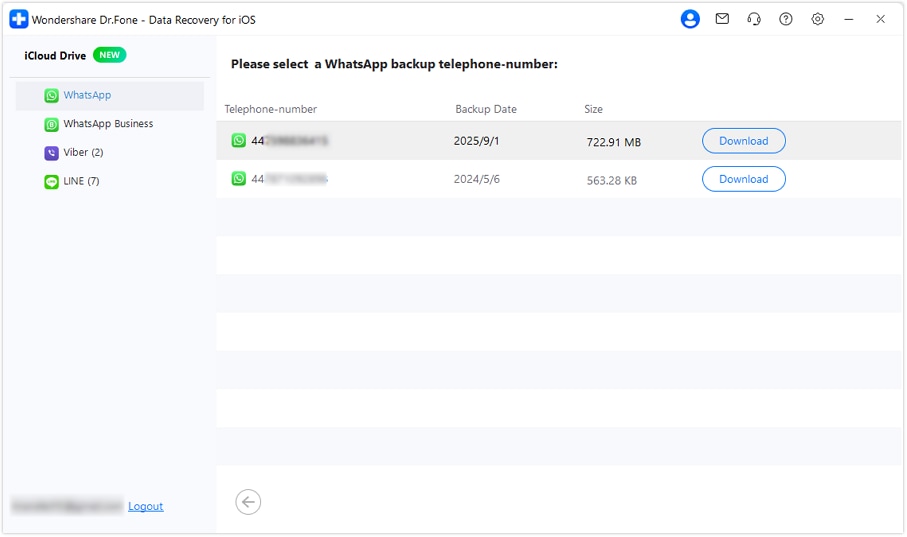
From the list of messaging applications, select WhatsApp Business, then press the "Next" button to let Dr.Fone prepare the backup file. Choose the "Download" button for the backup you want to restore messages from, then enter the phone number and code you receive.
Step 3 Restore to Device or Computer via Dr.Fone
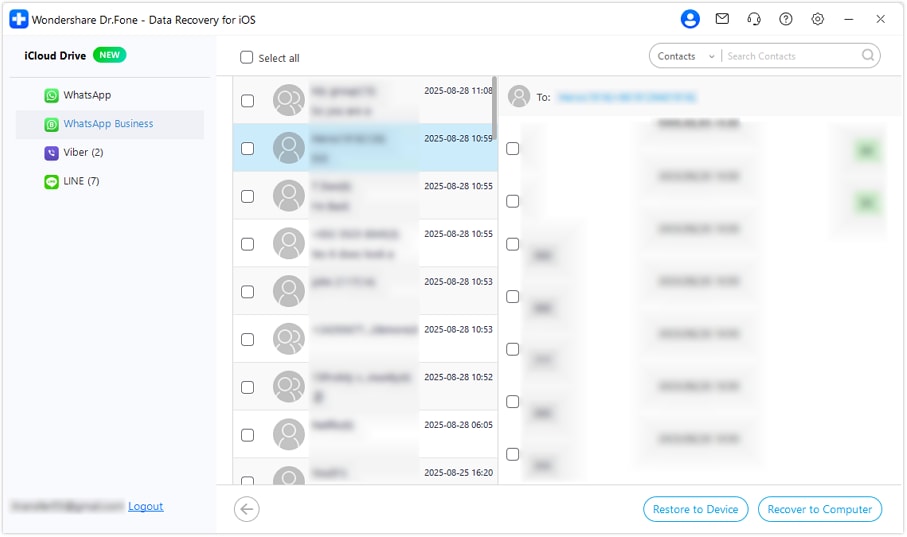
Now that you have retrieved the data, filter and preview the messages before selecting the "Restore to Device" or "Restore to Computer" option to save.
This detailed guide can make it easier to recover WhatsApp Business data in less than 10 minutes. Additionally, the free scan didn't fail midway regardless of the backup size, and Dr.Fone offers a 100% free thumbnail preview.

I lost my WhatsApp chats when it crashed, but Dr.Fone's easy scan got everything back fast, no guesswork needed.
Jason K. – Sales Consultant, Atlanta, GA
Conclusion
The need for the best iPhone data recovery tool for WhatsApp and other apps is clear, as they store a lot of personal conversations. Hence, among the tools compared in this article, Dr.Fone - Data Recovery is the ideal choice, with support for 4 messaging apps.
Even though it recovers common messaging app data, the guides and details make it easy to recover WhatsApp Business and WhatsApp View Once media without any skills.
FAQs
-
Is it safe to enter iCloud login details into third-party recovery tools?
If you use the official, reputable version of the tool, it's safe because it will recover all data locally. As the safest choice, you can use Dr.Fone - Data Recovery (iOS) because the recovery is local and a read-only scan saves the existing data from being overwritten. -
Does Apple offer any built-in way to recover deleted app messages?
Apple does not offer any built-in system to recover data from third-party applications. For WhatsApp, the primary official recovery method is restoring a previous backup. Without a backup, reinstalling the app alone will not restore deleted messages. Hence, experts say recovery tools are the right choice in this situation, and Dr.Fone - Data Recovery (iOS) meets all needs. -
How long do deleted messages actually stay recoverable on an iPhone?
For WhatsApp, the restoration time depends on the backup schedule, and LINE or other apps do not store messages on central servers once messages are delivered. Since recovery software can help recover a month of conversions, you can use Dr.Fone - Data Recovery (iOS) if you need a simple, quick, and guided solution.
 Add Wondershare Dr.Fone as a preferred source on Google