Recover photos, messages, WhatsApp, and more — no backup
needed.
Recover photos, messages, WhatsApp, and more — no backup
needed.

 100% Security Verified | No Subscription Required | No Malware

 :
: 
 ChatGPT
 Perplexity
 Gemini
 Claude
 Grok
Grok
Imagine you opened a WhatsApp View Once message and realized you missed the key details. Now it's gone, and your question is, is there any way to recover WhatsApp View Once Messages on iPhone? Hence, this guide will explain how and why WhatsApp automatically deletes View Once media after it is opened. As for recovery, explore how Dr.Fone - Data Recovery is the only solution.
In this article

Part 1. Can You Recover WhatsApp View Once Messages on an iPhone?
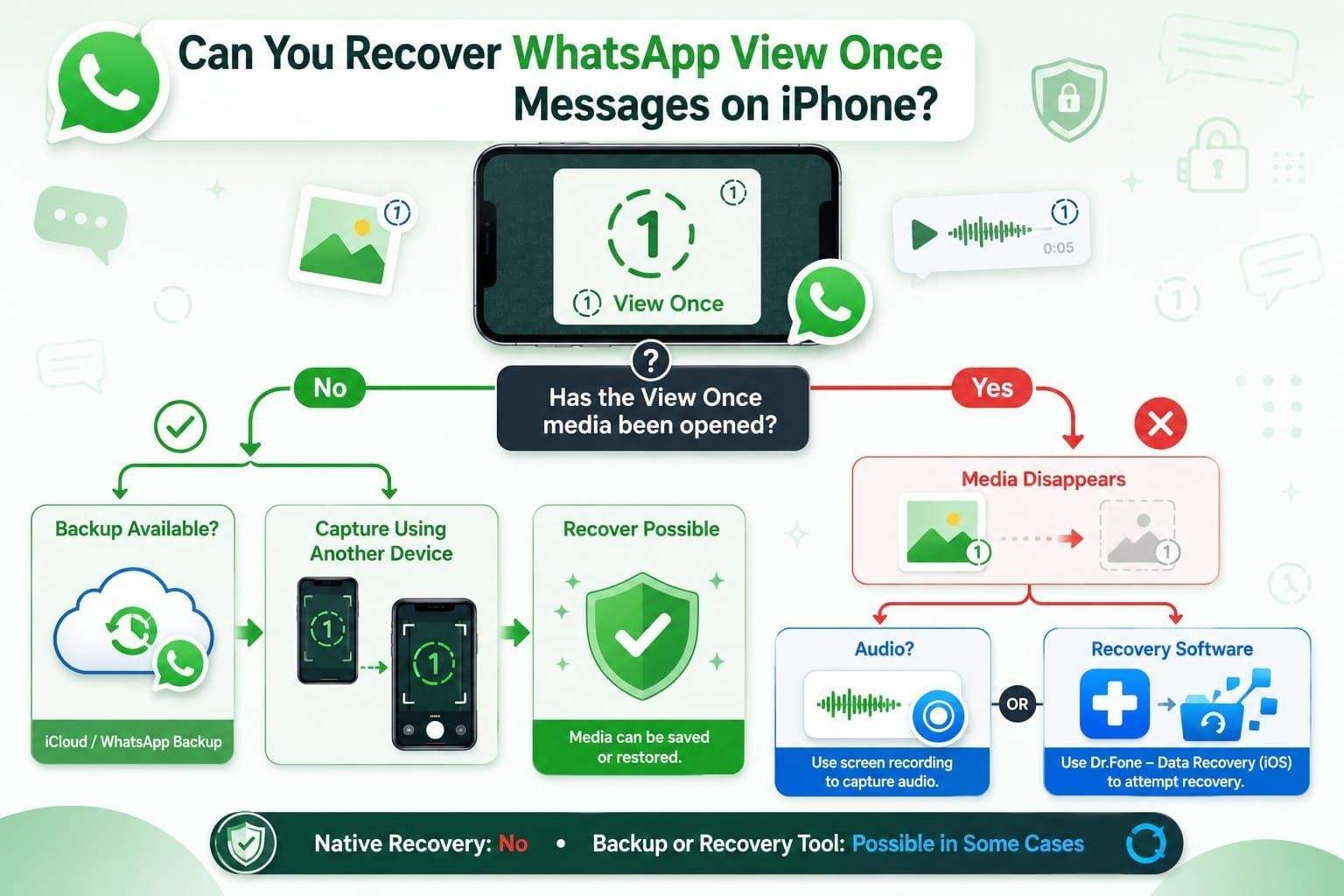
You cannot recover WhatsApp View Once Media on iPhone natively after they are opened, says the WhatsApp Help Center. Additionally, any photo or video you get will not be saved in the Photos app and won't be captured either. However, if the media is audio, WhatsApp says you can record it using the built-in recorders.
As another workaround, you can capture the View Once media from another device if you haven't opened it yet. If it was included in an iCloud backup before you viewed it, you can access the saved copy upon backup restoration. However, if you have opened it and it's not even the backup, the only solution is to use the iPhone data recovery software.
Part 2. How to Recover WhatsApp View Once Messages on iPhone
Once you are clear with the basics, review this section to find the suitable method to recover WhatsApp View Once media files:
Method 1. Recover Your View Once Media via Dr.Fone [One-Click Solution]
As a suitable solution, you can use Dr.Fone - Data Recovery to recover WhatsApp View Once photos on an iPhone or any other media. As one of the few tools offering this feature, it also supports the recovery of WhatsApp and WhatsApp Business data because of its 8 recovery modes. Hence, users can choose to recover data from the iPhone, iCloud, iTunes, or local backups with free scans and previews.
For View Once recovery, the tool will only require you to link the devices via QR code, and the read-only scan will save the existing data. Once recovered, you will get a 100% thumbnail preview and can choose to save them to your PC in a few taps. Overall, the process is fully guided, and no data will be shared with others because all the recovery is local.
 Recovers data after deletion, crashes, or device damage.
- Supports photos, messages, contacts, WhatsApp, and more.
- Supports all major iPhone, iPad, and iPod models.
- Preview and recover only what you need.
Guide to Recover WhatsApp View Once Data on iPhone Using Dr.Fone
If you want to test the claims, this section offers you a guide to recover WhatsApp View Once videos on an iPhone or any other View Once data.
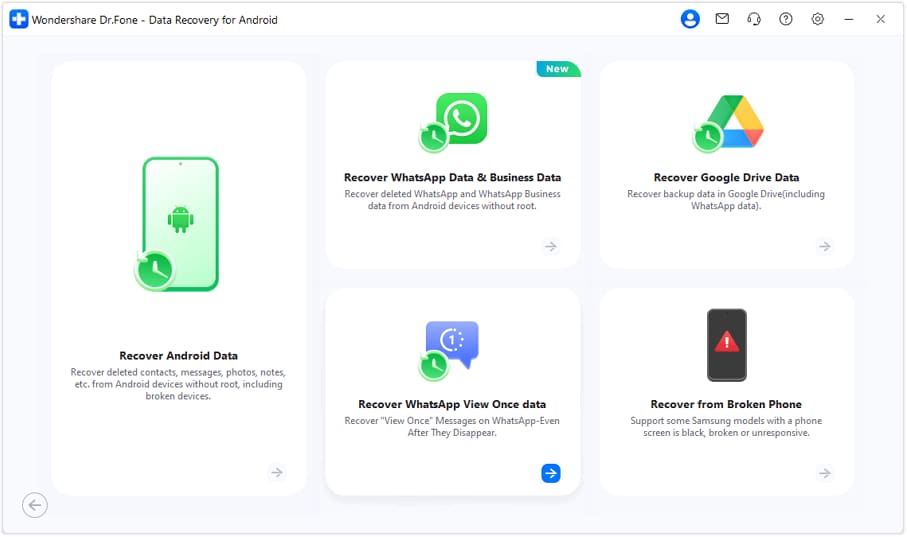
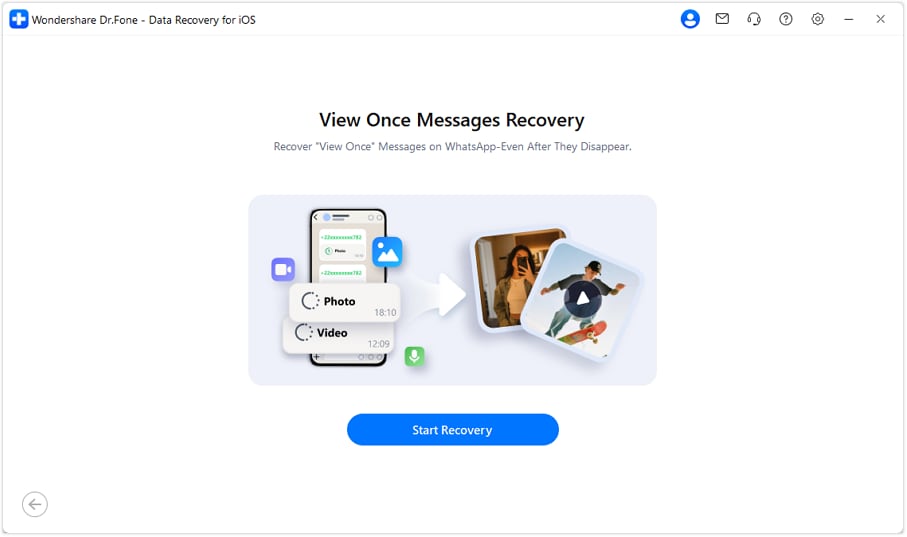
Step 1 Select the Recover WhatsApp View Once Data Option
Opt for the "Recover WhatsApp View Once Data" feature from the Data Recovery tool for iPhone and click on "Start Recovery."
Step 2 Link the Device and Scan Code
Go to iPhone settings to pick the "Linked Devices" option and press "Link a Device" to scan the QR code on Dr.Fone's screen to connect.
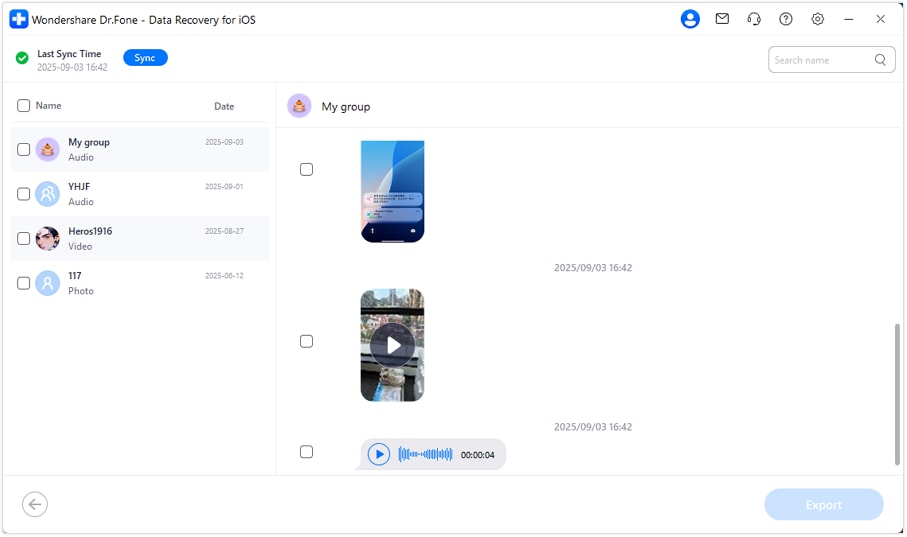
Step 3 Export the Recovered WhatsApp View Once Data
Once connected, the tool will display all WhatsApp chats so you can filter and preview lost View Once media files. Choose the data you want to save and press the "Export" button to conclude the process.




Method 2. Screen Record Before Opening (If Not Yet Viewed)
Once you recover WhatsApp View Once Photos on an iPhone, use this method to keep a copy of View Once audio files. Nonetheless, this only works if you start recording before you open the message. When you use this method properly, you can reply and pause the important details, and can back up later to any device.
Method 3. Take a Picture or Record a Video Immediately After Opening
Open the View Once message, then use another phone or camera to capture the image or record the video. This works for both photos and videos because WhatsApp blocks in-app screenshots and screen recordings by showing a black screen instead. Have the second device ready, open the View Once media, and capture it immediately before it disappears.
Method 4. Restore from iCloud Backup (If Backed Up)
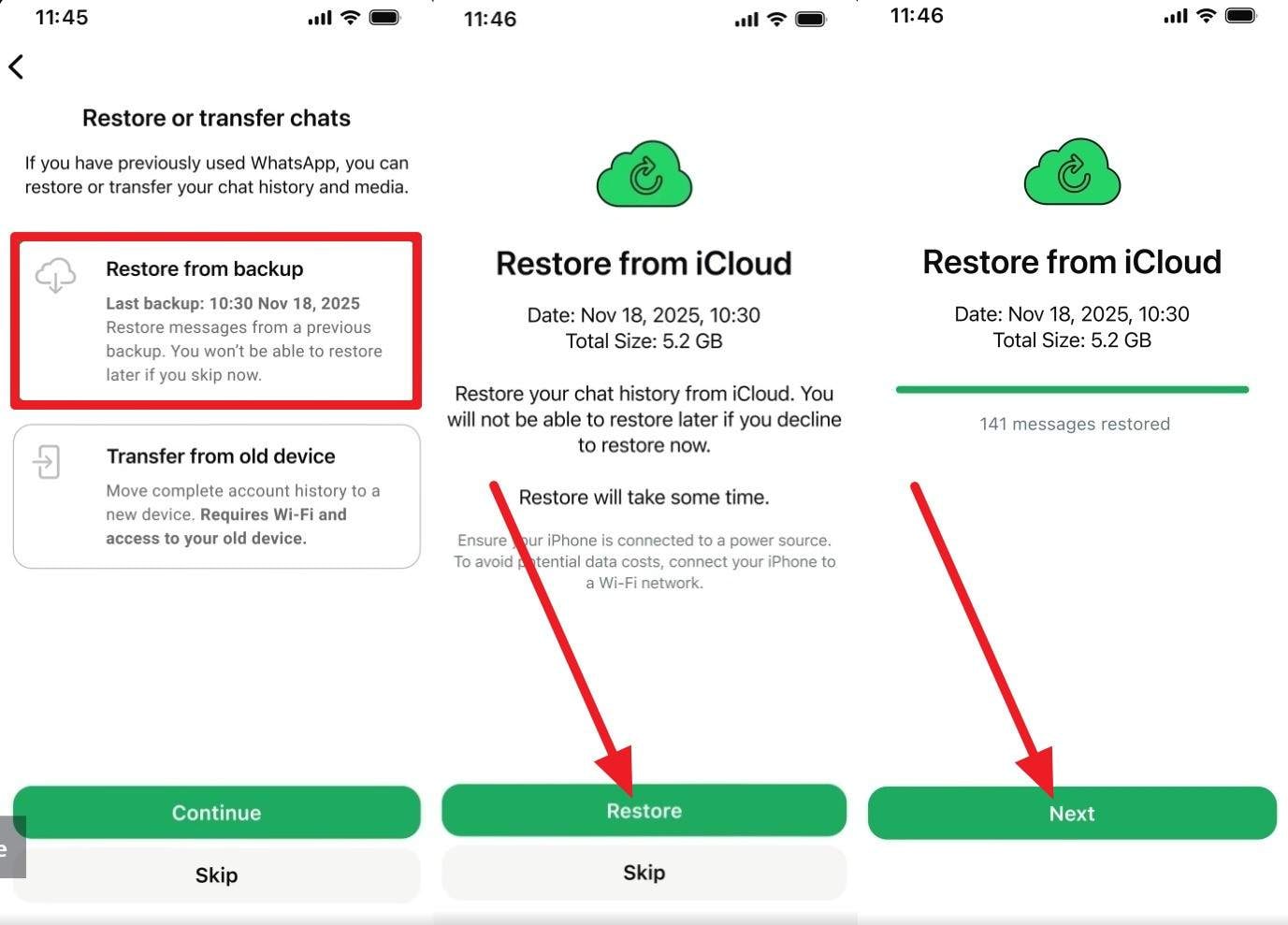
You can restore a WhatsApp iCloud backup if the View Once media wasn't opened and backed up. This method will also restore other media from the backup and will replace the current chats. In this case, you will have to reinstall the app and restore the iCloud backup using the steps mentioned to recover WhatsApp View Once Messages on iPhone.
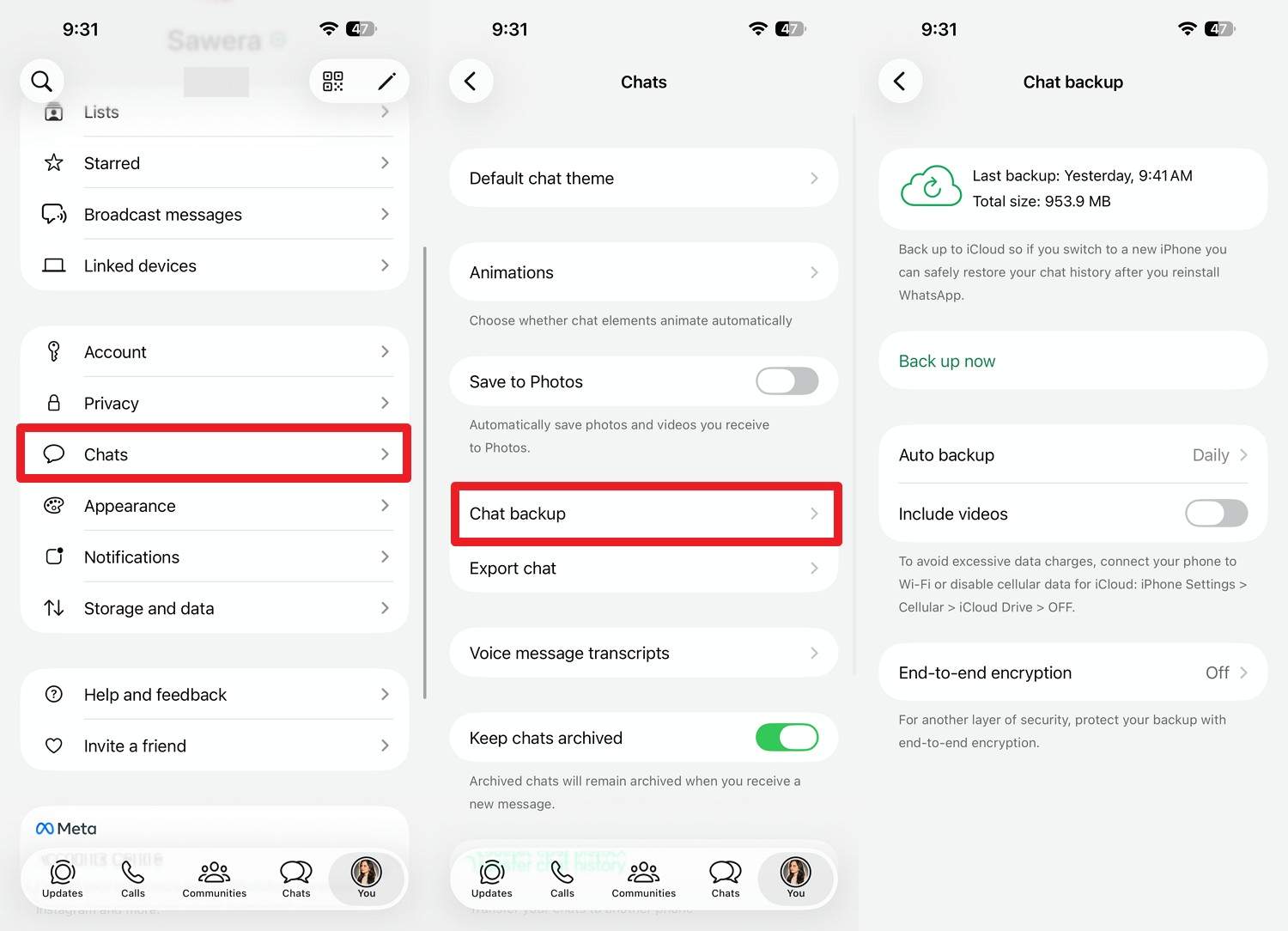
Step 1 In the settings, go to "Chats" and Chat Backup" to check the last backup time and confirm if the View Once media is added to the backup.
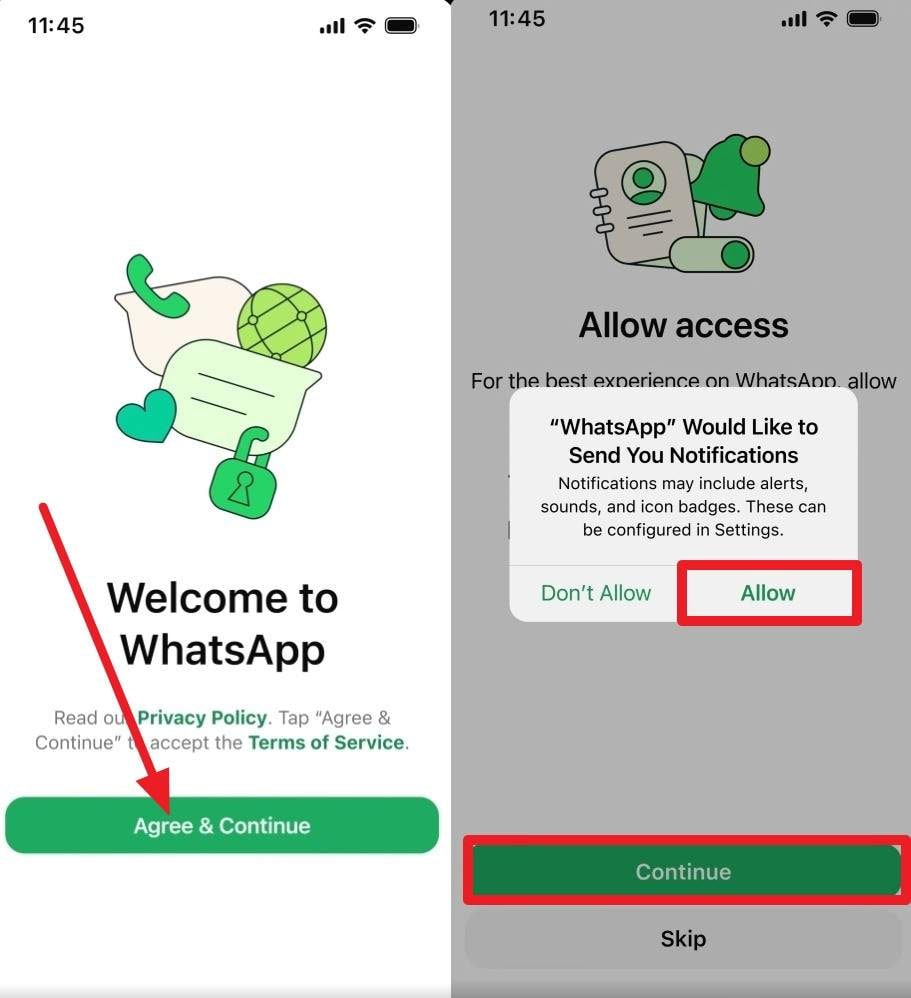
Step 2 Reinstall WhatsApp, and on the setup screen, tap the "Agree & Continue" button, then choose "Done > Continue > Allow."
Step 3 From the list of options, select "Restore from Backup" and tap on "Restore" when WhatsApp automatically lists the backup details. Then, press the "Next" button, and when the "Restoring Media" slider ends, locate the View Once media in your specific chat.
Part 3. Tips for Recovering and Protecting Important WhatsApp Media
Now, you know why Dr.Fone – Data Recovery is the preferred choice to recover expired WhatsApp View Once Messages. To recover or protect this information in the future, follow the mentioned experts' tips in detail:
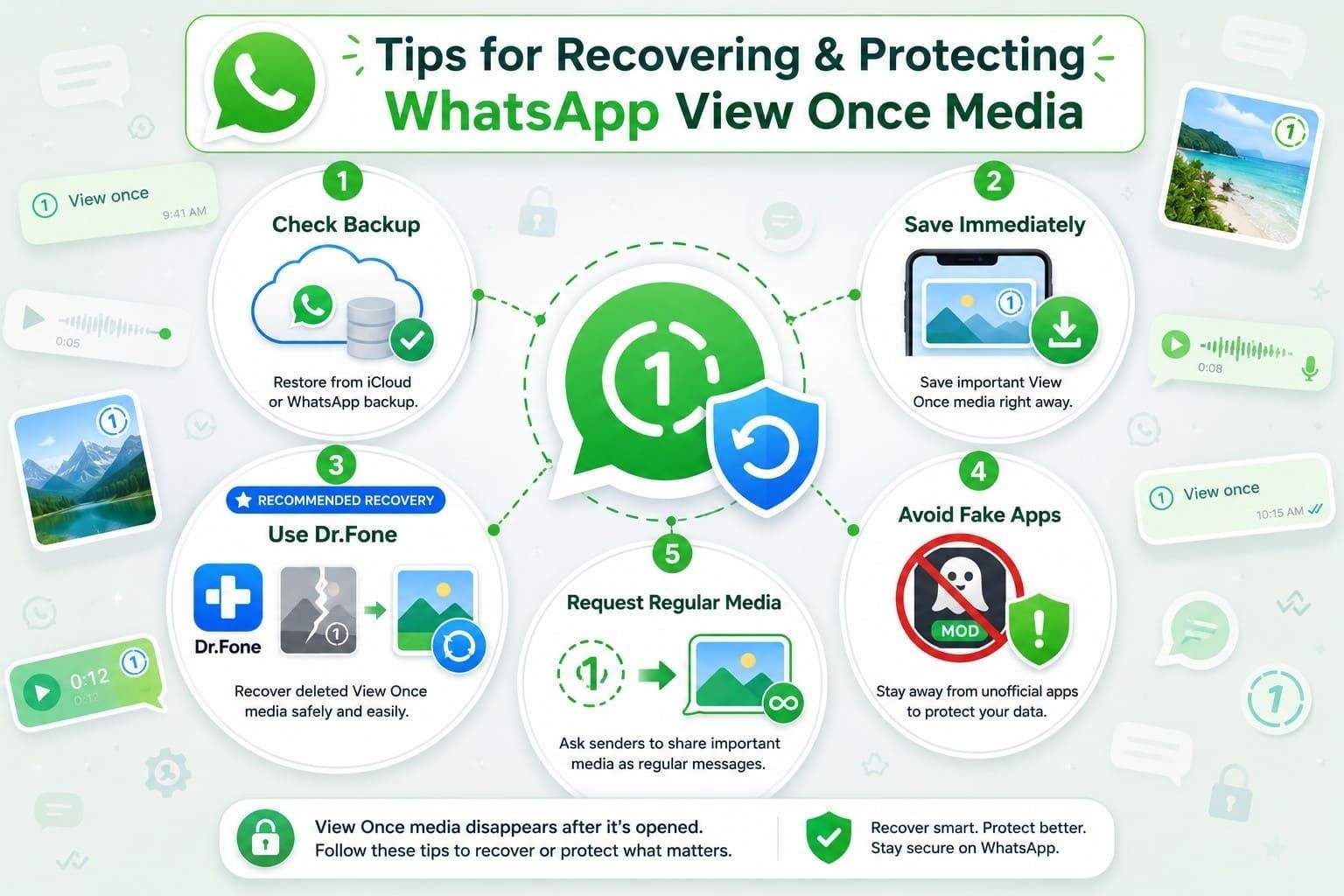
- Check Your Backup First: According to Microsoft Community, you can restore the WhatsApp or iCloud backup if the View Once message wasn't opened. Hence, you can go to WhatsApp > Settings > Chats > Chat Backup to check if that data was added to the backup. Before you restore, it's important to save the latest chats since restoration will replace them with older ones.
- Save Media Immediately: If you receive any important View Once media in the future, save it immediately via a secondary device when you view it. You can use a screen recording for audio as well so that you don't lose them again.
- Try a Recovery Tool: For fast and reliable View Once media recovery, iOS experts suggest using Dr.Fone - Data Recovery. Keep in mind that such tools only work if the fragments of View Once media remain and the data has not yet been completely overwritten.
- Avoid Unofficial Apps: Do not use modified WhatsApp applications or other unofficial tools that claim to recover View Once messages. These apps can put your account and personal data at risk, so stick with Dr.Fone - Data Recovery.
- Don't Rely on View Once: It's best to treat View Once media files as temporary, since they are permanently removed when opened. If someone needs to send an important message, ask them to share it as a regular message to make recovery much easier.
Conclusion
To sum up, you cannot recover WhatsApp View Once Messages on an iPhone once they are opened. Recovery becomes even harder when they are not in the backup, so it is suggested to use Dr.Fone - Data Recovery. With this tool, you just have to link devices, and you can choose what View Once media to save on the PC.
FAQs
-
Can WhatsApp View Once messages be recovered on Android the same way?
All the rules for Android WhatsApp View Once media are the same as on iPhone. When official methods are limited, you can use Dr.Fone - Data Recovery (Android) to recover WhatsApp View Once messages and other Android data types in a few taps. -
Will the sender know if you try to recover a View Once message?
The sender will never know if you try to recover WhatsApp View Once messages, even via Dr.Fone - Data Recovery (iOS). With this tool, all the data will be recovered locally, and the read-only scan will save your existing data from being overwritten. -
What happens to View Once media if the recipient never opens it?
WhatsApp says that if the View Once media is not opened within 14 days, it will automatically expire from the chat. If the data has not been overwritten yet, you can use Dr.Fone - Data Recovery (iOS) to reconstruct and recover those media fragments.
 Add Wondershare Dr.Fone as a preferred source on Google