Recover photos, messages, WhatsApp, and more — no backup
needed.
Recover photos, messages, WhatsApp, and more — no backup
needed.

 100% Security Verified | No Subscription Required | No Malware

 :
: 
 ChatGPT
 Perplexity
 Gemini
 Claude
 Grok
Grok
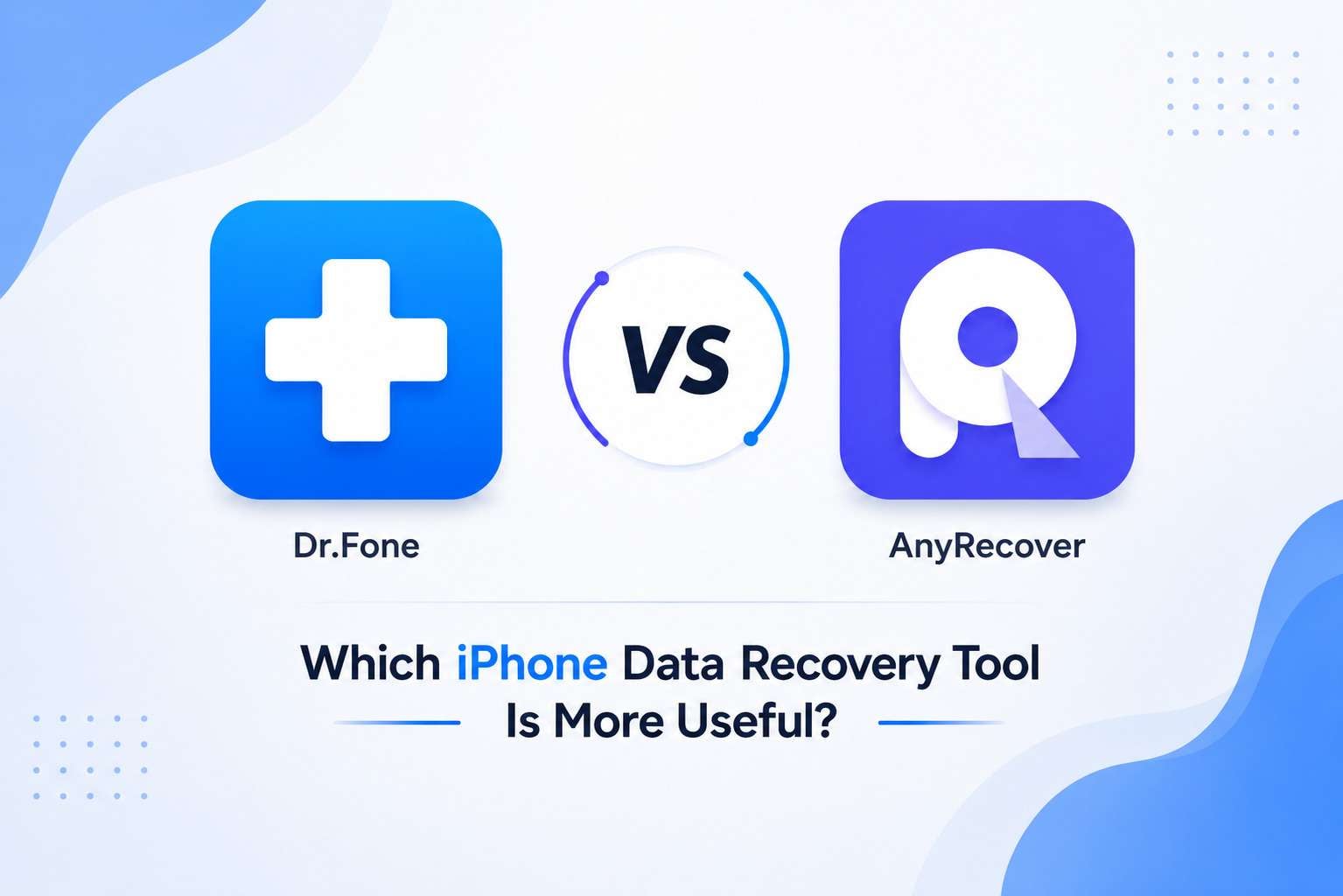
Important data on iOS can be lost due to accidental deletion, failed iOS updates, or device damage. In this situation, it is important to seek data recovery solutions to restore data from backups and the device. With that in mind, this guide compares Dr.Fone vs AnyRecover to determine which option supports the most data types. In addition, learn about recovery claims and whether Dr.Fone is the right choice.
In this article

Part 1. A Quick Look at Both Tools
To start with the Dr.Fone vs AnyRecover comparison, let's grab the basics of these tools first via the mentioned details:
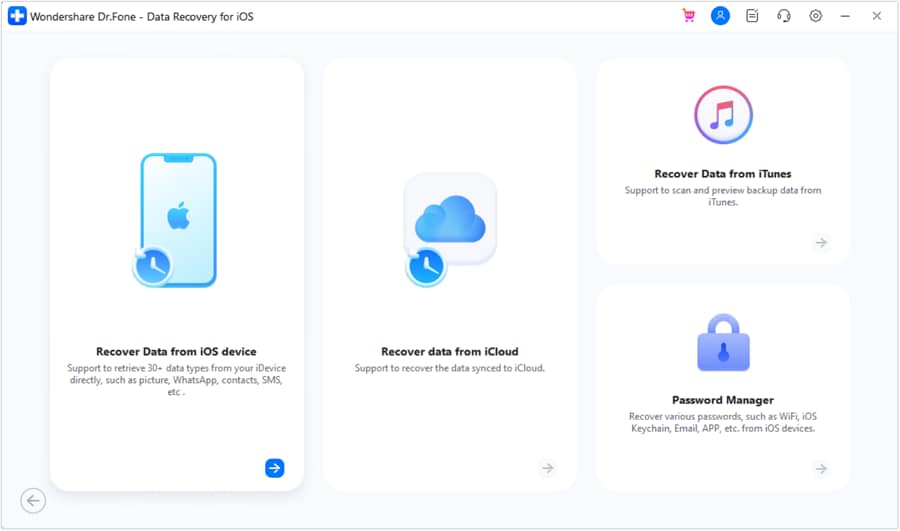
What is Dr.Fone - Data Recovery (iOS)?
Dr.Fone - Data Recovery is a Wondershare desktop tool that supports 8 major iOS data recovery functions. The tool is designed to be intuitive, updated weekly, and accessible on Windows and Mac for amateurs and professionals alike. Since the tool supports iPhone, iPad, and iPod touch, it can recover 35+ data types and perform a deep scan in Read-Only mode.
Thus, this prevents data overwriting and allows users to selectively recover the data they want with preview options. Whether from a device, iCloud Backup, Sync, or Drive, it offers export options for both phone and PC, and the detailed guides make the process seamless.
 Recovers data after deletion, crashes, or device damage.
- Supports photos, messages, contacts, WhatsApp, and more.
- Supports all major iPhone, iPad, and iPod models.
- Preview and recover only what you need.

What is AnyRecover?
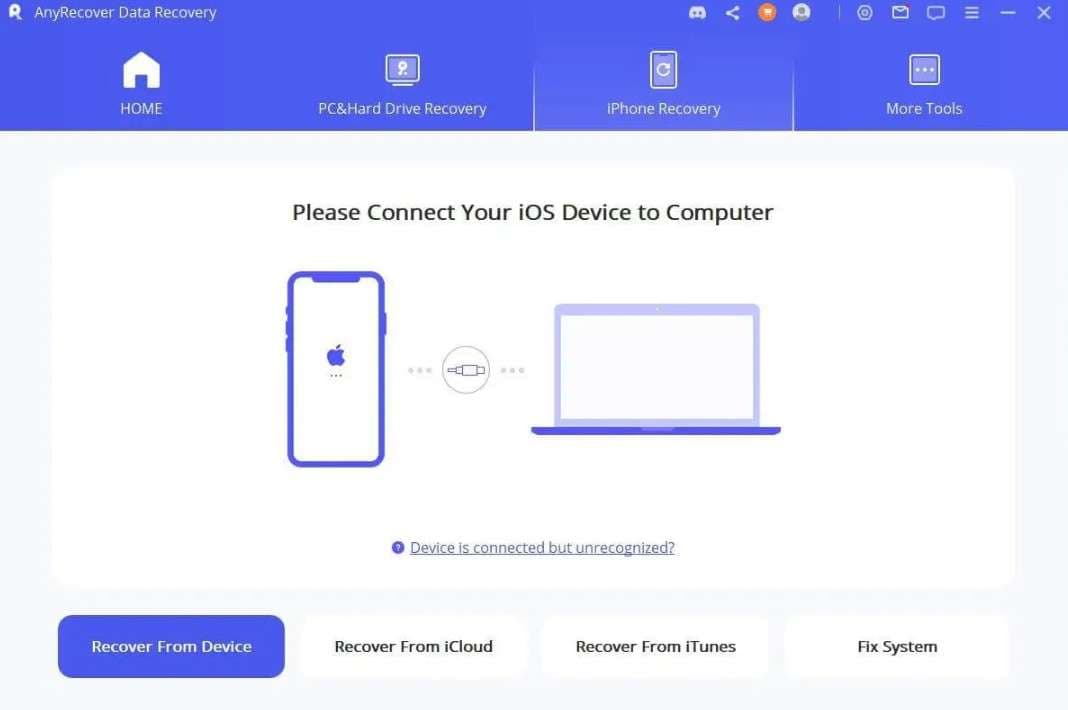
AnyRecover is iPhone data recovery and file restoration software that offers quick and deep scan options. Users can use their iOS devices, iTunes/iCloud backup recovery modes, and export recovered data in 3 main formats. Since the tool claims a 98% success rate, experts say it lacks export options for phones and PCs. In addition, the tool can be installed on Windows and Mac, with separate, expensive pricing plans.
Core Comparison
In this Dr.Fone vs AnyRecover comparison, here are 2 main aspects that make these tools different from each other:
| Aspects | Dr.Fone - Data Recovery (iOS) | AnyRecover |
|---|---|---|
| Apple ID Sign-In Options | Users can use 5 Apple IDs for all the updated and legacy models. | The ID details are unclear and restricted. |
| Exclusive Feature | It's the only tool that allows you to recover WhatsApp View Once media files. Additionally, all the data recovery is 100% local, and no data is shared with remote servers. | ❌ No support for WhatsApp View Once media recovery. |
Part 2. What Practical iPhone Recovery Really Means?
In this Dr.Fone vs AnyRecover comparison, it's important to know that the iPhone recovery must be risk-free and effortless. In addition, the right recovery tools should not only offer multiple recovery options but also adhere to official rules and prevent scan failures. Hence, Dr.Fone - Data Recovery (iOS) complies with Apple's terms, and its Read-Only scan is the proof.
In addition, the tool uses system resources efficiently so that users can easily scan and recover data on large-capacity devices. On the contrary, AnyRecover follows safe recovery practices, but deep scans suffer from lag and consume more system resources. The Scoreboard Pandora Recovery report further states that it requires manual intervention and that scans must be restarted after a slight hardware disconnection.
Part 3. Recovery Methods and Everyday Data Loss Scenarios
To further know how well each tool performs for various data loss scenarios, let's compare Dr.Fone vs AnyRecover recovery methods:
| Method | Dr.Fone - Data Recovery (iOS) | AnyRecover |
|---|---|---|
| Direct iOS Device | The tool can recover 17 data types even if the phone is locked, broken, or unresponsive. Dr.Fone doesn't have any system or device requirements and can easily recover the data to phones and PCs. | With this, users can extract 19 iOS data types. Users can choose to recover the data to their phones and PCs, but the phones must run on the same or newer iOS version. |
| iCloud Backup | Users can retrieve 17 data types, including free backup package information, and download and preview them. Moreover, the tool restores historical and automatic iCloud backups, allowing users to save recovered data to both phones and PCs. | No data types are listed, and the data cannot be recovered directly from the backup. Users can choose to restore data either during setup or while using the phone, which is not ideal for beginners. |
| iCloud Sync & Drive | 12 data types are supported for both, and data can be retrieved directly from iCloud-synced accounts via Apple ID authorization. For recovery to phone, you can restore contacts, notes, calendar, and photos. Users can also recover 4 types of WhatsApp and WhatsApp Business data from iCloud Drive to phone and PC. | iCloud Sync is supported, and iCloud Drive support is available with limited recovery. In addition, the guides support 10 data types, but the restoration options are not listed. |
| iTunes Backup | It can restore 17 types of personal and social media data. In this case, it can extract data from the user's iTunes history or third-party applications and allow them to restore it to the phone and PC. | Can recover 19 data types via the basic scan and gives the option to restore to PC and phones. Nonetheless, the scan may be delayed, and experts say data gets overwritten. |
| Private Data Recovery | Dr.Fone can recover 3 types of private data. | ❌ Not supported |
Dr.Fone - Data Recovery (iOS) is a better option for recovering data across various data-loss scenarios. In addition, it requires no additional system or phone requirements and has zero connection issues when users recover data to their devices.




Part 4. High-Value Data Types vs Broad File-Type Claims
Aside from the overall data types, one might want to know the recovery status of the app or database files. So, the given comparison section for Dr.Fone vs AnyRecover shows support for file recovery:
Recover From Device
Here are the data types for both tools that you can recover from the device:
| Data Types | Dr.Fone - Data Recovery (iOS) | AnyRecover |
|---|---|---|
| Photos | ✅ | ✅ |
| Videos | ✅ | ✅ |
| App Photos | ✅ | ✅ |
| App Videos | ✅ | ✅ |
| App Audios | ❌ | ❌ |
| App Documents | ✅ | ❌ |
| Thumbnails | ❌ | ❌ |
| Audiobooks | ❌ | ❌ |
| Playlists | ❌ | ❌ |
| iBooks | ❌ | ❌ |
| Ringtones | ❌ | ❌ |
| Files | ❌ | ❌ |
| Safari History | ✅ | ✅ |
| Safari Bookmarks | ✅ | ✅ |
| Contacts | ✅ | ✅ |
| Notes | ✅ | ✅ |
| Reminders | ✅ | ✅ |
| Voice Memos | ✅ | ✅ |
| Calendar | ✅ | ✅ |
| Calculator | ❌ | ❌ |
| Wi-Fi | ❌ | ❌ |
| Messages | ✅ | ✅ |
| Phone Call | ❌ | ❌ |
| Call History | ✅ | ✅ |
| Facetime | ✅ | ❌ |
| ❌ | ❌ | |
| Voicemail | ✅ | ❌ |
| ✅ | ✅ | |
| WhatsApp Business | ✅ | ❌ |
| WhatsApp View Once | ✅ | ❌ |
| Messenger | ❌ | ❌ |
| LINE | ✅ | ✅ |
| Viber | ✅ | ✅ |
| KakaoTalk | ❌ | ❌ |
| Kik | ✅ | ✅ |
| ❌ | ✅ | |
| ❌ | ✅ | |
| Skype | ❌ | ✅ |
| Ins | ❌ | ❌ |
| Teams | ❌ | ❌ |
| Snapchat | ❌ | ❌ |
| Telegram | ❌ | ❌ |
Recover From iCloud (Sync, Drive, & Backup)
Regarding the iCloud Backup, Sync, and Drive data types, adhere to the mentioned Dr.Fone vs AnyRecover comparison:
| Data Types | Dr.Fone - Data Recovery (iOS) | AnyRecover |
|---|---|---|
| Photos | ✅ | ✅ |
| Videos | ✅ | ✅ |
| App Videos, Documents, Photos | ✅ | ❌ |
| Voicemail | ✅ | ❌ |
| Numbers | ✅ | ✅ |
| Pages | ✅ | ✅ |
| Keynotes | ✅ | ✅ |
| Contacts | ✅ | ✅ |
| Notes | ✅ | ✅ |
| Reminders | ✅ | ✅ |
| Calender | ✅ | ✅ |
| Alarms | ✅ | ❌ |
| Safari Bookmarks | ✅ | ❌ |
| iCloud Drive Files | ✅ | ✅ |
| ✅ | ❌ | |
| WhatsApp Business | ✅ | ❌ |
| WhatsApp View Once | ✅ | ❌ |
| Messenger | ❌ | ❌ |
| LINE | ✅ | ❌ |
| Viber | ✅ | ❌ |
| KakaoTalk | ❌ | ❌ |
| Kik | ❌ | ❌ |
| ❌ | ❌ | |
| ❌ | ❌ | |
| Skype | ❌ | ❌ |
| Ins | ❌ | ❌ |
| Teams | ❌ | ❌ |
| Snapchat | ❌ | ❌ |
| Telegram | ❌ | ❌ |
| Deleted Files | ✅ | ❌ |
Recover From iTunes
Here are some of the iTunes backup recoverable data types in this Dr.Fone vs AnyRecover comparison:
| Data Types | Dr.Fone - Data Recovery (iOS) | AnyRecover |
|---|---|---|
| Photos | ✅ | ✅ |
| Videos | ✅ | ✅ |
| App Videos and Photos | ✅ | ✅ |
| App Documents | ✅ | ❌ |
| Numbers | ❌ | ❌ |
| Pages | ❌ | ❌ |
| Keynotes | ❌ | ❌ |
| Contacts | ✅ | ✅ |
| Notes | ✅ | ✅ |
| Reminders | ✅ | ✅ |
| Calender | ✅ | ✅ |
| Messages | ✅ | ✅ |
| Attachments | ✅ | ❌ |
| Voice Mail | ✅ | ❌ |
| Voice Memos | ✅ | ✅ |
| Call History | ✅ | ✅ |
| Safari History | ✅ | ✅ |
| Safari Bookmarks | ✅ | ✅ |
| ✅ | ✅ | |
| WhatsApp Business | ✅ | ❌ |
| Messenger | ❌ | ❌ |
| LINE | ✅ | ✅ |
| Viber | ✅ | ✅ |
| KakaoTalk | ❌ | ❌ |
| Kik | ✅ | ✅ |
| ❌ | ✅ | |
| ❌ | ✅ | |
| Skype | ❌ | ✅ |
| Ins | ❌ | ❌ |
| Teams | ❌ | ❌ |
| Snapchat | ❌ | ❌ |
| Telegram | ❌ | ❌ |
Between Dr.Fone vs AnyRecover comparison, both tools can recover basic data types. Nonetheless, Dr.Fone - Data Recovery (iOS) is the ideal choice for retrieving WhatsApp and WhatsApp Business data, including View Once media. In addition, AnyRecover has failed to display the proper data types for iCloud Backup, which shows that all the support is promotional.
Part 5. Preview, Ease of Use, Pricing, and Overall Practical Value
To choose between Dr.Fone vs AnyRecover comparison, let's compare the cost and overall experience via the mentioned table:
| Operational Factor | Dr.Fone - Data Recovery (iOS) | AnyRecover |
|---|---|---|
| Interface & UX Design | Modern, clear interface, and the tool comes with a separate and detailed guide for all recovery methods. Since iCloud recovery is a major concern for most users, Dr.Fone offers better guides and instructions for amateurs. | Functional and clean, but guides and cluttered. In fact, the iCloud guide and its recovery options can be confusing for users. |
| Free Options and Preview Reliability | Highly accurate and better filter options. The tool allows you to perform a free scan and preview, and the scan won't be prolonged or face lag issues. Moreover, the user can extract backup package information and download it for free. | Claims to offer free scan and preview options. Nonetheless, reviews have shown that the scan takes longer or needs to be restarted in case of a slight connection failure. |
| Standalone Recovery Pricing (iOS) | Monthly: $44.95 Yearly: $59.95 Perpetual: $69.95 Available for 1-5 mobile devices with 2 PCs with free software updates and technical support. |
Monthly: $59.99 Yearly: $79.99 Perpetual: $99.99 Limited to 3 devices and 2 PCs; only lifetime plans provide access for 3 devices and 3 PCs. |
| Overall Practical Value | Dr.Fone - Data Recovery (iOS) is a budget-friendly pick that offers better data recovery options and support. | The tool is relatively expensive due to its limited data types and the requirement to have access to 3 devices and 2 PCs in its basic plans. In fact, the guide shows the opposite of what the tool actually claims, which makes it a promotional recovery solution. |

After a failed iOS update, I successfully used Dr.Fone to recover my messages and contacts, though the scan took some time.
Brian S. – IT Specialist, Chicago, IL
I tried AnyRecover after losing some files, but the scan took too long, and it couldn't recover the data I needed.
Daniel P
Conclusion
In the Dr.Fone vs AnyRecover comparison, Dr.Fone - Data Recovery is the preferred choice because of its clear guide and claims. It clearly shows the supported data types in the guides and provides simple instructions to recover more data types than AnyRecover. Most of all, WhatsApp Business and WA Self-Destructing Data Recovery features make it a better choice among iOS users.
FAQs
-
Will using an iPhone recovery tool erase my existing data?
No, the recovery scans are designed to read data without deleting or overwriting the current data on your device. In the Dr.Fone vs AnyRecover comparison, Dr.Fone - Data Recovery (iOS) performs better because it uses a Read-Only scan to secure the data. Whereas AnyRecover guides explicitly state that data will be overwritten when recovered from iCloud and iTunes backups. -
How long does an iPhone data recovery scan usually take?
The scan time depends on the storage size and recovery method. Hence, between Dr.Fone and AnyRecover, Dr.Fone - Data Recovery (iOS) scan is quick, free, and lag-free. On the contrary, AnyRecover reviews show that it either takes too long or restarts when it encounters connection issues. -
Which tool is better for first-time users with no technical experience?
Dr.Fone - Data Recovery (iOS) is the ideal choice as it needs no expertise and comes with a clear guide. Most of all, it offers simple options for iCloud backup recovery because AnyRecover requires setup options that can baffle novices.
 Add Wondershare Dr.Fone as a preferred source on Google