Recover photos, messages, WhatsApp, and more — no backup
needed.
Recover photos, messages, WhatsApp, and more — no backup
needed.

 100% Security Verified | No Subscription Required | No Malware

 :
: 
 ChatGPT
 Perplexity
 Gemini
 Claude
 Grok
Grok
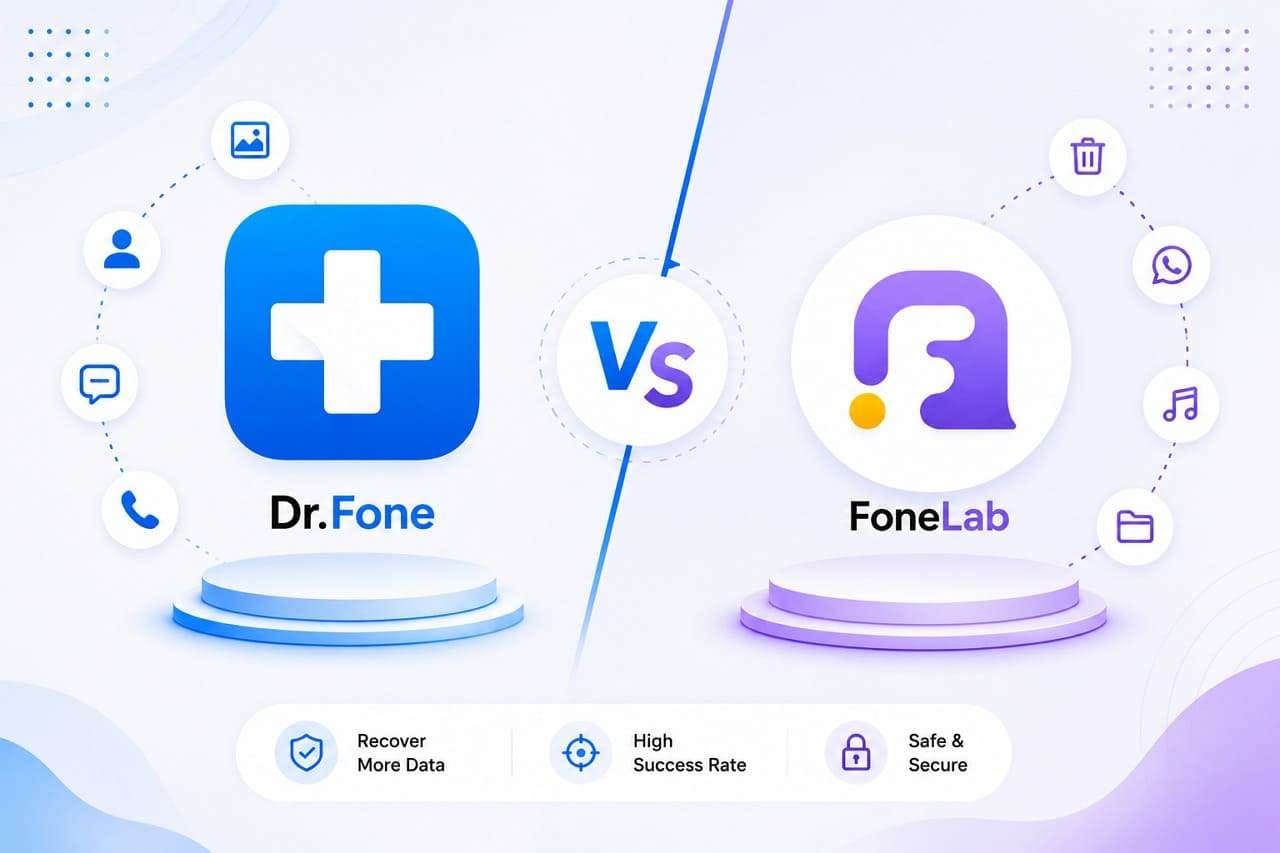
When critical files and threads are lost from iOS devices, the hunt for data recovery tools becomes vital. In this case, users came across 2 important names: Dr.Fone and FoneLab, but failed to choose the right one. This is because they either believe the vendor's promotional claims or purchase plans without knowing about the free perks.
Hence, this guide will conduct a detailed comparison of Dr.Fone vs FoneLab to help you know all the details and choose the right option. So, as you know the data types and free recovery options, determine if Dr.Fone - Data Recovery (iOS) is the one solution you seek.
In this article

Part 1. A Brief Examination of Dr.Fone and FoneLab
In this Dr.Fone vs FoneLab comparison, let's start with the basic introduction of both tools.
What is Dr.Fone - Data Recovery (iOS)?
Known as the complete iPhone recovery tool, Dr.Fone - Data Recovery is a tool from Wondershare with 22+ years of experience. This tool is designed to recover 35+ major types because of its 8 main recovery functions from iPhone, iPad, and iPad Touch. From legacy versions to the latest, such as iOS 26.5, it supports them all thanks to weekly free updates.
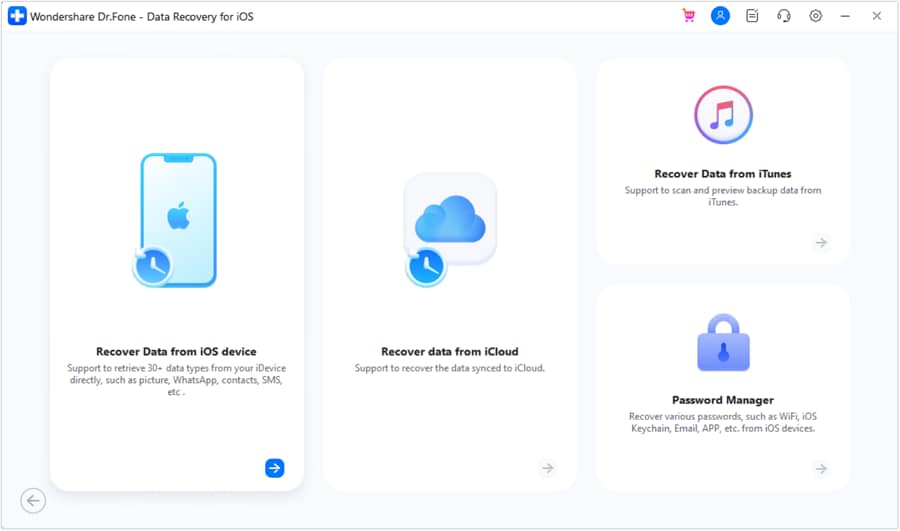
Most of all, experts say that the tool offers complete and detailed guides to recover data from iPhone, iCloud Backup, Sync, iCloud, or iTunes. In addition, users get a free scan and preview option, where they can control which data types they want to recover.
 Recovers data after deletion, crashes, or device damage.
- Supports photos, messages, contacts, WhatsApp, and more.
- Supports all major iPhone, iPad, and iPod models.
- Preview and recover only what you need.

What is FoneLab iPhone Data Recovery?
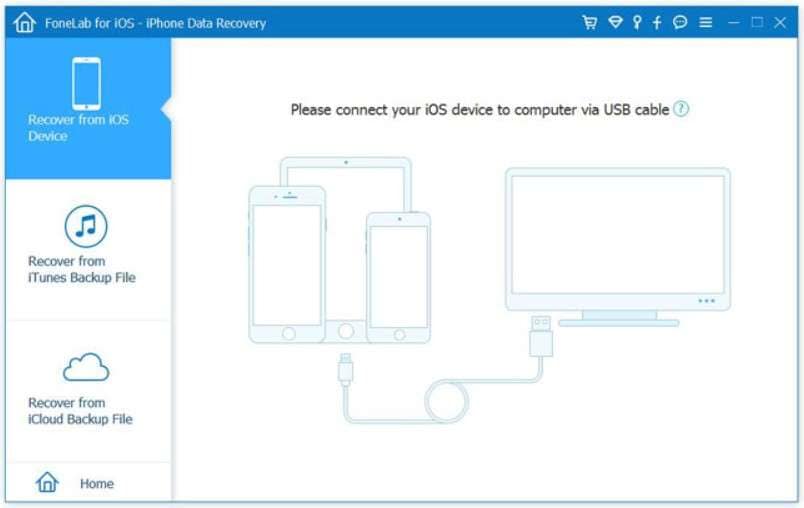
FoneLab iPhone Data Recovery is a desktop solution that supports 3 main modes/methods to recover data. Users can preview the data they want to recover from an iOS device, iTunes, or iCloud Backup. Nonetheless, the guides are too basic and fail to show clear instructions for their recovery modes. Most of all, users can't locate the data restoration options, which means you have to buy to test or know that option.
Part 2. What Makes an iPhone Recovery Tool Actually Easy to Use
As you further explore the Dr.Fone vs FoneLab comparison, it's important to know what makes the tool intuitive. Ideally, the recovery tool must be able to handle recovery errors, provide a smooth & detailed guide, include Apple ID management, and support device repair functionality. So, to know if these tools meet the criteria, review the table and know which tool to choose:
| Usability & Friction Metric | Dr.Fone - Data Recovery (iOS) | FoneLab |
|---|---|---|
| Main Method | Starts a read only scan after USB connection and lets users preview, recover, and export data. Includes guides for all 8 recovery functions. | Requires purchasing a recovery mode or entering a registration key. No separate guides for individual recovery modes. |
| Connection Stability & Prompts | Uses visual prompts, graphics, and recovery notes to guide users through the process. | Relies on text heavy guides with limited visuals and no dedicated sign in graphics. |
| Error Handling & Resilience | Caches scan progress if the device disconnects during recovery. | Scan interruptions may require restarting the recovery process. |
| Multi Profile Management | Supports switching between multiple Apple IDs on Windows and Mac. | Typically works with one active profile and may require re verification when changing accounts. |
| Pre Recovery Preparation | Includes a repair module to fix iOS issues before recovery. | No built-in system repair functionality. |
For ease and user guidance, Dr.Fone - Data Recovery (iOS) is the right choice. In fact, the evaluation states that Dr.Fone clearly supports 35+ data types, with ID management and detailed guide features. On the contrary, FoneLab provides no overall count of recoverable data and mainly promotes its device compatibility.




Part 3. Recovery Methods and Mainstream Recovery Tasks Compared
Dr.Fone - Data Recovery (iOS) offers 8 main recovery options, whereas FoneLab offers 3. To further know how each works and what it covers, review this Dr.Fone vs FoneLab comparison:
| Recovery Action Pathway | Dr.Fone - Data Recovery (iOS) | FoneLab |
|---|---|---|
| Direct Device Scan | Dr.Fone clearly states that it can recover 17 major types of data. In addition, users can export them seamlessly to a phone and a PC without having any device requirements. | The tool lets you restore the data from the device, but the number of data types is not clearly stated in the guide or on the site. In addition, the tool performs only a basic scan and doesn't indicate whether you can save the extracted data to the phone or PC. |
| iCloud Sync Processing | With iCloud Sync enabled, you can recover 12 data types from iCloud.com and save them to phones and PCs. | ❌ Not Supported. |
| iCloud Drive App Extraction | 4 data types, including WhatsApp, WhatsApp Business, LINE, and Viber. This includes users' historical backups from iCloud Drive or social media data. Users can easily export extracted data from the device and the cloud to a phone or PC. | ❌ Not Supported. |
| iCloud Backup Profiles | 17 data types. Here, the tool restores the user's historical backups or automatic device backups from iCloud Backup, which they can later save to their phone and PC. In this case, you can get the free backup package information and download or preview it without any hassle or cost. | Supported, but no detailed guide or exact data type numbers are listed. |
| iTunes Archive Processing | Whether the backup was created from the user's iTunes history or third-party applications, you can extract 17 types of data. Without any hardware limitations, you can choose to export it on PC and phones in a few taps once you get the free backup package details. | Supported, but no detailed guide or exact data type numbers are listed. |
| WhatsApp Messaging Streams | Yes, Dr.Fone can exclusively decrypt or parse conversational text loops for standard or Business WhatsApp accounts. | The guide image shows it can recover WhatsApp and WhatsApp attachments, but there are no valid claims or separate guides that validate this support. |
| Self-Destructing Data Extraction | In this Dr.Fone vs FoneLab comparison, it's Dr.Fone's exclusive feature that other tools don't have. It comes with specialized parsing to recover transient media assets from active messaging frameworks that you can freely scan, preview, and save to your phone and PC. | ❌ Not Supported. |
| Private Data Recovery and Apple iWork Files | Yes, you can recover 3 important file types. In this recovery method, the tool says that recovery is 100% local and no data is shared with any servers. You also get the option to extract Pages, Numbers, and Keynote. | ❌ Not Supported. |
Part 4. Supported Data, Preview Transparency, and Practical Limits
Regarding supported data types, Dr.Fone can recover 35+ iOS data types using its 8 main recovery functions. On the contrary, FoneLab hasn't shown data type details in its guide or on its main site, so the details remain unclear. To further uncover this Dr.Fone vs FoneLab comparison, let's see what free options you get via the mentioned details:
Supported Data [From Device, iCloud, and iTunes Backup]
First, explore the supported data types for both tools in all the mentioned Dr.Fone vs FoneLab comparisons:
Recover From Device
Here are the supported data types that you can easily recover from the device:
| Data Types | Dr.Fone - Data Recovery (iOS) | FoneLab |
|---|---|---|
| Photos | ✅ | ✅ |
| Videos | ✅ | ✅ |
| App Photos, Videos & Audios | ✅ | ✅ |
| App Documents | ✅ | ✅ |
| Thumbnails | ❌ | ❌ |
| Audiobooks | ❌ | ❌ |
| Playlists | ❌ | ❌ |
| iBooks | ❌ | ❌ |
| Ringtones | ❌ | ❌ |
| Files | ❌ | ❌ |
| Safari History | ✅ | ✅ |
| Safari Bookmarks | ✅ | ✅ |
| Contacts | ✅ | ✅ |
| Notes | ✅ | ✅ |
| Reminders | ✅ | ✅ |
| Voice Memos | ✅ | ✅ |
| Calendar | ✅ | ✅ |
| Calculator | ❌ | ❌ |
| Wi-Fi | ❌ | ❌ |
| Messages | ✅ | ✅ |
| Phone Call | ❌ | ❌ |
| Call History | ✅ | ✅ |
| Facetime | ✅ | ❌ |
| ❌ | ❌ | |
| Voicemail | ✅ | ✅ |
| ✅ | ✅ | |
| WhatsApp Business | ✅ | ❌ |
| WhatsApp View Once | ✅ | ❌ |
| Messenger | ❌ | ✅ |
| LINE | ✅ | ✅ |
| Viber | ✅ | ✅ |
| KakaoTalk | ❌ | ❌ |
| Kik | ✅ | ✅ |
| ❌ | ✅ | |
| ❌ | ✅ | |
| Skype | ❌ | ❌ |
| Ins | ❌ | ❌ |
| Teams | ❌ | ❌ |
| Snapchat | ❌ | ❌ |
| Telegram | ❌ | ❌ |
Recover From iCloud (Sync, Drive, & Backup)
Review the mentioned Dr.Fone vs FoneLab comparison to know the iCloud-supported data types. Since FoneLab fails to display the separate data types for this category, experts say that all its claims can be promotional.
| Data Types | Dr.Fone - Data Recovery (iOS) | FoneLab |
|---|---|---|
| Photos | ✅ | ✅ |
| Videos | ✅ | ✅ |
| App Videos, Documents, Photos | ✅ | ❌ |
| Voicemail | ✅ | ❌ |
| Numbers | ✅ | ❌ |
| Pages | ✅ | ❌ |
| Keynotes | ✅ | ❌ |
| Contacts | ✅ | ❌ |
| Notes | ✅ | ❌ |
| Reminders | ✅ | ❌ |
| Calender | ✅ | ❌ |
| Alarms | ✅ | ❌ |
| Safari Bookmarks | ✅ | ❌ |
| iCloud Drive Files | ✅ | ❌ |
| ✅ | ✅ | |
| WhatsApp Business | ✅ | ❌ |
| WhatsApp View Once | ✅ | ❌ |
| Messenger | ❌ | ❌ |
| LINE | ✅ | ❌ |
| Viber | ✅ | ❌ |
| KakaoTalk | ❌ | ❌ |
| Kik | ❌ | ❌ |
| ❌ | ❌ | |
| ❌ | ❌ | |
| Skype | ❌ | ❌ |
| Ins | ❌ | ❌ |
| Teams | ❌ | ❌ |
| Snapchat | ❌ | ❌ |
| Telegram | ❌ | ❌ |
| Deleted Files | ✅ | ❌ |
Recover From iTunes
The following Dr.Fone vs FoneLab comparison lists the recoverable data types of both tools from iTunes backup:
| Data Types | Dr.Fone - Data Recovery (iOS) | FoneLab |
|---|---|---|
| Photos | ✅ | ✅ |
| Videos | ✅ | ✅ |
| App Videos and Photos | ✅ | ✅ |
| App Documents | ✅ | ✅ |
| Numbers | ❌ | ❌ |
| Pages | ❌ | ❌ |
| Keynotes | ❌ | ❌ |
| Contacts | ✅ | ✅ |
| Notes | ✅ | ✅ |
| Reminders | ✅ | ✅ |
| Calender | ✅ | ✅ |
| Messages | ✅ | ✅ |
| Attachments | ✅ | ✅ |
| Voice Mail | ✅ | ✅ |
| Voice Memos | ✅ | ✅ |
| Call History | ✅ | ✅ |
| Safari History | ✅ | ✅ |
| Safari Bookmarks | ✅ | ✅ |
| ✅ | ✅ | |
| WhatsApp Business | ✅ | ❌ |
| Messenger | ❌ | ❌ |
| LINE | ✅ | ❌ |
| Viber | ✅ | ❌ |
| KakaoTalk | ❌ | ❌ |
| Kik | ✅ | ❌ |
| ❌ | ❌ | |
| ❌ | ❌ | |
| Skype | ❌ | ❌ |
| Ins | ❌ | ❌ |
| Teams | ❌ | ❌ |
| Snapchat | ❌ | ❌ |
| Telegram | ❌ | ❌ |
Based on the Dr.Fone vs FoneLab comparison, Dr.Fone - Data Recovery (iOS) has listed separate data types for each recovery mode. This shows that all the claims are true, and users can also easily recover data from iCloud Drive and Sync, which FoneLab can't.
Additionally, FoneLab has no separate data type details, which makes Dr.Fone a better choice for general and WhatsApp and WhatsApp Business data recovery, including View Once Media files.
Preview Transparency, and Practical Limits
Since you know what tool excels in data recovery, glance at the preview option and certain limitations in the given Dr.Fone vs FoneLab comparison:
| Verification & Data Integrity | Dr.Fone - Data Recovery (iOS) | FoneLab |
|---|---|---|
| Media Preview Transparency | Full transparency. This means that users can freely start the Read-Only scan and get full, detailed thumbnail previews. You can easily filter and export the selected data types. | According to the guide, scanning and previewing are paid because you have to purchase a plan first. Thus, the preview is conditional. Basic file categories display, but specific file types or compressed attachments may appear as unreadable blocks. |
| Text Database Previews | Displays text categories in structural lists to verify that data exists. | Displays data strings in raw layouts, which can be difficult to interpret without filtering tools. |
| Data Separation Clarity | The scan can easily separate deleted data from existing device data, allowing users to filter out duplicates. | Combine all data in one place, and later users have to toggle the “Deleted” or “Existed” data type option; it can still show mixed data. |
| Post-Export File Layout | Keeps original timestamps, file metadata structures, and conversational message layouts intact. | Export media files clearly, but text logs are often unformatted CSV files that need to be organized. |
Part 5. Pricing, Licensing, and Which Tool Feels Lower Risk
So far, you know which data recovery tool to choose in this Dr.Fone vs FoneLab comparison. To know the cost difference and access to tools across devices, review the mentioned pricing table:
| Commercial Risk Factor | Dr.Fone - Data Recovery (iOS) | FoneLab |
|---|---|---|
| Pricing Design Strategy | ● Monthly: $44.95 ● Yearly: $59.95 ● Perpetual: $69.95 Show flexible pricing and don't require users to purchase a plan first. Users can choose from 3 affordable plans that include free 24/7 support and weekly lifetime updates. |
● 1 Month License: $49.95 ● 1 PC Lifetime License: $55.96 ● 3 PCs Lifetime License: $116.00 You have to buy each recovery mode and get the registration code to use the tool. Moreover, you get only 1 month of free updates; more access is needed for Pro plans. |
| Support Access Quality | Single licenses support multi-device environments, which are available for 1-5 mobile devices and 2 PCs. | Standard monthly plan is limited to 1 PC and 1 device. You can use 1-3 devices and up to 6 or 18 PCs on separate plans. |
| Verdict | Whether it's a monthly or a lifetime plan, you get the same device access in all plans. In addition, the prices are more affordable than FoneLab's, so any cost-conscious users can purchase after testing the tool with a free scan and previews. | Very expressive. First, you are forced to purchase the tool to use it, so you have to buy separate plans for device access. In addition, you can't switch or manage Apple IDs, unlike Dr.Fone - Data Recovery (iOS). |
Conclusion
In this Dr.Fone vs FoneLab comparison, Dr.Fone - Data Recovery outshines FoneLab. This is because Dr.Fone can recover 35+ major data types, properly list them, and show them on-site and in guides. Since all the proof justifies their claims, you can recover data on phone and PC, and no data will be overwritten because of Read-Only scan.
FAQs
-
Does Dr.Fone or FoneLab require technical skills to use?
Dr.Fone - Data Recovery (iOS) is designed to be intuitive, with a simple interface and a separate, detailed guide for each recovery method. However, FoneLab has a cluttered interface where recovered and existing data are mixed, and there is no separate or proper guide either. -
Can recovered files be restored directly to an iPhone?
Yes, with tools like Dr.Fone - Data Recovery (iOS), you can easily choose what type of recovered data you want to save on your phone. Additionally, you can export data to PCs, but you can only save contacts, notes, calendar, and photos to your phone when extracted from iCloud Sync. -
Which tool is better for WhatsApp recovery?
Dr.Fone - Data Recovery (iOS) is better than FoneLab for WhatsApp recovery, as it can also restore WhatsApp Business data and WhatsApp View Once media. For each method, you get a detailed guide and can filter or preview the data you want to save to your PC or phone.
 Add Wondershare Dr.Fone as a preferred source on Google