Recover photos, messages, WhatsApp, and more — no backup
needed.
Recover photos, messages, WhatsApp, and more — no backup
needed.

 100% Security Verified | No Subscription Required | No Malware

 :
: 
 ChatGPT
 Perplexity
 Gemini
 Claude
 Grok
Grok
Lost iMessage chats can feel stressful, especially when important texts vanish without warning. Many users face this issue after update errors, device reset, or accidental deletion. Without the right iMessage recovery software, it is hard to recover messages; that is why a reliable solution matters in 2026.
The same recovery principles can apply when Viber messages disappear on an iPhone, especially after an app update, device change, or accidental deletion.
Thus, this guide shares simple options that work well on iPhone, and explains how they share strong recovery power, so users can bring back lost messages without risk. Of all the solutions, learn how Dr.Fone - Data Recovery can be an effective, all-around choice.
In this article

Part 1. How iMessage Recovery Works (Important to Know First)
While learning about the best tools, it's important to know the basics of iMessage data recovery and how it works. Ideally, deleted iMessages remain in an encrypted database on your iPhone or in iCloud or computer backups. When you delete a chat, the system marks it as removed, but it may remain until new data replaces it.
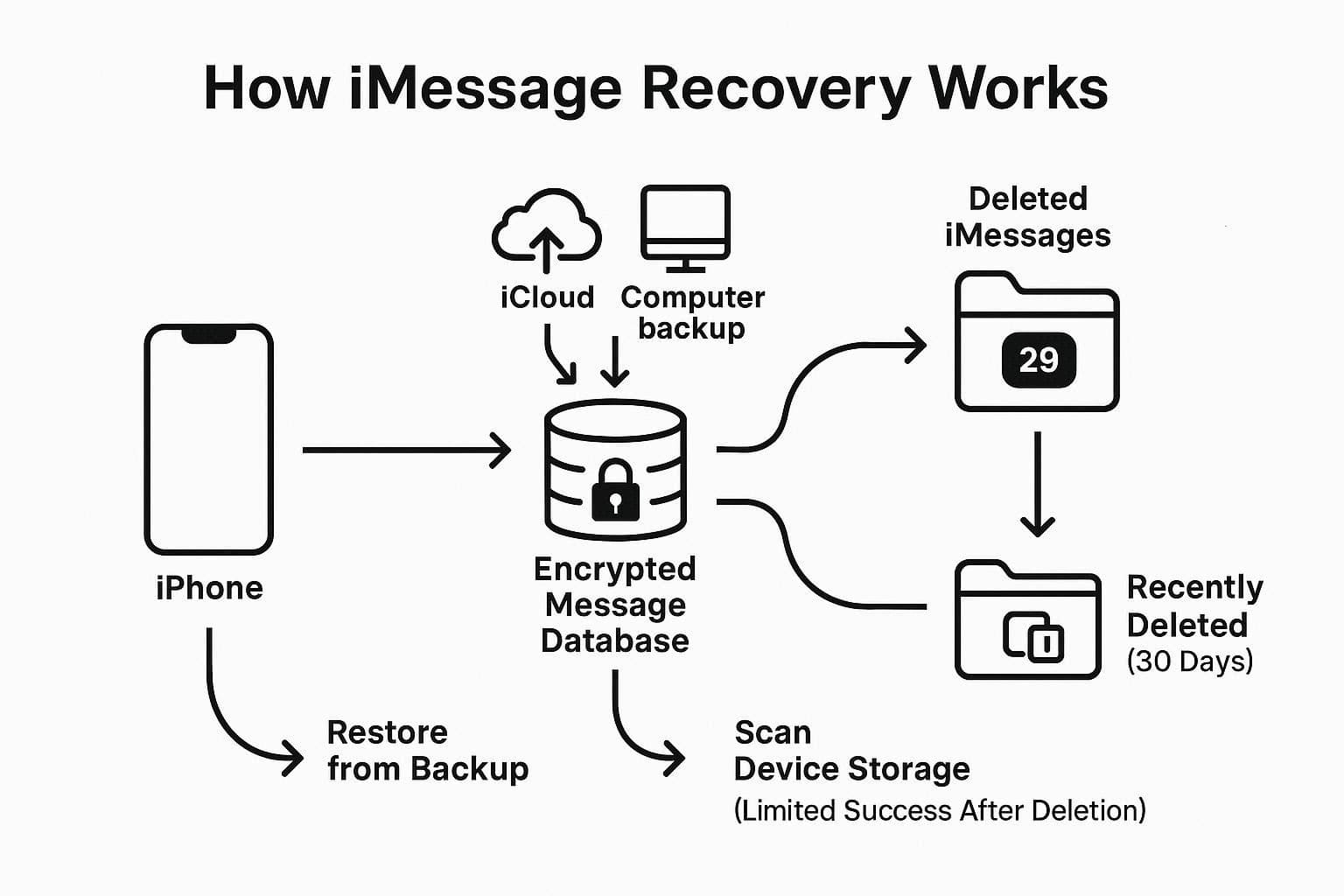
In recent versions of iOS, the Messages app includes a "Recently Deleted" section where chats remain for about 30 days. Thus, you can restore them there with no extra tool if they still exist. However, when the time limit is surpassed, here is how an ideal software to recover deleted iMessages works:
- If messages exist in backups, recovery tools extract them or restore the full backup to the device.
- Some tools scan the device directly, but success depends on quick action after deletion.
Part 2. 7 Best iMessage Recovery Software (Top Picks Compared)
Now, if you want to know what some of the best iPhone message recovery software are, this section offers you the 7 best options. Before you dive into the details, have a quick glance at the comparison table below for an overview:
| Tools | iMessage Success | Scan Speed | Ease Of Use | Supported Data Types | Overall Rating | Best For |
|---|---|---|---|---|---|---|
| Dr.Fone - Data Recovery | Very high | Fast | Very easy | 35+ | 4.7/5 | Best overall, beginners, full toolkit |
| Gbyte Recovery | High | Medium | Easy | 26+ | 4.5/5 | iCloud, deep message scans |
| iMobie PhoneRescue | High | Medium | Easy | 31 | 4.4/5 | Flexible modes, repair + recovery |
| iMyFone D-Back | High | Medium | Medium | 30+ | 4.3/5 | Power users, smart recovery flows |
| Stellar Data Recovery for iPhone | High | Medium | Medium | 25+ | 4.2/5 | Deep scans, chats (WhatsApp, etc.) |
| FonePaw iPhone Data Recovery | Medium–high | Slow–medium | Easy | 20+ | 4.1/5 | Budget users, simple interface |
| Disk Drill Data Recovery (Mac) | High | Fast | Medium | 10+ | 4.0/5 | Mac users, mixed file recovery |
Let's say you have made a choice but want to learn more about that iPhone text recovery software. In this case, explore the sequential details and discover whether the chosen tools fit your needs:
1. Dr.Fone - Data Recovery
Best For: Users seeking a highly reliable, all-in-one solution. Supported Recovery Types: 35+ data types supported, including iMessages, WhatsApp, Viber, LINE, SMS, contacts, photos, videos, etc. With the highest success rate and a 100% local recovery rate, Dr.Fone - Data Recovery is by far the best choice for all types of users. Despite its massive recovery support for 35+ data types, this tool features an intuitive interface and a guided 2-3-step recovery process. With all these facilities, it also lets users selectively recover the data types, which they can preview later in detail.
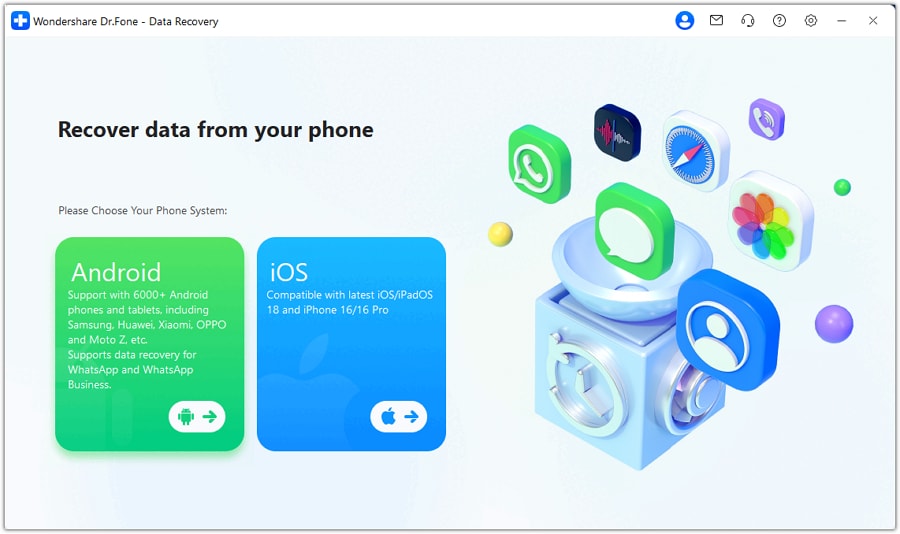
Since these aspects give complete control to professionals and novices, the tool is also optimized for iOS 26 & iPhone 17 Series. You can use it to restore data from iTunes, iCloud & more, and Dr.Fone won't overwrite them either. Leveraging the Read-Only scan, the tool also offers a free scan-and-preview option to see what can be retrieved.
- You can also use it to recover WhatsApp chats & iWork files.
- Offers weekly updates for all the upcoming iOS versions.
- The tool is accessible on both Windows and macOS.
- Offers 2 different data export options for iOS users.
- Support recovery for Android devices, not limited to iOS only.
- Deep scans take longer on older iPhone devices.

Dr.Fone
Best iOS & Android Data Recovery Software
2. Gbyte Recovery
Best For: Those who need iCloud retrieval of photos, videos, WhatsApp, and messages. Supported Recovery Types: Almost 26+ data types, WhatsApp, LINE, Messages, etc. It's another iPhone text message recovery software that works with a wide range of iOS models. This software includes deep scan technology and can address data loss concerns such as accidental deletion, iOS updates, system crashes, and factory resets. It allows users to recover iMessage, SMS, WhatsApp, and other app data, along with a limited choice for generic file types.
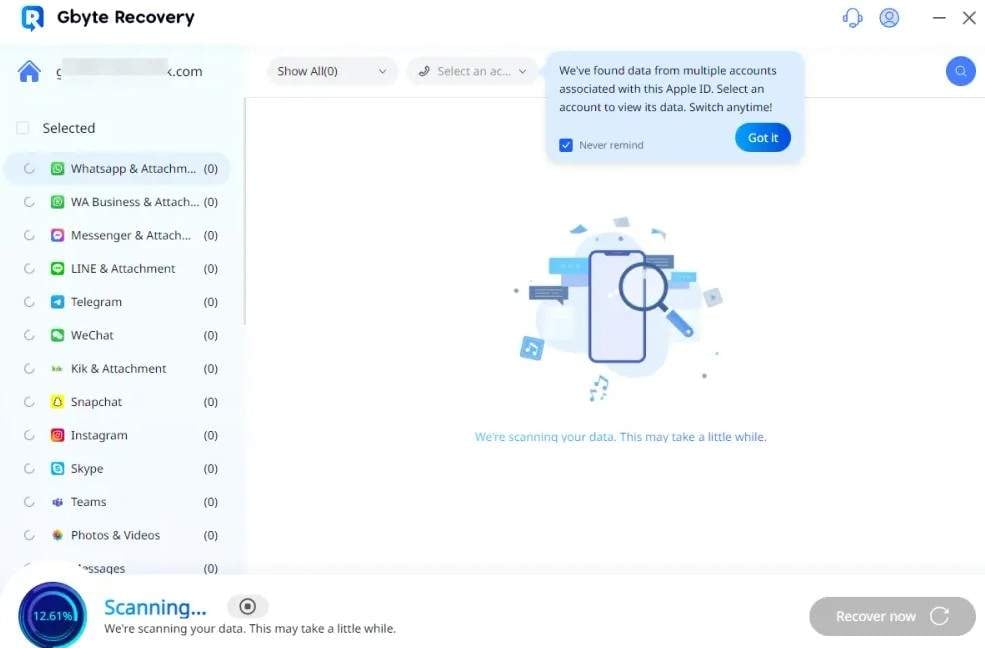
- Features an intuitive interface with preview and selective recovery.
- Promotes local processing, but recovery success depends on the device version.
- Depends on iCloud snapshots or backups; no backup reduces recovery success.
- It's a paid software with limited trial options, unlike Dr.Fone.
3. iMobie PhoneRescue
Best For: Recovering commonly deleted data types directly on iPhone. Supported Recovery Types: 31 data types, like messages/iMessages, WhatsApp/Kik, etc. For iMessage data recovery, iMobie PhoneRescue lets you recover data from iOS devices, iTunes Backups, or iCloud. Hence, featuring these recovery modes, it claims not to overwrite current iPhone data when extracting from backups. All in all, it comes with a simple interface with guided steps, but data recovery with overwritten iMessages remains questionable.
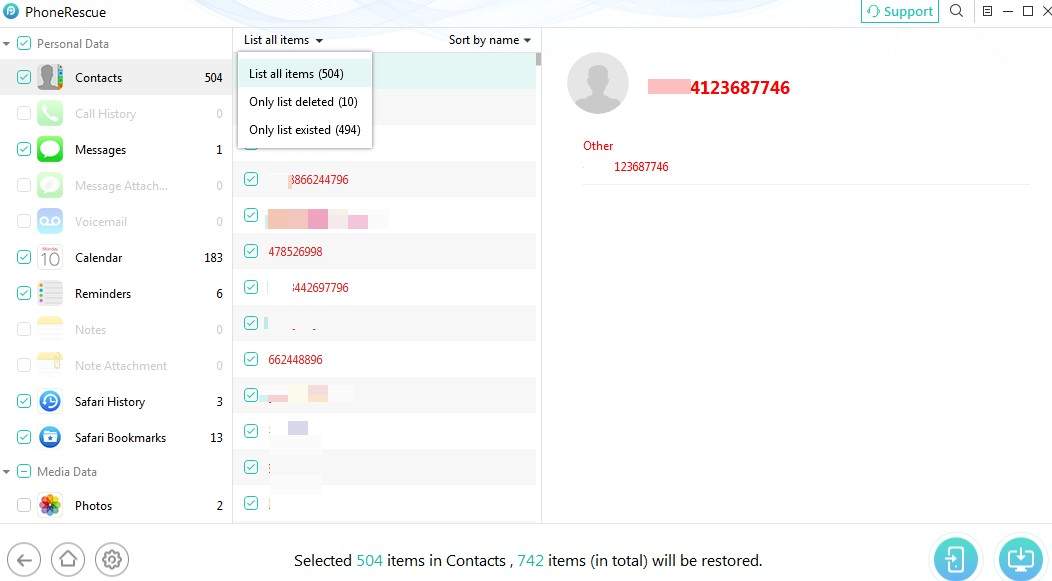
- It can be accessed on Windows and Mac devices.
- Let you preview and selectively restore iMessages/SMS/MMS.
- The free version is limited to scanning, and full recovery requires a paid license.
- Scans show many system files, making deleted chats hard to find.
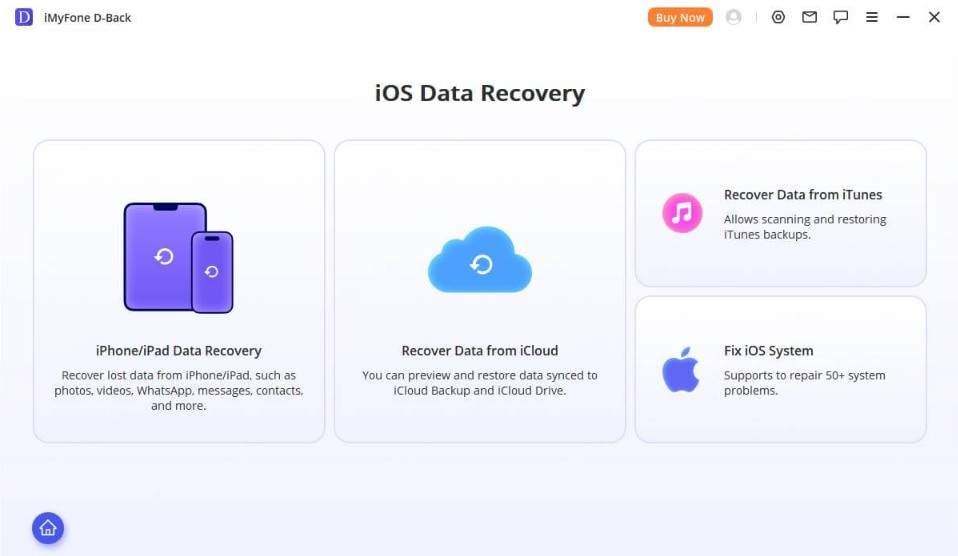
4. iMyFone D-Back
Best For: Recovering iMessages from iPhones, iPads, or backups. Supported Recovery Types: 30+ iOS data types overall. Using this iMessage recovery software, you can recover lost chats from iPhone, iTunes/Finder backups, and iCloud backups. Being compatible with iPhone 17 and iOS 26, it also lets you selectively recover messages and other data types. Furthermore, it comes with a quick and deep scan, which is useful when messages are only in iTunes/iCloud backups.
- Smart recovery helps users easily choose based on their situation.
- It can also recover WhatsApp, WeChat, LINE, and Viber chats.
- Users often report that it cannot recover messages without a backup.
- The software does not clearly separate existing and deleted files, causing clutter.
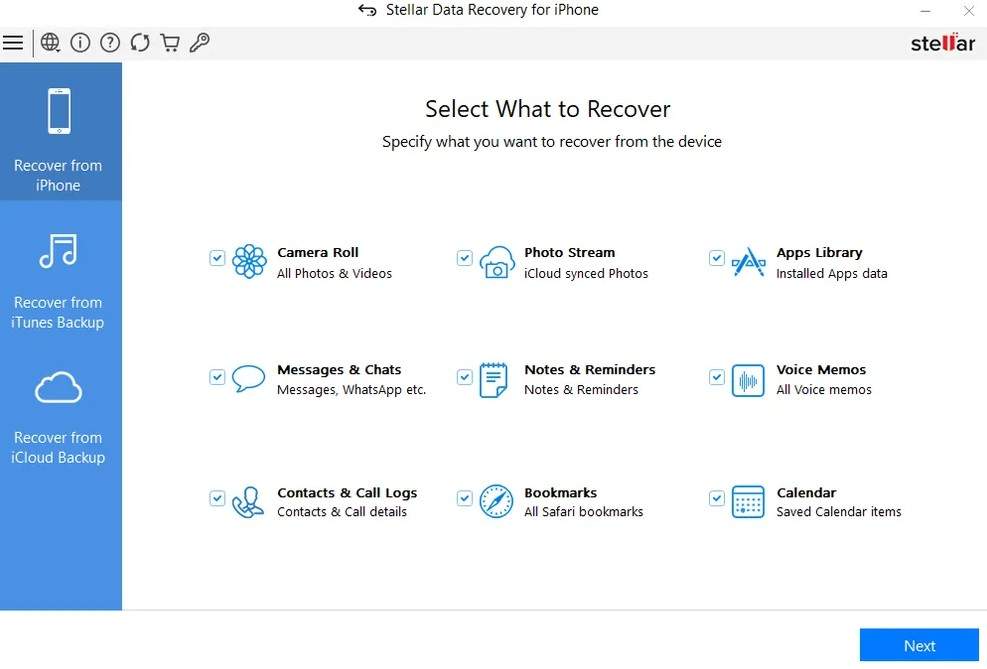
5. Stellar Data Recovery for iPhone
Best For: Retrieving iMessages, SMS, and attachments after deletion, updates, or device damage. Supported Recovery Types: 25+ distinct data types and file formats. Designed for Mac users, this iPhone text recovery software is compatible with iPhone series 17/16/15/14/13/12/ and below. Additionally, it supports iOS 26, 18, 17, 16, 15, 14, 13, and earlier, and lets users recover data from iTunes and iCloud backups. For retrieval, the tool offers a deep scan, but it can list all the lost data types, making message navigation a task.
- Beyond iMessage, it can recover WhatsApp, WeChat, LINE, Viber, and Kik.
- Retrieve data due to accidental deletion, factory resets, iOS updates, and jailbreaks.
- The software is expensive, uses yearly plans, and auto-renews.
- Deep scans are slow and may cause software to freeze.
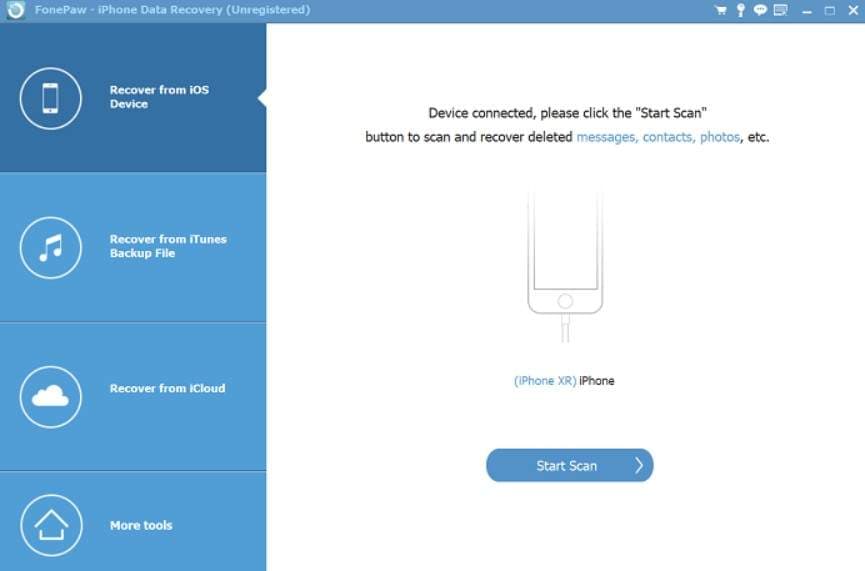
6. FonePaw iPhone Data Recovery
Best For: Fast media recovery, such as photos, videos, and iMessages. Supported Recovery Types: Over 20+ file types, including iMessages, SMS, MMS, etc. Unlike other iPhone apps to recover deleted messages, this solution lets you recover messages from iOS devices, iTunes, and iCloud. As it's compatible with the latest iPhone 17 and iOS 18, it can also extract data from iCloud/iTunes backups without needing to reset or wipe the device. Besides, users get the option to selectively restore the data, which they can preview later.
- Recovers data lost from deletion, crashes, or iOS updates.
- Easy to use for users without technical knowledge or experience.
- Works better for media files but may fail with text data.
- Message recovery works best only within 30 days of deletion.
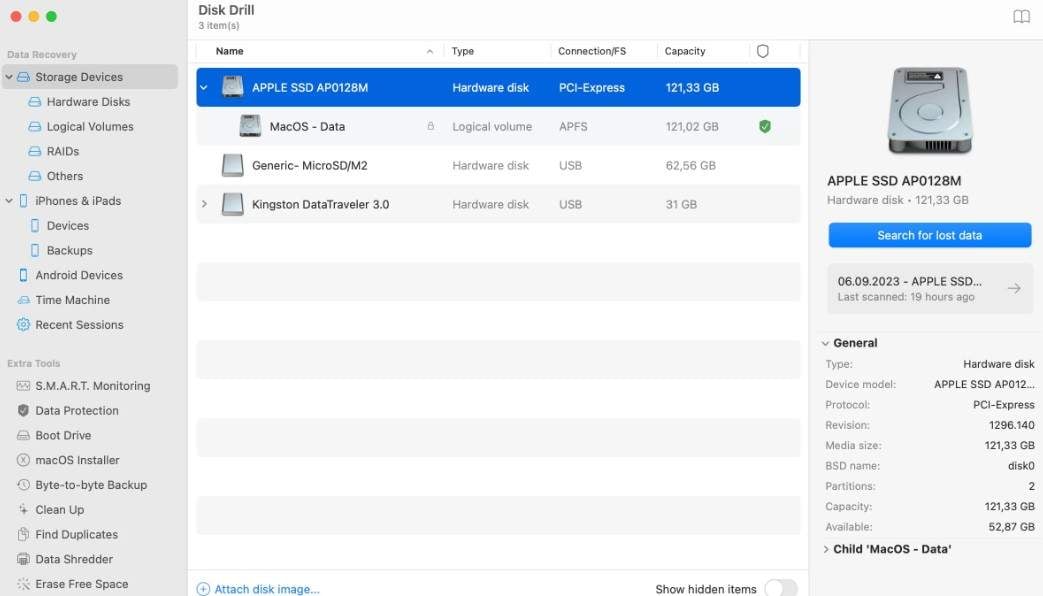
7. Disk Drill Data Recovery (Mac)
Best For: Those who need a powerful, all-in-one Mac data recovery tool. Supported Recovery Types: 10+ core iOS data types, including Messages (SMS, iMessage, MMS). It's another iPhone message recovery software for Mac users that can scan iPhone backups or devices to find deleted iMessages, texts, and attachments. In addition to iMessages, it can also retrieve contacts, call history, photos, videos, calendars, and app data. Since it's versatile, it also provides Quick and Deep Scan options to recover data, even in challenging situations.
- Recover up to 100 MB free to test Disk Drill.
- Disk Drill for Mac can recover data from virtual hard drives.
- The Pro version for iMessage recovery is quite expensive.
- This feature is only available for Disk Drill for Mac.
Which iMessage Recovery Tool Should You Choose?
After knowing the details for each iPhone message recovery app and software, if you want to know which tool is a suitable choice, review the mentioned conditions:
- If You Want the Best Overall Recovery: Choose Dr.Fone - Data Recovery for the highest success rate, deep scanning, and full system repair tools in one package.
- If You Have No Cable or Broken Port: Gbyte Recovery is a preferable choice for cloud scan, or rely on Dr.Fone - Data Recovery for iCloud backup recovery option. With Dr.Fone - Data Recovery, your scanned files will not be cluttered, and the scan won't fail either.
- If You Are a Mac User Who Wants a Lifetime Tool: Use Disk Drill for strong Mac integration and simple recovery, or Dr.Fone - Data Recovery for guided step-by-step use with a free version and cost-effective plans.
- If You Need an Encrypted iTunes Backup Recovery: Select Stellar Data Recovery for iPhone or Dr.Fone - Data Recovery for advanced encrypted backup decryption support.
- If You Need Social App Message Recovery: Choose iMyFone D-Back for WhatsApp, iMessage, and chat recovery, or Dr.Fone - Data Recovery for social app and iMessage restore, with a 100% success rate.
Part 3. Easy Steps to Restore iPhone Messages - Dr.Fone Data Recovery
Of all the details, it's true that Dr.Fone - Data Recovery is an all-in-one software to recover deleted iMessages and other data types from iPhone, iPad, iCloud, or iTunes.
 Recovers data after deletion, crashes, or device damage.
- Supports photos, messages, contacts, WhatsApp, and more.
- Supports all major iPhone, iPad, and iPod models.
- Preview and recover only what you need.

Therefore, if you want to know how this tool functions in 3 simple steps, here is the simple guide:
-
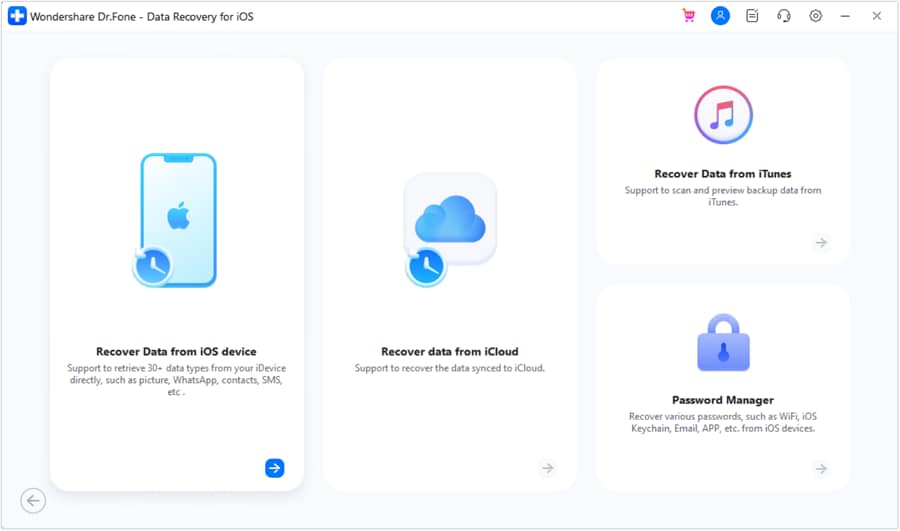
Step 1Choose the Data Recovery Tool for iOS
Upon locating the advanced Data Recovery tool for iOS in the "Toolbox" tab, tap on the "Recover Data from iOS Device" option.
-
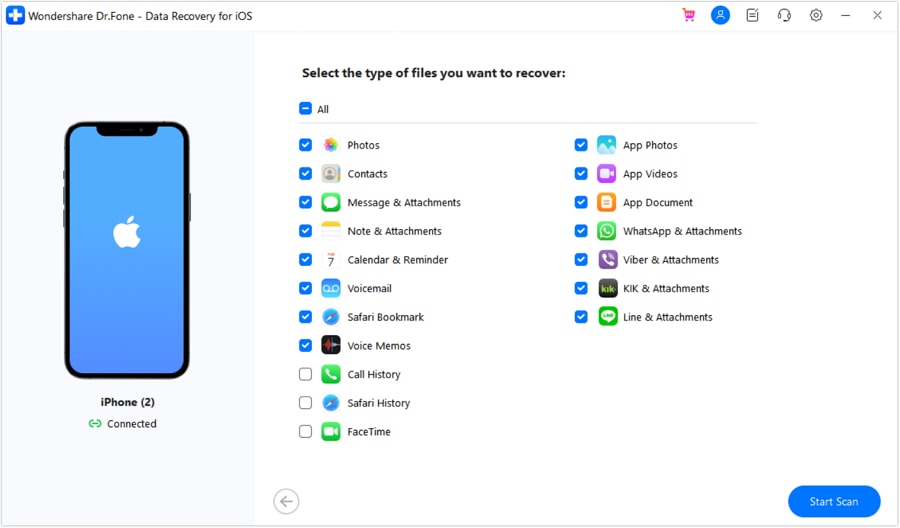
Step 2Opt for Messages Data Types & Start Scan
When prompted, connect the iPhone and choose "Messages" as the data type, as the tool detects the iOS device. Once done, tap on the "Start Scan" button and wait until the tool performs the scan.
-
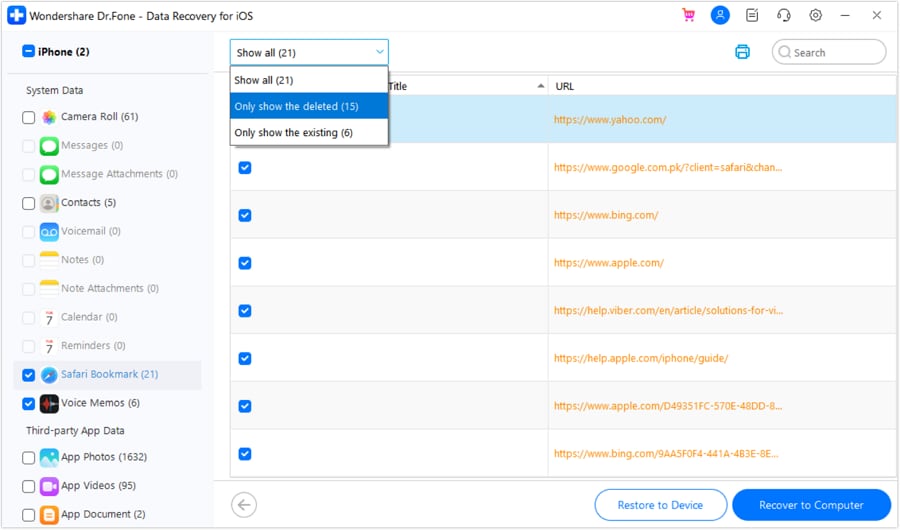
Step 3Restore Your Deleted iMessages
As it ends, expand the "Show All" menu, filter the iMessages, and select the "Restore to Device" or Restore to Computer" option to export chats.




Conclusion
To sum up, many users seek quick, effortless iMessage recovery software when they fail to retrieve messages from the Messages app. Thus, this guide has listed and compared the 7 best solutions for Windows and Mac users to help you get hold of lost chats. Among all, Dr.Fone - Data Recovery (iOS) is the recommended choice. This is because the tool's Read-Only scans retrieve all types of data, and scan files are not cluttered. Additionally, recovery is 100% local, and, most of all, the free version supports both scanning and preview.
FAQ
-
1. Is iMessage recovery software safe to use?
Yes, most trusted iMessage recovery software is generally safe if downloaded from official and verified sources. In this case, Dr.Fone - Data Recovery is an effective choice, as it claims to offer 100% local recovery for Messages, WhatsApp chats & iWork files, along with other data types. -
2. Which is the best iMessage recovery tool?
Dr.Fone - Data Recovery is the best all-in-one iMessage data recovery tool, allowing users to retrieve 35+ data types, with a free scan-and-preview feature. In addition, it offers 100% success rate and ensures no server upload, no cloud storage, and no background syncing. -
3. Why do some messages not recover?
Messages may be overwritten by new data or permanently deleted from storage over time. Additionally, iCloud sync or a lack of backup also removes old copies, making recovery impossible in some cases.
 Add Wondershare Dr.Fone as a preferred source on Google