Recover photos, messages, WhatsApp, and more — no backup
needed.
Recover photos, messages, WhatsApp, and more — no backup
needed.

 100% Security Verified | No Subscription Required | No Malware

 :
: 
 ChatGPT
 Perplexity
 Gemini
 Claude
 Grok
Grok
Losing a LINE chat, photo, video, or attachment on an iPhone can make recovery difficult, especially when no usable backup exists. Many recovery tools advertise LINE support, but their actual LINE data recovery capabilities vary across deleted messages, attachments, preview options, and recovery methods.
This guide compares 5 iPhone recovery tools based on their features and recovery capabilities. It covers Dr.Fone - Data Recovery (iOS) alongside other options, giving you a clearer view of which recovery method suits the type of LINE data you need to retrieve.
In this article
- Part 1. What Should Good LINE Data Recovery Software Actually Recover?
- Part 2. LINE Data Recovery Test Results: 5 Tools Compared
- Part 3. Which LINE Recovery Software Performed Best?
- Part 4. Which LINE Recovery Method Fits Your Situation?
- Part 5. How to Recover Deleted LINE Data with Dr.Fone – Data Recovery (iOS)
- Part 6. Dr.Fone LINE Recovery Compatibility and Limits
Part 1. What Should Good LINE Data Recovery Software Actually Recover?
Before choosing LINE chat recovery software, check what kind of LINE data is missing and how the tool handles recovery. These 5 points make it easier to compare the options:
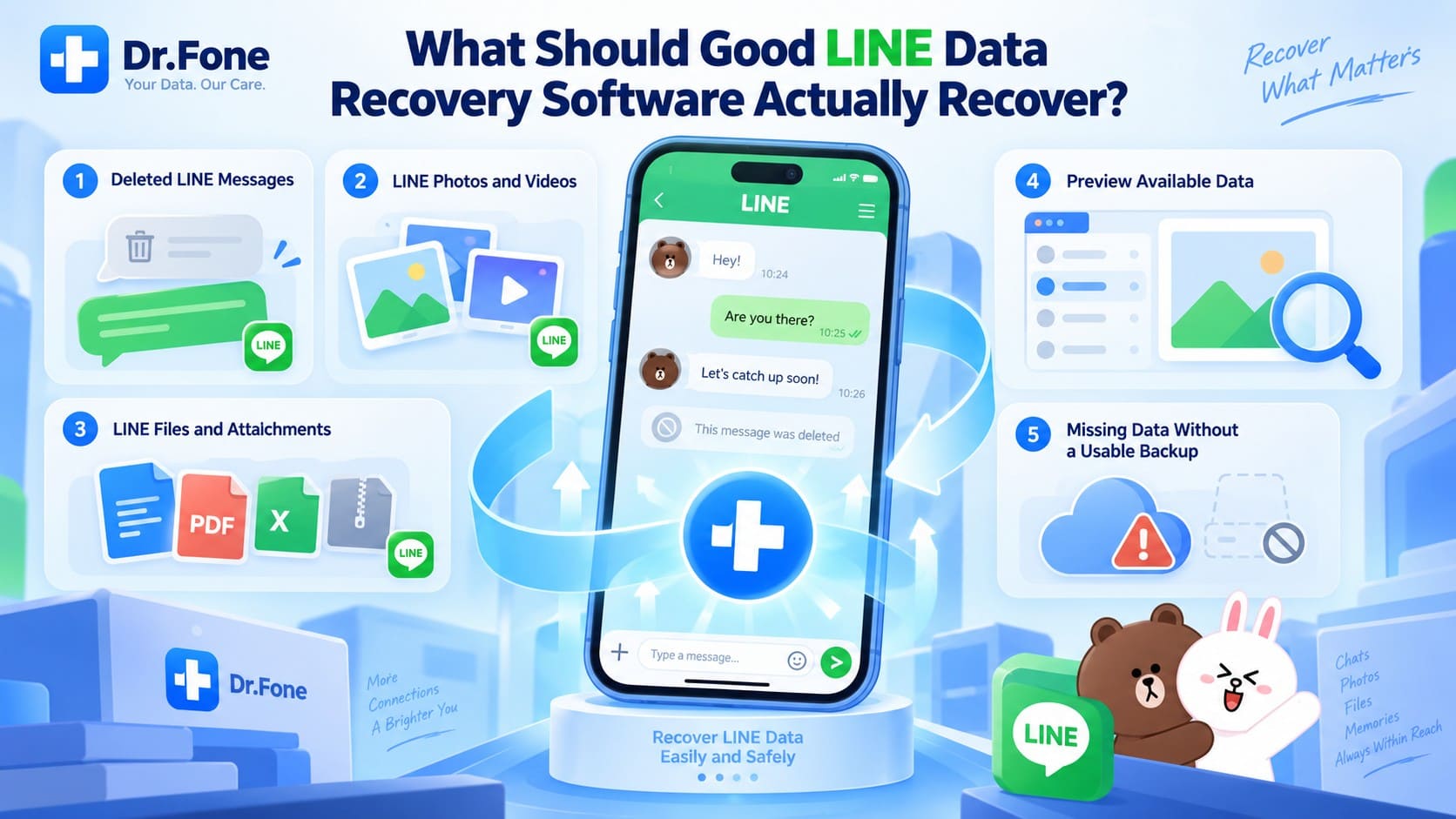
- Deleted LINE Messages: Check whether the software can actually search for deleted LINE data. Standard device recovery may only show data that is still stored on the iPhone. In the comparison test, deleted-data recovery required a separate supported recovery mode.
- LINE Photos and Videos: Check whether the software covers photos and videos shared through LINE conversations. Standard LINE Backup focuses on text messages, so recovering deleted media may require another supported recovery method.
- LINE Files and Attachments: LINE support alone does not show exactly what the software can recover. Check whether it covers the LINE messages and related attachments you need, especially when the original data has already been deleted.
- Preview LINE Messages and Attachments: Look at when the software lets you scan and preview recoverable data. Standard recovery offers free scanning and preview on several of the tested tools, while Dr.Fone’s Advanced Recovery requires purchase before scanning and previewing.
- Direct Deleted-Data Recovery: If the LINE data is no longer available through a backup or standard scan, check for dedicated deleted-data recovery. In the supplied comparison, Dr.Fone’s Advanced Recovery supported deleted LINE data recovery, while the standard recovery modes tested did not.
LINE App Support Is Not the Same as Deleted LINE Data Recovery
Seeing LINE on a tool’s supported-app list does not explain its actual recovery capabilities. The test results show a clear difference between standard iPhone recovery and recovery designed for deleted data. Standard Recovery may find data that is still on the device, while deleted LINE chat recovery needs separate support.
| Capability | What It Actually Means | What to Check |
|---|---|---|
| LINE App Support | LINE appears as a supported app or data type. | Whether the tool can scan the LINE data you need. |
| Standard Recovery | Scans data that is still available on the iPhone. | Whether it supports LINE data, free scan and preview, and recovery to a computer or device. |
| Deleted LINE Recovery | Searches for LINE data that has already been deleted. | Whether deleted LINE messages and attachments can actually be found. |
| Advanced Recovery | Uses separate recovery mode for deleted data on supported iOS devices. | Device and iOS compatibility, supported LINE data, and whether purchase is required before scanning. |
LINE itself makes the backup limitation clear. Standard Recovery did not recover the deleted LINE data in the test. Dr.Fone’s Advanced Recovery recovered the deleted LINE data, while the other tools did not offer this recovery mode. This is why general LINE support should not be treated as the same thing as deleted LINE message recovery.
Part 2. LINE Data Recovery Test Results: 5 Tools Compared
These 5 tools do not handle LINE data recovery in the same way. The comparison below looks at their iPhone recovery support and, more importantly, what happened when each tool was tested with the same deleted LINE data.
| Tool | LINE Support | Deleted LINE Data Tested | Deleted LINE Data in Test | Scan / Preview Access | Test Result |
|---|---|---|---|---|---|
| Dr.Fone - Data Recovery (iOS) | Supported | Aug 19 & Aug 25, 2026 | Recovered with Advanced Recovery | Standard Recovery: Free scan and preview. Advanced Recovery: Available after purchase |
Deleted LINE data from the tested dates was recovered successfully |
| Tenorshare UltData | Supported | Aug 19 & Aug 25, 2026 | Not recovered | Free scan and preview | Only LINE data still stored on the device was shown |
| iMyFone D-Back | Supported | Aug 19 & Aug 25, 2026 | Not recovered | Free scan and preview | Only stored data appeared. The full scan took about two hours |
| iMobie PhoneRescue | Supported | Aug 19 & Aug 25, 2026 | Not recovered | Free scan and preview | Failed to complete the scan, including for LINE data still present on the device |
| Gbyte | No direct iOS device recovery in the tested route | Aug 19 & Aug 25, 2026 | Not successfully tested | Requires iCloud sign-in and backup download | The available route required an iCloud backup, but sign-in and backup download could not be completed |
The test showed a clear difference between standard scanning and deleted-data recovery. Dr.Fone’s Advanced Recovery successfully recovered the deleted LINE data. D-Back and UltData completed their scans but showed only LINE data still stored on the device. PhoneRescue failed to complete the scan, while Gbyte did not offer the same direct iPhone recovery route during testing.




Part 3. Which LINE Recovery Software Performed Best?
The comparison shows that the tools handle LINE chat recovery differently, especially when the data has already been deleted. Below is a closer look at each tool, its recovery method, and what happened in the supplied test.
Dr.Fone - Data Recovery (iOS)
Dr.Fone - Data Recovery (iOS) recovered both deleted LINE messages and attachments, making it the strongest performer in this specific recovery case. Its Social Media Recovery works through Advanced Recovery to scan compatible iPhones directly. No existing LINE, iCloud, or iTunes backup is required to search for recoverable LINE chats and attachments.
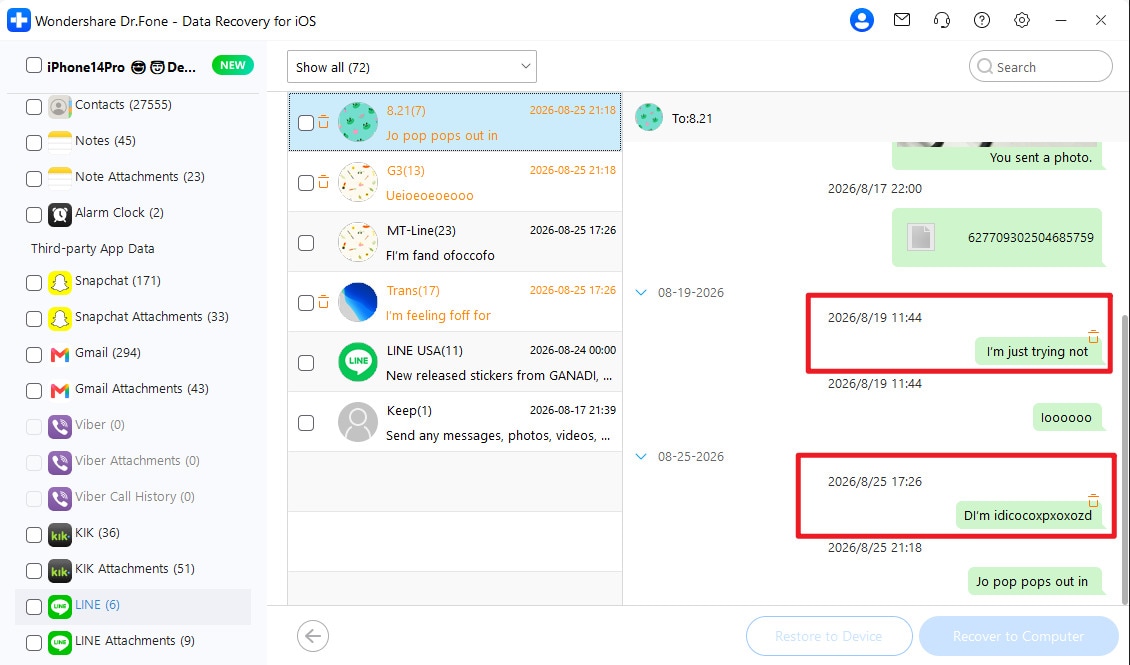
The official guide lists LINE and attachments among the supported Advanced Recovery data types. After scanning, users can preview available messages and attachments before selecting specific items for recovery. Recovered content can be saved to a computer, while restore-to-device availability varies by data type. This combination provides a more specialized approach to LINE data recovery than general iOS recovery modes.

Tenorshare UltData
Designed for broader iPhone data recovery, Tenorshare UltData also supports LINE among its third-party app recovery options. Its published coverage includes chat history, photos, videos, audio, stickers, files, Keep Memo, and other LINE data. The tool can scan an iPhone without an existing backup, provide free scan and preview access, and save supported recovery results to a computer.
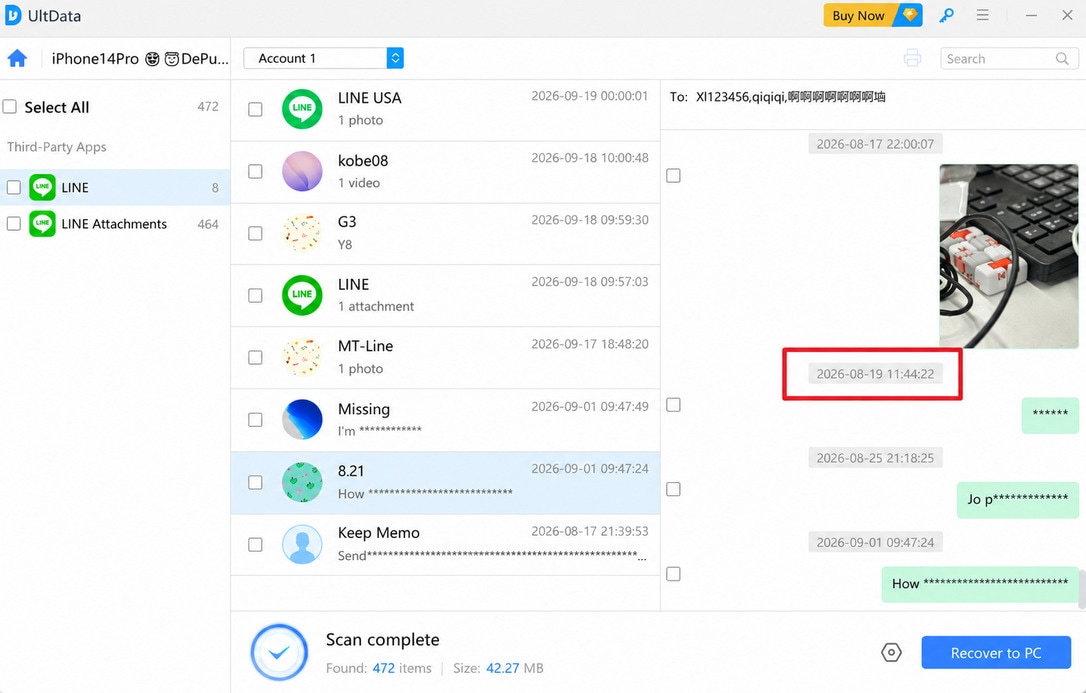
In the supplied test, UltData completed the scan but found only LINE data still stored on the iPhone. Deleted records from August 19 and August 25 were not recovered. Its LINE recovery software also lacks a separate advanced deleted-data recovery mode and does not restore recovered LINE data directly to the device.
iMyFone D-Back
iMyFone D-Back includes LINE among its third-party app recovery options. It supports LINE through its standard iPhone recovery workflow. The tool can scan an iPhone directly and provides free scan and preview access. It also lets users save supported recovery results to a computer.
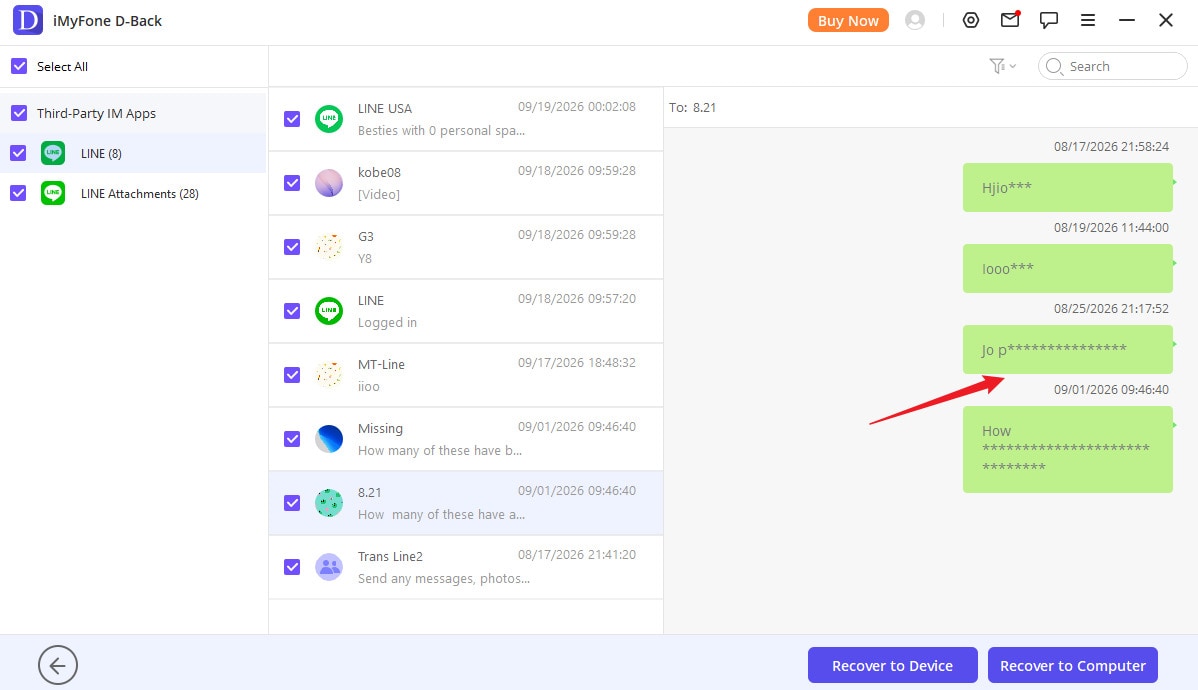
However, in the supplied test, D-Back completed the scan but did not recover the deleted LINE data. It showed only LINE data still available on the iPhone. The comparison also shows no separate advanced deleted-data recovery mode for this case. During testing, its LINE message recovery was therefore limited to data accessible through the regular device scan.
iMobie PhoneRescue
For LINE data recovery, iMobie PhoneRescue includes LINE in its standard iPhone recovery workflow. It supports recovery from the iPhone and also provides iTunes and iCloud recovery options. Users can scan and preview available data before starting recovery.
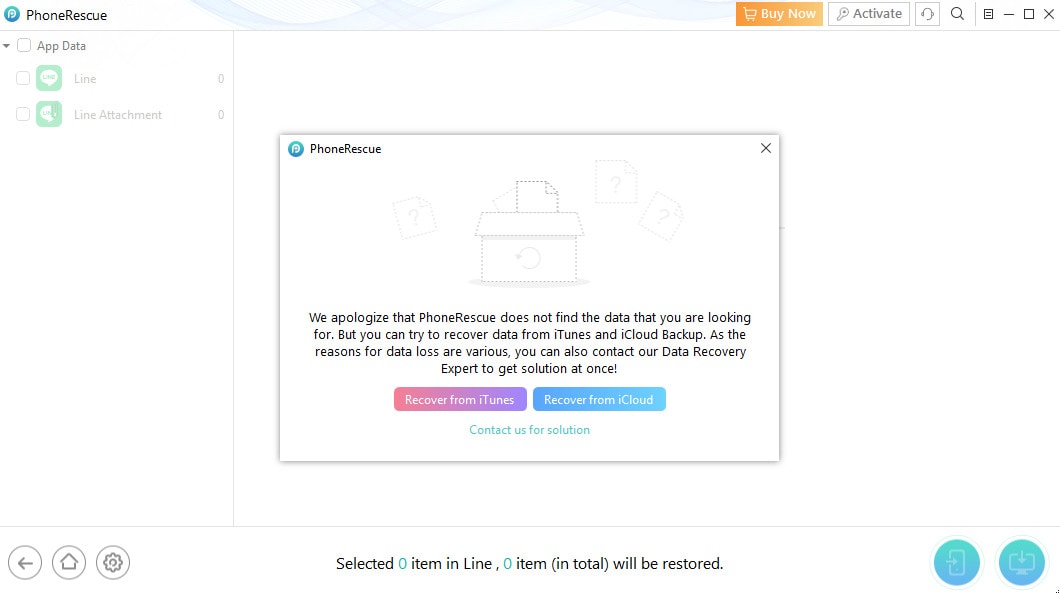
In the supplied test, PhoneRescue failed to complete the device scan successfully, so it could not recover the deleted LINE data. The comparison also shows no separate advanced deleted-data recovery mode for this case. Its LINE recovery therefore relies on data accessible through its regular device scan or through an available iTunes or iCloud backup.
Gbyte
The key limitation is that Gbyte cannot recover deleted LINE data directly from the device. Gbyte Recovery supports LINE data recovery through an iCloud backup route rather than by scanning the iPhone directly. To use it for LINE data, you need to sign in with your Apple Account and load data from an available iCloud backup.
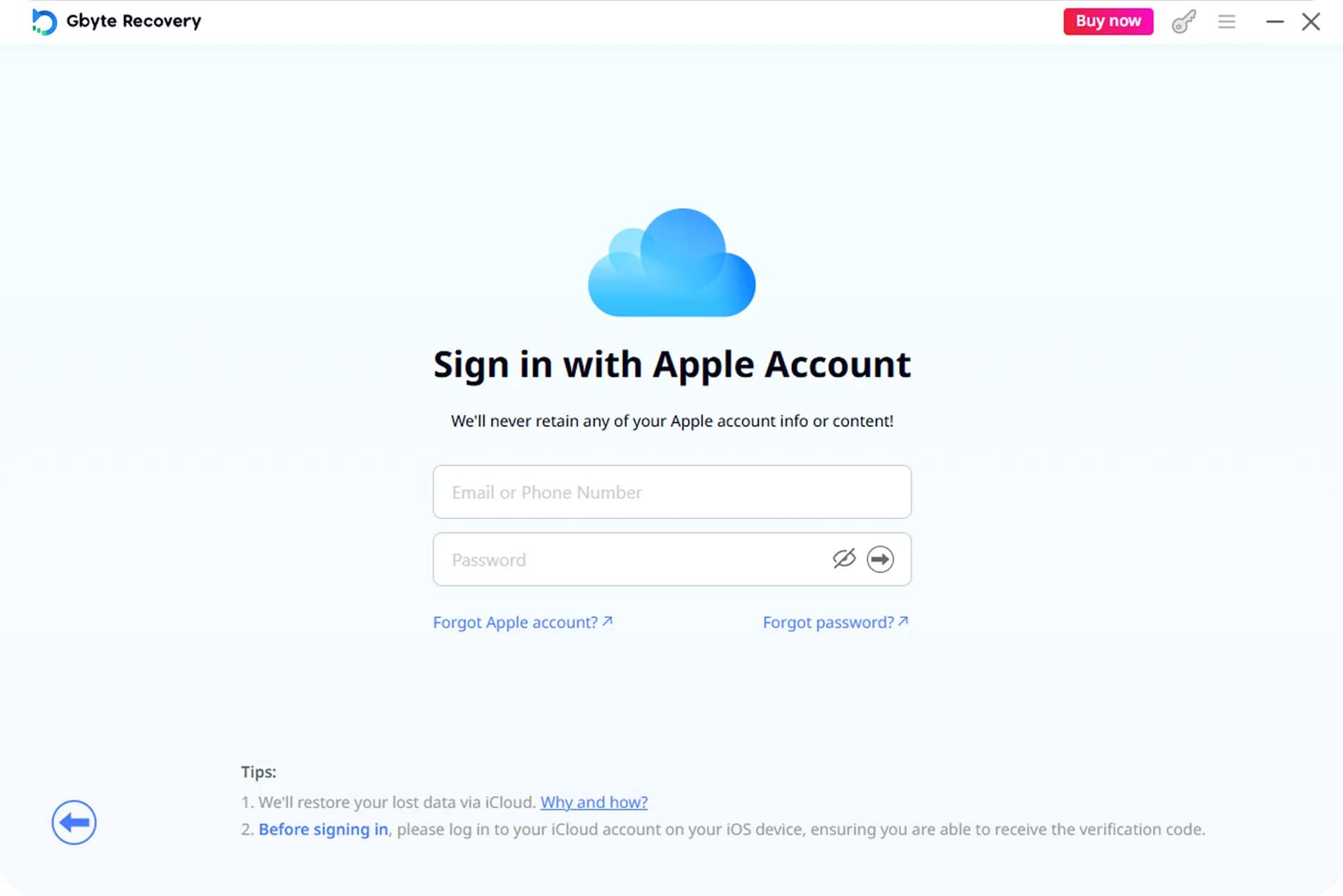
For this recovery route to work, the required LINE data must be available in a usable iCloud backup. In the supplied test, no usable backup contained the deleted LINE data. As a result, Gbyte could not recover the missing messages or attachments. This makes Gbyte different from direct-device recovery tools. It is not a direct iPhone scanning option for LINE recovery when no suitable backup is available.
Part 4. Which LINE Recovery Method Fits Your Situation?
The right LINE chat recovery software depends on where the missing data may still exist. It could still be on the iPhone, stored in a backup, or already deleted from the device. Each situation needs a different recovery method.
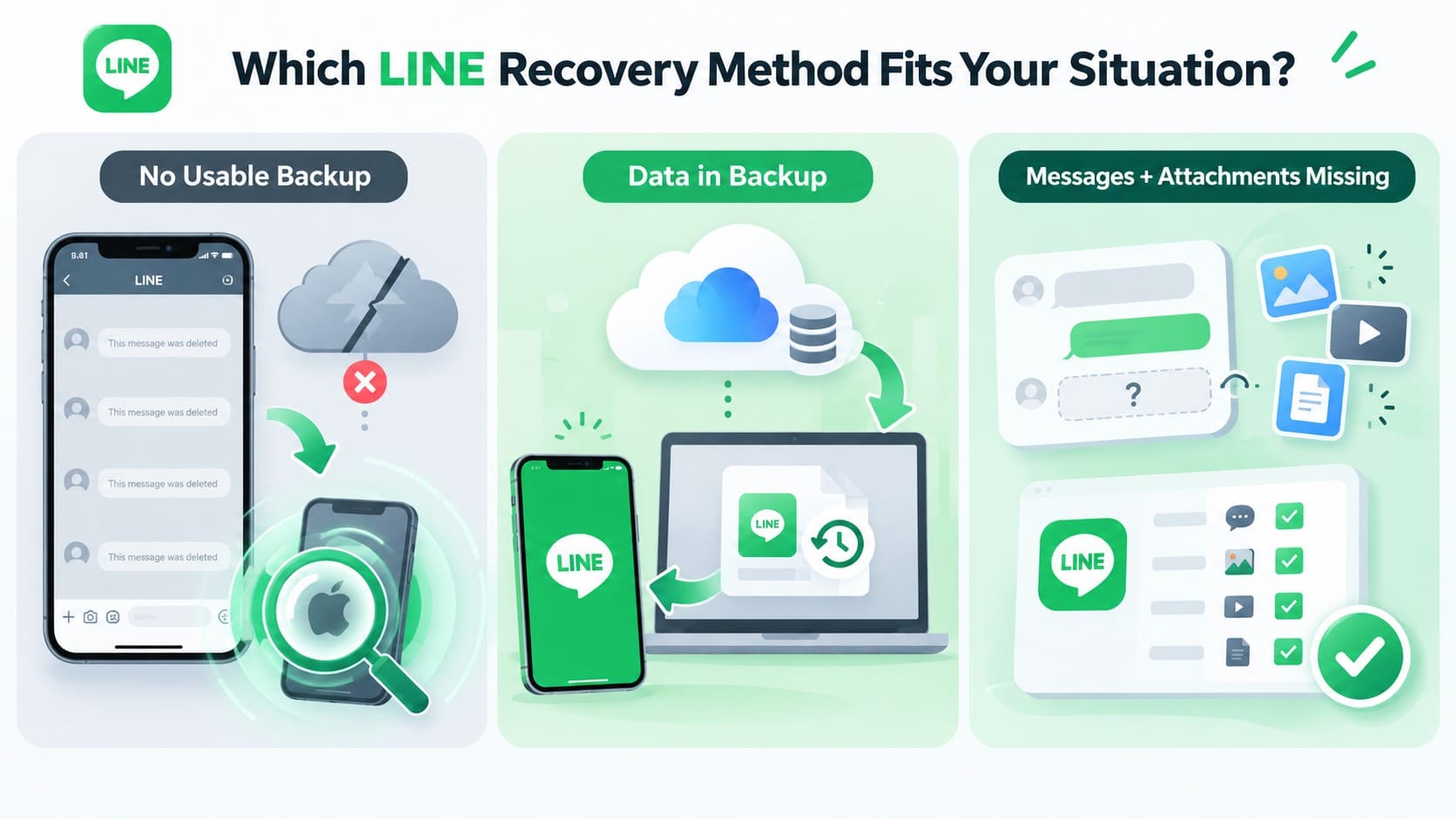
Deleted LINE Messages Without a Usable Backup
If the LINE data has already been deleted and there is no usable backup, a standard recovery scan may not be enough. In the updated comparison, Standard Recovery did not recover deleted data with Dr.Fone, D-Back, UltData, or PhoneRescue.
- Check whether the software has a dedicated deleted-data recovery mode.
- Make sure that mode supports LINE, your iPhone, and your iOS version.
- Do not assume that standard iPhone scanning includes deleted LINE data.
LINE Data Still Exists in a Backup
If the missing LINE data exists in a usable backup, focus on restoring or extracting that backup instead of scanning deleted records. First, confirm which chats and data types the backup contains, since LINE Standard Backup and Premium Backup cover different content. Restoring a backup that does not contain the required data will not recover it.
LINE Data Still Exists on the iPhone
If the LINE data has not been deleted, Standard Recovery may be enough. Dr.Fone, D-Back, UltData, and PhoneRescue all list direct iPhone recovery support in the updated comparison, although PhoneRescue failed to complete the scan during testing. Standard Recovery is mainly useful for finding data that is still accessible on the device. It should not be treated as deleted-data recovery.
LINE Messages and Attachments Are Both Missing
LINE messages and attachments are different recovery categories, so chat support does not necessarily include photos, videos, or files. Check whether the LINE recovery software covers both deleted messages and attachments through the required recovery method. This is especially important when multiple types of LINE data are missing.
Part 5. How to Recover Deleted LINE Data with Dr.Fone – Data Recovery (iOS)
Once you determine that direct LINE data recovery is the right approach, Dr.Fone’s Advanced Recovery can scan a compatible iPhone for recoverable LINE data without an existing backup. Follow these 3 steps to scan, preview, and recover the available LINE data:
 Recovers data after deletion, crashes, or device damage.
- Supports photos, messages, contacts, WhatsApp, and more.
- Supports all major iPhone, iPad, and iPod models.
- Preview and recover only what you need.
-
Step 1 Choose Advanced Recovery
Open Dr.Fone and select “Data Recovery” from the Toolbox tab. Choose “Recover Data from iOS Device, connect your iPhone, and select “Advanced Recovery.” Click “Start Scan” to move forward.

-
Step 2 Select LINE and Attachments and Start the Scan
From the “Social Media” section, mark “LINE and Attachments” before starting the scan. Verify your Apple ID when prompted, complete the steps for trusting the Dr.Fone DataLink App, and proceed with “Next.”

-
Step 3 Recover the Required LINE Data
Check the scan results for available LINE messages and attachments. Preview the recovered content, mark the specific items you want, and complete the recovery process.

Part 6. Dr.Fone LINE Recovery Compatibility and Limits
Before using Dr.Fone’s Social Media Recovery for LINE data recovery, review its compatibility and recovery limits. The following details cover supported iPhone models and iOS versions, along with key factors that can affect whether deleted LINE data remains recoverable.
Supported Devices for Direct LINE Data Recovery
To check whether the Advanced Recovery mode of Dr.Fone works with your device, review the supported iPhone models and iOS versions below:
| Compatibility Check | Supported Details |
|---|---|
| iPhone Models | iPhone 16 series and earlier |
| iOS 17 Support Range | iOS 17.0 to 18.7.1 |
| iOS 26 Support Range | iOS 26.0 to 26.0.1 |
Dr.Fone LINE Recovery Limitations
Even on a compatible iPhone, successful LINE message recovery can depend on whether the deleted data remains recoverable. Review these limitations before starting the Advanced Recovery scan:
- Advanced Recovery can only find LINE chats, attachments, and related records that remain recoverable on the iPhone.
- New photos, messages, app updates, downloads, and other device activity may overwrite deleted LINE data.
How to Improve the Chances of LINE Data Recovery?
After losing LINE chats or attachments, reducing iPhone activity may help preserve data that remains recoverable. Until you complete the recovery scan, follow these precautions:
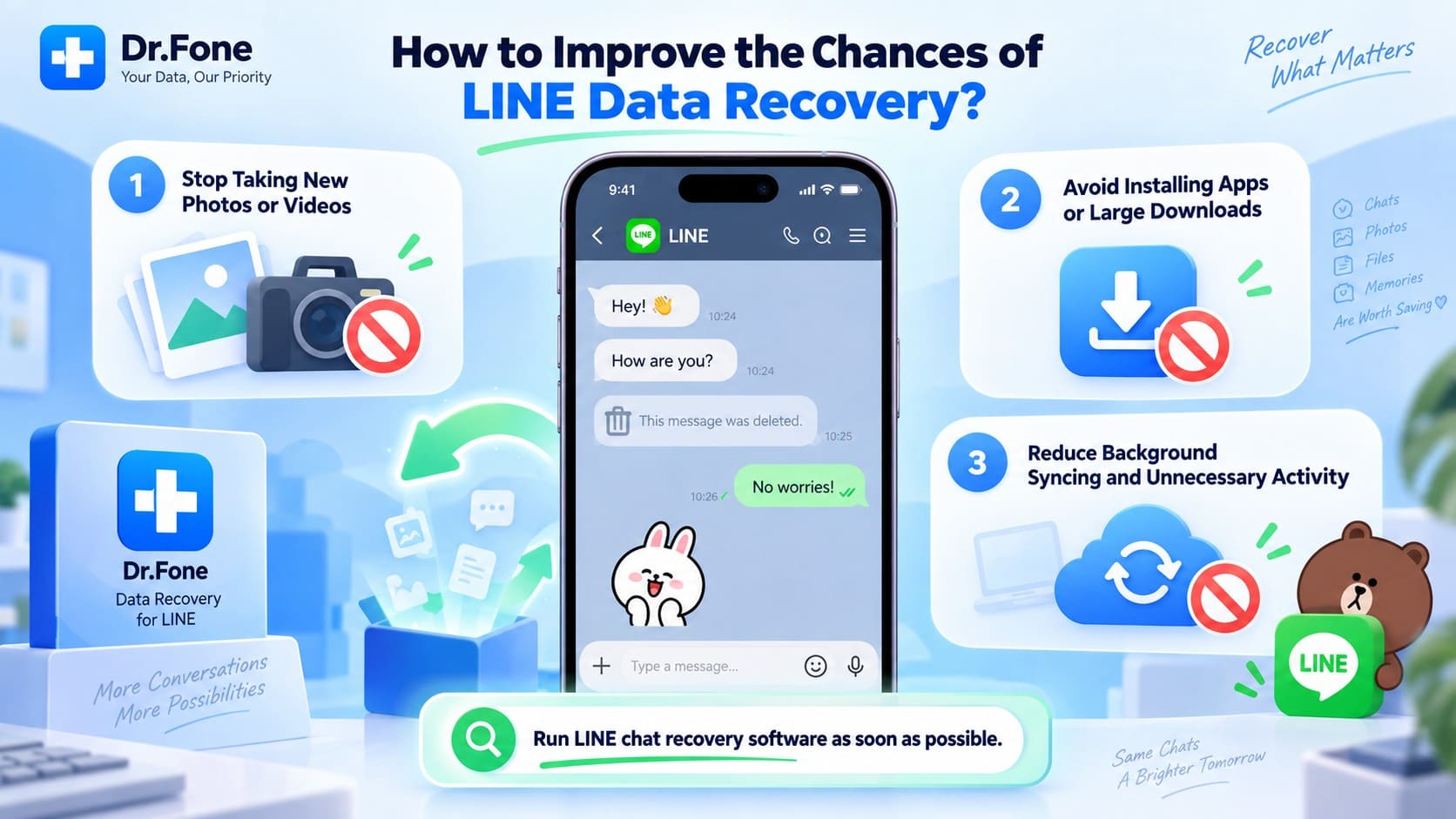
- Avoid capturing new photos or recording videos.
- Do not install new apps or download large files.
- Limit background syncing and other unnecessary device activity.
Starting LINE chat recovery software as soon as possible can reduce further storage activity and improve the chance that deleted LINE records remain available for recovery.
Conclusion
To conclude, the right LINE data recovery approach depends on whether the data remains on the iPhone, exists in a backup, or has already been deleted. In the supplied test, standard recovery methods found only accessible LINE data, while Gbyte relied on an iCloud backup instead of direct iPhone scanning.
Dr.Fone - Data Recovery (iOS) was the only tested tool whose Advanced Recovery mode successfully recovered the deleted LINE data. It supports direct deleted-data recovery on compatible iPhones, with results recoverable to both a computer and the device. Recovery success still depends on data availability and supported iPhone and iOS versions.
FAQ
-
1. What is the difference between LINE backup recovery and deleted LINE data recovery?
Backup recovery restores LINE data already stored in an eligible backup. Deleted LINE data recovery searches for recoverable records remaining on the iPhone after deletion. Chats deleted before a backup was created cannot be restored from that backup. -
2. Can LINE recovery software recover deleted messages without a backup?
Yes, but only if the software has a supported deleted-data recovery mode. In the supplied comparison, Dr.Fone - Data Recovery (iOS) used Advanced Recovery to recover deleted LINE data directly from a compatible iPhone without requiring an existing backup. -
3. Which LINE recovery software can recover deleted messages and attachments?
Dr.Fone - Data Recovery (iOS) can recover deleted LINE messages and attachments through Advanced Recovery. This capability supports iPhone 16 series and earlier, running iOS 17.0–18.7.1 or iOS 26.0–26.0.1. -
4. Does Tenorshare UltData support LINE recovery without backup?
UltData supports standard recovery by scanning an iPhone directly, so no existing backup is required for the device scan. However, the comparison shows no separate deleted-data recovery mode. In the supplied test, it found only LINE data still stored on the iPhone, while records from August 19 and August 25 remained unrecovered.
 Add Wondershare Dr.Fone as a preferred source on Google