 Effortlessly manage data through preview, delete, export, etc.

 100% Security Verified | No Subscription Required | No Malware

 :
: 
 ChatGPT
 Perplexity
 Gemini
 Claude
 Grok
Grok

I thought switching from iPhone to Android was just downloading similar apps, but then I realized my 2FA, subscriptions, and iMessage settings were all tied to Apple. I nearly locked myself out before I even finished moving my data.
Reddit user, r/Android
Switching from iPhone to Android isn’t just “find similar apps”—it’s making sure your data, sign-ins, subscriptions, and daily workflows still function after the move. Miss one dependency (like 2FA, iCloud-only notes, or a paid subscription tied to Apple ID), and you can lose access or spend hours rebuilding.
AI helps by turning a vague goal (“I need Android alternatives”) into a structured plan: what to inventory, what to replace first, what to test, and what to verify before you change anything on your iPhone.
AI can’t install apps, migrate data, or confirm what’s actually on your devices. Execution and device-level actions require real tools and real checks—especially before any irreversible step like wiping the iPhone or disabling iMessage.
In this article
- How to plan Android app alternatives without missing critical steps
- Identify dependencies and risk points
- Decide migration order (what first/next/last)
- Set “do-not-do-yet” gates
- Add verification before irreversible steps
- What the AI needs to know
- Using AI prompts to build a safer workflow
- AI plan vs. real device constraints
- When to stop planning and start execution
Part 1. How to plan Android app alternatives when leaving iPhone without missing critical steps
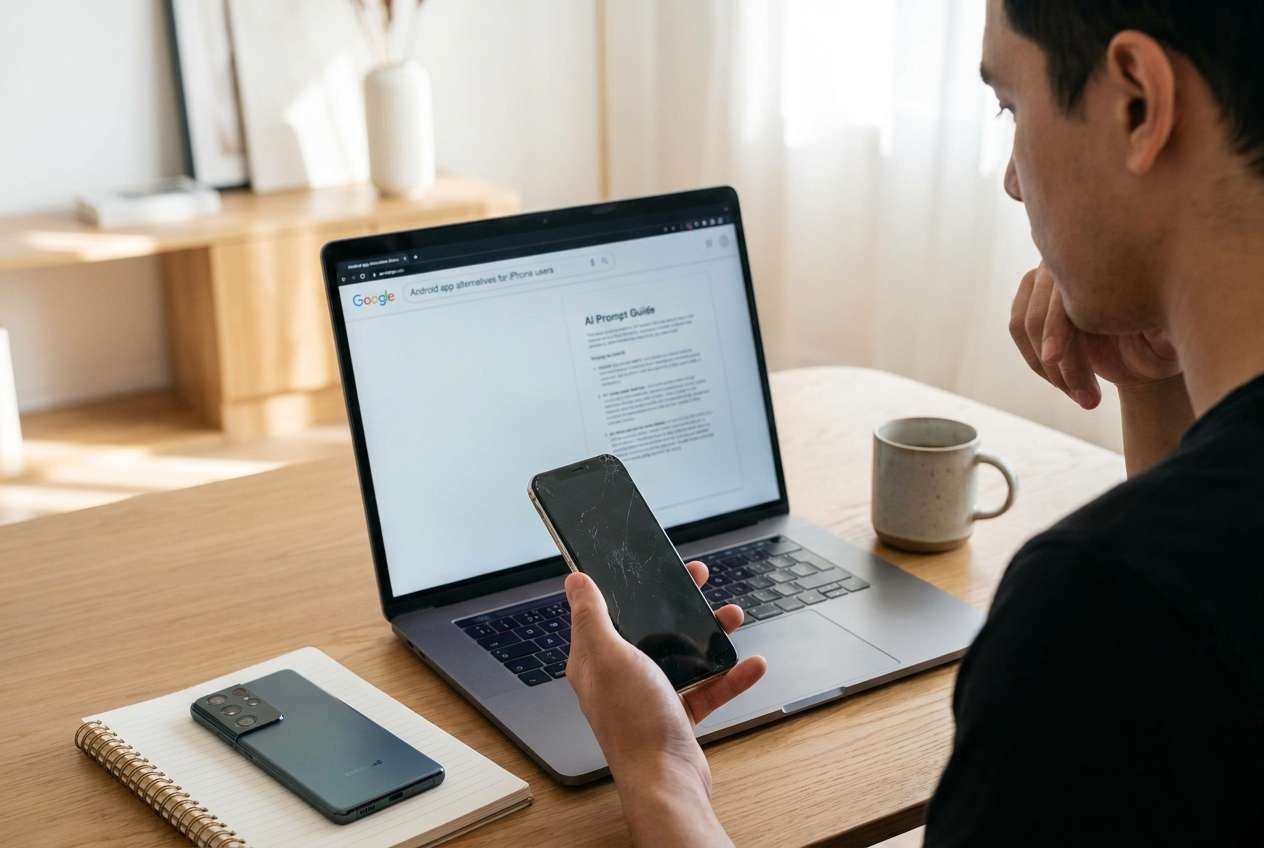
You’re leaving iPhone and want Android equivalents for key apps: messaging, notes, photos, password manager, payments, work apps, and health tracking. The uncertainty usually isn’t “what app exists,” but “what app preserves my data and logins with the least disruption.”
AI can suggest candidates, but people get stuck after that answer because the sequence is unclear: do you migrate passwords first, or notes, or photos? What do you test on Android before you change iMessage or your primary 2FA device?
There’s also a point of no return: factory resetting the iPhone, removing it as a trusted device for Apple ID/2FA, or turning off iMessage before confirming messaging and verification codes work on Android. Don’t go near those steps until verification is complete.
Part 2. What the AI needs to know
Share the specifics so the plan accounts for your real dependencies and risk points.
- iPhone model + iOS version, and the Android phone model (if chosen)
- Your “must-have” app categories (messaging, notes, photos, calendar, files, banking, work, health, music)
- Which Apple services you currently rely on (iMessage, FaceTime, iCloud Drive, Photos, Keychain, Notes)
- Where your data is stored for each category (local, iCloud, Google, Microsoft, Dropbox, app-specific cloud)
- Your authentication setup (Apple ID 2FA, authenticator app, SMS, security keys)
- Any “can’t break” items (work MDM, corporate email, banking apps, WhatsApp history, eSIM)
- Your migration deadline and tolerance for downtime (minutes vs hours vs days)
- Subscription list tied to Apple ID (paid apps, iCloud storage, Apple Music/TV+, in-app subscriptions)
- Privacy constraints (what you refuse to upload to third-party clouds)
Part 3. Using AI prompts to build a safer workflow
Use the prompts below to force a sequence, prevent missed dependencies, and create a verification checklist before any risky change.
3-1. Level 1: Basic prompt
I’m moving from iPhone to Android and need Android app alternatives that won’t break my daily workflow. Ask me the minimum questions you need, then propose a step-by-step plan that includes what to test on Android before I change anything on my iPhone.
3-2. Level 2: Advanced prompt
Build me a structured workflow to find Android app alternatives when leaving iPhone.
Include Preparation / Execution / Verification, and clearly label critical vs optional items.
Also list “do-not-do-yet” actions (like disabling iMessage or wiping the iPhone) and what must be verified before each one.
3-3. Level 3: Evidence prompt
Create a migration plan for finding Android alternatives with verification checkpoints before/during/after each phase. Use my context below and output: (1) an inventory table, (2) replacement options with tradeoffs, (3) a test plan, (4) a rollback plan.
Context:
- Current device: iPhone (e.g., iPhone 13, iOS 17)
- New device: Android (e.g., Samsung S24 or Pixel 8)
- Must-keep data: Photos (≈50,000), Notes (≈800), Passwords (Keychain), Messages (iMessage + WhatsApp), Calendar
- Accounts: Apple ID 2FA enabled; primary 2FA currently on iPhone
- Storage: iCloud Photos on; iCloud Drive used for files; Google account exists but not primary
- Deadline: (e.g., 48 hours) with max downtime (e.g., 30 minutes)
- Risk tolerance: (e.g., do not lose WhatsApp history; do not lose access to banking)
Include “stop/go” gates, like: “Do not disable iMessage until X is confirmed.”
3-4. Prompt refinement (follow-up prompts)
Output the plan as a checklist with three columns: Action / Evidence to collect / Pass criteria. If evidence is missing, mark the action as blocked.
Ask me exactly 10 questions max, prioritized by risk (2FA, payments, messaging, photos). Then generate the plan only after I answer.
For each iPhone app/service I list, provide two Android alternatives and specify: data portability, sign-in method, subscription portability, and export path.
Create a pre-migration snapshot list: what screenshots, exports, and account recovery items I should capture before changing devices.
Add a “failure modes” section: top 8 ways people lose access during this switch and the prevention step for each.
Part 4. AI plan vs. real device constraints
| Planning item (AI can help) | What AI cannot do | What you must verify on-device | Why it matters |
|---|---|---|---|
| Map iPhone apps/services to Android alternatives | Install apps, sign in, migrate data | Sign-in success + data presence inside apps | A “good alternative” is useless if your account/data won’t load |
| Create sequencing (what first/next/last) | Enforce correct order on your devices | You followed gates (2FA, messaging, backups) | Wrong order causes lockouts and missing data |
| Draft verification checklists and pass/fail criteria | Confirm backups are complete and readable | Open backups/exports and spot-check key items | “Backup succeeded” messages can be misleading |
| Identify irreversible steps and safety gates | Stop you from wiping/turning off services | You delayed irreversible actions until criteria pass | Prevents permanent loss and hard-to-reverse messaging issues |
AI improves planning, but cannot execute device actions or confirm outcomes; you still need real checks and real tools.
Part 5. When to stop planning and start execution
- You have an inventory of your top 10 daily-critical apps/services and where each one stores data.
- You have chosen replacements for each critical category, with a stated reason (data portability, privacy, compatibility).
- You have a verification checklist with pass criteria (what “success” looks like) for messaging, photos, notes, passwords, and 2FA.
- You have identified and postponed irreversible actions (wipe iPhone, remove trusted device, disable iMessage) until after verification gates pass.
Once these are true, you’re no longer guessing—you’re ready to follow the workflow in a controlled way.
Recommended tool for execution: transfer first, then verify
When execution starts, reduce risk by transferring your core data and then verifying it on the Android device before you retire the iPhone. If you want a guided transfer workflow, Dr.Fone - Phone Transfer can help you move data between phones so you can focus on verification gates instead of rebuilding from scratch.
 Move data between iOS to Android and vice versa.
- Transfer contacts, SMS, photos, videos, music, and more types.
- Available with all phones with Android and iOS versions.
- Simple, click-through process.

-
Step 1 Create a protected baseline before changes
Run a device backup/transfer preparation so you have a recoverable baseline before switching primary services or deleting anything. Dr.Fone can execute the backup/transfer steps, but you still need to decide what “complete” means for your critical items.

-
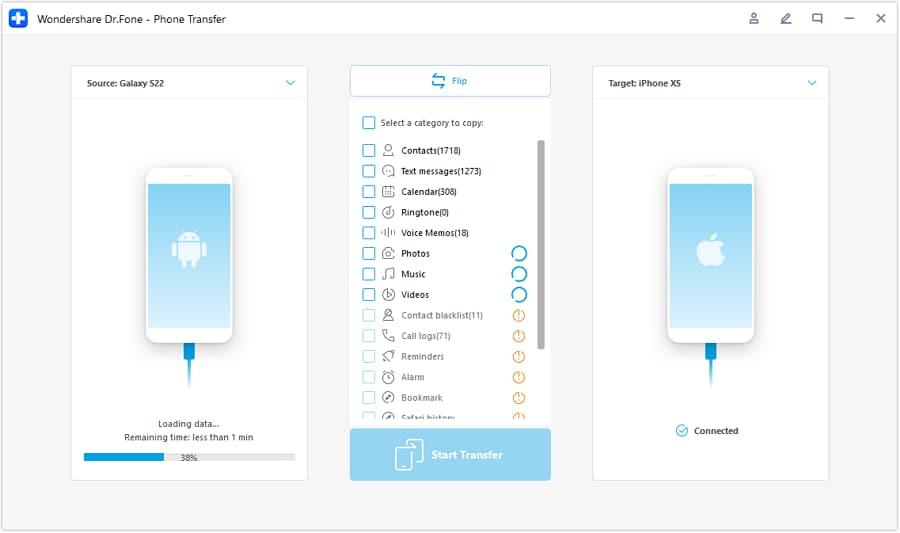
Step 2 Set the transfer direction (iPhone → Android)
Connect both devices and confirm the source/target path is correct before moving data. This reduces accidental overwrites and keeps the workflow aligned with your verification checklist.
-
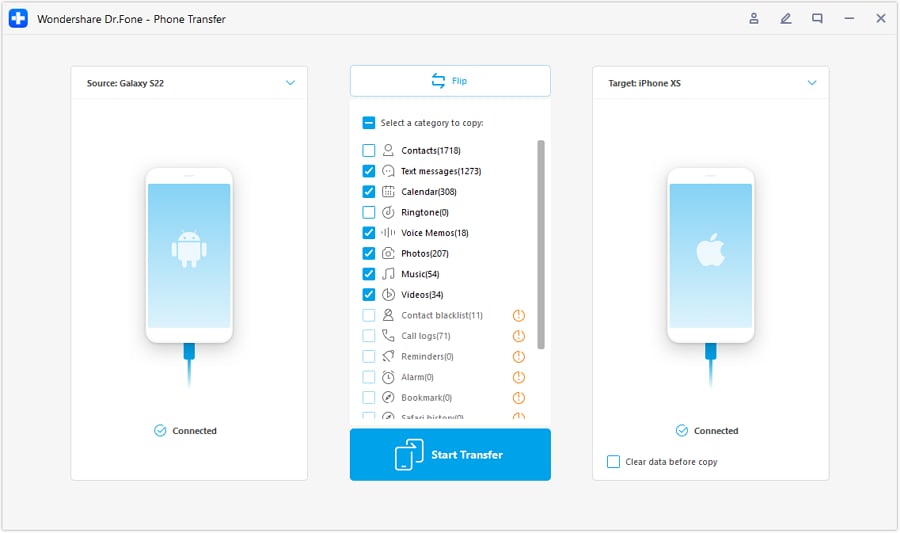
Step 3 Move the data that determines day-one usability
Transfer the core data you depend on (for example, photos, contacts, and messages where applicable) to the Android device before you start replacing apps or changing settings. Not every app’s internal data is transferable, so you must verify inside each destination app/service whether the content is present and usable.
-
Step 4 Verify on Android, then defer irreversible actions
Use your checklist to verify counts and spot-check samples (photos open, notes readable, logins work, 2FA works) before you consider disabling iMessage or wiping the iPhone. If verification fails, do not proceed to irreversible steps—re-run transfer/backup paths and fix the gap first.




Conclusion
Use AI to inventory dependencies, choose replacements, and define verification gates; then use a real tool to execute transfers and backups safely—without crossing irreversible steps until your checks pass.
FAQ
-
What’s the most common mistake when finding Android alternatives for iPhone apps?
Choosing “popular” replacements without confirming data export/import paths and authentication requirements (especially 2FA and subscriptions). -
When is it safe to disable iMessage?
Only after you confirm your primary messaging setup works on Android for your key contacts and you can reliably receive verification codes (SMS/Authenticator) on Android. -
How do I verify I didn’t miss anything important?
Use pass/fail checks: item counts (contacts, photos), spot-check samples (recent notes, key albums), and login tests (banking/work/2FA) on Android. -
Should I wipe my iPhone as soon as Android looks good?
No. Keep the iPhone intact until you’ve completed verification over real-life usage (at least a day or two, if possible) and confirmed account recovery options. -
Can AI tell me which alternative app is “best”?
AI can rank options based on your criteria, but it can’t confirm real-world compatibility with your specific accounts, regions, banks, employers, or device policies.
 Add Wondershare Dr.Fone as a preferred source on Google





