 Effortlessly manage data through preview, delete, export, etc.

 100% Security Verified | No Subscription Required | No Malware

 :
: 
 ChatGPT
 Perplexity
 Gemini
 Claude
 Grok
Grok

I deleted a client chat by mistake and now the whole approval trail is gone. I’m worried about compliance and I don’t want to make things worse by trying random “restore” steps.
Forum user
Accidentally deleting a client thread or internal decision trail can create immediate risk—missed details, compliance gaps, or lost proof of approval. This often happens right after tapping Delete, clearing app storage, reinstalling a chat app, or doing a restart to “clean things up.”
AI (like ChatGPT or Gemini) can help you describe what happened, identify which recovery paths are plausible (app restore vs device-level recovery), and prioritize low-risk next steps based on your specific signals.
AI can’t see your phone, confirm what data still exists, or guarantee outcomes—and trial-and-error can overwrite recoverable data. The goal is to use prompts to narrow the safest path, then use a dedicated tool for execution.

In this article
- Why accidental chat deletion happens on Android and what it means
- Common ways business chats disappear
- Why it feels “sudden” on modern Android devices
- What your next step depends on
- Before you prompt the AI: what to collect
- Using AI prompts to assess deleted chat recovery chances safely
- When to stop DIY chat recovery to avoid overwriting data
- Recover deleted Android business chats with Dr.Fone Data Recovery
- Conclusion
Part 1. Why accidental chat deletion happens on Android and what it means
Business chats can disappear for several reasons: you deleted a conversation, cleared cache/storage, removed and reinstalled the app, switched devices, or a sync process replaced local history. On Android work phones, this can occur during storage cleanup or after an update prompt—especially when you’re moving fast.
On a modern device (for example, a Samsung Galaxy S23), this often feels sudden: the thread is simply gone, and refreshing or reopening the app doesn’t bring it back. If you also use a secondary device like an iPhone 13 or iPhone 14 for work, the mismatch between devices can make it unclear whether this was a deletion, sync, or account switching.
What it means operationally: the best next step depends on where the chat lived (device-only vs cloud-synced), what you did after deletion, and whether any backups or exports exist—because continued use can reduce recovery odds.
1-1. Before You Prompt the AI
Collect the basics first so the AI can reason from evidence, not guesses:
- Chat app name (e.g., WhatsApp/LINE/WeChat/Telegram/Signal/Teams)
- Android phone model + Android version
- What you did right before the loss (delete vs clear storage vs reinstall vs update)
- Whether cloud backup/sync was enabled and the last known backup time
- Whether you kept using the phone after the deletion (new messages, photos, updates)
- Any device management constraints (work profile/MDM, encryption, policy limits)
Part 2. Using AI prompts to assess deleted chat recovery chances safely
2-1. Level 1: Basic Prompt
I accidentally deleted important business chats on my Android phone. Ask me the minimum questions needed to figure out the safest recovery path, and then list the top 3 likely causes and the lowest-risk next steps.
2-2. Level 2: Advanced Prompt
Act as a mobile data triage assistant. My goal is to recover deleted business chats with the lowest risk of overwriting data.
1) Ask up to 8 clarifying questions.
2) Then rank the most likely scenarios (deleted in-app, cleared app storage, reinstalled app, cloud sync replaced history, account/login mismatch, OS update issue).
3) For each scenario, give:
- confidence level (low/med/high)
- what evidence would confirm it
- what NOT to do (overwrite risks)
- the safest next action I can take now
Keep it vendor-neutral and risk-aware.
2-3. Level 3: Evidence Prompt
Help me diagnose chances to recover deleted business chats. Use only the details I provide and label assumptions.
Device:
- Android phone model: (e.g., Samsung Galaxy S23)
- Android version:
- Storage status: (e.g., 90% full / plenty free)
- Work profile/MDM: (yes/no/unknown)
Chat app:
- App name:
- App version (if known):
- Account identifier used (phone/email/username):
- Multi-device enabled: (yes/no/unknown)
What happened:
- Exact action before loss: (e.g., tapped “Delete chat”, cleared storage, reinstalled app)
- Time since deletion:
- Phone usage since deletion: (e.g., kept texting, installed updates, took photos)
Backups/sync:
- Cloud backup enabled: (yes/no/unknown)
- Last known backup time:
- Any local exports or email backups:
- Any other device still showing the chats:
Symptoms:
- Is the entire conversation missing or only parts?
- Are new messages appearing normally?
- Any error messages?
Output:
A) 3–5 likely causes ranked with brief reasoning
B) What evidence I should check next (ordered)
C) Low-risk actions now
D) High-risk actions to avoid (and why)
2-4. Prompt Refinement
Use these follow-ups to force clearer, safer guidance:
What are the 5 most important missing details that would change your recommendation, and why?
Re-rank your causes, assuming I kept using the phone for 2 hours after deletion. What changes?
Separate possibilities into: in-app deletion, account/sync issues, backup/restore issues, and device-level data loss. Put my case into one bucket and justify.
List the top 6 pieces of evidence I can check without writing new data (no installs, no updates). Tell me what each result implies.
If I can access another linked device, what exact checks should I do there first to avoid overwriting anything?
2-5. AI Output vs Reality
AI can guide reasoning, but your phone’s actual state decides what’s possible:
| AI suggests | Reality to verify on your device |
|---|---|
| “It’s likely a sync/account mismatch.” | Confirm the exact account, number/email, and device-link status currently signed in. |
| “A backup restore might work.” | Verify a backup exists, its timestamp, and whether restoring would overwrite newer items. |
| “Device-level recovery may be possible.” | Continued use and encryption/MDM policies may limit what can be retrieved. |
| “Avoid reinstalling the app.” | Any new installs/updates can write data and reduce recovery chances. |
AI narrows options and reduces risky guessing; execution still requires checking accounts, backup timestamps, and (if appropriate) running a recovery workflow on the device.
Part 3. When to stop DIY chat recovery to avoid overwriting data
Stop and switch to a more controlled recovery approach if you see any of these signals:
- You already reinstalled/updated the chat app or cleared storage, and the missing chats still don’t return.
- You need the chats for legal/compliance reasons and can’t risk overwriting or partial results.
- The phone is actively receiving lots of new data (messages, downloads, photos), increasing overwrite risk.
- Your device is under work profile/MDM rules, and you’re unsure what actions are permitted.
Once you’ve used AI to narrow the most likely cause and the lowest-risk path, the next step is to execute carefully with a tool designed for Android data extraction and recovery workflows.
Part 4. Recover deleted Android business chats with Dr.Fone Data Recovery
After you’ve identified whether this is a deletion, storage wipe, or sync/account issue, Dr.Fone - Data Recovery (Android) becomes relevant because it provides an execution workflow to scan an Android device for recoverable data without relying on guesswork. This is especially useful when business chats didn’t come back after basic checks, and you want a more controlled attempt than repeated reinstalls or random “restore” taps. Use it once you’re ready to act on the diagnosis, and you’ve minimized overwrite risk.
 Scan Android phones and tablets directly.
- Preview and recover only what you want.
- Supports WhatsApp, photos, videos, contacts, and more.
- Works with 6000+ Android devices.

-
Step 1 Stabilize phone activity
Stop non-essential use (new photos, large downloads, app updates) to reduce overwriting before any recovery attempt.

-
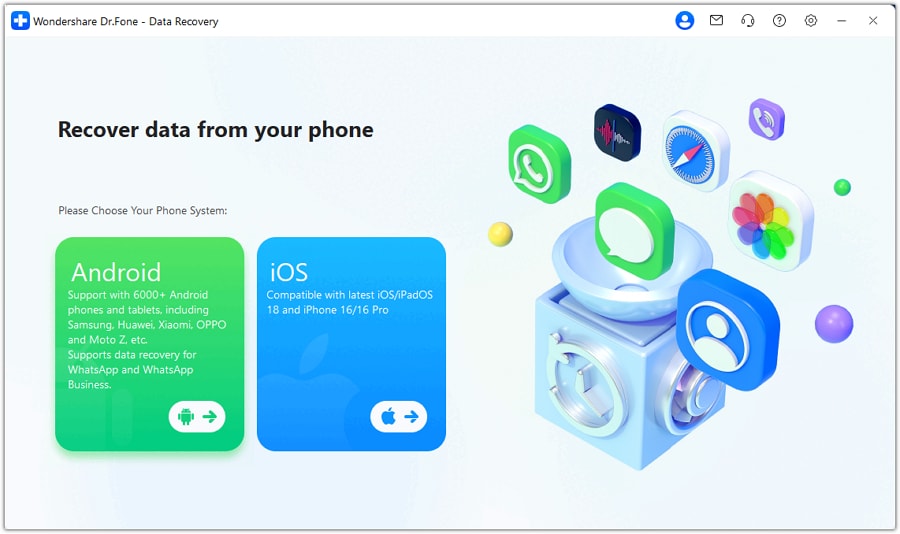
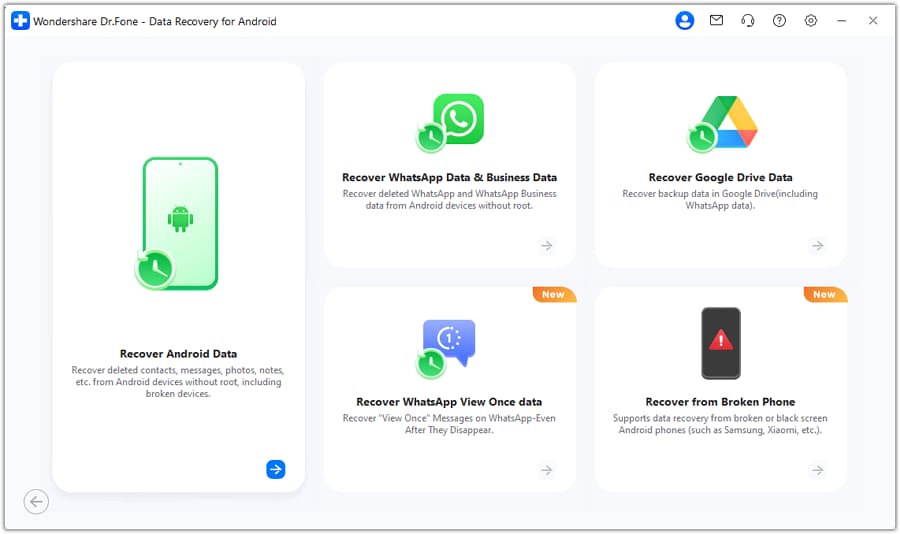
Step 2 Run Dr.Fone on a computer
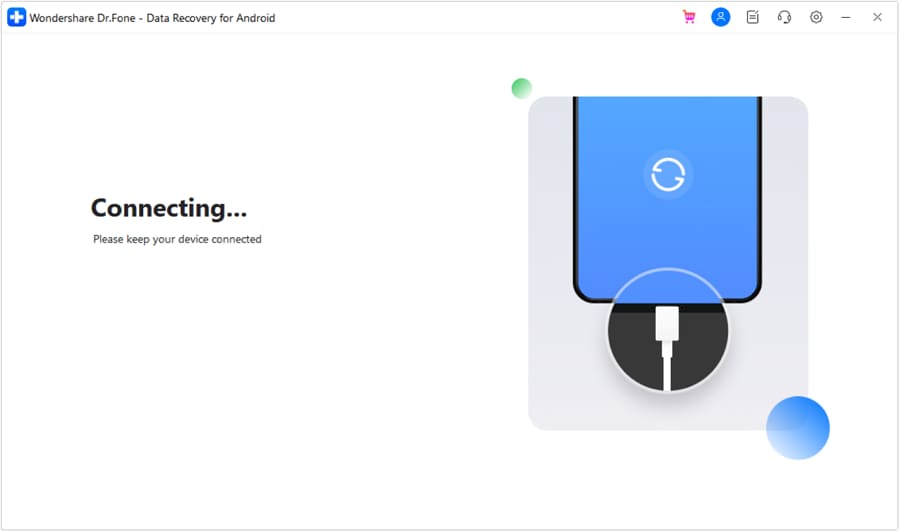
Open Dr.Fone and choose Data Recovery (Android) → Recover Data from Android Device, keeping the phone connected reliably.
-
Step 3 Select the right data types
Choose chat-related categories relevant to your app and proceed carefully if prompted for access permissions.
-
Step 4 Preview and verify findings
Review scan results and confirm identities (names, timestamps, threads) before saving anything.
-
Step 5 Export recovered items securely
Save recovered data to your computer and store it in a controlled location for business continuity and audit needs.




Conclusion
Use AI prompts to quickly classify what likely happened, what evidence matters most, and which actions are lowest-risk; then hand off execution to a dedicated workflow like Dr.Fone Dr.Fone - Data Recovery (Android) when you’re ready to scan and export recoverable data carefully.
FAQ
-
Can AI tell me if my deleted chats are definitely recoverable?
No—AI can only estimate likelihood based on your actions, backup status, and symptoms; actual recoverability depends on device state and whether data was overwritten. -
What should I avoid doing right after I delete an important business chat?
Avoid reinstalling/updating apps, clearing storage, factory resets, and heavy usage that writes new data (recording video, large downloads). -
If another device still shows the chats, what’s the safest first move?
Preserve that copy first (export, archive, or secure screenshots where appropriate) and confirm whether syncing could overwrite it. -
Do cloud backups always bring back deleted chats?
Only if a backup exists from before deletion and the app supports restoring that data without overwriting newer content. -
Does a work profile or MDM affect chat recovery?
Yes—management policies can restrict access, encryption handling, and what tools can read; confirm what’s allowed before proceeding.
 Add Wondershare Dr.Fone as a preferred source on Google





