 Effortlessly manage data through preview, delete, export, etc.

 100% Security Verified | No Subscription Required | No Malware

 :
: 
 ChatGPT
 Perplexity
 Gemini
 Claude
 Grok
Grok

I thought “mute + archive” was harmless—then I realized my export missed attachments and I couldn’t prove what I still had. Now I only clean up after I’ve verified a readable retention copy.
Forum user
Building a “mute, archive, retain” workflow across messaging apps sounds simple, but missing one step can lead to silent data loss, broken exports, or archived threads you can’t reconstruct later.
AI can help you convert your goal into a sequenced plan (what to decide first, what to verify next, and what not to touch until you have proof your retention copy is real and readable). But AI can’t access your phone or run backups/exports—once the plan is clear, you still need real device tools plus your own verification.
In this article
- How to plan a mute–archive–retain workflow without missing critical steps
- Define your goal and scope
- Choose “retain” outputs and storage
- Set verification proof and stop-gates
- Delay irreversible actions until after verification
- What the AI needs to know
- Using AI prompts to build a safer workflow
- AI plan vs. real device constraints
- When to stop planning and start execution
1. Retain first, then change visibility.
Create a retention copy (backup/export/archive) before muting/archiving so you don’t hide gaps or lose media that’s only available in-app.
2. Verify with evidence and stop-gates.
Do not delete/clear/uninstall/reset until you can open the retained copy, search it, and spot-check media and message coverage.
3. Treat cleanup as the final step.
Mute and archive after verification; only consider irreversible cleanup once proof exists that your retained copy is complete and readable for your needs.

Part 1. How to plan a mute–archive–retain workflow without missing critical steps
You want to reduce noise (mute), hide clutter (archive), and still keep an auditable record (retain) for key chats across apps like WhatsApp, Telegram, Messenger, or iMessage—without losing anything important.
The uncertainty usually starts after you get general advice: should you archive first or export first? Where should retained copies live? How do you prove the copy is complete? The sequence matters because some actions change what’s visible, what’s included in exports, or how attachments are stored.
There’s also a real point of no return: deleting conversations, clearing app storage, uninstalling the app, “delete for everyone,” or resetting the phone can permanently remove messages and media before you confirm your retained copy is intact and accessible.
Part 2. What the AI needs to know
Share your situation so the AI can produce a workflow that fits your apps, devices, and retention rules.
- Which messaging apps are included (e.g., WhatsApp, Telegram, iMessage, Signal)
- Your device(s) and OS versions (e.g., iPhone iOS 17, Android 14)
- What “retain” means for you (legal hold, personal records, work compliance, just-in-case)
- Scope of retention (all chats vs selected threads; date range like “last 12 months”)
- Media requirements (include photos/videos/voice notes/files or text-only is OK)
- Storage destination (local computer, external drive, cloud folder) and any constraints
- Whether you need searchable output (PDF/HTML/text) or simply a restorable backup
- Any encryption/2FA/passcode constraints and whether you know the credentials
- Risk tolerance and deadlines (e.g., “must finish today,” “cannot risk losing anything”)
- What cleanup you plan after retention (mute only, archive, delete, app reinstall, phone migration)
Part 3. Using AI prompts to build a safer workflow
Use the prompts below to force a clear sequence, verification checks, and stop-points before any irreversible action.
3-1. Level 1: Basic prompt
Draft a step-by-step plan to build a mute–archive–retain workflow for my messaging apps without losing messages or media.
Include what to verify before I mute/archive anything and what to verify before I delete or uninstall an app.
Keep it planning-only—no device actions.
3-2. Level 2: Advanced prompt
Create a structured workflow with Preparation / Execution / Verification phases for a mute–archive–retain process across my messaging apps.
Clearly label critical steps vs optional steps, and add hard stop gates where I must confirm evidence (e.g., “retained copy opens and contains media”) before proceeding to any destructive action (delete, clear storage, uninstall, reset).
3-3. Level 3: Evidence prompt
Build a mute–archive–retain workflow for these apps: (WhatsApp, Telegram, iMessage) on (iPhone iOS 17 + Windows 11 PC).
I need to retain (selected threads: “Family,” “Client A,” “Landlord”) for (7 years) and include (photos + videos + voice notes).
Provide:
- A pre-flight checklist (storage space, permissions, encryption, account access)
- Checks before actions (mute/archive/export/backup), during, and after
- How to detect missing media (e.g., “placeholders,” mismatched counts)
- A safe sequence that avoids the point-of-no-return (delete/uninstall/reset) until verification is complete
Also give a simple naming scheme for retained outputs (e.g., ClientA_2024-01_to_2024-12).
3-4. Prompt refinement
Give me the workflow as a table with columns: Step / Goal / App scope / Output created / Verification proof / Risk if skipped / Stop gate.
Split “retain” into two layers: restorable backup vs readable archive, and tell me which one I need based on my goal (compliance vs personal reference).
List the top 10 failure modes for my plan (missing media, incomplete thread export, account lockout, overwritten backups) and add a prevention check for each.
Define exact acceptance criteria before cleanup: minimum checks like open file, search within, random-spot-check 10 media items, compare message counts.
Tell me what changes if I need to keep metadata (timestamps, sender IDs) and how that affects export choices and verification.
Part 4. AI plan vs. real device constraints
| Planning need | What AI can do | What AI cannot do | What you must verify on the device |
|---|---|---|---|
| Decide sequence and stop-gates | Draft an order of operations and risk checkpoints | Perform backups/exports or read your chats | That backups/exports actually completed and are readable |
| Define “retain” outputs | Map goals to outputs (restorable vs readable) | Generate true archives from your apps | That files open, search works, media is present |
| Reduce irreversible mistakes | Identify point-of-no-return actions to postpone | Prevent you from tapping delete/uninstall | That retention proof exists before cleanup |
| Create verification criteria | Provide checklists and sampling methods | Count your real messages/media automatically | Spot-checks, counts, and cross-checks you perform |
AI improves planning, but it cannot execute actions on your phone or confirm the state of your real message data. Treat the AI output as a workflow blueprint that still requires tool-based execution and human verification.
Part 5. When to stop planning and start execution
- You have a written sequence that clearly separates retain first from mute/archive/cleanup later.
- You’ve defined where retained data will live and how it will be named, organized, and protected.
- You have verification criteria you can actually perform (open, search, spot-check media, compare counts).
- You have identified every irreversible action you might take (delete chat, clear app data, uninstall, reset) and placed it after verification gates.
If all four are true, you’re ready to move from planning to controlled execution.
Product recommendation: Execute the workflow safely with Dr.Fone
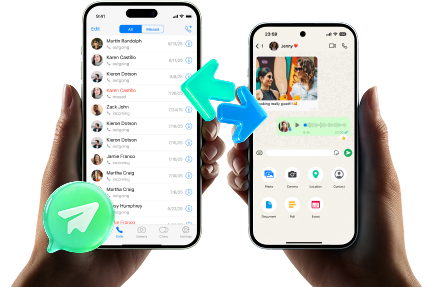
Execution matters because the safest plan still fails if backups/exports are incomplete, overwritten, or not readable when you need them. If WhatsApp is part of your retention scope, Dr.Fone - WhatsApp Transfer can help you create a retention copy first, then verify it before you apply mute/archive rules and consider any cleanup.
 Transfer WhatsApp across Android & iOS.
- Backup & restore WhatsApp to PC securely.
- Preview & export chats selectively.
- Works with all iPhone & Android models.
-
Step 1 Open the WhatsApp Transfer tool on your computer
Launch Dr.Fone and enter the WhatsApp Transfer area so you can choose a backup/transfer action before making any in-app changes.

-
Step 2 Start a retention-first backup (retain before mute/archive)
Create the retention copy first so you’re not relying on what’s currently visible in the app (or what might later be deleted/hidden).

-
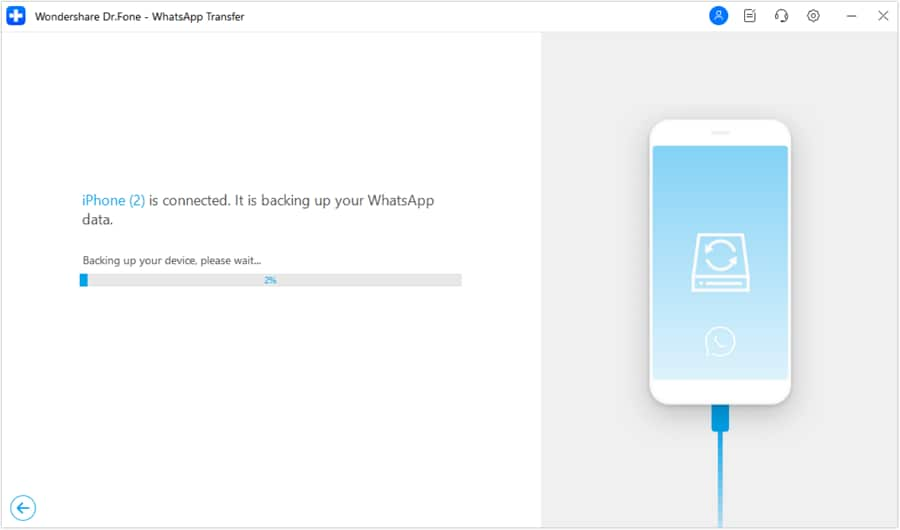
Step 3 Monitor the backup process and avoid interruptions
Let the process finish without unplugging the device or switching accounts; incomplete runs are a common source of missing media.
-
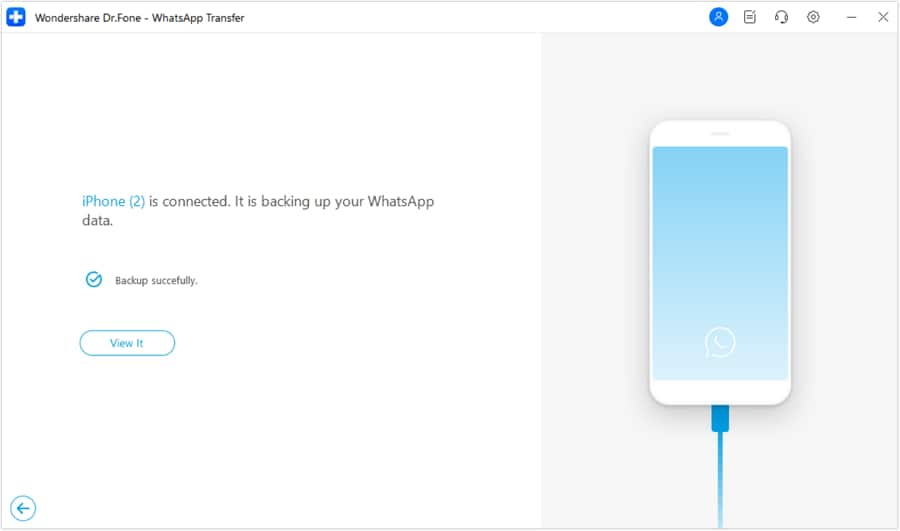
Step 4 Confirm the retention copy exists, then run your verification checks
After completion, locate the output and apply your acceptance criteria (open file, search within, spot-check media, compare counts) before any cleanup actions like delete/clear/uninstall/reset.




Conclusion
Use AI to design the mute–archive–retain workflow, define verification gates, and delay irreversible actions until proof exists; then use real tools to execute the plan and confirm the retained copy is usable before any cleanup.
FAQ
-
What’s the biggest risk in a mute–archive–retain workflow?
Doing cleanup (delete/clear/uninstall/reset) before you have a verified retained copy that you can open and inspect. -
Should I archive before I retain?
Usually no. Retain first, then archive/mute—because archiving can change what you notice day-to-day and can hide gaps until it’s too late. -
How do I verify I didn’t lose media (photos/voice notes)?
Use a simple sampling method: spot-check a fixed number of media items across time ranges and key threads, and confirm they open outside the app where applicable. -
When is the point of no return?
Any action that removes local data or cloud-linked history: delete chat, “delete for everyone,” clear app storage, uninstall, factory reset, or overwriting prior backups. -
What can AI reliably do vs not do here?
AI can design the sequence, stop-gates, and verification checklist; it cannot access your device, run backups, or confirm your real data is present and complete.
 Add Wondershare Dr.Fone as a preferred source on Google





