 Effortlessly manage data through preview, delete, export, etc.

 100% Security Verified | No Subscription Required | No Malware

 :
: 
 ChatGPT
 Perplexity
 Gemini
 Claude
 Grok
Grok

I tapped “Install now,” my Samsung restarted, and now the update is stuck at “Installing update” or shows an install error. Nothing changes for minutes, so I can’t tell if it’s still updating or already failed.
Forum user
A Samsung firmware update install error can appear right after you tap Install now and the phone restarts—often on models like a Galaxy S22 or Galaxy A54. The update may stop mid-way, show an error message, or loop at “Installing update,” and it’s unclear whether the device is still updating because nothing changes after several minutes.
AI tools like ChatGPT or Gemini can help you describe the symptoms precisely, narrow down likely causes (storage, battery, network, OTA package issues, corrupted cache, USB/PC conflicts), and choose the lowest-risk next step based on what you can still access on the phone.
AI can’t directly verify device logs or safely carry out system-level actions for you. Trial-and-error steps (random resets, flashing, repeated forced restarts) can increase risk—especially if your goal is to keep data intact—so use AI for decision support, then use a purpose-built tool for execution.

In this article
- Part 1. Why Samsung firmware update install error happens and what it means
- What the error indicates
- Common triggers
- Why your current phone state matters
- Before you prompt the AI: info to collect
- Part 2. Using AI prompts to diagnose Samsung firmware update install error safely
- Part 3. When to stop troubleshooting and avoid risks
- Part 4. Resolve Samsung firmware update install error safely with Dr.Fone
- Part 5. AI output vs reality: what you must verify on the device
Part 1. Why Samsung firmware update install error happens and what it means
A Samsung firmware update installation error usually means the update package couldn’t be applied as expected. It can happen after an OTA download completes but fails during verification, unpacking, or the reboot-to-install phase.
1-1. What the error indicates
In most cases, the phone successfully starts the update flow, but something prevents the package from being verified or applied during installation.
1-2. Common triggers
Common triggers include low free storage, unstable Wi‑Fi during download, battery level restrictions, a corrupted update cache, or a mismatch between the update package and the phone’s current build/region. If the phone is managed by an organization, policies can also interfere with installing updates.
1-3. Why your current phone state matters
What it “means” depends on the state you’re in now: still booting normally, stuck at a boot screen, booting into recovery, or repeatedly failing and reverting. That current state is the key signal for choosing the safest next step.
1-4. Before you prompt the AI: info to collect
Collect the basics first so the AI can narrow causes without guessing:
- Exact error text (or a photo/screenshot)
- Samsung model + carrier/region (if known)
- Current status: boots normally / boot loop/recovery screen
- Battery level and free storage estimate
- What changed right before it happened (VPN, SD card, new apps, low storage)
- Whether you need to protect data (yes/no)
Part 2. Using AI prompts to diagnose Samsung firmware update install error safely
2-1. Level 1: Basic Prompt
I’m getting a Samsung firmware update install error. Ask me the minimum questions needed to identify the most likely cause and the safest next step that avoids data loss if possible. Start by confirming my current phone state (boots normally, boot loop, recovery screen) and whether I can access Settings.
2-2. Level 2: Advanced Prompt
Diagnose my Samsung firmware update install error using a ranked list of likely causes.
Requirements:
1) Ask up to 8 clarifying questions first.
2) Then rank the top 5 causes with confidence levels.
3) For each cause, suggest one low-risk check and one low-risk action I can try.
4) Flag actions that might risk data (factory reset, flashing, wipe options) and put them last.
Context: I want the safest path, and I’m not sure if the phone is still updating.
2-3. Level 3: Evidence Prompt
Act like a mobile support triage assistant. Use my evidence to narrow down the most likely reasons for a Samsung firmware update install error and propose a safe decision tree.
Evidence (fill what you can):
- Phone model: (e.g., Galaxy S22 / Galaxy A54)
- Android/One UI version (if known):
- Update method: (OTA in Settings / Smart Switch / other)
- What I did right before it failed: (e.g., tapped “Install now,” phone rebooted, then error)
- Exact error message: (paste text or describe)
- Current state now: (boots normally / stuck on logo / recovery screen / repeated reboot)
- Battery level: (e.g., ~30%)
- Free storage estimate: (e.g., “under 5 GB”)
- Network used: (home Wi‑Fi / mobile data / VPN)
- SD card present: (yes/no)
- Root/bootloader changes: (yes/no/unknown)
- Work/school management profile: (yes/no/unknown)
- Data priority: (must keep data / ok to reset)
Output format:
1) Most probable category (download issue vs verification vs install/reboot vs policy)
2) Top 3 hypotheses with reasoning tied to my evidence
3) Safe next step checklist in increasing risk order
4) What new evidence would change your conclusion
2-4. Prompt Refinement
If the AI response feels too generic, steer it with targeted follow-ups:
What 3 questions would most change your ranking of likely causes in my case?
Separate your diagnosis into categories: storage/battery, network/download, cache/verification, system corruption, device policy.
Rank causes again, but only using evidence I already gave—no assumptions.
What single observation on my screen (wording/icons/options) is the strongest clue, and why?
Give me a lowest-risk decision tree that avoids factory reset unless it’s the only option.
Part 3. When to stop troubleshooting Samsung firmware update install error and avoid risks
Stop and reassess when the situation suggests escalating risk or worsening system stability.
- The phone enters a boot loop or stays on the Samsung logo for an unusually long time after retries.
- Recovery mode warnings appear, and you’re not fully sure what “wipe” options will remove.
- The error repeats after basic checks (battery, storage, stable Wi‑Fi), and symptoms are getting worse.
- You need to keep data, and the next suggested steps involve factory reset, wipes, or manual flashing.
Once you’ve used AI to narrow the likely cause and set a lowest-risk sequence, the practical next move is using a dedicated Android system workflow to apply the chosen action consistently and carefully.
Part 4. Resolve the Samsung firmware update install error safely with Dr.Fone
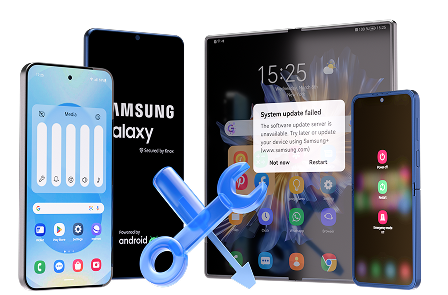
When your diagnosis points to a system-level install failure (not just a temporary download glitch), Dr.Fone - System Repair (Android) can help you execute a controlled repair workflow for Samsung devices, including the Repair Samsung Phone Issues capability. This is most relevant when the phone is stuck during the update/reboot stage, keeps failing to complete installation, or won’t start normally, because you’ve already identified that basic checks aren’t enough and you want a guided process rather than guesswork.
 Fix Android instantly – no skills needed.
- Solve boot loop, black screen, won’t turn on, etc.
- High success rate for all system issues.
- User-friendly interface with easy-to-follow steps.
-
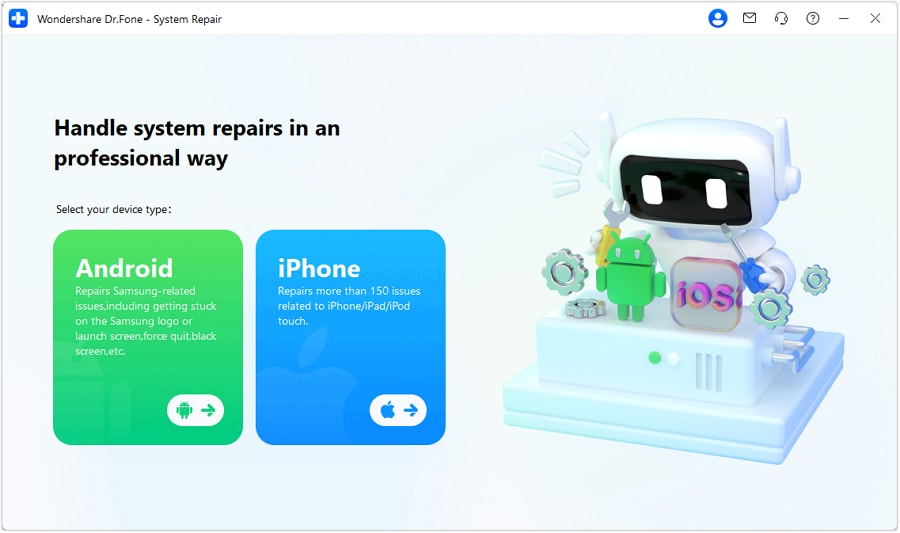
Step 1 Open System Repair (Android)
Launch Dr.Fone and choose System Repair so you’re working in the correct module for update-related boot/install failures.

-
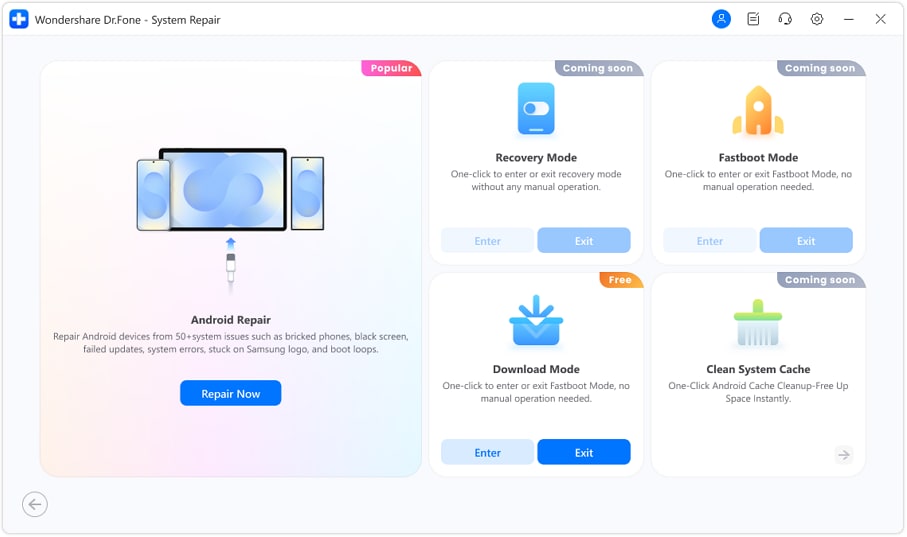
Step 2 Connect your Samsung device
Use a reliable USB cable and avoid hubs to reduce disconnects mid-process.
-
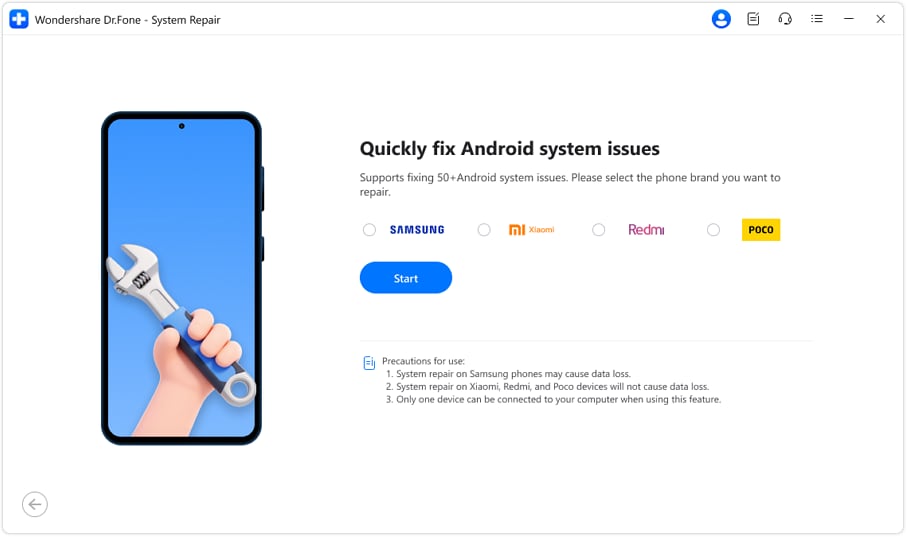
Step 3 Select the Samsung repair option
Choose the Samsung pathway and confirm the device details carefully to avoid mismatches.
-
Step 4 Enter the required device mode
Follow the on-screen steps to put the phone into the requested mode so the repair workflow can proceed.
-
Step 5 Run the repair workflow
Start the process and keep the PC and cable stable until completion; don’t interrupt if progress appears slow.




Part 5. AI output vs reality: what you must verify on the device
AI can help you choose the right branch, but it can’t perform device-side operations for you.
| What AI can infer | What you must verify on the device |
|---|---|
| Likely cause based on symptoms and timing | Exact screen state (normal boot vs recovery vs boot loop) |
| Risk level of common actions | Whether you can access Settings, storage info, and update status |
| Which evidence is missing | The real error text, build details, and policy restrictions |
| A safe order of next steps | Whether a step actually changes behavior on your phone |
AI gets you to a safer plan; execution still depends on what your Samsung device allows in its current state and what you can confirm on-screen.
Conclusion
Use AI to translate your symptoms into a ranked set of likely causes and a low-risk decision order for a Samsung firmware update install error, then hand off to an execution tool like Dr.Fone - System Repair (Android) when the situation points to a system-level failure that needs a guided, consistent workflow.
FAQ
-
What does “firmware update install error” usually mean on Samsung?
It typically means the phone downloaded (or started) an update, but couldn’t verify or apply it during the install/reboot stage. -
Can low storage cause a Samsung update install error?
Yes. If there isn’t enough free space for unpacking and staging the update, installation can fail even if the download completed. -
Is it safe to keep restarting after an update install error?
A single restart can be reasonable, but repeated forced restarts during the install phase can increase the chance of boot issues; prioritize diagnosis first. -
What evidence should I capture before trying higher-risk steps?
The exact error text, current boot state (normal/recovery/loop), approximate free storage, battery level, and whether the phone is managed by work/school. -
When is a system repair workflow more appropriate than retrying the OTA update?
When the device repeatedly fails at the same install step, won’t boot normally after the attempt, or basic checks no longer change the outcome.
 Add Wondershare Dr.Fone as a preferred source on Google





