 Effortlessly manage data through preview, delete, export, etc.

 100% Security Verified | No Subscription Required | No Malware

 :
: 
 ChatGPT
 Perplexity
 Gemini
 Claude
 Grok
Grok

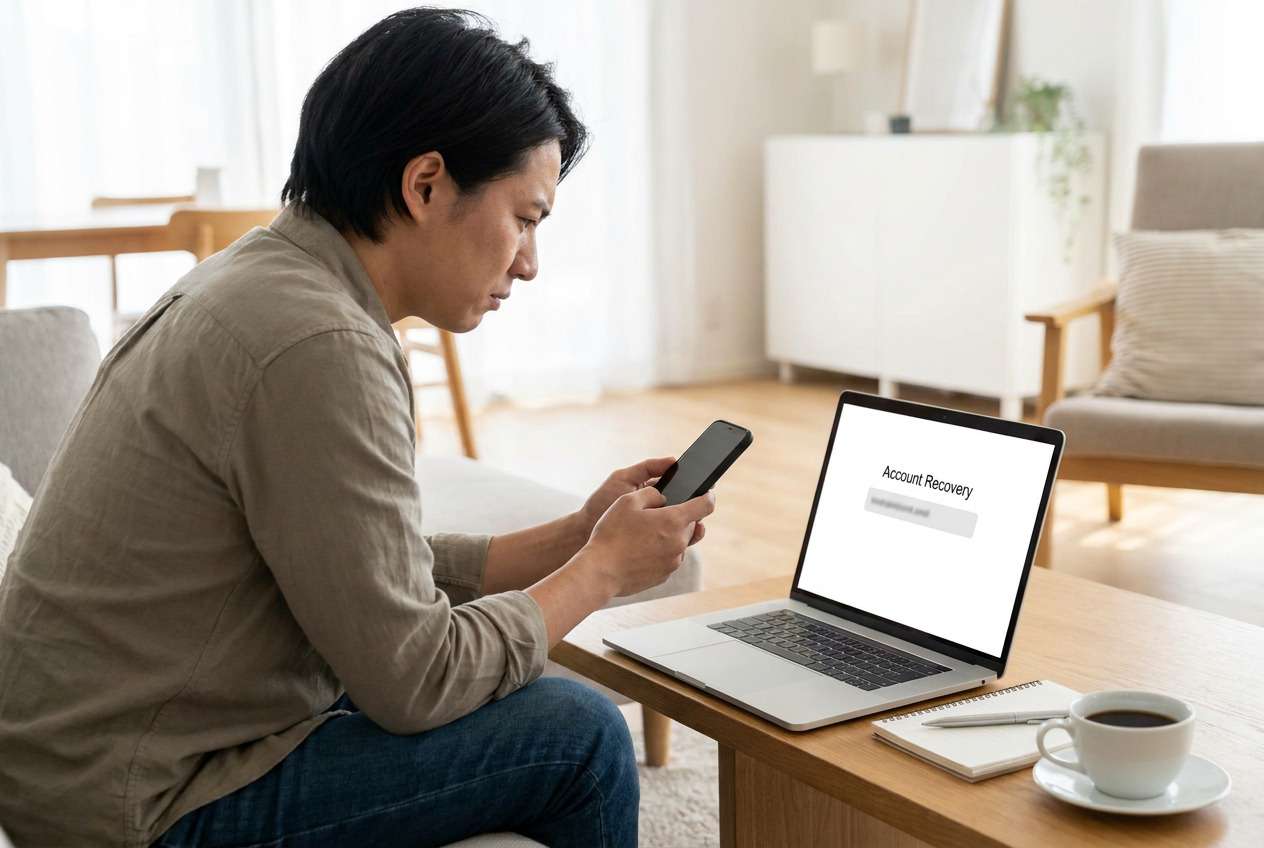
I factory reset my Android, and now during setup it keeps asking me to sign in with a Google account that was previously synced on this device. I forgot which Google account it was, and I can’t access the recovery email or phone number either—so I’m stuck at the verification screen.
Reddit user, r/AndroidQuestions
After a factory reset, Android can ask for the previously synced Google account to finish setup—and if you forgot the Google account and the recovery email, you can get stuck at the verification screen. This often happens right after you tap Factory data reset or Erase all data, then restart and connect to Wi‑Fi. Nothing changes after several attempts, and it’s unclear whether you’re missing the right account or locked by a policy.
AI (like ChatGPT or Gemini) can help you describe what you see, narrow likely causes (FRP vs. wrong account vs. device policy), and choose low-risk next steps based on your exact screen, device brand, and reset path.
AI can’t verify identity, override protections, or guarantee outcomes—and repeated trial-and-error (random logins, repeated resets, unofficial bypass methods) can increase lockouts or risk data loss. Use AI to diagnose and plan, then use a dedicated tool for execution when appropriate.
In this article
- Why forgot Google account and recovery email after reset happens and what it means
- Common FRP wording you may see
- Why it feels like an Apple ID lock
- What FRP means for ownership verification
- Before you prompt the AI
- Using AI prompts to diagnose FRP lock after factory reset safely
- When to stop troubleshooting Google FRP lock and avoid risks
- Resolve it safely with Dr.Fone
- Conclusion
Part 1. Why forgot Google account and recovery email after reset happens and what it means
On Android, this situation usually points to Factory Reset Protection (FRP): a security feature that requires the Google account previously on the device after a reset. For example, you may finish the reset, start the setup wizard, connect to Wi‑Fi, and then see “Verify it’s you” or “This device was reset. To continue, sign in with a Google Account that was previously synced on this device.”
This can feel similar to how an iPhone 13 or iPhone 14 asks for an Apple ID after erase—on Android, Google FRP plays that role. If you don’t remember the Google account and can’t access the recovery email/phone, you may be blocked even if the phone is physically in your hands.
The key detail: FRP isn’t just a “password problem.” It’s a post-reset ownership verification step, and the correct resolution depends on whether you can recover the account, whether the device is yours (proof-of-purchase), and whether any enterprise (work/school) management is involved.
1-1. Before You Prompt the AI
Collect these details first so the AI can classify the lock correctly:
- Phone brand + model (check the label on the device box/SIM tray if needed)
- Android version (if known) and when the reset happened
- Exact wording on the screen (type it exactly) and any error codes
- Whether you can access any recovery method (old phone number, backup email, device still signed in elsewhere)
- Whether it’s a personal phone or managed by work/school (MDM/enterprise)
Part 2. Using AI prompts to diagnose FRP lock after factory reset safely
2-1. Level 1: Basic Prompt
I factory reset my Android and now setup is asking for a Google account previously synced on the device. I forgot the Google account and can’t access the recovery email/phone. Based on the exact message I see, can you tell me if this is FRP, a wrong-account issue, or something else—and list the safest next steps that don’t increase lockouts?
2-2. Level 2: Advanced Prompt
Act like a mobile support triage assistant.
Goal: Diagnose why my Android setup is blocked after reset and rank likely causes.
Context: I reset the phone from (Settings / Recovery menu / Find My Device) and after connecting to Wi‑Fi it asks to verify the previous Google account; I don’t know the account and can’t access recovery email/phone.
Task:
1) Rank the top 5 likely causes (FRP, wrong Google account, no network/time issue, OEM unlock state, enterprise management) with probabilities.
2) For each cause, give low-risk checks first, then higher-risk options, and clearly flag anything that could cause longer lockouts or data loss.
3) Tell me what evidence would confirm or rule out each cause.
2-3. Level 3: Evidence Prompt
Diagnose my “forgot Google account and recovery email after reset” situation using only safe, legal, owner-authorized steps.
Device details
- Phone brand/model: (e.g., Samsung Galaxy A52 / Xiaomi Redmi Note 11)
- Approx Android version: (e.g., Android 11/12/13)
- Purchase/ownership proof available: (yes/no/uncertain)
- Personal or work/school device: (personal / work / school / unknown)
What I did
- How reset was triggered: (Settings reset / Recovery keys / remote reset)
- When the reset happened: (today / yesterday / date)
- SIM present during setup: (yes/no)
What I see now
- Exact on-screen message: (“This device was reset…”, “Verify it’s you…”, etc.)
- Where it stops: (Google sign-in page / PIN prompt / “Checking info…” loop)
- Network: (Wi‑Fi / mobile data / both tried)
- Errors shown: (any codes or “Try again later”)
Account recovery status
- Possible Google emails you might have used: (list guesses)
- Access to old phone number: (yes/no)
- Any other device still signed into that Google account: (yes/no)
Output format I want
1) Most likely diagnosis + why
2) 5–8 safest steps in order (no risky bypass suggestions)
3) A decision point: when to switch from DIY checks to a dedicated unlock workflow or official support
2-4. Prompt Refinement
If the AI answer feels generic, use these follow-ups to force clarity:
“What exact question(s) would you ask me to distinguish FRP from an enterprise-managed lock in under 2 minutes?”
“Separate the possibilities into categories: account recovery, device policy/management, network/time issues, and setup wizard glitches—then rank them.”
“List the top 3 pieces of evidence I can check on-screen (wording, menus, prompts) that most strongly confirm FRP.”
“If I can’t access recovery email/phone, what are the legitimate paths left (proof-of-purchase, carrier, OEM support), and what should I avoid to prevent longer lockouts?”
“Give me a minimal decision tree: if the screen says X → do Y; if it says Z → do W.”
2-5. AI Output vs Reality
AI can organize decisions, but it can’t perform device-side actions for you. Use this table to keep expectations aligned:
| What AI can tell you | What you must do on the device |
|---|---|
| Whether the wording matches common FRP screens | Navigate setup screens and confirm exact messages |
| Which evidence matters most (model, reset path, management status) | Collect device details, receipts, and any account clues |
| Low-risk checks to try first (time, network, SIM, recovery options) | Perform the checks without repeated failed sign-ins |
| When it’s time to switch to an execution tool or official channel | Run an unlock workflow (authorized) or contact OEM/carrier support |
AI helps you avoid blind trial-and-error; execution still depends on what your specific device allows and what proof/authorization you have.
Part 3. When to stop troubleshooting Google FRP lock and avoid risks
Stop prompting and stop experimenting if any of these happen:
- You’re triggering repeated “Try again later” messages or timed lockouts after multiple sign-in attempts.
- The device shows signs it may be work/school managed (enterprise enrollment prompts, organization branding, policy screens).
- You don’t have ownership authorization (uncertain origin, no proof-of-purchase), making further steps inappropriate.
- You’re considering unofficial “bypass” steps that require unknown apps, hidden menus, or risky downloads.
Once you’ve identified the most likely cause (FRP vs. management vs. account recovery dead-end), the next step is choosing a practical execution path that matches your ownership status and device model.
Part 4. Forgot google account and recovery email after reset: resolve it safely with Dr.Fone
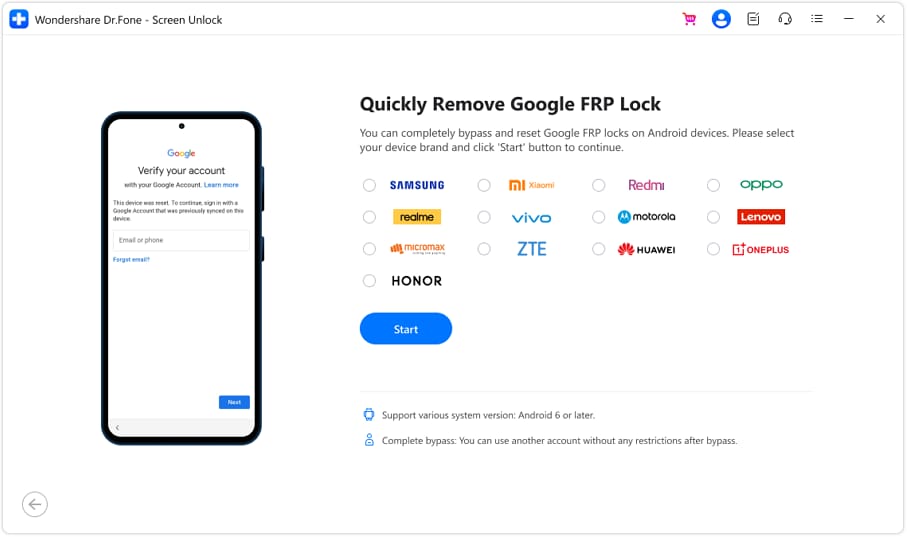
If your diagnosis points to an FRP verification block and you can’t complete Google account recovery, a dedicated execution tool can be the next practical step—especially when the device is yours and you need a structured workflow rather than repeated guesswork. Wondershare Dr.Fone - Screen Unlock (Android) includes a guided option designed for Bypass Google FRP Lock on Android Devices, helping you move from “figuring out what this screen means” to applying an authorized, model-appropriate unlock process with clearer checkpoints and fewer random attempts.
 Unlock Android phone in seconds.
- Remove PIN, pattern, password, fingerprint.
- Bypass Google FRP lock easily.
- Works on all Android brands & models.
- No tech skills required – user-friendly.

Proceed only if the phone is legitimately yours (or you have explicit permission), because FRP is an anti-theft protection.
-
Step 1 Install Dr.Fone and open Screen Unlock (Android)
On a computer, launch the Screen Unlock module and start the FRP-related flow for Android. Follow on-screen prompts carefully to avoid unnecessary retries.

-
Step 2 Select the correct device brand
Choose your phone’s brand when prompted so the workflow matches your setup screens.

-
Step 3 Select the FRP unlock function
Pick the FRP-related option in the tool so you’re not using the wrong unlock path.

-
Step 4 Match the exact device profile
Select the correct brand/model/Android version when prompted. Choosing the wrong profile can cause the process to fail or loop.
-
Step 5 Follow the guided steps and finish setup with an accessible account
Complete the on-screen sequence as instructed, keeping the phone powered and connected. After the device is accessible again, sign in with an account you control and immediately set updated recovery options to prevent repeats.




Conclusion
Use AI to classify the exact lock screen, rank likely causes, and choose low-risk checks that avoid lockouts; once you’ve confirmed it’s an FRP block and account recovery isn’t feasible, hand off execution to a dedicated workflow like Dr.Fone Screen Unlock (Android) to follow a clearer, model-aligned path.
FAQ
-
Why does my phone ask for the old Google account after a reset?
That’s typically Factory Reset Protection (FRP), which requires the previously synced Google account to verify ownership after a reset. -
Can I recover the Google account if I forgot both the email and recovery email?
Sometimes—if you still have the old phone number, a device still signed in, saved passwords, or proof that helps Google’s recovery flow; otherwise recovery may be limited. -
How do I know if it’s FRP or a work/school management lock?
FRP usually references a previously synced Google account, while management locks often mention an organization, enrollment, or admin policies during setup. -
Does repeating sign-in attempts help if I’m unsure of the account?
Usually no; repeated failures can trigger cooldowns (“Try again later”) and make progress slower. -
What should I do if I bought the phone second-hand and it’s asking for the previous owner’s Google account?
Contact the seller to remove the device from their Google account and provide proper transfer/receipt; without that, you may not be able to proceed legitimately.
 Add Wondershare Dr.Fone as a preferred source on Google





