 Effortlessly manage data through preview, delete, export, etc.

 100% Security Verified | No Subscription Required | No Malware

 :
: 
 ChatGPT
 Perplexity
 Gemini
 Claude
 Grok
Grok

I’m about to factory reset my phone, but I’m worried one social app will fail to migrate—and I won’t realize it until my chats, media, or even account access is gone.
Reddit user, r/AndroidQuestions
A factory reset is easy to start and hard to undo—missing one social app step can permanently break access to accounts, chats, or media.
AI helps you turn a messy “I think I backed up” situation into a clear workflow: what to capture, what to verify, and what must be finished before reset day.
AI can’t read your device state, confirm backups, or move data by itself—so once the plan is verified, execution needs real tools and device actions.
In this article
- Using AI prompts to build a safer workflow
- Level 1: Basic prompt
- Level 2: Advanced prompt
- Level 3: Evidence prompt
- Prompt refinement
- How to plan the checklist without missing critical steps
- What the AI needs to know
- AI plan vs. real device constraints
- When to stop planning and start execution
Part 1. Using AI Prompts to Build a Safer Social App Migration Workflow
Use the prompts below to force a sequence with verification gates—so you don’t reach the reset until proof is in place.
1-1. Level 1: Basic Prompt
Draft a social app migration checklist I can follow before a factory reset.
Include the minimum steps to protect logins, chats, and media, and add a “do not proceed” checkpoint before reset.
Keep it planning-only and app-agnostic unless I specify apps.
1-2. Level 2: Advanced Prompt
Build a structured workflow for “social app migration checklist before factory reset” with three phases: Preparation, Execution, and Verification.
Mark each step as Critical or Optional, and include “Stop points” where I must confirm evidence (backup timestamp, storage location, test restore/login) before moving on.
1-3. Level 3: Evidence Prompt
I’m resetting my (Samsung S22, Android 14) and moving to (Pixel 8, Android 15).
Apps: (WhatsApp, Telegram, Instagram, Snapchat).
Must keep: (WhatsApp chats + media, Telegram chats, IG account access, Snapchat memories).
2FA: (Google Authenticator on current phone), phone number stays the same, Wi‑Fi is reliable, time window is (2 hours).
Create a checklist with checks before/during/after each app’s backup/migration.
Include what evidence I should capture (e.g., screenshots of backup “Last backup: today 10:30”, list of recovery codes saved, test login on another device) and a hard “no reset” gate until all critical evidence is collected.
1-4. Prompt Refinement
Convert the checklist into a table with columns: Step, Why it matters, Exact evidence to collect, Failure signs, Fix/rollback.
Split “account access” into sub-steps: password known, 2FA method available after reset, recovery codes stored, backup email/number verified.
Add an “offline risk mode”: assume cloud sync fails—what local exports or secondary copies should I prepare per app before reset?
Add a final “point of no return” section that lists exactly what must be verified before I factory reset, and what I should do if any single item fails verification.
Part 2. How to Plan the Social App Migration Checklist Without Missing Critical Steps
You’re about to factory reset a phone to fix performance issues, trade it in, or switch devices. The stress point isn’t the reset—it’s realizing afterward that a social app didn’t migrate (or migrated without messages/media).
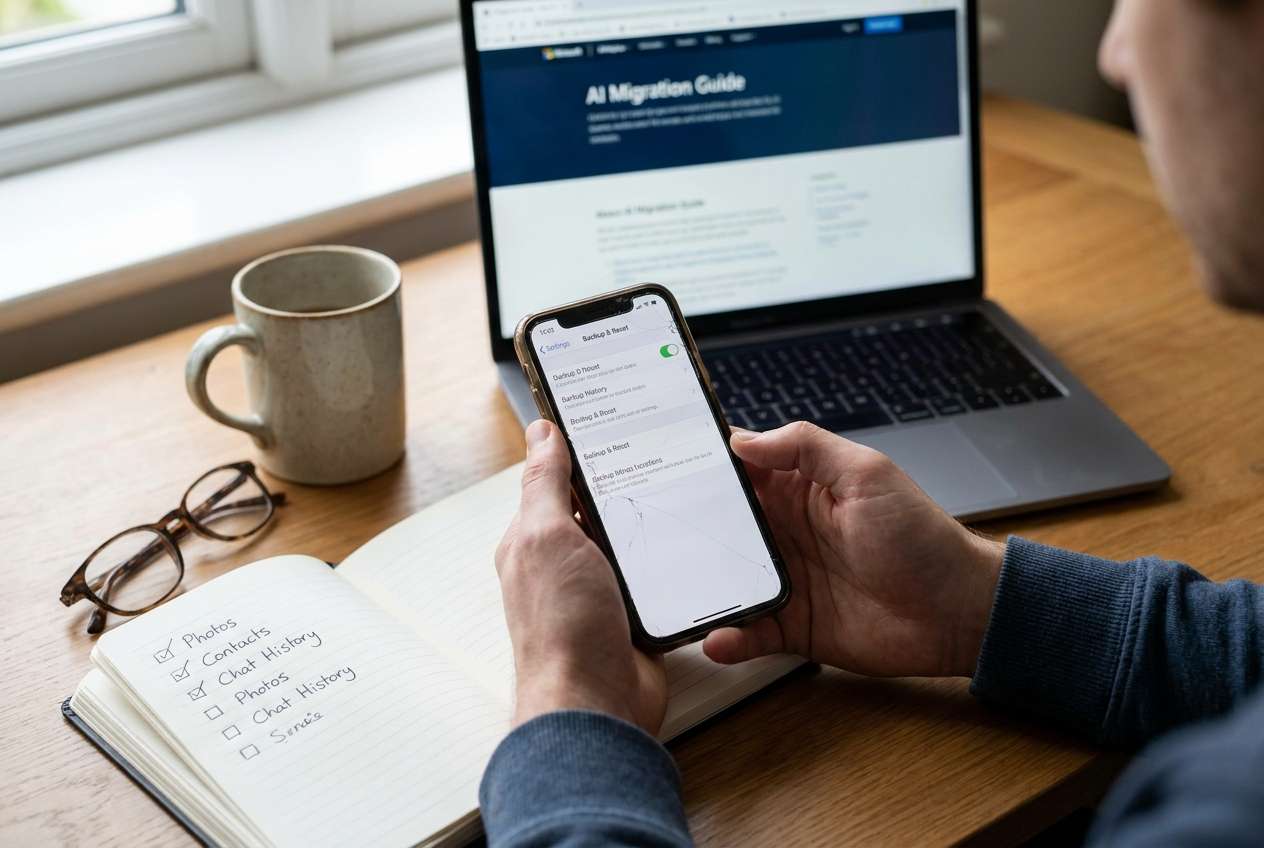
Even with AI advice, people often get stuck on sequencing: “Do I back up first, then log out, then move photos?” They also miss verification: “How do I prove the backup actually contains my chats and media before I wipe anything?”
Your point of no return is the factory reset itself. Once you erase the device, any social app data that wasn’t correctly backed up, exported, or synced may be unrecoverable—especially if encryption keys, app-specific local databases, or “this device only” media caches are lost.
Part 3. What the AI Needs to Know
Share only what’s necessary so the AI can build a checklist that matches your apps, devices, and risk level:
- Phone OS and model (e.g., iPhone 13 iOS 17, Samsung S22 Android 14)
- Your destination (new phone, same phone after reset, trade-in, repair)
- Which social apps matter (e.g., WhatsApp, LINE, WeChat, Telegram, Signal, Instagram, TikTok, Snapchat, Messenger)
- What you must preserve (messages, voice notes, photos/videos, stickers, contacts, drafts, login sessions)
- Whether you use cloud backups now (and which account: Apple ID/Google, app-specific cloud)
- 2FA status and access (authenticator app, SMS number, recovery codes, backup email)
- SIM/eSIM plan changes (same number or new number)
- Storage constraints (low storage, slow Wi‑Fi, limited time window)
- Any compliance/privacy constraint (work device, sensitive chats, cannot use cloud, etc.)
Part 4. AI Plan vs. Real Device Constraints
| AI can plan | Real-world constraint |
|---|---|
| Define sequence and dependencies across apps | Apps differ by region/version and change menu paths |
| Create verification gates and evidence requirements | Only the device/app UI can confirm backup status/timestamps |
| Identify high-risk moments (factory reset, number change, 2FA loss) | Connectivity, storage, and account locks can block migration |
| Suggest rollback options (delay reset, export, secondary backup) | Some data cannot be exported; some restores overwrite existing data |
AI improves planning, but it cannot execute backups, transfers, exports, or resets; you still need to perform and verify each action on real devices with real tools.
Part 5. When to Stop Planning and Start Execution
- You have a complete app list and have marked what’s critical versus nice-to-have.
- Every critical item has a verification method (what proof you will capture) and a failure response (what you do if it’s missing).
- You’ve identified your highest-risk dependency (often 2FA/authenticator access or phone number changes) and resolved it first.
- You can clearly state the “no reset unless” conditions in one short checklist.
Once you can meet those conditions without guessing, planning is done and the next step is controlled execution.
Recommended Tool: Execute the Workflow Safely
Execution matters now because timing, connectivity, and verification windows can close quickly—especially when you’re moving to a new phone or preparing for trade-in. If WhatsApp is part of your migration plan, Dr.Fone - WhatsApp Transfer can help you carry out device-level transfer/backup steps alongside each app’s in-app backup/export requirements.
 Transfer WhatsApp across Android & iOS.
- Backup & restore WhatsApp to PC securely.
- Preview & export chats selectively.
- Works with all iPhone & Android models.
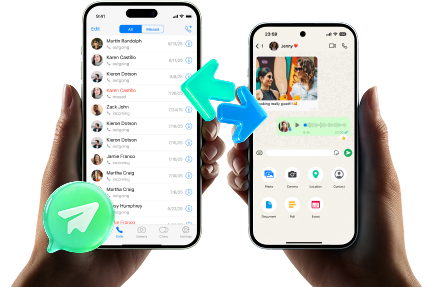
Transfer & backup run: Use Dr.Fone to perform the planned device-level backup/transfer steps that support your social app migration workflow, then complete each app’s in-app backup/export steps as required.
Limitation: Dr.Fone can’t replace app-specific cloud backups or guarantee every in-app message/media type migrates without you verifying inside each app.
Verification gate (before reset): Confirm your evidence checklist is complete—backup timestamps, successful test logins, recovery codes stored, and any required restores validated on the destination device where possible.
Limitation: AI cannot confirm your backups or logins; you must verify in the actual app UIs and account security pages.
Factory reset only after proof: Proceed with the factory reset only when every critical verification item is satisfied and recorded, then sign in and validate each app post-reset.
Limitation: This is the irreversible moment—if something critical wasn’t backed up or you lose 2FA access, recovery may be impossible or may require lengthy account recovery processes.
-
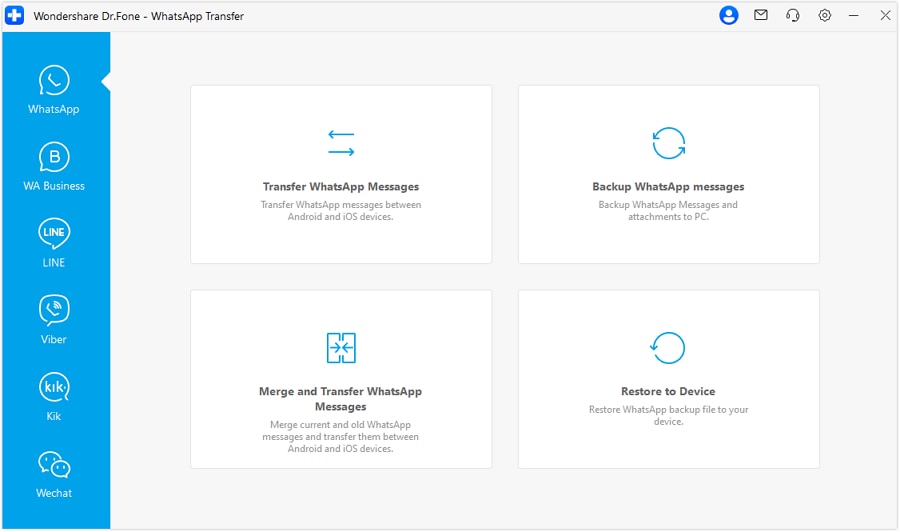
Step 1 Open the WhatsApp Transfer tool
Launch Dr.Fone and open the WhatsApp transfer feature so you can follow your planned migration sequence with controlled actions.

-
Step 2 Start transferring WhatsApp
Select the transfer option and begin the guided process, keeping your evidence/verification checklist ready for the “no reset” gate.
-
Step 3 Set source and destination devices
Confirm the correct source and destination devices before you proceed, since a wrong direction can overwrite or misplace data.

-
Step 4 Choose what to include and complete the run
Follow the on-screen options to complete the transfer/backup run, then verify inside WhatsApp and your destination device before any factory reset.




Conclusion
Use AI to design a strict, verifiable social app migration checklist before factory reset, with clear stop points and proof requirements; then use real tools like Dr.Fone to carry out the execution—especially before you reach the irreversible reset moment.
FAQ
-
What’s the biggest risk when migrating social apps before a factory reset?
Losing account access (password/2FA/recovery codes) or losing locally stored chats/media that weren’t included in a verified backup. -
How do I know a backup is real and not just “enabled”?
Look for evidence like a recent backup timestamp, backup size, storage location/account, and ideally a test restore or test login on the new device. -
Should I log out of apps before resetting?
Only after you’ve verified backups and confirmed you can log back in (password + 2FA). Logging out too early can remove local data or complicate re-authentication. -
What if I’m changing my phone number during the migration?
Treat that as a critical dependency: update number/2FA/recovery methods first, then back up, then verify access on the destination device before resetting. -
Can AI tell me whether my chats will transfer perfectly?
No. AI can predict common failure points and design checks, but only the apps and devices can confirm what actually migrated.
 Add Wondershare Dr.Fone as a preferred source on Google





