 Effortlessly manage data through preview, delete, export, etc.

 100% Security Verified | No Subscription Required | No Malware

 :
: 
 ChatGPT
 Perplexity
 Gemini
 Claude
 Grok
Grok

I reset a used iPhone I bought, but during setup it stops at Activation Lock and asks for an Apple ID I don’t recognize. I have the phone in my hands—so why can’t I activate it?
Apple Support Community user
You’ve set up a used iPhone (for example, an iPhone 13 or iPhone 14), and during setup after an erase/reset, it stops at Activation Lock asking for an Apple ID you don’t recognize. You may believe the device is yours, but the screen suggests it’s still tied to another account.
AI (like ChatGPT or Gemini) can help you describe what you see, compare likely causes (previous owner’s Apple ID, device still in someone’s Find My, mixed-up Apple IDs, proof-of-ownership gaps), and choose the lowest-risk next step based on your situation.
AI can’t verify ownership, contact Apple, or remove iCloud activation lock by itself—and trial-and-error “unlock” attempts can waste time, trigger security limits, or push you toward risky tools and scams.
In this article
- Part 1. Why “apple activation lock on used iphone owned by me” happens (and what it means)
- What Activation Lock is
- Common causes on used iPhones
- Why restarts don’t help
- Before you prompt the AI
- Part 2. Using AI prompts to diagnose Activation Lock issues safely
- Part 3. When to stop troubleshooting and avoid risks
- Part 4. Fix/resolve related access issues safely with Dr.Fone (Android FRP scenario)
- FAQ
Part 1. Why apple activation lock on used iphone owned by me happens and what it means
Activation Lock usually appears when the iPhone is still linked to an Apple ID with Find My enabled, even if you have the phone physically. This commonly shows up right after you choose Erase All Content and Settings or after the device is reset and you begin the Hello/setup flow.
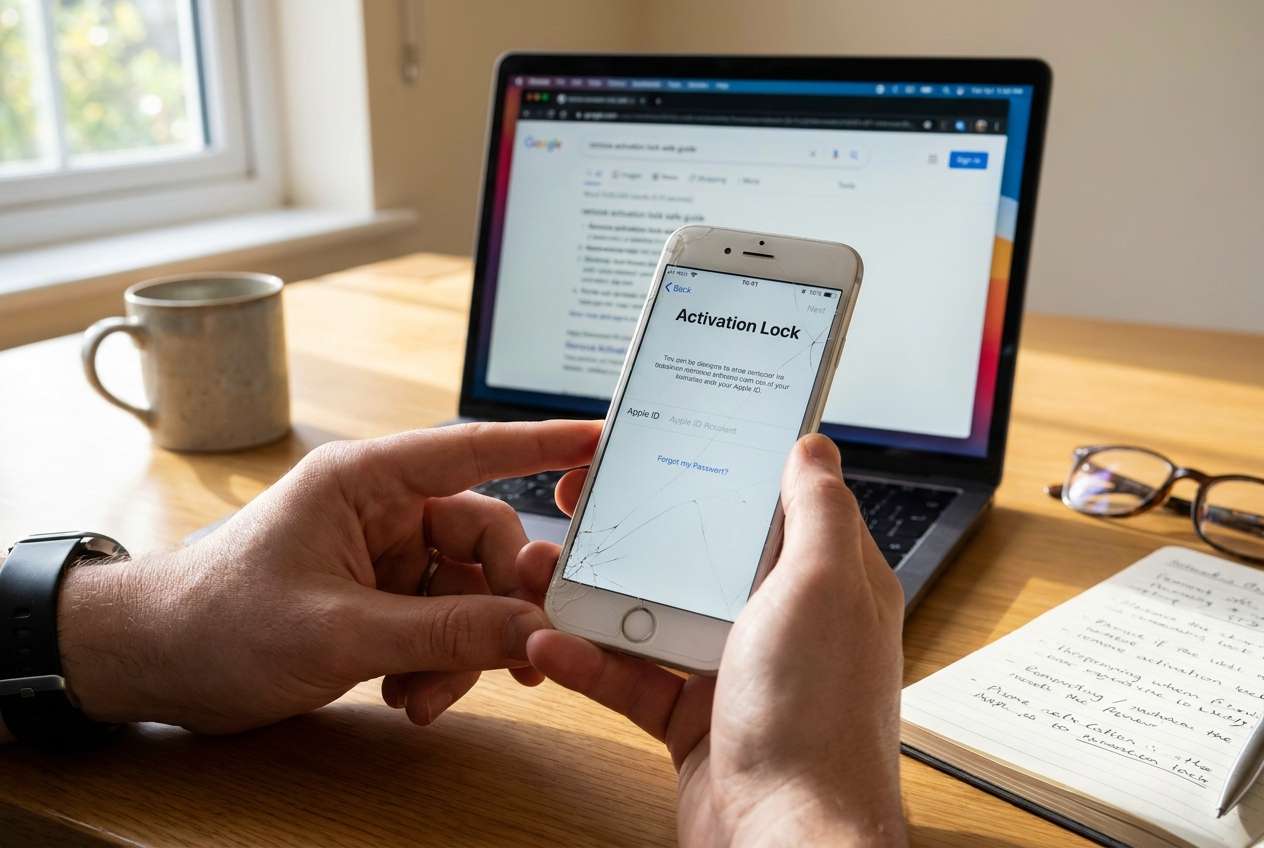
If you bought the iPhone secondhand, the most likely explanation is that the previous owner didn’t remove the device from their Apple ID (or it was reported lost). Less commonly, you might be signing in with the wrong Apple ID (e.g., a family member’s device, a work-managed Apple ID, or an older account).
From your perspective, it can feel like “nothing changes” no matter how many times you restart—because Activation Lock is a server-side ownership check, not a local passcode screen.
1-1. Before You Prompt the AI
Capture the exact on-screen wording and what happened immediately before the lock appeared.
- iPhone model and approximate iOS version (if known)
- Where the phone was purchased (carrier, marketplace, friend, refurb shop)
- What you did right before the lock (erase/reset, update, restore from backup)
- Exact text on the Activation Lock screen (and any email hint shown)
- Whether you have proof of purchase or a receipt with serial/IMEI
- Whether you can contact the seller/previous owner
Part 2. Using AI prompts to diagnose iPhone Activation Lock ownership issues safely
2-1. Level 1: Basic Prompt
I’m setting up a used iPhone, and it shows Activation Lock asking for an Apple ID I don’t recognize. I own the phone physically. Ask me the minimum questions needed to identify the most likely cause and the safest next step without risky workarounds.
2-2. Level 2: Advanced Prompt
Act as a device access triage assistant. Based on my answers, rank the top 5 likely explanations for why my iPhone shows Activation Lock during setup.
Requirements:
- Start by asking up to 8 questions max.
- After I answer, provide a ranked list with: likelihood, why it fits, and the lowest-risk next step.
- Flag any steps that could cause account lockouts, trigger security delays, or increase scam risk.
- Do NOT suggest bypass services; focus on legitimate paths (previous owner removal, Apple Support with proof).
2-3. Level 3: Evidence Prompt
Help me diagnose an Activation Lock situation using evidence, not guesses. Use the details below and produce:
1) Most likely cause (ranked top 3)
2) What evidence supports each cause
3) Safe next steps in order (least risk first)
4) What NOT to do (to avoid scams, lockouts, or data loss)
Details:
- iPhone model: (e.g., iPhone 13 Pro)
- How I got it: (e.g., bought used on marketplace / gift / refurb)
- What I did before seeing Activation Lock: (e.g., erased the phone / restored via Finder / started setup)
- Exact screen text: (paste it)
- Apple ID hint shown: (e.g., j***@gmail.com / none)
- Can I contact the previous owner/seller: (yes/no)
- Proof of purchase: (receipt with serial/IMEI? yes/no)
- Any MDM/organization message: (yes/no/unsure)
- Attempts made so far: (e.g., tried my Apple ID / restarted/changed Wi‑Fi)
- Country/region: (for Apple Support process differences)
2-4. Prompt Refinement
Use these to tighten the AI’s diagnosis when answers are incomplete:
What are the 6 most important missing details you need from me to distinguish “previous owner Find My” vs “wrong Apple ID” vs “stolen/lost mode”? Ask only yes/no or short-answer questions.
Based on my details, separate possibilities into: (A) I can resolve myself today, (B) needs previous owner action, (C) requires Apple Support with proof, (D) high-risk/likely scam territory. Then place my case into one category with reasons.
Rank the likely causes again, but this time list the single strongest piece of evidence for and against each cause.
What exact evidence should I look for on the Activation Lock screen (wording, email hint behavior, messages) that would change your conclusion? Give me a checklist.
If I can contact the seller, draft a short message asking them to remove the device from their Apple ID correctly (include the safest official steps).
2-5. AI Output vs Reality
AI can organize your next step; it can’t perform Apple’s ownership checks or remove a lock for you.
| AI suggests | What reality may require |
|---|---|
| “It’s probably the seller’s Apple ID still attached.” | The seller must remove the device from their Apple ID/Find My remotely. |
| “Try signing in with your Apple ID again.” | Repeated attempts may trigger rate limits or security delays. |
| “Contact Apple Support with proof.” | Apple may require a receipt showing serial/IMEI, and can still decline if documents don’t match. |
| “It might be MDM/managed.” | Only the organization’s admin can release device enrollment in many cases. |
AI can help you avoid dead ends (and scams) by matching the symptom to the right legitimate pathway—then you move to the tool or support channel that can actually execute it.
Part 3. When to stop troubleshooting Activation Lock and avoid risks
Stop and switch to an ownership-resolution path if any of these apply:
- You cannot contact the seller, and you don’t have proof of purchase with a serial/IMEI that matches the device.
- The Apple ID hint is clearly not yours, and the screen persists across restart, Wi‑Fi changes, and a clean setup attempt.
- You’re considering paid “bypass” offers, remote “technicians,” or steps that require sharing IMEI/Apple ID credentials.
- You suspect the device may be lost/stolen or managed by an organization (MDM), based on the setup messaging.
Once you’ve used AI to narrow the cause, the next phase is execution: either getting the prior owner to remove the device properly, or preparing the right documentation and contacting the right support channel—without risky experimentation.
Part 4. Apple activation lock on used iphone owned by me: fix or resolve it safely with Dr.Fone
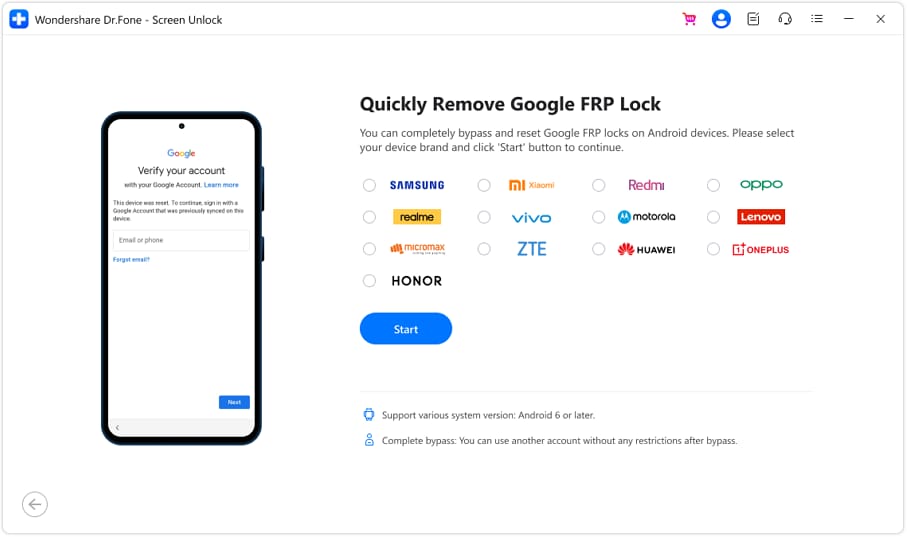
If AI confirms you’re facing Apple Activation Lock, the legitimate execution path is usually previous owner removal or Apple Support with matching proof—not a local on-device action. Dr.Fone - Screen Unlock (Android) becomes relevant when your real situation is account-based access on an Android device (for example, you’re using a backup phone while the iPhone is being resolved, and that Android is blocked by Google FRP after a reset). In that Android FRP scenario, it can handle the practical steps in a guided flow, including the Bypass Google FRP Lock on Android Devices feature, following the official-style sequence from its in-app guidance.
 Unlock Android phone in seconds.
- Remove PIN, pattern, password, fingerprint.
- Bypass Google FRP lock easily.
- Works on all Android brands & models.
- No tech skills required – user-friendly.

-
Step 1 Confirm your lock type
Verify whether you’re seeing Apple’s Activation Lock on iPhone or Google FRP on Android before taking any action.

-
Step 2 Prep the Android device state
Keep the Android phone charged and connected to stable Wi‑Fi, and avoid repeated failed logins that can trigger delays.

-
Step 3 Open Dr.Fone - Screen Unlock (Android)
Select the FRP-related option and follow the guided prompts for your device/OS version.

-
Step 4 Complete the guided bypass flow
Proceed step-by-step and don’t skip screens; mismatched Android versions can cause the flow to fail.
-
Step 5 Re-secure the device after access
Add your Google account and screen lock immediately to reduce future lockouts.




Conclusion
Use AI to map your Activation Lock symptom to the most likely cause, collect the right evidence, and choose the lowest-risk next step—then hand execution to the appropriate channel: Apple’s ownership removal process for iPhone Activation Lock, or (if your actual roadblock is Android FRP) a guided Android tool like Dr.Fone to carry out the device-side steps.
FAQ
-
What does “Activation Lock” mean on a used iPhone I legally own?
It usually means the iPhone is still linked to another Apple ID via Find My, so Apple requires that Apple ID (or approved proof) before activation. -
Can AI tell me whose Apple ID is on the Activation Lock screen?
No. AI can only help interpret the hint and wording; it can’t identify an account owner beyond what Apple shows on-screen. -
What’s the safest first action if I can contact the seller?
Ask them to remove the device from their Apple ID/Find My (remotely) and confirm it no longer appears in their device list. -
What proof does Apple typically require to remove Activation Lock?
Usually a purchase document that matches the device (serial/IMEI) and shows legitimate ownership; requirements vary by region and case. -
If my backup Android phone is stuck on Google FRP, is that the same as Activation Lock?
They’re different systems: Apple Activation Lock is for iPhone/iCloud, while Google FRP is for Android/Google accounts after reset. -
Does Dr.Fone - Screen Unlock (Android) apply to Apple Activation Lock?
No—its screen unlock/FRP workflows are for Android scenarios; iPhone Activation Lock should be handled through Apple’s official ownership process.
 Add Wondershare Dr.Fone as a preferred source on Google





