 Effortlessly manage data through preview, delete, export, etc.

 100% Security Verified | No Subscription Required | No Malware

 :
: 
 ChatGPT
 Perplexity
 Gemini
 Claude
 Grok
Grok

I’m in too many WhatsApp groups—notifications never stop, but I’m scared to leave or clear chats because I’ll lose that one address, invoice, or decision I’ll need later.
Forum user
Cleaning up noisy WhatsApp group chats sounds simple, but one missed step can mean losing important messages, media, or contact context you later need.
AI is useful for turning a vague goal (“make my groups manageable”) into a clear sequence: what to preserve, what to remove, what to mute, and what to verify before you touch anything irreversible.
AI can’t access your WhatsApp data, confirm what’s backed up, or perform device actions—so once the plan is solid, you still need real tools to back up, export, and protect your data before cleanup.

In this article
- Plan the cleanup without missing critical steps
- Why generic advice fails
- Find your point-of-no-return actions
- Add verification gates
- Define what “key info” means
- What the AI needs to know
- AI prompts for a safer workflow
- AI plan vs. real device constraints (and when to execute)
- Execute safely with Dr.Fone (backup first)
Part 1. Plan the cleanup without missing critical steps
You’re in too many WhatsApp groups, notifications are constant, and the signal-to-noise ratio is awful—but some groups contain key info (addresses, invoices, event details, agreements, shared files, or “that one message” you always search for).
After you ask AI what to do, you may get generic advice (mute, archive, leave). What’s usually missing is the exact sequence and the verification gates: what you should back up first, how you confirm it’s actually usable, and which actions are safe vs. risky.
The point-of-no-return moment is typically clearing a chat, deleting media, or leaving a group where you’ll lose context and search history—and realizing afterward that the “important bits” weren’t preserved in a retrievable way.
Part 2. What the AI needs to know
Share the minimum details needed to design a cleanup plan that protects what matters.
- Your phone platform (iPhone/Android) and OS version (e.g., iPhone iOS 17 / Samsung Android 14)
- WhatsApp size and pressure points (e.g., storage almost full, phone slow, constant notifications)
- Rough group count and types (e.g., work, school parents, sports, family, community)
- What “key info” means to you (e.g., PDFs, images, addresses, decisions, schedules, receipts)
- Time window you must preserve (e.g., last 90 days vs. all-time)
- Your tolerance for risk (e.g., “no chance of loss” vs. “okay if memes disappear”)
- Whether you might need content for compliance/legal reasons (work contracts, disputes)
- Your preferred end state (mute/archive vs. leave groups vs. delete history)
Part 3. AI prompts for a safer workflow
Use the prompts below to make AI produce a step-by-step plan with verification gates before you do anything destructive.
3-1. Level 1: Basic Prompt
I want to clean up noisy WhatsApp group chats without losing key information.
Create a safe, ordered plan that focuses on what to preserve first, then what to mute/archive/leave/delete.
Include a “do not cross” checkpoint before any irreversible action.
3-2. Level 2: Advanced Prompt
Build a workflow to clean up my WhatsApp group chats without losing key info, split into Preparation / Execution / Verification.
Within each phase, label steps as Critical vs Optional, and list the top 5 mistakes people make (and how to prevent them).
Also define the exact “point of no return” actions I must not do until verification is complete.
3-3. Level 3: Evidence Prompt
Context: I’m on (Android 14, Samsung S23), WhatsApp is (18 GB), I’m in (45) groups, and I only need to preserve (the last 6 months) plus “key info” like (PDF invoices, event addresses, admin decisions, shared links).
My goal is (near-zero notifications) and to reduce storage by (8 GB).
Create a plan with checks before / during / after, including:
- A preservation checklist (what to export/save vs what can be safely dropped)
- A verification checklist (how I know exports/backups are readable and complete)
- A cleanup decision tree per group (Mute vs Archive vs Exit vs Clear vs Delete)
- A rollback plan if I realize something is missing after cleanup
3-4. Prompt Refinement
Ask me exactly 10 questions that determine the safest cleanup order, then output one final workflow with hard verification gates.
Produce a table with columns: Action, Reversible?, What I might lose, How to verify safety first, Recommended for me (Yes/No).
Create a “Key Info Capture” list limited to 20 items (e.g., PDFs, addresses, screenshots) and map each item to where it should be saved and how to confirm it saved correctly.
Write a decision rule set: “If a group matches (criteria), then do (mute/archive/exit/clear), otherwise do (alternate)” and include at least 3 exceptions.
Generate a pre-cleanup checklist that ends with a single line: “Stop: do not clear/delete/exit any group until all verification checks pass.”
Part 4. AI plan vs. real device constraints (and when to execute)
4-1. AI Plan vs. Real Device Constraints
| Planning item | What AI can do | Real constraint | What you must verify |
|---|---|---|---|
| Identify what “key info” likely includes | Propose categories and a capture checklist | AI can’t see your chats or files | You confirm the exact messages/media to preserve |
| Define safe sequencing and risk gates | Provide an ordered workflow with stop-points | AI can’t confirm what’s backed up | You validate backups/exports are readable and complete |
| Recommend cleanup actions by group type | Suggest rules (mute/archive/leave) | Group rules/admin controls may limit options | You check your permissions and group importance |
| Propose verification checks | List concrete checks and pass/fail criteria | Device storage, cables, permissions vary | You confirm storage space, access, and successful completion |
AI improves planning and reduces avoidable mistakes, but it cannot execute device actions, access WhatsApp data, or prove your backup/export is usable—those require real tools and hands-on verification.
4-2. When to stop planning and start execution
- You have a written definition of key info (what to keep, time range, and file types).
- You have a clear list of irreversible actions you will not do yet (clear chat, delete media, leave/delete groups).
- You have pass/fail verification checks for backups/exports (what “good” looks like).
- You have a rollback path (what you’ll restore and how) if you discover something missing.
If all four are true, you’re ready to move from “ideas” to controlled execution.
Part 5. Execute safely with Dr.Fone (backup first)
Execution matters now because the safety of your cleanup depends on creating a usable fallback before you change or remove anything inside WhatsApp.
-
Step 1 Create a protected WhatsApp snapshot on your computer
Back up WhatsApp to a computer first so you have a recoverable copy before you clean anything up. AI can’t confirm the backup succeeded or contains the specific chats/media you care about—you must verify the output is accessible.

-
Step 2 Locate the WhatsApp backup option and start the backup
Use a dedicated WhatsApp transfer/backup tool to initiate the backup workflow and ensure the correct device/account is selected before proceeding.

-
Step 3 Monitor backup progress and avoid interrupting the process
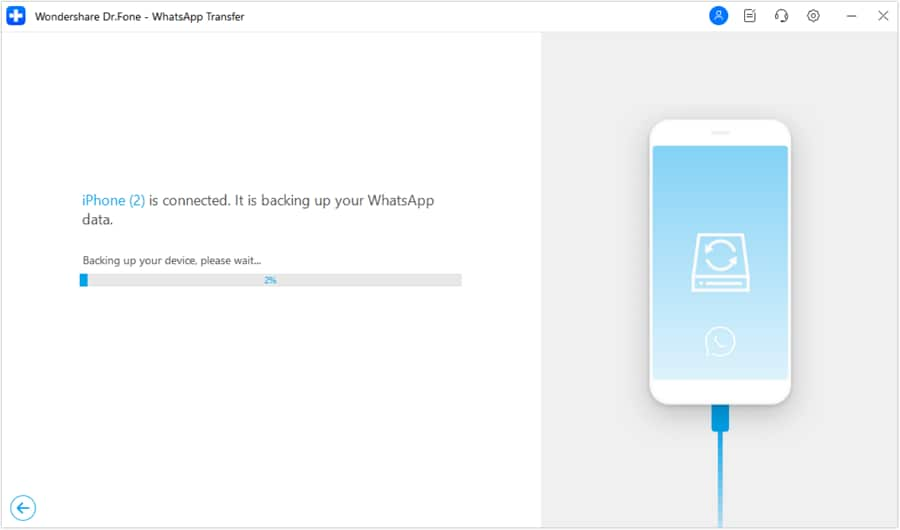
Keep the phone connected and follow on-screen prompts. Interruptions (cable disconnects, permissions denied, low storage) can produce incomplete backups that “exist” but aren’t usable.
-
Step 4 Verify the backup/export, then do irreversible cleanup in WhatsApp
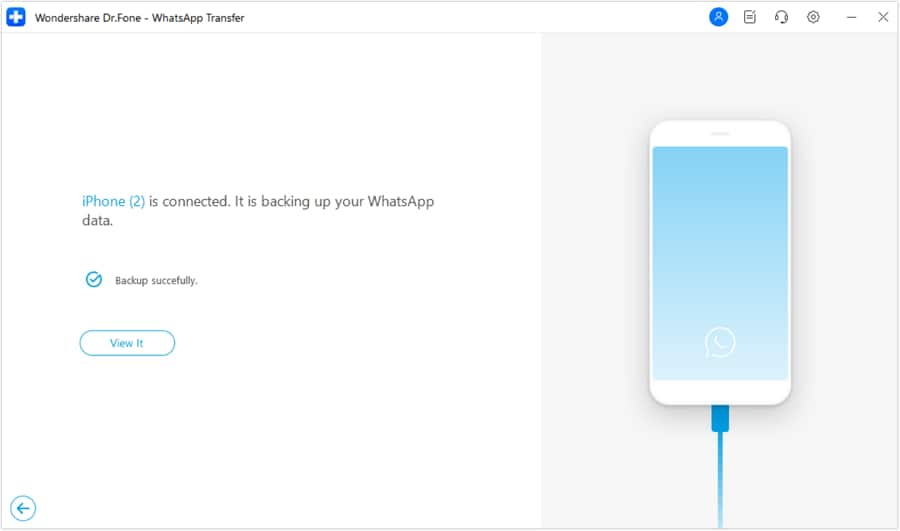
Only after your checks pass, proceed with mute/archive/leave groups, clear chats, or delete heavy media according to your decision rules. If verification fails, stop and fix the backup/export first.
Recommended tool to protect your WhatsApp data before cleanup
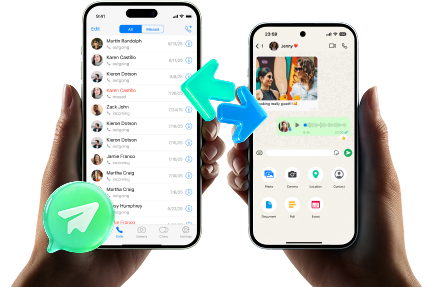
If you want a practical way to create a fallback before you mute/archive/leave/clear anything, consider Dr.Fone - WhatsApp Transfer to back up and manage WhatsApp content on a computer, then verify your backup/export is readable.
 Transfer WhatsApp across Android & iOS.
- Backup & restore WhatsApp to PC securely.
- Preview & export chats selectively.
- Works with all iPhone & Android models.
Regardless of what tool you use, keep the same discipline: preserve first, verify second (open files and spot-check representative items), and only then perform irreversible actions.




Conclusion
Use AI to define what “key info” means, build a sequence with verification gates, and identify the irreversible moments to avoid until you’re ready; then use a real tool like Dr.Fone to execute backup/export steps so your cleanup doesn’t turn into accidental data loss.
FAQ
-
What’s the biggest risk when cleaning up group chats?
Doing an irreversible action (clearing/deleting/leaving) before you’ve preserved and verified the messages/media you’ll later need. -
How do I know my “key info” is actually safe before I delete anything?
Use pass/fail checks: confirm the backup/export exists, is readable on another device/computer, and includes representative items (a PDF, an image, a long message thread, a link). -
Should I mute and archive first, or leave groups immediately?
Usually mute/archive first to reduce noise without loss; leaving is riskier because you lose context and may not be able to rejoin easily. -
When is it safe to clear chats or delete media?
Only after your backup/export verification checks pass and you’ve confirmed the specific groups/time ranges you care about are preserved. -
Why can’t AI just tell me exactly what to keep?
AI can’t see your chats, can’t judge what’s personally important, and can’t validate what’s been backed up—so it can only help you design the decision rules and checks.
 Add Wondershare Dr.Fone as a preferred source on Google





