 Effortlessly manage data through preview, delete, export, etc.

 100% Security Verified | No Subscription Required | No Malware

 :
: 
 ChatGPT
 Perplexity
 Gemini
 Claude
 Grok
Grok

Updated iOS and now my contacts are gone—Messages shows numbers instead of names and the Phone app is missing half the entries. I don't want to make it worse by toggling random settings.
Reddit user, r/iphonehelp
Your iPhone contacts can look like they "vanished" right after an iOS update. This guide shows how to use AI prompts to classify the problem (hidden vs sync vs deletion), choose the safest checks in the right order, and know when to stop troubleshooting and switch to a controlled recovery workflow.
In this article
- Part 1. Why iPhone contacts disappeared after an iOS update
- What "missing" usually means
- Common triggers after updating
- Visibility vs sync vs true deletion
- What to collect before prompting AI
- Part 2. Using AI prompts to diagnose missing iPhone contacts
- Part 3. When to stop troubleshooting missing contacts on iPhone
- Part 4. Recover iPhone contacts after iOS update with Dr.Fone
- Part 5. Quick Summary: safest path forward
Part 1. Why iPhone contacts disappeared after an iOS update
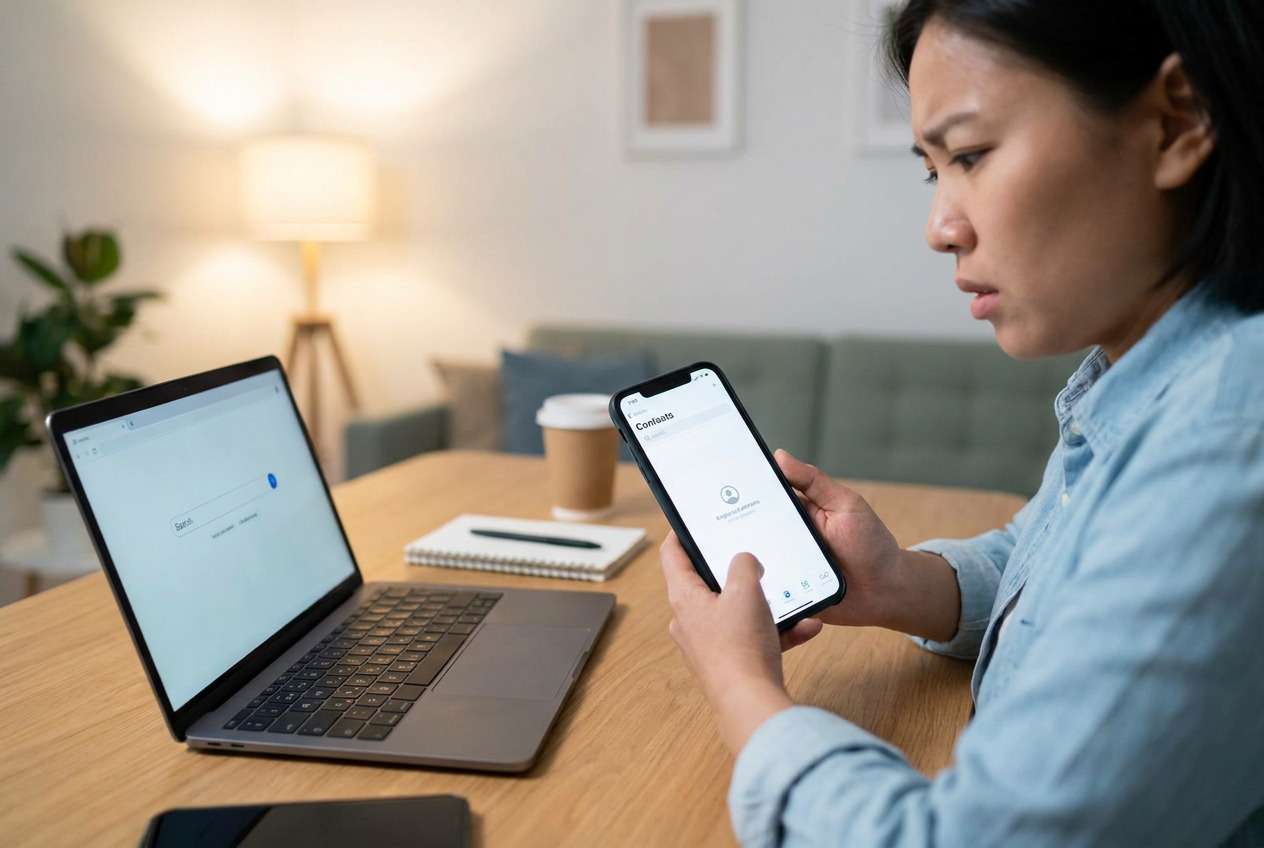
After an iOS update, contacts may look missing even when they're still on the device or still stored in iCloud/Google/Exchange. Common "meaning" scenarios include the wrong account being displayed, sync being paused, Contacts re-indexing, or a filter/group view hiding entries.
A typical trigger is updating iOS and then noticing the Phone app shows fewer names or Messages shows numbers instead of names. If nothing changes after several minutes, it's unclear whether the phone is still "settling" the update or whether something actually broke.
Before you try major steps (signing out of Apple ID, restoring, or resetting), treat this as a visibility vs sync vs true deletion question and gather a few details first.
1-1. Before You Prompt the AI
Collect these basics so the AI can narrow causes without guesswork:
- iPhone model and iOS version (Settings > General > About)
- Where contacts normally come from (iCloud, Gmail, Exchange, SIM, "On My iPhone")
- What exactly is "missing" (all contacts, some, recent additions only)
- Whether other devices still show the contacts (iPad/Mac, iCloud.com, Google Contacts)
- Any recent account changes (password prompts, 2FA, storage full, new Apple ID)
Part 2. Using AI prompts to diagnose missing iPhone contacts
2-1. Level 1: Basic Prompt
My iPhone contacts are missing after an iOS update. Ask me the minimum questions needed to determine whether this is a sync/account display issue or actual contact deletion, and then give me the safest next 5 checks in order.
2-2. Level 2: Advanced Prompt
Act as a mobile troubleshooting analyst. My issue: contacts missing on iPhone after iOS update.
1) List the top 6 likely causes and rank them by probability.
2) For each cause, list one confirming sign and one low-risk test.
3) Flag any step that could risk overwriting or losing contact data.
4) End with a "stop now" threshold if evidence suggests real data loss.
2-3. Level 3: Evidence Prompt
Diagnose "iPhone contacts missing after iOS update" using the evidence below. Provide: (a) the most likely cause, (b) 2 alternative causes, (c) the safest next steps in order, and (d) what evidence would change your conclusion.
Evidence:
- iPhone model: (e.g., iPhone 13 Pro)
- iOS version after update: (e.g., iOS 17.5)
- What I did right before it happened: (e.g., tapped Install Now, phone restarted)
- Scope: (all contacts missing / some missing / only recent missing)
- Accounts in Settings > Apps > Contacts > Accounts: (iCloud/Gmail/Exchange/other)
- Contacts setting: Default Account: (iCloud/Gmail/other/unknown)
- Contacts setting: "Show Contact Photos" and any Filters/Lists used: (on/off; list name)
- iCloud Contacts toggle status: (on/off) and any prompts/errors
- Do contacts appear on iCloud.com (web): (yes/no/unknown)
- Do contacts appear on another device using same account: (yes/no/unknown)
- Storage status: (low storage / normal)
- Any recent sign-in, password, or 2FA issues: (yes/no)
- Any backups available: (iCloud backup date; computer backup date; none/unknown)
2-4. Prompt Refinement
Use these follow-ups to force clearer, safer recommendations:
What 3 questions do you still need answered to separate sync issues from deletion?
Re-rank your causes assuming contacts still exist on iCloud.com.
Separate causes into: visibility/filtering, account sync, device indexing, true deletion.
What single piece of evidence would most strongly confirm the top cause?
List the safest checks that do not require signing out of accounts or restoring anything.
2-5. AI Output vs Reality
AI can guide decisions, but your device state determines outcomes.
| AI output (planning) | Reality check (on-device) |
|---|---|
| "It's probably a sync toggle issue." | The toggle may be on, but the account session could be expired. |
| "Check iCloud.com to confirm." | You may not have access to the Apple ID or 2FA device immediately. |
| "It's just indexing; wait." | Waiting helps only if contacts exist locally and the database is intact. |
| "Restore from backup if needed." | Restoring can overwrite newer data and doesn't target contacts only. |
AI helps you choose what to verify and what to avoid; the actual recovery or extraction step needs a tool/workflow that can access available data sources safely.
Part 3. When to stop troubleshooting missing contacts on iPhone
If your checks start escalating from "visibility" to "potential data loss," pause before making destructive changes.
- You can't find contacts on iCloud.com/Google Contacts and they're missing on every device using the same account.
- You're repeatedly signing in/out, toggling sync, or force-restarting with no change.
- You're about to restore an iPhone backup without confirming what date it contains.
- You see signs of broader issues (storage errors, repeated crashes, or setup loops) alongside missing contacts.
Once you've narrowed the likely cause with AI, the next step is execution: verifying what's still accessible and attempting a controlled data retrieval approach.
Part 4. Recover iPhone contacts after iOS update with Dr.Fone
If AI-based diagnosis suggests the contacts aren't simply hidden by filters or account display settings—and you need a practical way to retrieve what's still present—Dr.Fone - Data Recovery (iOS) can be relevant at this point because it's designed to help you attempt Recover Data from an iOS device in a controlled workflow. Instead of guessing which switch or restore path will work, you can use a guided scan-and-preview approach and then decide what to export.
 Recovers data after deletion, crashes, or device damage.
- Supports photos, messages, contacts, WhatsApp, and more.
- Supports all major iPhone, iPad, and iPod models.
- Preview and recover only what you need.

You can review the general capability on the Dr.Fone iOS data recovery page and follow the matching steps in the official iOS data recovery guide.
4-1. Steps (execution)
-
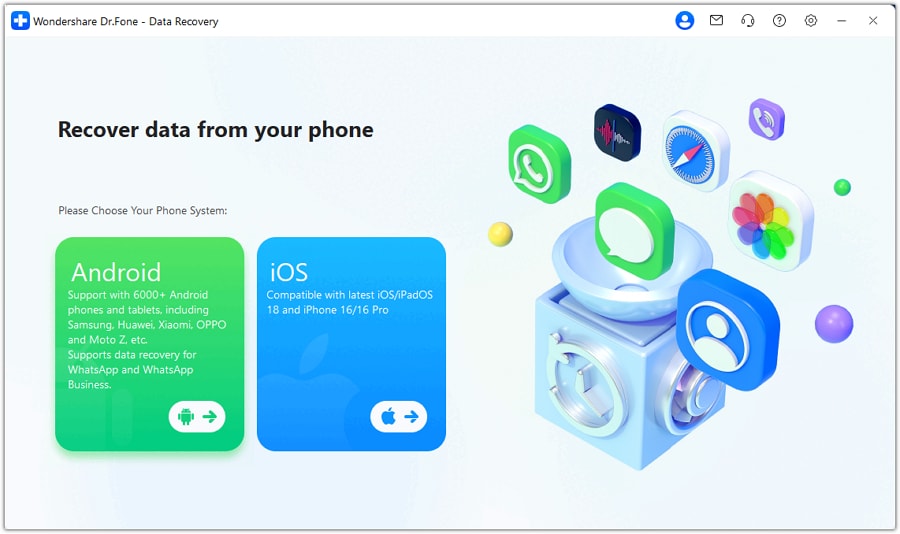
Step 1 Install Dr.Fone and open Data Recovery (iOS)
Run it on your computer and choose the iOS data recovery module to avoid random device-side changes.

-
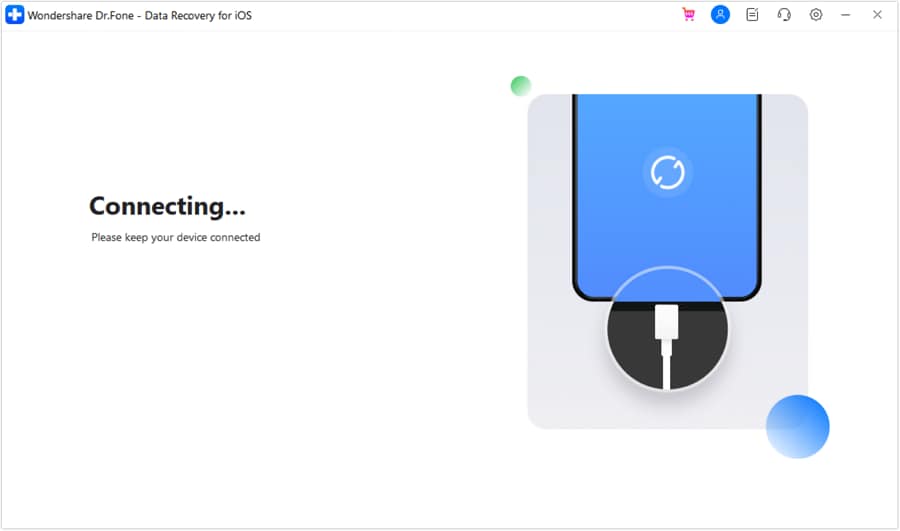
Step 2 Connect your iPhone by cable
Keep the iPhone unlocked and trust the computer if prompted, but avoid signing out of Apple ID during the process.
-
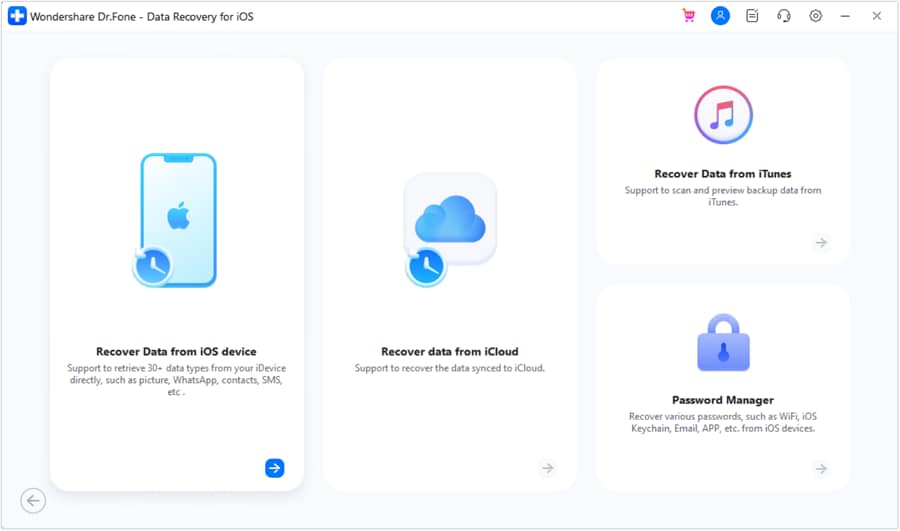
Step 3 Select Contacts as the target type
Limit the scan scope to Contacts to keep the process focused and reduce unnecessary operations.
-
Step 4 Scan and preview results
Review found contacts before exporting so you can validate names/numbers and avoid overwriting anything on the phone.
-
Step 5 Export recovered contacts to your computer
Save a copy first, then decide later how to re-import or merge to prevent duplicates.




Part 5. Quick Summary: safest path forward
1. Classify the symptom first (hidden vs sync vs deletion).
Don't jump to sign-outs or restores; confirm whether the "missing" view could be caused by account display, filters/lists, or temporary indexing.
2. Use AI prompts to rank causes and plan low-risk checks.
Feed your device/account details to AI so it asks minimal questions, orders safe checks, and flags steps that could overwrite or complicate contact data.
3. Stop escalating when evidence points to possible data loss.
If contacts are missing everywhere (web + other devices) or you're about to restore without confirming dates, pause and switch to a controlled scan/preview workflow before making bigger changes.
Conclusion
Use AI prompts to clearly classify what you're seeing (hidden vs sync vs deletion), rank likely causes, and decide the lowest-risk next checks; when the situation points beyond simple settings, hand off execution to a controlled recovery workflow such as Dr.Fone's iOS data recovery so you can verify and export what's still available before making bigger changes.
FAQ
-
Why are some contacts missing but not all after an iOS update?
That pattern often points to an account-specific sync issue (for example, Gmail/Exchange not syncing) or a Default Account mismatch rather than full deletion. -
How can I tell if contacts are only hidden, not deleted?
If contacts still appear on iCloud.com or another device using the same account, it's usually visibility/sync—not deletion on the source. -
Will signing out of iCloud bring my contacts back?
It can also remove local copies and create merge conflicts later; treat it as a higher-risk step unless you've confirmed contacts exist safely in iCloud. -
Why do Messages show phone numbers instead of names after the update?
That can happen when contact indexing hasn't finished or the contacts database isn't loading correctly, even if the entries still exist. -
Can I recover contacts without restoring a full backup?
Often yes—targeted retrieval is preferable when you're unsure what a backup contains or you don't want to overwrite newer data.
 Add Wondershare Dr.Fone as a preferred source on Google





