 Effortlessly manage data through preview, delete, export, etc.

 100% Security Verified | No Subscription Required | No Malware

 :
: 
 ChatGPT
 Perplexity
 Gemini
 Claude
 Grok
Grok

I installed a Samsung security patch, rebooted, and now my phone feels hot, stutters, and the battery drops way faster than usual. I can’t tell if it’s still “optimizing” or if something is actually stuck.
Samsung Community user
Battery drain and lag right after a Samsung security patch can feel confusing—especially on common devices like a Galaxy S23 or Galaxy A54. It often starts after tapping Install now and rebooting, and then the phone feels hot, stutters, or loses power faster than usual.
AI (like ChatGPT or Gemini) can help you organize symptoms, narrow likely causes, and decide what evidence to check next—without jumping straight into risky trial-and-error.
AI can’t see your phone’s real diagnostics, and repeated “fix attempts” (random cache clears, multiple restarts, factory reset) can waste time or increase data-loss risk. Use prompts to guide low-risk checks first, then hand off execution to a dedicated tool when needed.
In this article
- Why Samsung battery drain and lag after security patch happens and what it means
- Normal post-update optimization
- When it’s no longer “settling”
- What the pattern usually means
- Before you prompt the AI
- Using AI prompts to diagnose Samsung lag after security patch safely
- When to stop troubleshooting Samsung update battery drain and avoid risks
- Samsung battery drain and lag after security patch: fix or resolve it safely with Dr.Fone
- Conclusion

Part 1. Why Samsung battery drain and lag after security patch happens and what it means
1-1. Normal post-update optimization
After a security patch, Android may run background optimization (app recompilation, media indexing, Play services updates). That can temporarily raise CPU usage, heat, and battery drain—while also making the UI feel laggy.
1-2. When it’s no longer “settling”
In other cases, the patch exposes a buggy app, a stuck system process, or a firmware mismatch that keeps the device in a high-power state. If you’ve already waited 20–40 minutes and nothing changes, it’s unclear whether it’s still “settling” or actually stuck.
1-3. What the pattern usually means
The key is separating normal post-update behavior from patterns that suggest runaway background activity or system-level instability.
1-4. Before you prompt the AI
Collect a few facts first so the AI can reason from evidence, not guesses:
- Samsung model + region/carrier (if known)
- Android version + patch month
- When it started (immediately after update vs next day)
- Battery/heat pattern (idle drain? while charging?)
- Lag pattern (home screen, apps, camera, typing)
- Any new/updated apps, VPN, launcher, battery saver, or work profile
Part 2. Using AI prompts to diagnose Samsung lag after security patch safely
2-1. Level 1: Basic Prompt
My Samsung phone started draining battery fast and lagging right after a security patch. Ask me the minimum questions needed to tell if this is normal post-update optimization, a bad app/process, or a system issue. Then give the lowest-risk checks in order.
2-2. Level 2: Advanced Prompt
Diagnose my Samsung battery drain + lag after a security patch.
Goal: rank the most likely causes (top 5) and recommend the safest next steps first.
Constraints: avoid factory reset, avoid data loss, and don’t suggest random “battery apps.”
Output format:
1) Likely causes ranked with confidence (and what evidence would confirm each)
2) Low-risk checks (settings/logs)
3) Medium-risk steps (only if evidence supports)
4) Stop signals where I should stop troubleshooting and switch to a dedicated system repair approach
2-3. Level 3: Evidence Prompt
Help me troubleshoot battery drain + lag after a Samsung security patch using evidence.
Device info
- Samsung model: (e.g., Galaxy S23 / Galaxy A54)
- Android version: (e.g., Android 14)
- Security patch month: (e.g., 2026-03)
- Carrier/region: (e.g., unlocked / Verizon / EU)
Trigger
- What I did right before it started: (e.g., tapped “Install now,” rebooted, restored apps)
- Time since update: (e.g., 2 hours / 2 days)
Symptoms
- Battery drain rate: (e.g., 15% per hour idle / only while using)
- Heat: (e.g., warm at idle / hot while charging)
- Lag type: (e.g., keyboard delay, app switching stutter, scrolling)
- Any freezes/restarts: (yes/no)
Evidence I can check
- Battery > Usage: top draining apps (list)
- Device Care / Memory: (what looks abnormal)
- Safe Mode test result: (same/better)
- Storage free space: (e.g., 8 GB free)
- Recent app installs/updates: (list)
What I want from you
- Separate possibilities into: normal post-update behavior vs app-level issue vs system-level issue
- Tell me what evidence would distinguish them
- Give the safest step-by-step plan with “if/then” branches
2-4. Prompt Refinement
If the AI’s first answer feels generic, use these follow-ups to force precision:
What 5 questions would change your diagnosis the most, and why?
Rank causes again, but separate app-level vs system-level vs battery health/hardware.
Which single observation in Battery usage would be the strongest clue (give examples of what “bad” looks like)?
What’s the safest way to test whether a third-party app is the culprit without uninstalling everything?
List actions I should avoid because they could cause data loss or hide evidence.
2-5. AI Output vs Reality
AI outputs are decision support; your phone’s behavior is the ground truth:
| AI suggests | What you should verify on the phone |
|---|---|
| “It’s normal indexing after the update” | Drain improves within a few hours; heat reduces at idle; no single app dominates usage |
| “A specific app is waking the phone” | Battery usage shows one app/services unusually high; Safe Mode improves drain/lag |
| “A system process is stuck” | Ongoing heat/lag at idle; battery drain persists across reboots; system UI sluggish everywhere |
| “Firmware/system instability” | Random restarts, boot issues, persistent lag after basic checks, update-related errors |
AI can help you choose the next check and interpret patterns, but it can’t apply device-level actions for you—so once the evidence points to system instability, you’ll want a purpose-built execution path.
Part 3. When to stop troubleshooting Samsung update battery drain and avoid risks
Stop and switch approaches if you see any of these:
- Battery drain is severe at idle (e.g., drops rapidly) plus the phone stays warm even with the screen off.
- Lag persists after Safe Mode or after removing obvious heavy apps from the background.
- You see restarts, freezes, update failures, or the device becomes unreliable for calls/2FA.
- You’re about to try factory reset or repeated “wipe/clear” actions just to guess.
Once you’ve used AI to narrow the likely cause to a system-level issue, the next step is execution using a dedicated Android system repair workflow rather than more trial-and-error.
Part 4. Samsung battery drain and lag after security patch: fix or resolve it safely with Dr.Fone
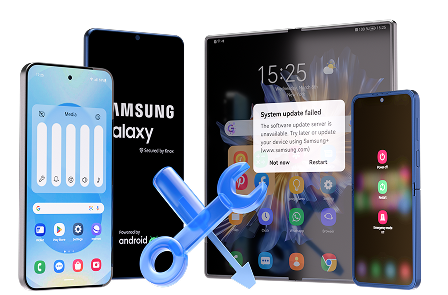
When evidence suggests the security patch left the system unstable (persistent lag at idle, abnormal heat/drain, or update-related glitches), it’s reasonable to move from AI-guided diagnosis to a practical execution tool. Dr.Fone - System Repair (Android) includes a Repair Samsung Phone Issues workflow designed to address system problems without relying on random resets. Use it after you’ve ruled out obvious app-level causes and you want a structured repair attempt you can follow step by step (you can reference the in-app flow and the official guide as you go).
 Fix Android instantly – no skills needed.
- Solve boot loop, black screen, won’t turn on, etc.
- High success rate for all system issues.
- User-friendly interface with easy-to-follow steps.
-
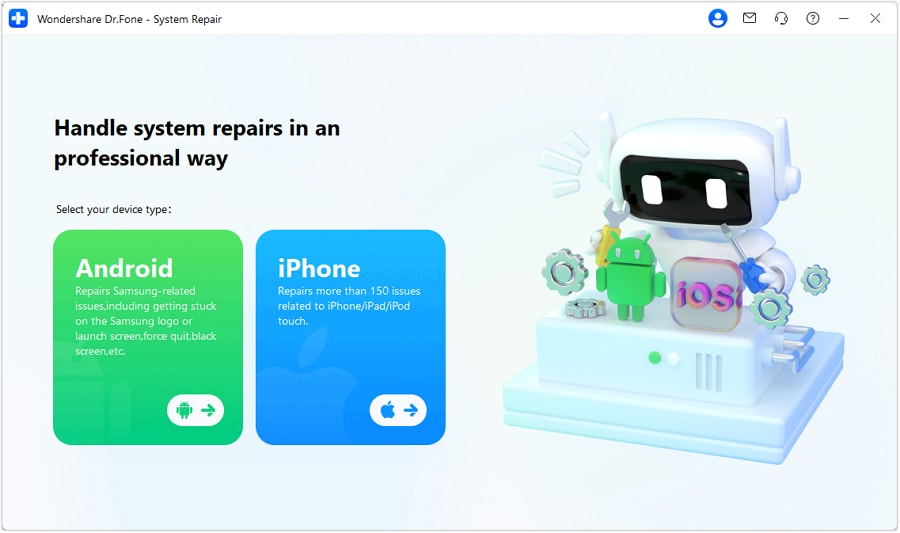
Step 1 Install Dr.Fone on a computer
Download and open Dr.Fone - System Repair (Android), and keep your phone charged to avoid interruptions mid-process.

-
Step 2 Connect your Samsung phone reliably
Use a known-good USB cable/port, and avoid hubs if the connection drops easily.
-
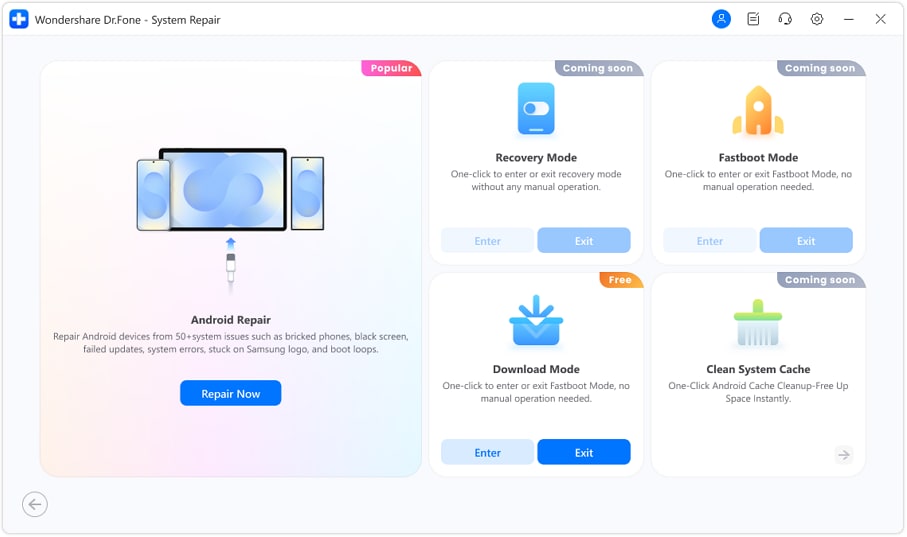
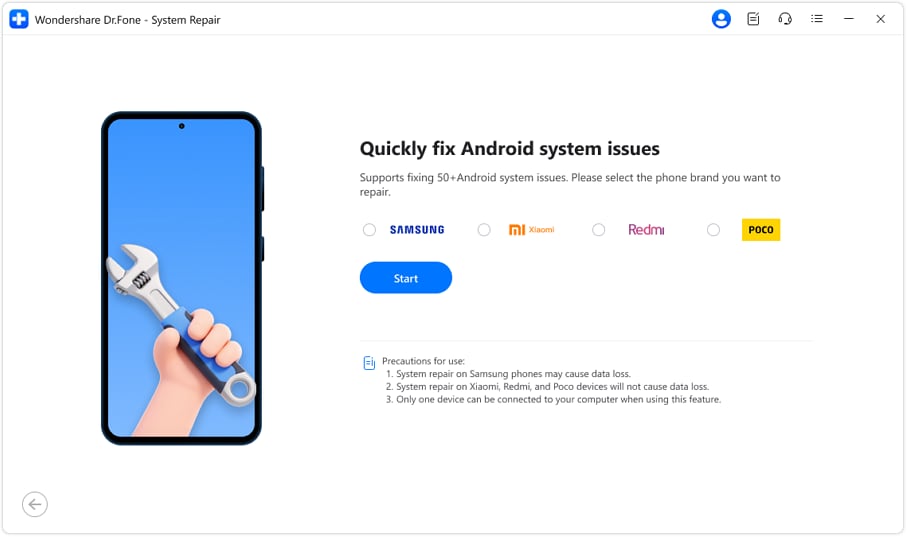
Step 3 Choose the Android system repair option
Select the Samsung repair path and confirm the correct device details carefully to reduce mismatch risk.
-
Step 4 Follow the on-screen mode/firmware steps
Enter the required device mode when prompted, and don’t disconnect during downloads or verification.
-
Step 5 Recheck battery and performance after reboot
After the process completes, monitor idle drain and heat for a short window before reinstalling or re-enabling heavy apps.




Conclusion
Use AI prompts to turn vague symptoms into a ranked set of likely causes and a low-risk plan, then stop guessing once the evidence points to system instability; at that point, hand off execution to a structured tool like Dr.Fone’s Android System Repair workflow to address the underlying system behavior more safely.
FAQ
-
How long can “post-update optimization” cause battery drain on Samsung?
Often a few hours; if heavy drain and heat persist into the next day with no improvement, treat it as abnormal and collect evidence (battery usage, Safe Mode result).
-
What’s the safest first test to rule out third-party apps?
Boot into Safe Mode and compare idle drain/lag; improvement strongly suggests an app-level cause.
-
Which battery stats matter most after a security patch?
Look for a single app/service dominating usage, unusually high background activity, or drain while the phone is idle and unused.
-
Should I factory reset if my Samsung lags after an update?
Only after you’ve gathered evidence and tried safer checks; a reset can erase data and may not help if the issue is system/firmware-related.
-
What if battery drain happens mostly while charging?
That can indicate runaway background activity, heat throttling, or cable/charger issues; test a different charger/cable and check whether the phone is also warm at idle.
 Add Wondershare Dr.Fone as a preferred source on Google





