 Effortlessly manage data through preview, delete, export, etc.

 100% Security Verified | No Subscription Required | No Malware

 :
: 
 ChatGPT
 Perplexity
 Gemini
 Claude
 Grok
Grok

I dropped my Android phone and now the screen is completely black, but it still rings and vibrates like normal. I can’t see the lock screen or anything—what should I do first without making it worse?
Reddit user, r/AndroidQuestions
A dropped Android phone can end up with a black screen but still ring, vibrate, or play notification sounds. You might be able to answer calls blindly, yet nothing appears on the display.
AI (like ChatGPT or Gemini) can help you describe the symptoms clearly, narrow likely causes (display, battery, system, or lock-related), and choose the lowest-risk checks first.
AI can’t confirm hardware damage or perform actions on your phone, and random trial-and-error (forced flashes, repeated reboots, unsafe charging) can make the situation worse or lock you out.
In this article
- Part 1. Why Android phone black screen after drop but still rings happens and what it means
- What “still rings” usually indicates
- Common causes after an impact
- Before you prompt the AI
- What to avoid right away
- Part 2. Using AI prompts to diagnose safely
- Part 3. When to stop troubleshooting and avoid risks
- Part 4. AI output vs reality (what AI can infer vs what you must confirm)
- Part 5. Fix or resolve it safely with Dr.Fone
1. “Still rings” usually means the phone is on, but the display path may be failing.
The device may still boot and receive calls, while the screen/backlight or its connector was affected by the drop.
2. Use AI to triage with observable evidence, then test the lowest-risk possibilities first.
Share haptics, charging signs, PC detection, and what changed right after impact so AI can rank likely causes without destructive steps.
3. Stop risky trial-and-error and switch to a controlled plan if you suspect access/lock blockers.
Avoid overheating, repeated forced restarts, and destructive actions; if the phone is running but inaccessible, use a structured approach to restore access and then back up.
Part 1. Why android phone black screen after drop but still rings happens and what it means
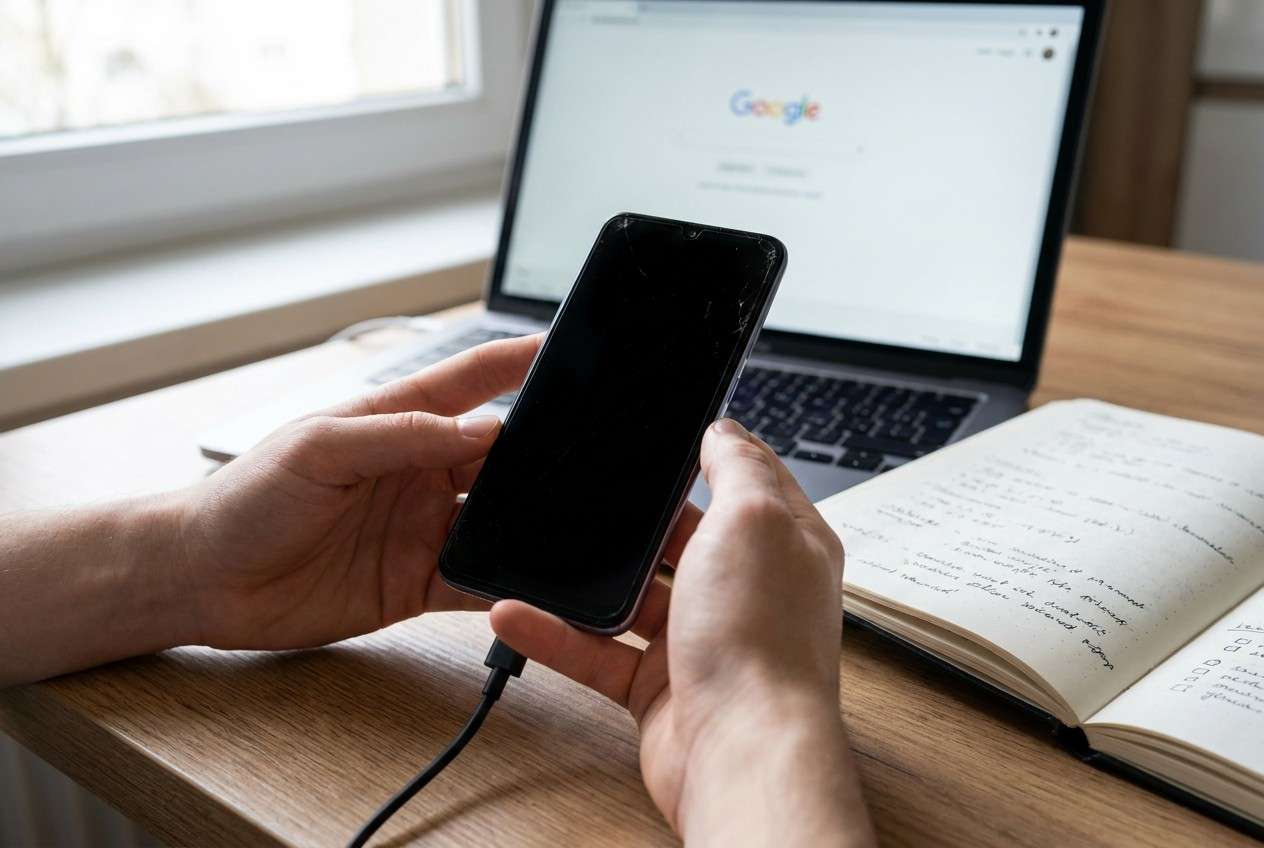
This usually starts right after impact—e.g., your Samsung Galaxy S22 or Pixel 7 slipped, you picked it up, and the screen stayed black even after you pressed Power. You may have just tried restarting it, plugging it in, or holding the power button.
1-1. What “still rings” usually indicates
“Still rings” is an important clue: the phone is likely powering on, and the motherboard is functioning enough to boot and receive calls, but the display path may be interrupted. Sometimes it’s a broken panel/backlight; other times it’s a loose display connector from the drop.
1-2. Why it can feel “dead” even when it’s on
It’s also possible the phone is on, but you’re locked out or the brightness/display mode changed—so it feels dead because nothing changes after several minutes, and it’s unclear whether the phone is still responsive.
1-3. Before you prompt the AI
Collect a few basics so the AI can rank causes correctly:
- Phone make/model and Android version (if known)
- What happened right before the issue (height of drop, surface, case on/off)
- What still works (rings, vibration, alarms, haptics, fingerprint)
- Charging behavior (LED, warmth, charging sound)
- Any signs of physical damage (cracks, bent frame, screen bleeding)
- Anything you already tried (force restart, different cable, safe mode)
Part 2. Using AI prompts to diagnose android phone black screen after drop but still rings safely
2-1. Level 1: Basic Prompt
My Android phone has a black screen after a drop, but it still rings/vibrates. Ask me the minimum questions needed to narrow whether this is (1) display/backlight damage, (2) loose screen connection, (3) battery/charging issue, or (4) software/lock-screen issue, and then give the safest next step to test each possibility without risking data loss.
2-2. Level 2: Advanced Prompt
Diagnose “Android black screen after drop, but still rings.” Based on my answers, rank the most likely causes from 1–5 and label each with risk level (low/medium/high) for DIY checks. Only suggest non-destructive steps first (no factory reset, no flashing). For each cause, list: what evidence supports it, what evidence would disprove it, and one safe test I can do in under 2 minutes.
2-3. Level 3: Evidence Prompt
Act as a triage assistant for a dropped Android with a black screen but still ringing. Use the details below and produce:
1) Top 3 likely causes with probabilities,
2) A “safe test plan” ordered from lowest risk to highest,
3) What I should stop doing to avoid lockout or damage.
Details:
- Phone model: (e.g., Samsung Galaxy S22 / Pixel 7)
- Android version: (unknown / Android 13)
- After the drop, what happened immediately: (screen went black / flickered / showed lines)
- Does it ring or vibrate on calls/texts: (yes/no)
- Can I feel haptics when pressing buttons: (yes/no)
- Charging signs: (LED color, charging sound, warms up)
- Any visible damage: (cracks, black spots, ink-like bleed, bent frame)
- Can I hear unlock sounds / camera shutter: (yes/no)
- Tried force restart: (what button combo and what happened)
- Tried connecting to a PC: (detected/not detected)
- Fingerprint/face unlock behavior: (works/doesn’t)
- My goal: (regain access / unlock screen / back up data / confirm hardware issue)
2-4. Prompt Refinement
Use these follow-ups to make the AI’s diagnosis more reliable:
What are the 5 most important missing questions you need from me, and why does each change the diagnosis?
Separate hardware causes vs software/lock-screen causes, and tell me what evidence points to each category.
Rank the causes again, but only using evidence that I can observe without seeing the screen.
What single observation would most strongly distinguish ‘broken display’ from ‘phone is on but locked’?
Give me a ‘stop list’: actions that could cause data loss, FRP/lockout, or worsen physical damage.
Part 3. When to stop troubleshooting android phone black screen after drop but still rings and avoid risks
Stop and reassess if you hit any of these signals:
- The phone gets unusually hot, smells like burning, or the battery area swells
- You see “ink” bleed, expanding black spots, or glass shards around the display
- Repeated force restarts change nothing and the phone stops charging normally
- You’re about to try destructive steps (factory reset, flashing, random button combos) without a clear reason
Once you’ve narrowed the likely cause (display vs lock/access vs power), it’s safer to move from diagnosis to a controlled execution approach focused on regaining screen access.
Part 4. AI output vs reality (what AI can infer vs what you must confirm)
AI can help you plan, but it can’t verify what’s physically damaged on your device:
| What AI can infer | What you must confirm |
|---|---|
| The drop + ringing pattern often points to a display/backlight failure | Whether the OLED/LCD is cracked internally or the backlight is dead |
| Charging/LED/vibration clues can narrow power vs display issues | Whether the battery or charging port is damaged from impact |
| PC detection hints at whether Android boots | Whether USB settings allow detection without unlocking |
| Safe next steps can be prioritized by risk | Whether the phone is locked and needs an unlock method to proceed |
AI helps you choose the safest path and avoid risky guesses. Execution (especially screen access and unlocking) still depends on what the phone allows and what tools you use.
Part 5. Android phone black screen after drop but still rings: fix or resolve it safely with Dr.Fone
If your Android still rings after the drop, it may be running but inaccessible—especially if the screen can’t show the lock screen or accept touch. At this point, the practical goal often becomes restoring access to the device so you can continue with backups, transfers, or further assessment without guessing. Dr.Fone - Screen Unlock (Android) is relevant here because it’s designed to help you proceed when normal on-screen unlocking isn’t possible, while keeping the process structured and minimizing unnecessary trial-and-error.
 Unlock Android phone in seconds.
- Remove PIN, pattern, password, fingerprint.
- Bypass Google FRP lock easily.
- Works on all Android brands & models.
- No tech skills required – user-friendly.

-
Step 1 Install Dr.Fone on a computer
Download and install Dr.Fone on your PC/Mac, then open it and choose the screen unlock module to avoid experimenting with random recovery tools.

-
Step 2 Connect your Android phone by USB
Use a reliable cable and a stable USB port (avoid loose ports after a drop) so the connection doesn’t interrupt mid-process.

-
Step 3 Select Unlock Android Screen
Choose the option that matches your situation, and double-check you’re working on the correct device to reduce the risk of unintended actions.

-
Step 4 Follow the on-screen device selection and prompts
Enter the correct brand/model details when prompted, because mismatches can lead to incorrect steps or failed attempts.

-
Step 5 Complete the unlock flow and regain access
After access is restored, immediately set a new lock method and plan a backup before doing anything else that could re-lock the device.




Conclusion
Use AI to describe what you observe, rank the most likely causes, and choose low-risk checks first; when the likely issue points to access/lock-screen blockers rather than total device failure, hand off execution to a dedicated approach like Dr.Fone’s Android screen unlock to proceed in a structured way.
FAQ
-
Why does my Android have a black screen but still rings after a drop?
It often means the phone is still booting and receiving calls, but the display/backlight or its connection was damaged by the impact. -
How can I tell if it’s a broken screen or a software issue if I can’t see anything?
Use observable signals: vibration/haptics, charging LED/sounds, PC detection, and whether calls can be answered—AI can help you interpret these without relying on the display. -
Is it safe to keep force restarting a phone with a black screen after a drop?
A few attempts are usually fine, but repeated restarts without new evidence can worsen instability, risk overheating, or complicate lock/access issues. -
Will connecting my phone to a PC help if the screen is black?
Sometimes. If the phone boots and USB is allowed before unlocking, a PC may detect it; if USB requires unlocking, detection may be limited. -
When does screen unlock become relevant in a black-screen scenario?
When the phone appears to be running (rings/vibrates) but you can’t interact with the lock screen due to no display or no touch response, unlocking can be a controlled way to restore access.
 Add Wondershare Dr.Fone as a preferred source on Google





