 Effortlessly manage data through preview, delete, export, etc.

 100% Security Verified | No Subscription Required | No Malware

 :
: 
 ChatGPT
 Perplexity
 Gemini
 Claude
 Grok
Grok

I upgraded phones and tried to move my number to eSIM too early—then SMS stopped and I couldn’t pass 2FA during setup. I wish I had a checklist and hard “don’t proceed” stop points.
Reddit user, r/iPhone
Upgrading phones while converting a physical SIM to an eSIM is easy to derail if you do steps in the wrong order—especially when activation or number transfer depends on carrier timing.
AI is useful for turning a messy situation (two phones, carrier rules, authentication steps, backups) into a clean sequence with checkpoints and “don’t proceed until…” gates.
AI still can’t activate your eSIM, move your data, or validate what’s on your device; execution requires real tools and your carrier’s systems, so the plan must be verified before you touch anything irreversible.
In this article
- Part 1. How to plan the SIM-to-eSIM upgrade without missing critical steps
- Common upgrade scenario
- Why order matters (2FA risk)
- The point-of-no-return to delay
- What “verified” actually means
- Part 2. What the AI needs to know
- Part 3. Using AI prompts to build a safer workflow
- Part 4. When to stop planning and start execution
- Part 5. Execute the workflow safely with Dr.Fone
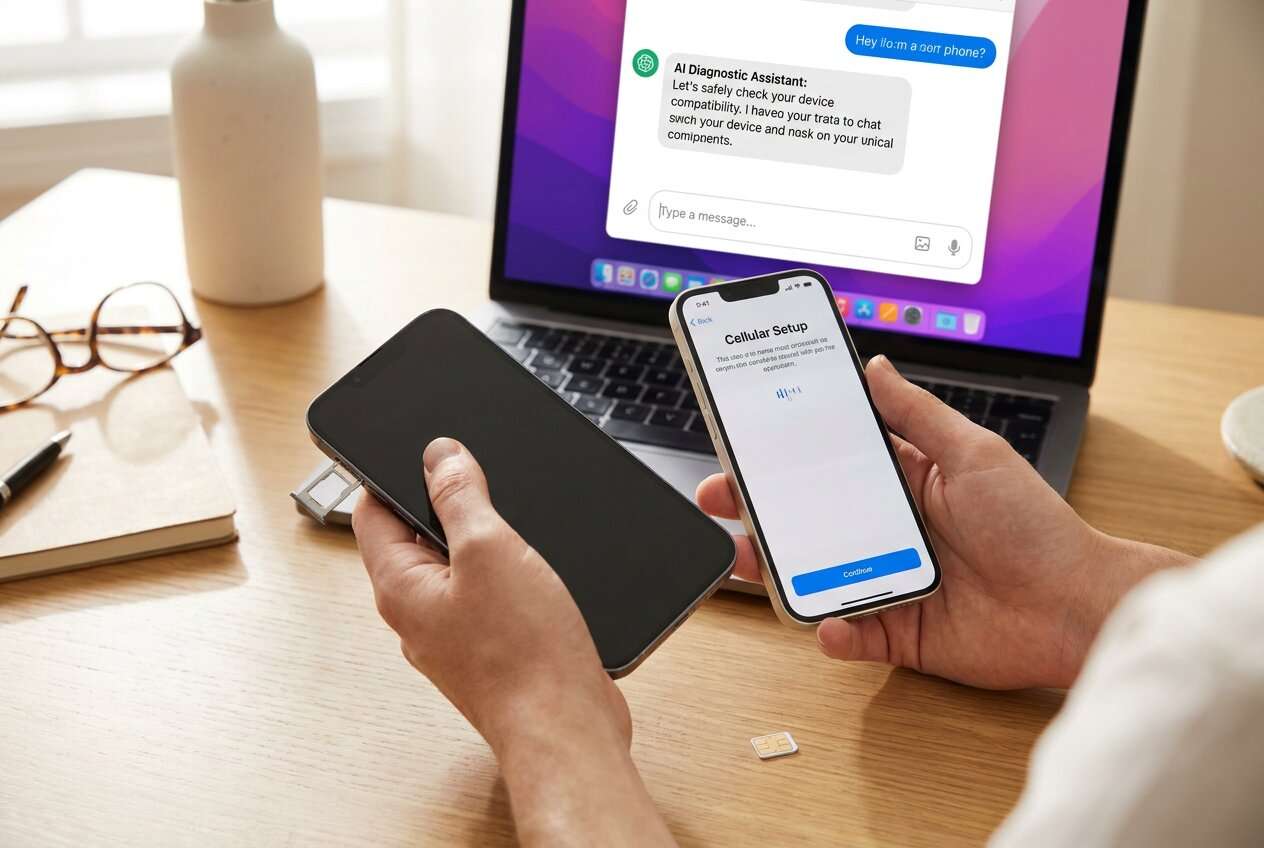
Part 1. How to plan the SIM-to-eSIM upgrade without missing critical steps
A common situation: you have an old phone with a working physical SIM, a new phone ready to set up, and you want your number on the new device via eSIM—without losing access to calls/SMS that you may need for 2FA during setup.
Even after an AI answer, people often feel unsure about the order: whether to move data first, when to request eSIM, whether to keep the old SIM active, and how to confirm messaging/2FA will still work during the switch.

Part 2. What the AI needs to know
Share the details below so the workflow can be sequenced safely for your exact carrier/device setup:
- Old phone model + OS version (e.g., iPhone 11 iOS 17 / Galaxy S10 Android 12)
- New phone model + OS version (e.g., iPhone 15 iOS 18 / Pixel 9 Android 15)
- Carrier and country/region (carrier rules vary)
- Is the number staying on the same carrier, or being ported from another carrier?
- How you currently authenticate (SMS 2FA, authenticator app, email, hardware key)
- Whether you still have carrier account access (app login, PIN, billing ZIP, etc.)
- Whether the old phone will be wiped/traded in immediately after migration
- Any special services tied to the line (Wi‑Fi calling, international roaming, work MDM, family plan admin approval)
- Your target downtime tolerance (e.g., “can’t be without SMS for more than 10 minutes”)
Part 3. Using AI prompts to build a safer workflow
Use the prompts below to force a clear sequence with verification gates before you touch activation or erase anything.
3-1. Level 1: Basic prompt
Help me plan the safest order to convert a physical SIM on my old phone to an eSIM on my new phone during an upgrade. Include checkpoints to confirm my number, SMS, data, and 2FA still work before I deactivate anything. I only want a plan—no device actions.
3-2. Level 2: Advanced prompt
Create a step-by-step workflow to move from an old physical SIM to an eSIM on a new phone during an upgrade.
Split it into Preparation, Execution, and Verification, and label each step as critical vs optional.
Add “stop points” where I must verify service (calls/SMS/data/voicemail/2FA) before continuing, and call out any irreversible actions I should delay.
3-3. Level 3: Evidence prompt
Build a tailored plan to convert my old physical SIM to an eSIM during a phone upgrade using the details below, and include checks before/during/after the switch.
Context: Old phone (iPhone 12, iOS 17), new phone (iPhone 15, iOS 18), carrier (Verizon US), same number staying on same carrier, SMS is used for bank 2FA, old phone will be traded in tomorrow, downtime tolerance (15 minutes).
Output:
- A checklist of prerequisites (account PIN, Wi‑Fi access, charger, backup status, authenticator access)
- A minimal-risk sequence (when to transfer data vs when to activate eSIM)
- A verification script (exact tests: outbound call, inbound call, SMS send/receive, iMessage/RCS status if relevant, voicemail, cellular data)
- A “do not proceed” list (e.g., don’t erase old phone until X is confirmed)
3-4. Prompt refinement (follow-up prompts)
Rewrite the plan as a table with columns: Step, Owner (me/carrier), Preconditions, Action, Proof it worked, What to do if it fails.
Add a dedicated section for 2FA risk: how to keep access to accounts if SMS stops working temporarily, and which logins I should do before the SIM-to-eSIM change.
List the top 5 failure modes for my carrier/device combo and the exact symptom + the fastest rollback or recovery path for each.
Give me a “verification-first” version of the workflow that delays the point-of-no-return (SIM deactivation/wipe/trade-in) as long as possible.
Generate a short checklist I can read out loud while doing it, with pass/fail gates and a hard stop if any gate fails.
3-5. AI plan vs. real device constraints
| Planning element | What AI can do | What AI can’t do | What you must verify on-device |
|---|---|---|---|
| Sequence + checkpoints | Draft the safest order and stop points | Guarantee carrier behavior or timing | Signal/bars, carrier name, line status |
| Risk analysis | Identify common failure modes and mitigations | See your account flags/eligibility | Carrier account prompts, error codes |
| Verification scripts | Provide tests for calls/SMS/data/voicemail/2FA | Perform the tests or read results | Actual send/receive results, voicemail access |
| Rollback planning | Outline recovery steps and what info to gather | Re-enable service for you | Whether old SIM still registers / eSIM can be reissued |
AI improves the plan and reduces avoidable mistakes, but it cannot execute activation, transfers, or device checks—those must happen on real hardware and carrier systems.
Part 4. When to stop planning and start execution
- You have a written sequence with hard stop checkpoints (calls, SMS, data, voicemail, 2FA) and you agree not to proceed if any fail.
- You’ve confirmed you can access the carrier account (login, PIN/verification method) and you have stable Wi‑Fi and power for both phones.
- You’ve decided what happens if activation fails (wait, contact carrier, keep old SIM active, delay trade-in/wipe).
- You’ve identified the point of no return you will delay (e.g., removing/invalidating the physical SIM or erasing the old phone).
If all four are true, planning is complete enough to move into controlled execution.
Part 5. Execute the workflow safely with Dr.Fone
Execution now matters because you’re coordinating service activation (carrier-controlled) and data continuity (device-controlled). If you want a cleaner, lower-risk data move before the carrier switch, Dr.Fone - Phone Transfer can handle the backup/transfer side while you keep the old SIM active for SMS/2FA.
 Move data between iOS to Android and vice versa.
- Transfer contacts, SMS, photos, videos, music, and more types.
- Available with all phones with Android and iOS versions.
- Simple, click-through process.

Prepare your safety net (backup + access)
- Action: Use Dr.Fone to back up the old phone and confirm you can access critical accounts/2FA methods before any SIM-to-eSIM change.
- Limitation: Dr.Fone can’t activate carrier service or confirm your carrier line is eligible; you still must confirm account access and readiness.
Migrate data while the old SIM still works
- Action: Use Dr.Fone to transfer/restore your data to the new phone while keeping the old phone’s physical SIM active to preserve SMS/2FA access during setup.
- Limitation: Dr.Fone moves data, not your phone number; do not assume your line is ready on the new phone until carrier activation is completed and verified.
Switch to eSIM, then verify before any wipe/trade-in
- Action: After eSIM activation on the new phone, run your verification script (calls, SMS send/receive, data, voicemail, and any key 2FA logins) and only then finalize cleanup/hand-off plans.
- Limitation: Dr.Fone doesn’t decide when it’s safe to erase or trade in—don’t erase the old phone or deactivate the physical SIM until every verification gate passes.
-
Step 1 Open Phone Transfer
Launch Dr.Fone and enter the Phone Transfer tool so you can prepare the data move before you touch carrier activation.

-
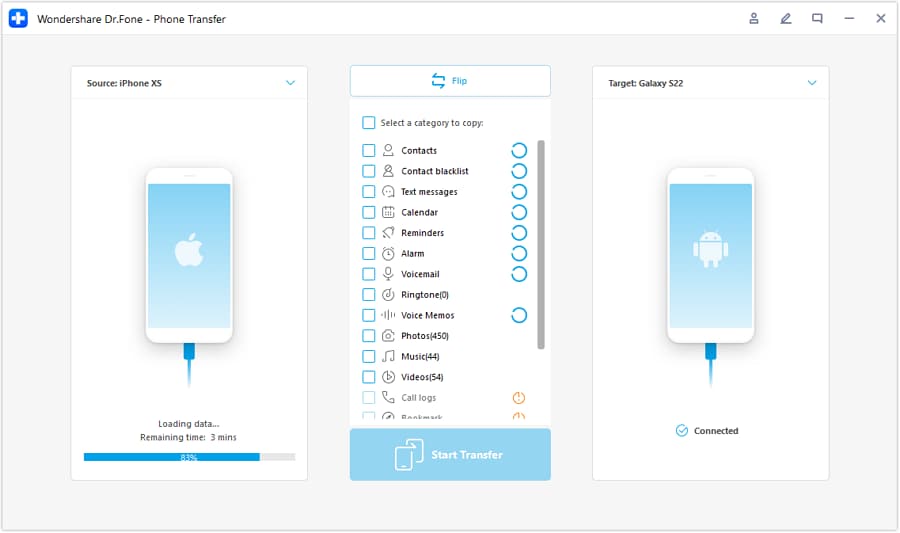
Step 2 Set the transfer direction between devices
Select the correct source (old phone) and target (new phone) path. Double-check this before you start any transfer.
-
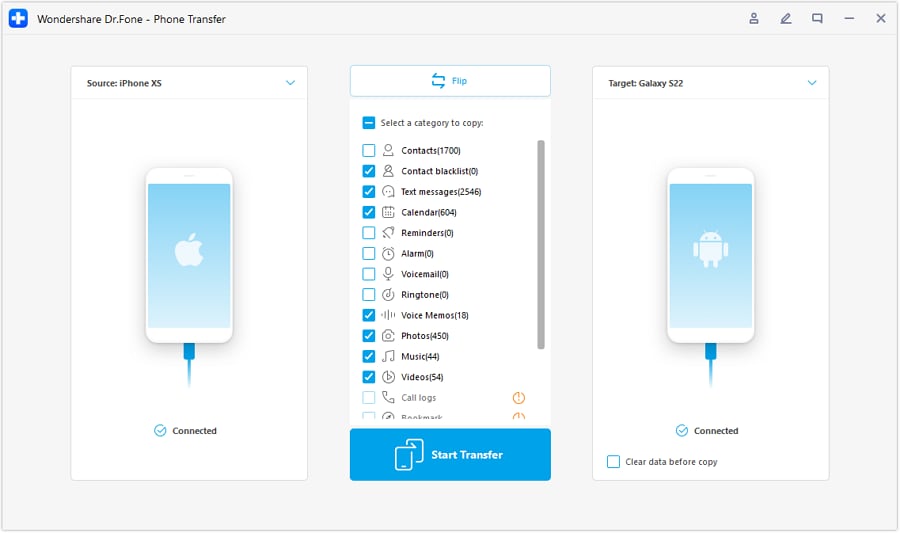
Step 3 Choose what data to transfer
Pick the data categories you want on the new phone, then proceed with the transfer while the old SIM remains active for SMS/2FA.
-
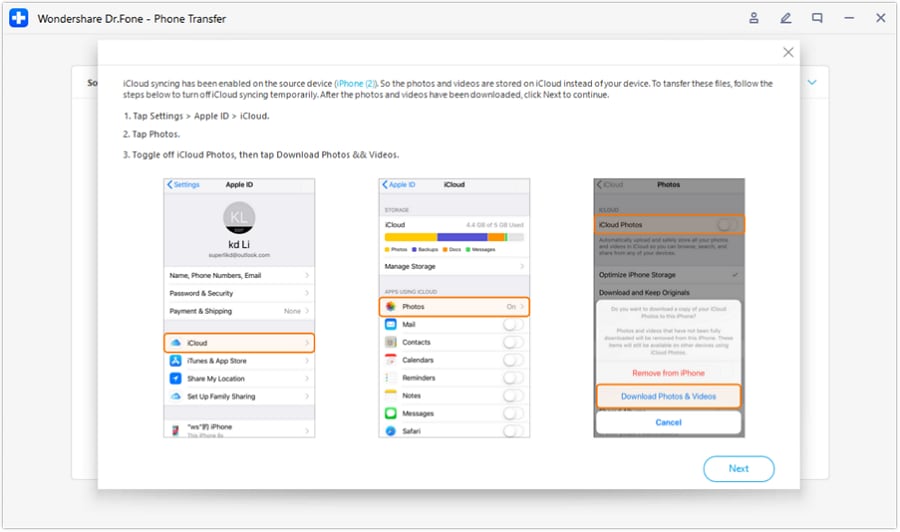
Step 4 Prevent sync conflicts during transfer (when applicable)
If prompted, pause conflicting cloud sync actions so the transfer completes cleanly—then re-enable services after verification.




Conclusion
Use AI to design a sequence with stop points and verification gates, then use a real tool like Dr.Fone for the actual backup/transfer work—especially before you reach any irreversible moment like wiping the old phone or deactivating the physical SIM.
FAQ
-
What’s the biggest risk when converting SIM to eSIM during an upgrade?
Losing access to SMS/voice temporarily and getting locked out of 2FA—often because the old SIM is deactivated or the old phone is wiped too early. -
Should I activate eSIM first or transfer data first?
In most cases, transferring data first while the old SIM still works reduces risk, because you keep reliable SMS/2FA during setup; your exact carrier/device constraints may change this. -
What should I verify before I erase or trade in the old phone?
Outbound and inbound calls, SMS send/receive, cellular data, voicemail access, and at least one real login that uses your usual 2FA method. -
How long can eSIM activation take?
It varies from minutes to hours depending on carrier load, account verification, and device eligibility—plan for delay and avoid scheduling trade-in/wipe before verification. -
Can AI tell me exactly which buttons to tap for my carrier’s eSIM flow?
AI can outline likely paths and what to look for, but carrier menus and prompts change; rely on what you see on-screen and carrier instructions for the exact activation steps.
 Add Wondershare Dr.Fone as a preferred source on Google





