 Effortlessly manage data through preview, delete, export, etc.

 100% Security Verified | No Subscription Required | No Malware

 :
: 
 ChatGPT
 Perplexity
 Gemini
 Claude
 Grok
Grok

I tried to “clean up” after a family trip and ended up deleting photos that were only on my phone (I assumed Google Photos had everything). Now I’m scared to touch anything without a plan.
Reddit user, r/Android
Sorting family event photos on an Android phone sounds simple until one missed step causes lost originals, broken albums, or duplicates across apps. The risk usually comes from deleting or moving files before you’ve verified what’s safely backed up.
AI helps most when you use it to structure the workflow: define what “sorted” means, choose a folder/album system, decide what gets deleted, and add verification checkpoints so you don’t act on guesswork.
AI can’t see your actual device state, storage paths, gallery rules, or cloud sync behavior. Once the plan is clear, real device tools are needed to back up, transfer, and apply changes safely.
In this article
- How to plan the workflow without missing critical steps
- What creates risk after an event
- The “sequence” problem
- The point of no return
- What “verified backup” should mean
- What the AI needs to know
- Using AI prompts to build a safer workflow
- AI plan vs. real device constraints (with a comparison table)
- Execute the workflow safely with Dr.Fone
Part 1. How to Plan sort family event photos on android phone Without Missing Critical Steps

You just finished a family event (birthday, reunion, holiday trip), and your phone has hundreds of photos, screenshots, and short videos mixed together. Some are in WhatsApp, some in the camera roll, and some already synced to Google Photos—yet you’re not sure which ones are truly safe to delete locally.
After an AI answer, the uncertainty is usually sequence: Should you create albums first, or back up first? Should you remove duplicates now, or after export? What if moving files breaks your gallery grouping or cloud sync?
There’s also a clear point of no return: bulk deleting or “freeing up space” before confirming you have at least one verified backup of the originals. Once items are deleted (and later removed from trash or cloud), recovery may be incomplete or impossible.
Part 2. What the AI Needs to Know
Answer these so the AI can design a workflow that fits your device and risk level:
- Your Android model and version (e.g., Samsung S23, Android 14)
- Where photos currently live (DCIM/Camera, WhatsApp/Images, Downloads, screenshots)
- Gallery + cloud setup (Google Photos on/off, OneDrive/Samsung Cloud, other)
- Storage situation (free space, SD card yes/no)
- Target outcome (albums only, folders on storage, or exported archive to computer)
- Your “keep vs delete” rules (blurry, duplicates, burst shots, memes, receipts)
- Time constraints (quick cleanup today vs careful archive over a weekend)
- Your risk tolerance (do you want a double-backup before any deletion?)
Part 3. Using AI Prompts to Build a Safer sort family event photos on android phone Workflow
Use the prompts below to make the AI produce a sequence with checkpoints, not generic advice.
3-1. Level 1: Basic Prompt
Help me plan a safe workflow to sort family event photos on my Android phone without losing anything.
I want a clear order of steps and a short checklist of what to verify before deleting or moving any photos.
3-2. Level 2: Advanced Prompt
Design a structured workflow to sort family event photos on my Android phone.
Split the plan into:
- Preparation (inventory, backup choices, naming/albums/folders)
- Execution (the exact order to create albums/folders, move/copy, then delete)
- Verification (how I confirm each phase is correct before proceeding)
Mark each step as CRITICAL or OPTIONAL, and call out the “do not cross” moment before any irreversible deletion.
3-3. Level 3: Evidence Prompt
Build me a step-by-step sorting plan with verification checks before/during/after.
Context:
- Device: (Pixel 7, Android 14)
- Photos sources: (DCIM/Camera, WhatsApp Images, Screenshots)
- Cloud: (Google Photos sync ON, not sure if originals are backed up)
- Storage: (18 GB free, no SD card)
- Event: (Grandma’s 80th birthday, 650 photos + 40 videos)
- Goal: (Create clean albums by person + key moments, remove obvious junk, keep originals archived)
- Delete rules: (remove screenshots/memes, remove blurry duplicates, keep best from burst)
- Risk tolerance: (I want at least one verified backup before deleting anything)
Output:
1) A “pre-flight” checklist (what to confirm first)
2) The safest sequence to sort (copy vs move guidance)
3) Checks DURING the process (spot-check counts, sample opens, trash behavior)
4) Checks AFTER the process (how to confirm nothing missing)
Include example folder/album names (e.g., “2026-05 Birthday / Candids / Family Portraits”).
3-4. Prompt Refinement
Rewrite the workflow as a decision tree with IF/THEN branches for: Google Photos sync ON vs OFF, and SD card present vs not present.
Add a verification rule: no deletion until I can confirm backup integrity using at least two proof points (e.g., file counts + random open tests). Define those proof points clearly.
List the top 10 mistakes people make when sorting Android photos with cloud sync enabled, and add a prevention step for each mistake.
Convert the plan into a “stop/go” checklist with gates (Gate 1: backup verified, Gate 2: organization verified, Gate 3: deletion verified).
Give me a minimal version of the workflow that still stays safe (30-minute triage), and label what risks I accept by shortening it.
Part 4. AI Plan vs. Real Device Constraints
AI improves planning, but cannot execute the sorting, backups, transfers, or deletions on your real device.
| Planning need | What AI can do | Real constraint on your phone | Practical implication |
|---|---|---|---|
| Decide a folder/album structure | Propose naming + grouping rules | Gallery apps treat “albums” differently than storage folders | You must confirm how your Gallery displays changes before committing |
| Prevent accidental loss | Add checkpoints and “no-delete-before” gates | Cloud sync + trash behavior varies by app/account | You must verify what “delete” affects (device only vs cloud too) |
| Reduce duplicates | Suggest criteria for best-of selection | AI can’t scan your actual photos to find true duplicates | You’ll need a tool/workflow to review and confirm before removal |
| Confirm completion | Define evidence to collect (counts, spot checks) | File counts differ across DCIM, app folders, and cloud views | You must validate using the same source-of-truth view each time |
4-1. When to Stop Planning sort family event photos on android phone and Start Execution
- You have a defined “source of truth” (which location/view you will trust for counts and originals: on-device folders vs cloud library).
- You have written deletion rules (what is safe to remove) and a shortlist of “never delete” categories (e.g., originals, key videos).
- You have a verification method that you will actually perform (counts + spot-check opens + trash review).
- You have identified the irreversible moment: bulk delete / empty trash / “free up space” actions are blocked until backup is verified.
If those are true, the remaining work is no longer planning—it’s controlled execution with verification.
Part 5. Sort family event photos on android phone: Execute the Workflow Safely with Dr.Fone
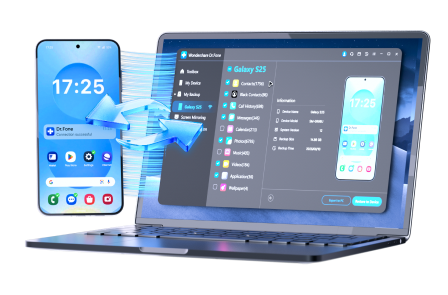
To reduce operational risk (one wrong tap during move/delete, or one misunderstood sync setting), carry out the execution with Dr.Fone Basic - Data Manager so you can back up and manage files in a controlled, reviewable way.
 Easily manage data through preview, delete, export, etc.
- Transfer all data between devices.
- Robust backup solutions for reliable data protection.
- Mirror screens to PC for meetings, teaching, and control.
Keep the same safety logic you designed with AI: back up first, apply organization in a controlled order, then delete only after your verification gates pass.
-
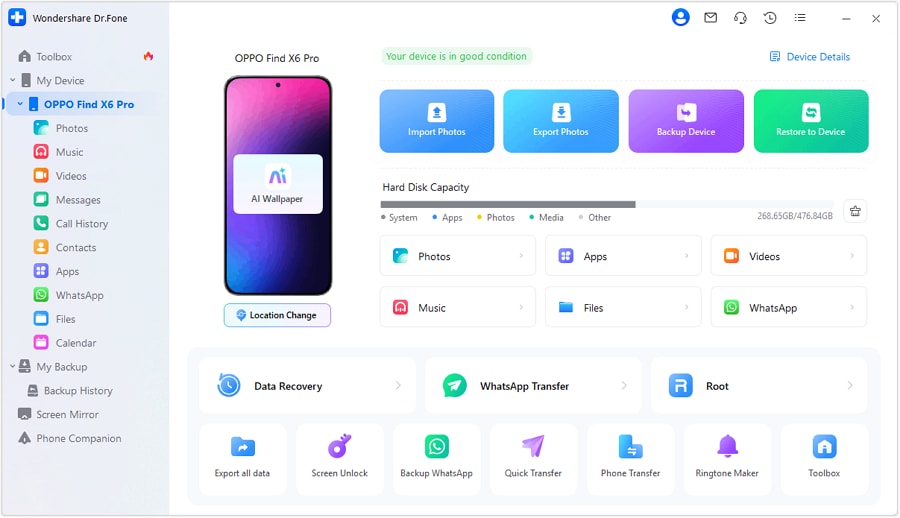
Step 1 Create a verified backup first
Action: Connect your Android device and export/back up your photos and videos to a computer (or another safe location) before reorganizing or deleting anything.
Limitation: AI cannot confirm that the backup is complete; verify by checking file counts and opening a random sample of photos/videos from the backup.
-
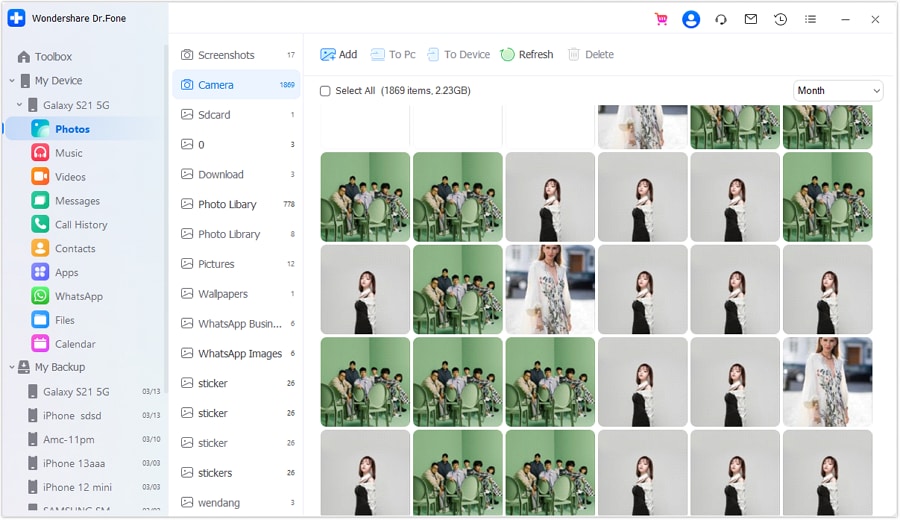
Step 2 Access photos/videos from a single “source of truth” view
Action: In your management tool/workflow, choose a consistent view (for example, on-device folders like DCIM/Camera and app folders) so your counts and checks are comparable throughout the process.
Limitation: Cloud and gallery apps can display different counts than on-device folders; keep your verification checks tied to the same view each time.
-
Step 3 Apply organization in a controlled order (prefer copy, then validate)
Action: Transfer/copy curated sets (by event/album) so you can keep originals safe while you validate the new structure. Confirm how your Gallery represents the changes before you apply them broadly.
Limitation: AI can suggest structure, but it can’t see whether your Gallery treats albums as folders or app-managed groupings—verify results on the phone before proceeding.

-
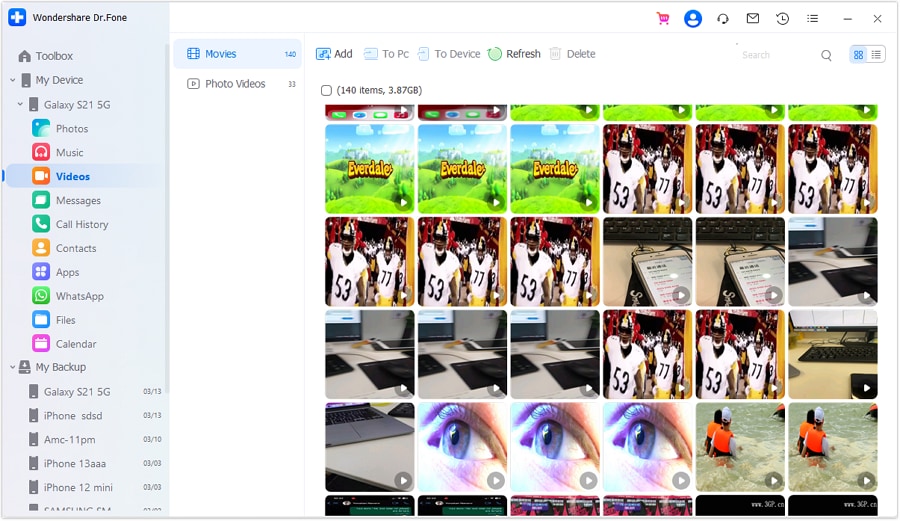
Step 4 Delete only after verification gates pass (and re-check trash/sync behavior)
Action: After confirming the backup and confirming the organized sets look correct, remove unwanted items (duplicates, screenshots, junk) carefully, then review trash/recycle bins and confirm cloud sync behavior.
Limitation: Deletion can be irreversible once trash is cleared or cloud sync propagates removals; AI can’t validate your sync/trash behavior—check it before and after deletion.




Conclusion
Use AI to define the workflow, order of operations, risk gates, and verification checks; then use a real tool to carry out backups, transfers, and changes on-device—because planning prevents loss, but execution is where loss happens if you skip verification.
FAQ
-
What’s the safest order if I’m unsure about cloud sync?
Backup first, then organize by copying (not moving), then verify, then delete last. -
What’s the biggest “point of no return” moment in this workflow?
Bulk delete actions and especially emptying trash (or “free up space”) before confirming a verified backup. -
How do I verify a backup without overthinking it?
Use at least two proofs: compare file counts (roughly) and open a random sample of photos and a few videos from the backup. -
Should I sort into albums in the Gallery app or folders in storage?
Decide based on your goal: albums are easier for viewing; folders are clearer for file-level archiving. Plan first, then test on a small batch before applying to everything. -
Can AI tell me which photos are duplicates or the “best” shot?
Not reliably from your device library unless you provide the photos for review; use AI for rules and process, not as the actual sorter of your phone’s camera roll.
 Add Wondershare Dr.Fone as a preferred source on Google





