 Effortlessly manage data through preview, delete, export, etc.

 100% Security Verified | No Subscription Required | No Malware

 :
: 
 ChatGPT
 Perplexity
 Gemini
 Claude
 Grok
Grok

I updated my Galaxy phone and Samsung Notes suddenly looks empty—like everything vanished. I’m afraid to clear data or reinstall because I might lose my notes for good.
Samsung Community user
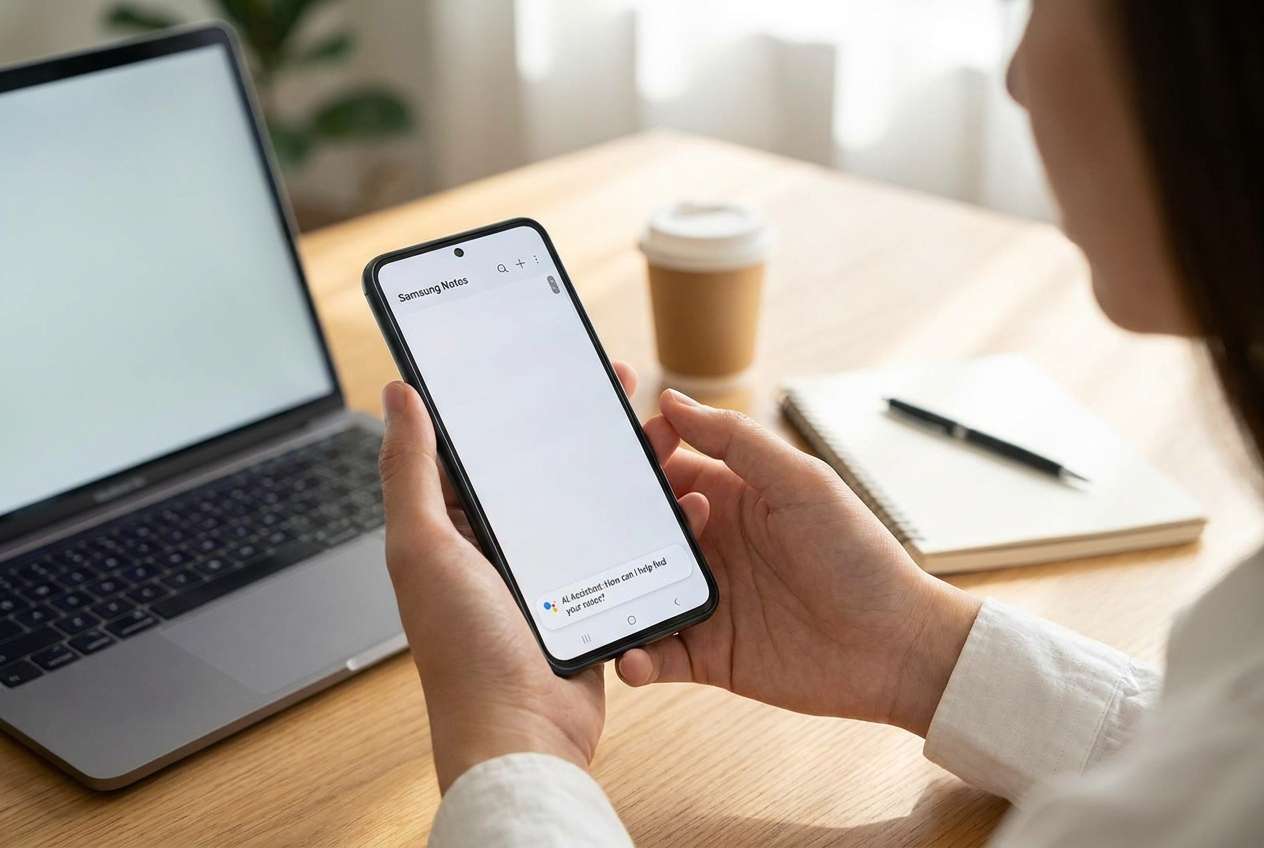
Samsung Notes can seem to “vanish” right after a software update—especially if you tapped Install now, the phone restarted, and the Notes app opened with fewer notes (or none). On devices like a Galaxy S22 or Galaxy S23, this can look like sudden data loss even when nothing was intentionally deleted. It’s common to wait several minutes and still see no change, making it unclear whether the phone is still syncing or the notes are gone.
AI (like ChatGPT or Gemini) can help you sort the symptoms, narrow likely causes, and choose the least risky next checks—for example, distinguishing sync/account issues from storage or app database changes.
AI can’t verify what’s actually on your device or in your Samsung account, and trial-and-error actions (clearing data, reinstalling apps, factory reset) can make recovery harder. The goal is to diagnose first, then use a dedicated tool to execute the recovery steps safely.
In this article
- Part 1. Why Samsung Notes disappeared after software update
- What “missing notes” can mean after an update
- Common causes to consider first
- Before you prompt the AI (what to collect)
- The key uncertainty to resolve
- Part 2. Using AI prompts to diagnose missing Samsung Notes safely
- Part 3. When to stop troubleshooting missing Samsung Notes after update
- Part 4. Recover missing Samsung Notes with Dr.Fone Data Recovery (Android)
- Part 5. Recommended recovery workflow and downloads
Part 1. Why Samsung Notes disappeared after software update
After a firmware update, Samsung Notes may appear missing due to account changes, sync being paused, app data migration issues, or local database changes. Sometimes the notes are still present but tied to a different Samsung account, stored in a different location, or not yet re-indexed after the update.
This often happens right after the device reboots and you open Samsung Notes expecting everything to load as usual—then only some notebooks show up, or the app looks like a fresh install. In some cases, users also recently switched devices (even coming from an iPhone 13 or iPhone 14) and assume notes are “on the phone,” when they may be tied to a cloud account or device-only storage.
The key uncertainty to resolve: Are the notes missing from the device, missing from the account sync, or hidden by an app/account state change? Your next steps should focus on confirming that before changing anything major.
1-1. Before You Prompt the AI
Collect a few facts first so the AI can narrow causes without guesswork:
- Samsung phone model and Android/One UI version
- When the issue started (immediately after update vs later)
- Samsung Notes version (if visible)
- Samsung account(s) signed in (and whether you recently switched accounts)
- Whether Samsung Cloud sync for Notes is enabled
- Whether notes are missing everywhere or only on this phone
- Any recent actions (clearing cache, reinstalling, battery optimization changes)
Part 2. Using AI prompts to diagnose missing Samsung Notes safely
2-1. Level 1: Basic Prompt
My Samsung Notes are missing after a software update. Ask me the minimum questions needed to determine whether this is a sync/account issue, an app visibility issue, or likely local data loss, and suggest the lowest-risk checks first.
2-2. Level 2: Advanced Prompt
Act as a cautious Android data triage assistant. My Samsung Notes disappeared after a software update.
1) List the top 5 most likely causes and rank them by likelihood.
2) For each cause, list: what I would observe, how to confirm it, and the lowest-risk next step.
3) Flag any actions that could reduce the chance of later recovery (e.g., clearing app data, reinstalling, factory reset).
4) End with a “do first / avoid for now” checklist.
2-3. Level 3: Evidence Prompt
Help me diagnose “Samsung Notes missing after software update” using only low-risk checks and clear decision points. Here is my evidence:
- Samsung model: (e.g., Galaxy S23)
- Android / One UI version: (e.g., Android 14 / One UI 6.x)
- Update trigger: (e.g., tapped Install now, auto-rebooted)
- When noticed: (e.g., first app launch after reboot)
- Samsung Notes app version: (if known)
- Samsung account email(s) currently signed in:
- Sync status for Samsung Notes: (On/Off/Not sure)
- Network status: (Wi‑Fi/mobile/offline)
- Are notes missing on other devices/web?: (Yes/No/Not checked)
- Storage free space: (approx.)
- Any actions already taken: (e.g., cleared cache, force stop, restarted)
- What exactly is missing: (all notes / some notebooks / attachments only)
- Any error messages: (quote exact text)
Now:
A) Separate possible causes into categories (sync/account, app state, storage/database, device policy/MDM, true deletion).
B) Rank the categories by likelihood based on my evidence.
C) Give a low-risk decision tree: what to check first, second, third.
D) Tell me what NOT to do yet if I care about recovery.
2-4. Prompt Refinement
If the AI’s answer feels too general, use targeted follow-ups:
What are the 6 most important missing details you still need from me, and why does each detail change the diagnosis?
Re-rank your top causes assuming sync is enabled but notes are still missing after 2 hours on stable Wi‑Fi.
Split the possibilities into “notes still exist but not visible” vs “notes may be removed,” and list telltale signs for each.
Which single piece of evidence would most strongly confirm an account mismatch, and how do I check it without changing any data?
List actions that are commonly suggested online but are risky for recovery, and explain the specific risk of each.
2-5. AI Output vs Reality
AI is best at reasoning from what you report; your phone’s actual state may differ.
| AI can help you infer | You still must verify on-device |
|---|---|
| Whether symptoms fit sync/account mismatch | Which Samsung account is actually active in Samsung Notes |
| Whether timing suggests post-update indexing/migration | Whether notes appear on another device or after sync completes |
| Which checks are low-risk vs high-risk | Whether cache/data actions would remove local remnants |
| A cautious sequence of next steps | Whether any recoverable data remains in device storage |
AI narrows the likely cause and reduces risky trial-and-error; execution still depends on what’s truly present on the device/account and what actions you take next.
Part 3. When to stop troubleshooting missing Samsung Notes after update
Stop “trying random fixes” when signals suggest you could make recovery harder.
- You’re about to clear Samsung Notes data, uninstall the app, or reset settings and you haven’t confirmed sync/account status.
- Notes are missing and you’re considering a factory reset (even “to fix the update”).
- The phone has started overwriting storage heavily (large downloads, big OS updates again, lots of new photos/videos).
- You see repeated sync/login instability (accounts switching, sync toggles changing) and can’t reliably confirm where notes should be.
Once you’ve used AI to narrow the most likely scenario, shift from diagnosis to a recovery-focused execution path that avoids irreversible steps.
Part 4. Recover missing Samsung Notes with Dr.Fone Data Recovery (Android)
If the diagnosis points to possible local data loss (not just a sync/account visibility issue), it’s time to switch from analysis to careful execution. Dr.Fone - Data Recovery (Android) is relevant here because it’s designed to help you attempt to recover data from an Android device while keeping the process structured and minimizing risky “guess” actions. Use it after you’ve confirmed the basics (correct account, sync status, and no obvious visibility filters) and before doing major reset/reinstall steps. You can follow the flow in the official product pages and guide while keeping your device handling conservative.
-
Step 1 Stabilize the phone state
Stop unnecessary downloads and avoid reinstalling Samsung Notes to reduce the chance of overwriting recoverable remnants.

-
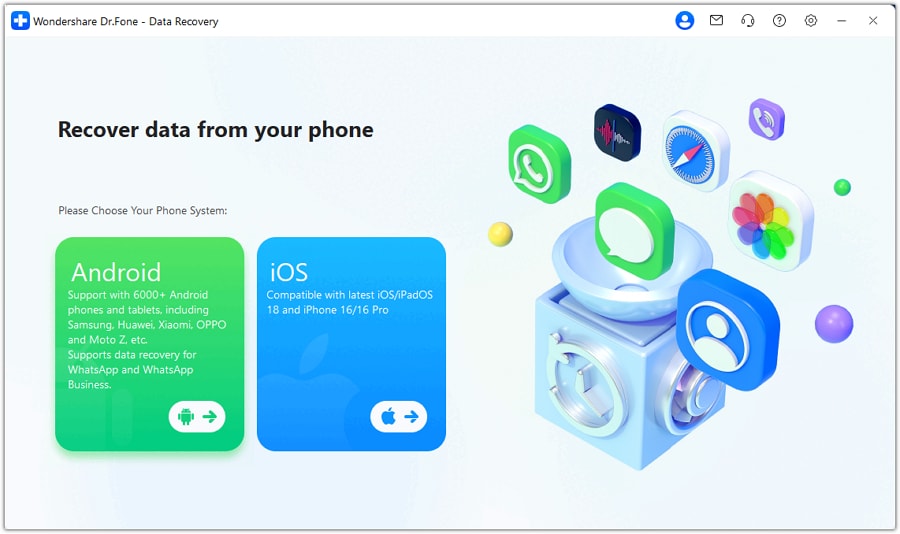
Step 2 Install and open Dr.Fone Data Recovery (Android)
Start Recover Data from Android Device and keep the phone connected reliably during the session.
-
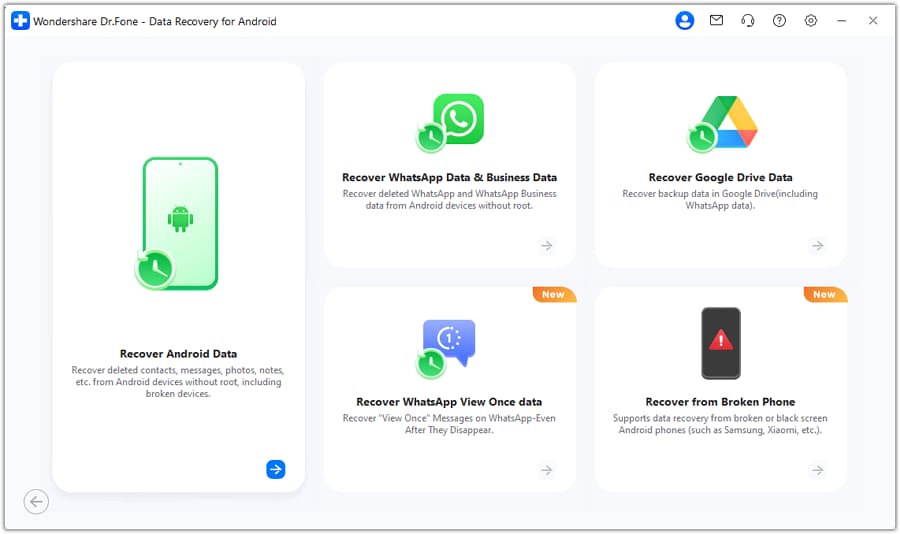
Step 3 Select appropriate data types and scan
Choose relevant categories and proceed carefully, avoiding interruptions (disconnects/reboots) that can invalidate results.
-
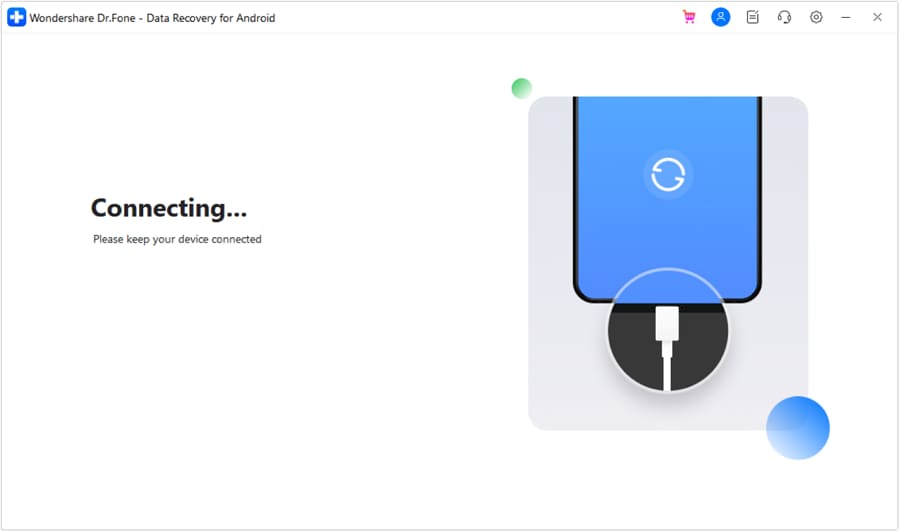
Step 4 Preview and recover to a safe location
Save recovered items to a computer/storage destination rather than back onto the same phone immediately to reduce overwrite risk.
-
Step 5 Re-check Samsung Notes sync after recovery
Once you’ve secured what you can, confirm account/sync settings so recovered notes don’t get re-hidden by the same root cause.

Part 5. Recommended recovery workflow and downloads
If your AI-based diagnosis suggests the issue is more than a simple sync/account visibility problem, use a structured recovery workflow and keep your actions conservative (avoid uninstalling Samsung Notes, clearing app data, or factory resets until after recovery attempts).
 Scan Android phones and tablets directly.
- Preview and recover only what you want.
- Supports WhatsApp, photos, videos, contacts, and more.
- Works with 6000+ Android devices.

As you run recovery, keep the phone connected, minimize storage-writing activities (downloads/recording), and recover to a computer first to reduce overwrite risk. Afterward, you can revisit Samsung Notes account/sync settings to prevent the same “missing” state from repeating.




Conclusion
Use AI to turn “Samsung Notes missing after software update” into a clear, evidence-based shortlist of causes and low-risk checks; once you suspect local data loss, hand off execution to a dedicated recovery workflow like Dr.Fone Data Recovery (Android) so you’re not relying on irreversible trial-and-error.
FAQ
-
Why are my Samsung Notes missing right after an update?
Common causes include sync being paused, a Samsung account mismatch, app migration/indexing delays, or changes in local app data after the update. -
Can switching Samsung accounts make notes look deleted?
Yes. If notes were tied to a different Samsung account, signing into another account can make Samsung Notes appear empty even though data still exists elsewhere. -
Should I clear Samsung Notes cache or data to bring notes back?
Cache clearing is usually lower-risk than clearing data, but any “reset” action can reduce recovery options; confirm sync/account status first. -
How do I know if it’s a sync issue vs local loss?
If notes appear on another device/account view but not on the phone, it’s likely sync/account/visibility; if they’re missing everywhere, local loss or deletion becomes more likely. -
If I reinstall Samsung Notes, will my notes return?
Sometimes, but reinstalling can remove local remnants and complicate recovery; treat it as a later step after diagnosis and any recovery attempts.
 Add Wondershare Dr.Fone as a preferred source on Google





