 Effortlessly manage data through preview, delete, export, etc.

 100% Security Verified | No Subscription Required | No Malware

 :
: 
 ChatGPT
 Perplexity
 Gemini
 Claude
 Grok
Grok

My iPhone is fine until I turn on Background App Refresh—then apps start closing and sometimes the phone restarts. I can’t tell if it’s one app or iOS itself.
Apple Support Community user
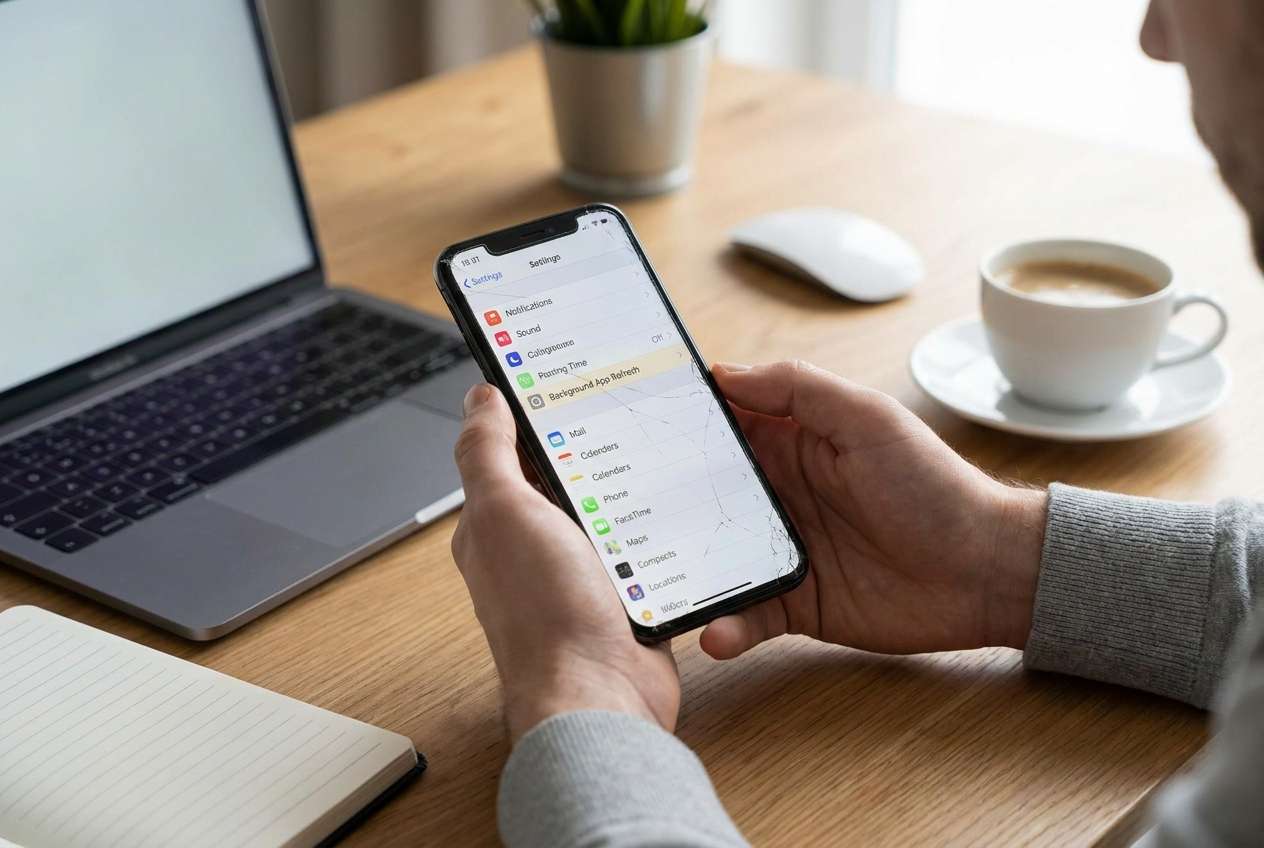
Your iPhone may keep crashing right when Background App Refresh is enabled—apps close suddenly, the screen briefly freezes, or the device restarts. This often shows up on models like iPhone 13 or iPhone 14, especially right after tapping Install Now for an iOS update or after a routine restart.
AI (like ChatGPT or Gemini) can help you describe the symptoms clearly, narrow likely causes, and compare what’s most plausible based on what you observe—without jumping into risky trial-and-error.
AI can’t “see” your device logs or confirm the exact fault. If you keep toggling settings, deleting apps, or force-restarting repeatedly, you can accidentally increase instability or complicate later recovery steps—so the goal is to stay low-risk while you diagnose.
In this article
- Part 1. Why iPhone keeps crashing when background apps refresh happens and what it means
- What Background App Refresh does
- Common crash patterns
- What it does (and doesn’t) imply
- Before you prompt the AI
- Part 2. Using AI prompts to diagnose safely
- Part 3. Prompt Refinement: follow-ups that reduce risky guessing
- Part 4. AI Output vs Reality: what to verify on-device
- Part 5. When to stop troubleshooting and avoid risks
Part 1. Why iPhone keeps crashing when background apps refresh happens and what it means
When Background App Refresh is active, apps can update content in the background. If your iPhone crashes right when these background tasks run, it can point to a software instability (iOS-level), a specific app conflict, storage pressure, or a corrupted system state after an update.
A common pattern is: you enable Background App Refresh (or leave it on), lock the phone, switch networks, or open/close several apps—then the device lags and an app (or SpringBoard) crashes. It may feel like nothing changes after several minutes, or it’s unclear whether the phone is “still settling” after an update.
This symptom doesn’t automatically mean hardware failure. The practical meaning is: background processes are triggering the crash, so your diagnosis should focus on timing, repeatability, and whether one app, one network condition, or one iOS build correlates with the issue.
1-1. Before You Prompt the AI
Gather a few specifics first so the AI can narrow causes without guesswork:
- iPhone model and iOS version (Settings > General > About)
- Whether it started after an iOS update, restore, or migration
- Whether the crash is app-only or full device restart
- Available storage (Settings > General > iPhone Storage)
- Any pattern: Wi‑Fi vs cellular, low power mode, charging, VPN, focus modes
- Top apps that were active when it happens
Part 2. Using AI prompts to diagnose iPhone keeps crashing when background apps refresh safely
2-1. Level 1: Basic Prompt
My iPhone keeps crashing when Background App Refresh is enabled. Ask me the minimum questions needed to narrow it down, then list the top 3 likely causes and the lowest-risk checks I should try first (no data loss steps).
2-2. Level 2: Advanced Prompt
Diagnose my issue: iPhone crashes when Background App Refresh runs.
1) Give 5 possible causes ranked by likelihood.
2) For each cause, label risk level (low/medium/high) for testing it.
3) Provide a low-risk decision tree I can follow in 10 minutes.
Constraints: avoid factory reset; avoid anything that might erase data; prioritize reversible steps.
2-3. Level 3: Evidence Prompt
Act as a troubleshooting assistant. Use my evidence to infer the most likely cause of “iPhone keeps crashing when background apps refresh,” then propose low-risk next steps.
Device info
- iPhone model: (e.g., iPhone 13 Pro)
- iOS version/build: (e.g., iOS 17.x)
- Storage free: (e.g., 8 GB free of 128 GB)
- Battery health: (e.g., 82% / Service)
Trigger and timing
- When it started: (e.g., after iOS update / after installing a specific app)
- What I’m doing right before the crash: (e.g., locking screen, switching apps, leaving Wi‑Fi)
- Frequency: (e.g., 3 times/day)
Crash type
- App quits vs phone restarts vs freezing: (describe)
- Any heat, lag, or battery drain: (yes/no + details)
Settings and environment
- Background App Refresh: (On for all apps / only some)
- Low Power Mode: (On/Off)
- VPN/MDM profiles: (none / describe)
- Network: (mostly Wi‑Fi / mostly cellular)
What I tried
- Steps already taken: (e.g., force restart, reinstall app, reset network settings)
Output: 1) ranked causes, 2) what evidence supports each, 3) safest next step to confirm/refute, 4) what NOT to do yet.
Part 3. Prompt Refinement: follow-ups that reduce risky guessing
Use follow-ups to force clarity and reduce risky guessing:
What 3 questions would most change your ranking, and why?
Separate causes into: iOS-level, app-specific, storage/memory pressure, network/VPN/profile related.
Given my details, rank causes again and explain the single strongest piece of evidence for #1 and #2.
What observation would definitively rule out an app-specific cause?
List the lowest-risk checks that don’t change my data or settings permanently.
Part 4. AI Output vs Reality: what you should verify on-device
AI can guide thinking, but it can’t confirm internals without device-level actions:
| What the AI suggests | What you should verify on-device |
|---|---|
| “It’s probably one specific app causing crashes.” | Test by disabling Background App Refresh for that app only and watch for repeatability. |
| “Low storage is destabilizing background tasks.” | Confirm free storage and whether crashes correlate with storage spikes or heavy app use. |
| “A VPN/profile is interfering with background networking.” | Check VPN/MDM profiles and compare behavior with VPN off (temporarily). |
| “It looks like an iOS system issue after update.” | Confirm start time after update and whether multiple unrelated apps crash similarly. |
AI narrows the most plausible explanations and the safest tests; it doesn’t perform the system-level changes required to resolve a corrupted iOS state if that’s the underlying cause.
Part 5. When to stop troubleshooting iPhone keeps crashing when background apps refresh and avoid risks
If you’ve identified a pattern but the device remains unstable, pause before escalating into high-impact steps.
- Crashes escalate from app quits to full restarts, boot loops, or repeated freezing.
- The issue persists across multiple unrelated apps even after disabling Background App Refresh per-app.
- Storage is adequate, but stability worsens after basic checks (suggesting deeper iOS instability).
- You’re tempted to try destructive steps (erase/reset) without a clear diagnosis or a backup.
Once you’ve used AI to narrow the likely category (app-specific vs iOS-level), the next step is choosing an execution method that matches the risk level—especially if the evidence points to an iOS system issue.
Recommended fix: repair iOS system instability with a controlled workflow
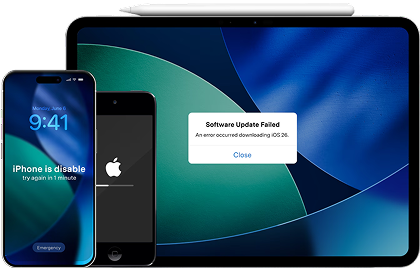
If your AI diagnosis points to an iOS-level instability (especially after an update) and low-risk checks don’t change the behavior, Dr.Fone - System Repair (iOS) becomes relevant because it can execute a structured iOS system repair workflow while you stay focused on minimizing disruption. This is most useful when the crash pattern is broad (multiple apps), repeatable during background activity, and not clearly tied to one app or one setting—where manual toggling starts to feel like guesswork.
 Fix iOS issues, no data loss.
- One-click repair for all iOS problems.
- Solve recovery mode, Apple logo, black screen, etc.
- Upgrade or downgrade iOS without iTunes
-
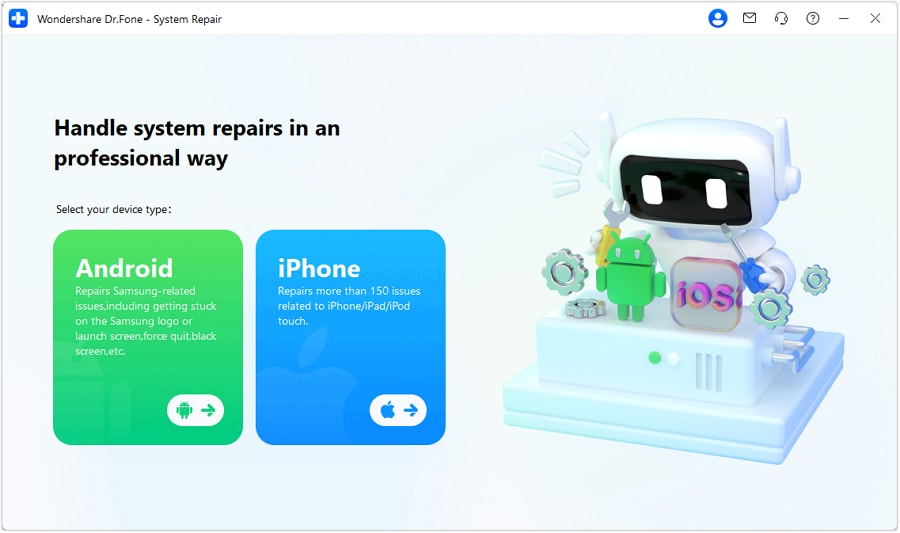
Step 1 Install and open System Repair (iOS)
Launch Dr.Fone on your computer and choose the iOS System Repair option to work specifically on system stability issues.

-
Step 2 Connect your iPhone with a reliable cable
Plug the iPhone into the computer and keep it connected steadily to avoid interruptions during the repair process.
-
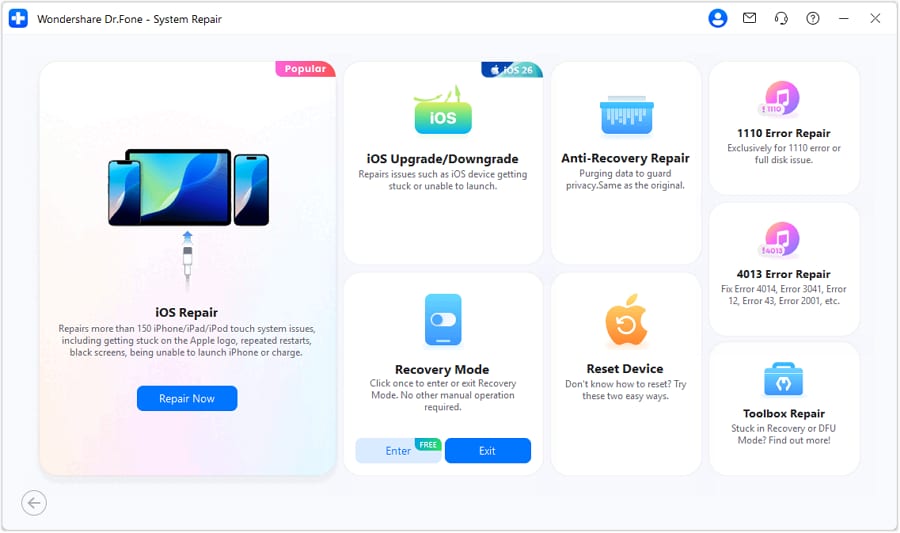
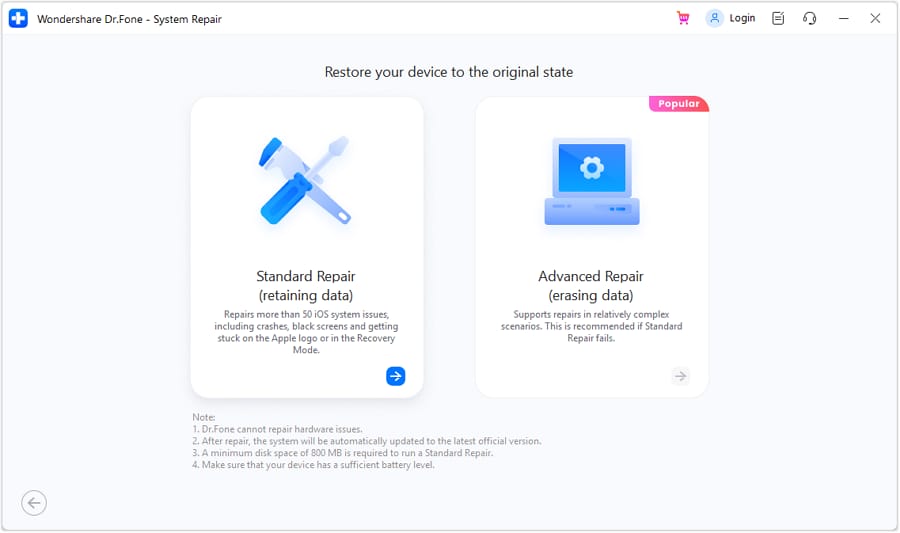
Step 3 Select a repair mode aligned with your risk tolerance
Choose the mode designed to address iOS issues while prioritizing safer handling of your data where possible.
-
Step 4 Follow the on-screen firmware and repair flow
Let the tool guide you through downloading the appropriate iOS package and applying the repair steps without improvising extra resets.
-
Step 5 Re-test Background App Refresh with one controlled scenario
After completion, re-enable Background App Refresh gradually (one or a few apps) to confirm stability before turning everything back on.




Conclusion
AI helps you describe “iPhone keeps crashing when background apps refresh” in a structured way, rank likely causes, and choose low-risk tests that reduce guesswork. When your diagnosis points to iOS-level instability and manual checks stop making progress, the practical handoff is to use a system repair execution tool like Dr.Fone to apply a controlled repair workflow and then re-test with a simple, repeatable scenario.
FAQ
-
Why does my iPhone crash only when Background App Refresh is on?
Because background tasks can spike memory, storage activity, or networking; if iOS or a specific app is unstable, the trigger may only appear during those background updates. -
Is it safer to disable Background App Refresh or leave it on while diagnosing?
Disable it temporarily (or disable per-app) to stabilize the device first, then re-enable gradually to isolate the trigger with minimal risk. -
Can one app cause system-wide crashing during background refresh?
Yes. A single misbehaving app can repeatedly crash in the background and contribute to broader instability, especially if it hooks into networking, location, or background sync. -
What evidence suggests this is an iOS system issue rather than an app bug?
Crashes across multiple unrelated apps, restarts/freezes, and onset right after an iOS update are stronger signals of an iOS-level problem. -
Will resetting all settings help with iPhone crashing during background activity?
It can help if the issue is caused by configuration conflicts, but it’s still a meaningful change; use it only after you’ve captured evidence and tried lower-impact checks.
 Add Wondershare Dr.Fone as a preferred source on Google





