 Effortlessly manage data through preview, delete, export, etc.

 100% Security Verified | No Subscription Required | No Malware

 :
: 
 ChatGPT
 Perplexity
 Gemini
 Claude
 Grok
Grok

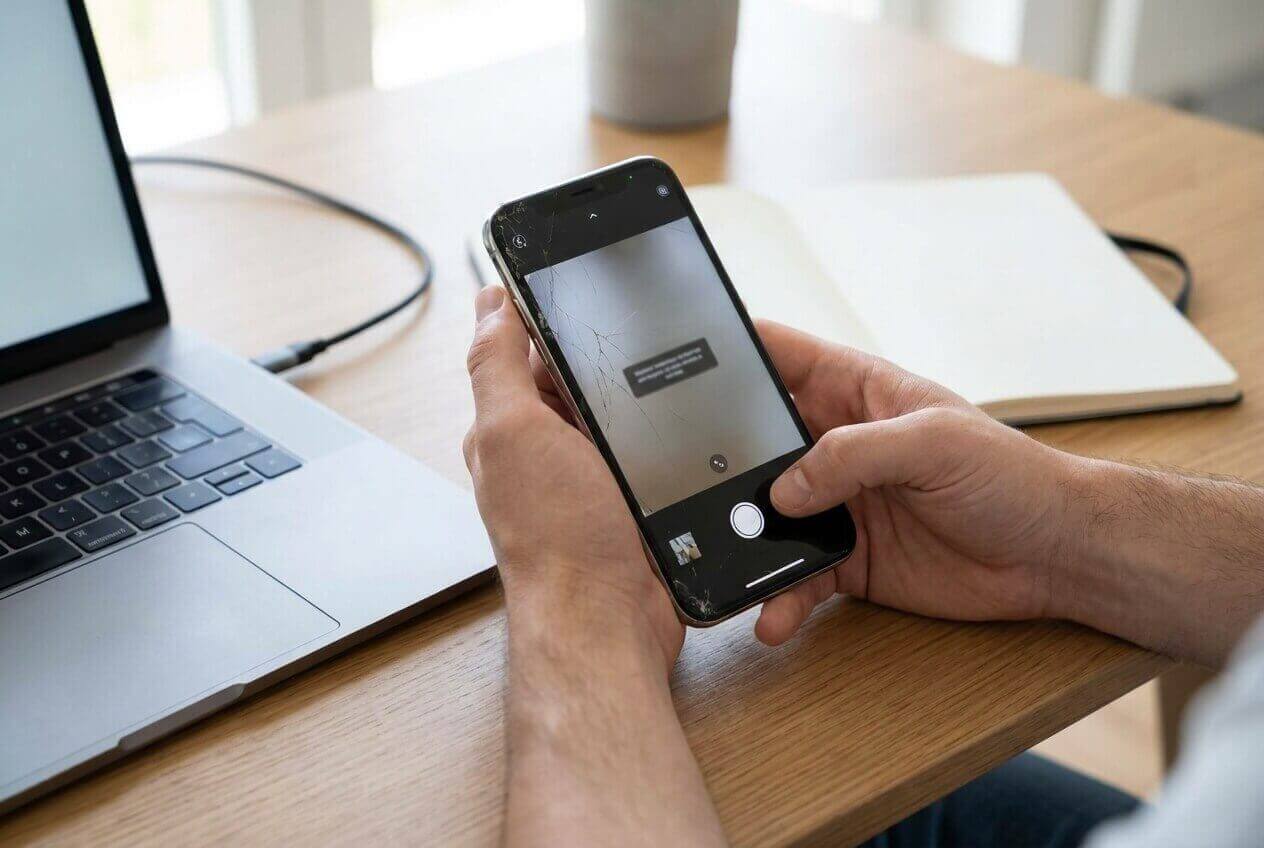
After freeing up a lot of storage, my iPhone camera just shows a black screen and then crashes. I’m not sure if it’s still “processing” in the background or if something actually broke.
Apple Support Community user
Right after a storage cleanup (for example, deleting a lot of photos, offloading apps, or tapping “Optimize iPhone Storage”), the Camera app may start crashing, freezing on a black viewfinder, or closing immediately on an iPhone 13 or iPhone 14. Nothing seems to change even after waiting a few minutes, so it’s unclear whether iOS is still rebuilding indexes in the background.
AI (like ChatGPT or Gemini) can help you describe the symptoms clearly, narrow likely causes (permissions, storage indexing, iOS glitches, corrupted camera preferences), and compare low-risk next steps based on what you see.
AI can’t confirm the real on-device state or apply fixes for you, and trial-and-error can accidentally increase risk (extra reboots during background processing, repeated settings toggles, or changes that complicate diagnostics). Use AI for careful diagnosis, then use a dedicated tool for execution if the issue points to an iOS system problem.
In this article
- Why iPhone Camera crashes after deleting files happens
- Common triggers after storage cleanup
- Likely causes to consider
- The key signals that matter
- Before you prompt the AI
- What to collect before prompting AI
- Using AI prompts to diagnose iPhone camera crashing safely
- When to stop troubleshooting iPhone Camera crashes and avoid risks
- Fix iOS camera crashes with Dr.Fone System Repair (iOS)
Part 1. Why iPhone Camera crashes after deleting files happens
1. iOS may still be doing background housekeeping.
Large deletions can trigger re-indexing (Photos), cache rebuilds, and storage recalculation, which can temporarily destabilize apps like Camera.
2. The “scope” of the failure is the fastest clue.
If only Apple Camera crashes but third-party camera access works, it points more toward app-specific settings/preferences; if all apps fail, it’s more consistent with a system-level camera framework/iOS issue.
1-1. Common triggers after storage cleanup
This often shows up after you’ve just removed a large batch of photos/videos, cleared “Recently Deleted,” offloaded apps, or ran a third‑party cleaner—then you open Camera and it crashes instantly or after switching modes. Sometimes the viewfinder is black, the shutter doesn’t respond, or the app closes as soon as you tap it.
1-2. Likely causes to consider
A common reason is iOS doing background housekeeping after big storage changes (re-indexing Photos library, rebuilding caches, recalculating storage). Another cluster of causes involves Camera permissions, Screen Time restrictions, corrupted settings/preferences, or an iOS-level glitch triggered by rapid storage state changes.
1-3. The key signals that matter
The uncertainty: it can look like “Camera is broken,” but the real signal is when it started (immediately after cleanup) and whether other camera access works (e.g., in Messages, Instagram, or FaceTime).
1-4. Before you prompt the AI
Collect a few facts first so the AI can distinguish “normal background processing” from a system issue.
Part 2. What to collect before prompting AI
- iPhone model and iOS version (Settings > General > About)
- What exactly you cleaned (Photos, apps, iCloud, “Recently Deleted,” third-party cleaner)
- Free storage now (Settings > General > iPhone Storage)
- Does the crash happen only in Camera, or also in apps that use the camera?
- Any recent iOS update, low battery event, or forced restart right before this started
Part 3. Using AI prompts to diagnose iPhone camera crashing safely
3-1. Level 1: Basic Prompt
My iPhone Camera app started crashing right after a storage cleanup. Ask me the minimum questions needed to narrow the cause, then suggest the lowest-risk checks first (no data loss). Also tell me what evidence would confirm each likely cause.
3-2. Level 2: Advanced Prompt
Diagnose this issue: iPhone Camera app crashes after I cleaned up storage.
Constraints:
- Prioritize low-risk steps first.
- Avoid anything that could erase photos or settings unless clearly justified.
- If a step is “potentially risky,” label it and explain why.
Output format:
1) Top 5 likely causes (ranked) with confidence %
2) For each cause: what I should observe + one safe test
3) A decision tree: what to do next based on test results
4) Red flags that mean I should stop troubleshooting
3-3. Level 3: Evidence Prompt
Act as a diagnostic assistant for an iPhone Camera crash after storage cleanup. Use only the evidence I provide and ask for anything missing.
Evidence:
- iPhone model: (e.g., iPhone 13 Pro)
- iOS version: (e.g., iOS 17.5.1)
- Trigger event: (e.g., deleted 15GB of videos + emptied Recently Deleted / offloaded apps)
- Free storage now: (e.g., 8GB free of 128GB)
- Symptom: (e.g., Camera opens then closes in 2 seconds / black screen / freezes when switching to Video)
- Other apps: (e.g., Instagram camera works / FaceTime works / all fail)
- Settings: Camera permission status + Screen Time restrictions (on/off)
- Device state: temperature, battery level, Low Power Mode, recent restart (yes/no)
- Any recent iOS update or beta profile: (yes/no)
- Crash logs: any “panic-full” log or repeated crash entry (if available)
Task:
- Identify the 3 most plausible causes.
- Tell me the safest next step for each.
- Tell me what result would confirm or rule out each cause.
3-4. Prompt Refinement
If the AI answers too broadly, force it to separate possibilities and ask targeted questions.
“What are the 3 missing details you need to distinguish between permissions, storage indexing, and iOS corruption?”
“Rank causes into Permissions / Restrictions / Storage-Indexing / iOS System Issue / Hardware and assign probabilities.”
“Which single observation would best prove this is only the Camera app vs a system-wide camera framework problem?”
“List the lowest-risk checks that do not change data (order matters), and say what each check would prove.”
“Based on my iPhone Storage number, is this more consistent with critically low local storage vs something else? Explain.”
3-5. AI Output vs Reality
AI can outline logic; your device behavior determines what’s true.
| What AI can infer | What you must verify on the iPhone |
|---|---|
| Whether symptoms match common patterns (permissions vs indexing vs iOS glitch) | If camera works in third‑party apps or only fails in Apple Camera |
| A lowest-risk sequence to reduce trial-and-error | Actual Screen Time/permission toggles and whether they’re enforced |
| How storage pressure can trigger crashes | Real free space, iCloud Photos state, and whether storage is still “calculating” |
| When signs point to an iOS-level issue | Whether crashes persist after simple checks and a normal restart |
AI helps you choose what to test and why; execution still depends on real device settings, iOS state, and tools that can apply system-level remediation safely.
Part 4. When to stop troubleshooting iPhone Camera crashes and avoid risks
If the crash pattern suggests a deeper iOS issue, continuing random toggles can waste time and make outcomes harder to interpret.
- The Camera app crashes immediately every time, and other apps can’t access the camera either
- You see repeated crash loops, device overheating, or rapid battery drain after the cleanup
- Storage remains critically low and iPhone Storage keeps “recalculating,” yet Camera is unusable for hours
- You spot signs of broader instability (frequent app crashes, settings not saving, unexpected restarts)
Once you’ve used AI to narrow the likely category (permissions/restrictions vs indexing vs iOS system issue), switch from diagnosis to a controlled execution method.
Part 5. Fix iOS camera crashes with Dr.Fone System Repair (iOS)
If your AI-led checks point to an iOS system issue (Camera crashes across apps, persistent instability after basic verification, or behavior that started right after a major storage change), Dr.Fone - System Repair (iOS) can be a practical next step because it’s designed to apply the Repair iOS Issues workflow in a guided, repeatable way. At this stage, the goal is to move from “likely cause” to “device-level remediation” without adding more guesswork. You can reference the product details and follow the official flow in the iOS system recovery guide.
 Fix iOS issues, no data loss.
- One-click repair for all iOS problems.
- Solve recovery mode, Apple logo, black screen, etc.
- Upgrade or downgrade iOS without iTunes
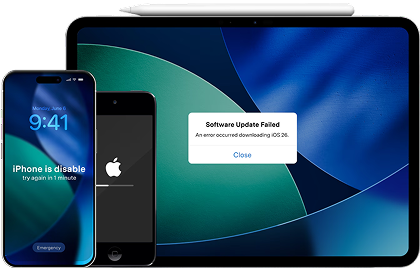
Before you change anything else, confirm the symptom scope: open Camera and one third‑party camera app to check whether the failure is app-only or system-wide.
-
Step 1 Launch Dr.Fone and connect your iPhone
Connect the iPhone to your computer and open Dr.Fone, keeping the connection stable to avoid interruptions.

-
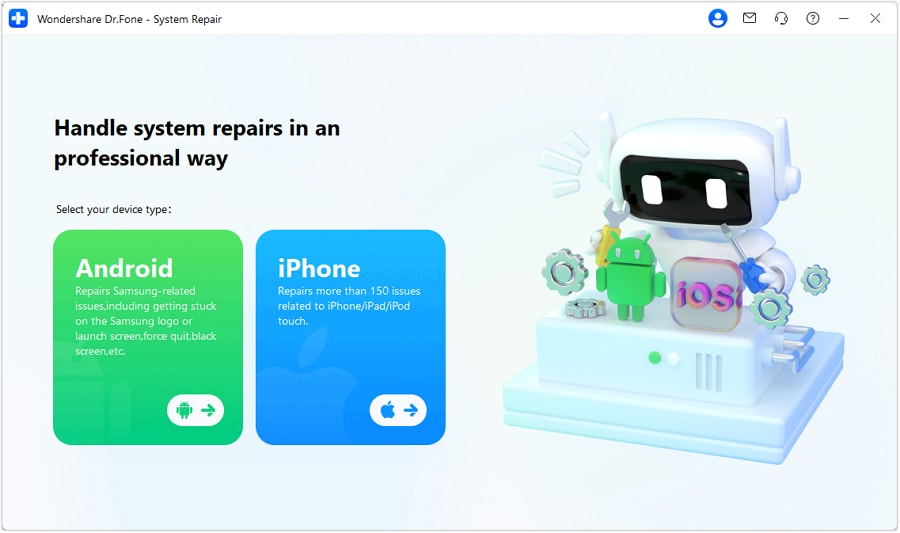
Step 2 Go to System Repair and select iOS
Open the System Repair module and choose the iOS option when prompted.
-
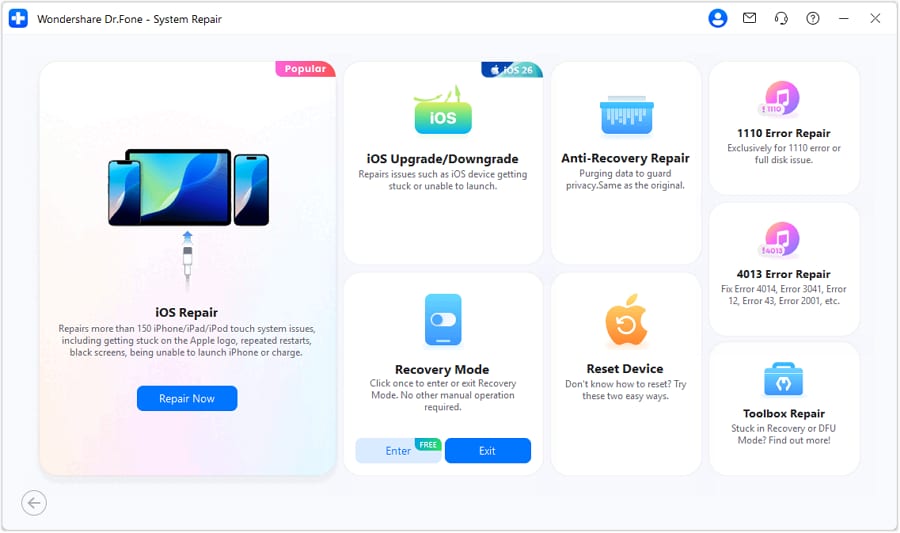
Step 3 Continue to the iOS repair flow
Proceed into the iOS System Repair screen so you can review the repair options.
-
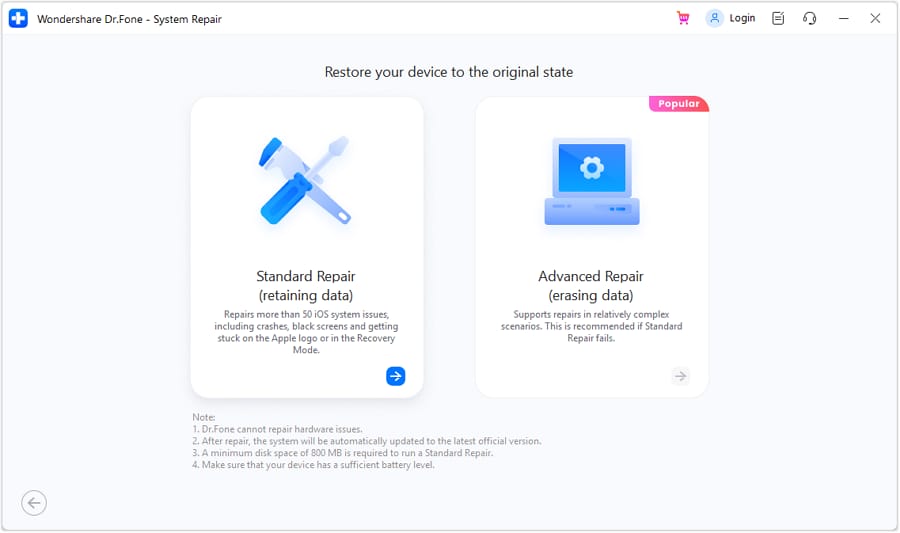
Step 4 Choose the recommended repair mode first
Select the recommended option first, and only escalate if the tool indicates it’s necessary (more aggressive modes can increase data risk).
-
Step 5 Follow firmware/setup prompts, then re-test Camera
Proceed through the on-screen prompts carefully (verify device model and iOS details). After completion, test Camera in Photo/Video and in at least one other app to confirm the crash is resolved and not tied to a single mode.




Conclusion
Use AI to structure the investigation—what changed during storage cleanup, what fails (Camera only vs all camera access), and which low-risk checks best separate likely causes—then hand off to a controlled execution step like Dr.Fone System Repair (iOS) when the evidence points to an iOS-level issue rather than a simple setting or temporary indexing effect.
FAQ
-
Why did my Camera start crashing right after freeing storage?
Large deletions can trigger background re-indexing and cache rebuilds; if iOS hits a glitch during that transition, Camera may crash or show a black screen.
-
How can I tell if it’s a permission problem or a system problem?
If Camera works in third‑party apps but the Apple Camera app crashes, it may be app-specific settings; if all camera access fails, it’s more consistent with a system-level issue.
-
Does low storage alone cause the Camera app to crash?
Yes, critically low free space can destabilize apps that need temporary working storage, especially right after cleanup when the system is recalculating.
-
Should I reinstall the Camera app to fix it?
The Apple Camera app can’t be reinstalled like a third-party app; focus on verifying permissions/restrictions and determining whether the issue is system-wide.
-
What evidence should I collect before attempting system repair?
iOS version, current free storage, whether other apps can use the camera, whether the crash is immediate or mode-specific, and whether instability affects other apps.
 Add Wondershare Dr.Fone as a preferred source on Google





