 Effortlessly manage data through preview, delete, export, etc.

 100% Security Verified | No Subscription Required | No Malware

 :
: 
 ChatGPT
 Perplexity
 Gemini
 Claude
 Grok
Grok

My backup is from before I deleted the videos, so restoring it doesn’t bring anything back. Now I’m stuck because I can’t tell if they’re actually gone or just in Trash/cloud somewhere.
Reddit user, r/AndroidQuestions
Your Android backup is older than the point when you deleted videos, and now you’re realizing the backup can’t bring those files back. This often happens right after you hit Delete, empty a Trash/Recently deleted folder, or do a restart—then nothing shows up where you expect.
AI (like ChatGPT or Gemini) can help you map what happened, narrow the most likely causes (gallery trash, cloud sync behavior, SD card vs internal storage, encryption), and identify the lowest-risk next checks based on your exact phone and app setup.
AI can’t see your device or confirm what’s recoverable, and trial-and-error can make outcomes worse (especially if you keep recording new videos, installing apps, or “cleaning storage”). Use AI to decide what to do next—then use a dedicated tool for execution.
In this article
- Part 1. Why backup is too old for deleted videos now what happens and what it means
- What “backup is too old” really means
- Where “deleted videos” might actually be
- Deleted vs not visible
- Before you prompt the AI
- Part 2. Using AI prompts to diagnose backup is too old for deleted videos now what safely
- Part 3. When to stop troubleshooting backup is too old for deleted videos now what and avoid risks
- Part 4. Decide the safest recovery path (cloud/trash vs on-device)
- Part 5. Backup is too old for deleted videos now what: fix or resolve it safely with Dr.Fone

Part 1. Why backup is too old for deleted videos now what happens and what it means
If the last backup was made before the videos existed (or before they were last saved), restoring that backup won’t include them. On Android phones like a Samsung Galaxy S22 or Google Pixel 7, it’s also common for “backup” to mean app data/settings rather than your full local media library.
“Deleted videos” can also mean different things depending on where they lived: device storage, an SD card, Google Photos, OneDrive, or a manufacturer gallery app. After you deleted them (or after you tapped “Free up space” / “Empty trash”), it may look like they’re gone everywhere—especially if sync removed other copies.
A key uncertainty: it’s often unclear whether the videos were actually removed or simply not visible (e.g., filtered view, different Google account, wrong folder). Many people wait several minutes thinking the phone is “still syncing,” but nothing changes.
1-1. Before You Prompt the AI
Collect a few specifics first so the AI can narrow causes quickly:
- Android phone model and Android version
- Where the videos were stored (internal storage vs SD card)
- Which app you used to view/delete them (Gallery, Google Photos, Files)
- Whether Trash/Recently Deleted was emptied
- Whether cloud sync was enabled and which account you used
- What you did after deletion (new recordings, updates, storage cleanup)
Part 2. Using AI prompts to diagnose backup is too old for deleted videos now what safely
2-1. Level 1: Basic Prompt
My Android backup is older than the time I deleted some videos. “Backup is too old for deleted videos now what?”
Ask me the minimum questions needed to figure out the most likely place the videos still exist (Trash, cloud, device storage, SD card) and the safest next steps that avoid overwriting data.
2-2. Level 2: Advanced Prompt
I need a diagnosis plan for: backup is too old for deleted videos now what.
First, list the top 5 most likely causes in ranked order (with brief reasoning).
Then give a low-risk checklist to confirm/deny each cause without installing random apps or writing new data.
Flag any step that could reduce recoverability, and suggest a safer alternative when possible.
2-3. Level 3: Evidence Prompt
Help me diagnose “backup is too old for deleted videos now what” for Android, using the evidence below.
1) Ask up to 8 clarifying questions only if truly needed.
2) Provide a ranked list of likely explanations.
3) Give a safest-first action plan.
4) Include “stop/avoid” actions to reduce overwriting risk.
Evidence:
- Phone model: (e.g., Samsung Galaxy S22 / Google Pixel 7)
- Android version: (e.g., Android 13/14)
- Where videos were originally saved: (Internal storage / SD card / not sure)
- App used when deleting: (Samsung Gallery / Google Photos / Files)
- Trash/Recently deleted checked?: (Yes/No) What did it show?
- Trash emptied?: (Yes/No/Not sure)
- Cloud sync enabled?: (Google Photos/OneDrive/Samsung Cloud/Other) + account email (if relevant)
- Time since deletion: (minutes/hours/days)
- What happened after deletion: (recorded new videos, installed apps, OS update, cleanup)
- Any error messages: (exact text if any)
- Are you trying to recover videos only, or also thumbnails/metadata?: (videos only / everything)
2-4. Prompt Refinement
Use these follow-ups to make the AI separate possibilities and focus on key evidence:
What are the missing questions that would change your ranking the most?
Split the causes into: cloud-related, app/trash-related, storage/SD-related, and device/system-related.
For each category, list 2–3 observations that would confirm it (and where I’d check them).
Rank the next actions by lowest risk of overwriting data, and explain why.
If the videos were deleted from internal storage, what evidence suggests they might still be recoverable vs likely overwritten?
2-5. AI Output vs Reality
AI can guide decision-making, but your device state determines what’s possible:
| What AI can help with | What you still must verify on-device |
|---|---|
| Identify whether backup timing alone explains the gap | Confirm actual last backup date and what that backup includes |
| Suggest where “deleted” items might still exist | Check Trash/Recently deleted and the correct cloud account |
| Prioritize low-risk checks to avoid overwriting | Stop recording/installing/cleaning until you decide next steps |
| Compare recovery paths and tradeoffs | Run a recovery workflow and see what is detectable |
AI narrows causes and reduces risky guessing, but it can’t access storage blocks, confirm overwrite status, or retrieve files by itself—execution requires device-level tools and careful handling.
Part 3. When to stop troubleshooting backup is too old for deleted videos now what and avoid risks
If your goal is video recovery, the main risk is overwriting—the longer you keep using the phone normally, the lower the odds can become.
- You already emptied Trash/Recently deleted and continued heavy use (recording, downloads, updates)
- The videos were on internal storage, and you’ve been freeing space or installing multiple apps since deletion
- The phone shows storage errors, repeated crashes, or you suspect file-system issues
- You’re about to try “cleaner/booster” apps or random recovery apps that require lots of permissions
Once AI helps you decide the most likely scenario, it’s usually better to move from “checking” to a controlled execution path that minimizes additional writes.
Part 4. Decide the safest recovery path (cloud/trash vs on-device)
Before you attempt any scan-based recovery, use your AI results to separate two common outcomes:
- Cloud/trash scenario: the videos still exist in Trash/Recently deleted, or under a different account/device folder in your cloud app. In this case, the safest action is usually restoring from the app’s trash or correcting account/folder filters.
- On-device deletion scenario: the videos were removed from local storage (especially after “Empty trash” / “Free up space”). In this case, reduce phone activity to avoid overwriting, then move to a controlled recovery workflow.
Part 5. Backup is too old for deleted videos now what: fix or resolve it safely with Dr.Fone
When the backup can’t help because it predates the deletion, the next practical step is to use a purpose-built workflow to scan for remaining video data on the Android device while keeping your actions controlled. That’s where Dr.Fone - Data Recovery (Android) is relevant: after AI helps you narrow whether you’re dealing with cloud/trash vs on-device deletion, it provides the execution path to attempt Recover Data from Android Device without relying on the old backup.
 Scan Android phones and tablets directly.
- Preview and recover only what you want.
- Supports WhatsApp, photos, videos, contacts, and more.
- Works with 6000+ Android devices.

-
Step 1 Freeze high-write activity
Stop recording new videos and avoid “storage cleanup” actions so you don’t overwrite recoverable remnants.

-
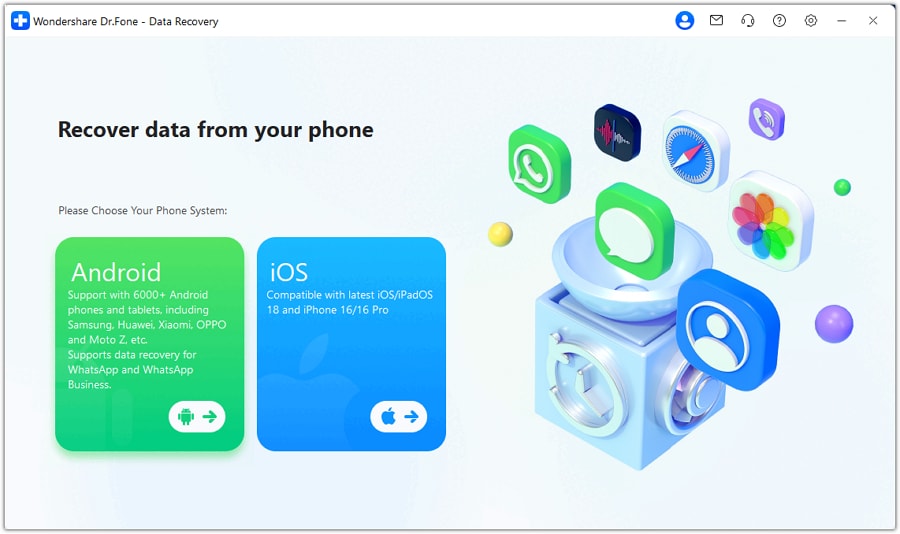
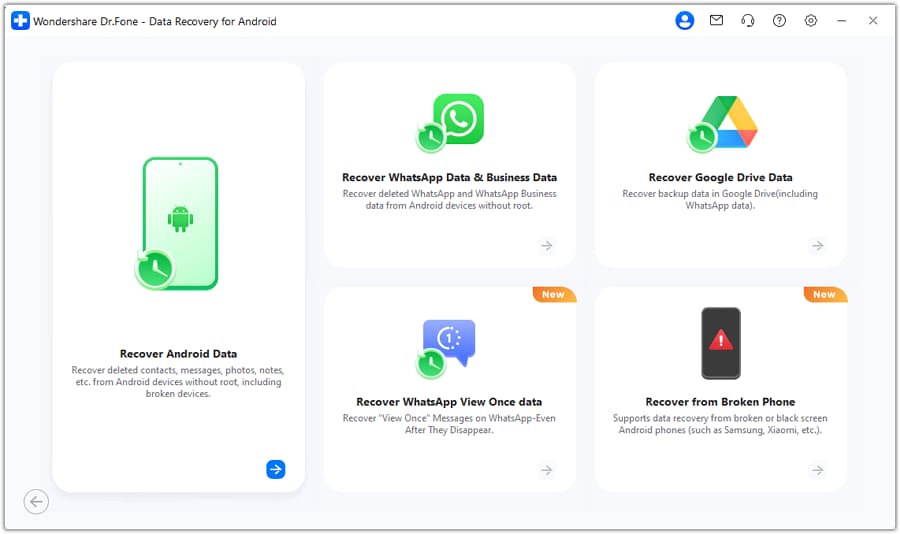
Step 2 Set up Dr.Fone on a computer
Install and open Dr.Fone, then choose the Android data recovery flow so the scan is performed in a structured way.
-
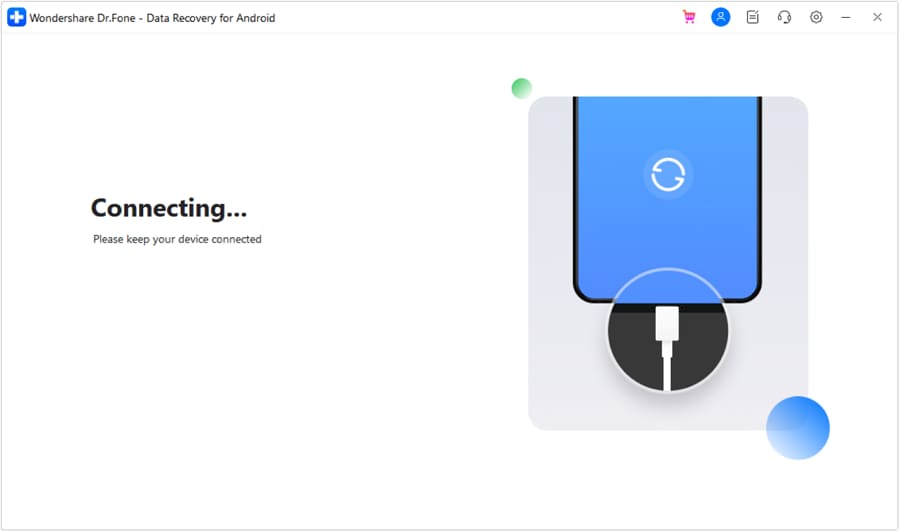
Step 3 Connect your Android device carefully
Plug in via USB and follow the on-screen prompts; avoid disconnecting mid-process to prevent interruptions.
-
Step 4 Select video-related data types to scan
Choose videos (and any related media categories you need) to keep the scan focused and reduce unnecessary steps.
-
Step 5 Preview results and recover to the computer
Review what’s found and save recovered items to the computer (not back to the phone) to reduce overwrite risk.




Conclusion
Use AI to clarify what “deleted” means in your exact setup, rank the most likely causes, and choose the lowest-risk next checks—then hand off to Dr.Fone for the execution step when the evidence points to on-device recovery rather than an old backup or a cloud trash issue.
FAQ
-
Why doesn’t restoring my backup bring back the deleted videos?
Because the backup snapshot is older than when the videos existed (or before their latest version), so it simply doesn’t contain them. -
Where should I check first before trying recovery?
Check the app’s Trash/Recently deleted (Gallery/Google Photos) and confirm you’re in the correct cloud account and device folder. -
Does emptying “Trash” mean the videos are permanently gone?
It usually means they’re removed from that app’s easy-restore path; whether they’re still recoverable depends on storage type, time, and overwrite activity. -
What should I avoid doing right now to protect recovery chances?
Avoid recording new videos, installing large apps, downloading big files, and running “cleaner” tools that write lots of new data. -
Can Dr.Fone recover videos directly from an Android device if the backup is old?
It can perform an on-device scan aimed at finding remaining recoverable video data when the backup can’t help due to timing.
 Add Wondershare Dr.Fone as a preferred source on Google





