 Effortlessly manage data through preview, delete, export, etc.

 100% Security Verified | No Subscription Required | No Malware

 :
: 
 ChatGPT
 Perplexity
 Gemini
 Claude
 Grok
Grok

I tried to “clean up” my phone fast, deleted a bunch of videos, and only later realized my cloud backup hadn’t finished syncing. Some files were just gone.
Reddit user, r/Android
A weekly mobile declutter routine sounds simple, but missing one step (like verifying backups) can turn “cleanup” into permanent data loss.
AI helps you structure the workflow: what to check first, what to postpone, what is safe to delete, and what must be verified before you touch anything irreversible.
AI cannot see your phone’s actual storage, account sync state, or whether a backup is truly restorable—execution needs real device tools and real verification.
In this article
- How to plan the routine without missing critical steps
- Define a repeatable weekly goal
- Use the correct order (protect → verify → delete)
- Add “stop and verify” checkpoints
- Delay irreversible actions until proof exists
- What the AI needs to know
- Using AI prompts to build a safer workflow
- AI plan vs. real device constraints (and when to start execution)
- Execute the workflow safely with Dr.Fone
Part 1. How to Plan Weekly Mobile Declutter Routine with AI Prompts Without Missing Critical Steps
You want a repeatable weekly routine to clear space, reduce noise (screenshots, downloads, duplicate-ish media), and keep your phone reliable—without accidentally deleting something important.
The uncertainty usually starts after you ask AI for a “declutter checklist”: it sounds reasonable, but it rarely tells you the correct sequence (backup → verify → then delete), or how to confirm you’re not cleaning the only copy of a file.
The point-of-no-return moment is when you delete photos/videos, clear app data, or factory reset to “start fresh.” You should not reach that moment until you’ve verified you can restore what you’d regret losing.
Part 2. What the AI Needs to Know
Answer these so the AI can produce a workflow that’s specific, safe, and repeatable.
- Your phone OS and model (iPhone 13 iOS 17 / Samsung S23 Android 14)
- Current storage status (e.g., 118 GB used of 128 GB) and biggest categories (Photos, Videos, Apps, Messages)
- Your backup destinations (iCloud / Google account / computer) and whether you can access them right now
- What “declutter” means for you (free 10–20 GB weekly / reduce camera roll clutter / speed up phone)
- Data sensitivity (work files, client photos, private chats) and your risk tolerance
- Any apps you rely on with local-only data (messaging apps, notes apps, 2FA apps)
- Time available each week (15 minutes / 45 minutes) and whether you have a computer available
- Your “never delete” list (e.g., family photos, legal docs, medical records)
Part 3. Using AI Prompts to Build a Safer Weekly Mobile Declutter Routine with AI Prompts Workflow
Use the prompts below to make the AI generate a sequence that prevents avoidable loss and includes verification checkpoints.
3-1. Level 1: Basic Prompt
Create a weekly mobile declutter routine that prioritizes safety and avoids accidental data loss.
Keep it short, in the correct order, and include “stop and verify” points before any deletion.
3-2. Level 2: Advanced Prompt
Design a weekly mobile declutter workflow with three phases: Preparation, Execution, and Verification.
In each phase, separate critical steps (must do) from optional steps (nice to do), and flag any irreversible actions that must not happen until verification is complete.
3-3. Level 3: Evidence Prompt
I’m using (Android 14, Samsung S23, 128 GB total, 122 GB used) and I want to free (15 GB/week) without losing important data.
My backups are (Google Photos on, Google Drive on, unsure about computer backup) and I have (30 minutes) each Sunday.
Build a weekly declutter plan that includes:
- checks before cleanup (what to confirm about backups/sync, what apps may store local-only data)
- checks during cleanup (what to delete first vs last, and how to avoid deleting the only copy)
- checks after cleanup (how to confirm space gained and that key items are still accessible)
Also provide a short “evidence checklist” I can mark as done (e.g., “Opened backup location and confirmed recent items exist”).
3-4. Prompt Refinement (follow-ups)
Output the plan in a table with columns: Step, Goal, Risk if skipped, How to verify, Stop/Go rule.
Add a “Do Not Touch Yet” list for items that require verification (e.g., DCIM, Messaging media, Downloads, App data).
Ask me 8 clarifying questions first, then produce the final workflow using my answers.
Include a “minimum viable weekly routine (10 minutes)” and a “full routine (45 minutes),” each with explicit verification gates.
For every deletion-type step, add a required confirmation line: “I can restore this from (backup location) tested by (method).”
Part 4. AI Plan vs. Real Device Constraints (and When to Start Execution)
4-1. AI Plan vs. Real Device Constraints
| Planning item (AI can help) | Reality constraint (AI can’t do) |
|---|---|
| Identify a safe order of operations | Confirm your phone actually finished syncing/backing up |
| Define what to delete first for lowest risk | See which files are truly local-only vs cloud-synced |
| Create verification checklists and stop/go rules | Prove a backup is restorable without testing on real tools |
| Reduce mistakes with a repeatable weekly script | Execute transfers, backups, and deletions on the device |
AI improves planning, but cannot execute actions on your phone or validate your real backup state; you still need device-facing tools to perform and confirm the changes.
4-2. When to Stop Planning and Start Execution
- You have a written sequence that starts with backup/sync checks and ends with post-cleanup verification, not the other way around.
- Every irreversible action has a clear stop/go rule (what must be true before you proceed).
- You have identified your highest-risk data (photos/videos, messages, notes, 2FA) and how it will be protected.
- You can name the single success metric for the week (e.g., “free 10 GB” or “reduce Photos by 500 items”) and how you’ll verify it.
If all four are true, you’re no longer “figuring it out”—you’re ready to execute carefully.
Part 5. Weekly Mobile Declutter Routine with AI Prompts: Execute the Workflow Safely with Dr.Fone
Execution now matters because decluttering is only safe when backups, transfers, and deletions happen in the right order and are verified before you cross an irreversible line.
If you want a device-facing tool to help with backup, transfer, and on-computer management, consider Dr.Fone Basic - Data Manager as the execution layer after your AI plan is written.
-
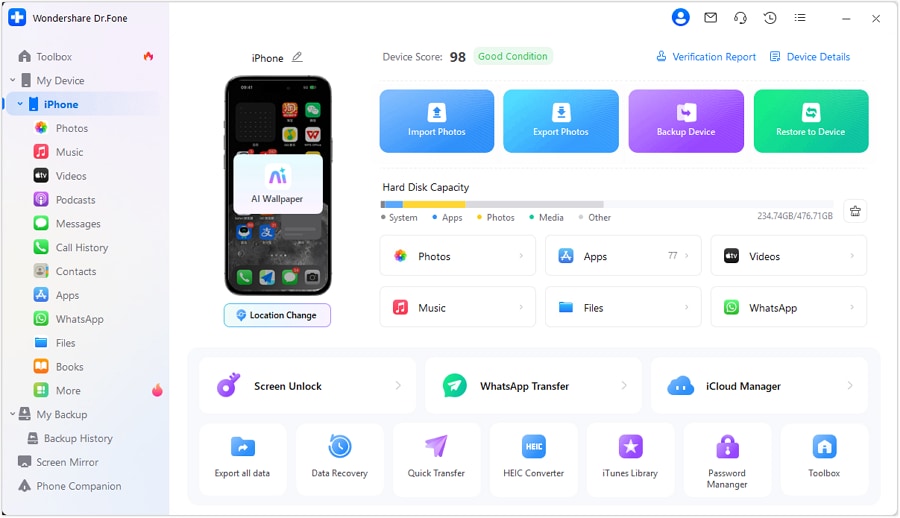
Step 1 Protect first (backup/transfer)
Run a device backup/transfer to your computer so you have a recoverable copy before removing anything significant.
Limitation: A tool can execute the backup, but you still must verify the backup contains the items you care about (spot-check photos, videos, and key folders).
-
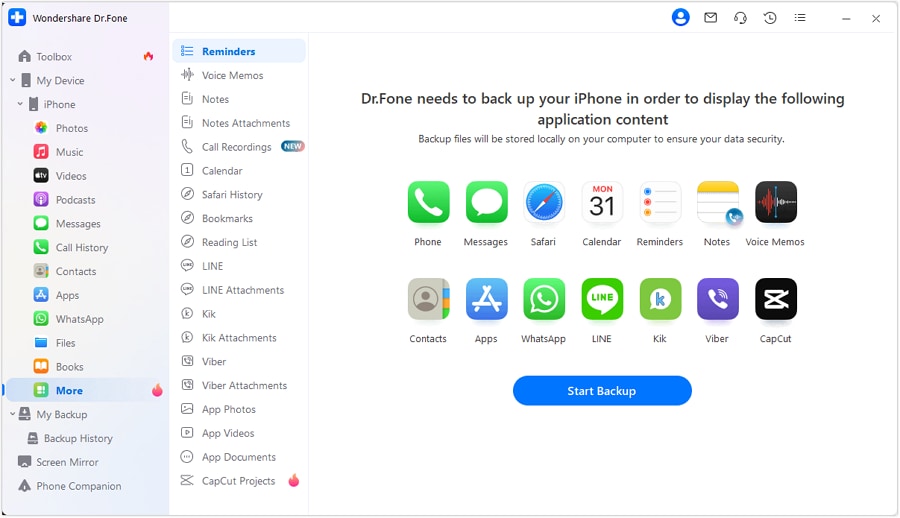
Step 2 Verify before you delete
Before any cleanup that affects important data, confirm you can actually access what you backed up (open the backup location and spot-check recent items).
Stop/Go rule: If you cannot locate recent photos/videos/documents in your backup destination, stop and fix backup/sync first.
-
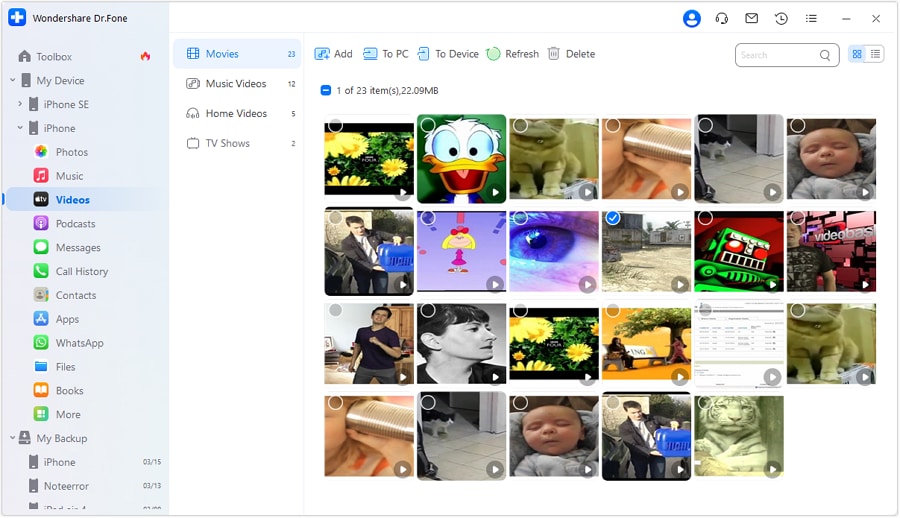
Step 3 Reduce safely (remove low-risk clutter first)
After verification, delete low-risk items first (e.g., obvious junk in Downloads, temporary files, old installers) and only then consider larger categories like videos.
Limitation: AI can suggest what is “low-risk,” but only you can judge what’s important; don’t delete large media libraries until you’ve confirmed you can restore them.

-
Step 4 Only after verification (irreversible cleanup)
If you choose to do any irreversible step (like a wipe/factory reset or secure erase), do it only after confirming you can restore from your backup and you have your account credentials and 2FA access.
Limitation: This is the point of no return—once executed, you may not be able to recover missing data if your verification was incomplete.
Product Recommendation: Make Execution Safer with Dr.Fone
AI can help you write the right weekly sequence, but you still need a practical way to back up, preview, transfer, and manage what’s on your device before you delete anything.
 Easily manage data through preview, delete, export, etc.
- Transfer all data between devices.
- Robust backup solutions for reliable data protection.
- Mirror screens to PC for meetings, teaching, and control.
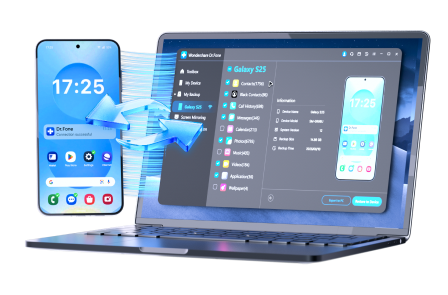
A simple way to keep your weekly declutter routine safer is to separate “planning” from “execution”:
- Use AI to generate the order, risks, and verification gates.
- Use computer-based management to create a recoverable copy, preview what you’re about to remove, and confirm key items exist before and after cleanup.
Whatever tool you use, keep the same principle: protect first, verify, delete in small batches, then re-verify.




Conclusion
AI is best used to plan a weekly mobile declutter routine with clear sequencing, risk flags, and verification gates; real tools are required to execute backups/transfers and perform deletions safely.
FAQ
-
How do I know it’s safe to delete photos if they’re “in the cloud”?
Don’t assume—verify by opening the cloud library on another device/browser and confirming recent items exist, then proceed in small batches.
-
What’s the biggest mistake people make in weekly declutters?
Deleting first and checking backups later; the correct order is protect → verify → delete → re-verify.
-
How often should I do the “high-risk” steps like wiping or erasing?
Rarely; keep those as exceptional actions (monthly/quarterly) and only after a tested restore plan exists.
-
Can AI tell me what I can delete on my exact phone?
No—AI can only propose categories and a sequence; it cannot see which files are unique, unsynced, or business-critical.
-
What should I verify after decluttering?
Free space gained, the health of your backups, and accessibility of a few high-value items (recent photos, key documents, essential app data).
 Add Wondershare Dr.Fone as a preferred source on Google





