 Effortlessly manage data through preview, delete, export, etc.

 100% Security Verified | No Subscription Required | No Malware

 :
: 
 ChatGPT
 Perplexity
 Gemini
 Claude
 Grok
Grok

I’m resetting my phone for a trade-in, but I’m worried I’ll miss something—like photos, 2FA, or an account link—and lock myself out after the wipe.
Reddit user, r/iPhone
Before you factory reset a phone, the real risk isn’t the reset itself—it’s missing one dependency (backup proof, 2FA access, account links, eSIM/MDM) that turns a “clean wipe” into data loss or an account lockout. This guide shows how to use AI prompts to create a verification-first plan, then validate everything with real, on-device evidence.
In this article
- Plan reset readiness without missing critical steps
- Why order matters (sign-out, backup, erase)
- Define the “point of no return”
- What “verified” should mean
- Common failure paths to plan for
- What the AI needs to know
- Using AI prompts to build a safer workflow
- When to stop planning and start execution
- Execute the workflow safely with Dr.Fone
Part 1. Plan reset readiness without missing critical steps
You’re about to reset a phone (selling it, trading it in, handing it to family, or troubleshooting). You think everything important is synced, but you’re unsure about photos, app data, messages, authenticator codes, and whether the device is still linked to accounts.
Even after asking AI what to do, the confusing part is usually the order: if you sign out too early, backups can stop; if you wipe too early, you can’t confirm what’s missing; if you remove the device from your account too early, you may lose find/lock features while you still need them.
The point of no return is the factory reset/erase step—once executed, any data that isn’t safely backed up and verified may be unrecoverable.
Part 2. What the AI needs to know
Answer these so the plan can be sequenced and verified correctly:
- Phone model and OS (e.g., iPhone 13 iOS 17, Samsung S22 Android 14)
- Why you’re resetting (sell/trade-in, troubleshooting, giving away, security incident)
- Your backup targets (iCloud/Google, computer backup, external drive) and what you must keep
- Data risk areas (photos, messages, WhatsApp, notes, files, voice memos, call history)
- Account dependencies (Apple ID/Google account, work/MDM profiles, carrier eSIM, banking apps)
- 2FA/authenticator setup (app-based codes, passkeys, recovery codes, backup phone numbers)
- Whether you still know all credentials (Apple ID/Google password, device passcode, SIM PIN)
- Any special constraints (broken screen, low storage, no Wi‑Fi, limited time before trade-in)
Part 3. Using AI prompts to build a safer workflow
Use the prompts below to force a checklist that includes sequencing and proof-based verification.
3-1. Level 1: Basic prompt
Help me plan a safe verification checklist to confirm my phone is truly ready for a factory reset.
I want the steps in the correct order and I want you to highlight anything that could cause permanent data loss.
Do not include execution instructions—planning and checks only.
3-2. Level 2: Advanced prompt
Build a workflow to verify reset readiness with three phases: Preparation, Execution-Readiness Checks, and Final Verification Before Reset.
Separate critical vs optional steps, and include “stop points” where I must confirm evidence (like a backup date, account sign-out status, or 2FA recovery method) before proceeding.
3-3. Level 3: Evidence prompt
Create an evidence-based plan to confirm my phone is ready to reset, using checks before / during / after each major milestone.
Context: device (iPhone 13, iOS 17), goal (trade-in tomorrow), data priorities (Photos, Messages, WhatsApp, Notes), accounts (Apple ID + Gmail), security (Authenticator app + passkeys), constraints (limited Wi‑Fi).
For each checkpoint, tell me what proof I should see (e.g., “backup timestamp shows today,” “photos count matches roughly,” “WhatsApp last backup time shows X”), and include a “Do not proceed if…” line.
3-4. Prompt refinement
Convert this into a single-page gate checklist with these gates only: Backup Verified, 2FA/Access Verified, Account Links Reviewed, Erase Readiness Confirmed.
For each gate, list pass/fail criteria.
Ask me no more than 10 questions that would most change the sequence (e.g., eSIM, MDM, authenticator).
Then regenerate the plan based on my answers.
Create a risk matrix: item, likelihood of loss, impact, how to verify, and what to do if verification fails.
Produce a minimum viable plan (must-do only) for a reset happening in 2 hours, and a full plan for a reset happening in 48 hours—show differences clearly.
3-5. AI plan vs. real device constraints
| What AI can draft | What only the phone/tools can prove | Why it matters |
|---|---|---|
| What to verify | Real backup status (existence, completion, timestamps) | Plans must be validated with on-device evidence |
| Safe sequencing | Account locks (Activation Lock/FRP) and real sign-out state | Wrong order can block setup or transfer |
| High-risk moments | Whether credentials/2FA recovery actually work | “I think I can log in” is not verification |
| Suggested checks | Whether tools actually create/export backups successfully | No backup exists until it’s completed and confirmed |
AI improves planning, but it cannot execute backups, confirm timestamps, sign you out, or perform the reset—those require real device access and reliable tooling.
Part 4. When to stop planning and start execution
- You have a written gate list of what must be true before reset (backup proof, access proof, account proof).
- You can name the single irreversible step you will not do until every critical gate passes (the factory reset/erase).
- You know your failure paths (what you’ll do if backup fails, if you can’t sign in, if 2FA is missing).
- You’ve chosen what “verified” means (timestamps, counts, successful restore test, or file-open checks).
If those are true, planning has done its job—and the next move is careful execution against the gates.
Part 5. Execute the workflow safely with Dr.Fone
Execution now matters because the plan only reduces risk if you actually produce proof (completed backups, confirmed access, confirmed sign-out conditions) before the irreversible erase. If you want a more thorough wipe at the end of the process, you can use Dr.Fone - Data Eraser after your critical verification gates are marked “pass.”
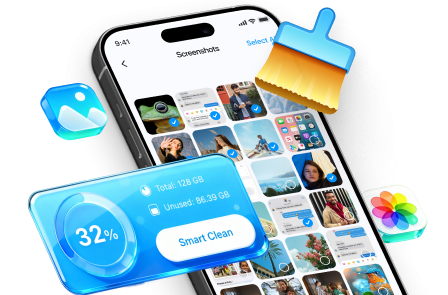
 Erase all data on iOS & Android
- Military-grade wiping to fully protect your privacy.
- Generate verified erasure reports better for device resale.
- Selectively erase private data and remove junk & large files.
-
Step 1 Open Dr.Fone and choose the erase workflow (after your gates pass)
Do your evidence checks first (backup timestamp, 2FA recovery confirmed, account links reviewed). Only then move to the erase stage.

 Note: AI can’t see whether your backup is complete or usable—verify those items on your device/accounts before you erase anything.
 -
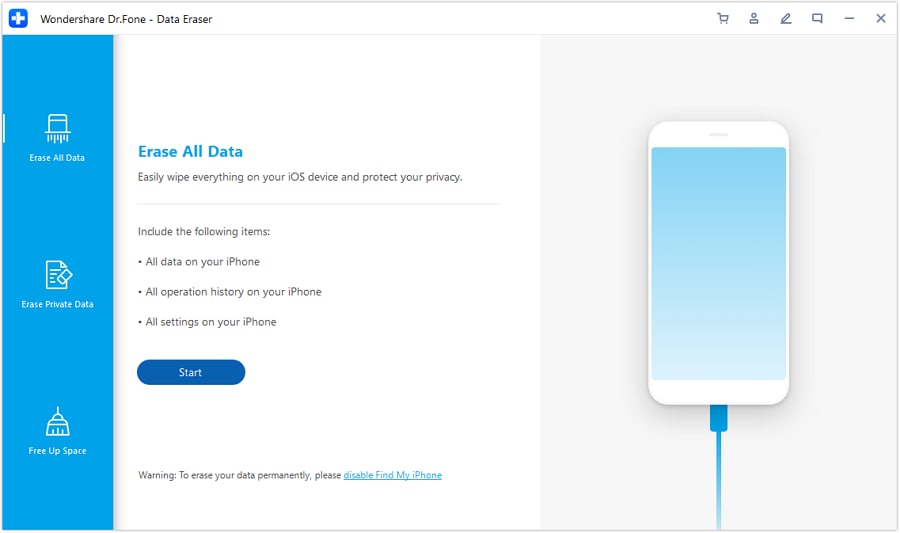
Step 2 Select “Erase All Data” for a full wipe
This is the “point of no return” workflow—use it only after your checklist shows pass status for backup, access/2FA, and account-lock readiness.
-
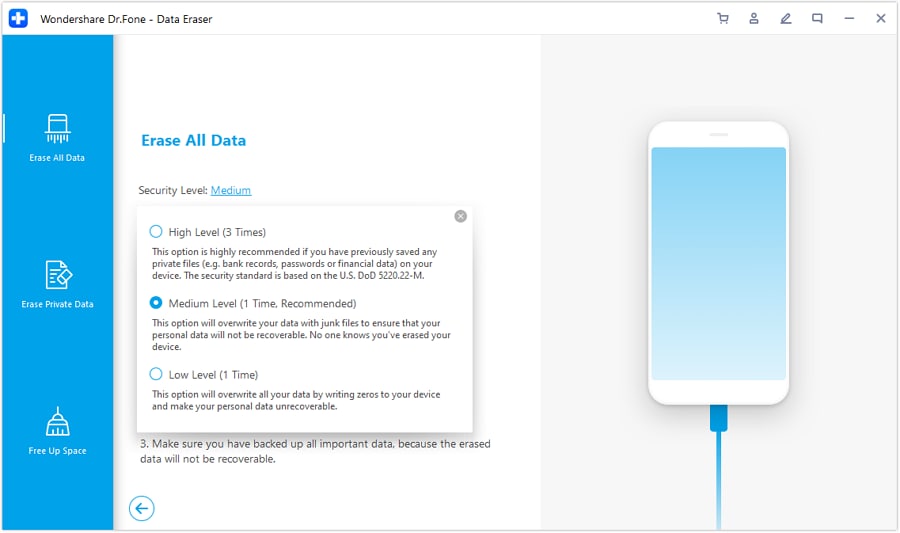
Step 3 Define the security level
Pick the security level that matches your scenario (especially for resale/trade-in where privacy risk is higher).
-
Step 4 Confirm to start erasing
Once you confirm and the erase proceeds, anything not backed up and verified may be unrecoverable.
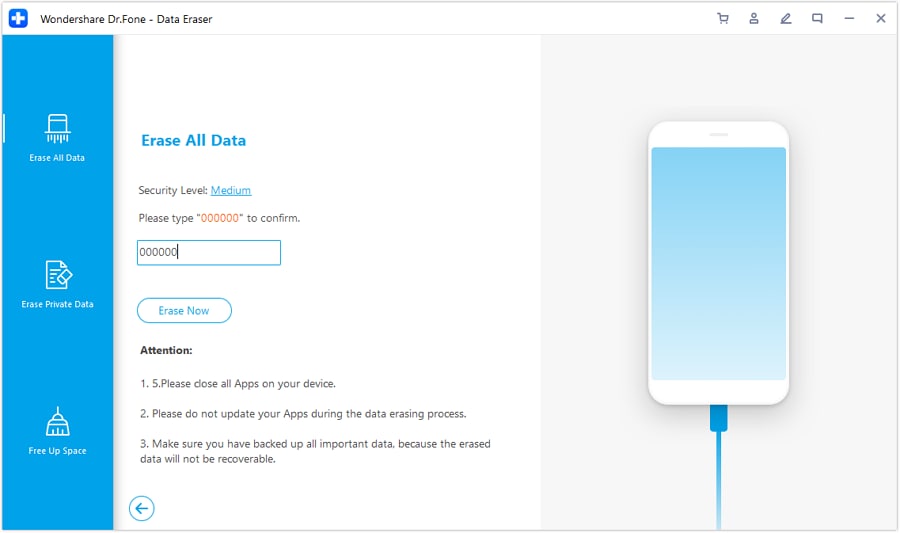 Note: After reset/erase, AI can’t undo or reverse the wipe. Treat this as irreversible unless you have verified backups and verified access.




Conclusion
Use AI to define the gates, sequence, and risk checks for reset readiness, then use real tools to produce and verify the evidence—because only execution can confirm your phone is truly safe to erase.
FAQ
-
What’s the biggest mistake people make before resetting a phone?
Assuming “sync is on” means “data is safe,” without checking a backup timestamp, contents, or the ability to sign in afterward. -
How do I know my backup is actually usable?
Look for evidence: completion status, recent timestamp, and at least a spot-check (or test restore) of your most important categories. -
When should I sign out of Apple ID/Google or remove the device from my account?
Only after backup verification and access/2FA verification are complete—doing it too early can disrupt syncing or remove protections you still need. -
Why is 2FA part of reset readiness?
After reset you may need 2FA to re-enable services or access cloud data; if the authenticator was only on the phone, you can lock yourself out. -
Can AI tell me if my phone is ready to reset?
AI can’t see your device state; it can only define what “ready” means and the order to verify it. You must confirm with real evidence.
 Add Wondershare Dr.Fone as a preferred source on Google





