 Effortlessly manage data through preview, delete, export, etc.

 100% Security Verified | No Subscription Required | No Malware

 :
: 
 ChatGPT
 Perplexity
 Gemini
 Claude
 Grok
Grok

I reset my Android and now it says I have to sign in with a Google Account that was previously synced on this device—but I can’t remember which one. I have multiple Gmail accounts and I’m worried that guessing will lock me out.
Reddit user, r/AndroidQuestions
After a factory reset, your Android (for example, a Samsung Galaxy S21 or Google Pixel 6) may suddenly ask you to sign in with a previously synced Google account—and you can’t remember which one. AI (like ChatGPT or Gemini) can help you interpret the exact on-screen message, narrow likely causes (FRP vs. wrong account vs. device management), and choose low-risk next steps based on what you can still access.
In this article
- Part 1. Why Google asks for the previous account after Android reset
- What FRP is (and why it shows up)
- Common triggers after a reset
- Why it’s confusing with multiple accounts
- Before you prompt the AI
- Part 2. Using AI prompts to diagnose FRP after factory reset safely
- Part 3. When to stop trying passwords and avoid FRP lockout risks
- Part 4. Forgot previous Google account after Android reset: next steps with Dr.Fone
- Part 5. Conclusion and FAQs
1. Confirm what you’re seeing (FRP vs. something else).
Use the exact on-screen wording to distinguish Factory Reset Protection from a simple wrong-password or device-management (MDM) issue.
2. Use AI to plan, not to “try” logins.
AI can help you rank likely causes and choose the safest recovery sequence, but repeated sign-in guesses can trigger cooldowns and lockouts.
3. Switch to official recovery and evidence-based support when risk rises.
If cooldowns appear or ownership/account access is unclear, pause attempts, gather proof (IMEI/receipt), and use Google/OEM/carrier channels and appropriate tools for the correct lock type.
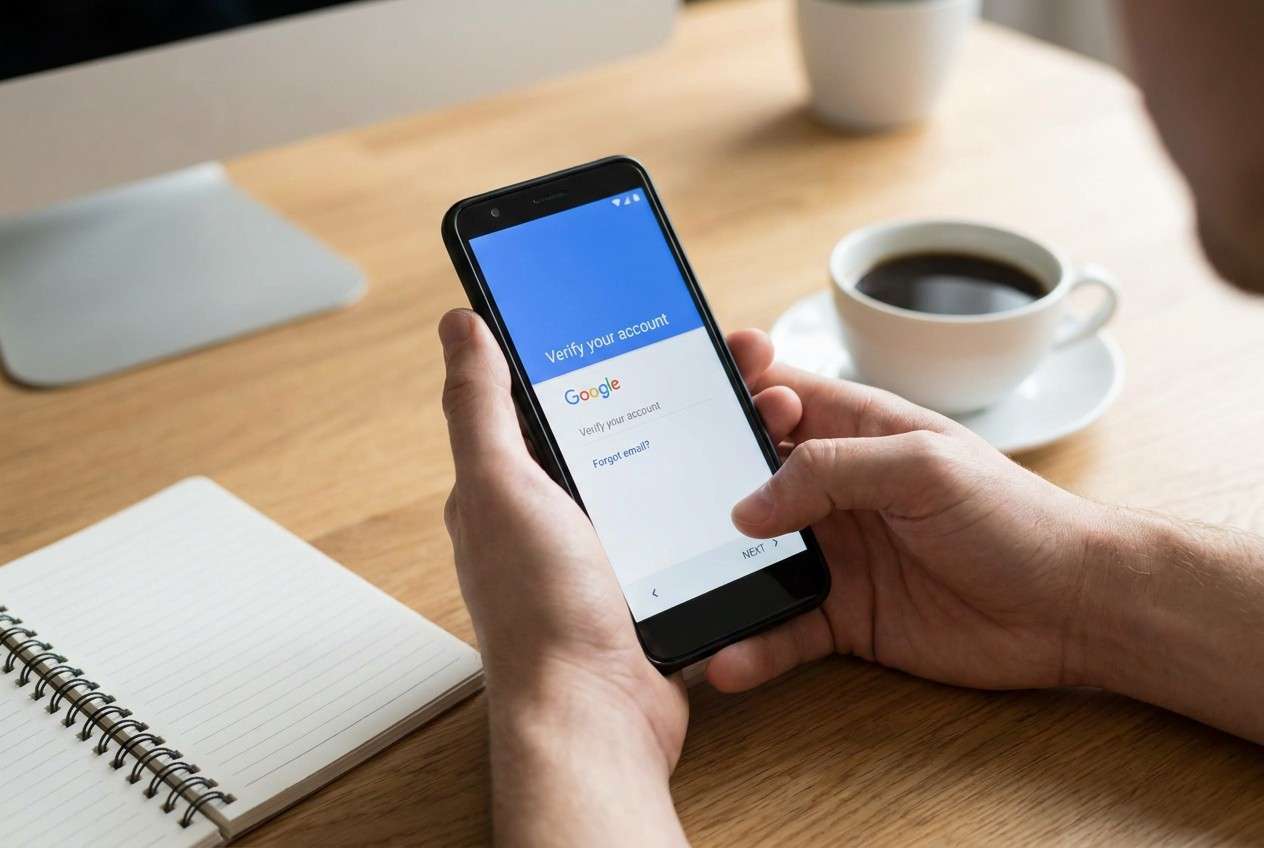
Part 1. Why Google asks for the previous account after Android reset
If you see “Verify it’s you” or “This device was reset. To continue, sign in with a Google Account that was previously synced on this device,” you’re likely dealing with Factory Reset Protection (FRP). FRP is designed to prevent unauthorized use after a reset.
This usually appears when the phone was reset while still linked to a Google account (or screen lock), especially if the reset was done from Recovery mode or without first removing the Google account in Settings. If you recently switched phones—say you’re used to an iPhone 13 or iPhone 14 workflow—this Android-specific verification step can feel unexpected.
The uncertainty is common: you may have multiple Gmail addresses, a work/school account, or an old account you haven’t used in years, and it’s unclear which one the phone wants.
1-1. Before You Prompt the AI
Collect these basics first so the AI can narrow causes safely:
- Exact on-screen wording (quote it)
- Device brand/model and Android version (if known)
- Whether you can access any Google accounts on another device/browser
- Whether this is a personal device vs. work/school-managed
- What you did right before the issue (factory reset path, SIM change, etc.)
- Any proof of purchase or carrier/account records you can access
Part 2. Using AI prompts to diagnose FRP after factory reset safely
2-1. Level 1: Basic Prompt
I factory reset my Android and now it asks for a Google account previously synced on this device. I forgot which account it was. Ask me the minimum questions needed to identify whether this is FRP and what the safest next steps are without risking lockouts.
2-2. Level 2: Advanced Prompt
Act as a troubleshooting analyst. Based on my answers, rank the most likely causes of the “previously synced Google account” screen (e.g., FRP, wrong account, work/school device management, carrier policies, time-based cooldown).
For each cause, list:
1) what evidence would confirm it,
2) the lowest-risk actions to try first,
3) actions to avoid because they may increase lockouts or data loss.
Keep the plan legal and focused on account recovery and verification.
2-3. Level 3: Evidence Prompt
Diagnose my “forgot previous Google account used before android reset” situation using the evidence below, then propose a low-risk decision tree (no bypass instructions).
Phone brand/model: (e.g., Samsung Galaxy S21)
Android version (if known): (e.g., Android 12)
Message on screen (exact text): (“This device was reset…” / “Verify it’s you…”)
Where reset was done: (Settings / Recovery / Find My Device / other)
Time since reset: (e.g., 2 hours / 3 days)
Any screen lock before reset: (PIN/pattern/none/unknown)
SIM status: (same SIM/new SIM/no SIM)
Google accounts you might have used: (list partial emails if helpful)
Access now: (I can/can’t access inbox; I can/can’t receive SMS to recovery number)
Device ownership proof: (receipt/carrier login/box with IMEI/none)
Work/school management signs: (company apps, “Device Policy,” enrollment screens)
What I already tried: (wrong passwords, account recovery, waiting, etc.)
Output: (1) most likely scenario, (2) top 3 safest next actions, (3) what not to do, (4) what to prepare before contacting Google/OEM/carrier support.
2-4. Prompt Refinement
Use these follow-ups to force clearer, safer answers:
What key question would you ask first to distinguish FRP from a simple password mistake?
Separate possibilities into account issue, device management issue, and hardware/OS issue, then rank within each category.
Given what I can access (inbox/SMS/recovery email), which recovery path has the highest success probability with the lowest lockout risk?
What specific evidence (screenshots, IMEI, receipts, Google account pages) would most strongly confirm the correct previously synced account?
If I must wait due to cooldown, how can I recognize it on-screen and what should I avoid doing during the waiting period?
2-5. AI Output vs Reality
AI can help you reason about the situation, but it can’t replace what Google/OEM systems will actually accept on the device.
| What AI can suggest | What happens in reality |
|---|---|
| Likely whether it’s FRP based on wording | FRP enforcement is controlled by Google services on the device |
| A safe order for account-recovery attempts | Too many attempts can trigger cooldowns or temporary blocks |
| What evidence to gather for support | Support outcomes depend on proof of ownership and policy |
| Which next step is lowest risk | Device state (management, flags, prior lock) may restrict options |
Use AI to reduce guessing and avoid risky steps, then rely on official recovery/verification (and tools only for appropriate lock types) to execute.
Part 3. When to stop trying passwords and avoid FRP lockout risks
Stop and reassess if any of these apply:
- You’re repeatedly hitting “Try again in a few hours” / verification cooldown messages.
- You suspect a work/school-managed device (MDM) and don’t control the admin account.
- You no longer have access to the recovery phone/email and can’t complete Google Account Recovery.
- You’re considering third-party “bypass” instructions you can’t verify as legitimate or compliant.
At this point, your best move is to convert the AI’s diagnosis into an execution plan: gather proof, use official recovery channels, and choose the correct unlocking approach for the lock type you actually have (screen lock vs. Google verification).
Part 4. Forgot previous Google account after Android reset: next steps with Dr.Fone
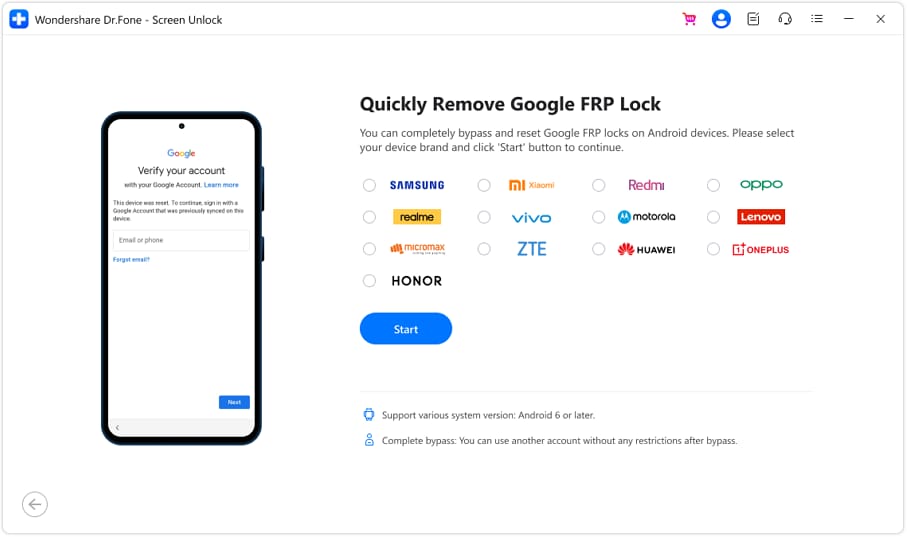
If the blocker is truly Google FRP verification, the lowest-risk path is typically recovering the correct Google account or completing verification with proof of ownership. If your issue is instead a screen lock you legitimately need to remove after you regain account access (or on devices/scenarios you’re authorized to service), Dr.Fone - Screen Unlock (Android) can serve as an execution tool to follow a guided workflow while you avoid guesswork.
 Unlock Android phone in seconds.
- Remove PIN, pattern, password, fingerprint.
- Bypass Google FRP lock easily.
- Works on all Android brands & models.
- No tech skills required – user-friendly.


-
Step 1 Identify the lock type first
Confirm whether you’re on a Google verification (FRP) screen or a PIN/pattern screen. The safest next step depends on the exact message you see.

-
Step 2 Prepare ownership and recovery details
Keep your receipt/IMEI/carrier account ready, and avoid repeated sign-in attempts that can trigger cooldowns.

-
Step 3 Run the guided unlock workflow (authorized scenarios only)
Open the tool and follow the on-screen flow that matches your device and situation. Don’t proceed if you can’t confirm authorization to unlock the device.

-
Step 4 Complete verification steps carefully
If any step requires account confirmation, use only accounts you own and can recover through official methods.




Conclusion
Use AI to interpret the verification screen, rank the most likely causes, and choose the lowest-risk next step—then hand off execution to the right channel: official Google/OEM recovery for FRP-related verification, and an appropriate unlock workflow tool for supported screen-lock scenarios.
FAQ
-
Why does Android ask for the previous Google account after a reset?
That screen usually indicates Factory Reset Protection (FRP), which requires a Google account previously synced on the device to continue setup. -
How do I find which Google account was previously used on my phone?
Check any other devices/browsers where you’re signed in to Google, review saved accounts in your password manager, and search your inboxes for “Google security” or “new sign-in” emails tied to the device. -
How long does the FRP cooldown last after too many attempts?
It varies; if you see a “try again later” message, pause attempts and focus on account recovery and proof gathering rather than repeated sign-ins. -
What if it was a work or school account and I don’t know the login?
You’ll typically need the organization’s admin/helpdesk to remove management or provide the correct credentials; personal account recovery won’t override managed policies. -
Can Dr.Fone help if I’m stuck on a PIN/pattern screen (not Google verification)?
Dr.Fone – Screen Unlock (Android) is designed for supported screen-lock scenarios; confirm your exact lock screen first so you use the correct workflow.
 Add Wondershare Dr.Fone as a preferred source on Google





