 Effortlessly manage data through preview, delete, export, etc.

 100% Security Verified | No Subscription Required | No Malware

 :
: 
 ChatGPT
 Perplexity
 Gemini
 Claude
 Grok
Grok

I’m about to sell my phone, but I’m scared I’ll either wipe it too early and lose something important—or forget some private data and leave it behind. What’s the safest order to do this?
Reddit user, r/iPhone
Balancing “backup verification” with “privacy cleanup” is easy to get wrong if you do things out of order—especially when one missed step can mean permanent data loss or leaving private data behind.
AI can help you design a safe sequence, define what to verify, and spot common failure points before you touch the device. But AI can’t read your phone, confirm what’s truly backed up, or erase data for you—so you still need a clear plan plus real tools to carry out the checks and cleanup.
In this article
- How to plan the right order (backup checks vs privacy cleanup)
- Define the two outcomes you’re balancing
- Decide what “verified backup” means
- Identify the point of no return
- Common uncertainty points (what to delete first)
- What the AI needs to know (inputs for a safe plan)
- Use AI prompts to build a safer workflow (plus reality checks)
- When to stop planning and start execution
- Execute the workflow safely with Dr.Fone
Part 1. How to plan the right order (backup checks vs privacy cleanup)

1-1. Define the two outcomes you’re balancing
You’re preparing to sell, trade in, return, or hand down a phone, and you want two outcomes that often conflict: keep everything you need (photos, chats, contacts, files) and remove everything you don’t want others to see.
1-2. Decide what “verified backup” means (before you touch anything)
After asking AI what to do, you may still feel unsure about the exact order: Should you delete sensitive items first, or back up first? What counts as a “verified backup”? Which apps store extra local data?
To avoid irreversible mistakes, define your verification standard up front (for example, restore/preview tests and spot-checks on the destination), rather than trusting a generic “Backup completed” message.
1-3. Identify the point of no return
There’s also a point of no return: once you factory reset or securely erase the device, anything not already verified as recoverable is effectively gone—and you can’t “undo” the cleanup if you discover a missing item afterward.
1-4. The simplest safe mindset: plan first, verify second, clean last
Use AI to output a sequence and checklist, then follow your own gates. Only do irreversible cleanup after you’ve proven your important data is accessible where you want it (new phone, cloud, computer, external drive).
Part 2. What the AI needs to know (inputs for a safe plan)
Answer these briefly so the AI can plan an order that avoids irreversible mistakes:
- Your goal (sell/trade-in/return/hand-down, and deadline)
- Device details (iPhone/Android, model, OS version)
- What data matters most (photos, messages, WhatsApp, notes, contacts, documents, app data)
- Where you want the data to end up (new phone, computer, external drive, cloud account)
- Your risk tolerance (do you prefer redundancy—two backups—before cleanup?)
- Privacy scope (just obvious items, or deep cleanup like app caches, downloads, hidden folders)
- Account constraints (do you know the Apple ID/Google credentials, 2FA access, screen lock?)
- Any special cases (work profile/MDM, encrypted apps, authenticator apps, eSIM, multiple users)
Part 3. Use AI prompts to build a safer workflow (plus reality checks)
Use the prompts below to make AI produce a sequence + verification checklist before you do anything irreversible.
3-1. Level 1: Basic Prompt
I need a planning checklist to balance backup verification and privacy cleanup before I sell my phone. Create a safe order of operations and tell me what I must confirm before any irreversible step. Keep it practical and short.
3-2. Level 2: Advanced Prompt
Build a structured workflow to balance backup checks and privacy cleanup for my phone.
Split it into Preparation, Execution, and Verification, and clearly label critical vs optional actions.
Include “stop/go” gates before any irreversible step (like factory reset), and list common mistakes that cause data loss.
3-3. Level 3: Evidence Prompt
I’m selling my phone and want a plan that proves my data is safe before I erase anything.
Device: (Android 14, Samsung S22) / (iPhone iOS 17, iPhone 13).
Data to protect: (Photos, WhatsApp, Contacts, Notes, Files, Authenticator).
Destination: (new phone + PC).
Create:
- A pre-flight inventory of data locations to check (e.g., DCIM, Downloads, WhatsApp media, local notes)
- Checks before, checks during, and checks after backup/transfer
- A verification standard (“I consider it backed up if…” with examples)
- A point-of-no-return warning and the exact conditions that must be true before I proceed (e.g., “successfully restored WhatsApp to the new phone and opened random chats from 3 dates”)
3-4. Prompt Refinement (follow-up prompts)
Give me a one-page runbook with headings: Inventory → Backup Targets → Verification Tests → Privacy Cleanup → Final Reset, and add a checkbox next to every item.
Convert the workflow into two gates: Gate A (Backup Proven) and Gate B (Cleanup Complete). For each gate, list pass/fail criteria and what to do if it fails.
List the top 10 “looks backed up but isn’t” traps for my device type, and tell me how to detect each trap quickly.
Create a sampling plan to verify content: how many photos/files/chats to spot-check and from which time ranges (e.g., oldest month, newest week, random mid-year).
Produce a decision tree for authenticator apps, eSIM, and 2FA: what to export/transfer first so I don’t lock myself out after cleanup.
3-5. AI plan vs. real device constraints
| Planning need | What AI can do | What AI can’t do | What you must verify on the device |
|---|---|---|---|
| Data inventory | Suggest where data commonly lives | See your actual folders/apps | Confirm what exists (Downloads, hidden albums, app storage) |
| Backup confidence | Define pass/fail tests | Prove a backup is complete | Restore/preview key items and spot-check randomly |
| Privacy cleanup | List what to remove and in what order | Remove accounts/files for you | Confirm sign-outs, local deletions, and removed sensitive files |
| Point-of-no-return safety | Add “stop/go” gates | Prevent you from wiping too early | Ensure all gates pass before factory reset/erase |
AI improves planning, but cannot execute device actions; you still need to perform the checks and changes on real hardware with real tools.
Part 4. When to stop planning and start execution
- You have a written inventory list of what must be preserved (not just “everything”).
- You defined clear proof of backup success (restore/preview tests, not only “backup completed”).
- You identified your point of no return (factory reset/secure erase) and set non-negotiable gate conditions to reach it.
- You know which items must be handled early to avoid lockouts (2FA/authenticator, eSIM, account credentials).
Once those are true, you’re making an informed decision to move from planning to controlled execution.
Part 5. Execute the workflow safely with Dr.Fone
Execution is where most avoidable mistakes happen—because real devices have real friction (permissions, cables, storage limits, failed transfers). After your plan is locked, use Dr.Fone - Data Eraser as an execution layer to carry it out in a controlled order.
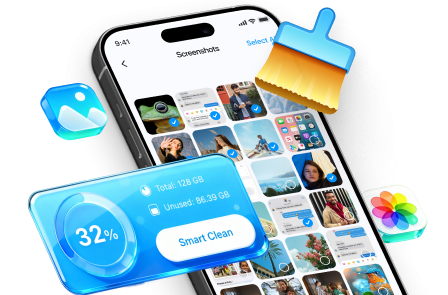
 Erase all data on iOS & Android
- Military-grade wiping to fully protect your privacy.
- Generate verified erasure reports better for device resale.
- Selectively erase private data and remove junk & large files.
5-1. Run the verified backup/transfer
Action: Perform the backup/transfer you planned, then immediately run your pre-defined spot-checks on the destination.
Limitation: A tool can run a transfer/backup process, but it can’t decide what “complete enough” means without your verification criteria.
5-2. Complete privacy cleanup only after the backup gate passes
Action: Proceed with your planned cleanup steps only after your “Backup Proven” gate is satisfied.
Limitation: Some sensitive data is app-specific; you still must confirm you signed out/removed access in the right accounts and apps per your checklist.
5-3. Perform the irreversible reset/erase only at the final gate
Action: Execute the final erase/reset step only when every required verification check is marked pass.
Limitation: After a reset/erase, recovery may be impossible; the action can’t be reversed if you skipped verification.
5-4. Example: a controlled privacy-cleanup flow (screens may vary)
-
Step 1 Open Dr.Fone and choose the eraser function
Start from the main interface and enter the data-erasing module so you can focus on cleanup only after your backup gate passes.

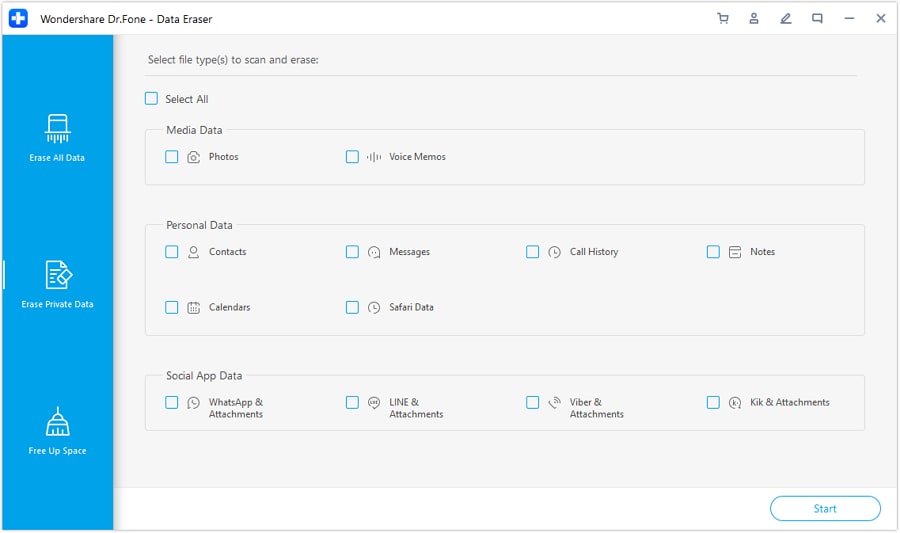
-
Step 2 Review the file/data categories available for removal
Use this view to map your cleanup checklist to actual on-device categories before deleting anything.
-
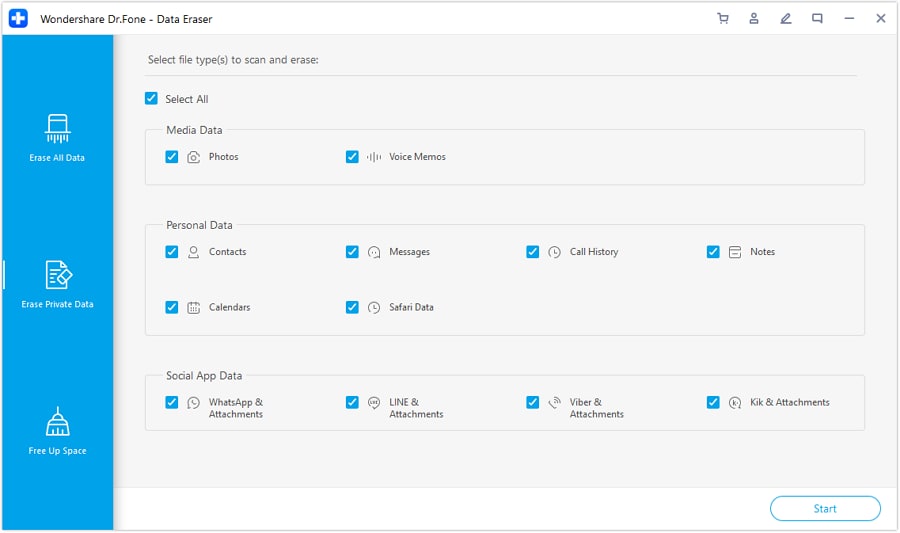
Step 3 Select the private data types you intend to erase
Select only what your plan says to remove, especially if you’re doing selective cleanup before a final reset.
-
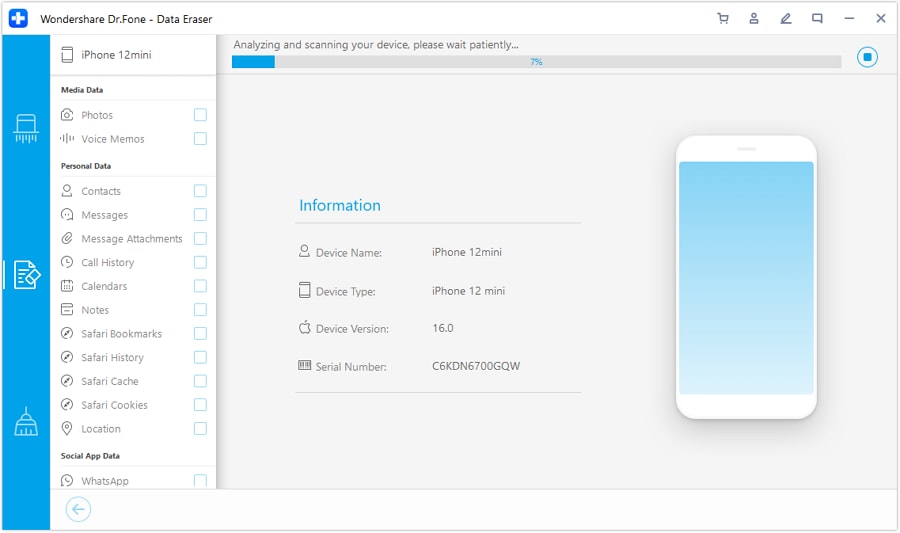
Step 4 Assess/analyze before the final erase action
Use the assessment step as a last checkpoint to ensure your gates are satisfied and your selections match your checklist.




Conclusion
Use AI to design a strict sequence with verification gates and a clear point-of-no-return rule, then rely on Dr.Fone to execute the backup/transfer and cleanup steps once your plan is complete.
FAQ
-
Should I delete private files before I back up?
Usually no—back up and verify first, unless your plan explicitly separates “never-back-up” items (and you’re certain they’re not needed).
-
What counts as a “verified” backup?
A backup is verified when you can restore/preview and spot-check real items (photos from different dates, key chats, critical files) on the destination device/account.
-
What’s the biggest point-of-no-return moment?
Factory reset/secure erase (and sometimes removing cloud accounts or deleting cloud backups). Do not proceed until your gate criteria are met.
-
How do I avoid getting locked out by 2FA/authenticator apps?
Treat 2FA/authenticator transfer as an early critical item: confirm export/transfer works and test a login on the new device before cleanup.
-
Can AI tell me if my backup is complete?
No. AI can define what to check and how to sample; only you (on the device and destination) can confirm the evidence.
 Add Wondershare Dr.Fone as a preferred source on Google





