 Effortlessly manage data through preview, delete, export, etc.

 100% Security Verified | No Subscription Required | No Malware

 :
: 
 ChatGPT
 Perplexity
 Gemini
 Claude
 Grok
Grok

I tried to “clean up my phone” fast, deleted Downloads and a bunch of chat media, and only realized weeks later that some files were never actually backed up.
Forum user
A monthly phone data audit helps you free space, reduce clutter, and avoid runaway backups—but skipping one step can trigger data loss, broken logins, or missing media you meant to keep.
AI is useful for turning a messy goal (“clean up my phone”) into a clear sequence: what to check first, what to back up, what to delete last, and how to confirm you didn’t miss critical folders or app data.
AI cannot access your device storage, verify what’s actually backed up, or perform deletions and transfers—so once the plan is correct, you’ll still need real device tools to execute safely.
In this article
- How to plan a monthly phone data audit without missing critical steps
- Build a repeatable monthly scope
- Why the order matters
- Identify point-of-no-return actions
- Set “verification gates” before deletion
- What the AI needs to know
- Using AI prompts to build a safer workflow
- When to stop planning and start execution
- Execute the workflow safely with Dr.Fone

Part 1. How to Plan monthly phone data audit for apps files and media Without Missing Critical Steps
1-1. Build a repeatable monthly scope
You want a repeatable monthly routine: review storage, identify the biggest offenders (apps, downloads, photos/videos, chat media), and clean up without breaking anything you rely on (banking apps, 2FA, work profiles, offline maps).
1-2. Why the order matters (the “when,” not the “what”)
The uncertainty usually isn’t what to clean—it’s when to do it. If you uninstall an app before confirming its data is synced, or delete a media folder before confirming it exists in your backup, you may only notice the loss weeks later.
1-3. Identify point-of-no-return actions
The main point-of-no-return moment is when you permanently delete items (e.g., empty “Recently Deleted,” clear a messaging app’s media, remove “Downloads,” or delete large videos) before verifying they’re safely backed up and restorable.
1-4. Set verification gates before deletion
Plan “proof checks” that must pass before you do anything irreversible (for example: sync shows complete, backup date is recent, backup size looks reasonable, and you’ve done a small restore spot-check).
Part 2. What the AI Needs to Know
Share your device context so the workflow can be sequenced and checked correctly.
- Device OS and model (Android/iPhone; e.g., “Android 14, Samsung S22”)
- Storage situation (total/used; what’s growing fastest)
- What matters most to keep (photos, WhatsApp/LINE chats, work files, voice notes, recordings)
- Your backup situation (cloud provider, last successful backup date, computer backup availability)
- Constraints (limited Wi‑Fi, low battery health, travel, work device policies, encrypted work profile)
- Your risk tolerance (conservative vs aggressive cleanup)
- Any apps with known “local-only” data (recorders, offline podcast apps, camera apps saving to SD, etc.)
Part 3. Using AI Prompts to Build a Safer monthly phone data audit for apps files and media Workflow
Use the prompts below to force a clean sequence, define verification gates, and keep irreversible actions at the very end.
3-1. Level 1: Basic Prompt
Create a monthly phone data audit checklist for apps, files, and media. Include the correct order of operations so I don’t delete anything important before I confirm it’s backed up. Keep it short and focused on planning only.
3-2. Level 2: Advanced Prompt
Design a structured monthly phone data audit workflow with three phases: **Preparation**, **Execution**, and **Verification**.
In each phase, separate **critical steps** (must-do to prevent data loss) from **optional steps** (nice-to-have), and include “stop points” where I should not proceed until checks pass.
3-3. Level 3: Evidence Prompt
I’m doing a monthly data audit on **(Android 14, 128GB phone, 112GB used)**.
Biggest categories are **(Photos & Videos ~45GB, Messaging media ~18GB, Downloads ~10GB, Apps ~30GB)**.
I need to keep **(family photos, travel videos, WhatsApp chats, work PDFs)** and I can’t risk losing **(2FA app access)**.
Backups: **(Google Photos on, last sync unknown; no recent computer backup)**.
Build a plan with:
- **Before** checks (what evidence to confirm, like “sync status shows complete,” “backup size/date,” “sample restore test”)
- **During** checks (how to avoid deleting active folders, how to handle duplicates, what to do if storage won’t calculate)
- **After** checks (what to verify is still accessible, what to re-enable, what to monitor for 48 hours)
Also list “danger actions” I must not do until verification is complete (e.g., empty Recently Deleted, delete DCIM subfolders, clear messaging media).
3-4. Prompt Refinement
Put the workflow into a table with columns: *Step*, *Why it matters*, *How to verify*, *If verification fails do this*, *Risk level (Low/Med/High)*.
Define a strict ‘two-proof rule’ for deletion: what two independent proofs count as ‘safe to delete’ for photos, downloads, and messaging media?
Create a ‘top 10 inspection checklist’ for hidden storage traps (e.g., app caches, offline media, duplicated camera folders, messaging app media duplicates, large files in Downloads).
Give me a decision tree for uninstalling apps: when it’s safe, when it’s risky, and what I must export first (notes, recordings, local databases, offline maps).
Write a 15-minute ‘minimum viable audit’ version and a 60-minute ‘deep audit’ version, with the same safety gates.
3-5. AI Plan vs. Real Device Constraints
| AI can plan | Real device constraint |
|---|---|
| Identify a safest-first sequence | Only your phone can show true sync/backup status and what’s stored locally |
| Suggest verification gates (dates, sizes, sample restores) | Backup apps can report “complete” while some folders are excluded or pending |
| Flag high-risk deletions to postpone | Some deletions are irreversible once “Recently Deleted/Trash” is emptied |
| Provide a repeatable monthly checklist | Storage categories and app behavior vary by OS version, vendor, and settings |
AI improves sequencing and risk control, but it cannot read your storage, confirm what actually backed up, or perform transfers/deletions—those require real device actions and tooling.
Part 4. When to Stop Planning monthly phone data audit for apps files and media and Start Execution
- You have a written order of operations with deletion only at the end.
- You defined verification evidence (what “backed up” means for photos, chats, downloads, and files).
- You listed high-risk items (2FA apps, messaging media, local recordings, work profile data) and how you’ll protect them.
- You set a clear rollback path (where your backup is, how you’d restore, and what you’ll test first).
If those are true, planning is complete—and the next step is careful execution with verification checkpoints.
Part 5. Monthly phone data audit for apps files and media: Execute the Workflow Safely with Dr.Fone
Once your plan is ready, use real device tools to carry it out safely. Dr.Fone Basic - Data Manager can help you create a verifiable backup, review key categories, and export what you plan to delete later—so irreversible cleanup happens only after your checks pass.
 Easily manage data through preview, delete, export, etc.
- Transfer all data between devices.
- Robust backup solutions for reliable data protection.
- Mirror screens to PC for meetings, teaching, and control.
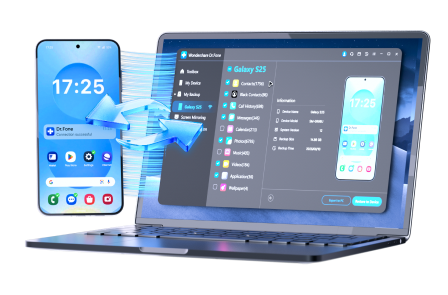
Execution now matters because the safest plan still fails if transfers are interrupted, backups aren’t readable, or you delete before confirming recoverability.
-
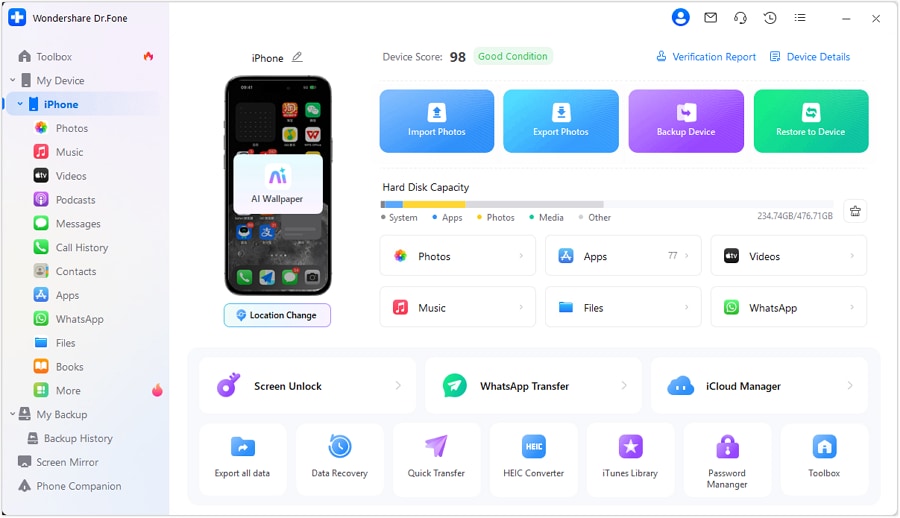
Step 1 Connect your phone and open data management
Connect your iPhone/Android to a computer and open the device management view so you can review categories before taking any irreversible action.
-
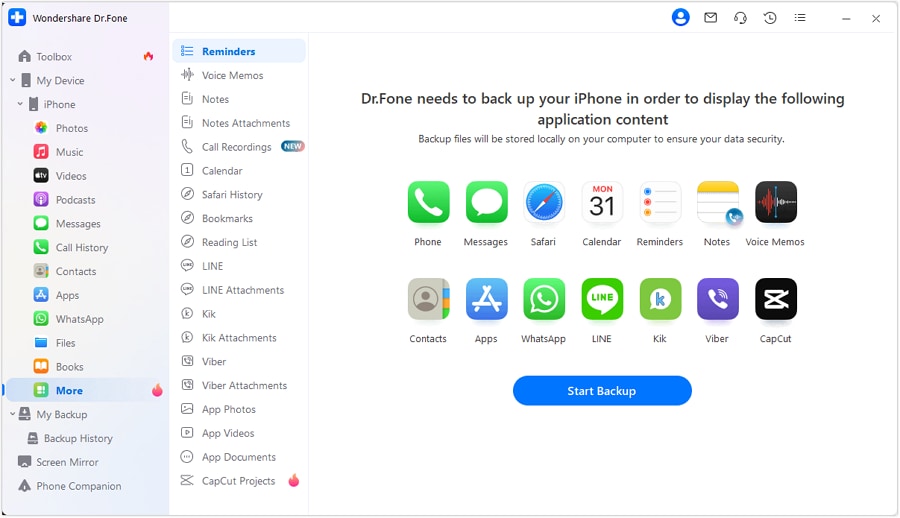
Step 2 Create a verifiable backup first
Create a backup you can identify by date and scope (photos/videos/files as needed). Then confirm the backup result and perform a small spot-check to validate restorability before cleanup.
-
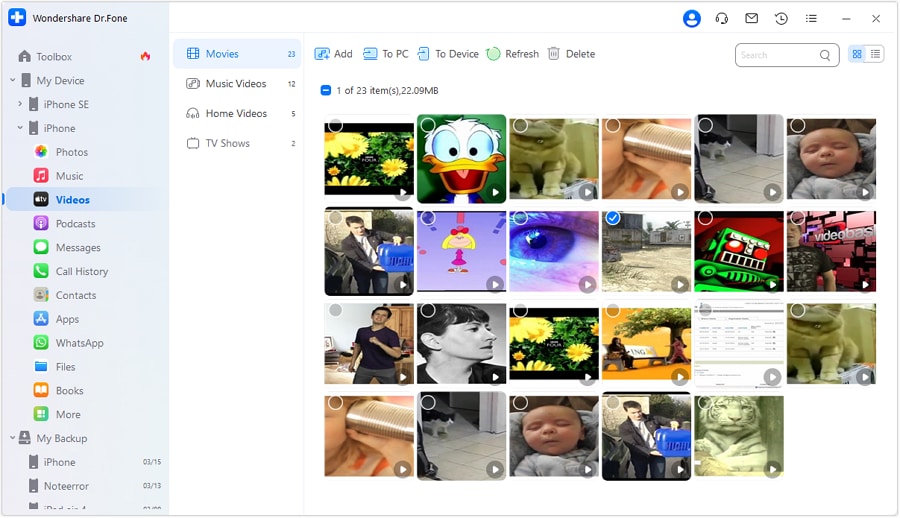
Step 3 Audit and export what you’ll delete later (start with large media)
Export/transfer selected large categories (for example, videos and large files) to a safer location before removing them from the phone. This reduces risk if you later discover a cloud sync gap.

-
Step 4 Only after verification: perform irreversible cleanup
After your verification gates pass (timestamps, sizes, and a restore spot-check), delete what you intentionally chose to remove. Treat “empty trash / recently deleted” as the final step.




Conclusion
AI is best used to plan the safest sequence, define verification gates, and identify high-risk steps; real tools are required to execute backups, transfers, and deletions without guessing.
FAQ
-
What’s the biggest mistake in a monthly phone data audit?
Deleting first and verifying later—especially clearing messaging media, deleting DCIM subfolders, or emptying “Recently Deleted/Trash.” -
How do I verify a backup is real, not just “enabled”?
Use evidence: a recent backup timestamp, a reasonable backup size, and a small spot-check restore test (at least one photo/video and one file). -
Should I clear app caches every month?
Only after confirming it won’t remove offline content you need (maps, podcasts, saved media). Cache-clearing is usually lower risk than deleting files, but some apps label downloads as cache. -
When should I uninstall apps during an audit?
Late in the workflow, after you’ve confirmed whether the app data is cloud-synced and exported anything local-only (recordings, notes, downloads). -
Can AI tell me exactly what to delete to free the most space?
No—AI can prioritize likely culprits, but only your device storage view and file lists can confirm what’s actually largest and safe to remove.
 Add Wondershare Dr.Fone as a preferred source on Google





