 Effortlessly manage data through preview, delete, export, etc.

 100% Security Verified | No Subscription Required | No Malware

 :
: 
 ChatGPT
 Perplexity
 Gemini
 Claude
 Grok
Grok

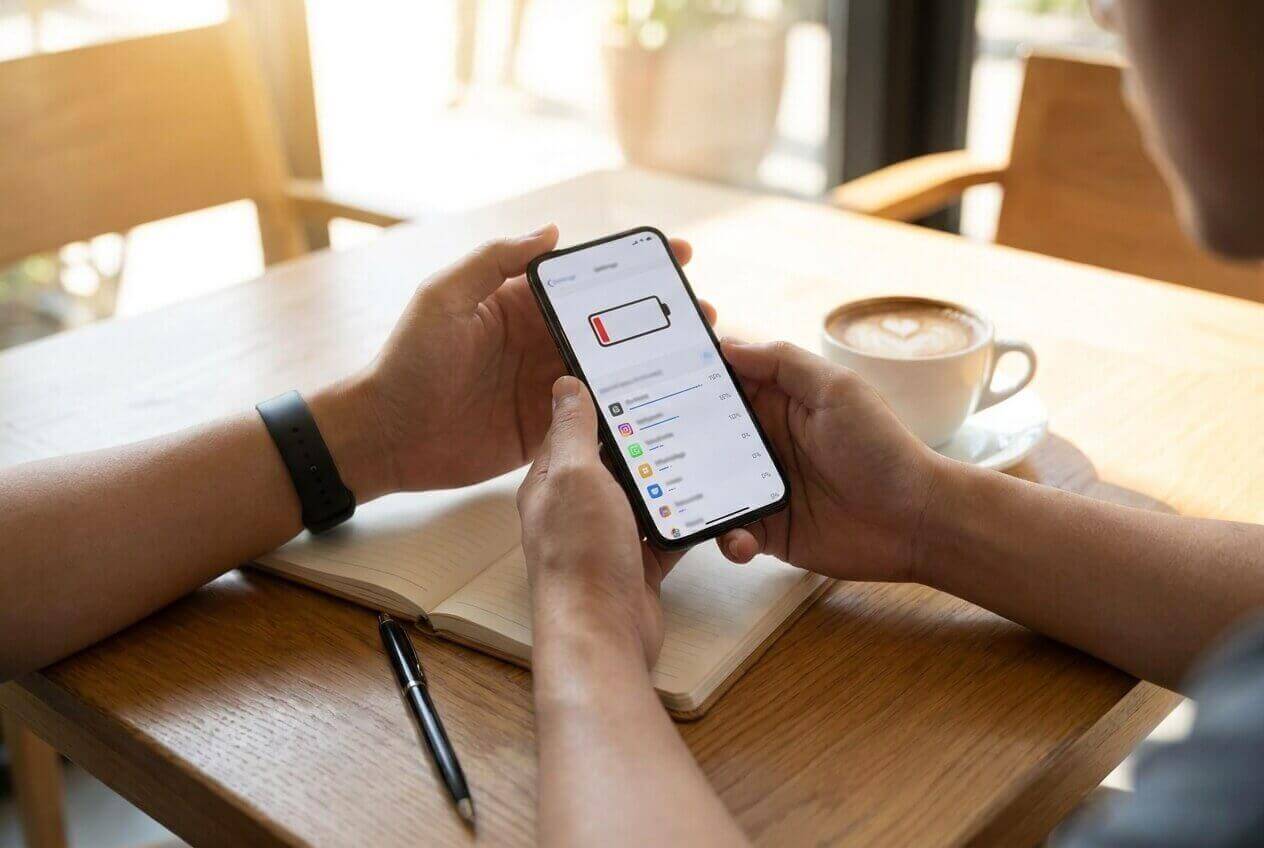
I checked “battery usage” and it’s never the same app people say online. I just want to know what to change without breaking notifications or maps.
Reddit user, r/Android
Generic “top battery-draining apps” lists rarely match your phone, your settings, or your daily routine—so they don’t resolve the real decision: what you should change.
AI can help you turn vague suspicion (“it’s probably social media”) into a structured comparison: which apps are most likely draining battery for your usage pattern, and what trade-offs you accept if you restrict or replace them.
AI can’t see your actual battery stats unless you provide them, and it can’t validate real-life friction (missed notifications, delayed uploads, broken automations). After you decide, the practical follow-through—cleanup, switching, or preparing a device—still matters.
In this article
- How to compare battery-draining apps based on real priorities
- Common suspects you’re usually choosing between
- Why battery drain is uncertain (not just screen time)
- The real decision: what to change without breaking workflows
- Where AI helps (and where it can’t validate reality)
- What the AI needs to compare
- AI prompts (Level 1–3) and prompt refinement
- AI recommendation vs real-world fit (and when to stop researching)
- After choosing: switch or prepare smoothly with Dr.Fone
How to Compare which apps cause the most battery loss on phone Based on Real Priorities
You’re usually choosing between a few suspects: a social app you open constantly, a navigation app that uses location, a Bluetooth/audio app you run for hours, or a “quiet” app that’s secretly active in the background.
The uncertainty is that battery drain isn’t only about “time on screen.” Background refresh, push notifications, location polling, poor signal, and syncing behavior can make an app expensive even when you barely touch it.
The real tension: you don’t just want to find the “worst” app—you want to decide what to change (keep it, restrict it, replace it, or uninstall) without breaking the parts of your phone life you rely on.
What the AI Needs to Compare
To compare likely battery culprits and the best interventions, share:
- Your phone model + OS version (Android/iOS)
- Battery health context (new/old battery, recent OS update, sudden change vs gradual)
- Your top 5–10 apps by battery usage (screenshot text or typed percentages)
- Your top 5 apps by screen time (or your best estimate)
- Settings that matter: location (Always/While Using), background refresh, notifications, Bluetooth, hotspot, VPN
- Typical day: commute/navigation, streaming, gaming, calls, photo/video, work chats
- What you refuse to compromise on (e.g., “must get Slack instantly,” “maps must be accurate,” “music can’t stutter”)
Using AI Prompts to Evaluate which apps cause the most battery loss on phone More Clearly
Use these prompts to force a trade-off-based comparison instead of guesswork.
Level 1: Basic Prompt
I’m trying to figure out which apps are causing the most battery loss on my phone and what to do about it.
Based on the apps I list and how I use them, compare the most likely culprits and suggest the simplest change that preserves the experience.
Level 2: Advanced Prompt
Act like a decision assistant.
1) Rank my listed apps by likely battery impact using my usage pattern and settings (screen time vs background use vs location/notifications/sync).
2) For each top suspect, give 2–3 options (keep as-is, restrict background/location, replace with alternative, uninstall).
3) Explain who each option fits best (e.g., “needs real-time alerts” vs “can tolerate delays”) and the main trade-off I’d feel day-to-day.
Here’s my info: [phone/OS], [battery health], [battery usage list], [screen time list], [key settings], [typical day], [non-negotiables].
Level 3: Evidence Prompt
Use my phone stats to recommend the most practical plan to reduce battery drain with the least regret.
- Identify the top 3 apps that are most likely causing battery loss for my situation (not generic lists).
- For each app: what I gain vs what I give up if I (A) restrict background/location, (B) disable notifications, (C) replace it, or (D) uninstall it.
- Make one clear recommendation for the next 48 hours (what to change first, what to measure, and what “success” looks like).
- Name one assumption you are making that would flip your recommendation (example: “if you actually need real-time alerts,” or “if the app is required for work,” or “if poor signal is the real cause”).
My context: [paste battery usage %], [paste screen-time], [signal quality info], [location usage], [must-have behaviors], [recent changes].
Prompt Refinement
If two apps show similar battery %, what tie-breakers should I use (background time, wakeups, notifications volume, location mode), and what’s the most common “false positive”?
Build a “low-regret” order of operations: the first 3 changes I should try that are easiest to reverse if they annoy me.
What would I miss if I restrict each top suspect (delayed messages, less accurate location, slower uploads), and how can I notice those failures quickly?
If I refuse to uninstall anything, what settings changes give me the biggest battery win with the smallest quality loss?
Assume my biggest drain is actually system-level (signal, OS update indexing, Bluetooth scanning).
What evidence in my stats would support that, and how would the plan change?
Suggest one replacement-style alternative per app category (messaging, email, navigation, social, fitness) only if it meaningfully reduces background drain—and explain the trade-off.
AI Recommendation vs Real-World Fit
AI can clarify likely fit and a sensible test plan, but hands-on use, workflow friction, and daily habits decide whether the battery savings are worth the compromises.
| Likely AI recommendation or conclusion | What real-life use may change or reveal |
|---|---|
| “Restrict background activity for App X first.” | You may miss time-sensitive messages or uploads and only notice after it matters. |
| “Location ‘Always’ is the biggest drain—switch to ‘While Using.’” | Navigation accuracy, geofencing, or automation routines may break in subtle ways. |
| “Notifications volume is driving wakeups—trim alerts.” | You may trade battery for anxiety/latency if you depend on instant awareness. |
| “Replace/uninstall the heaviest app for a lighter alternative.” | The alternative may lack one feature you actually rely on daily (sharing, filters, integrations). |
When to Stop Researching which apps cause the most battery loss on phone and Make the Call
- You can name your top 2–3 suspects from your own battery stats, not from generic lists.
- You have a “least regret first” sequence (restrict → reduce notifications → adjust location → replace/uninstall).
- You know the specific downside you’re watching for (missed alerts, delayed sync, navigation issues) and how you’ll detect it.
- You’ve defined a short measurement window (e.g., 24–48 hours) and what improvement would count as “enough.”
Once you can predict both the savings and the annoyance you might feel, you’re ready to choose an action instead of collecting more opinions.
After Choosing which apps cause the most battery loss on phone: Switch or Prepare Smoothly with Dr.Fone
After you’ve decided what to remove, restrict, or replace, the practical risk is losing data, leaving clutter behind, or making a future phone switch/resale harder than it needs to be. If you also need iOS repair support during cleanup (for example, after an update), you can use Dr.Fone - System Repair (iOS).
 Fix iOS issues, no data loss.
- One-click repair for all iOS problems.
- Solve recovery mode, Apple logo, black screen, etc.
- Upgrade or downgrade iOS without iTunes
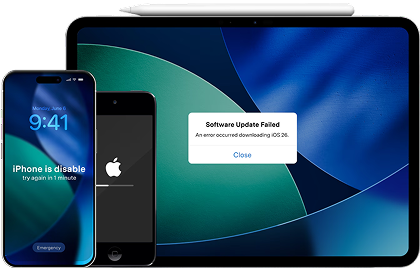
Back up before you uninstall or reset.
Action: Use Dr.Fone to create a backup of important phone data so you can experiment with app removals/settings changes without fear.
Limitation: A backup doesn’t guarantee every app’s internal state/session transfers perfectly if the app itself doesn’t support it.
Transfer cleanly if you’re switching phones to escape battery pain.
Action: Use Dr.Fone to move your key data to a new phone so you’re not forced to keep old battery-heavy setups just to preserve content.
Limitation: Some apps still require separate logins or re-authorization after transfer.
Prepare for resale or handoff after cleanup.
Action: Use Dr.Fone to help erase personal data when you’re done, so removed apps/accounts don’t leave recoverable traces.
Limitation: Erasure outcomes can vary by device/OS, and you should still follow platform-specific sign-out steps (Apple ID/Google account) before handing it off.
-
Step 1 Open Dr.Fone on your computer
Launch the Dr.Fone toolbox so you can access repair and device-management features from one place.

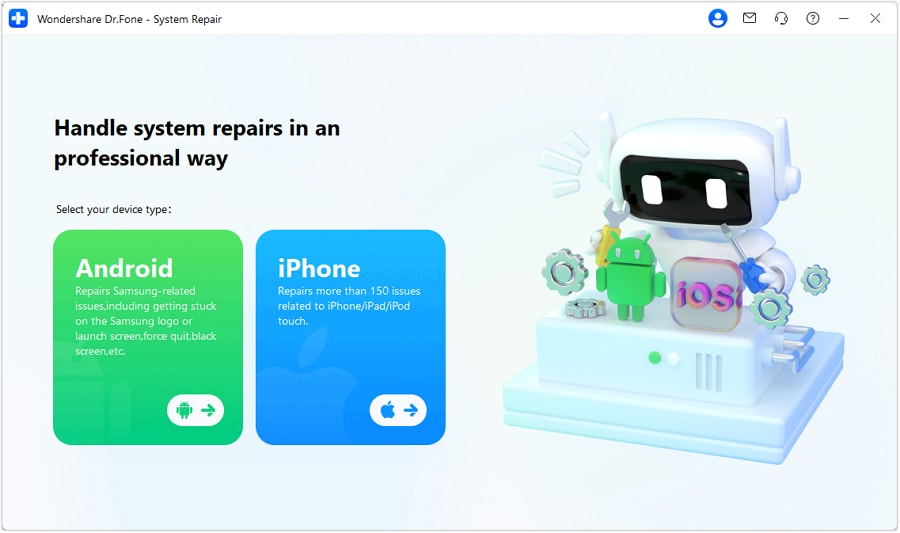
-
Step 2 Choose System Repair and select iOS
Go to the System Repair tool and pick iOS to proceed with iPhone/iPad repair options.
-
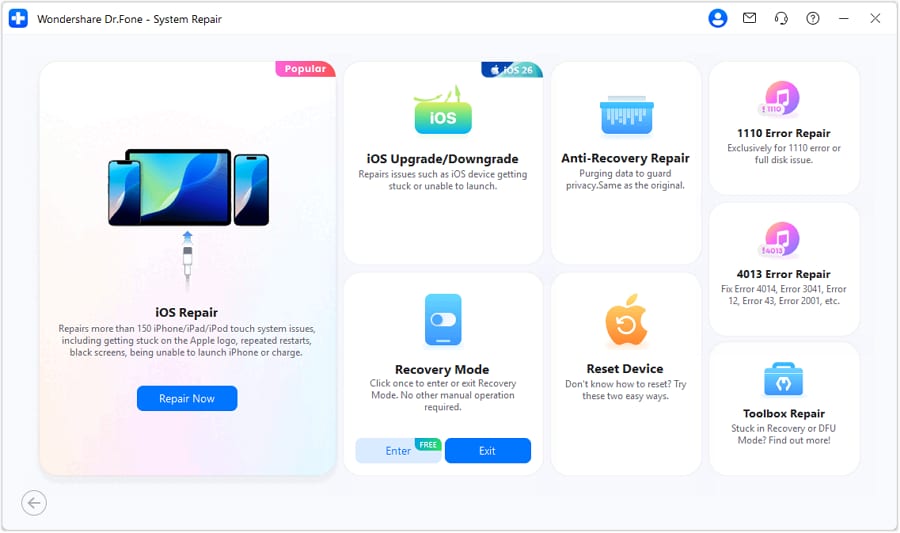
Step 3 Continue to iOS repair
Confirm you want to continue into the iOS System Repair workflow.
-
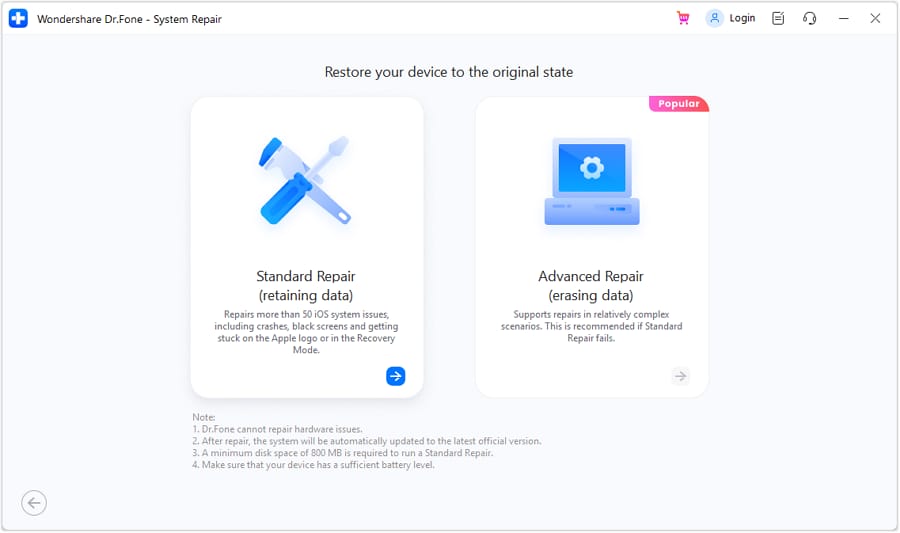
Step 4 Proceed with Standard Mode
Use Standard Mode to address common iOS system issues while aiming to avoid data loss.




Conclusion
AI is best used here as decision support: it helps you compare likely culprits, spell out trade-offs, and pick a low-regret test plan—then real daily use proves whether the compromise feels right, and tools like Dr.Fone can help you execute the cleanup, transfer, or resale steps smoothly once you’ve decided.
FAQ
-
Can AI accurately tell which apps drain my battery most?
Only if you provide your battery usage stats and context. AI can interpret patterns and suggest likely causes, but it can’t “see” your phone or verify what’s happening without your data. -
What’s the most important trade-off when reducing app battery drain?
Battery life vs immediacy. The biggest savings often come from limiting background activity, notifications, and location—exactly the things that make apps feel instant and “always on.” -
How do I avoid a generic, spec-like answer?
Give AI your top battery-usage list, your non-negotiables (alerts, location accuracy, uploads), and ask for “what you gain / what you give up” per change. That forces decision logic instead of generic advice. -
What should I measure after I make changes?
Pick one or two signals: screen-on time to low-battery, overnight drain %, and whether you missed any critical notifications or sync events. Evaluate over 24–48 hours to smooth out one-off heavy days. -
If I uninstall or replace an app, what should I prepare first?
Back up anything you can’t easily recreate (photos, chats you’re allowed to back up, files, notes), and confirm you can log back in. If you’re switching phones, plan the transfer before you start deleting things.
 Add Wondershare Dr.Fone as a preferred source on Google





