 Effortlessly manage data through preview, delete, export, etc.

 100% Security Verified | No Subscription Required | No Malware

 :
: 
 ChatGPT
 Perplexity
 Gemini
 Claude
 Grok
Grok

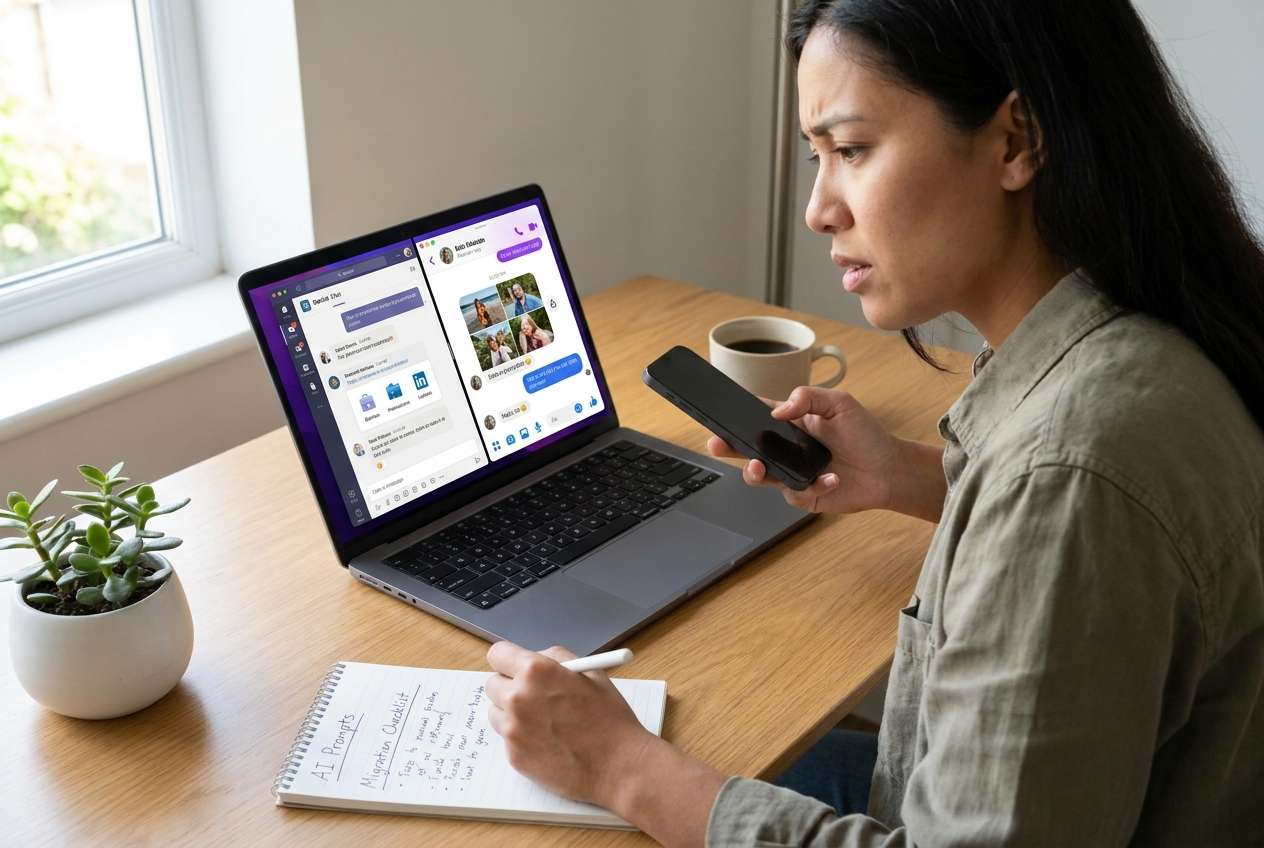
I thought separating work and personal chats before switching phones would be straightforward—until I realized one missed verification step could mean lost threads or the wrong backup restoring over my existing chats.
Forum user
Separating work and personal chats before a migration is easy to start and surprisingly easy to mess up if you skip a verification step. One missed detail—like an incomplete backup, the wrong account context, or an export that doesn’t include media—can leave you with missing threads after you switch devices.
AI helps by turning a vague goal (“separate my chats”) into a clear sequence: what to decide first, what to capture as evidence, what to validate, and what to avoid until you’re sure. It can also surface edge cases (multi-device mode, multiple SIMs, managed work profiles, encrypted backups) that change the safest order of operations.
AI can’t actually move chats, generate real backups, or confirm what’s on your device. Execution requires device-level tools and permissions—so once the plan is correct, you need a real tool to perform the transfer, backup, restore, or extraction actions.
In this article
- How to Plan Separation Without Missing Critical Steps
- Common failure points
- The point-of-no-return moment
- Verification-first mindset
- What “separation” should mean
- What the AI Needs to Know
- Using AI Prompts to Build a Safer Workflow
- AI Plan vs. Real Device Constraints
- When to Stop Planning and Start Execution
Part 1. How to Plan separate work and personal chats before migration Without Missing Critical Steps
You’re changing phones (or moving between Android and iPhone) and you want work chats to stay in a work context and personal chats to stay personal. Maybe you’re switching to a new job, returning a work phone, or consolidating accounts—and you don’t want to accidentally carry sensitive work conversations onto a personal device.
The uncertainty usually isn’t “can I move chats?” but “in what order, and how do I prove it worked?” People commonly discover too late that they merged accounts, lost older messages, or restored the wrong backup.
The point-of-no-return moment is when you overwrite a destination app’s existing chat history (or factory reset / sign out / delete chats) before confirming you have a complete, restorable source copy. Do not reach that moment until your verification checks are complete.
Part 2. What the AI Needs to Know
Share just enough context so the AI can build a safe, verifiable sequence.
- Source device OS and model (e.g., iPhone 13 iOS 17 / Samsung S22 Android 14)
- Destination device OS and model
- Which chat apps are involved (e.g., WhatsApp / WeChat / LINE / Telegram / Signal)
- Whether “work” is a separate account, number, workspace, or managed work profile (MDM)
- Whether you need a hard separation (different apps/accounts/devices) or just organization
- Current backup state (cloud backup on/off, last backup time, available storage)
- Media importance (photos/videos/voice notes) and retention expectations
- Constraints: time window, corporate policy, legal/compliance needs
- Any existing chats on the destination you cannot lose
- Two-factor authentication availability and phone number/SIM plans during migration
Part 3. Using AI Prompts to Build a Safer separate work and personal chats before migration Workflow
Use these prompts to force a clear plan, explicit checks, and a defined “stop” before any irreversible action.
3-1. Level 1: Basic Prompt
Help me plan how to separate my work and personal chats before migrating to a new phone.
I need a step-by-step sequence with the key decisions and what to verify at each step.
Do not tell me to execute actions—only plan and checks.
3-2. Level 2: Advanced Prompt
Build a structured workflow to separate work and personal chats before migration.
Split it into Preparation, Execution (high-level only), and Verification, and label steps as Critical or Optional.
Also list the irreversible actions (e.g., overwrite restore, deleting chats, factory reset) and the exact verification criteria required before I’m allowed to do them.
3-3. Level 3: Evidence Prompt
I’m migrating chats and need work/personal separation with minimal risk. Here’s my context:
- Source device: (Android 14, Samsung S22)
- Destination device: (iPhone 15, iOS 17)
- Apps: (WhatsApp + Telegram)
- Work context: (WhatsApp work number on eSIM; Telegram is personal)
- Constraints: (I must return the work phone tomorrow; work chats must not land on my personal iPhone)
- Current state: (WhatsApp last backup: “unknown”; destination iPhone already has personal WhatsApp chats I can’t lose)
Create a workflow that includes:
- A decision tree for what “separation” means (different numbers/accounts/devices vs same device with boundaries)
- Checks before, during, and after migration (e.g., sample thread spot-checks, media counts, backup timestamps)
- A “no-return gate” checklist before any action that could overwrite existing chats on the destination
- A rollback plan if verification fails mid-way
3-4. Prompt Refinement
Put the workflow into a table with columns: Step, Goal, Inputs needed, Output evidence, Failure signs, Recovery action.
Identify the top 5 ways chat separation fails in my scenario and add a prevention check for each.
Ask me only the minimum clarifying questions needed to remove ambiguity, then restate the plan in one page.
Define an explicit “definition of done” for separation (what I should be able to prove on each device/account after migration).
Create a verification script I can follow: exactly which chats to spot-check (e.g., newest 3, oldest 3, 3 with lots of media) and what to record.
Part 4. AI Plan vs. Real Device Constraints
| Planning with AI (what it’s good at) | Real device constraints (what AI can’t do) |
|---|---|
| Clarifies what “separate” means and turns it into a sequence | Access actual backups, app databases, and device permissions |
| Defines verification gates before irreversible actions | Confirm what truly transferred (counts, media completeness, hidden failures) |
| Anticipates edge cases (MDM, multi-device, 2FA, storage limits) | Perform migrations, exports, restores, or merges safely |
| Produces checklists and rollback logic | Guarantee compliance with corporate policy or app-specific limits |
AI improves planning, but cannot execute. Once the sequence and verification gates are clear, you need real tools on the actual devices to carry out backup/transfer/restore without guessing.
Part 5. When to Stop Planning separate work and personal chats before migration and Start Execution
- You can state, in one sentence, what “separation” means for you (different number/account/device or different profile) and what is not allowed to happen.
- You have a written “no-return gate” checklist for overwrite/restore/delete/reset actions, and you can meet every item.
- You know exactly what you will verify after transfer (spot-check set + media expectations + timestamps) and how you’ll record results.
- You have a rollback path if something fails (e.g., keep source device intact, don’t sign out/delete until verification passes).
At this point, the remaining risk comes less from planning and more from execution accuracy and tool limitations.
Separate work and personal chats before migration: Execute the Workflow Safely with Dr.Fone
Execution now matters because this is where data can be overwritten, merged, or lost if the wrong option is chosen. Keep the plan in front of you and treat verification gates as mandatory stops—especially before any restore that can replace existing chat history.
 Transfer WhatsApp across Android & iOS.
- Backup & restore WhatsApp to PC securely.
- Preview & export chats selectively.
- Works with all iPhone & Android models.
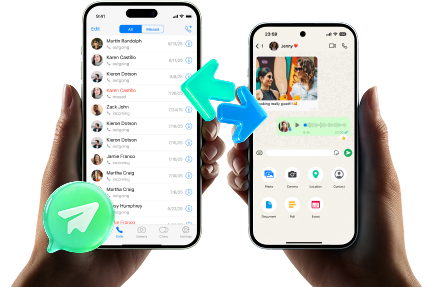
Once you’re ready to run the device actions, a tool like Dr.Fone - WhatsApp Transfer can help carry out transfer/backup/restore steps on real devices—while you keep control over the “no-return gate” rules and verification you defined.
-
Step 1 Prepare a “no-return gate” snapshot
On both devices, capture the evidence your plan requires (backup timestamps, key thread spot-check list, what must not be overwritten) and ensure the source stays unchanged until verification passes.
AI can’t confirm what’s truly on-device or inside app data—your evidence must come from the devices and tools you use.
-
Step 2 Open the WhatsApp transfer tool and confirm direction/context

Before doing anything that could overwrite data, confirm you’re operating in the correct direction and account/number/profile context, matching your approved plan.
Dr.Fone performs the device actions, but it can’t decide your intent—if you choose the wrong direction/account/context, you can still merge or overwrite data.
-
Step 3 Run the planned migration/separation steps (high-level) without skipping gates

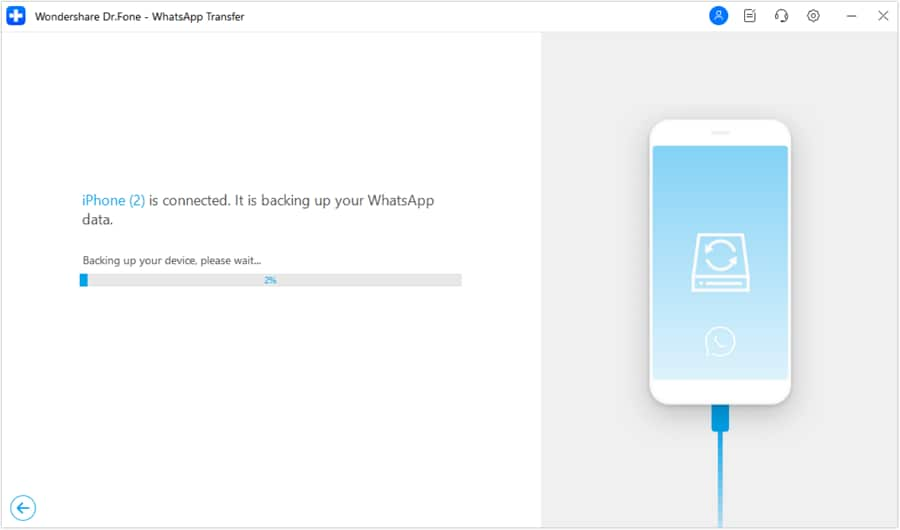
Carry out the planned transfer/backup/restore steps in the exact order you approved, avoiding any overwrite/erase action until your checklist says it’s safe.
If you’re separating work and personal contexts, treat every “restore” or “replace” choice as irreversible unless your verification criteria are already satisfied.
-
Step 4 Verify outcomes before cleanup or sign-out
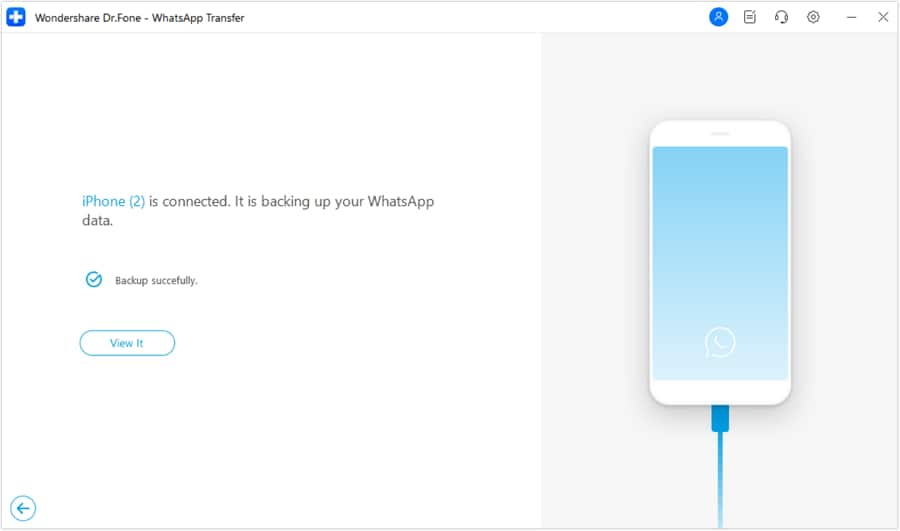
Validate the result against your definition of done (spot-check threads, media presence, timestamps, and “work stays work / personal stays personal”), then only after passing verification proceed with any deletion, factory reset, or account sign-out.
If verification is skipped, the first time you notice missing chats may be after an irreversible cleanup—when recovery options are limited.




Conclusion
Use AI to define what separation means, map the safest sequence, and enforce verification gates before irreversible moments; then use a real tool like Dr.Fone to execute the device actions according to that plan.
FAQ
-
What’s the biggest risk when separating work and personal chats before migration?
Overwriting an existing chat history on the destination or merging work chats into a personal account context before you’ve proven you have a complete, restorable copy. -
What should I verify before any “restore” or “overwrite” step?
Backup recency (timestamp), a spot-check set of chats (newest/oldest/high-media), media visibility, and that you’re in the correct account/number/profile on both ends. -
When is it safe to delete chats or factory reset the old phone?
Only after you’ve verified the migrated result meets your definition of done and you have a fallback copy (or the source device remains intact until you’re confident). -
Can AI tell me if my chats actually transferred completely?
No. AI can define what to check and what “complete” should look like, but it can’t read your device or validate transfer integrity. -
What if I have corporate controls (MDM/work profile) on the work device?
Assume additional restrictions and plan for them explicitly; your workflow may require admin-approved methods and may limit what can be moved off the device.
 Add Wondershare Dr.Fone as a preferred source on Google





